
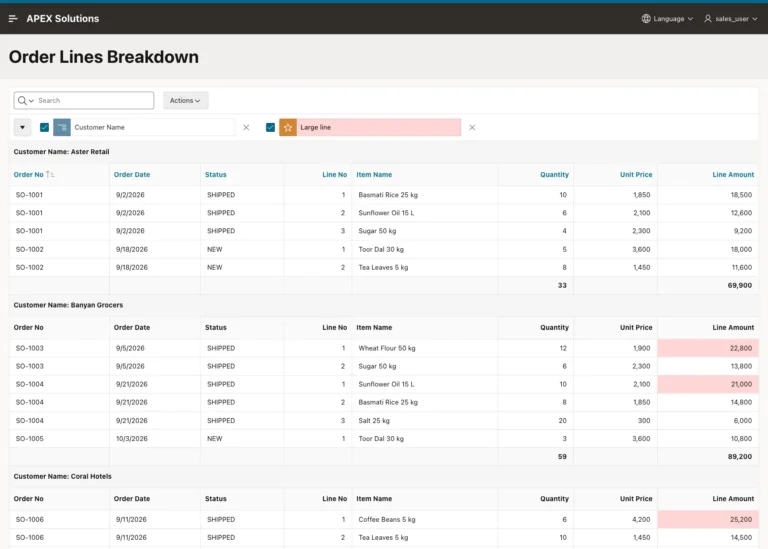
How to Add Control Breaks and Subtotals to an Interactive Report in Oracle APEX
Group an Interactive Report into sections, sort each section, add subtotals and a highlight, save it as the primary report, and check it against ROLLUP.
Posts tagged AI-Assisted are created with support from artificial intelligence. I use AI tools to research, draft, and refine ideas—combining human insight with machine precision to deliver clear, informed, and creative content.
Group an Interactive Report into sections, sort each section, add subtotals and a highlight, save it as the primary report, and check it against ROLLUP.
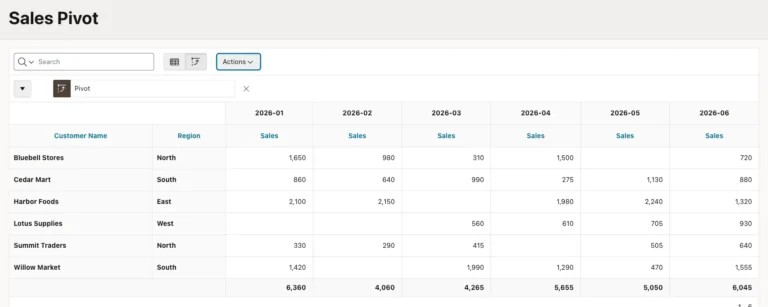
Turn rows into month columns with the Interactive Report Pivot action, add totals and a sort, save it for all users, and build a SQL PIVOT version.
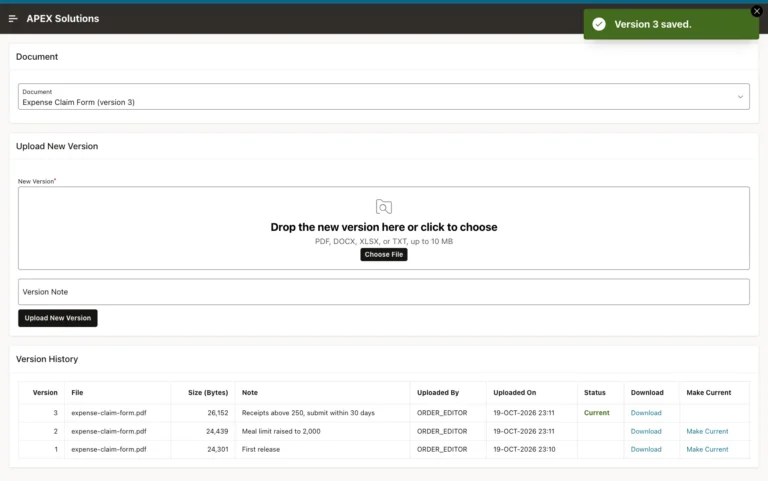
Store each upload as a numbered version, lock the document while numbering, list all versions with download links and let editors make an older version current.
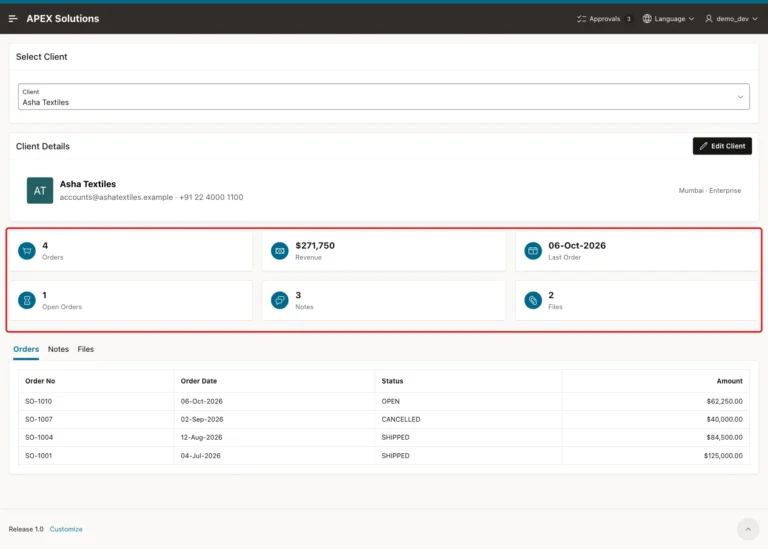
Combine a Content Row header, Cards with correct per-record figures and a Region Display Selector with related reports, plus an edit dialog.
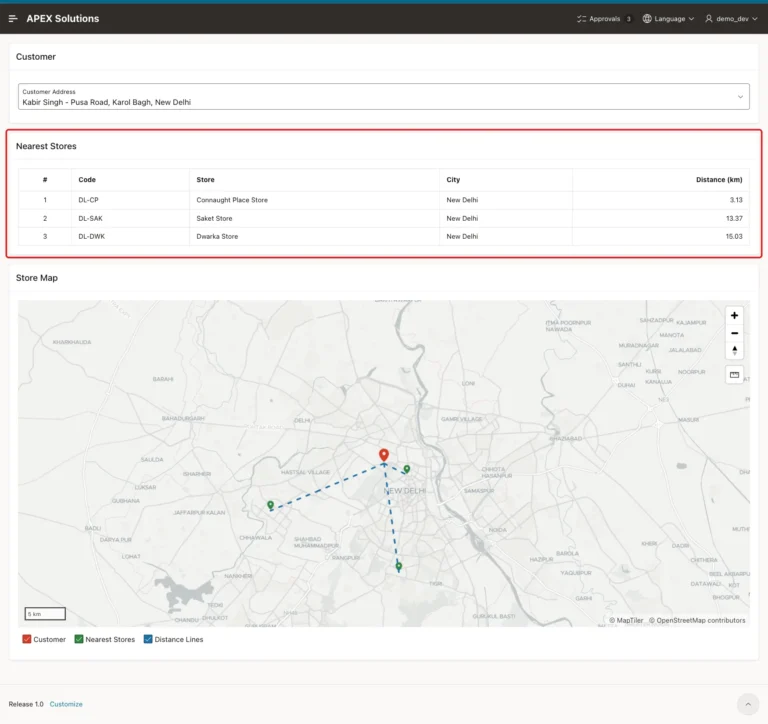
Rank locations by distance with SDO_NN and a spatial index, then show the nearest three in a report and on a map centered on the customer.
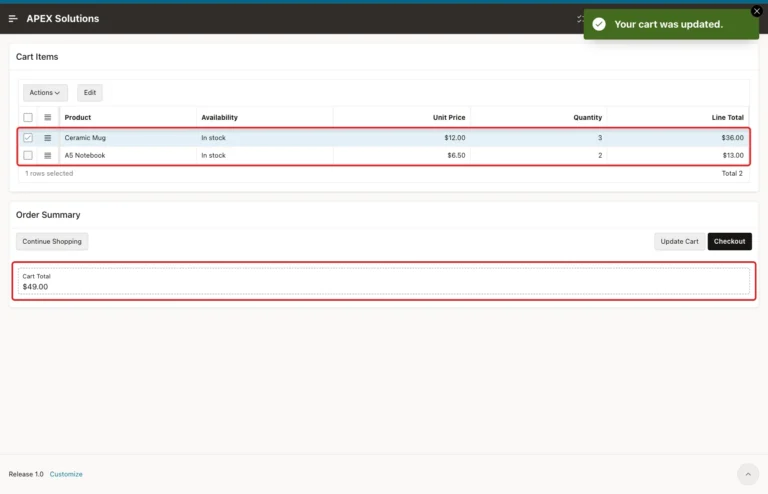
An APEX collection holds the cart per session, cards add products, an editable grid changes quantities, and a checkout turns the cart into an order.
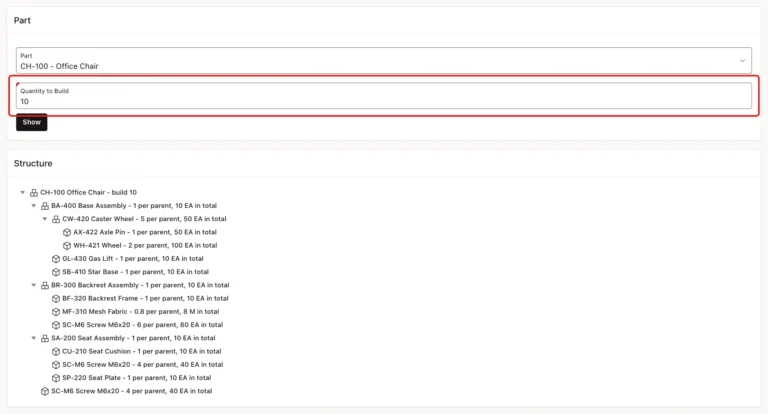
A recursive WITH query multiplies quantities through every level, a tree and two reports show the structure and parts to order, and a trigger refuses loops.
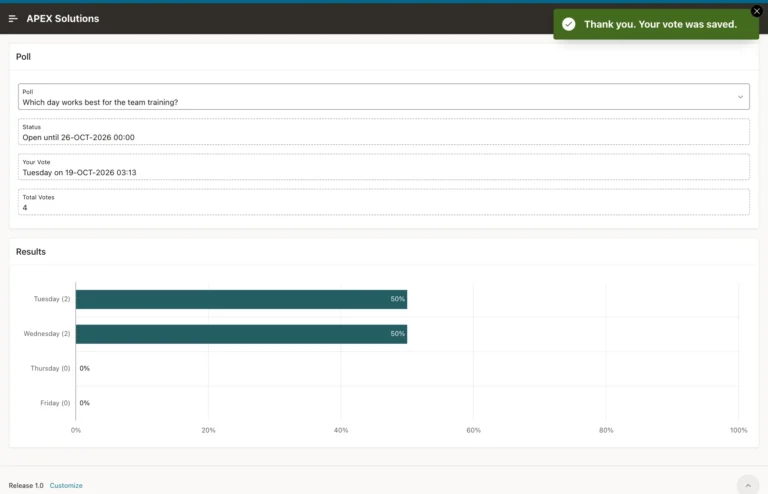
A unique key, a page error handling function and a bar chart that appears only after the user votes or the poll closes.
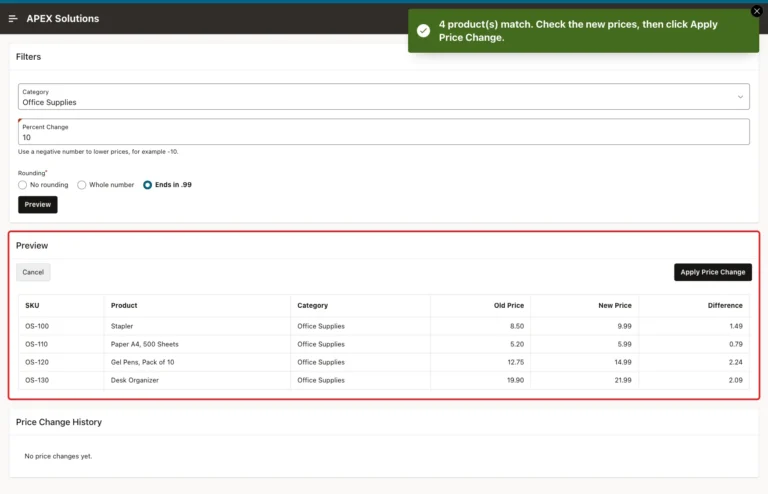
Filters, a preview report of old and new values, and an Apply button that runs one UPDATE only if the data still matches the preview.
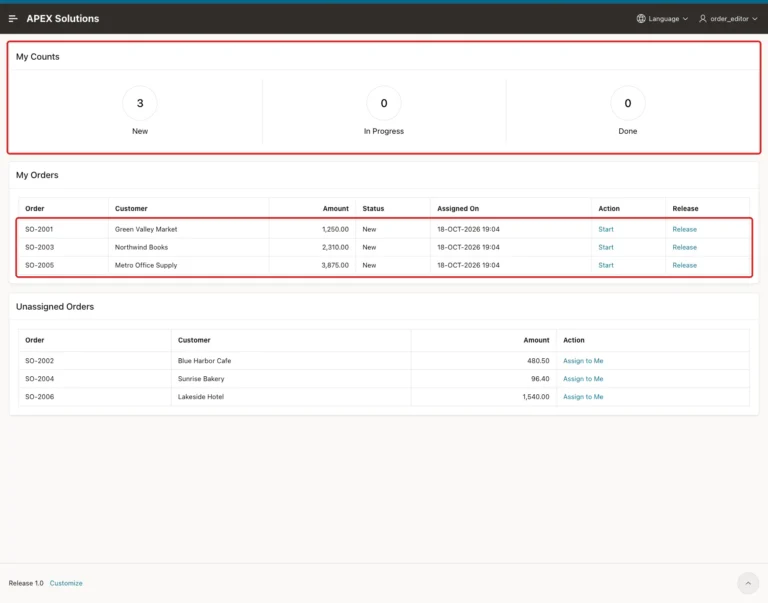
Bulk assignment with a shuttle, a My Work page filtered by APP_USER, and a PL/SQL package that enforces who may assign, take and release work.
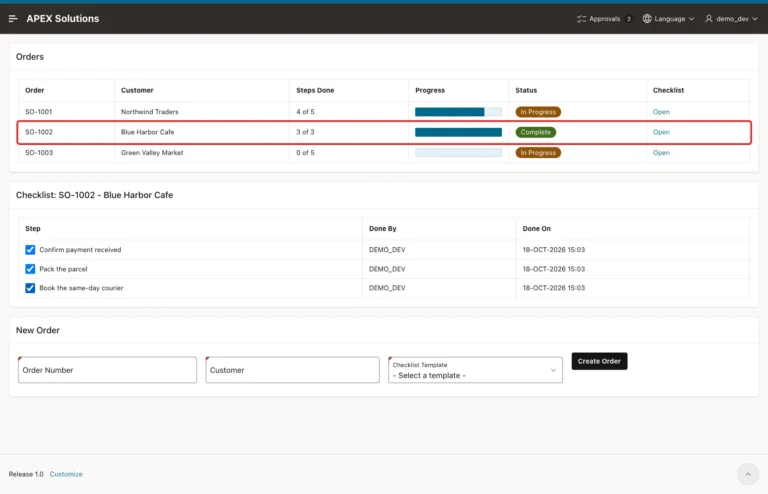
Copy template steps to each new record, tick them with checkboxes saved by a dynamic action, and show progress with a Percent Graph and a Complete badge.
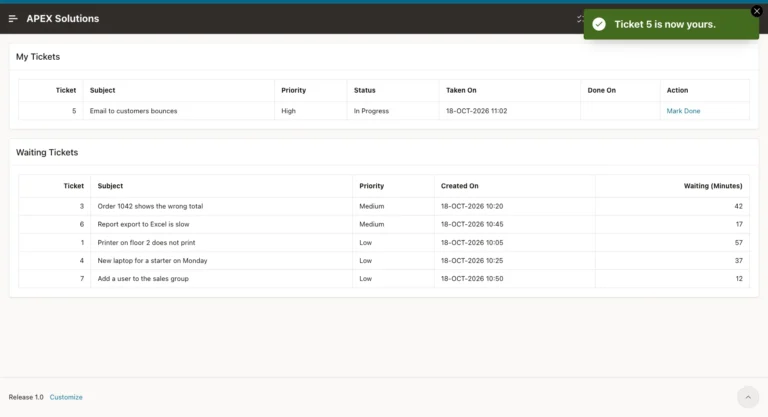
Read the queue in priority order with a SKIP LOCKED cursor, give each user the next free job, allow one open job per user and close it with Mark Done.
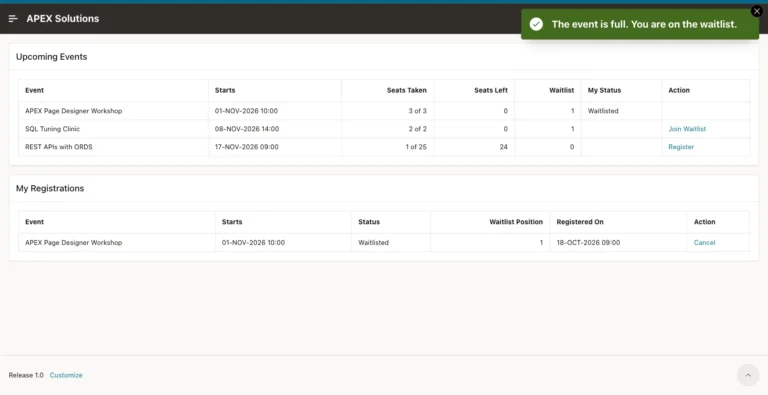
Count seats against a capacity, add a waitlist when an event is full, promote the first waiting user on cancel, and lock the row so no seat is sold twice.
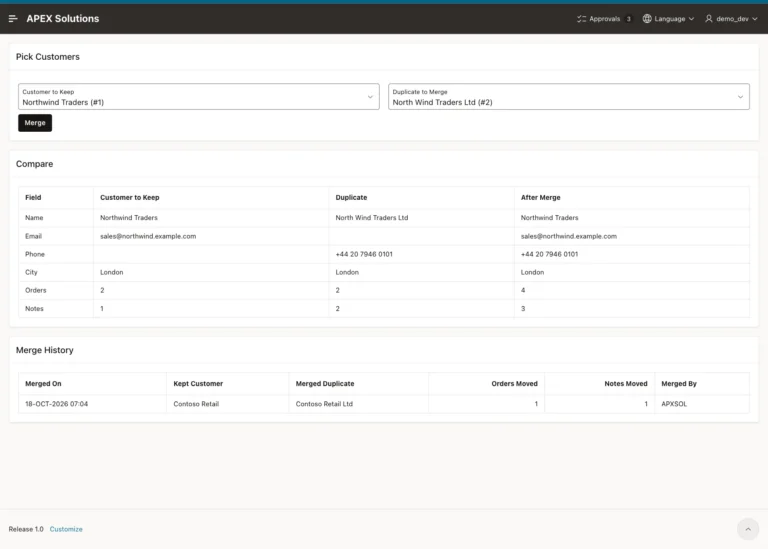
Pick the record to keep and the duplicate, compare them side by side, move the child rows with a locking PL/SQL procedure, mark the duplicate as merged and log it.
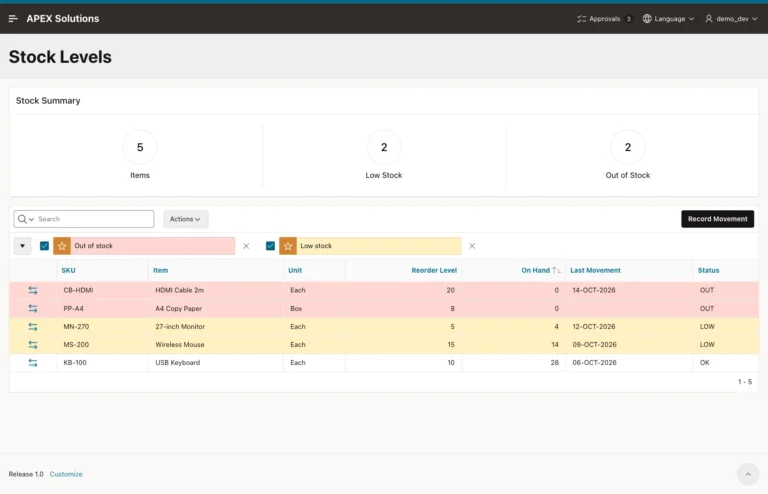
Record receipts and issues as movements, calculate stock on hand in a view, block issues beyond the stock with a locking validation, and highlight low stock.
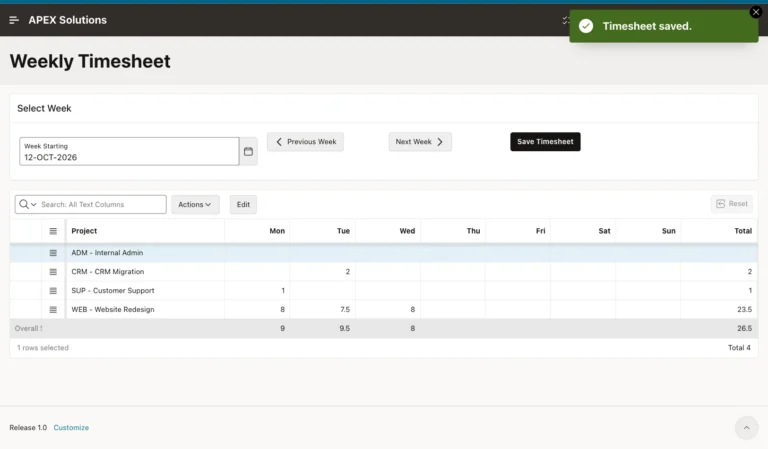
Pivot daily rows into Monday to Sunday columns, save the interactive grid with PL/SQL code, add row and day totals, and block more than 24 hours per day.
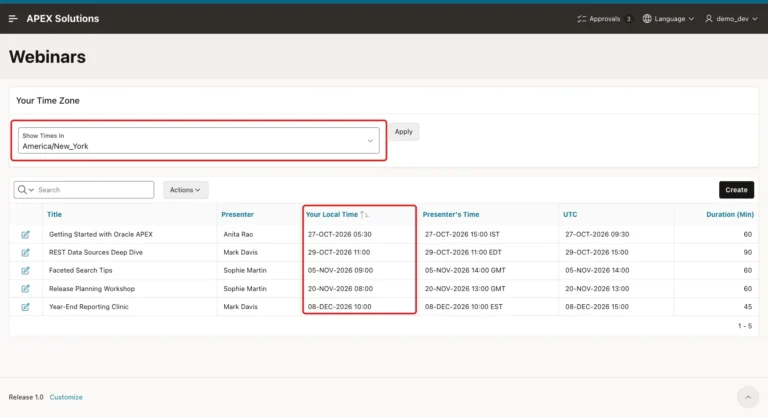
Store times as TIMESTAMP WITH LOCAL TIME ZONE, turn on Automatic Time Zone, show local, presenter and UTC times, and let users pick another time zone.
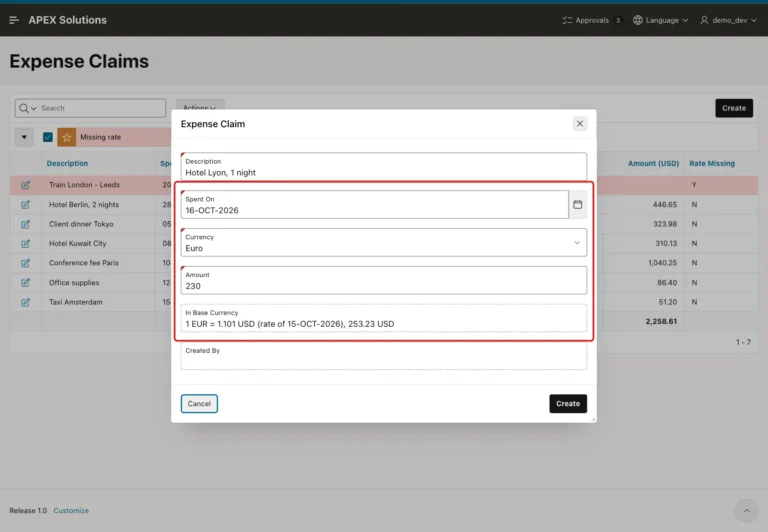
Store exchange rates by date, convert each amount with the rate of its day, preview it in the form, block missing rates and total in the base currency.