Open Source · GPLv2 · Zero Cost

100% free social sharing plugin for WordPress + AI Buttons

Like, Copy, and Share to five social networks. Send any page to four AI assistants. Counts live in your own database, work behind any cache, and never phone home. Built by vinish.dev.

WordPress 5.8+ PHP 7.2+ No jQuery No external assets

your-site.com/blog
Tutorial

How we cut our WordPress page weight in half

A short walkthrough of the audit, the plugins we dropped, and the caching setup that finally stuck. The share bar below is auto-inserted at the end of the post.

Live component · try it
11Total Buttons
4AI Assistants
5Social Networks
0External Requests
2Layouts
Design

Two layouts, both handsome

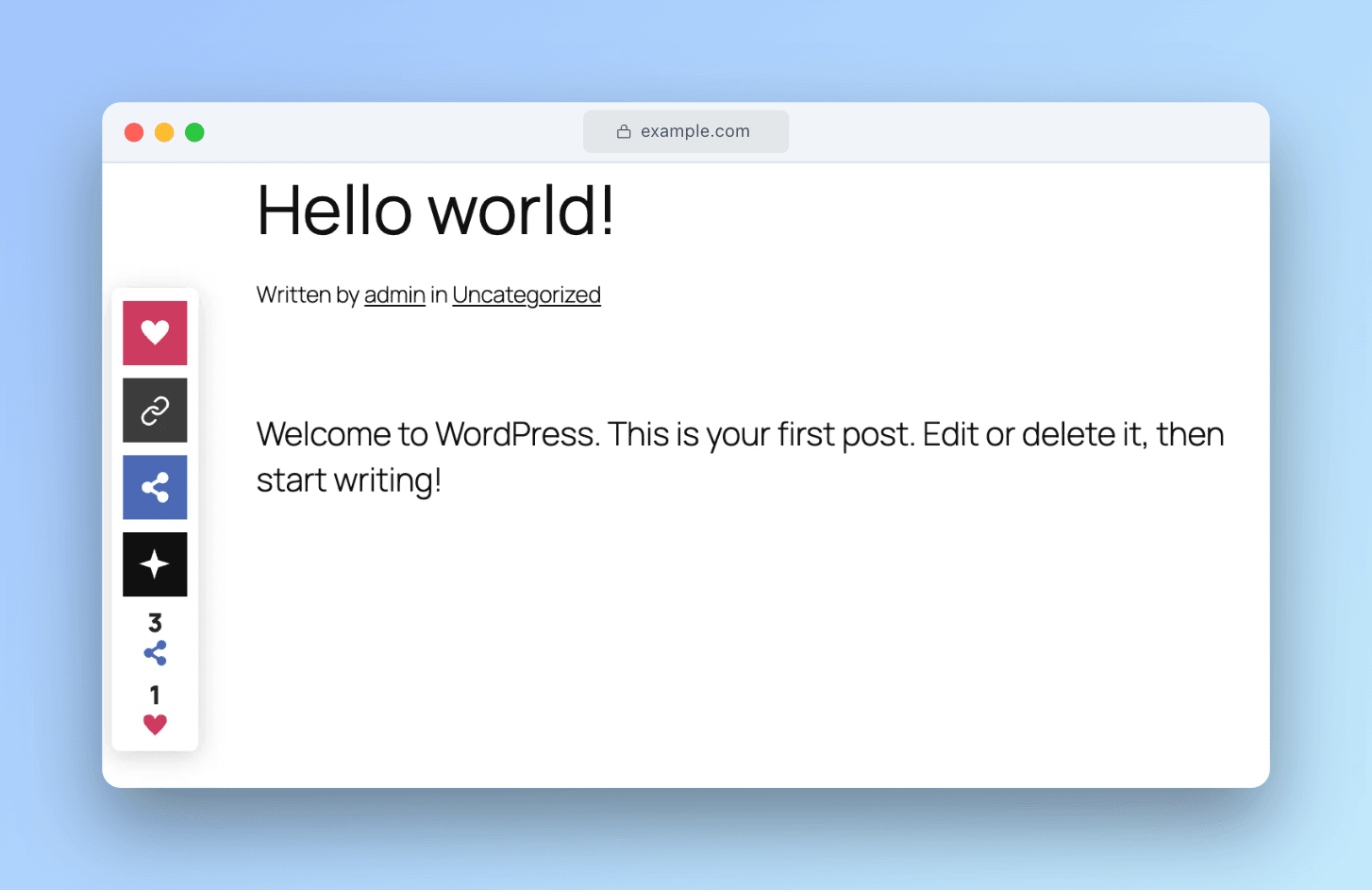
Pick a horizontal bar that drops inside your post content, or a vertical bar that floats and sticks beside it. Click any preview to zoom.
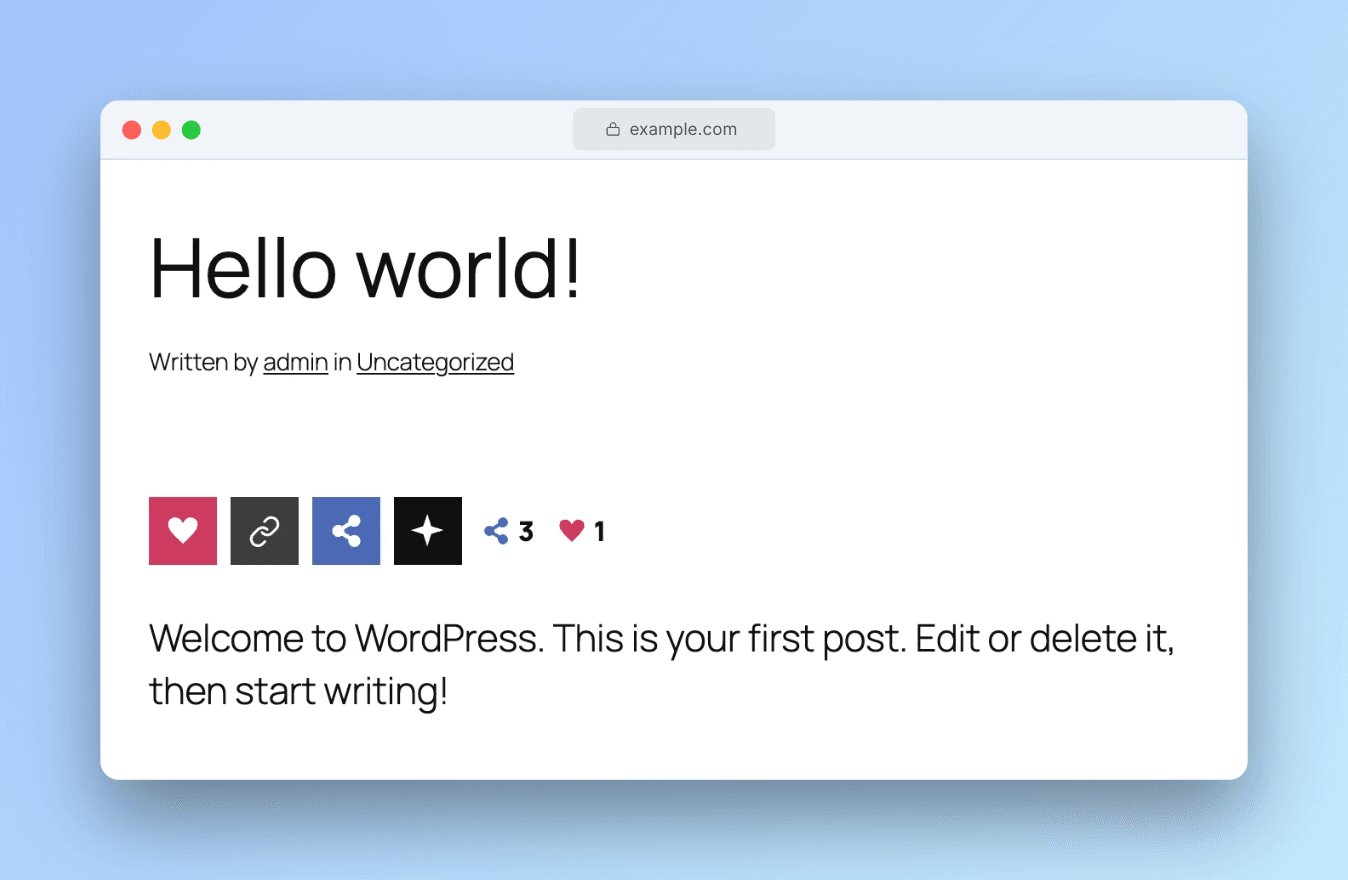
Social Share WP horizontal layout with Like, Copy, Share and AI buttons inside post content Click to zoom
Horizontal bar · inside post content
Social Share WP vertical sticky sidebar floating beside content with like count and AI dropdown Click to zoom
Vertical sticky bar · floats beside content
Interactive

One hover, every option

The main buttons stay compact. Hover Share to reveal the social networks, hover Ask AI to reveal the assistants. No clutter until it's wanted.
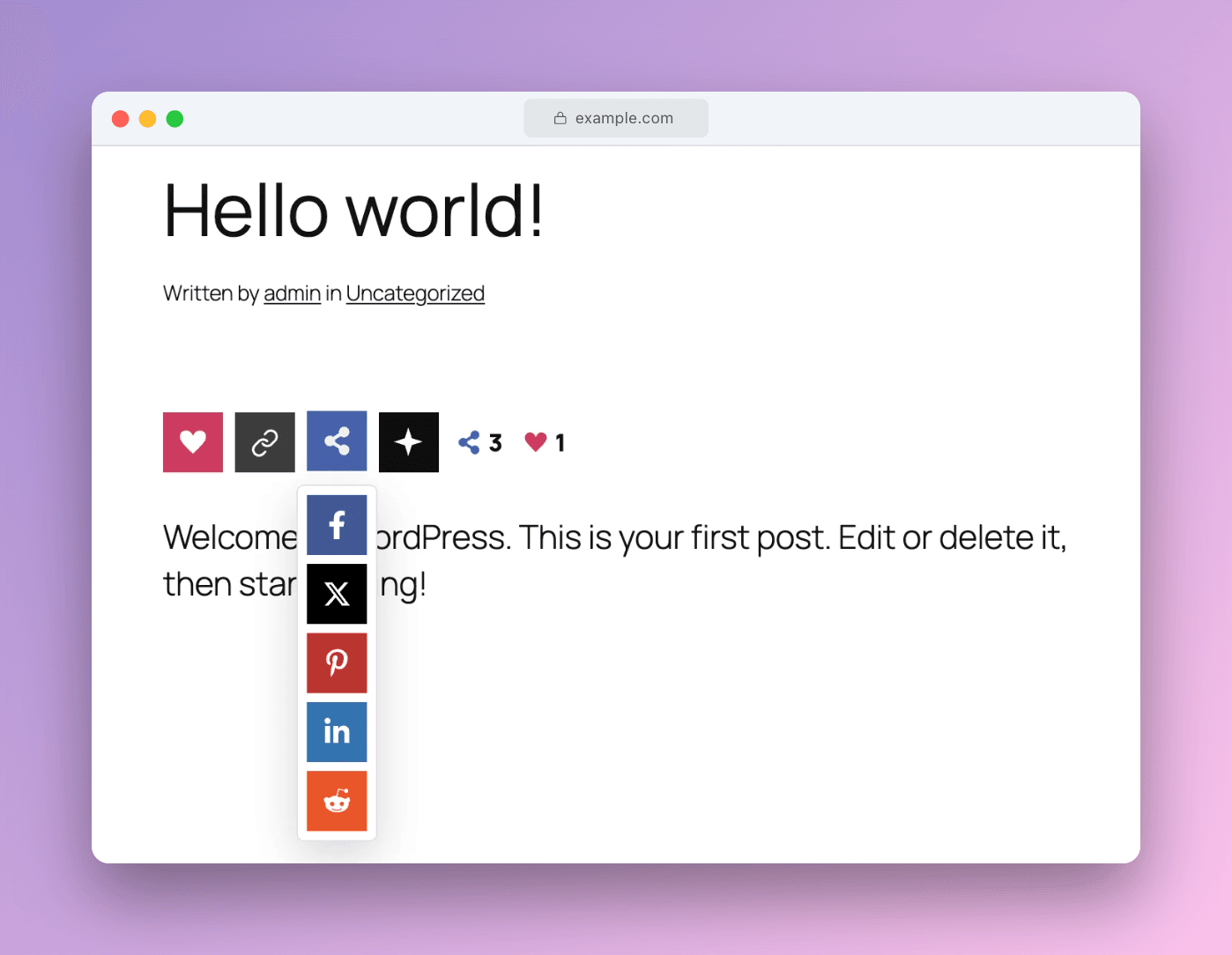
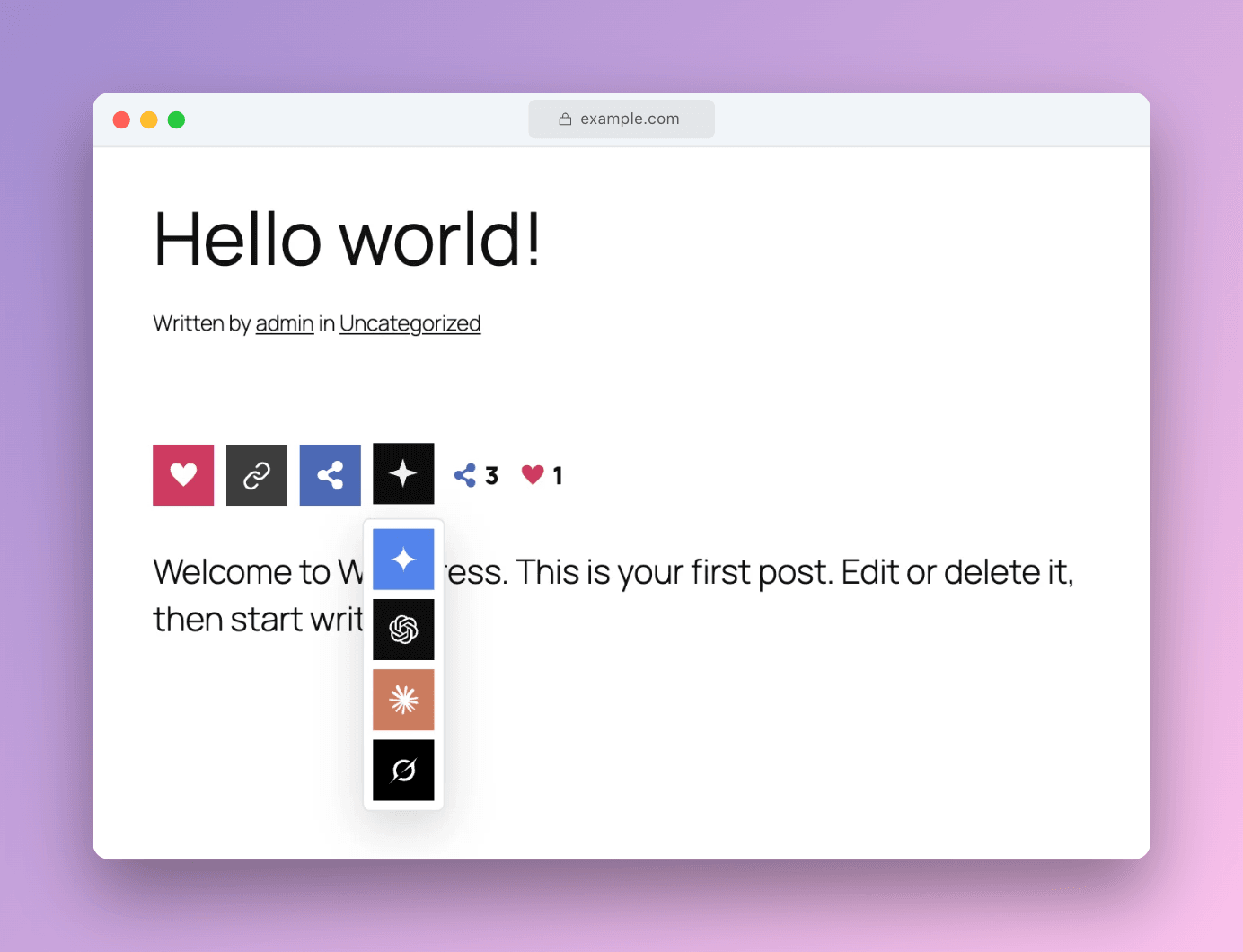
Social Share WP hover state revealing social networks Click to zoom
Hover state · social networks
Social Share WP hover state revealing AI assistants Click to zoom
Hover state · AI assistants
Running in production on
Features

Everything you need,
nothing you don't

One lightweight plugin handles sharing, counting, and AI hand-off. No third-party APIs, no tracking scripts, no bloat.

Like button

A dedicated heart with its own count, tracked separately from shares, using the same server-side throttle as every other button.

Two layouts

Horizontal bar inside post content, or a vertical sticky bar floating beside any container, with its own mobile top position.

Live counts

A POST-based endpoint that page caches and CDNs never serve stale. Numbers stay current on fully cached pages, no cache clearing.

Per-IP throttle

Server-side rate limiting stops scripted inflation. Default 3-hour window per IP, page, and network. Filterable or off entirely.

AI buttons

Send any page to ChatGPT, Claude, Grok, or Gemini with a customizable prompt. Opens in a new tab with your URL pre-filled.

Lightweight

One small CSS file, one small deferred JS file, loaded only where buttons appear. No jQuery, no external fonts, no icon libraries.

Local database

All counts live in your own wp_sswp_counts table. No third-party service, no external API calls, no data leaving your server.

Every page type

Counts work on posts, pages, the homepage, and archives. A subject-key model derives a stable key from the post ID or URL.

Configurable

Placement, post types, button selection, corner radius, background card with auto-contrast text, and show-on-scroll, all from settings.

Supported networks

11 buttons, 4 groups

Like and Copy link sit right on the bar. Social networks live under Share, and the assistants live under Ask AI.

Always on 2
Likeown count
Copy linkto clipboard
Under Share 5
Facebook
X (Twitter)
Pinterest
LinkedIn
Reddit
Under Ask AI 4
ChatGPT
Claude
Gemini
Grok
For developers

Shortcode & filters

Drop buttons anywhere with the shortcode. Override post ID and layout per instance.

shortcode
// Basic usage
[social_share_wp]

// Specific post, vertical layout
[social_share_wp post_id="123" layout="V"]

// Horizontal override
[social_share_wp layout="H"]
Settings

Configure it all from the admin

Everything is controlled from Settings, then Social Share WP. No code required.
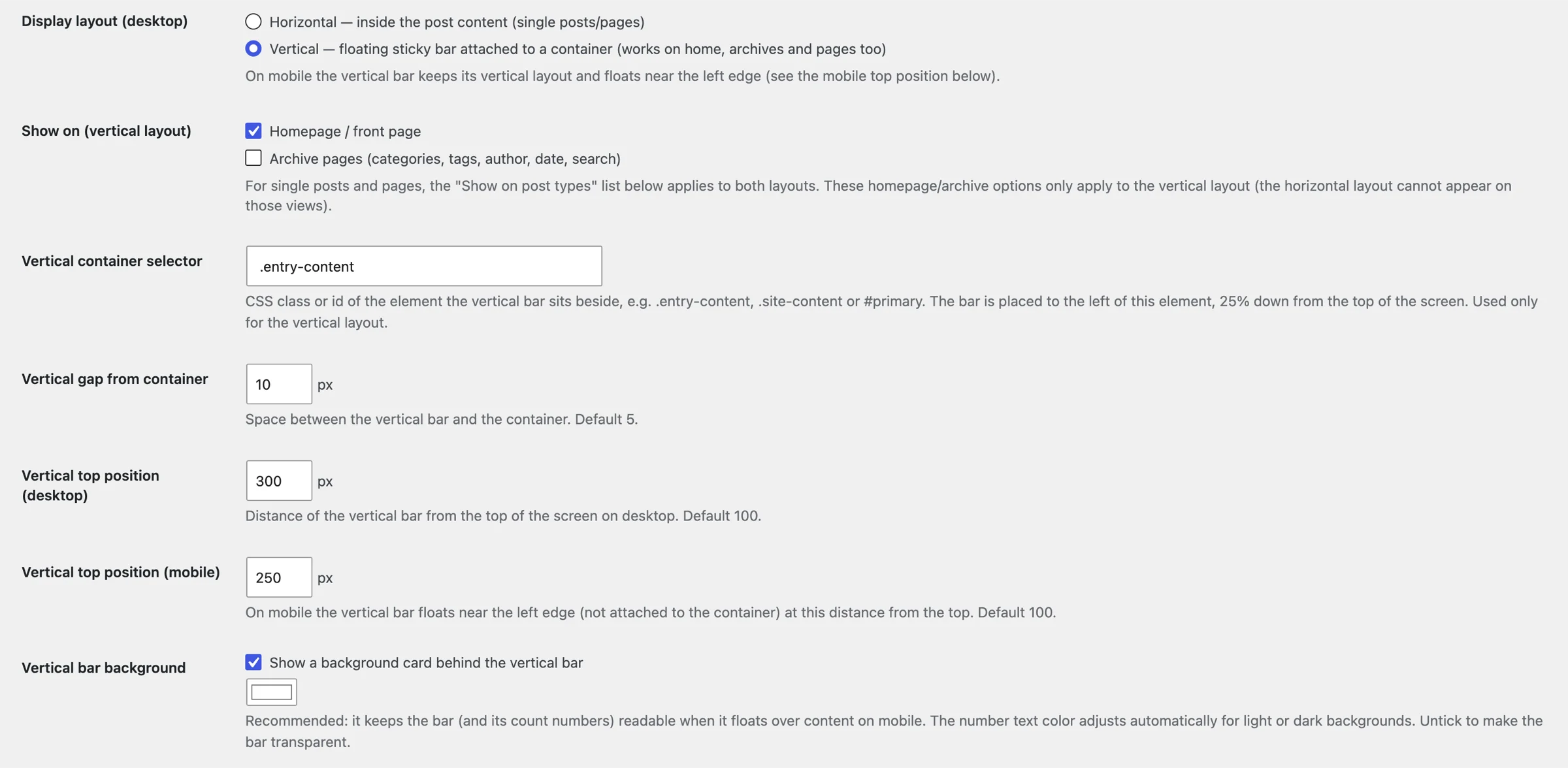
Settings page showing display layout, container selector, top position and background card options
Layout & position settings
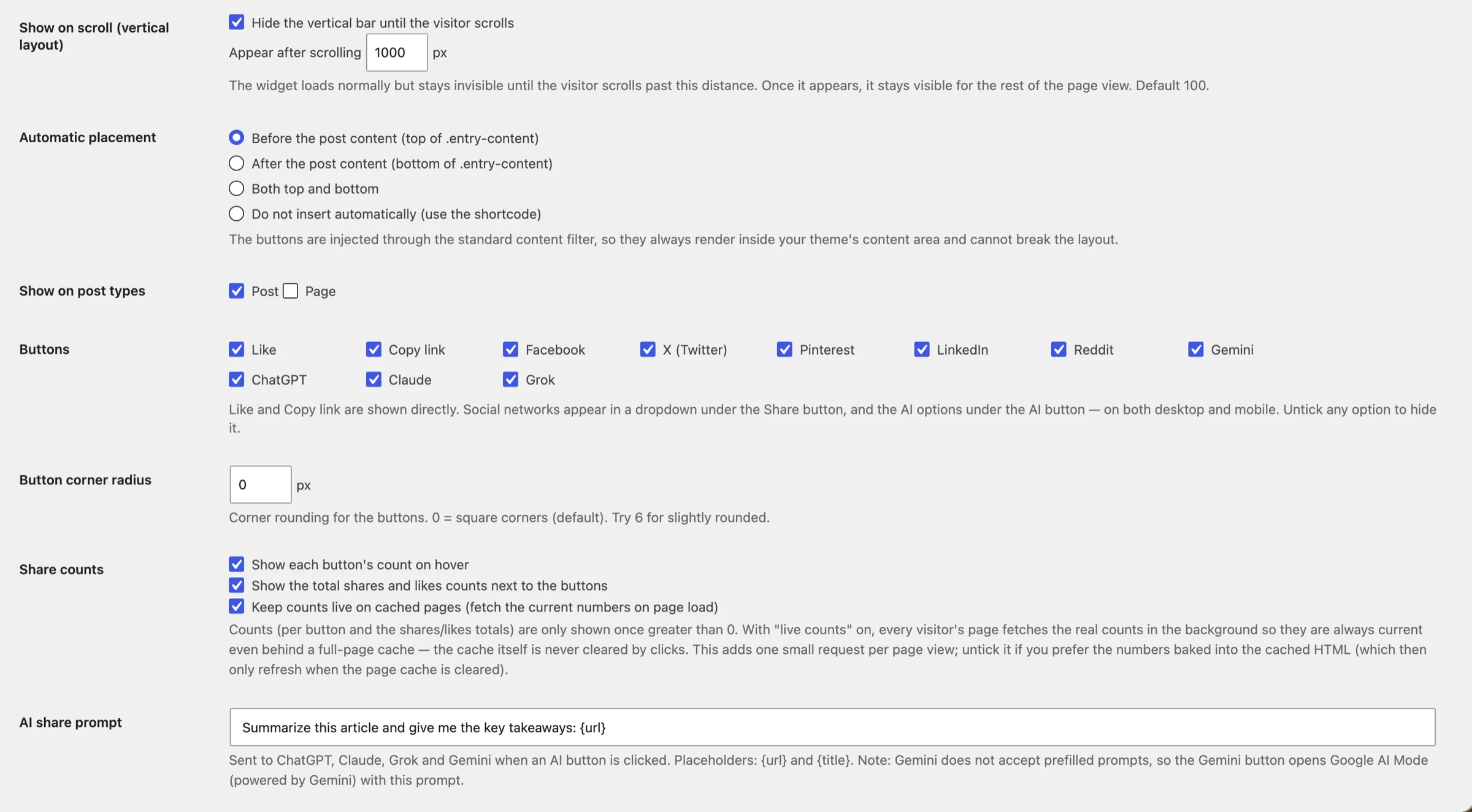
Settings page showing automatic placement, post types, buttons toggle, corner radius and share counts
Buttons & counts settings
Display layout (Horizontal / Vertical)
Vertical container selector
Desktop + mobile top position
Background card with auto-contrast text
Show on scroll (configurable distance)
Automatic placement (top / bottom / both)
Post types, homepage + archives toggles
Toggle individual buttons on/off
Button corner radius
Show / hide per-button and total counts
Live counts on / off
Custom AI prompt template
Free forever

Put it on your site today

Open source and built for performance. Download the plugin or contribute on GitHub.