
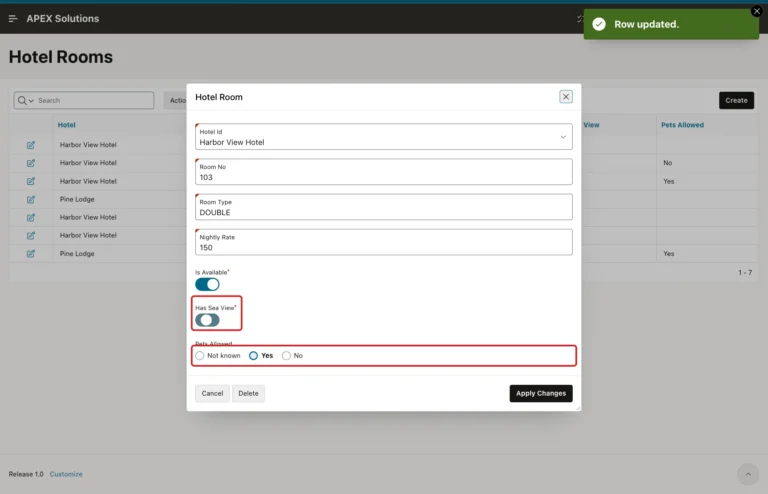
How to Use the BOOLEAN Data Type in Forms and Reports in Oracle APEX
Build a report and form on BOOLEAN columns, keep NULL values safe, give new records the right default, and filter reports by Yes or No.
Posts tagged AI-Assisted are created with support from artificial intelligence. I use AI tools to research, draft, and refine ideas—combining human insight with machine precision to deliver clear, informed, and creative content.
Build a report and form on BOOLEAN columns, keep NULL values safe, give new records the right default, and filter reports by Yes or No.
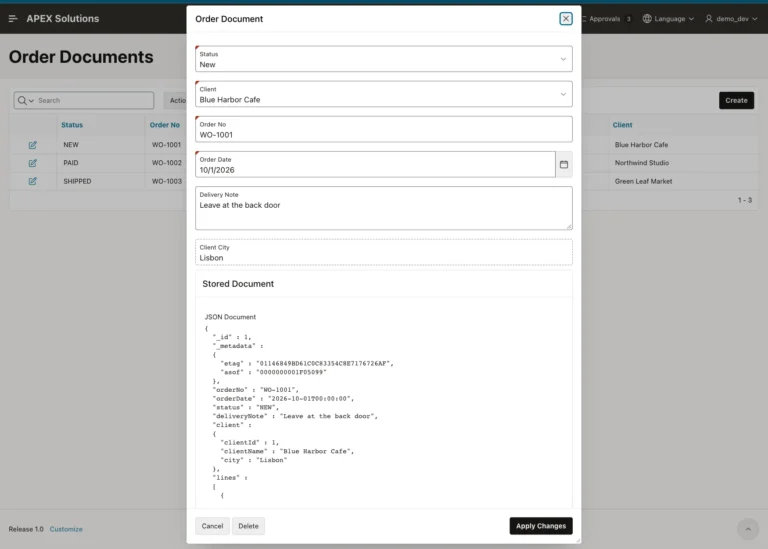
Edit order documents stored in relational tables through a duality view, keep read-only client data safe, and stop saves after another session changed the document.
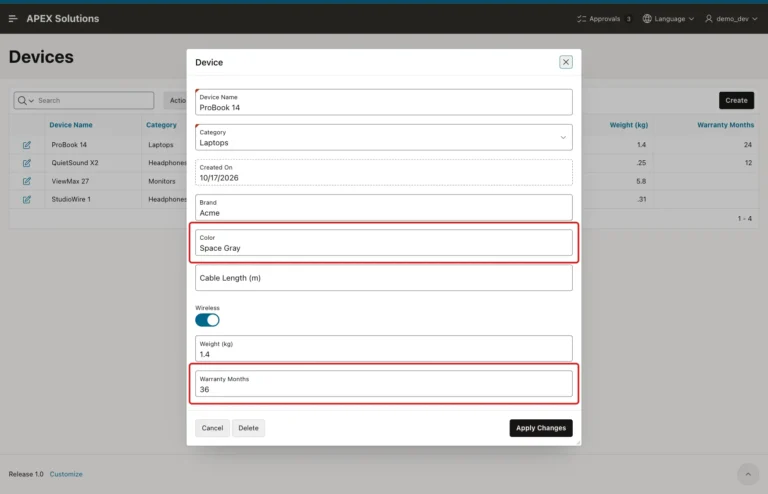
Build a report and a form on a 26ai JSON column with a JSON Source, edit attributes as normal fields, and learn what APEX writes for empty values.
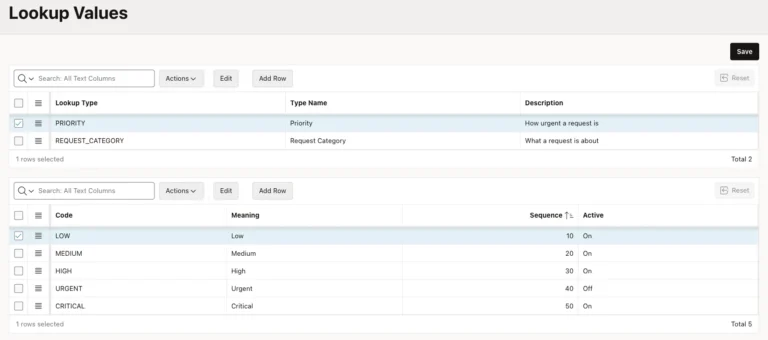
Keep every short list in two lookup tables, maintain them on one master-detail page, and use shared lists of values that hide retired values but keep old records.
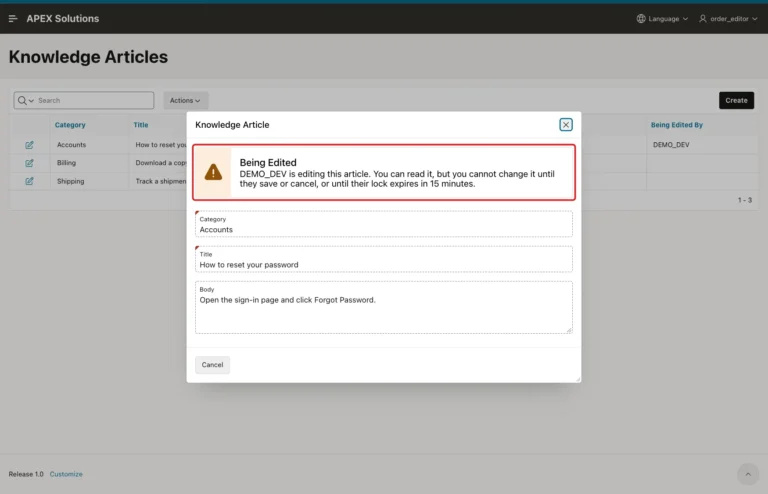
Build a checkout lock with a lock table and a small package, show other users a read-only form with the editor's name, and release the lock on save, cancel or expiry.
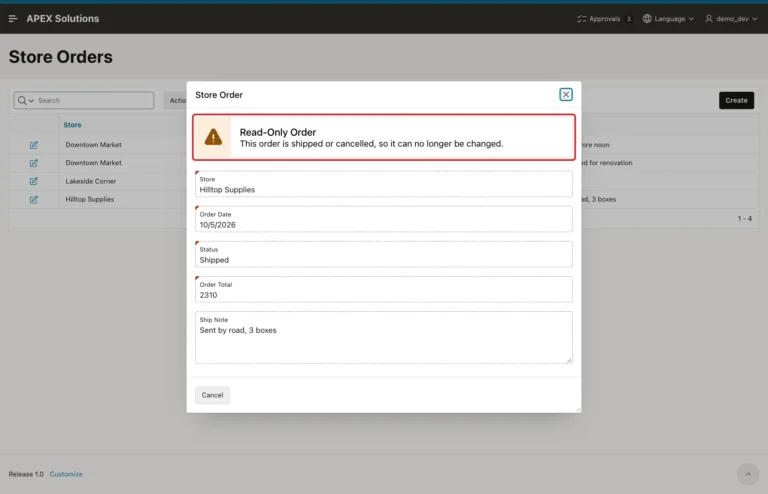
Use the page Read Only condition with a status query, hide Save and Delete, show a notice, and add a validation that blocks forced SAVE and DELETE requests.
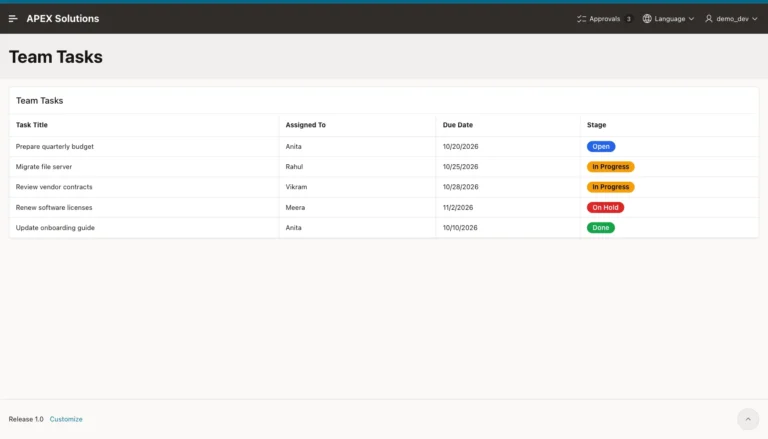
Use a Color Picker item with preset colors and a contrast check, a virtual column for the text color, and an HTML Expression that turns report columns into badges.
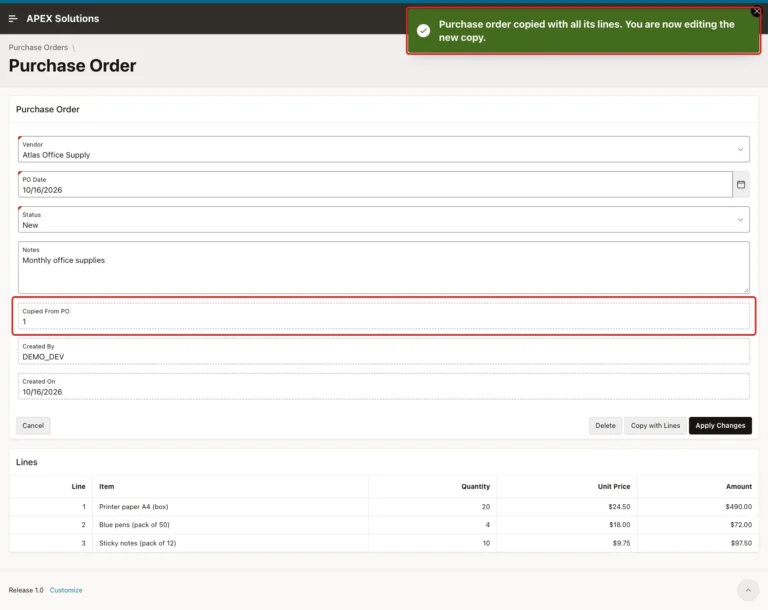
Add a Copy with Lines button that inserts a new master row, copies every detail row with INSERT ... SELECT and opens the copy for editing.
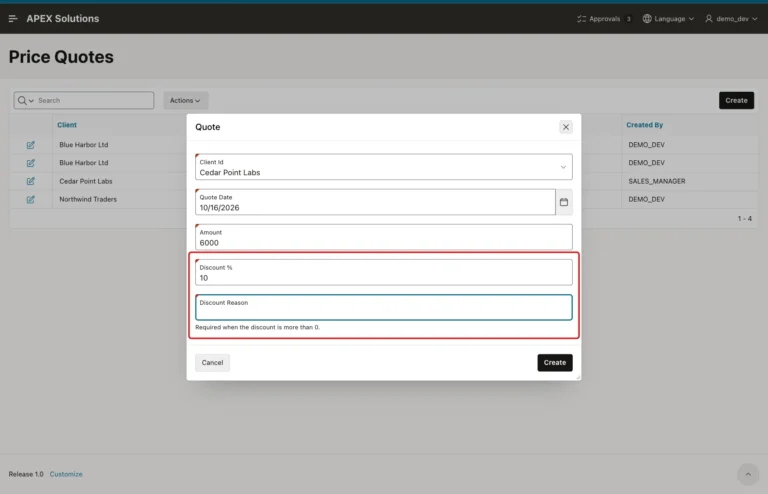
Toggle the required marker and attribute with a dynamic action, repeat the rule in a conditional validation and protect the table with a check constraint.
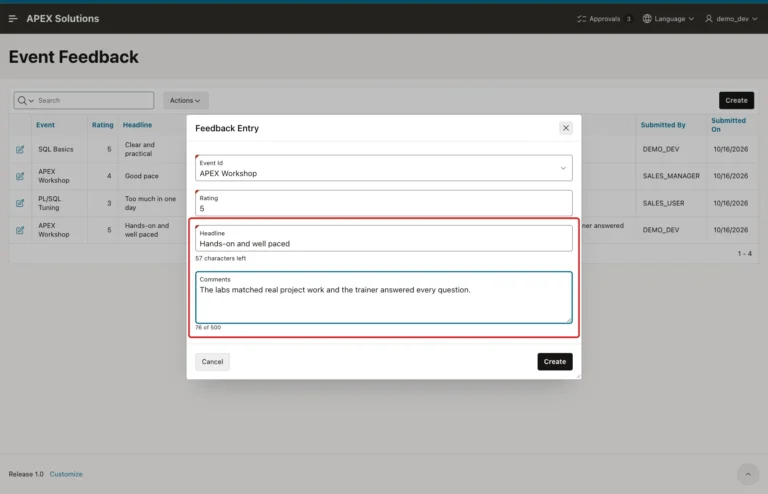
Turn on the Textarea Character Counter, match Maximum Length to the column, add a server-side length validation and show characters left on a Text Field.
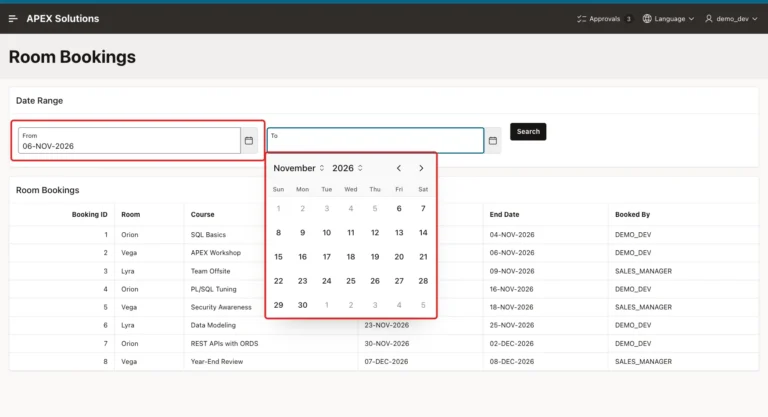
Link two date pickers with Minimum and Maximum Item, add a server-side validation and a check constraint, and filter a classic report by an overlapping date range.
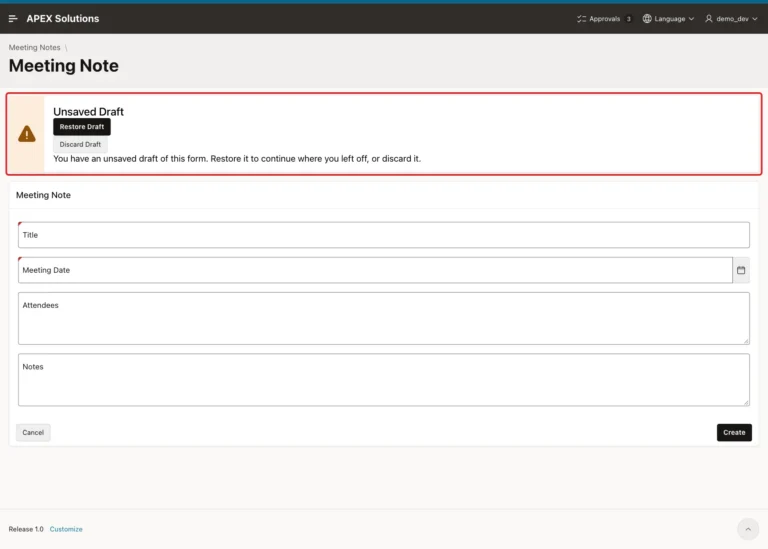
Build server-side form drafts with a JSON draft table, a debounced dynamic action, a restore notice with Restore and Discard buttons, and a cleanup process.
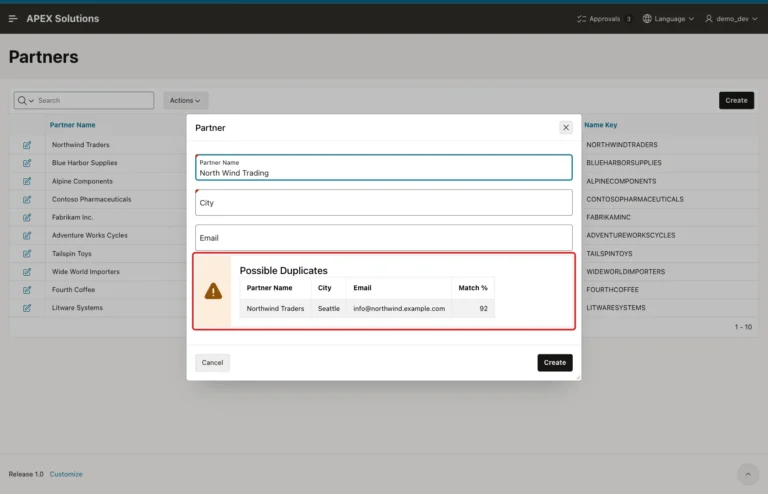
Build a possible-duplicates warning with a virtual name key, Jaro-Winkler scores, a classic report in an Alert region and a debounced Key Release dynamic action.
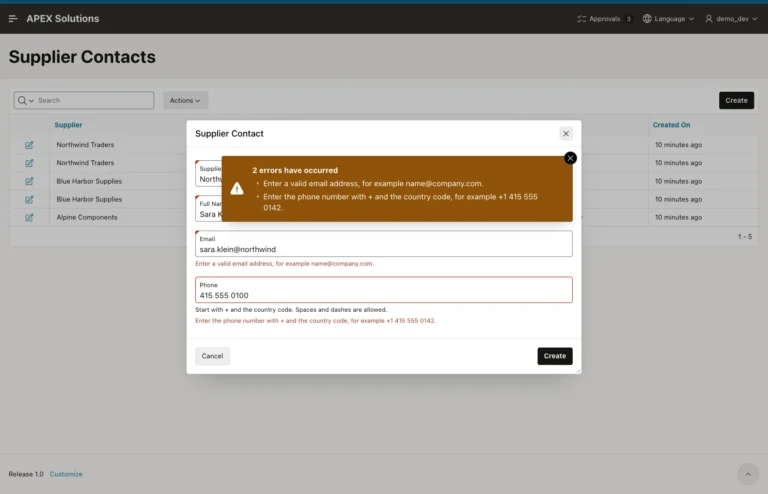
Add regular expression validations, E-Mail and Phone Number subtypes, and matching REGEXP_LIKE check constraints, then test valid and invalid values.
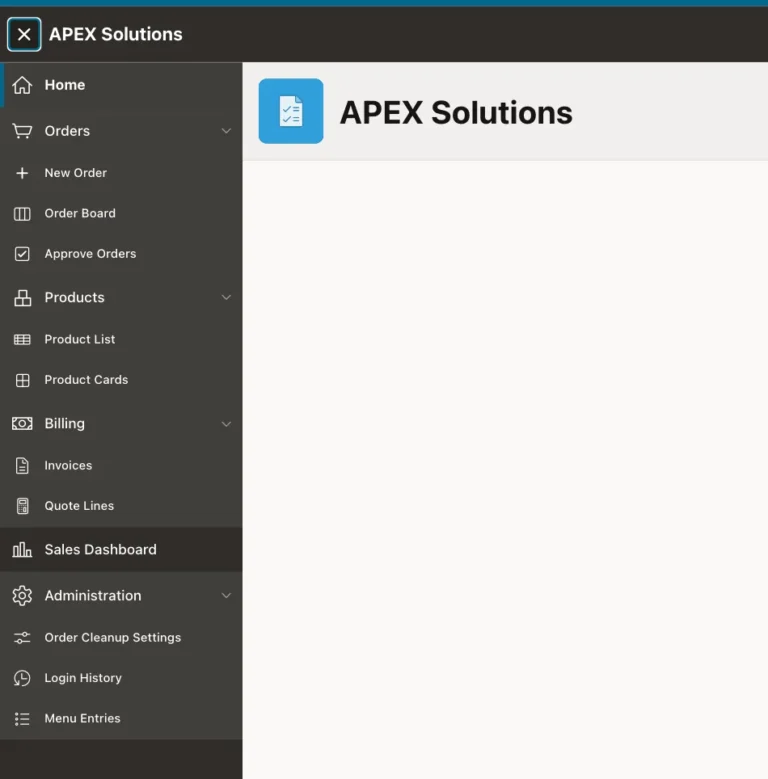
Create a MENU_ENTRIES table, turn it into a role-filtered dynamic list, use it as the navigation menu, and add an admin page to edit the entries.
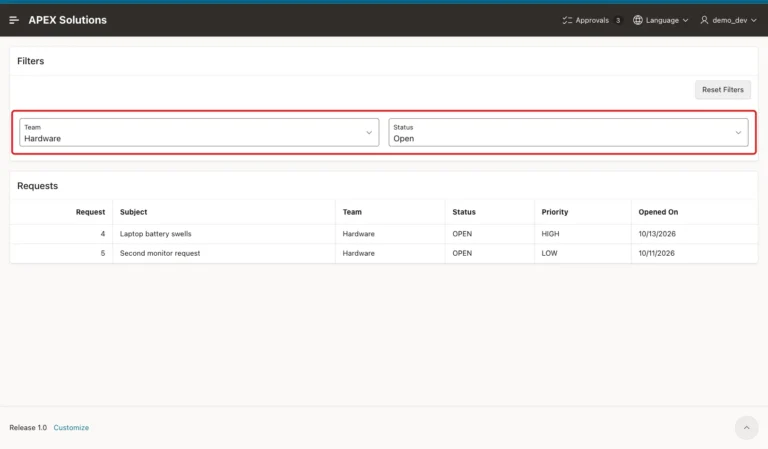
Set filter items to Per User (Persistent) storage, refresh the report with a dynamic action, add a Reset Filters button, and check the saved preferences in SQL.
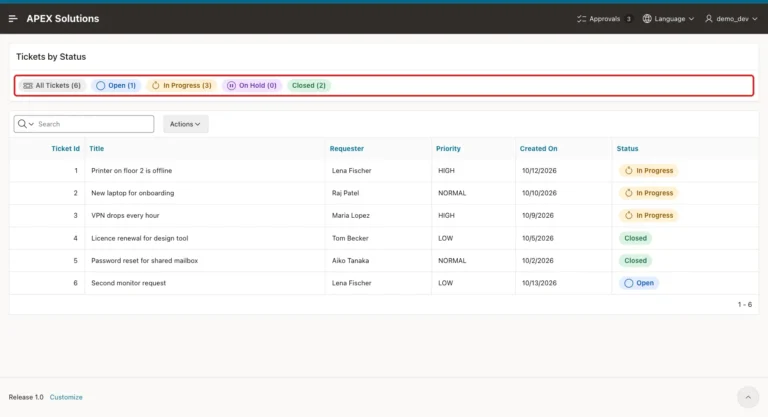
Create a template component plug-in with Partial and Report templates, map its attributes, add CSS, and use it as a region and as a report column.
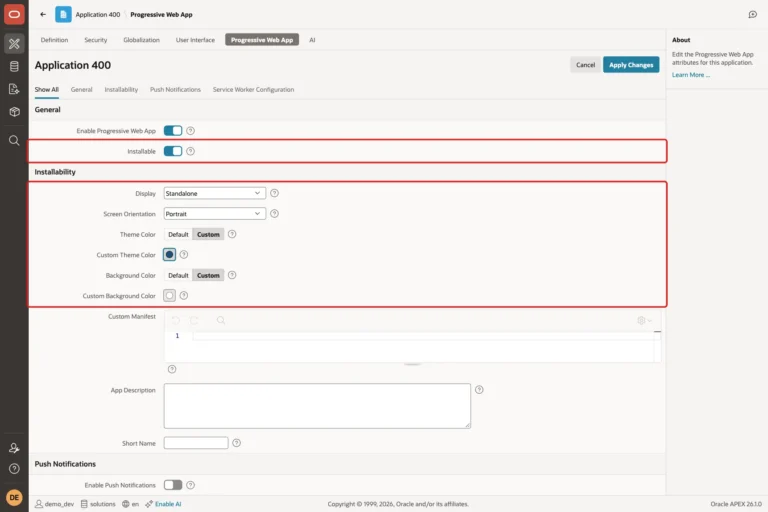
Change the app icon, turn on Installable, set display mode, colors and short name, add a screenshot, and check the manifest, service worker and offline page.