
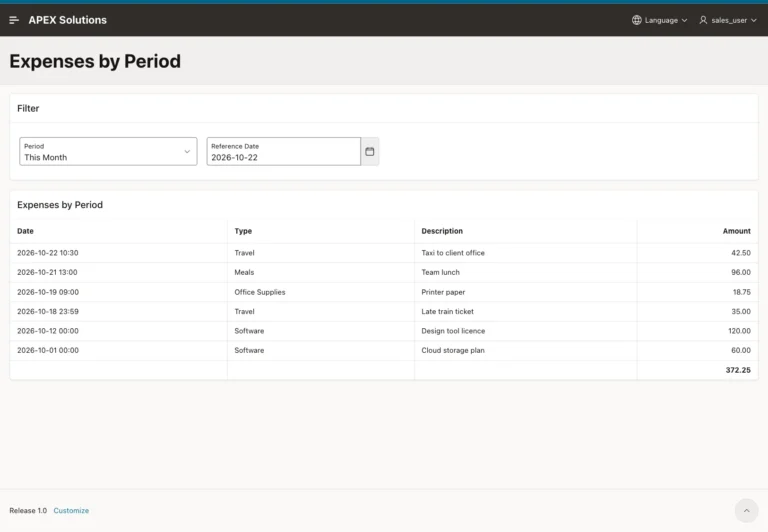
How to Filter Reports by Relative Dates (This Week, Last Month) in Oracle APEX
Build a period filter with a SQL macro and a reference date, test every period at its boundaries, and add a Range facet with ranges that do not overlap.
Oracle APEX (Application Express) is a low-code development platform for building scalable, secure enterprise applications. It allows developers to quickly create web-based applications using a browser-based interface, reducing the need for extensive hand-coding.
For a more structured learning journey, you can also explore the Oracle APEX Roadmap for a sequential path through related concepts, features, and development topics.
Build a period filter with a SQL macro and a reference date, test every period at its boundaries, and add a Range facet with ranges that do not overlap.
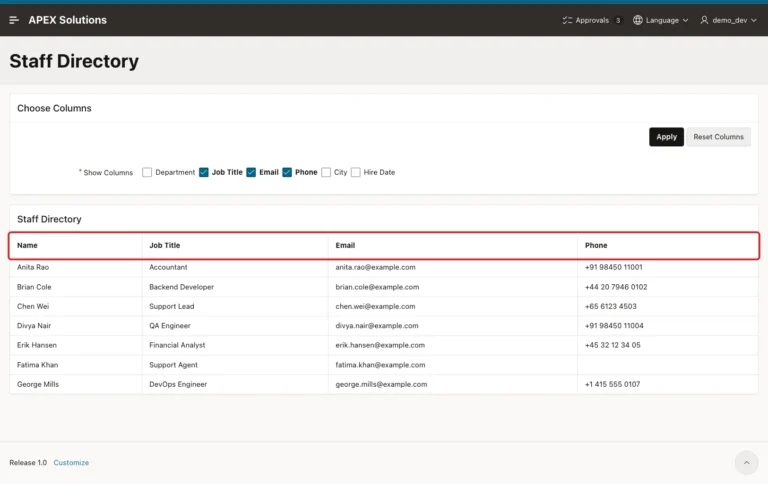
Build a column chooser for a classic report, save each user's choice as a preference, render only ticked columns, and drop forged column names on submit.
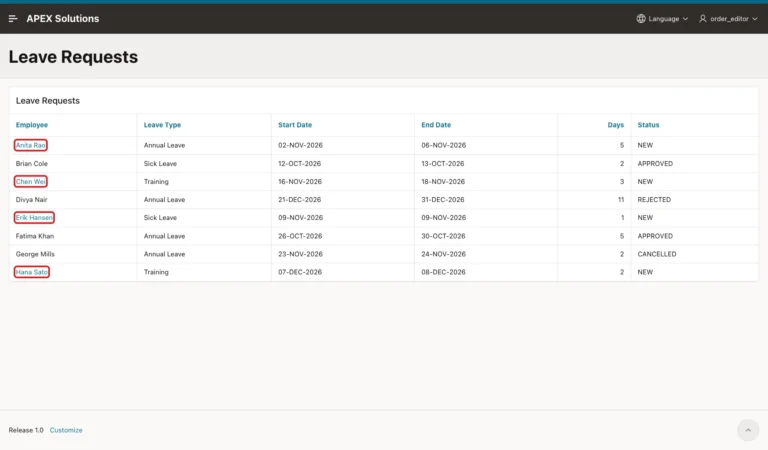
Add a conditional Edit link to a classic report and an interactive report, keep the checksum, refresh after the dialog, and recheck the rule on the server.

Build a dashboard whose cards, links and buttons open one interactive report with ready-made filters, and learn the operators, RIR, comma and date rules.
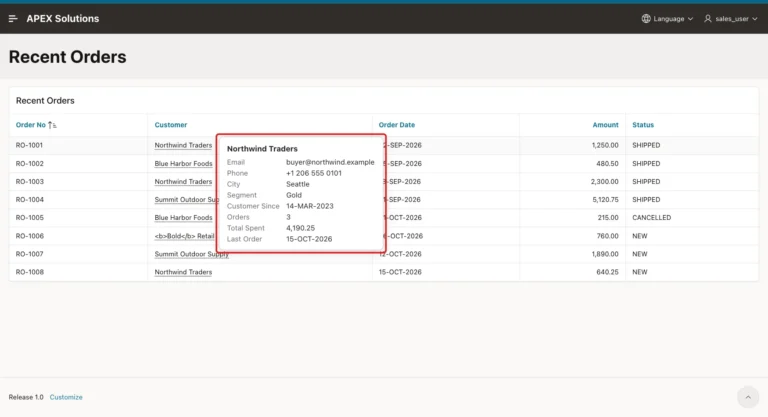
Build a hover card for a classic report with an Ajax Callback, a debounced script that ignores late replies, keyboard and touch support, escaping and a few CSS rules.
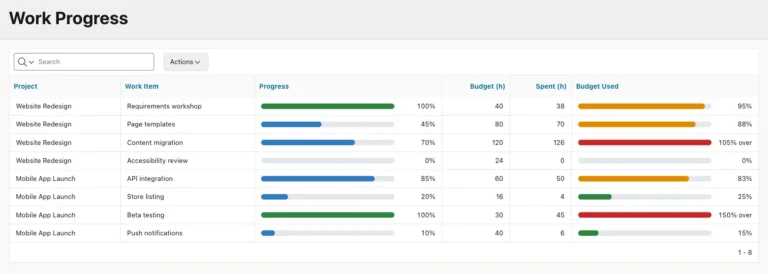
Build progress and budget bars in an interactive report with threshold colors, capped widths, labels and ARIA attributes, then test sorting, filters, CSV and escaping.
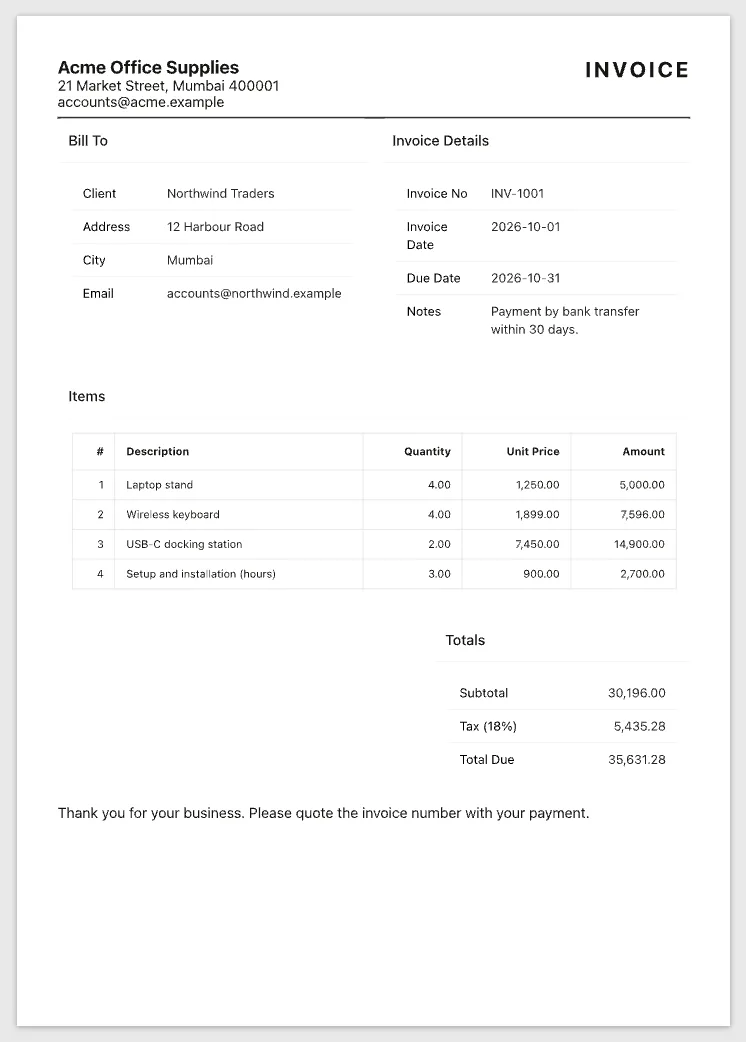
Build an invoice page with a Print button, hide the header, menu and buttons on paper with @media print, add a print-only footer and keep totals together.
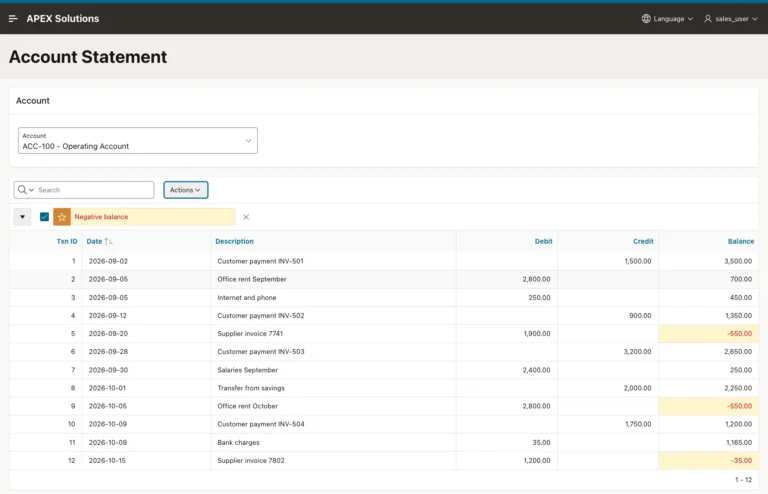
Calculate the balance after every row with an analytic SUM, show it in an Interactive Report, highlight negative values and keep users from sorting it out of order.
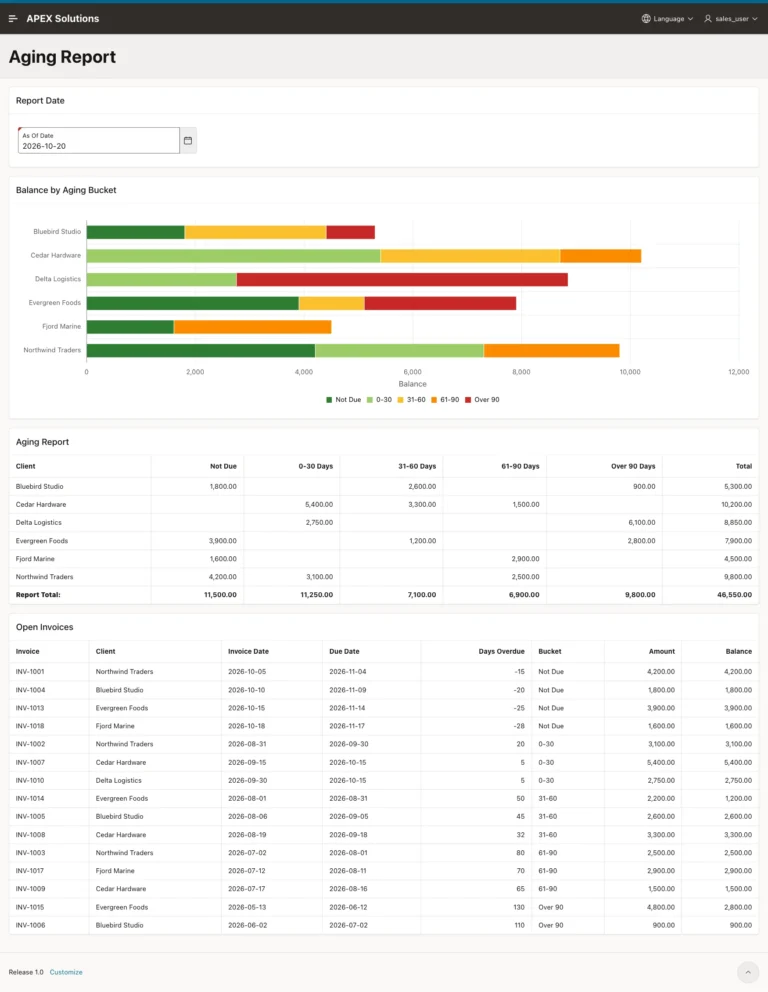
Group open balances by days past due with one SQL macro, a Classic Report with Compute Sum, a stacked bar chart and an As Of Date field.
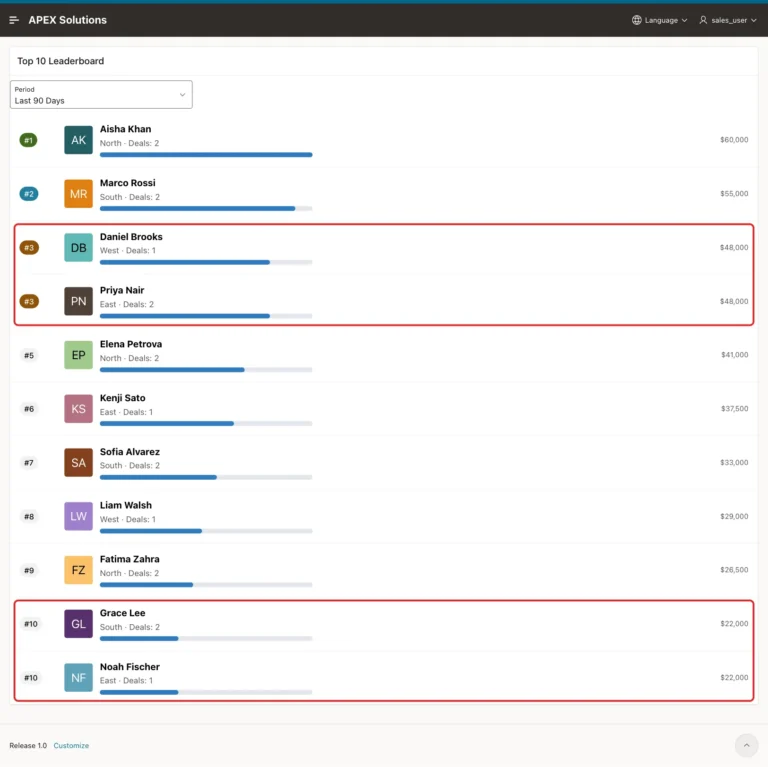
Rank scores with RANK instead of FETCH FIRST, show them in a Content Row with badges, avatars and bars, switch the period, and test ties and forged values.
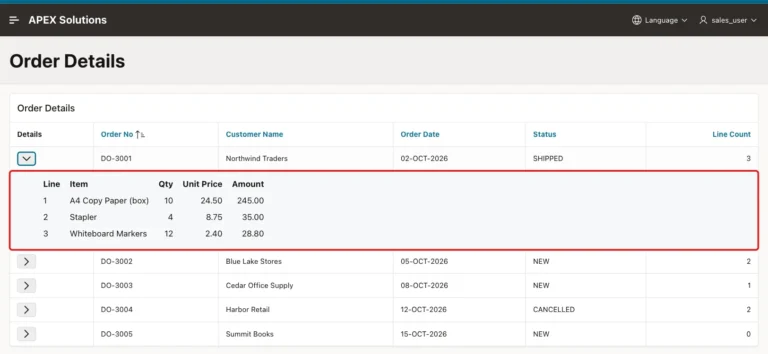
Add an expand button to each report row, load the child rows on demand with an Ajax Callback, escape them safely, and test sorting, empty and invalid requests.
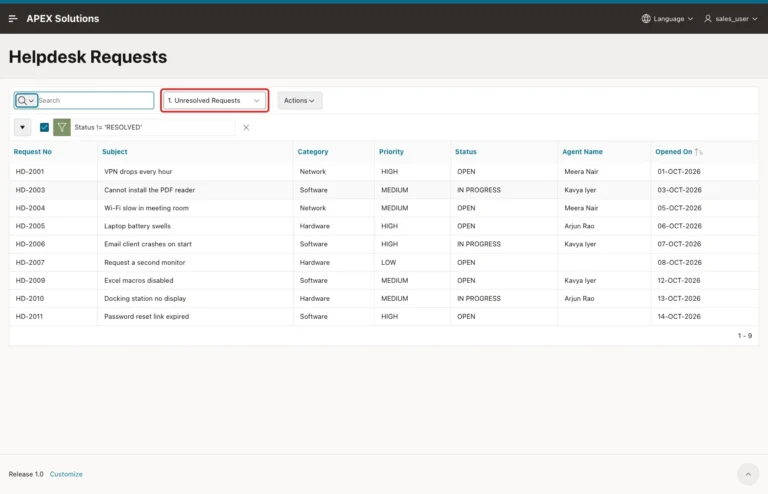
Turn on public reports, limit who can publish them, save public and private views, test them as a Reader, and open a shared view from a button.
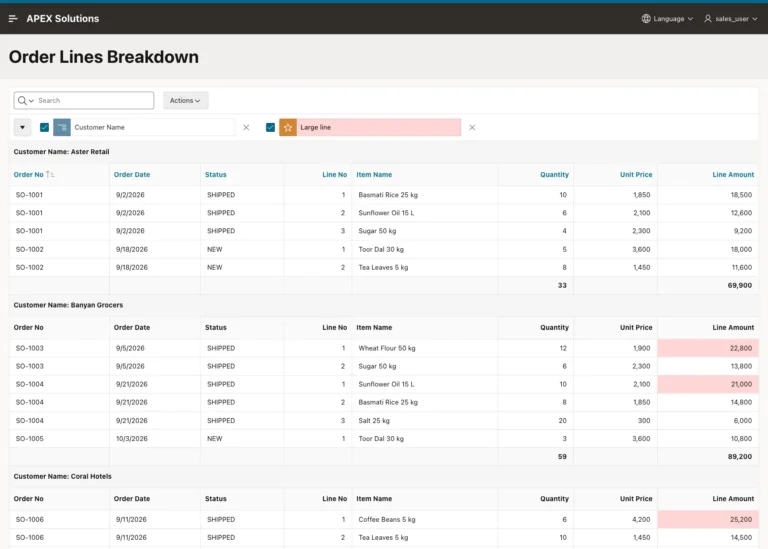
Group an Interactive Report into sections, sort each section, add subtotals and a highlight, save it as the primary report, and check it against ROLLUP.
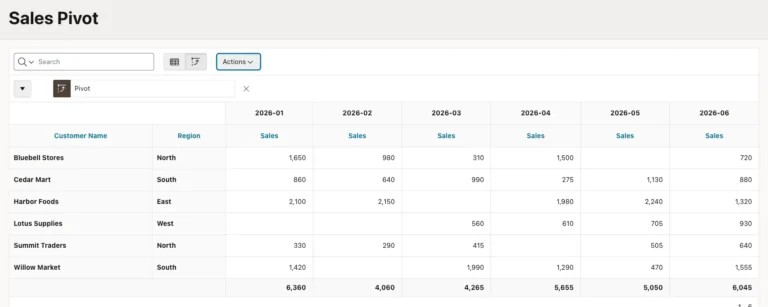
Turn rows into month columns with the Interactive Report Pivot action, add totals and a sort, save it for all users, and build a SQL PIVOT version.
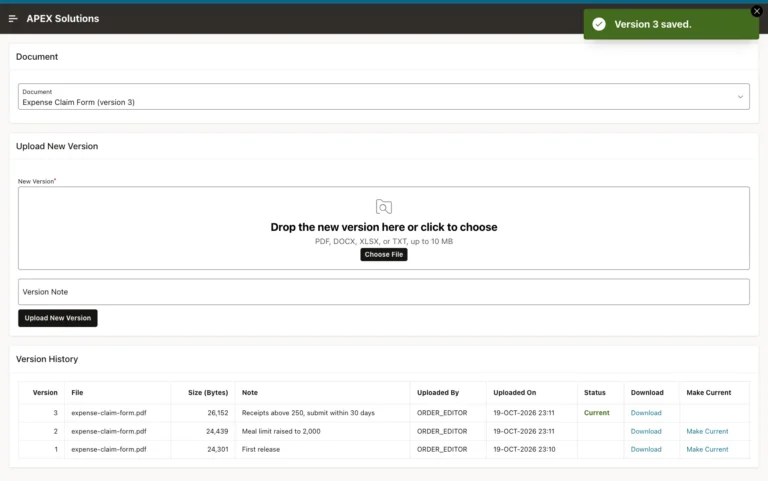
Store each upload as a numbered version, lock the document while numbering, list all versions with download links and let editors make an older version current.
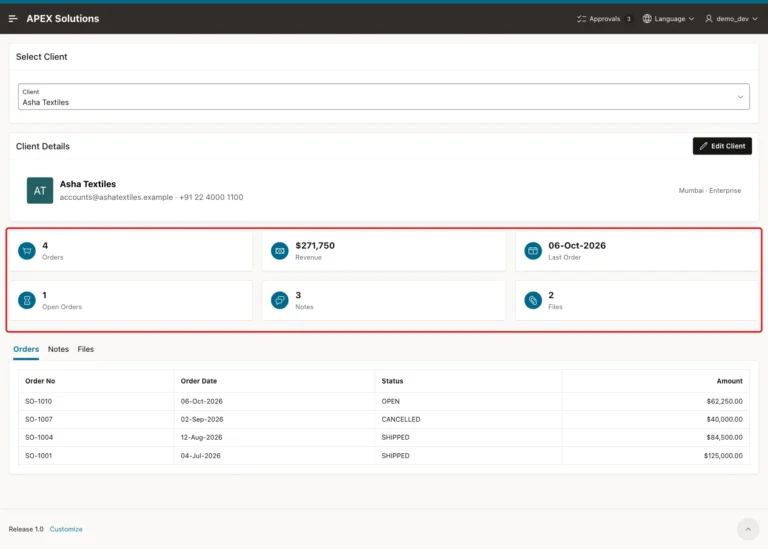
Combine a Content Row header, Cards with correct per-record figures and a Region Display Selector with related reports, plus an edit dialog.
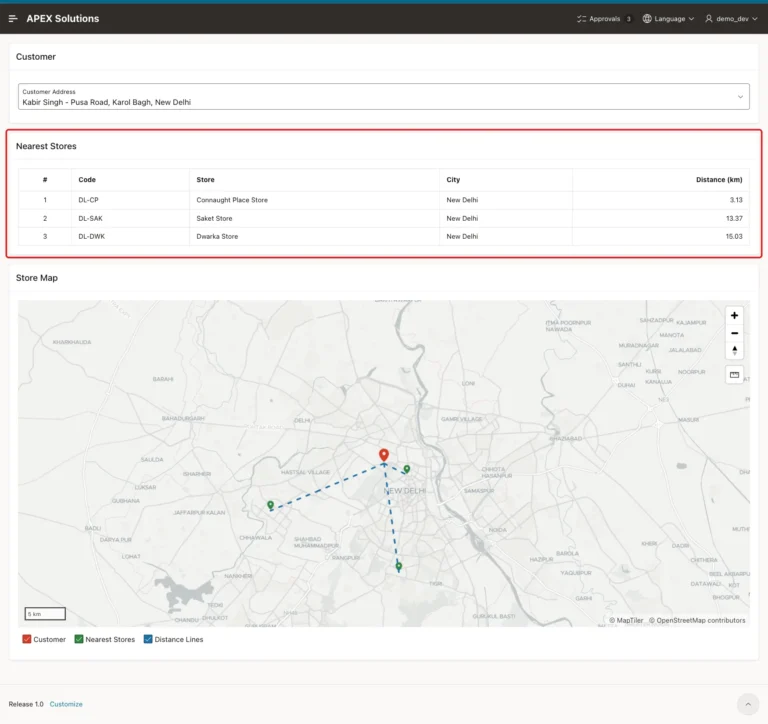
Rank locations by distance with SDO_NN and a spatial index, then show the nearest three in a report and on a map centered on the customer.
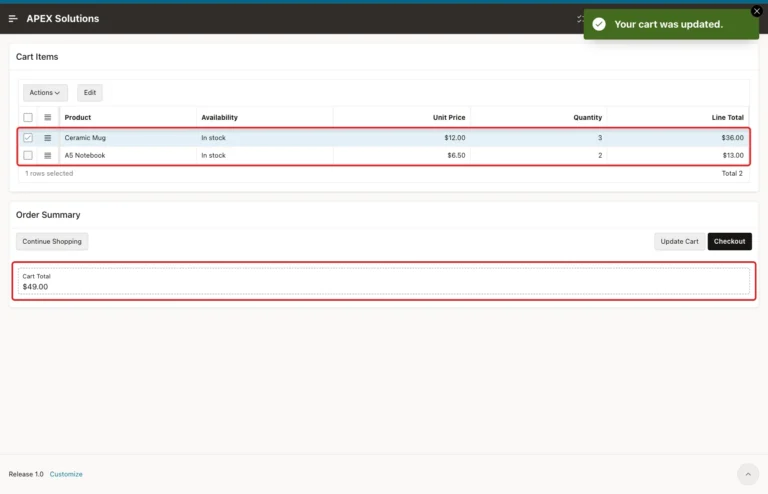
An APEX collection holds the cart per session, cards add products, an editable grid changes quantities, and a checkout turns the cart into an order.