
How to Use the Oracle Forms Java API
Inventory, change, and build Oracle Forms 14.1.2 modules from Java with JDAPI, and add what Forms Builder would have added for you.
Inventory, change, and build Oracle Forms 14.1.2 modules from Java with JDAPI, and add what Forms Builder would have added for you.
Compile a whole Oracle Forms 14.1.2 application in the right order from a script, and keep forms as XML to see every change.
Move Oracle Forms applications from older releases to 14.1.2: what changed, the upgrade steps, the Migration Assistant, and RP2RRO.

Identify users, keep secrets on the server, and close the common holes of an Oracle Forms 14.1.2 installation, with a security checklist.
Record user actions, triggers, built-ins, and SQL of an Oracle Forms 14.1.2 session with Forms Trace, and read the trace with Xlate.
The full Oracle Forms 14.1.2 domain in production: its servers, the start order, maintenance without cutting users off, and the logs.
The environment of the Oracle Forms 14.1.2 runtime process: default.env variables, several environment files, and every other config file.
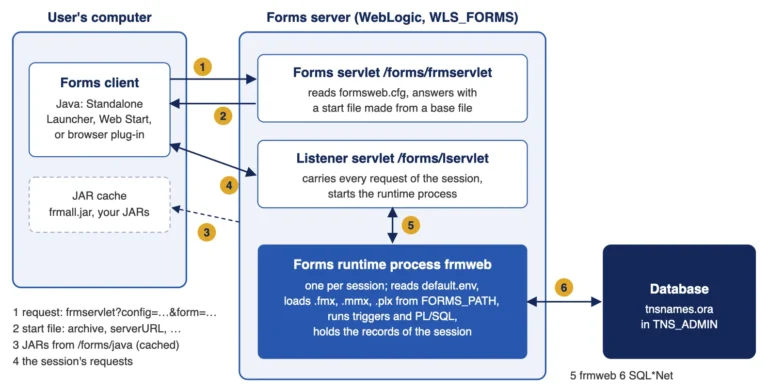
How an Oracle Forms 14.1.2 application reaches its users, and how formsweb.cfg sections, URL rules, and parameters control it.
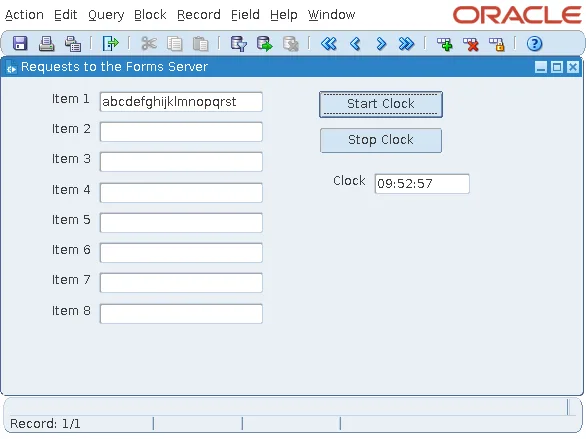
What each user action sends to the Oracle Forms 14.1.2 server, why a clock is expensive, and how to start faster and serve more users.
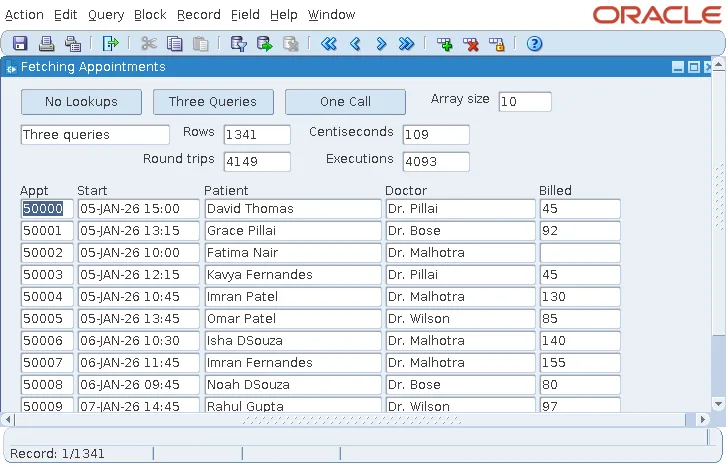
Real measurements from Oracle Forms 14.1.2: what POST-QUERY lookups cost, and how array sizes cut 4,149 database round trips to 19.
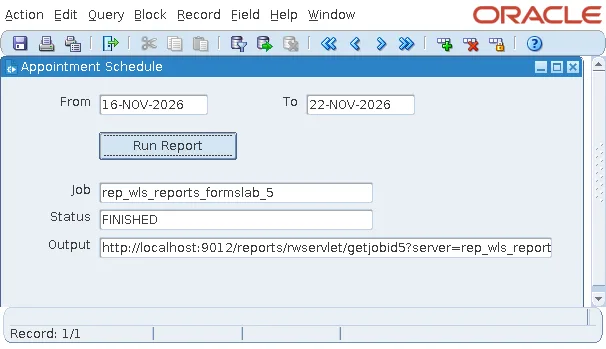
Report objects, RUN_REPORT_OBJECT, job status, output, and security: running Oracle Reports 14.1.2 from an Oracle Forms 14.1.2 form.
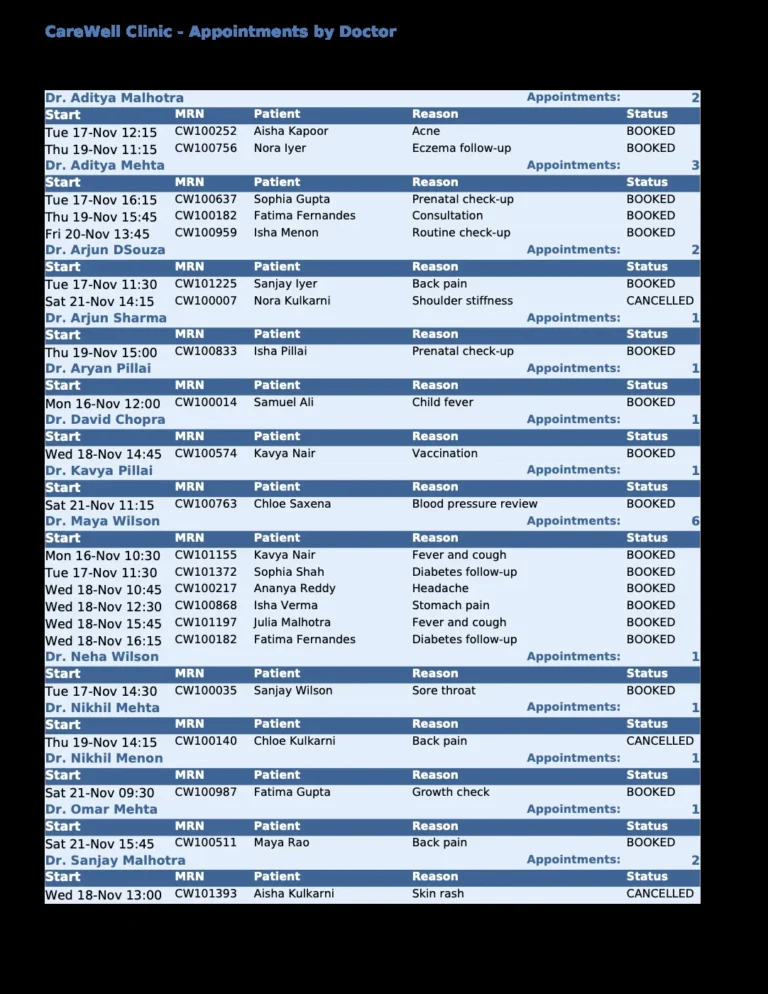
Oracle Reports 14.1.2 for Forms applications: the domain it needs, the Report Wizard, reports as XML, rwrun, rwservlet, and PDF fonts.
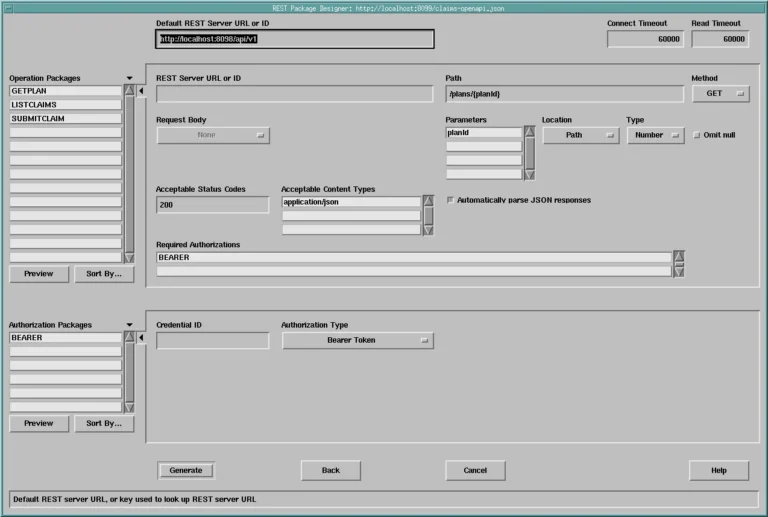
Turn an OpenAPI document into PL/SQL with the REST Package Designer of Oracle Forms 14.1.2, then call the generated packages from a form.
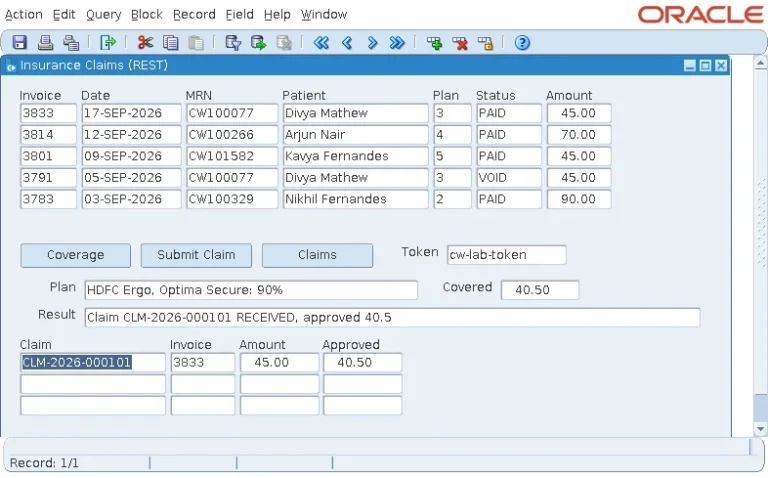
GET and POST JSON from Oracle Forms 14.1.2 with the new FHTTP and FJSON packages, with status codes, errors, and credentials.
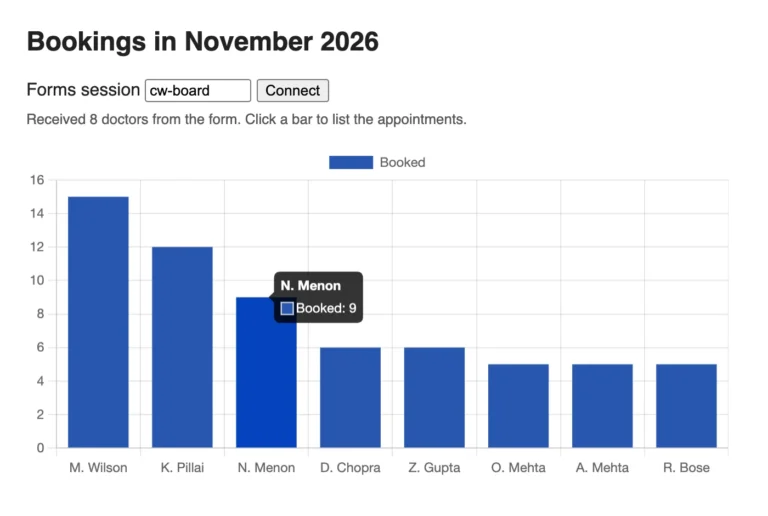
WebSocket JavaScript integration in Oracle Forms 14.1.2: run JavaScript in a web page from a form, and raise form events from the page.
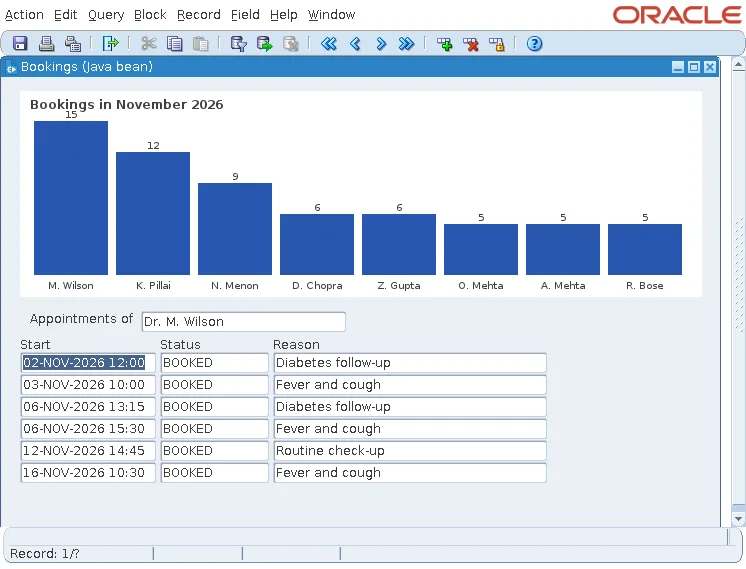
Java beans in bean areas, pluggable Java components, and FBEAN in Oracle Forms 14.1.2, with properties, events, and JAR deployment.
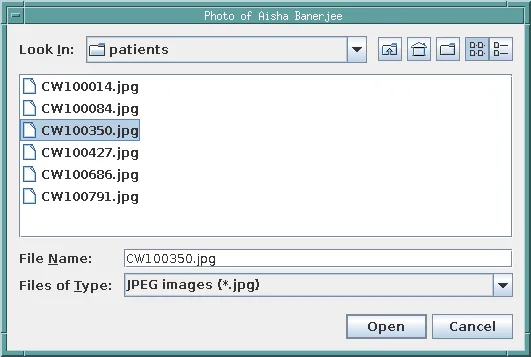
Reach the user's computer from Oracle Forms 14.1.2 with WebUtil: setup, file dialogs, client images and text files, transfers, and security.
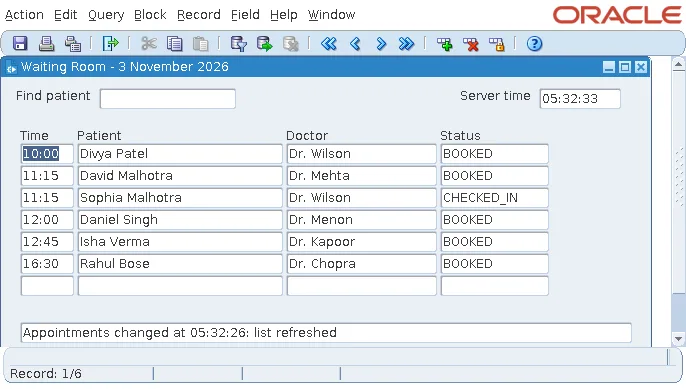
System and database events in Oracle Forms 14.1.2: client idle, and change notifications that refresh a form when another session changes rows.