
A web-deployed form's code runs on the Forms server, not on the user's computer. READ_IMAGE_FILE reads the server's disk, TEXT_IO writes the server's files, and HOST runs commands on the server. Meanwhile, the user's own files, such as a scanned referral or a photo taken at the front desk, are on a computer the server cannot see.
WebUtil closes that gap. It is a set of Java classes that run in the Forms client, with a PL/SQL library that forms call, to open file dialogs on the user's computer, read and write its files, transfer files, and run commands there. This guide shows how to configure and use WebUtil in Oracle Forms 14.1.2.
Sample Form for This Guide
The examples and screenshots use the sample form CH30_PATIENT_FILES from the Oracle Forms code repository on GitHub. Download it, open it in Forms Builder, and connect as CAREWELL to follow along.
| Form | File | What it shows |
|---|---|---|
| CH30_PATIENT_FILES | forms/ch30/ch30_patient_files.fmb | A patient form that loads photos, exports a list, and sends files through WebUtil |
The forms run against the CareWell Clinic sample schema, which you install first.
WebUtil at a Glance
| Package | What it does |
|---|---|
| WEBUTIL_FILE | File dialogs on the user's computer, and questions about client files. |
| CLIENT_IMAGE, CLIENT_TEXT_IO, CLIENT_HOST, CLIENT_GET_FILE_NAME, CLIENT_TOOL_ENV, CLIENT_OLE2 | Client versions of the built-ins READ_IMAGE_FILE, TEXT_IO, HOST, GET_FILE_NAME, TOOL_ENV, and OLE2. |
| WEBUTIL_FILE_TRANSFER | Moves files between the client, the application server, and the database. |
| WEBUTIL_CLIENTINFO | Information about the user's computer. |
| WEBUTIL_HOST | Runs commands on the client with more control. |
Configure WebUtil
WebUtil has three parts, all installed with Forms:
- frmwebutil.jar, the Java classes the client loads, in the forms/java directory of the Forms installation.
- webutil.pll and webutil.olb, the PL/SQL library and the object library forms use, in its forms directory, which the default FORMS_PATH includes.
- webutil.cfg, the server's configuration: which transfers are allowed, and where. default.env names it in WEBUTIL_CONFIG.
The formsweb.cfg Section
A configuration section of formsweb.cfg turns WebUtil on for the forms it runs. formsweb.cfg contains sample sections, such as [webutil] and [webutil_standaloneapp] for the Forms Standalone Launcher, to copy. The section used for the sample form adds WebUtil's parameters.
A formsweb.cfg section for WebUtil:
[cwutil]
baseSAAfile=webutilsaa.txt
WebUtilArchive=frmwebutil.jar
WebUtilLogging=off
WebUtilErrorMode=Alert
WebUtilDispatchMonitorInterval=5
WebUtilTrustInternal=true
WebUtilMaxTransferSize=24573
- baseSAAfile is the Standalone Launcher template for WebUtil; for a browser, it is webutilbase.htm or webutiljpi.htm.
- WebUtilArchive adds WebUtil's JAR to the client's.
- WebUtilErrorMode shows WebUtil's errors in alerts.
JACOB, or Not
The sample sections add a second JAR, jacob.jar, the Java-COM bridge that WebUtil's CLIENT_OLE2 package needs to drive Microsoft Office and other COM programs on Windows. It is not part of Oracle's installation: download it from the JACOB project, with its DLLs, and put it with the other JARs.
On a Linux client, which has no COM, leave JACOB out, and use WebUtil's objects without OLE. In testing, adding WebUtil's usual objects without jacob.jar stopped the form before it started.
Output:
FRM-92090: unexpected fatal error in client-side Java code during startup
java.lang.NoClassDefFoundError: com/jacob/com/ComFailException
Add WebUtil to a Form
A form uses WebUtil in two steps:
- Attach webutil.pll, without its path, in lowercase, as described in how to create a PL/SQL library.
- Subclass an object group from webutil.olb: WEBUTIL, or WEBUTIL_NO_OLE without JACOB. The group brings a block WEBUTIL of hidden Java bean items, the canvas WEBUTIL_CANVAS, and the window WEBUTIL_HIDDEN_WINDOW. Object libraries are covered in how to reuse objects with object libraries.
Make WEBUTIL the Last Block
Forms enters the first block when a form starts. Subclassing the group put WEBUTIL first, and the form opened in WebUtil's own window instead of the patient's. In the Object Navigator, drag the block below the others.
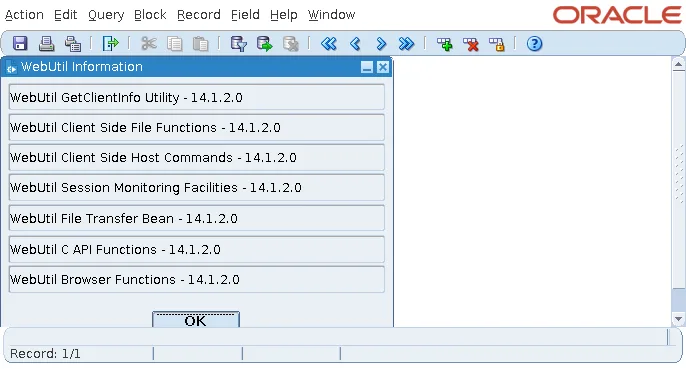
The same window, with the version of each WebUtil component, is what SHOW_WEBUTIL_INFORMATION shows on purpose, the first thing to check when WebUtil misbehaves.
Open File Dialogs on the User's Computer
The package WEBUTIL_FILE opens the dialogs of the user's computer.
Syntax:
webutil_file.file_open_dialog(directory_name varchar2 := null, file_name varchar2 := null,
                              file_filter varchar2 := null, title varchar2 := null) return varchar2
webutil_file.file_save_dialog(directory_name, file_name, file_filter, title) return varchar2
webutil_file.directory_selection_dialog(directory_name, title) return varchar2
webutil_file.file_multi_selection_dialog(...) return webutil_file.file_list
They return the full name of the file chosen, or null when the user cancels. file_filter lists pairs of a description and a pattern, each between bars, such as '|JPEG images (*.jpg)|*.jpg|'. Other functions of the package answer questions about client files, such as FILE_EXISTS, FILE_SIZE, and DIRECTORY_LIST, and copy, rename, and delete them.
Read an Image from the Client
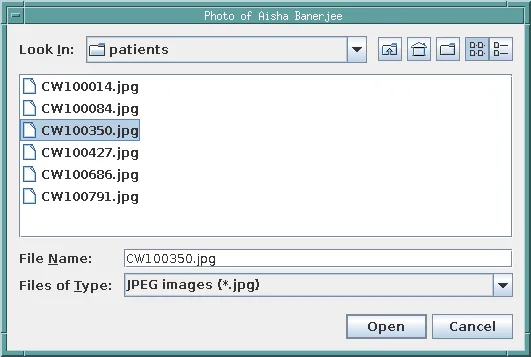
The sample form's Load Photo button asks for a picture and reads it into the photo of the current patient.
Example (WHEN-BUTTON-PRESSED trigger on TOOLS.LOAD_PHOTO):
declare
  v_file varchar2(500);
begin
  v_file := webutil_file.file_open_dialog(
              directory_name => '/work/images/patients',   -- on the user's computer
              file_filter    => '|JPEG images (*.jpg)|*.jpg|',
              title          => 'Photo of ' || :patients.first_name || ' '
                                || :patients.last_name);
  if v_file is null then
    return;                                             -- the user cancelled
  end if;
  client_image.read_image_file(v_file, 'JPEG', 'PATIENTS.PHOTO');
  message('Loaded ' || v_file || ' (' || webutil_file.file_size(v_file)
          || ' bytes). Save to keep it.');
end;
The dialog opens on the user's computer, in the directory given, with the filter and the title.
CLIENT_IMAGE.READ_IMAGE_FILE is READ_IMAGE_FILE reading on the client: the picture goes from the user's computer into the image item, and Save writes it to PATIENTS.PHOTO like any change, 3,116 bytes in the test.
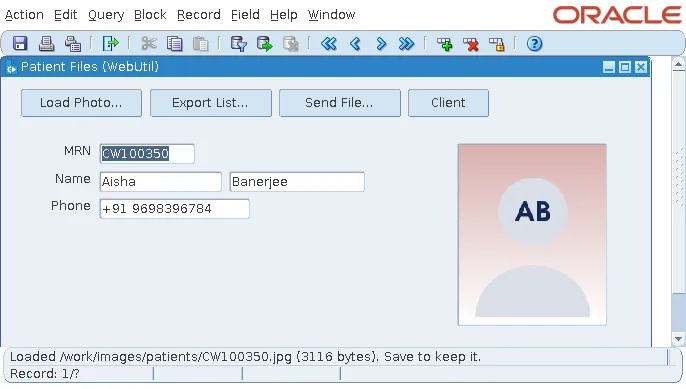
Moving code from client-server Forms to the web is often a matter of adding CLIENT_ to these calls. The server-side version is shown in how to display images using READ_IMAGE_FILE.
Write a Text File on the Client
Export List writes the patients of Pune to a CSV file that the user chooses.
Example (WHEN-BUTTON-PRESSED trigger on TOOLS.EXPORT):
declare
  v_name varchar2(500);
  v_out  client_text_io.file_type;
  v_n    pls_integer := 0;
begin
  v_name := webutil_file.file_save_dialog('/work/transfer', 'patients.csv',
                                          '|CSV files (*.csv)|*.csv|', 'Export patients');
  if v_name is null then
    return;
  end if;
  v_out := client_text_io.fopen(v_name, 'w');       -- a file on the user's computer
  client_text_io.put_line(v_out, 'MRN,FIRST_NAME,LAST_NAME,PHONE');
  for p in (select mrn, first_name, last_name, phone from patients
             where city = 'Pune' order by last_name, first_name) loop
    client_text_io.put_line(v_out, p.mrn || ',' || p.first_name || ',' || p.last_name
                                   || ',' || p.phone);
    v_n := v_n + 1;
  end loop;
  client_text_io.fclose(v_out);
  message(v_n || ' patients written to ' || v_name);
end;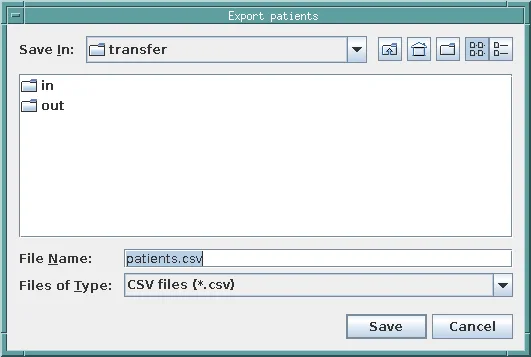
CLIENT_TEXT_IO has the procedures of TEXT_IO, FOPEN, PUT_LINE, GET_LINE, and FCLOSE, for a file on the client. The query runs on the server, and each line travels to the client.
Output:
MRN,FIRST_NAME,LAST_NAME,PHONE
CW100350,Aisha,Banerjee,+91 9698396784
CW101022,Adam,Bose,+91 9836762940
...
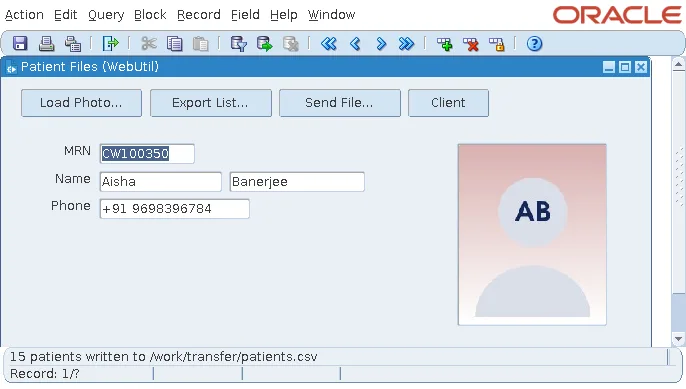
Each PUT_LINE is a message to the client. For a few hundred lines that is fine; for large files, write the file on the server with TEXT_IO and transfer it once. For writing files in general, see also how to write files client side in Oracle Forms.
Transfer Files Between Client, Server, and Database
The package WEBUTIL_FILE_TRANSFER moves whole files between the three places a form deals with.
Syntax:
webutil_file_transfer.client_to_as(clientFile varchar2, serverFile varchar2) return boolean
webutil_file_transfer.as_to_client(clientFile varchar2, serverFile varchar2) return boolean
webutil_file_transfer.client_to_db(clientFile, tableName, columnName, whereClause) return boolean
webutil_file_transfer.db_to_client(clientFile, tableName, columnName, whereClause) return boolean
AS is the application server, the Forms server, and DB is a BLOB column of a row the where clause selects. Each has a _WITH_PROGRESS version that shows a progress bar during the transfer.
Send File stores a file of the user's in the server's directory for incoming documents, named after the patient.
Example (WHEN-BUTTON-PRESSED trigger on TOOLS.UPLOAD):
declare
  v_client varchar2(500);
  v_server varchar2(500);
begin
  v_client := webutil_file.file_open_dialog('/work/transfer', null, null,
                                            'Send a file to the clinic');
  if v_client is null then
    return;
  end if;
  v_server := '/work/transfer/in/' || :patients.mrn || '_'
              || substr(v_client, instr(v_client, '/', -1) + 1);
  if webutil_file_transfer.client_to_as(v_client, v_server) then
    message('Stored on the server as ' || v_server);
  else
    message('The transfer failed.');
  end if;
end;
Output:
Stored on the server as /work/transfer/in/CW100350_patients.csv
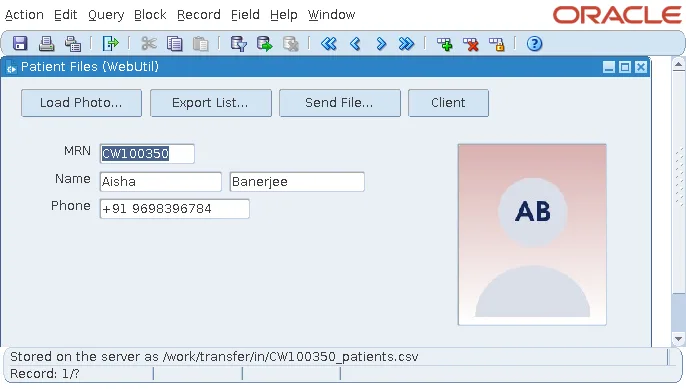
CLIENT_TO_DB writes the file into the BLOB with its own statement, apart from the form's records, so a form that shows that column must query the record again to see the new file. For more transfer examples, see WebUtil to upload and download files.
Secure WebUtil with webutil.cfg
A form that can read and write the files of every user's computer, and of the server, is a risk, and webutil.cfg limits it.
Transfer settings in webutil.cfg:
transfer.database.enabled=TRUE
transfer.appsrv.enabled=TRUE
transfer.appsrv.workAreaRoot=
transfer.appsrv.accessControl=TRUE
transfer.appsrv.read.1=/work/transfer
transfer.appsrv.write.1=/work/transfer
Both kinds of transfer are disabled by default; these settings enable them. With accessControl, transfers to and from the application server are limited to the directories listed in read.n and write.n. A transfer to /tmp, outside them, was refused, and CLIENT_TO_AS returned false.

The limits apply to the server's files. Files on the user's computer are open to the form as they are to the user: a form can read and write any file the user can. That is why WebUtil code must be trusted like the rest of the application, and why a CLIENT_HOST command built from what a user typed deserves the same care as SQL built from user input.
Client Information and Commands
WEBUTIL_CLIENTINFO tells the form about the user's computer.
Example (WHEN-BUTTON-PRESSED trigger on TOOLS.INFO):
message('Client: ' || webutil_clientinfo.get_operating_system
        || ', user ' || webutil_clientinfo.get_user_name
        || ', host ' || webutil_clientinfo.get_host_name
        || ', Java ' || webutil_clientinfo.get_java_version);
Output:
Client: Linux, user oracle, host formslab, Java 21.0.12.1
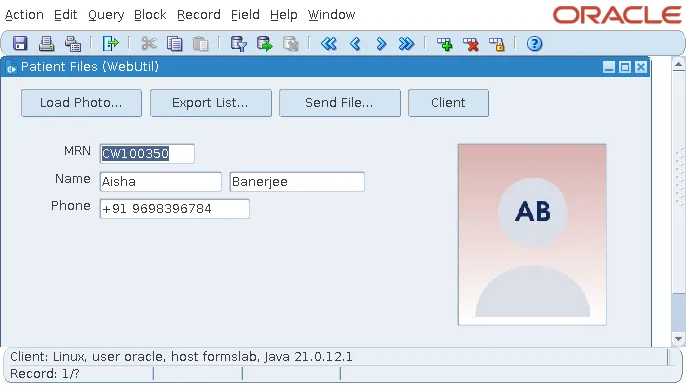
The user name is the operating system's, not the database's or the application's. With GET_IP_ADDRESS, GET_TIME_ZONE, and GET_SYSTEM_PROPERTY, these functions let a form adapt to the computer it serves. CLIENT_HOST(command) runs a command on the client, like HOST on the server, and WEBUTIL_HOST runs commands with more control, blocking or not, with the output returned.
Conclusion
A form's code runs on the server, and WebUtil lets it reach the user's computer: its Java classes run in the client, and its PL/SQL library calls them. Configure it in a formsweb.cfg section and in webutil.cfg, add jacob.jar only for Windows COM, attach webutil.pll, subclass WEBUTIL or WEBUTIL_NO_OLE, and make its block the last of the form. Then use WEBUTIL_FILE for dialogs, the CLIENT_ packages for images, text files, and commands, and WEBUTIL_FILE_TRANSFER to move files, with webutil.cfg limiting server transfers to listed directories.
