
Forms shows data on a screen, but a business also needs paper: a doctor's schedule for the week, an invoice, a monthly summary. Oracle Reports has produced those documents for Forms applications for decades. A report is designed in Reports Builder, stored in an .rdf file, and run by Reports Services, which returns PDF, HTML, spreadsheet, or other output.
This guide covers Oracle Reports 14.1.2: what it needs from the domain, building a report with the Report Wizard, editing a report as XML, and running it from the command line and a URL, including the font problem that turned a test PDF into Greek letters.
A Note on Deprecation
Oracle has deprecated Oracle Reports. Version 14.1.2 is installed with Forms and works, but Oracle's direction for new documents is Oracle Analytics Publisher, formerly BI Publisher; in Forms 14.1.2, a new report object calls Analytics Publisher unless told otherwise. Existing applications have many reports, though, and this guide is for them.
What Oracle Reports Needs
A development domain created from the Oracle Forms Development template, as in how to install Oracle Forms 14.1.2, has no database repository, and Reports cannot run there. It needs a full domain:
- The templates Oracle Forms, Oracle Reports Application, Oracle Reports Tools, and Oracle Reports Server, which bring in Oracle JRF and Enterprise Manager.
- A repository: schemas that the Repository Creation Utility (RCU) creates in a database, namely STB, OPSS, and the audit schemas IAU, IAU_APPEND, and IAU_VIEWER.
An RCU Version Check to Watch For
In testing, RCU 14.1.2 refused Oracle AI Database 26ai, whose version is 23.26. RCU's check compares version numbers as text, and as text, '23.26' sorts before '23.4'. The test worked around it by correcting the comparison in RCU's ComponentInfo.xml to create the schemas; on a supported database version, RCU simply runs.
The Servers of a Full Domain
| Server | Runs |
|---|---|
| AdminServer | Fusion Middleware Control, at /em. |
| WLS_FORMS | The Forms servlet; forms run here. |
| WLS_REPORTS | The Reports servlet, rwservlet, and inside it the in-process Reports server, named rep_wls_reports_<host>. |
The Reports Tools instance, reptools1, holds the configuration of Reports Builder and the command-line tools. A standalone Reports server, started by Node Manager, can be created too.
Find Reports Servers
Clients find Reports servers by name through a discovery service, by default a multicast channel defined in rwnetwork.conf. rwdiag -findAll lists the servers it finds.
Output of rwdiag -findAll:
Broadcast mechanism used to locate servers
Channel address = 228.5.6.7
Channel port  = 14021
(1) Name = rep_wls_reports_formslab : Type = server : Host = formslab
(2) Name = repserver1 : Type = server : Host = formslab
The in-process server starts with the first request to rwservlet, not with WLS_REPORTS. After a restart of WLS_REPORTS, rwdiag listed only the standalone server, and a form that ran a report failed with FRM-41213: Unable to connect to the Report server, until any request to the servlet had started it. Send one when the server starts, or use a standalone server.
Build a Report with the Report Wizard
Start Reports Builder from the domain's reports/bin directory (rwbuilder.sh, or rwbuilder.cmd on Windows). It opens with a choice: the Report Wizard, a report built by hand, or an existing report.
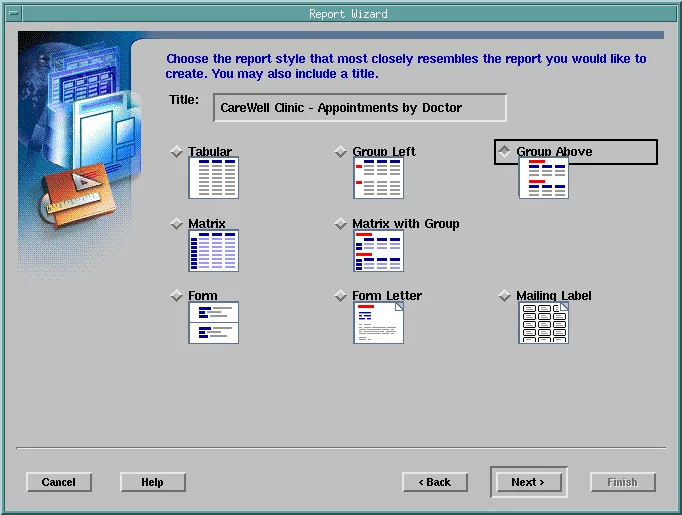
The wizard asks for the layout type (paper, web, or both; this report uses paper), then a title and a style. Group Above prints a heading for each group, with its records below.
The Query and Its Parameters
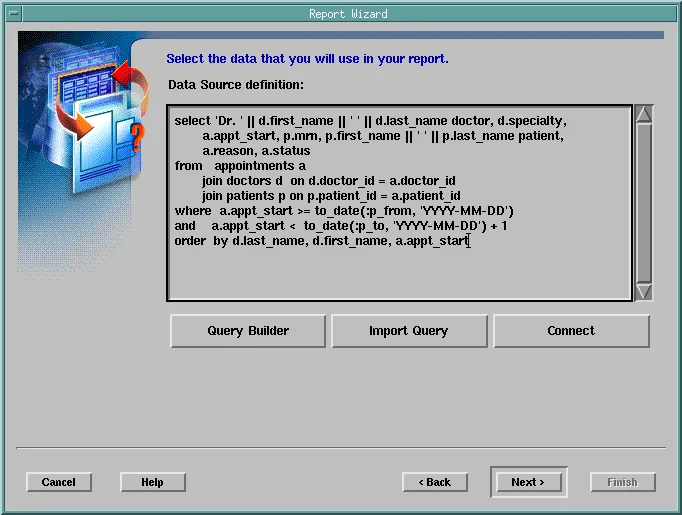
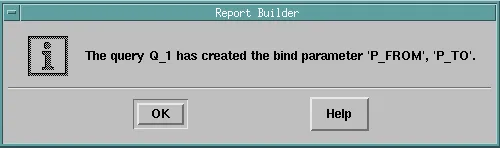
The data comes from a SQL query. Its bind variables, :p_from and :p_to here, become the report's user parameters, which Reports creates when the query is accepted.
Groups, Fields, Totals, Labels, and Template
| Wizard page | Choice for the schedule report |
|---|---|
| Groups | DOCTOR, so the appointments are listed under their doctor. Each field moved to the right starts a new level. |
| Fields | The fields printed, in order. |
| Totals | A count of MRN, for the number of appointments per doctor and for the whole report. |
| Labels | The headings and widths, in characters. |
| Template | Colors and fonts; Blue was chosen. |
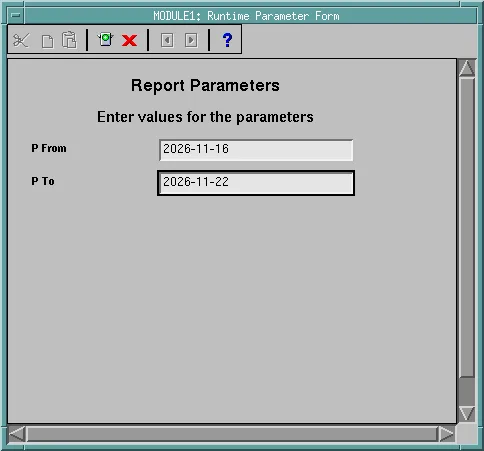
Reports Builder then runs the report. Its Runtime Parameter Form asks for the parameters, and the Paper Design view shows the output. Tools, Report Wizard reopens the wizard on the report, with a tab for each page, to change any choice.
Edit a Report as XML
The first run showed what a wizard leaves to the developer: columns too narrow for CANCELLED, the template's placeholder logo (YOUR COMPANY), and a group label run into its value. The Paper Layout editor changes all of it, object by object, and so does XML.
rwconverter converts a report between its binary .rdf, .xml, and .jsp forms, and the XML can be edited like any text.
Convert to XML and back:
rwconverter.sh source=cw_appt_schedule.rdf stype=rdffile dest=cw_appt_schedule.xml dtype=xmlfile batch=yes
rwconverter.sh source=cw_appt_schedule.xml stype=xmlfile dest=cw_appt_schedule.rdf dtype=rdffile batch=yes userid=...
In the XML, each layout object has its geometry in inches. The column widths were set there, the logo's image element was deleted from the margin, and the count of appointments was put on the doctor's line with a field in the doctor's repeating frame.
The field added to the XML:
<field name="F_COUNT" source="CountMRNPerDOCTOR" minWidowLines="1"
 spacing="0" alignment="end">
  <font face="helvetica" size="10" bold="yes" textColor="TextColor"/>
  <geometryInfo x="6.43750" y="0.00000" width="0.81250" height="0.18750"/>
</field>
CountMRNPerDOCTOR is the summary column the wizard created for the count. An XML report is also easy to compare between versions and to keep in version control, which a binary .rdf is not.
Run a Report from the Command Line with rwrun
rwrun runs a report on the computer where it is started, without a server.
Example:
rwrun.sh report=cw_appt_schedule.rdf userid=carewell@FORMSPDB desformat=pdf destype=file
desname=/work/reports/schedule.pdf p_from=2026-11-16 p_to=2026-11-22- desformat is the output format: PDF, HTML, HTMLCSS, RTF, XML, DELIMITED, and others.
- destype is where it goes: FILE, PRINTER, MAIL, or CACHE.
- Parameters of the report are passed by name.
Fix Wrong Characters in the PDF
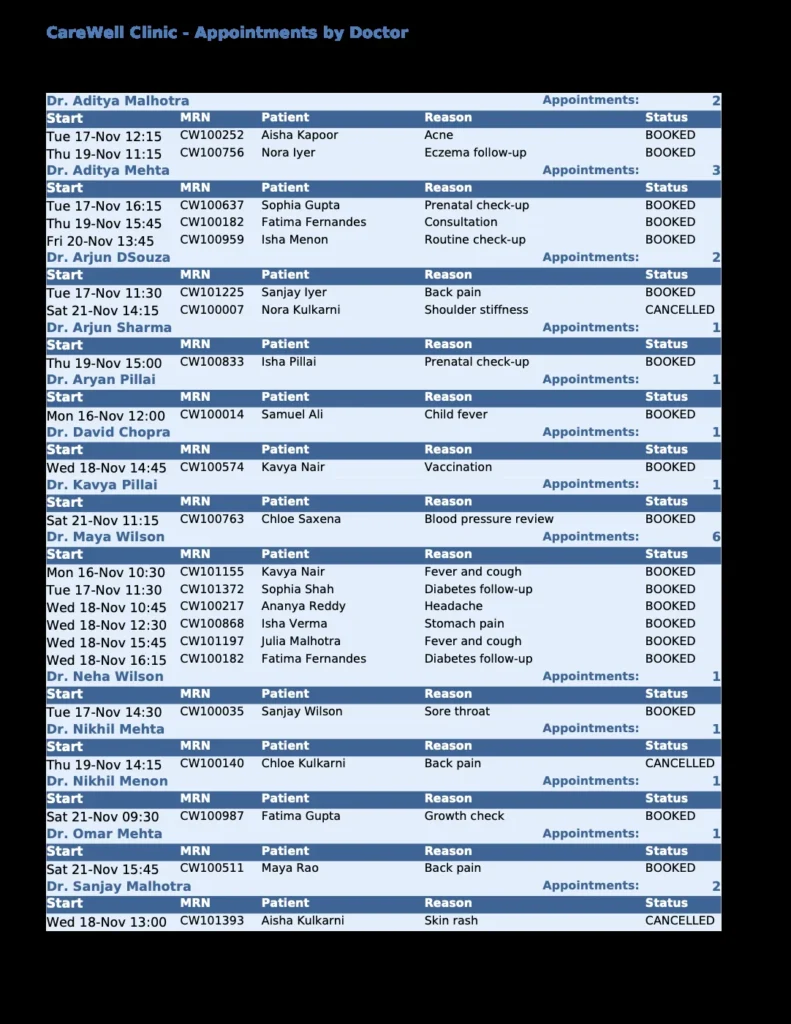
The first test PDF showed every word in Greek letters, because its fonts had all become Symbol. NLS_LANG named the character set AL32UTF8, which Forms uses, and with it Reports found no font for the report's text. With NLS_LANG unset, Reports' own scripts use WE8ISO8859P1, and the PDF used Helvetica.
Reports can also embed a TrueType font in its PDFs. DejaVu Sans was copied to the domain's reports/fonts directory and mapped to Helvetica in the [ PDF:Subset ] section of uifont.ali, the Reports Tools instance's font file.
The uifont.ali section:
[ PDF:Subset ]
helvetica...Bold.. = "DejaVuSans-Bold.ttf"
helvetica = "DejaVuSans.ttf"
Font mappings and the character set are the first things to check when a report prints the wrong characters.
Run a Report from a URL with rwservlet
rwservlet runs a report on a Reports server, with the same parameters in a URL.
Example:
http://host:9012/reports/rwservlet?server=rep_wls_reports_formslab
  &report=cw_appt_schedule.rdf&userid=carewell/...@FORMSPDB
  &desformat=pdf&destype=cache&p_from=2026-11-16&p_to=2026-11-22
destype=cache keeps the output in the server's cache and returns it to the browser. A password in a URL is visible in the browser's history and the server's logs, so in production the servlet's key map file cgicmd.dat replaces parameters with a key, and single sign-on replaces the password altogether. A form passes its own connection and needs neither, as shown in how to run Oracle Reports from a form.
Conclusion
Oracle Reports is deprecated but included in 14.1.2, and it needs a full domain with the Reports templates and an RCU repository; its in-process server starts with the servlet's first request, and rwdiag -findAll lists the servers clients can find. The Report Wizard builds a report from a query whose bind variables become parameters, and rwconverter turns it into XML you can edit and version. Run reports with rwrun locally or rwservlet on a server, and when a PDF shows the wrong characters, check NLS_LANG and the font mappings in uifont.ali.
