
Many new records are close variants of existing ones: a new product version, next year's price list entry, a repeat order. Users then want a Copy button that opens a new record already filled with the values of the current one, so they change only what differs. In Oracle APEX this takes a button, a hidden item, and one PL/SQL process on a standard form page. The copy is not saved until the user clicks Create, so a copy opened by mistake leaves nothing behind. This guide adds it to a product form and tests it.
The Form
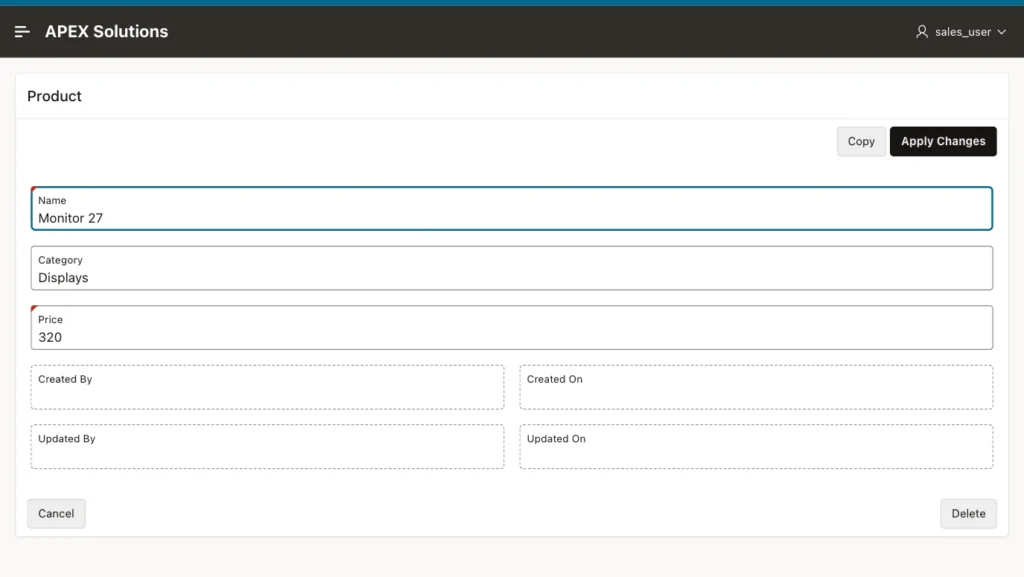
Page 111 is a form on PRODUCTS, opened from a report on page 110. P111_PRODUCT_ID is the primary key item. As usual for a form page, Apply Changes and Delete show when the primary key has a value, and Create shows when it is empty:
Step 1: The Hidden Item and the Copy Button
Add a hidden page item, P111_COPY_FROM. It will hold the ID of the product to copy, and nothing else on the page uses it.
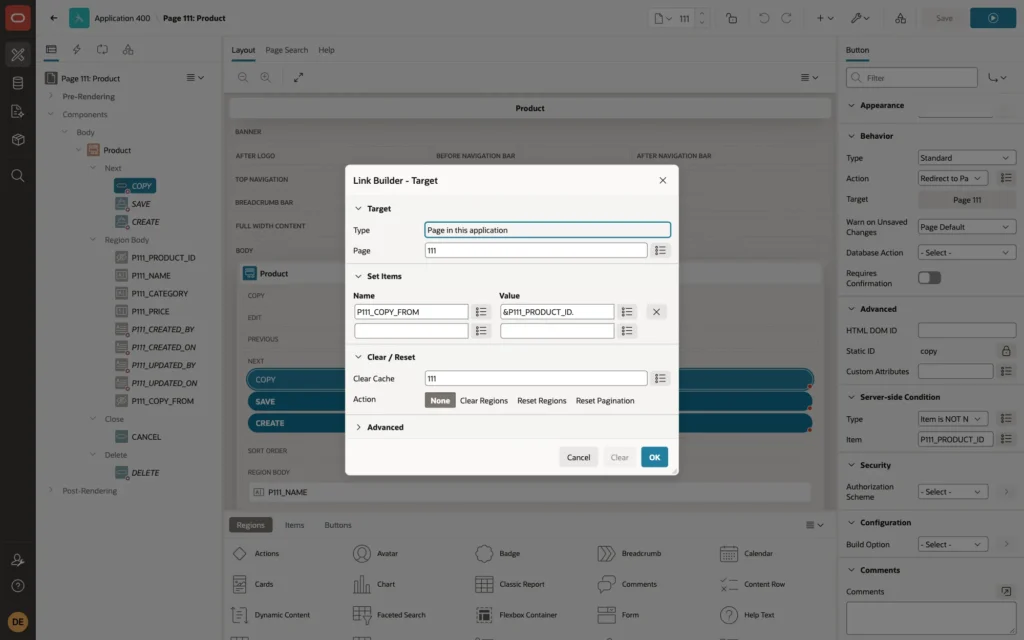
Add a button COPY, labeled Copy, with a server-side condition Item is NOT NULL on P111_PRODUCT_ID, so it shows only for an existing product. Set its Action to Redirect to Page in this Application, with this target:
- Page: 111, the same form.
- Set Items: P111_COPY_FROM to &P111_PRODUCT_ID.
- Clear Cache: 111, so the form opens without the current product's values and without its primary key.
Step 2: Fill the Form from the Source Record
Add a PL/SQL process at the point Before Header, with a sequence after the Initialize form process, so it runs after the form has been initialized as a new record. Give it a server-side condition Item is NOT NULL on P111_COPY_FROM:
Example:
select name || ' (copy)', category, price
into   :P111_NAME, :P111_CATEGORY, :P111_PRICE
from   products
where  product_id = :P111_COPY_FROM;
The process sets the form items, not the primary key, so P111_PRODUCT_ID stays empty and the page behaves as a new record. The suffix (copy) on the name tells the user that this is not the original.
Testing It
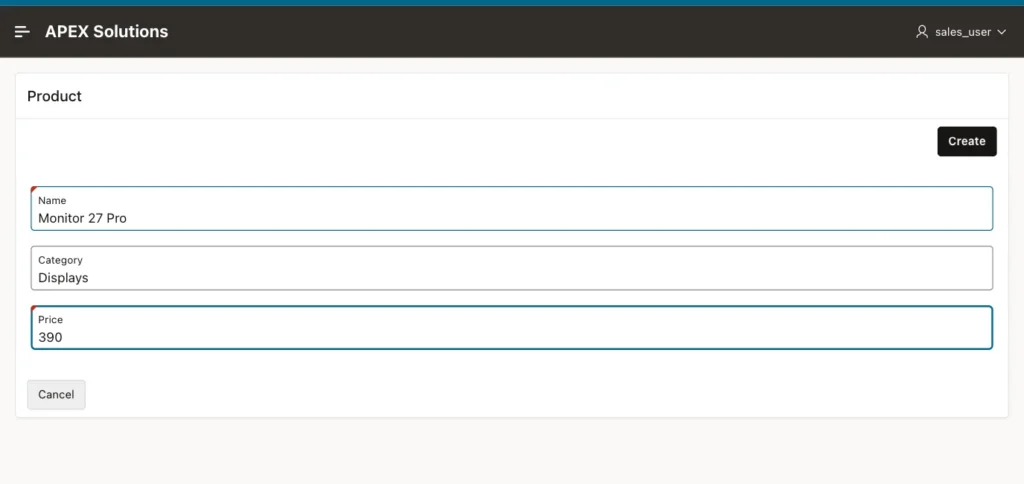
Clicking Copy on Monitor 27 opened page 111 with P111_PRODUCT_ID empty, the name Monitor 27 (copy), the category Displays, and the price 320. Only Create and Cancel were shown. The user changed the name to Monitor 27 Pro and the price to 390:
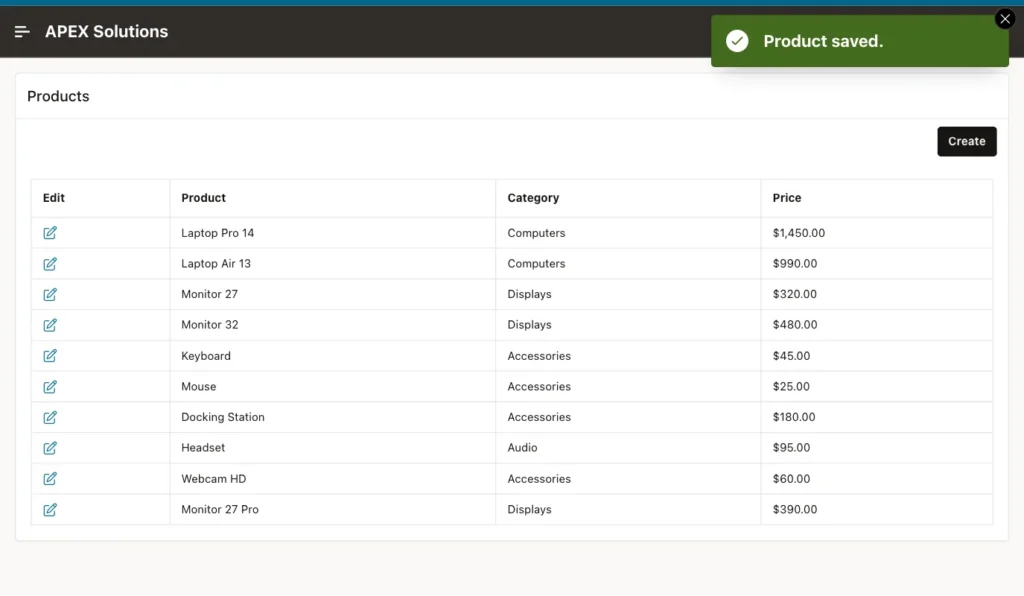
Create inserted the new product, and the original was not changed:
Example:
select product_id, name, category, price, created_by
from   products
where  name like 'Monitor 27%'
order  by product_id;
Output:
   PRODUCT_ID NAME              CATEGORY       PRICE CREATED_BY
_____________ _________________ ___________ ________ _____________
            3 Monitor 27        Displays         320
           41 Monitor 27 Pro    Displays         390 SALES_USER
CREATED_BY is filled for the new product by the table's audit trigger; the original row is from before the audit columns were added.
The Copy button's URL carries the source ID, for example p111_copy_from=3, with a checksum, because the page has Page Access Protection set to Arguments Must Have Checksum. Changing the ID in the URL by hand was rejected with a session state protection violation, so users can copy only the products the application offers them.
Things to Know
- List the columns to copy explicitly. Leave out values that must be unique or new for each record, such as codes, serial numbers, status, and audit columns.
- For a record with child rows, such as an order with order lines, copy the children in a process after the parent's insert, using the new primary key returned by the form, and only when P111_COPY_FROM has a value.
Related Guides
Conclusion
To copy a record into a new form in Oracle APEX, add a Copy button that redirects to the same form with the source ID in a hidden item and the form's cache cleared, and a Before Header process after the form initialization that loads the source values into the form items. The primary key stays empty, so the user edits the copy and saves it with Create.
