
Oracle APEX passes values between pages in the URL: a link from an order list to an order page carries the order ID, for example order-details?p95_order_id=3. Anyone can edit that URL, change 3 to 4, and press Enter. If the page accepts it, users can open records they were never offered, and set item values the application did not intend. APEX protects against this with Session State Protection: links carry a checksum, and a changed or missing checksum is rejected. This guide shows the attack on an unprotected page, the protection at page and item level, and an audit query that finds unprotected pages.
The Test Pages
Page 94 lists orders, and the order number links to page 95, Order Details, setting P95_ORDER_ID. A Before Header process on page 95 loads the order for that ID:
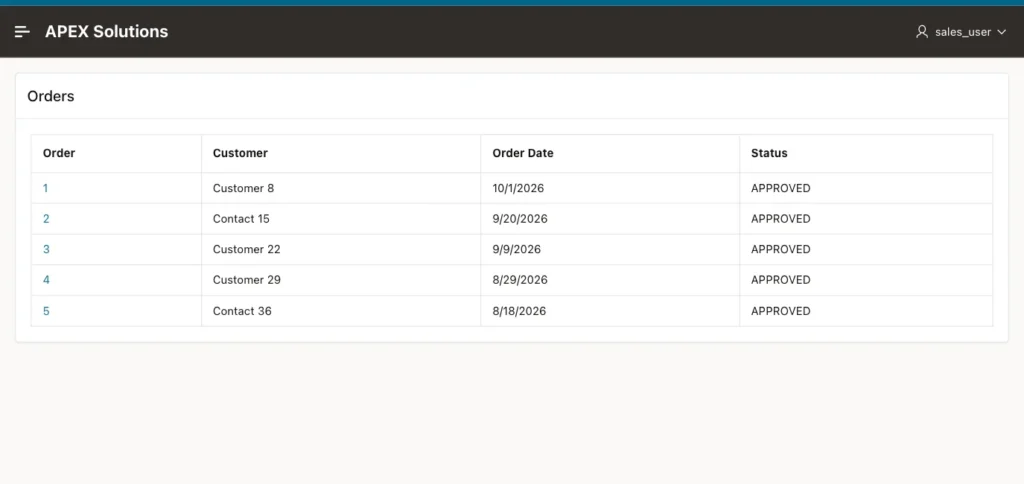
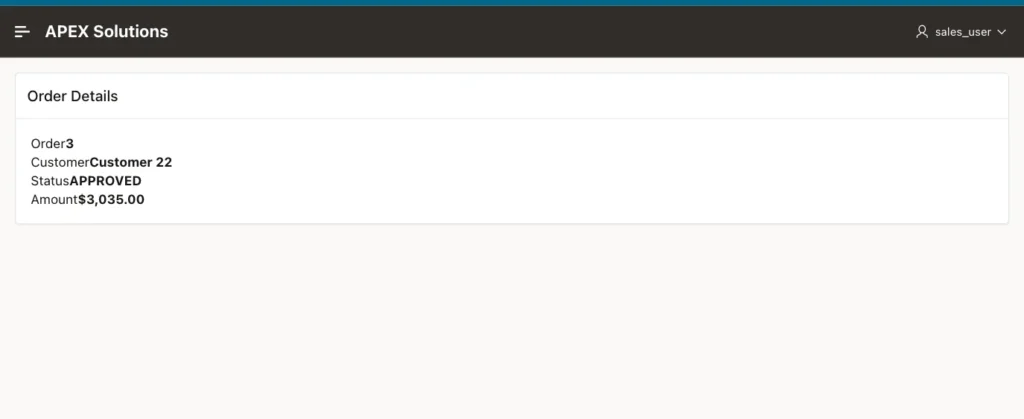
Session State Protection must be enabled for the application: in Shared Components, Security Attributes, Session State Protection is Enabled. It is enabled by default for new applications.
Without Protection
With Page Access Protection set to Unrestricted on page 95, the link has no checksum:
Example:
/ords/r/solutions/apex-solutions/order-details?p95_order_id=3&clear=95&session=12915634377404
Changing p95_order_id=3 to 4 in the address bar opened order 4, for Customer 29, and so did any other number. The page cannot tell a link it generated from a URL typed by hand.
Step 1: Page Access Protection
In Page Designer, select the page and set Security, Page Access Protection to Arguments Must Have Checksum:
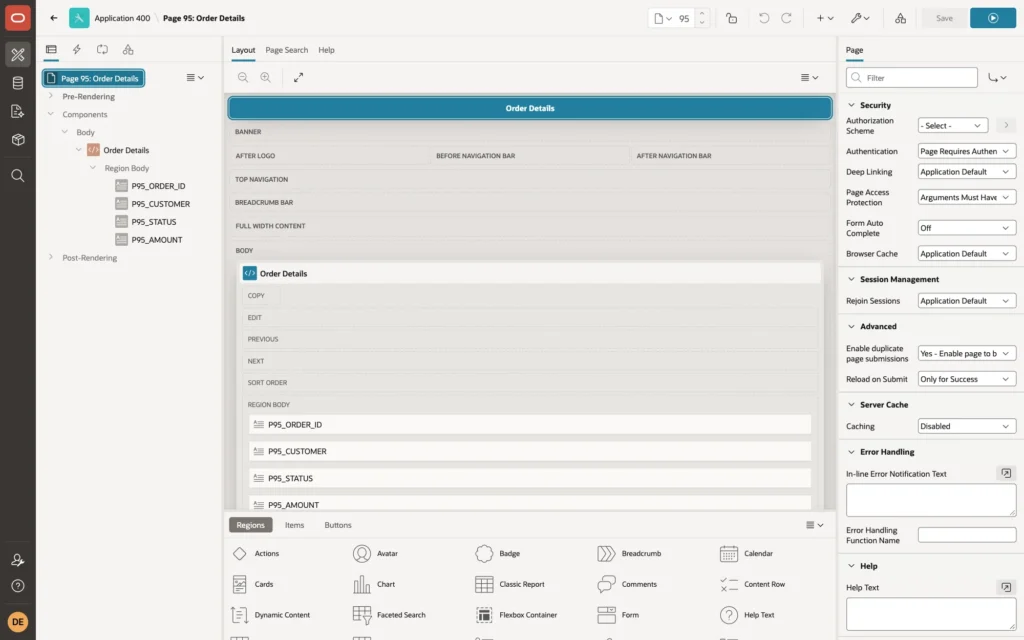
Links to the page now carry a cs parameter, a checksum of the URL's arguments that APEX computes on the server:
Example:
/ords/r/solutions/apex-solutions/order-details?p95_order_id=3&clear=95&session=10432595027497&cs=1fWoeX5FLv4IjihN6zjuJnvqn2IT9J1-eDWDbq1vw_PgsPNTrKPTTjIScHAbBrwyjzkMKs_gYQK5HfIxzDM4BAA
The tests with this setting:
- The link from the report opened order 3, as before.
- The same URL with p95_order_id=4 was rejected.
- The URL with p95_order_id=4 and the cs parameter removed was rejected.
- The original, valid link opened by another user, DEMO_DEV, in their own session was rejected too: the checksum is tied to the session that created it.
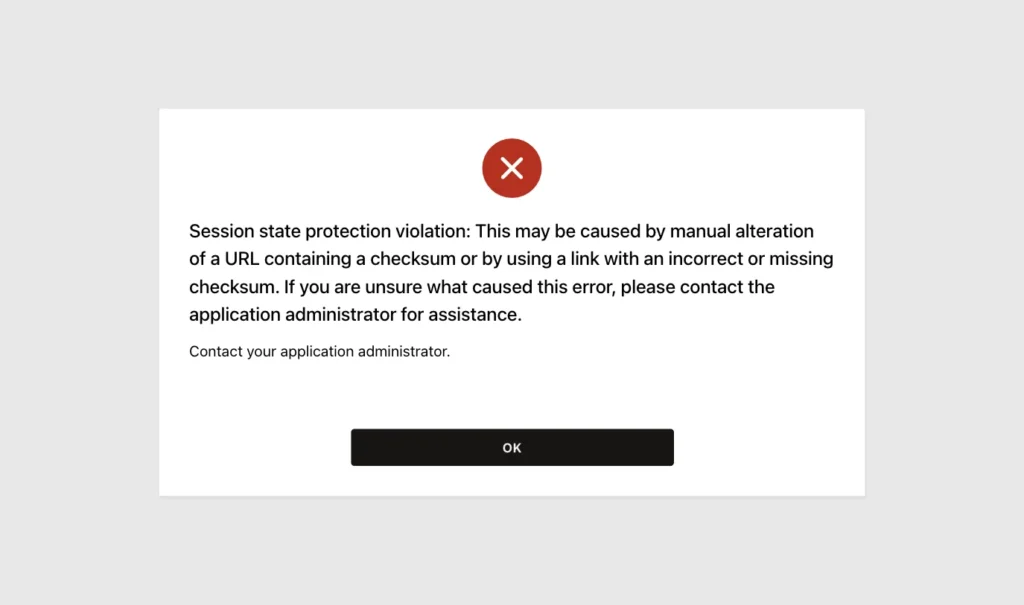
The other values of Page Access Protection are No Arguments Supported, for pages that should never receive values in the URL, and No URL Access, for pages that may only be reached by a branch, not by a link.
Step 2: Item Protection
Page Access Protection guards one page. An item can also be set through a URL to another page, or by a request to any page that lists it. To protect the item wherever it is set, select it and set Security, Session State Protection:
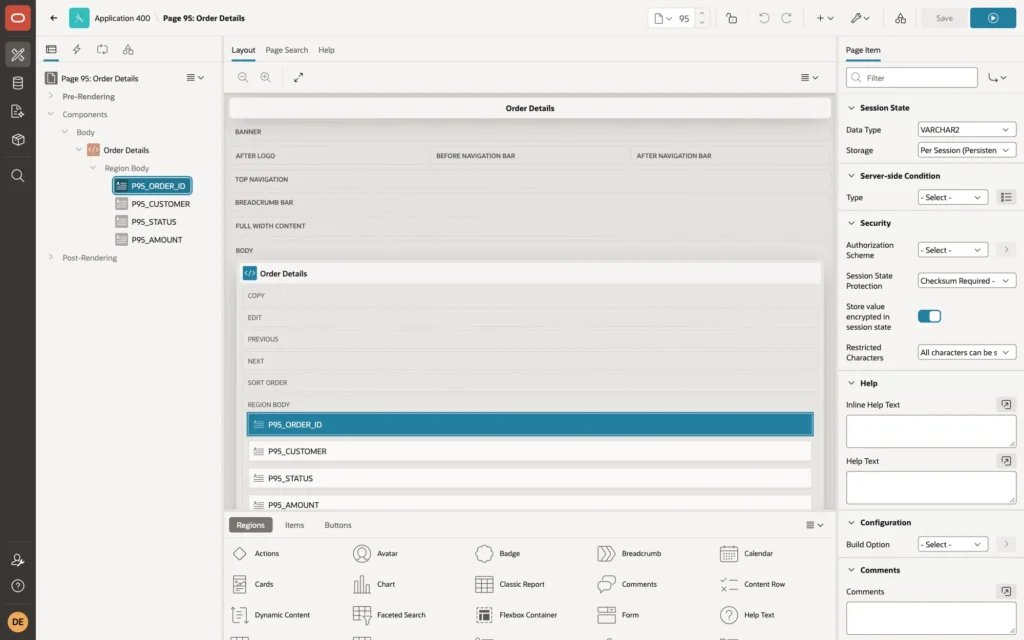
- Checksum Required - Application Level, User Level, or Session Level: a URL that sets the item must have a valid checksum. Session Level is the strictest; the other two allow bookmarks that work across sessions, for any user or for the same user.
- Restricted - May not be set from browser: the item cannot be set from a URL or a submit at all, only by the application's own code.
- Unrestricted: no check.
In a test with page 95 set back to Unrestricted and only P95_ORDER_ID protected at Session Level, the changed order ID and the missing checksum were both rejected with the same error.
Step 3: Find Unprotected Pages
The Create Page wizard sets Arguments Must Have Checksum on new pages, but pages created another way, from scripts or older applications, can be Unrestricted. Query the APEX views:
Example:
select page_id, page_name, page_access_protection
from   apex_application_pages
where  application_id = 400
and    page_access_protection = 'Unrestricted'
order  by page_id;
Output:
   PAGE_ID PAGE_NAME            PAGE_ACCESS_PROTECTION
__________ ____________________ _________________________
        10 Customer             Unrestricted
        20 Personal Details     Unrestricted
        21 Experience           Unrestricted
        22 Review and Submit    Unrestricted
        30 New Order            Unrestricted
        31 Select Customer      Unrestricted
        40 Customer Type        Unrestricted

7 rows selected.
In this lab application, the query found seven pages that were written as application source files without the setting, so they had the default, Unrestricted. The same check for items uses APEX_APPLICATION_PAGE_ITEMS and its ITEM_PROTECTION_LEVEL column.
Things to Know
- Links built declaratively, in a report column link, a button, or a branch, get the checksum automatically. A URL built by string concatenation in SQL or JavaScript has none and is rejected on a protected page; build it with APEX_PAGE.GET_URL, which adds the checksum.
- A checksum proves that the application generated the link, not that the user may see the record. If the list itself shows records the user should not open, the checksum does not help: restrict the rows in the queries and check access on the server.
- Hidden items that JavaScript changes need Value Protected turned off, or the submit fails with a session state protection error for that item.
Related Guides
- Resolve "Session State Protection Violation" Error in Oracle Apex
- Oracle APEX Authorization and Application Security
Conclusion
To protect Oracle APEX pages from URL tampering, keep Session State Protection enabled for the application, set Page Access Protection to Arguments Must Have Checksum on pages that receive values, and protect sensitive items with Checksum Required or Restricted. Then audit the application for Unrestricted pages, and still check on the server that the user may see each record.
