
A field label says what to enter, but often not how: in which currency, in what format, or which name to use. Users who guess wrong cause validation errors or, worse, wrong data that no validation catches.
Oracle APEX has three places for such guidance on every page item, all set in Page Designer without code: inline help text shown under the field, help text in a popup behind a help icon, and a value placeholder inside the empty field. This guide adds each of them to a product form and shows how they appear.
The Three Options
- Inline Help Text: a short line under the field, always visible. Use it for the one thing most users need to know.
- Help Text: a longer explanation in a popup that opens from a help icon next to the field. Use it for rules and background that only some users need.
- Value Placeholder: hint text inside the empty field. It disappears as soon as the user types, so it suits examples, not instructions that must stay visible.
Step 1: Inline Help and Help Text
Select the item in Page Designer and fill the Help group. For P111_PRICE, the inline help gives the currency, and the help text explains how price changes work:
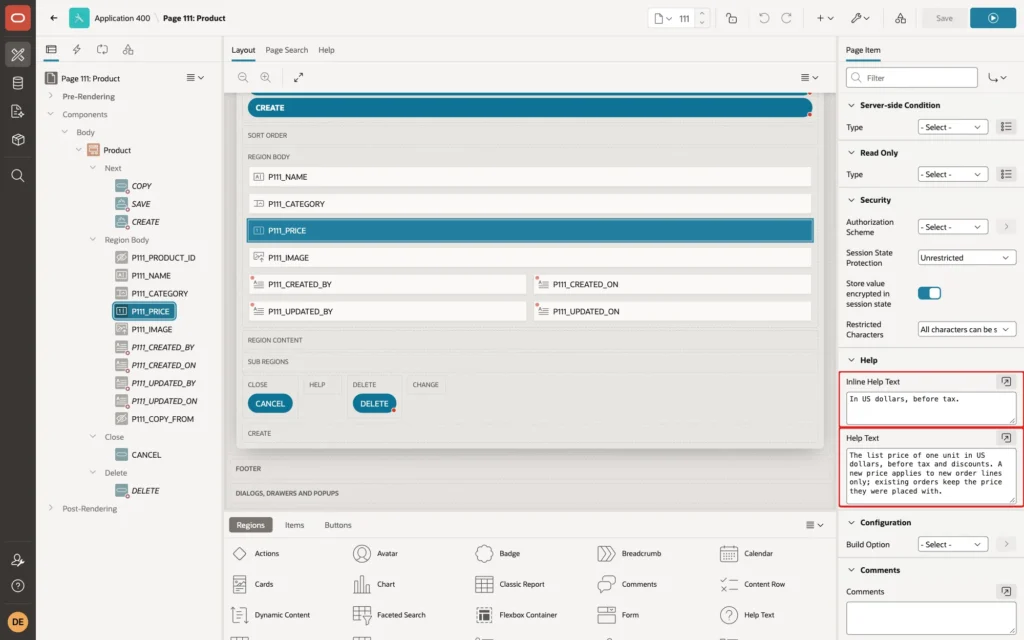
P111_NAME gets only inline help: The name customers see in the shop, for example Monitor 27 Pro.
Step 2: A Value Placeholder
The placeholder is in the item's Appearance group. For the Category field, a Popup LOV where users can pick or type a category, the placeholder says exactly that:
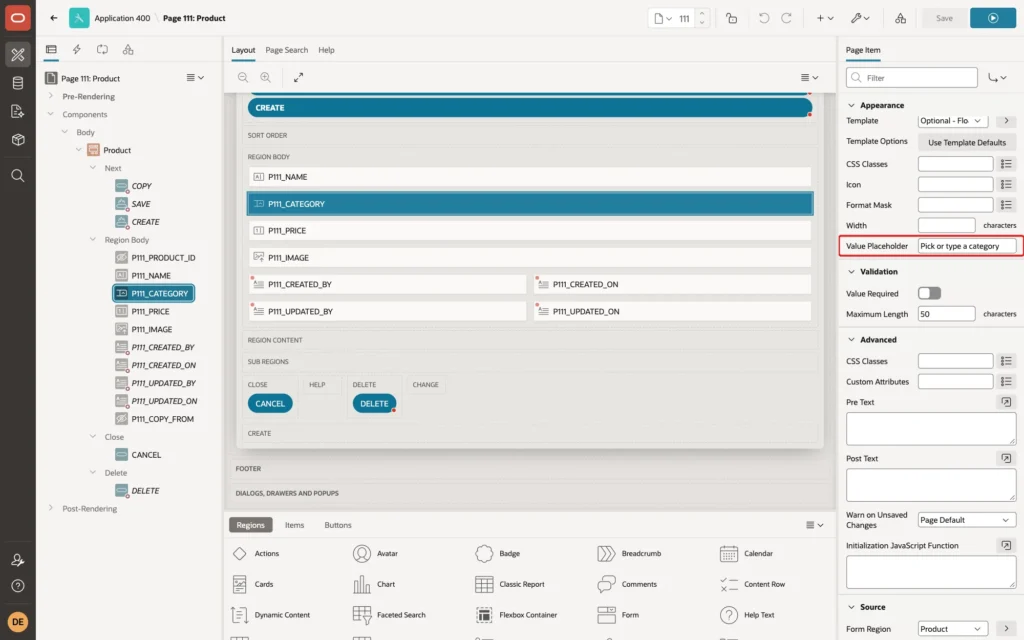
The Result
On the empty form, the inline hints appear under Name and Price, the placeholder fills the empty Category field, and Price has a help icon:
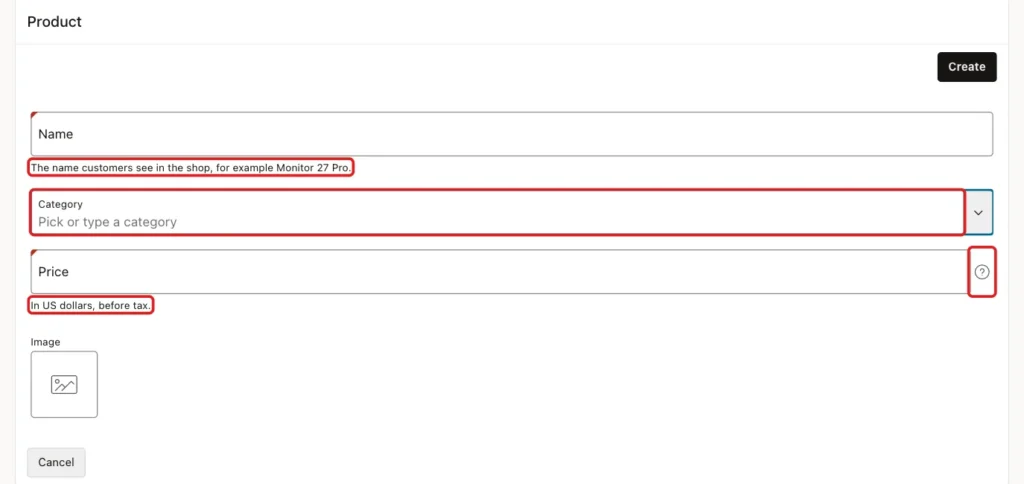
The form uses the floating label templates. In a test, the Category field showed its label above the field and the placeholder inside it, both with and without focus. Fields without a placeholder show the label inside the field until it gets focus.
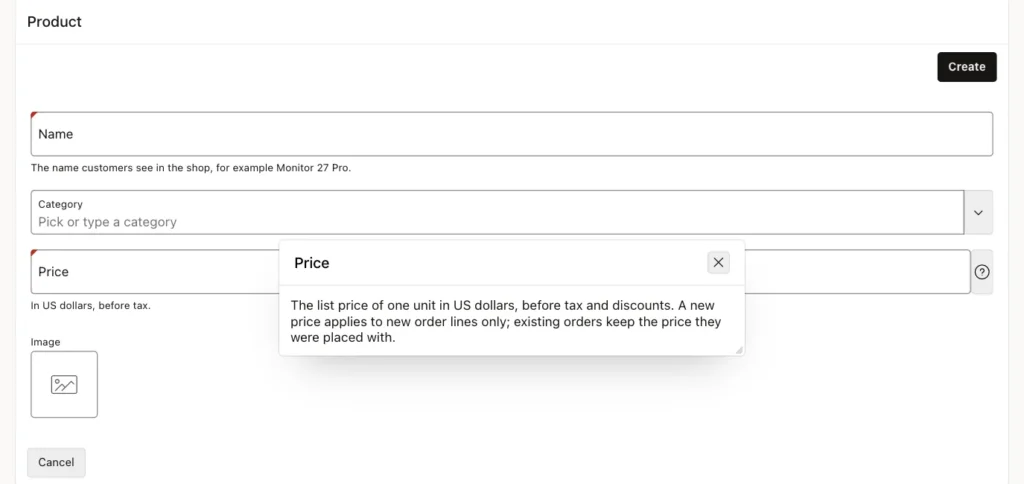
Clicking the help icon opens the help text in a popup with the item's label as its title:
Writing Good Hints
- Keep inline help to one short line. A paragraph under every field makes the form look crowded, and users stop reading it.
- Put the format or unit in the inline help, such as In US dollars or YYYY-MM-DD, because users need it while typing.
- Do not use a placeholder as the only label or instruction: it is gone once the user types, and screen readers may not announce it.
- Match the hints to the validations. If a validation rejects prices above 10,000, say so in the help text, so the error message is no surprise.
Things to Know
- Help text and inline help can be translated like other application text, so multilingual applications show them in the user's language.
- The help icon is rendered only for items that have help text; items without it show no icon.
Related Guides
Conclusion
To guide users on Oracle APEX forms, use Inline Help Text for the short hint every user needs, Help Text for the longer explanation behind a help icon, and Value Placeholder for an example inside the empty field.
All three are item properties in Page Designer, so they take minutes to add and help users enter the right data the first time.
