
By default, one user can sign in to an Oracle APEX application from as many browsers as they like. Each sign-in creates its own session, and all of them stay valid until they time out. Sometimes that is not what you want, for example when a shared account must not be used by two people at once.
This guide ends the older sessions of a user at the moment the user signs in again. It uses a post-authentication procedure, a small package and a table for the limit and the log. Every part was tested with two browsers at the same time.
The guide How to Show Login History and Active Users in Oracle APEX only shows who is signed in. This guide goes one step further and ends the extra sessions.
Step 1: Create the Tables
SESSION_POLICY holds the number of sessions each user may have. A user without a row gets one session. SESSION_END_LOG records every session that was ended, so you can see later what happened.
Example:
create table session_policy (
  user_name    varchar2(255 char) not null,
  max_sessions number(2)          default on null 1 not null,
  constraint session_policy_pk primary key (user_name),
  constraint session_policy_user_ck check (user_name = upper(user_name)),
  constraint session_policy_max_ck check (max_sessions between 1 and 10)
);

create table session_end_log (
  log_id           number generated by default on null as identity,
  user_name        varchar2(255 char) not null,
  ended_session_id number             not null,
  kept_session_id  number             not null,
  ended_on         timestamp with time zone default on null systimestamp not null,
  constraint session_end_log_pk primary key (log_id)
);

create index session_end_log_user_ix on session_end_log (user_name, ended_on);

insert into session_policy (user_name, max_sessions) values ('SALES_MANAGER', 2);
insert into session_policy (user_name) values ('PW_TEST_USER');
commit;

select user_name, max_sessions from session_policy order by user_name;
Output:
Table SESSION_POLICY created.

Table SESSION_END_LOG created.

Index SESSION_END_LOG_USER_IX created.

1 row inserted.

1 row inserted.

Commit complete.

USER_NAME           MAX_SESSIONS
________________ _______________
PW_TEST_USER                   1
SALES_MANAGER                  2
A few details in the tables:
- MAX_SESSIONS uses DEFAULT ON NULL, so a row that does not set it allows one session. A check constraint keeps the value between 1 and 10.
- User names are stored in upper case, the same way Oracle APEX stores them. A check constraint keeps that rule in the database.
- SALES_MANAGER may have two sessions in this example. The other users are limited to one.
Step 2: Create the Package
The procedure POST_AUTH reads the user name and the new session number from the application. It looks up the limit, finds the sessions of the same user in APEX_WORKSPACE_SESSIONS and ends all but the newest ones with APEX_SESSION.DELETE_SESSION.
Example:
create or replace package session_guard as
  procedure post_auth;
end session_guard;
/
create or replace package body session_guard as

  procedure post_auth is
    l_user    apex_workspace_sessions.user_name%type := upper(v('APP_USER'));
    l_current number := to_number(v('APP_SESSION'));
    l_max     session_policy.max_sessions%type;
    l_old     apex_t_number;
  begin
    select coalesce(max(max_sessions), 1)
    into   l_max
    from   session_policy
    where  user_name = l_user;

    select apex_session_id
    bulk collect into l_old
    from  (select apex_session_id,
                  row_number() over (order by session_created desc) as rn
           from   apex_workspace_sessions
           where  upper(user_name) = l_user
           and    apex_session_id <> l_current)
    where  rn > l_max - 1;

    forall i in 1 .. l_old.count
      insert into session_end_log (user_name, ended_session_id, kept_session_id)
      values (l_user, l_old(i), l_current);

    for i in 1 .. l_old.count loop
      apex_session.delete_session(l_old(i));
    end loop;
  end post_auth;

end session_guard;
/
show errors
Output:
Package SESSION_GUARD compiled

Package Body SESSION_GUARD compiled

No errors.
How the package works:
- The new session is not in APEX_WORKSPACE_SESSIONS yet while the procedure runs. For that reason the query leaves it out and keeps the newest MAX_SESSIONS minus one of the other sessions.
- The session numbers are first collected into a list. The log rows are inserted in one statement and the sessions are ended afterwards.
- No trigger is needed. Oracle APEX calls the procedure once for every sign-in.
In a first test, the query kept the newest of the other sessions, so the old browser stayed signed in. The debug output showed that the new session was missing from the view, and the code was changed to the version above.
Step 3: Create the Authentication Scheme
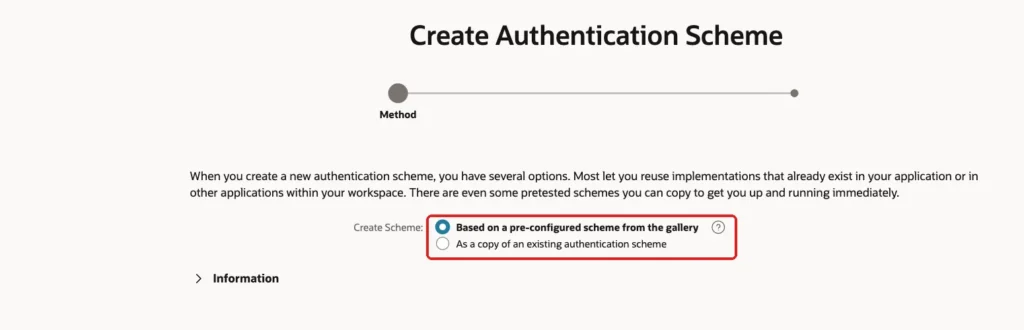
Open the application, click Shared Components and, under Security, click Authentication Schemes. Click Create. Keep the first option, Based on a pre-configured scheme from the gallery, and click Next:
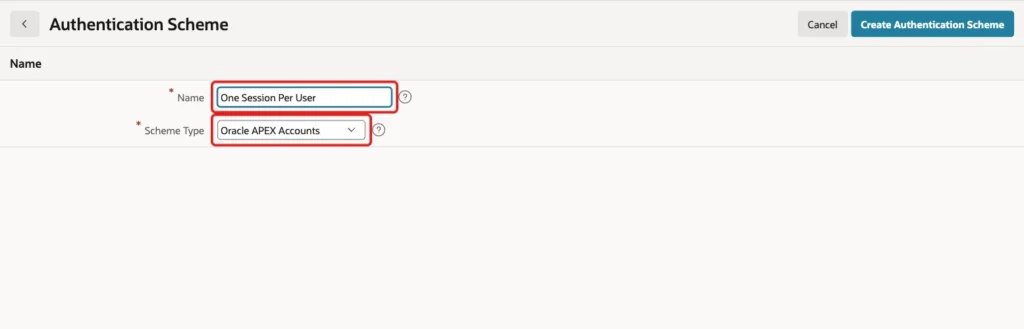
Enter the Name One Session Per User and select Oracle APEX Accounts as the Scheme Type, because the users of this application already live there. Click Create Authentication Scheme:
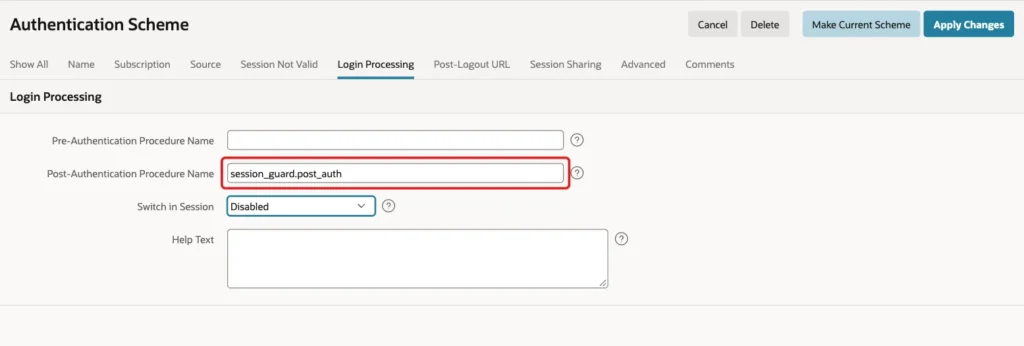
Open the new scheme and click the Login Processing tab. In Post-Authentication Procedure Name, enter session_guard.post_auth. Click Apply Changes:
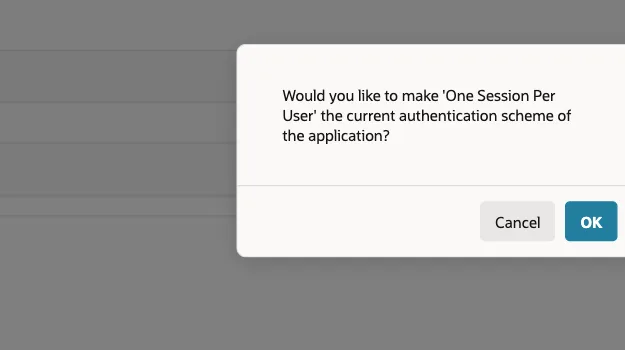
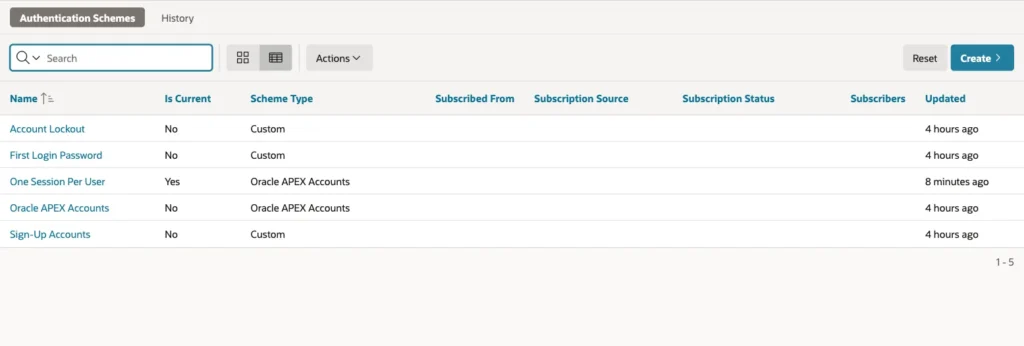
Open the scheme again and click Make Current Scheme:

Confirm the question with OK:
The list shows Yes in the column Is Current for the new scheme:
Step 4: Test with Two Browsers
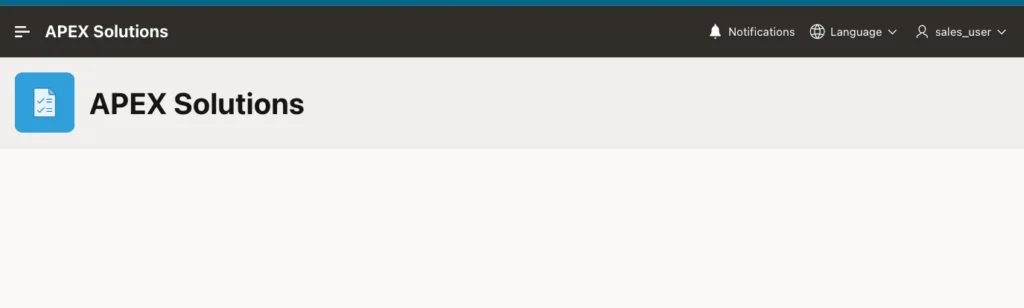
The test used three browsers. Browser A signed in as SALES_USER:
Then browser B signed in as the same user, and browser C signed in as ORDER_EDITOR. After that, browser A opened another page of the application. It was sent to the sign-in page, because its session no longer existed:
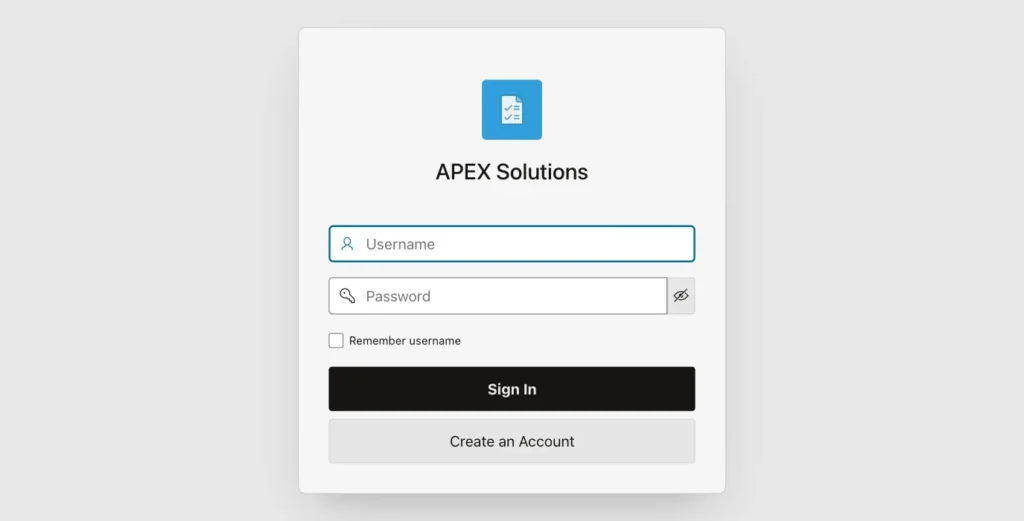
The other two browsers kept working:
- Browser B, the newest session of SALES_USER, still showed the home page.
- Browser C, a different user, was not touched.
For SALES_MANAGER, who may have two sessions, a second sign-in left the first session alive. A third sign-in ended only the first session, and the second and third kept working.
The log table confirms every ended session:
Example:
select user_name, ended_session_id, kept_session_id,
       to_char(ended_on, 'HH24:MI:SS') as ended_at
from   session_end_log
order  by log_id desc
fetch  first 5 rows only;

select user_name, count(*) as ended_sessions
from   session_end_log
group  by user_name
order  by user_name;
Output:
USER_NAME           ENDED_SESSION_ID    KEPT_SESSION_ID ENDED_AT
________________ ___________________ __________________ ___________
SALES_MANAGER         17544905888817     11938449837987 23:06:04
SALES_MANAGER         16027245974593     16674736604834 23:05:59
SALES_MANAGER         12391723287062     17544905888817 23:05:56
ORDER_EDITOR           6781921550346      4631640933556 23:05:46
SALES_USER            15927745813821     13408138220269 23:05:42

USER_NAME           ENDED_SESSIONS
________________ _________________
ORDER_EDITOR                     1
SALES_MANAGER                    3
SALES_USER                       2
Things to Know
- The user whose session was ended sees the normal sign-in page and no explanation. A message about the reason would need extra work. SESSION_END_LOG holds the data for it.
- APEX_WORKSPACE_SESSIONS has no application column. The procedure ends every session of the user name in the workspace, not only the sessions of this application.
- A user who closes the browser without signing out keeps the session until it times out. The next sign-in ends it, so the user is never locked out.
- After the tests, Oracle APEX Accounts was made the current scheme again. The scheme One Session Per User, the package and the tables stay for the next application that needs them.
Related Guides
- How to Show Login History and Active Users in Oracle APEX
- How to Lock a User Account After Failed Login Attempts in Oracle APEX
Conclusion
A post-authentication procedure is the right place for a session limit. It runs once for every sign-in, it needs no page changes, and a policy table lets you give single users more sessions.
The tests showed that the older browser lost its session, the newest one and other users were not touched, and the allowed number of sessions was respected. Keep the log table, because it answers the question why a user was signed out.
See my articles more often when you search Google.
