
Two users open the same customer in an Oracle APEX application. JOHN raises the credit limit from 5000 to 15000 and saves. A minute later, EMILY, who still sees the old data on her screen, changes only the phone number and saves. If the page saves all fields of the form, EMILY's save writes the old credit limit, 5000, back to the table. JOHN's change is gone, and nobody notices. This is called a lost update.
This article shows what Oracle APEX does about it by default, how to replace its technical message with a clear one, and how to protect a page that saves the record with your own PL/SQL code, because there APEX does not help you.
The examples use the Customers application from the earlier articles: a CUSTOMERS table with the columns CUSTOMER_ID, CUSTOMER_NAME, EMAIL, PHONE, CREDIT_LIMIT, and STATUS, and a Customer form in a dialog (page 3), created with the Create App wizard. The users are JOHN and EMILY.
Forms Created by the Wizard Are Protected
A form created by the wizard saves the record with a process of type Form - Automatic Row Processing (DML). Open page 3 in Page Designer and select the process Process form Customer in the Processing tab. Its attribute Prevent Lost Updates is on by default:
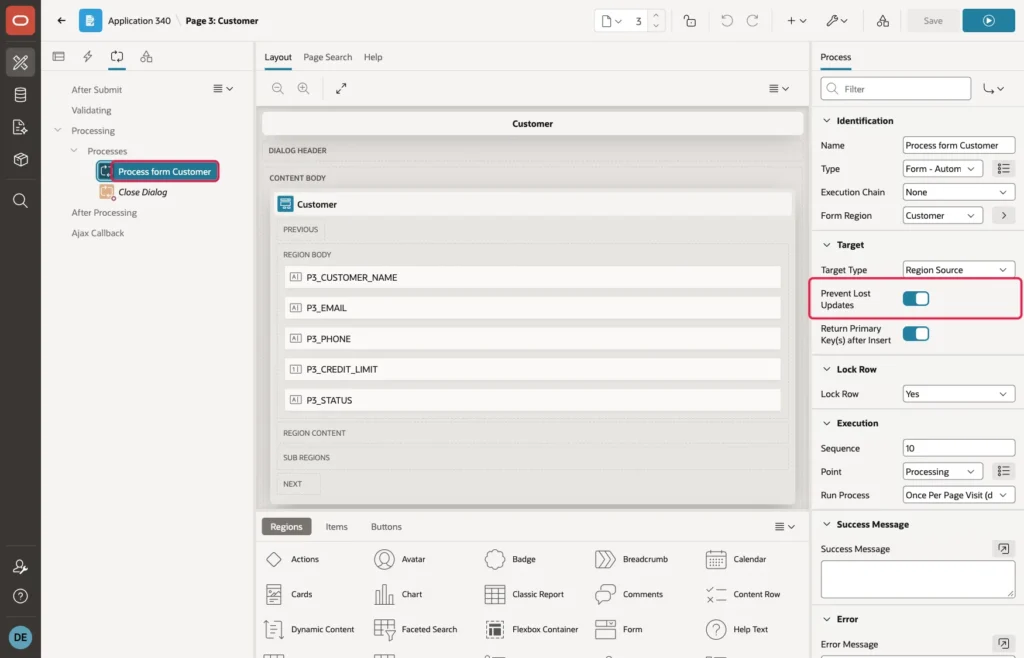
When the form opens, APEX remembers a checksum of the record's values. When the user saves, APEX compares it with the record in the table, and if someone else has changed the record in the meantime, it stops the save. So in the story above, JOHN's save works, and EMILY gets this message:
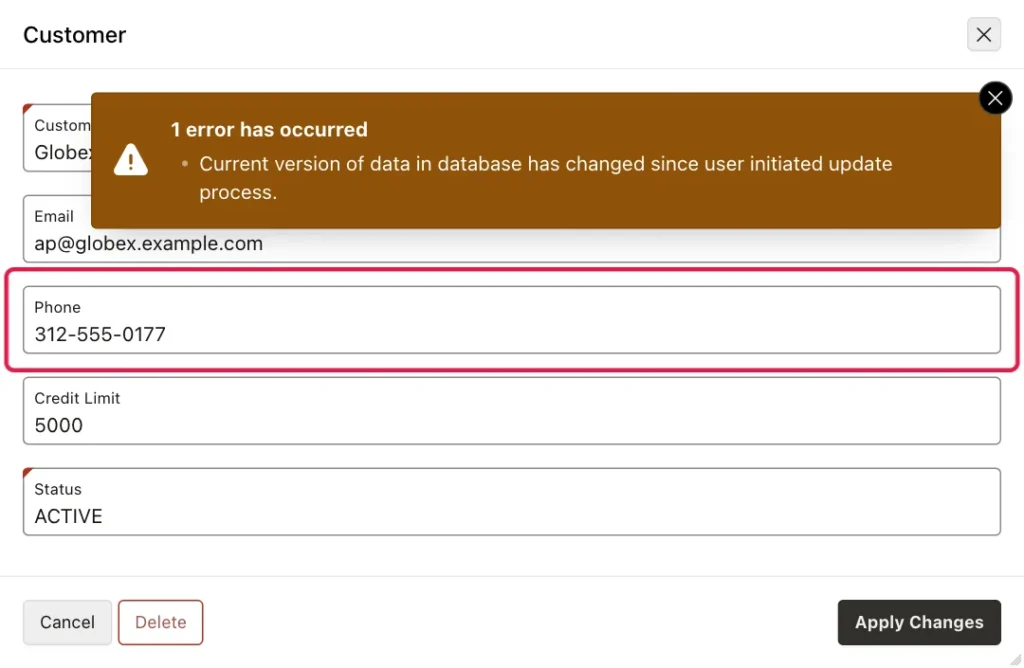
The data is safe, but "Current version of data in database has changed since user initiated update process" does not tell EMILY what to do next.
Step 1: Make the Message Clear
APEX takes this message from a text message named APEX.DATA_HAS_CHANGED. When your application has its own text message with the same name, APEX uses your text instead. In Shared Components, under Globalization, click Text Messages, then Create Text Message, and enter:
- Static ID: APEX.DATA_HAS_CHANGED
- Language: English (en), the primary language of your application
- Text: your message, for example "Someone else changed this record after you opened it. Close it, open it again to see the latest data, and make your change again."
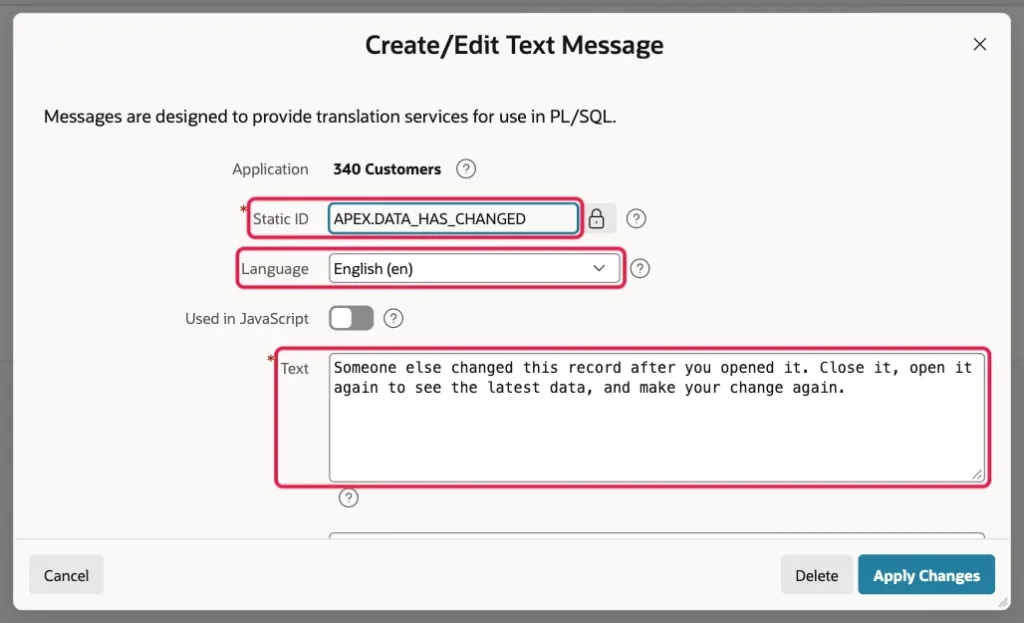
Click Create (Apply Changes when you edit it later). Repeat the test, and EMILY now sees:
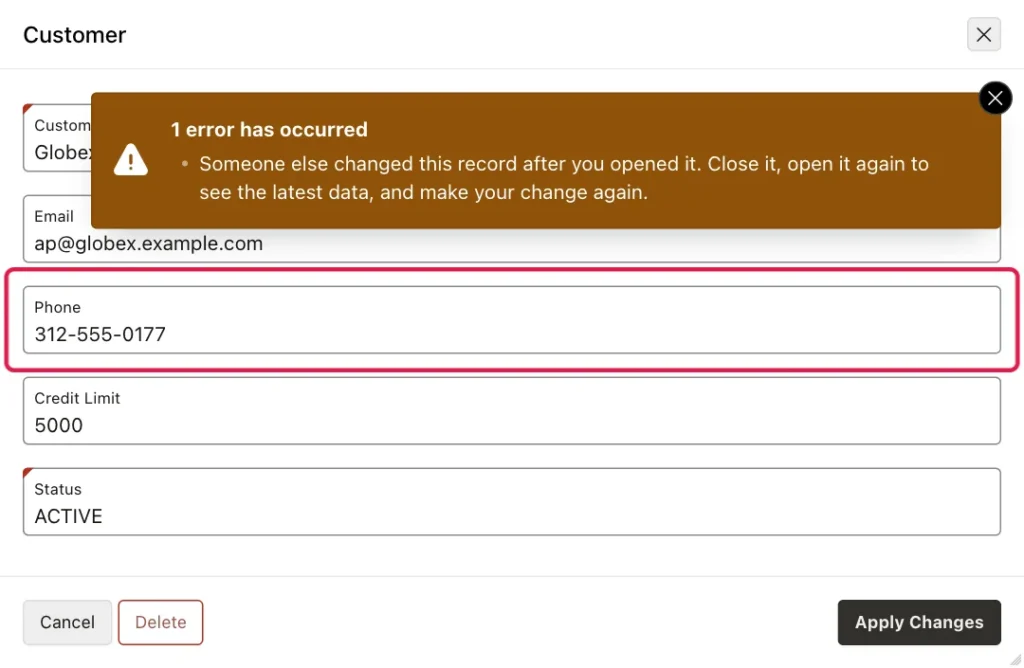
The text message applies to every form of the application, so you set it once.
Your Own PL/SQL Processes Are Not Protected
Many pages do not use the form region's process. They load the record with a PL/SQL process and save it with an UPDATE statement, for example because the save also does other work. The demo application has such a page: page 5, Customer (PL/SQL), with the same fields as page 3, a Fetch Customer process before header, and this Save Customer process:
update customers
   set customer_name = :P5_CUSTOMER_NAME,
       email         = :P5_EMAIL,
       phone         = :P5_PHONE,
       credit_limit  = :P5_CREDIT_LIMIT,
       status        = :P5_STATUS
 where customer_id = :P5_CUSTOMER_ID;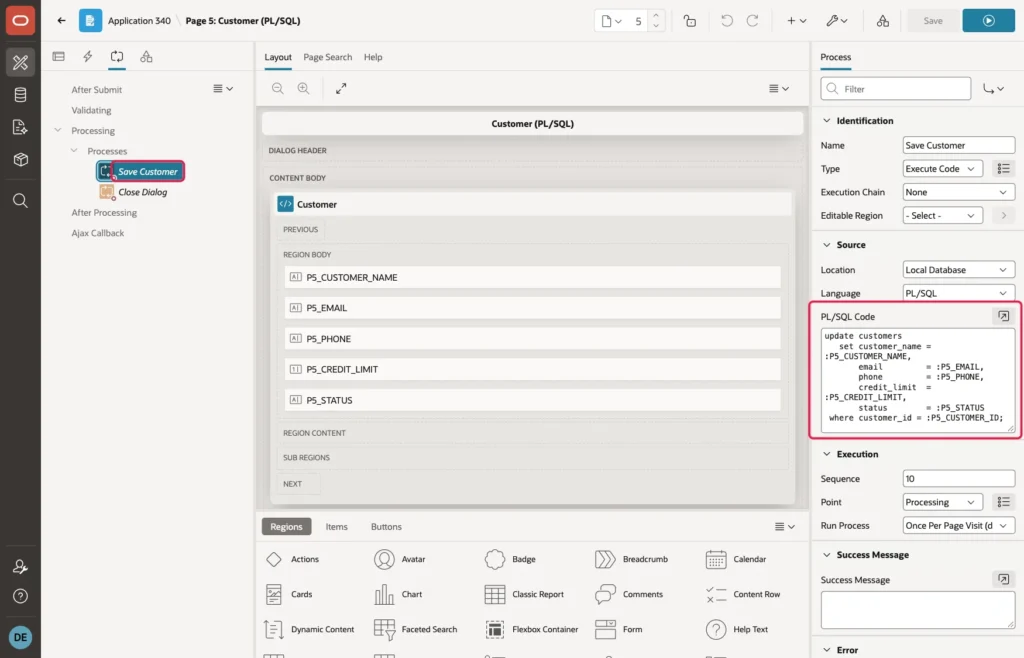
Repeat the story on this page. JOHN raises the credit limit to 15000 and saves. EMILY changes the phone number and saves, and her save works without any message. But the change history of Globex Inc, from the article on tracking who changed what, shows what really happened:
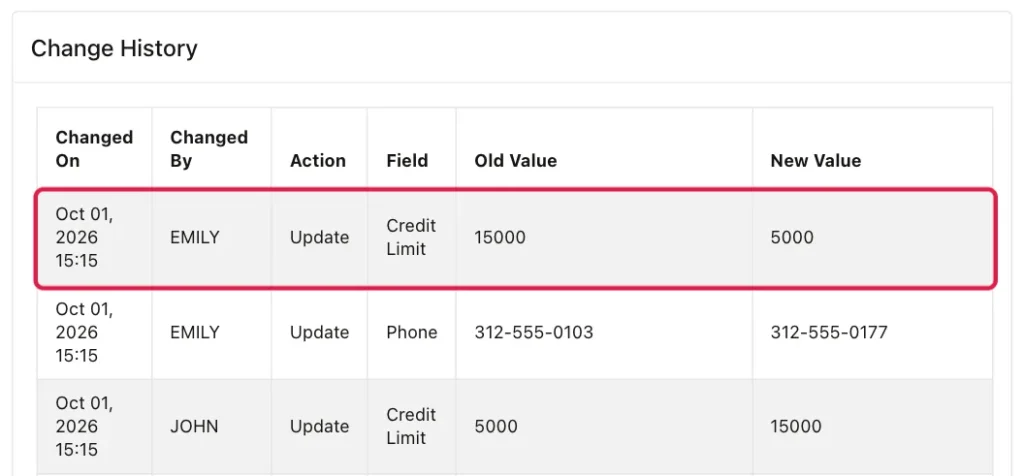
EMILY never touched the credit limit, but her UPDATE wrote the old value from her screen back to the table. The fix is a row version: a number that changes with every update, so the save can check that the record is still the one the user opened.
Step 2: Add a Row Version Column
Add a ROW_VERSION column to the table, and a trigger that increases it with every update:
alter table customers add row_version number default 1 not null;

create or replace trigger customers_row_version
before update on customers
for each row
begin
  :new.row_version := :old.row_version + 1;
end;
/
The existing rows get the version 1. Because the trigger sets the version, it changes with every update, from any page, any process, or any SQL script.
Step 3: Load the Version with the Record
On page 5, create a page item P5_ROW_VERSION of type Hidden in the Customer region. Keep Value Protected on, so the user cannot change the version in the browser:
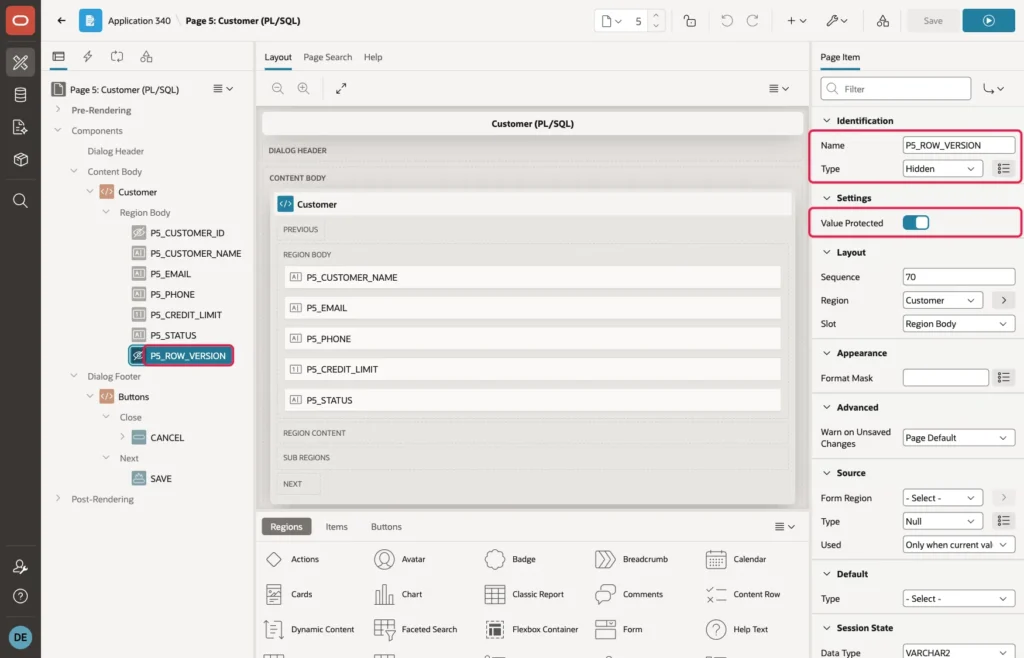
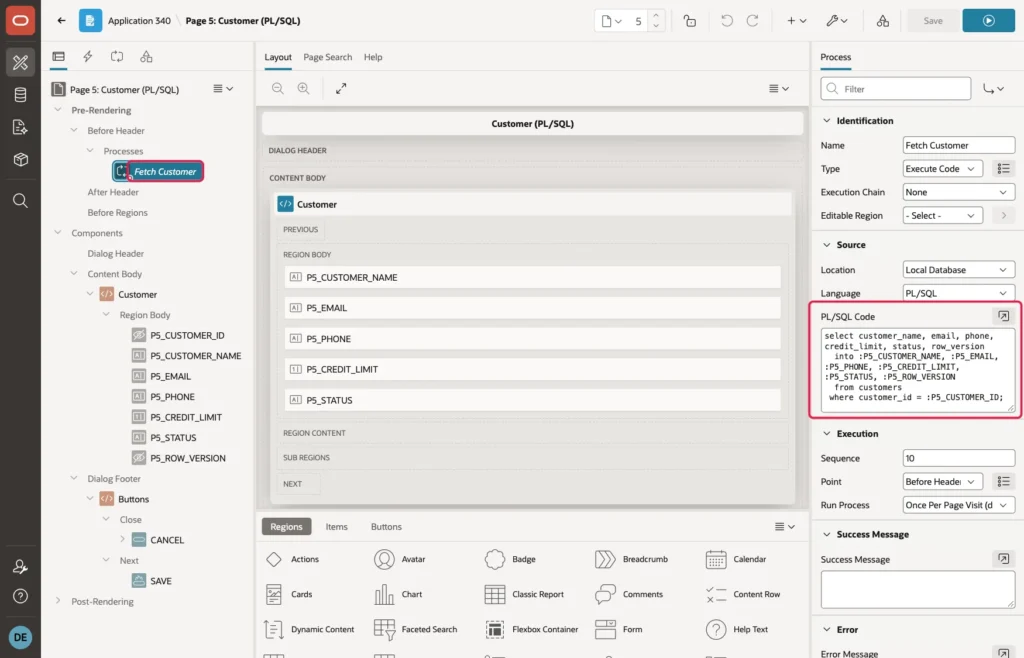
Then add ROW_VERSION to the Fetch Customer process, so the page remembers the version the user opened:
select customer_name, email, phone, credit_limit, status, row_version
  into :P5_CUSTOMER_NAME, :P5_EMAIL, :P5_PHONE, :P5_CREDIT_LIMIT, :P5_STATUS, :P5_ROW_VERSION
  from customers
 where customer_id = :P5_CUSTOMER_ID;
Step 4: Save Only If the Version Is Unchanged
Change the Save Customer process to this code:
update customers
   set customer_name = :P5_CUSTOMER_NAME,
       email         = :P5_EMAIL,
       phone         = :P5_PHONE,
       credit_limit  = :P5_CREDIT_LIMIT,
       status        = :P5_STATUS
 where customer_id = :P5_CUSTOMER_ID
   and row_version = :P5_ROW_VERSION;

if sql%rowcount = 0 then
  raise_application_error(-20001,
    'Someone else changed this customer after you opened it. '
    || 'Close the dialog, open the customer again, and make your change again.');
end if;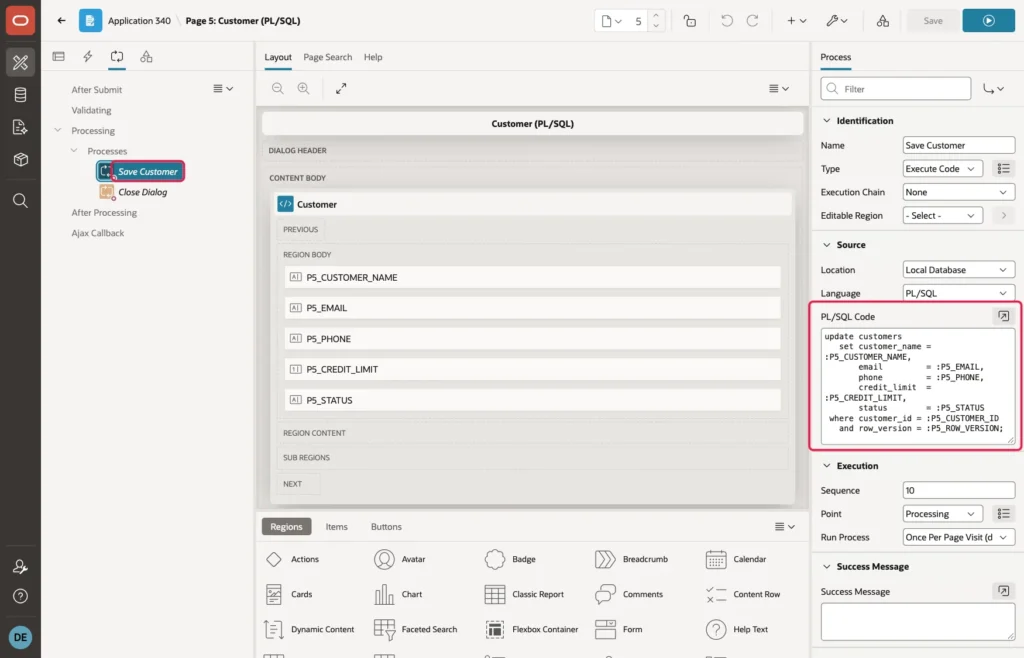
The UPDATE changes the row only when its ROW_VERSION is still the version the user opened. If someone else saved the customer in the meantime, the trigger has increased the version, the UPDATE changes no row, and SQL%ROWCOUNT is 0. Then the process raises an error with a clear message, and APEX rolls back and shows it.
The Result
Repeat the story once more on page 5. JOHN's save works and increases the version. EMILY's save finds no row with her old version, and she sees:
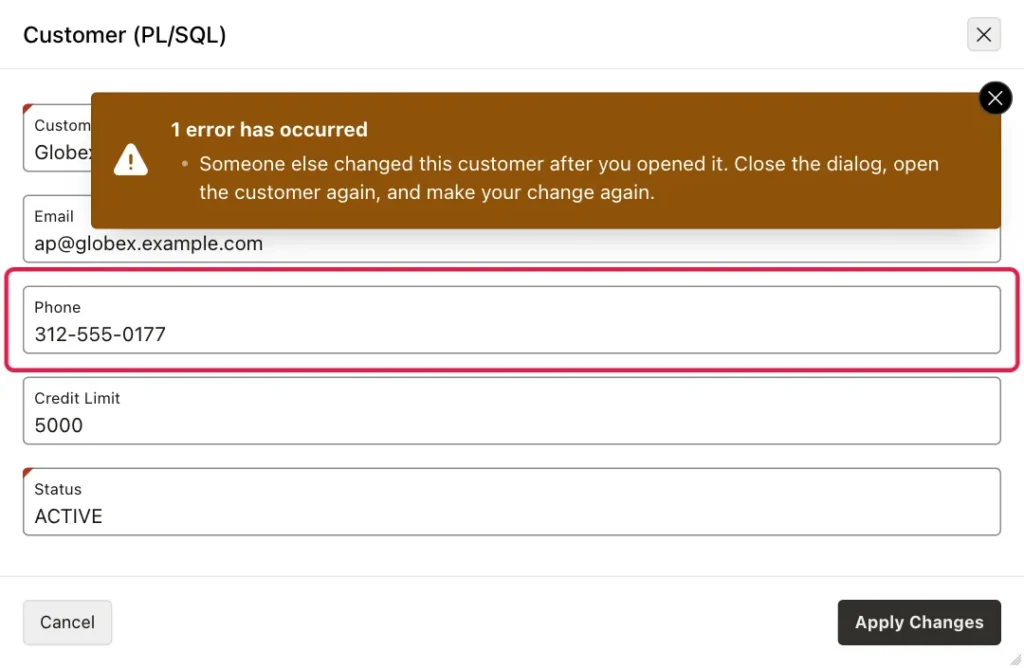
EMILY closes the dialog, opens Globex Inc again, sees the new credit limit of 15000, and changes the phone number again. Nothing is lost.
Good to Know
- In this application, the message appears without the "ORA-20001:" prefix because of the error handling function from the article on handling all errors in one place. Without such a function, APEX shows the message with the prefix.
- With the ROW_VERSION column in place, a form region can use it too: in the region's Attributes, set Lost Update Type to Row Version Column and select the column. APEX then compares the version instead of all values.
- Interactive Grids also check for lost updates by default when they save changed rows.
- Use the same check for deletes: add "and row_version = :P5_ROW_VERSION" to the DELETE statement, so nobody deletes a record that someone else has just changed.
- This check does not lock the record while the user edits it. It only stops the second save. That is usually what you want in a web application, because users often leave a page open for a long time.
Summary
Forms created by the APEX wizard already stop lost updates. A text message named APEX.DATA_HAS_CHANGED gives that error a clear text for the whole application. Pages that save with your own PL/SQL are not protected, and one user can silently overwrite another user's change. A ROW_VERSION column with a trigger, a hidden item, and the condition "and row_version = :P5_ROW_VERSION" in the UPDATE close that gap, and the user who saves second gets a clear message instead of destroying someone else's work.
See my articles more often when you search Google.
