
A long form is easier to fill in when it is split into steps: personal details first, then experience, then a review before submitting. Oracle APEX builds such wizards from ordinary pages: one page per step, a list region with the Wizard Progress template that shows where the user is, and buttons that move between the pages. The values of all steps live in session state until the last step saves them in one go. This guide builds a three-step job application wizard and covers the detail that decides whether values survive the Previous button.
The Plan
- Page 20, Personal Details: full name, email, and phone.
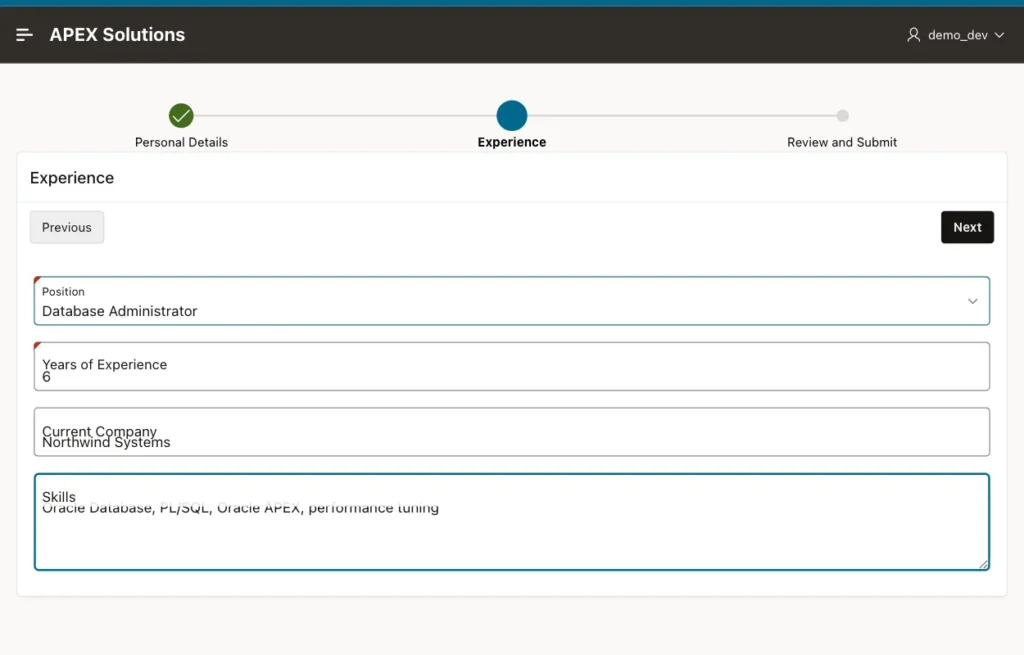
- Page 21, Experience: position, years of experience, current company, and skills.
- Page 22, Review and Submit: a summary of all values and the button that saves them into a JOB_APPLICATIONS table.
Step 1: The Progress List
In Shared Components, Lists, create a static list named Job Application Wizard with three entries, Personal Details, Experience, and Review and Submit, targeting pages 20, 21, and 22. On each of the three pages, add a region of type List, with this list as its source and List Template set to Wizard Progress:
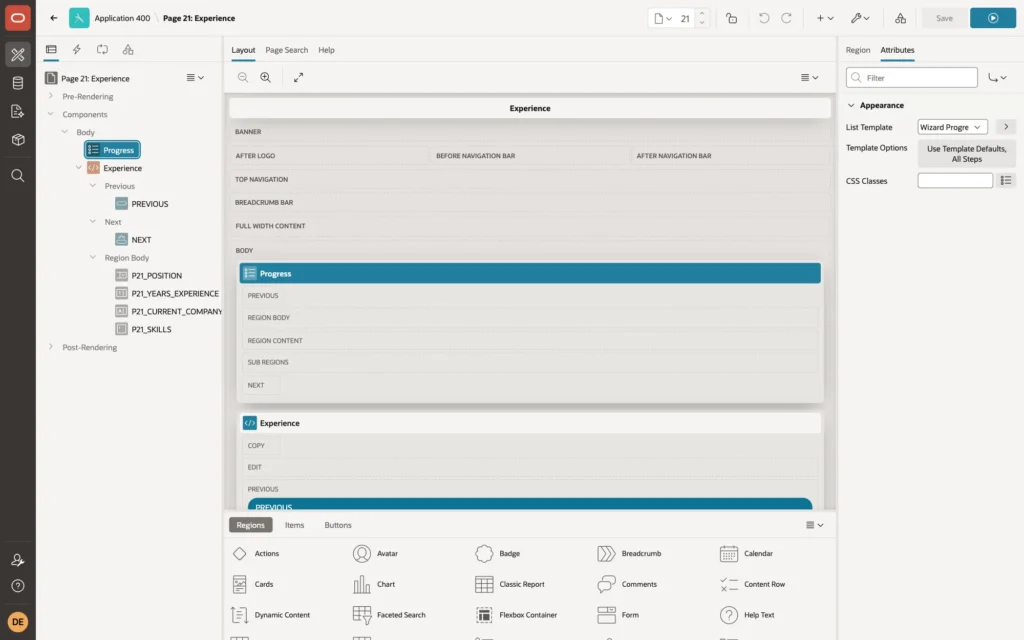
The template marks the entry of the current page as the current step and the earlier entries as completed, so the same list works on all three pages.
Step 2: The Step Pages
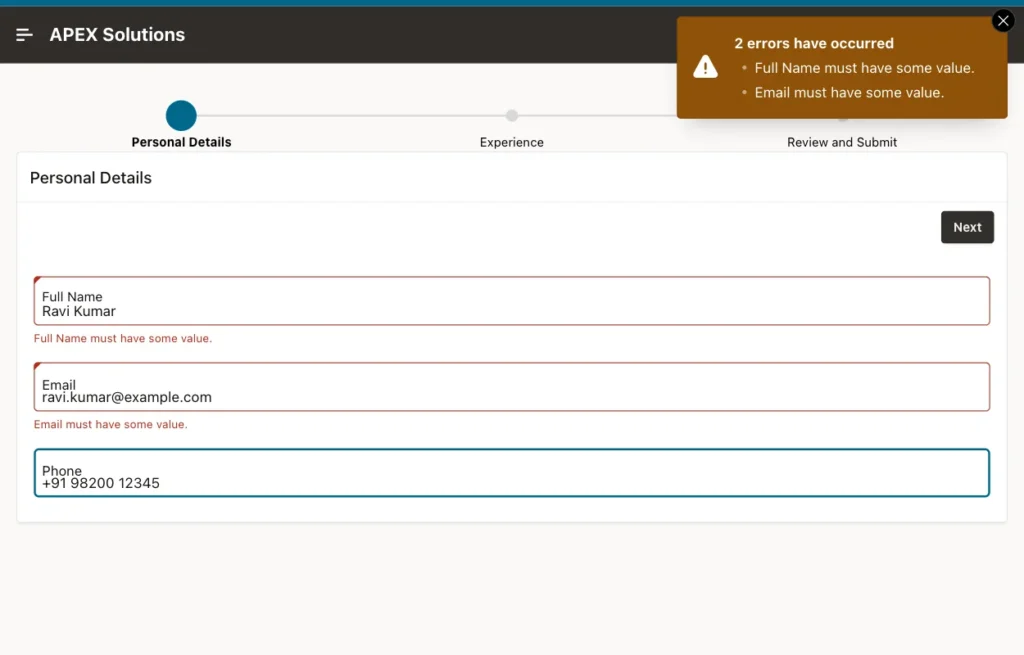
Each page has a region with the step's items. Required items, such as Full Name and Email, get Value Required, so they are checked when the user moves on:
Step 3: Next and Previous Buttons
- Next: Action Submit Page, with a branch to the next page when the button is pressed. Submitting runs the page's validations and saves its values in session state.
- Previous: also Action Submit Page, but with Execute Validations turned off, and a branch to the previous page.
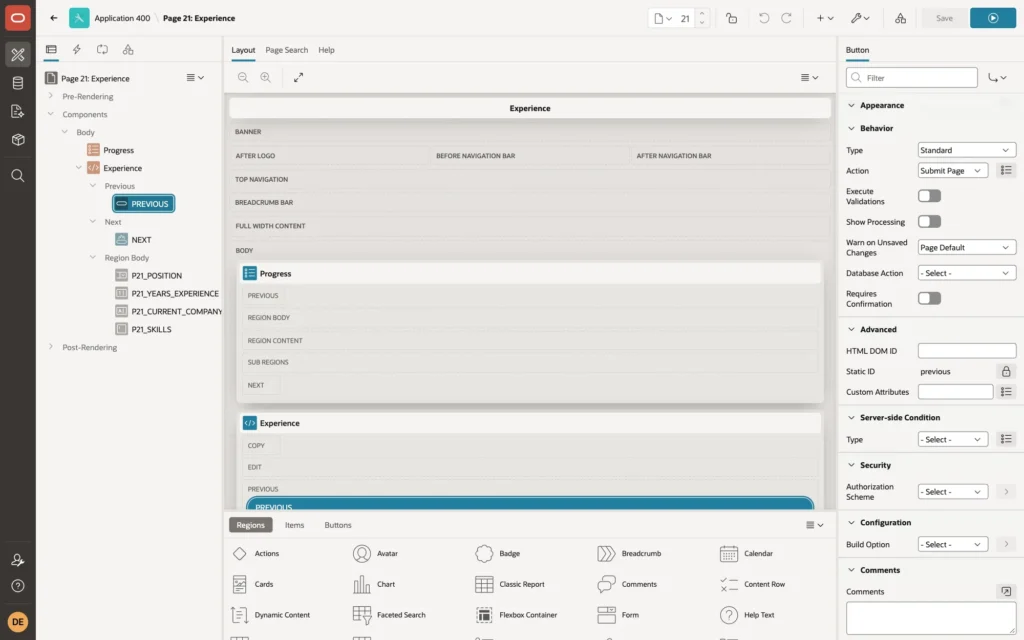
Why submit on Previous? A plain Redirect to Page leaves the page without sending its values to the server. In testing, with Previous as a redirect, the experience entered on step 2 was gone when the user came back to it, and the wizard stopped on the empty required fields. With Previous as a submit without validations, the values are kept in session state, and incomplete steps can still be left.
Pressing Next on an empty first step shows the validation errors, Full Name must have some value and Email must have some value, and keeps the user on that step.
Step 4: Review and Save
The review page shows the collected values in a Static Content region. The !HTML suffix escapes each value for safe display:
Example:
<dl class="wizard-summary">
  <dt>Name</dt><dd>&P20_FULL_NAME!HTML.</dd>
  <dt>Email</dt><dd>&P20_EMAIL!HTML.</dd>
  <dt>Position</dt><dd>&P21_POSITION!HTML.</dd>
</dl>
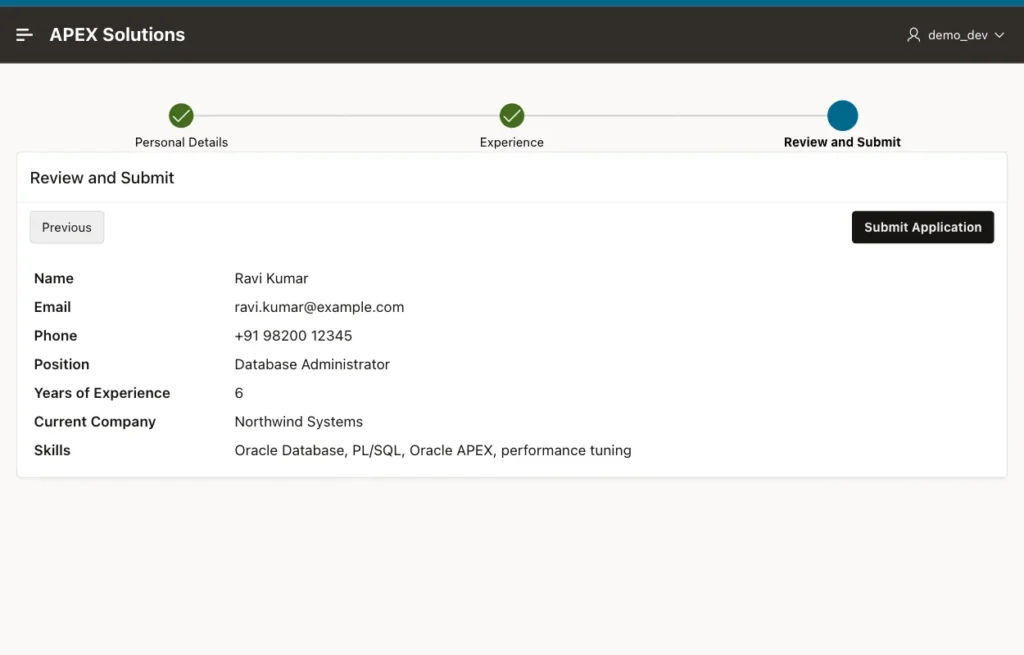
Submit Application runs a PL/SQL process, conditioned on the button, that inserts the row from the items of all pages:
Example:
insert into job_applications
       (full_name, email, phone, position, years_experience, current_company, skills)
values (:P20_FULL_NAME, :P20_EMAIL, :P20_PHONE, :P21_POSITION,
        :P21_YEARS_EXPERIENCE, :P21_CURRENT_COMPANY, :P21_SKILLS);
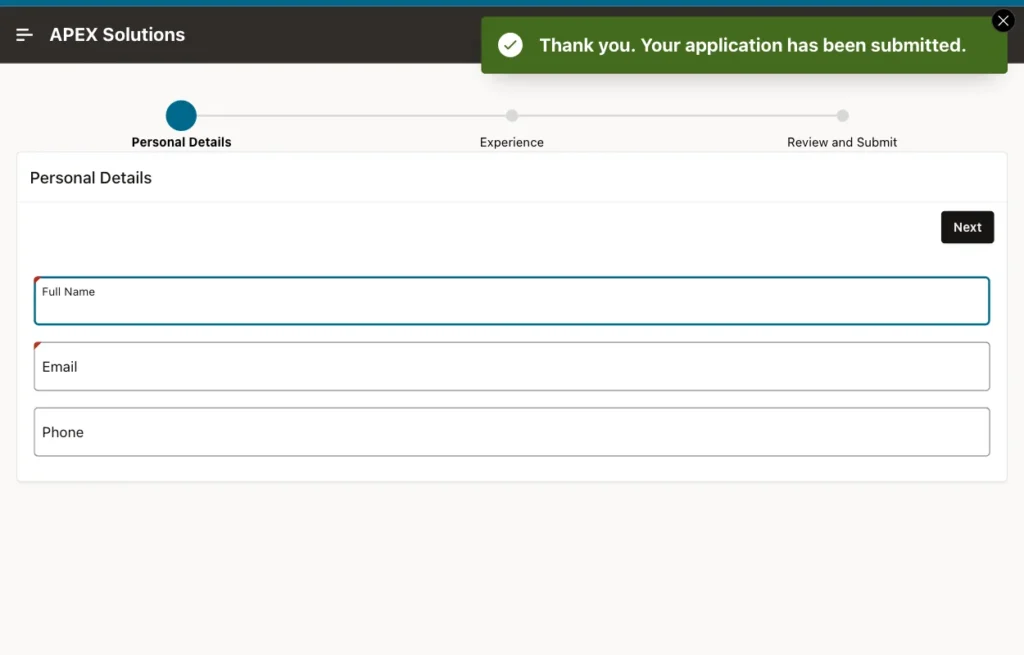
The process's Success Message is shown on the next page. The branch after it goes back to page 20 and clears the cache of pages 20, 21, and 22, so the wizard starts empty for the next application:
The saved row:
Example:
select full_name, email, position, years_experience, current_company
from   job_applications;
Output:
FULL_NAME     EMAIL                     POSITION                     YEARS_EXPERIENCE CURRENT_COMPANY
_____________ _________________________ _________________________ ___________________ ____________________
Ravi Kumar    ravi.kumar@example.com    Database Administrator                      6 Northwind Systems
Things to Know
- The Create Page wizard in App Builder has a Wizard page type that generates the list, the pages, and the buttons as modal dialogs; the pattern is the same as here.
- Validate each step's items on that step's page, and check again on the last page anything that combines values of several steps.
- For longer wizards, add a Cancel button that clears the cache of all wizard pages and leaves the wizard.
- Session state is per session: a user who logs out before submitting loses the entered values. To keep drafts, save each step to a table instead.
Related Guides
Conclusion
A multi-step wizard in Oracle APEX is a set of pages that share a Wizard Progress list, keep their values in session state, and save them at the last step. Make Next submit with validations, make Previous submit without them, and clear the wizard pages after the final save.
