
Every select list, popup list, radio group, and shuttle in an Oracle APEX application gets its entries from a list of values. Most start life with the query typed straight into the item, which works until the day that query needs changing in eleven places.
This guide moves a list into shared components where it belongs, then covers four more shared components that work quietly in the background: plug-ins, shortcuts, component settings, and component groups. None of them are glamorous, and all of them save real time.
Every query, trigger, and snippet in this article runs against the Orbit Outfitters sample schema: customers, products, orders, stores, and about 2,300 orders of sample data. Install it once and you can follow along in your own workspace.
git clone https://github.com/devvinish/orb_tables.git
-- then, as your schema:
@orbit/install.sql
Shared Lists of Values
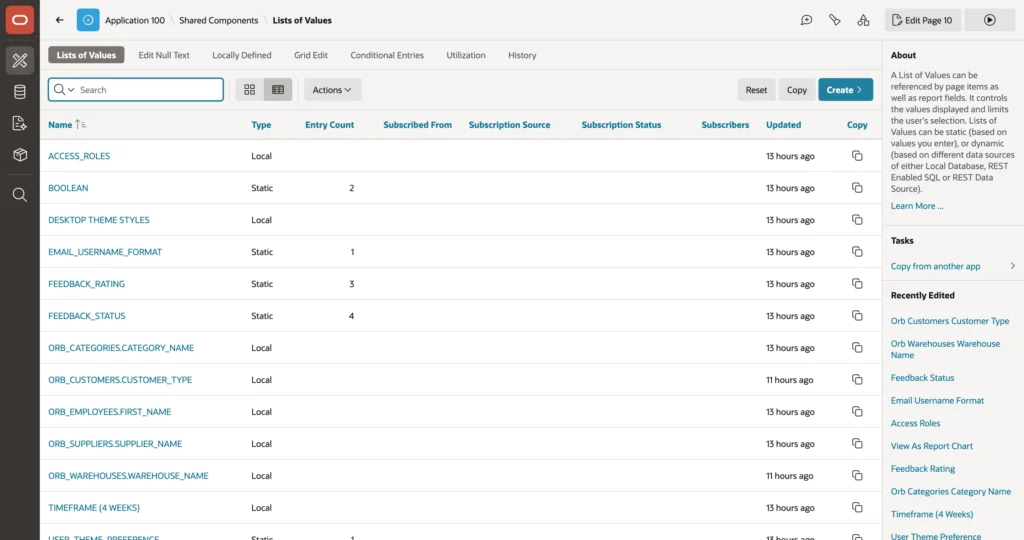
A shared list beats a query in each item on three counts. It is written once, so a change reaches every item that uses it. It has a name that says what it is. And the builder can tell you where it is used, which a query buried in an item cannot.
The wizard generates several automatically, one per lookup column of the tables it built pages on, and they are exactly as literal as that sounds. A generated list called after a first name column will faithfully show only first names, and list every employee rather than only the ones who sell anything.
Creating a List
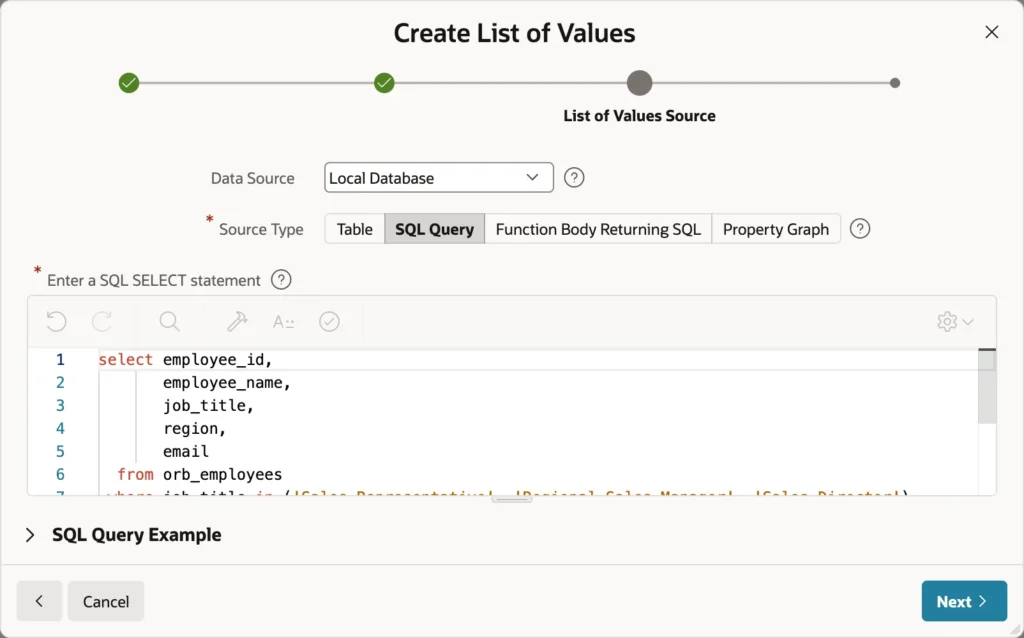
select employee_id,
       employee_name,
       job_title,
       region,
       email
  from orb_employees
 where job_title in ('Sales Representative', 'Regional Sales Manager', 'Sales Director')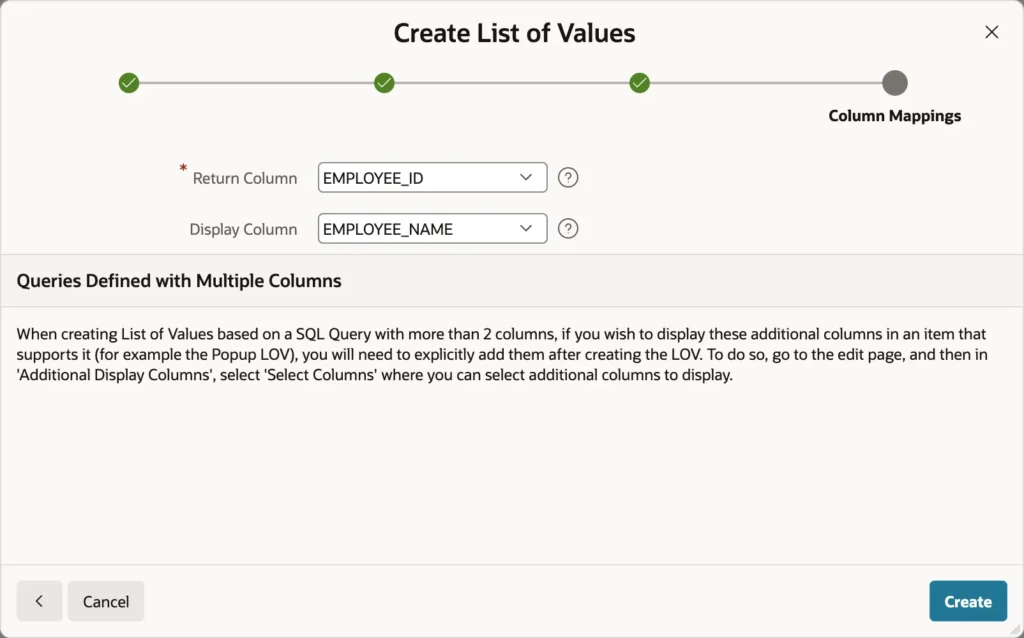
Notice the query returns five columns rather than the classic two. That is the point of a shared list: column mapping decides which column plays which role, so one query can serve a select list on one page and a multi-column searchable popup on another.
Column Mapping
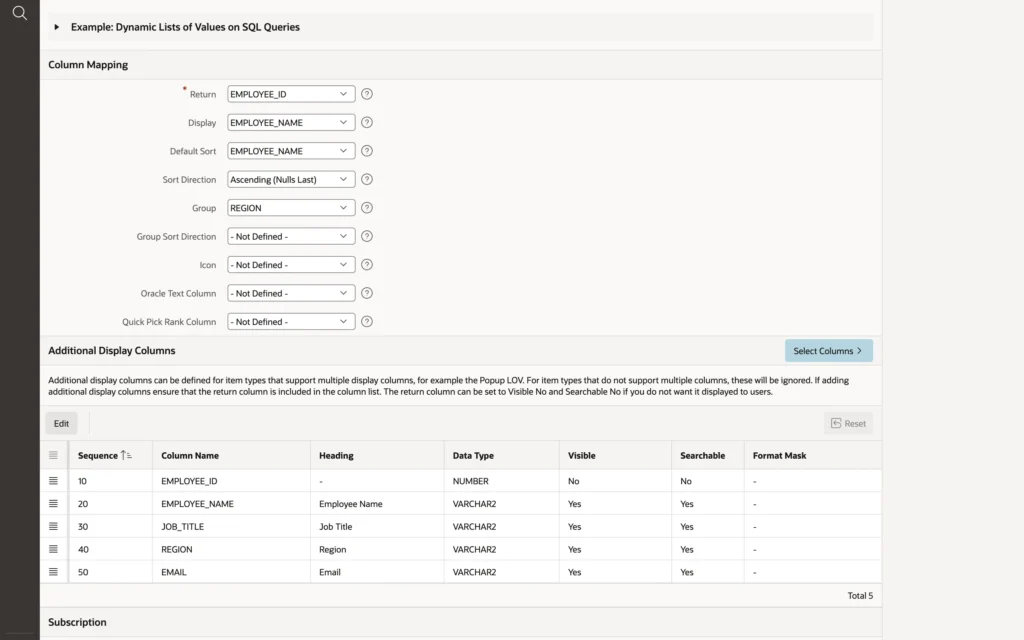
- Return and Display: the value stored and the text shown.
- Default Sort and Sort Direction: which is why the query above needs no order by.
- Group: select lists render option groups, popup lists render group headings.
- Icon: a column naming an icon per entry.
- Oracle Text Column: for fast searching in genuinely large lists.
- Quick Pick Rank Column: ranks the quick picks on items that show them.
Below that, Additional Display Columns decides what a multi-column popup shows. Each column gets a heading and can be visible, searchable, or both, and the return column comes along hidden.
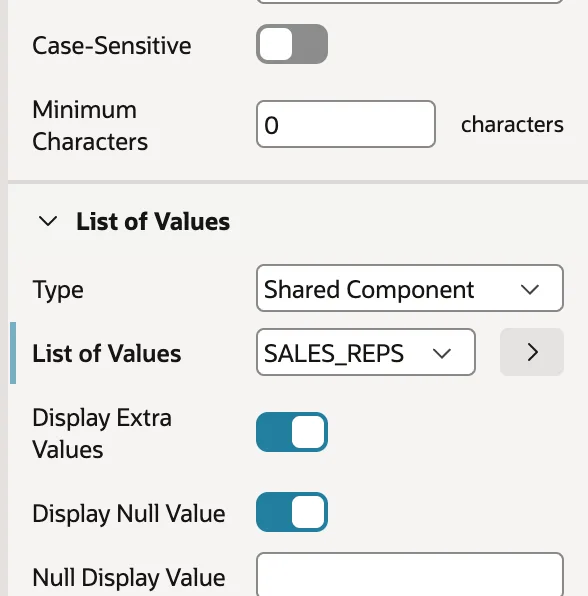
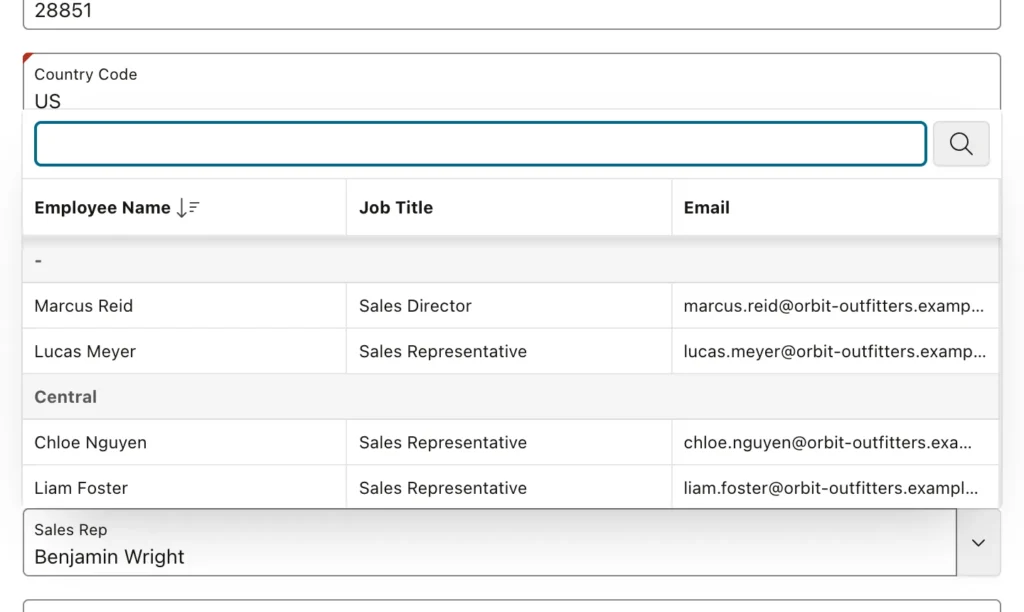
The same shared list then serves two items differently: a popup showing name, title, and email grouped by region on one page, and an ordinary select list with option groups on another. Swapping an item to a shared list does not disturb anything that sets its value either, because the stored value is still the same key.
Static lists deserve the same treatment. Six order statuses defined once as a shared static list is better than the same six pairs typed into every item that needs them, and it means a seventh status is one edit rather than a search.
Plug-ins
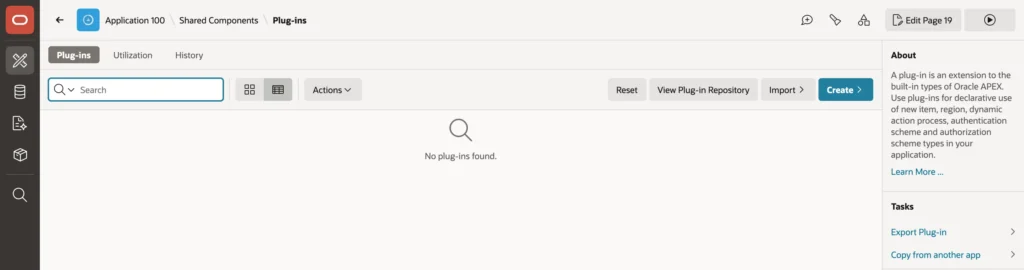
A plug-in adds a new component type to APEX: an item, a region, a dynamic action, a process, an authentication or authorization scheme, a REST source adapter, or a template component. Once installed it appears in the Type lists in Page Designer beside the native types, indistinguishable in use.
That seamlessness is worth pausing on, because it cuts both ways. A plug-in runs with your application's full privileges: its PL/SQL executes in your parsing schema, its JavaScript in your users' browsers. Install from authors you trust, read the code, and prefer plug-ins maintained for the current APEX release.
The Utilization tab shows which pages use each plug-in, which is the first thing to check before an upgrade or before removing one.
Shortcuts
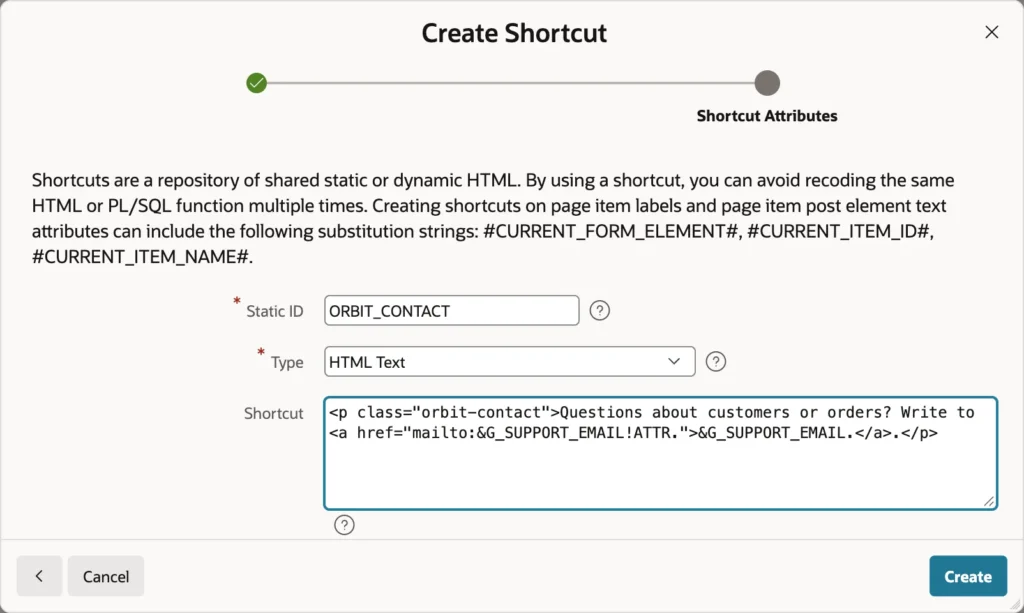
A shortcut is named text that APEX inserts wherever its name appears in double quotes, in region sources, headers and footers, and templates. It is the answer to a sentence that appears in several places and must stay identical in all of them.
<p class="orbit-contact">Questions about customers or orders? Write to
<a href="mailto:&G_SUPPORT_EMAIL!ATTR.">&G_SUPPORT_EMAIL.</a>.</p>

Substitutions inside a shortcut are resolved after the shortcut is inserted, so a shortcut can carry an application item such as a support address and stay correct when that address changes.
The Type setting decides how the text is handled: as HTML, as escaped text, escaped for a JavaScript string, as an image reference, as a translatable message, or as a PL/SQL function body that computes the text at runtime. Choose by where the text lands, exactly as with substitution escaping.
Component Settings
Component settings are application-wide defaults per component type. An item's properties change one item, a component setting changes every item of that type in the application.
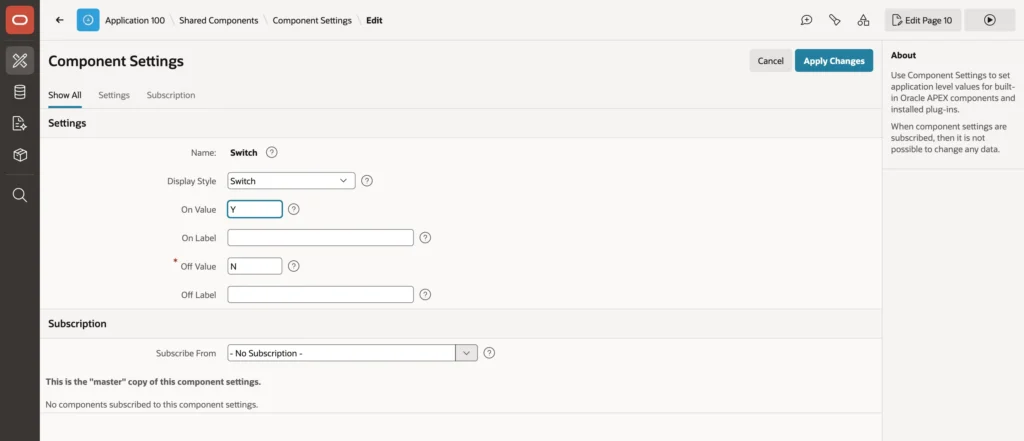
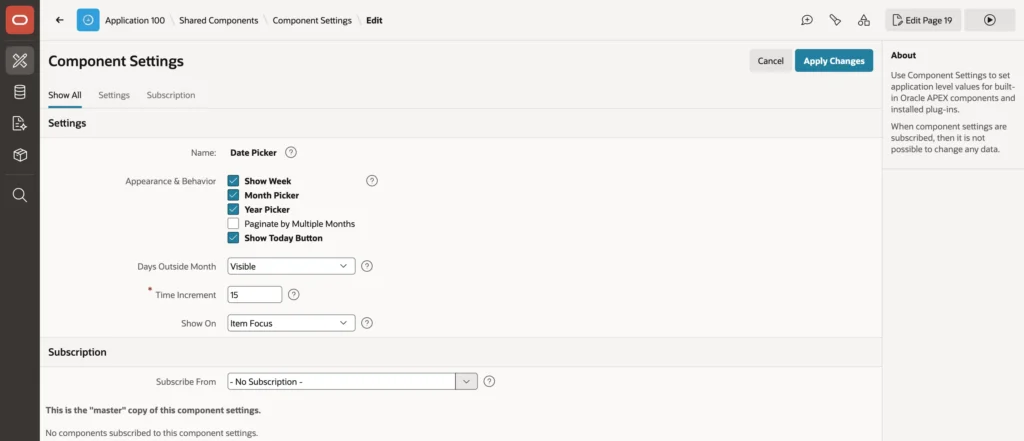
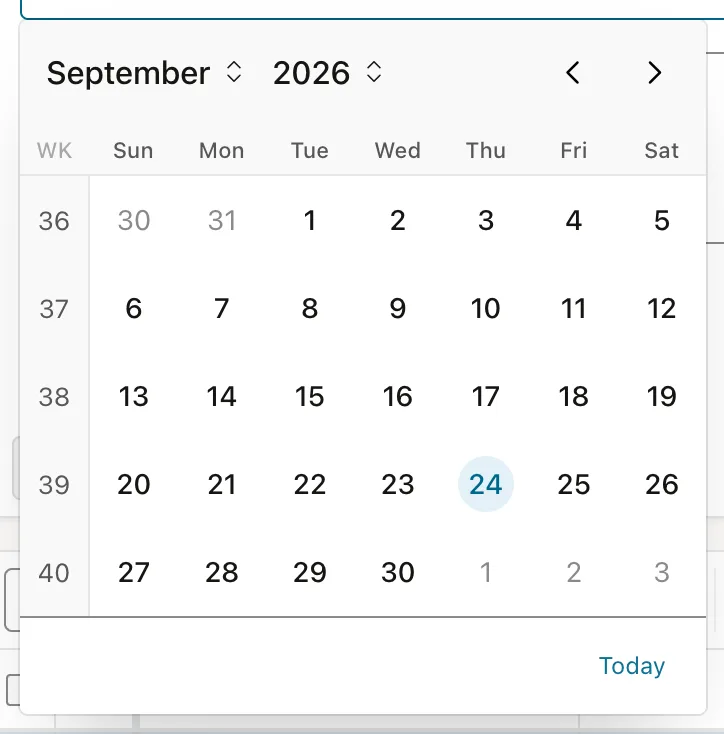
Switching on week numbers is a good example of what this is for. Plenty of businesses plan in week numbers, and adding them item by item would be tedious and inconsistently applied. One setting covers every date picker, including the ones somebody adds next month.
The types with settings include checkbox, date picker, color picker, select many, star rating, and switch among items, interactive report, map, and region display selector among regions, plus a few processes, dynamic actions, and REST source types.
Component Groups
A component group collects shared components under one name, so they can be copied to another application or subscribed to together, and refreshed in one step.
This is how an organization with several APEX applications keeps them consistent: put the common list of values, the authorization schemes, the shortcuts, and the templates in a master application, group them, and subscribe from everywhere else. Then a change to the shared list is made once and refreshed everywhere, rather than copied and gradually diverging.
Conclusion
These components share a theme: define a thing once and refer to it, instead of repeating it and hoping the copies stay in step. A shared list of values gives a query a name and one home, and column mapping lets that single query drive a plain select list on one page and a searchable multi-column popup grouped by region on another, with sorting declared rather than written into the SQL. Static lists belong in shared components for the same reason. Plug-ins extend APEX with new component types that behave like native ones, which is exactly why they deserve a read-through before installing, since they run with your schema's privileges and in your users' browsers. Shortcuts hold text that must stay identical in several places, resolving substitutions after insertion so they can carry live values. Component settings apply a default across every item of a type, including ones added later, and component groups bundle all of it for reuse across applications. Spend an hour on these early and the application stops accumulating near-duplicates.
