
Use apex.message.confirm() JavaScript method to display confirm dialogs in Oracle Apex.
We use to display confirmation dialogs to ask for confirmation from the user to perform a particular action. For example, when the user clicks on the Delete button or checks/unchecks a checkbox, etc. The following is the syntax of apex.message.confirm() method.
Syntax
apex.message.confirm( "Are you sure?", function( okPressed ) {
if( okPressed ) {
   // do somethig if ok button pressed
}
});
Display Confirm Dialog Using JavaScript Example
Suppose you want to set an item value if OK button pressed on confirm dialog. You can create a dynamic action on a button or an item to execute the JavaScript code when the button clicked or on the change event of an item. Add the following JavaScript code:
apex.message.confirm( "Are you sure to do this?", function( okPressed ) {
if( okPressed ) {
   apex.item("P1_YOURITEM").setValue("Y");
   // change the item above with your page item
}
});
Also, set the affected item as the P1_YOURITEM in the dynamic action you created to execute the above JavaScript code. Below is the screenshot for your reference:
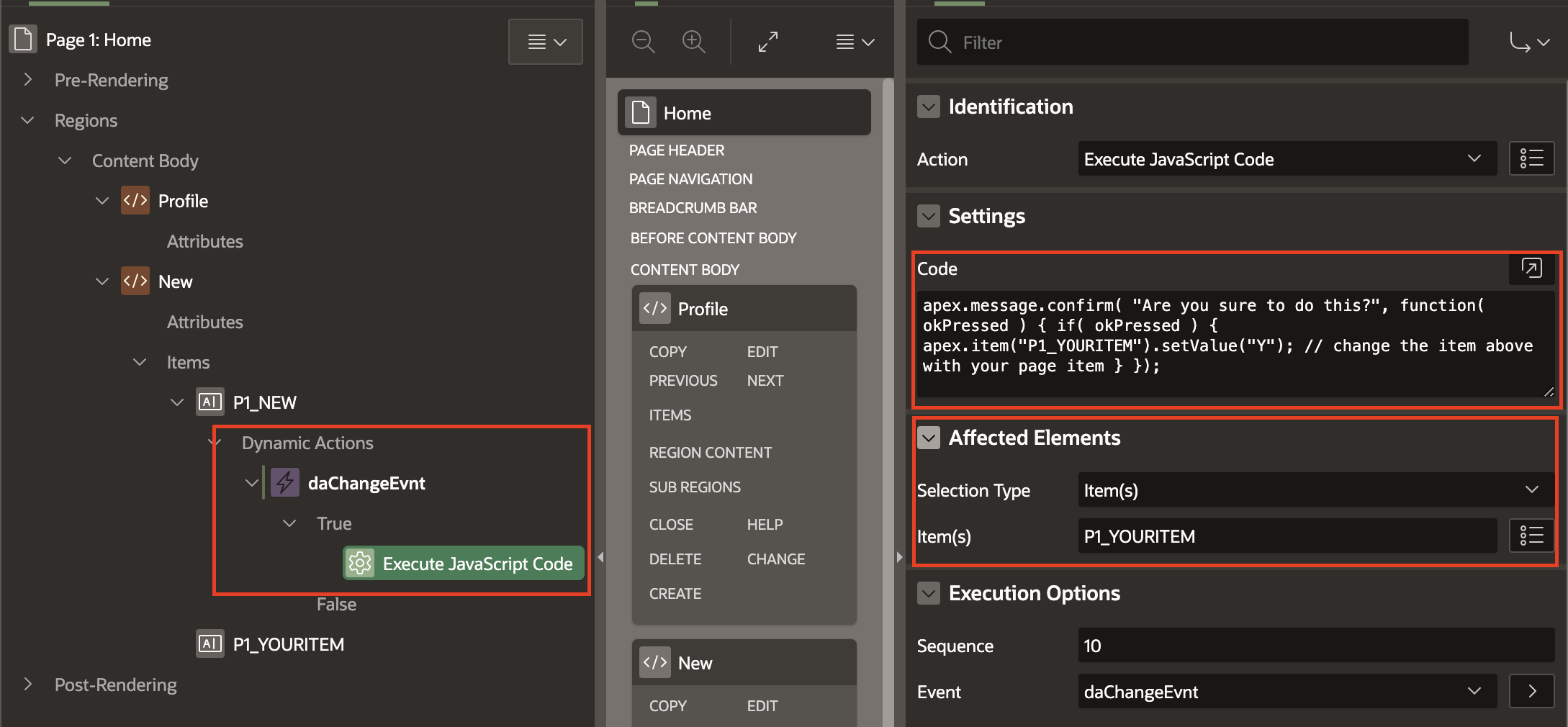
To perform more tasks on OK button pressed, you can create a dynamic action on the item P1_YOURITEM to execute PL/SQL code, show/hide elements, etc on the change event.
To perform an action, if the Cancel button clicked on the confirmation dialog, add an else statement. Below is an example:
apex.message.confirm( "Are you sure to reject this work order?", function( okPressed ) {
if( okPressed ) {
   apex.item("P1_YOURITEM").setValue("Y");
} else {
   // this code will execute if cancel button pressed
   apex.item("P1_YOURITEM").setValue("N");
}
});
Reference:
Related tutorials:
- How to Show Alert Messages in Oracle Apex?
- Oracle Apex – On Close Dialog Refresh Parent Page Regions
- Oracle APEX JavaScript Examples
