
A normal delete removes a row for good. If a user deletes the wrong record, the only way back is a database restore. A soft delete keeps the row and only marks it as deleted, so the app can hide it from every report and still bring it back later.
This guide adds a recycle bin to an Oracle APEX app. The form's Delete button moves a row to the bin, a Recycle Bin page offers Restore and Delete Permanently, and an automation purges rows that stayed in the bin for more than 30 days.
The guide uses contacts as the example. The same steps work for any table. If you build apps in Oracle Forms, the separate guide How to Implement a Soft Delete in Oracle Forms covers the Forms version; this one is about Oracle APEX pages, dynamic actions and automations.
Step 1: Create the Tables
The example needs two tables: COMPANIES for the company list and CONTACTS for the rows that users delete and restore. CONTACTS gets two extra columns, DELETED_ON and DELETED_BY. A row is in the recycle bin when DELETED_ON has a value.
Create the tables, the indexes, a view of the active rows, and sample data. Three contacts are already in the bin: one deleted 10 days ago, and two deleted 40 and 45 days ago:
Example:
create table companies (
  company_id    number generated by default on null as identity,
  company_name  varchar2(100) not null,
  constraint companies_pk primary key (company_id),
  constraint companies_name_uk unique (company_name)
);

create table contacts (
  contact_id   number generated by default on null as identity,
  company_id   number not null,
  full_name    varchar2(100) not null,
  email        varchar2(200) not null,
  phone        varchar2(30),
  deleted_on   date,
  deleted_by   varchar2(255),
  constraint contacts_pk primary key (contact_id),
  constraint contacts_company_fk foreign key (company_id)
    references companies (company_id),
  constraint contacts_deleted_ck check (
    (deleted_on is null and deleted_by is null)
    or (deleted_on is not null and deleted_by is not null))
);

create index contacts_company_ix on contacts (company_id);
create index contacts_deleted_ix on contacts (deleted_on);
create unique index contacts_active_email_uk
  on contacts (case when deleted_on is null then lower(email) end);

create or replace view active_contacts as
select contact_id, company_id, full_name, email, phone
  from contacts
 where deleted_on is null;

insert into companies (company_name) values ('Northwind Traders');
insert into companies (company_name) values ('Blue Harbor Foods');
insert into companies (company_name) values ('Summit Office Supply');

insert into contacts (company_id, full_name, email, phone)
values (1, 'Anna Keller', 'anna.keller@northwind.example', '555-0101');
insert into contacts (company_id, full_name, email, phone)
values (1, 'Ravi Menon', 'ravi.menon@northwind.example', '555-0102');
insert into contacts (company_id, full_name, email, phone)
values (2, 'Lena Brooks', 'lena.brooks@blueharbor.example', '555-0201');
insert into contacts (company_id, full_name, email, phone)
values (2, 'Omar Haddad', 'omar.haddad@blueharbor.example', '555-0202');
insert into contacts (company_id, full_name, email, phone)
values (3, 'Grace Lin', 'grace.lin@summit.example', '555-0301');
insert into contacts (company_id, full_name, email, phone, deleted_on, deleted_by)
values (3, 'Peter Novak', 'peter.novak@summit.example', '555-0302', sysdate - 10, 'DEMO_DEV');
insert into contacts (company_id, full_name, email, phone, deleted_on, deleted_by)
values (1, 'Maria Costa', 'maria.costa@northwind.example', '555-0103', sysdate - 40, 'DEMO_DEV');
insert into contacts (company_id, full_name, email, phone, deleted_on, deleted_by)
values (2, 'Tom Fischer', 'tom.fischer@blueharbor.example', '555-0203', sysdate - 45, 'DEMO_DEV');

commit;

select table_name, constraint_name, constraint_type
  from user_constraints
 where table_name in ('COMPANIES', 'CONTACTS')
   and constraint_name not like 'SYS%'
 order by table_name, constraint_name;

select (select count(*) from contacts) as all_rows,
       (select count(*) from active_contacts) as active_rows,
       (select count(*) from contacts where deleted_on is not null) as in_bin
  from dual;
Output:
Table COMPANIES created.

Table CONTACTS created.

Index CONTACTS_COMPANY_IX created.

Index CONTACTS_DELETED_IX created.

Index CONTACTS_ACTIVE_EMAIL_UK created.

View ACTIVE_CONTACTS created.

1 row inserted.

1 row inserted.

1 row inserted.

1 row inserted.

1 row inserted.

1 row inserted.

1 row inserted.

1 row inserted.

1 row inserted.

1 row inserted.

1 row inserted.

Commit complete.

TABLE_NAME    CONSTRAINT_NAME        CONSTRAINT_TYPE
_____________ ______________________ __________________
COMPANIES     COMPANIES_NAME_UK      U
COMPANIES     COMPANIES_PK           P
CONTACTS      CONTACTS_COMPANY_FK    R
CONTACTS      CONTACTS_DELETED_CK    C
CONTACTS      CONTACTS_PK            P

   ALL_ROWS    ACTIVE_ROWS    IN_BIN
___________ ______________ _________
8 5 3- CONTACTS_DELETED_CK makes sure DELETED_ON and DELETED_BY are always set together or both empty. A database constraint does this, so no trigger is needed.
- CONTACTS_ACTIVE_EMAIL_UK is a unique function-based index on the lower-case email of active rows only. Deleted rows return NULL in the CASE expression, and Oracle does not index NULL keys, so a new contact can reuse the email of a contact in the bin.
- The view ACTIVE_CONTACTS returns only rows that are not deleted. The report and the form use this view, so deleted rows disappear from them without extra WHERE clauses.
- CONTACTS_DELETED_IX helps the Recycle Bin page and the purge job find deleted rows.
A plain unique constraint on EMAIL would block the email of a deleted contact until the row is purged. The partial index above avoids that. Step 9 tests what happens when such a contact is restored.
Step 2: Create the Report and Form Pages
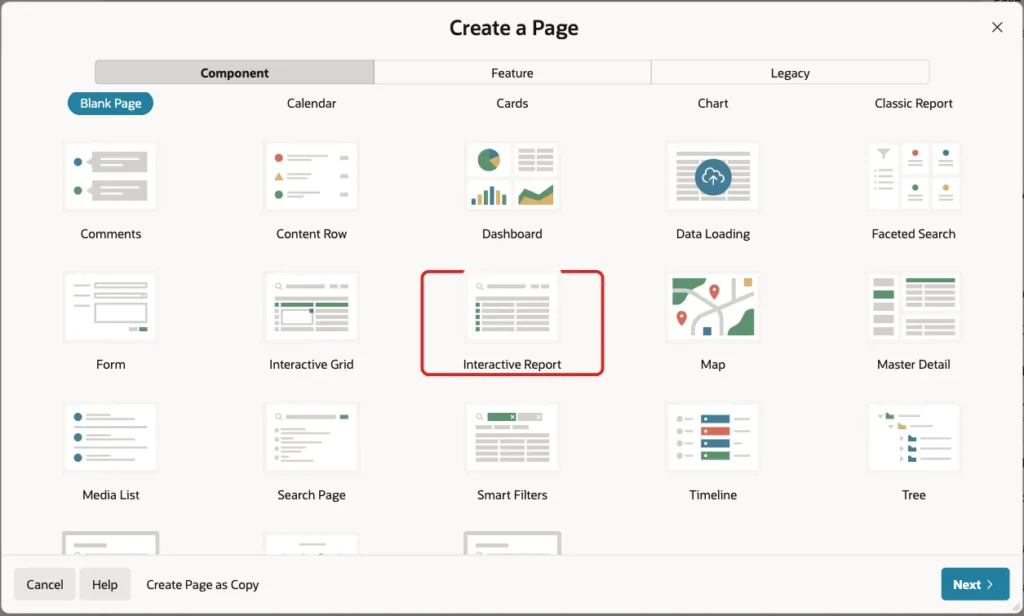
In App Builder, open the application and click Create Page. On the Component tab, click Interactive Report:
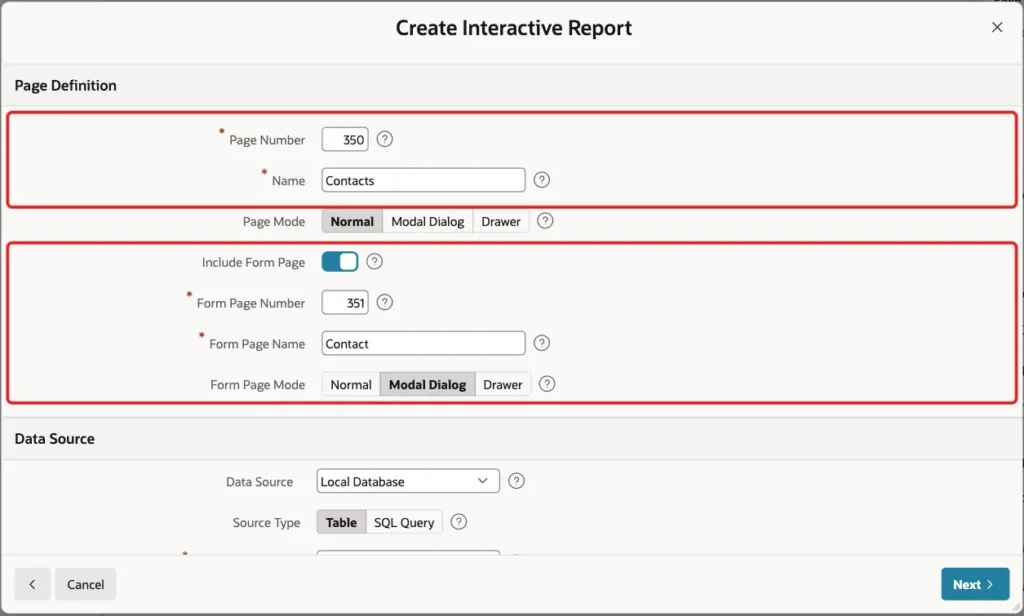
Enter Page Number 350 and Name Contacts. Turn on Include Form Page, enter Form Page Number 351 and Form Page Name Contact, and set Form Page Mode to Modal Dialog:
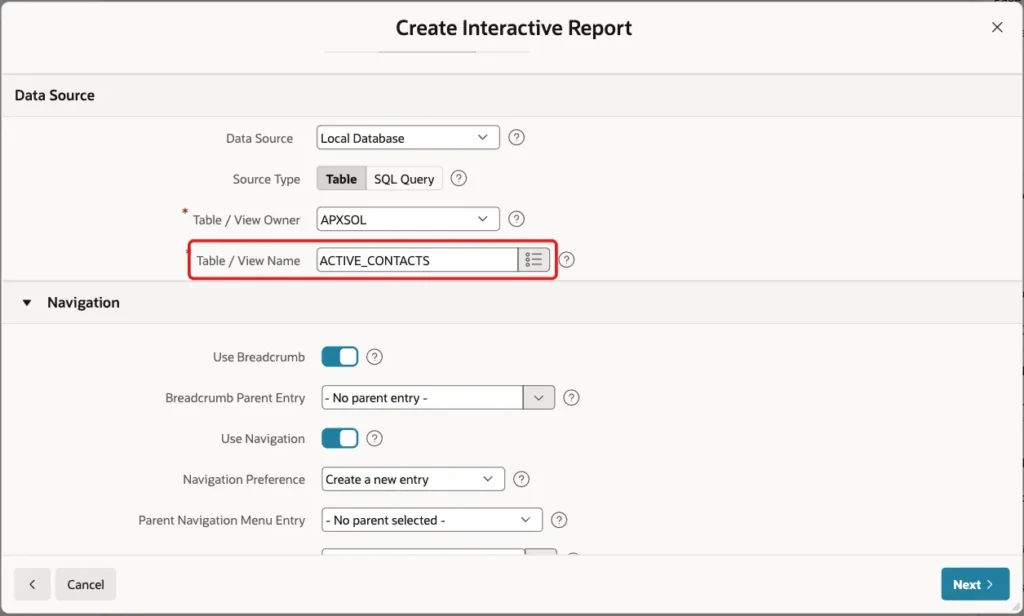
Scroll down to Data Source. Keep Source Type Table and enter the view ACTIVE_CONTACTS as the Table / View Name. Keep the Navigation settings, so the report gets a menu entry, and click Next:
A view has no primary key, so the wizard leaves Primary Key Column 1 empty. Select CONTACT_ID and click Create Page:
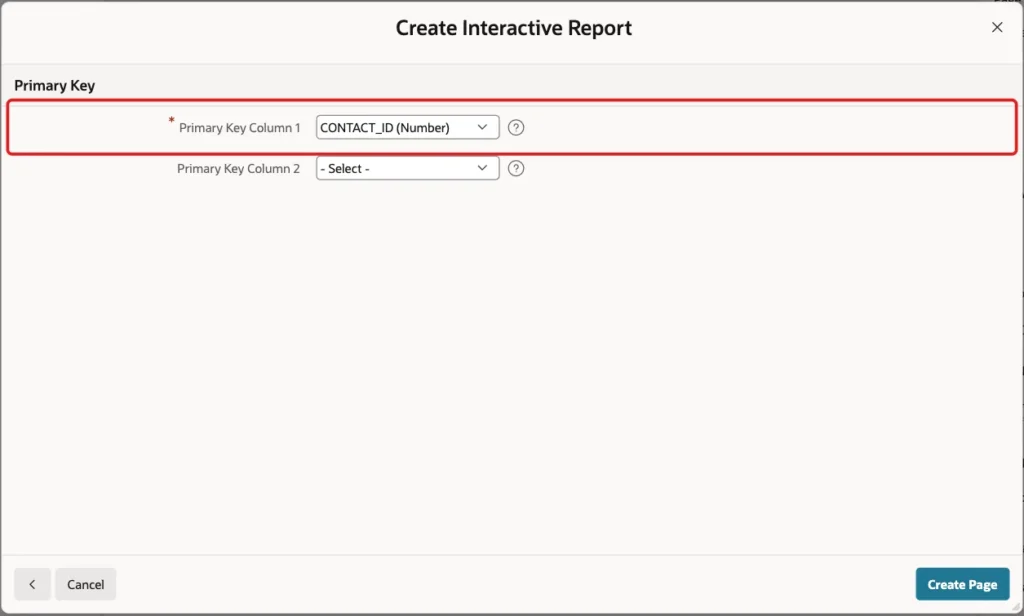
The wizard creates page 350 with the report and page 351 with the form. Both read from ACTIVE_CONTACTS. Oracle can insert and update through this simple view, so the form also creates and edits contacts through it.
Step 3: Change the Form's Delete into a Soft Delete
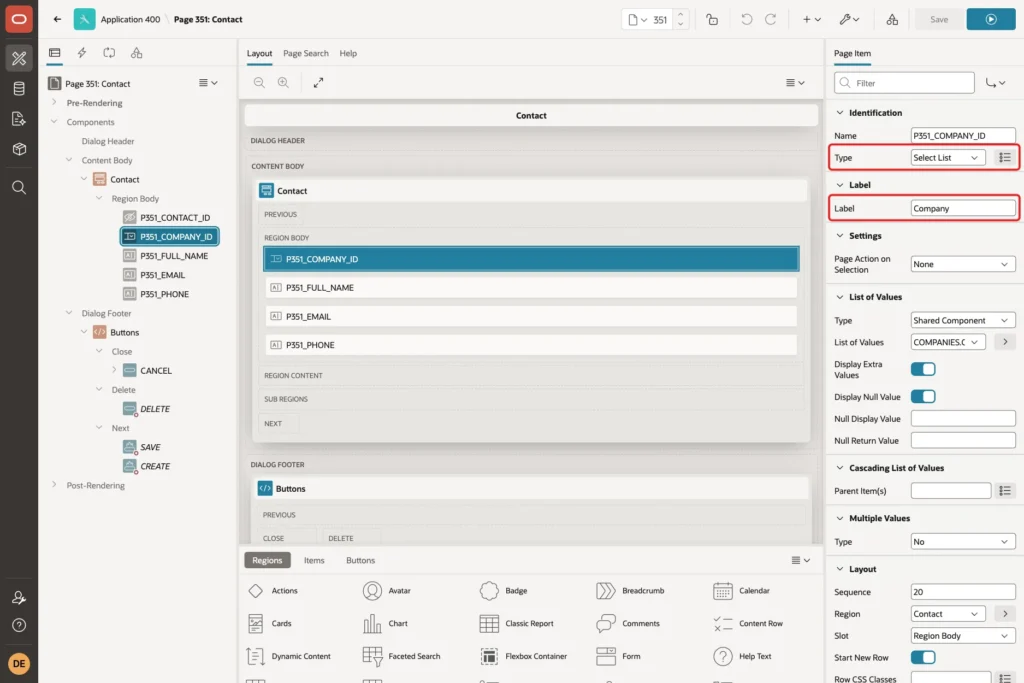
Open page 351 in Page Designer. First, make the company a select list. Select P351_COMPANY_ID, set Type to Select List and Label to Company:
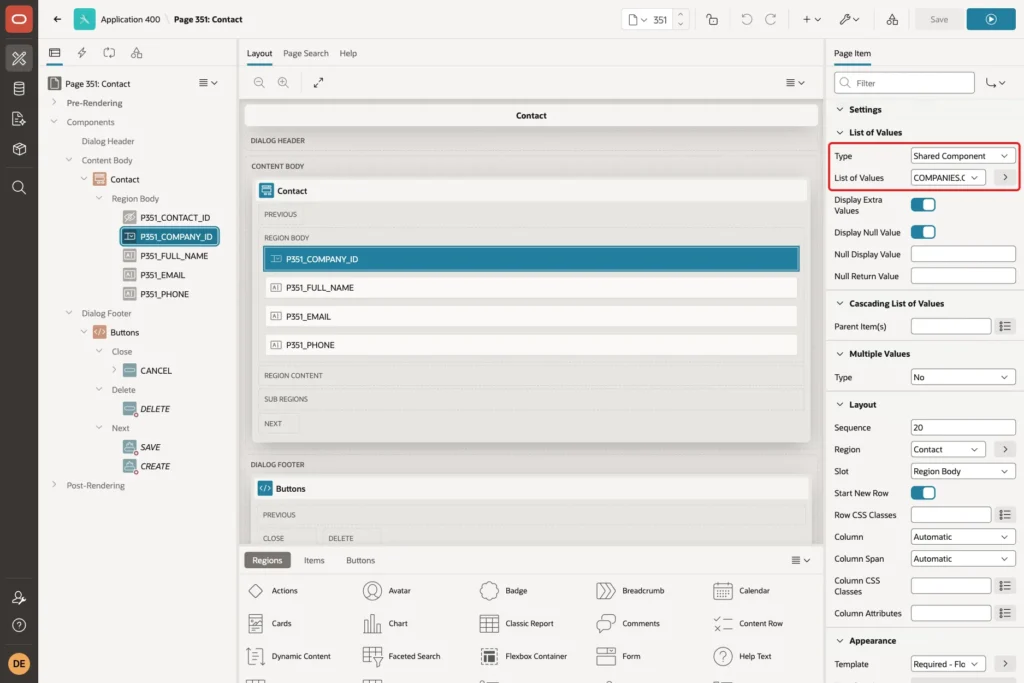
Under List of Values, set Type to Shared Component and select a list of values on COMPANIES that returns COMPANY_ID and displays COMPANY_NAME. This example uses a shared list of values named COMPANIES.COMPANY_NAME:
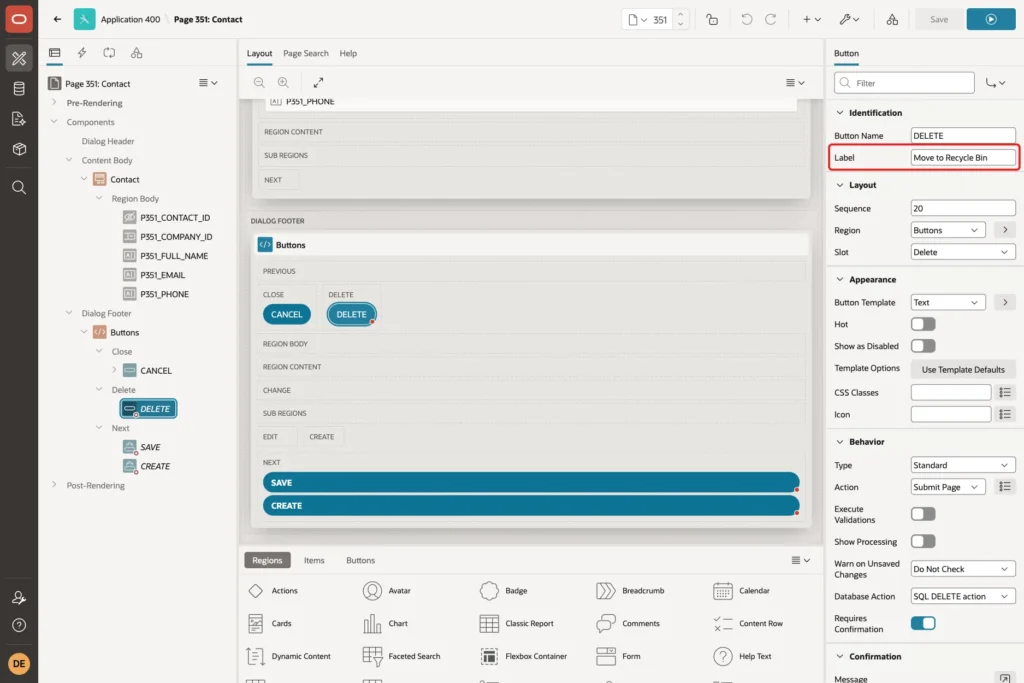
Now select the DELETE button in the Dialog Footer. Change its Label to Move to Recycle Bin:
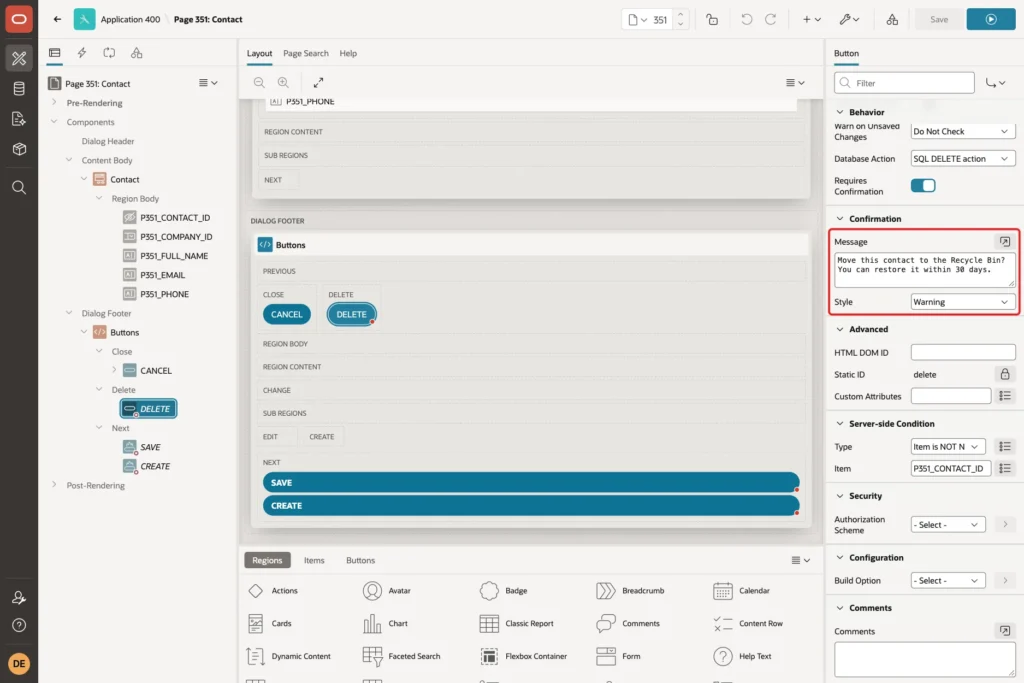
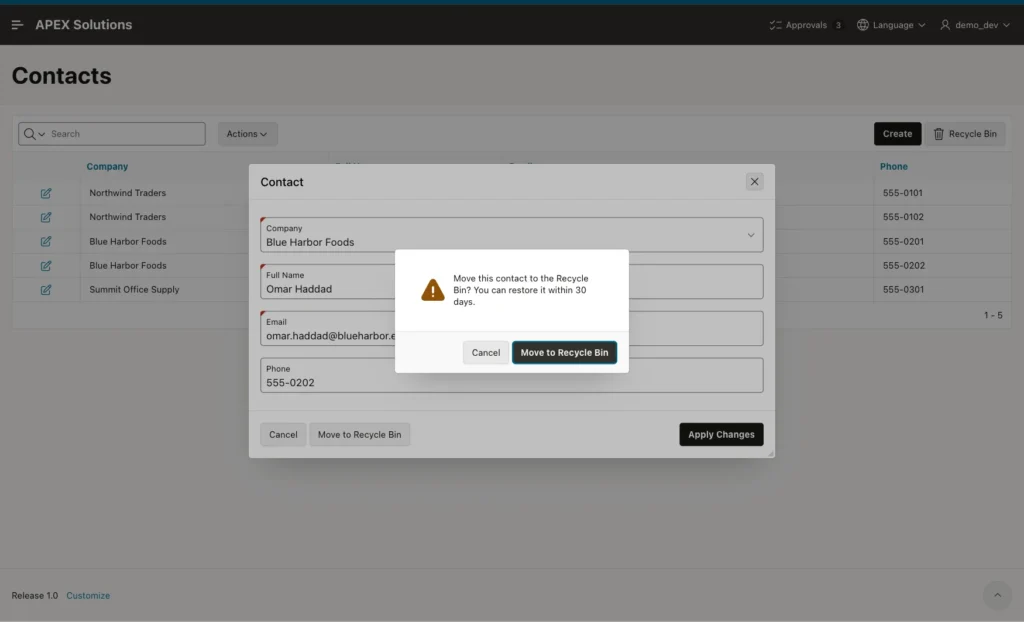
Scroll down to Confirmation. Set Message to "Move this contact to the Recycle Bin? You can restore it within 30 days." and Style to Warning:
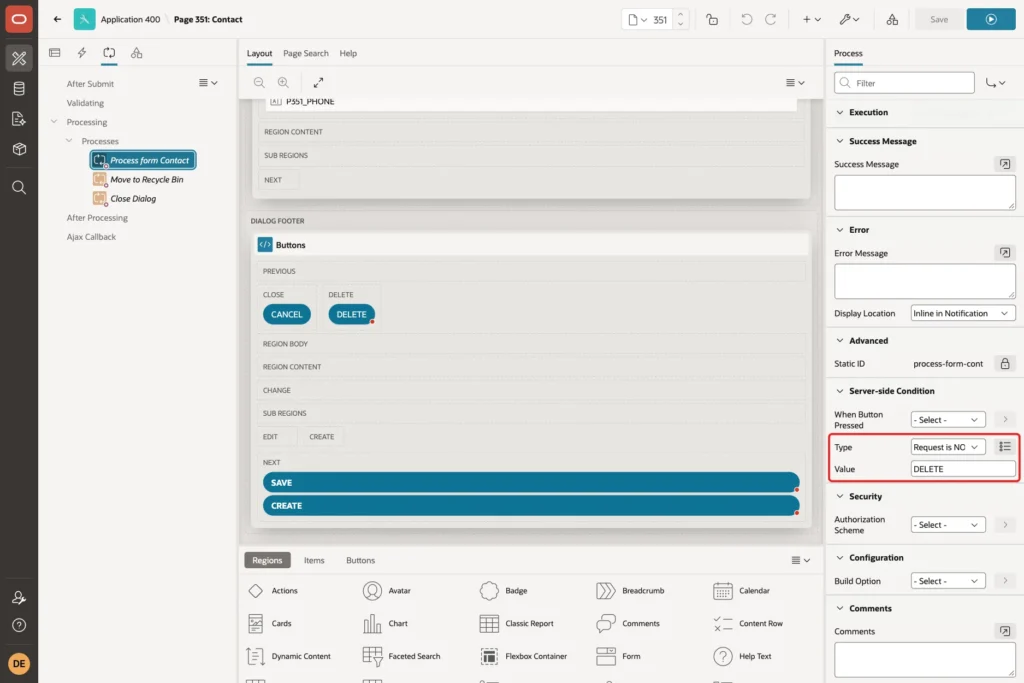
The button still submits the page with the request DELETE. Without a change, the form's Automatic Row Processing would then run a real DELETE. Open the Processing tab, select Process form Contact, and under Server-side Condition set Type to Request is NOT contained in Value and Value to DELETE:
Right-click Processes and choose Create Process. Set Name to Move to Recycle Bin and Type to Execute Code, and enter this PL/SQL Code:
Example:
update contacts
   set deleted_on = sysdate,
       deleted_by = :APP_USER
 where contact_id = :P351_CONTACT_ID
   and deleted_on is null;

if sql%rowcount = 0 then
    raise_application_error(-20001, 'This contact is already in the Recycle Bin.');
end if;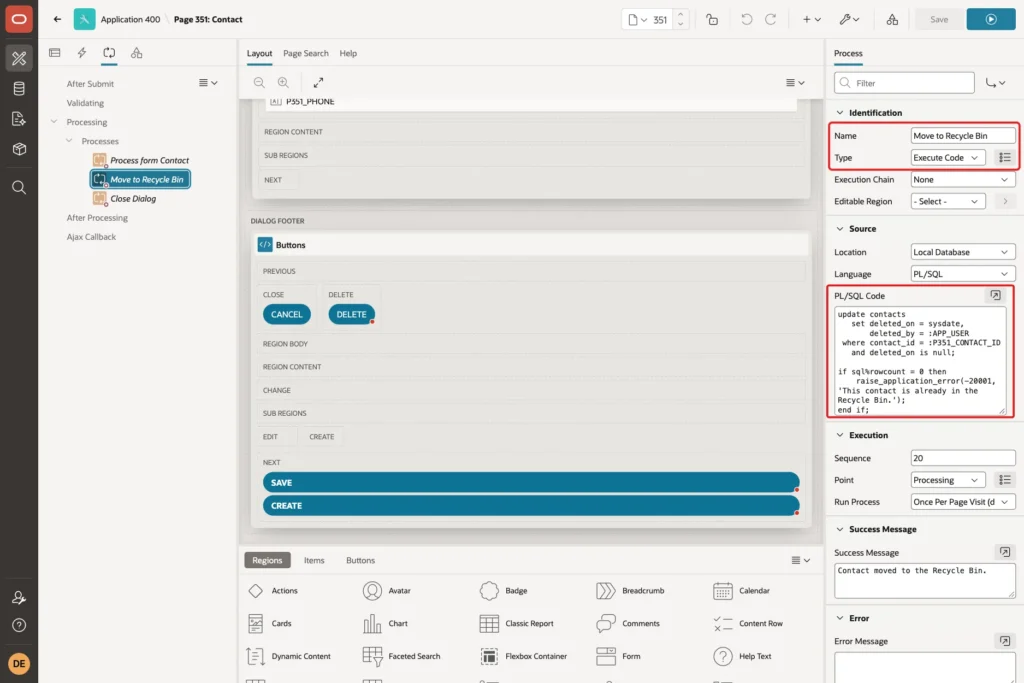
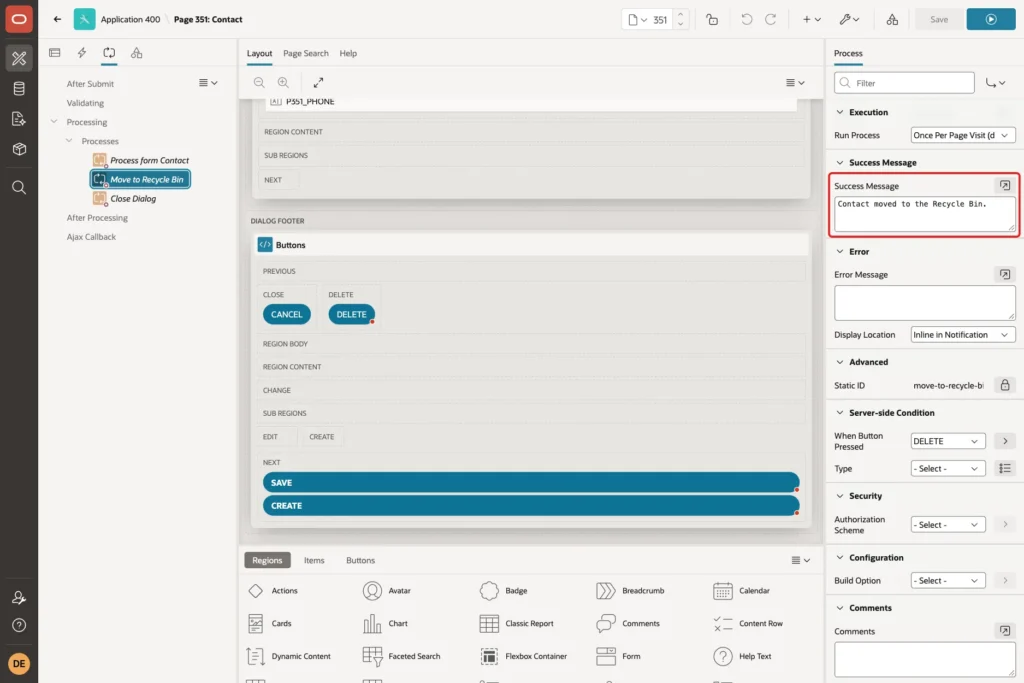
The process updates the base table CONTACTS, not the view, because the view does not show DELETED_ON. Set Execution, Sequence to 20, so it runs after Process form Contact and before Close Dialog. Then set Success Message to "Contact moved to the Recycle Bin.":
Under Server-side Condition, set When Button Pressed to DELETE:
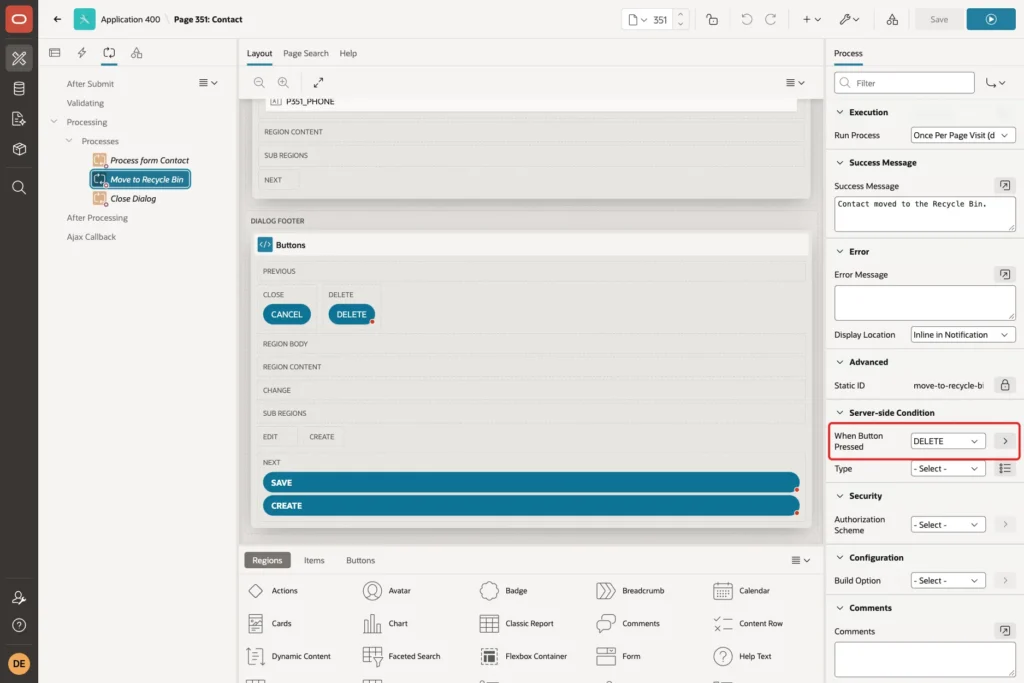
The wizard's Close Dialog process already runs for CREATE, SAVE and DELETE, so the dialog closes after the move. Save the page.
Step 4: Finish the Report Page
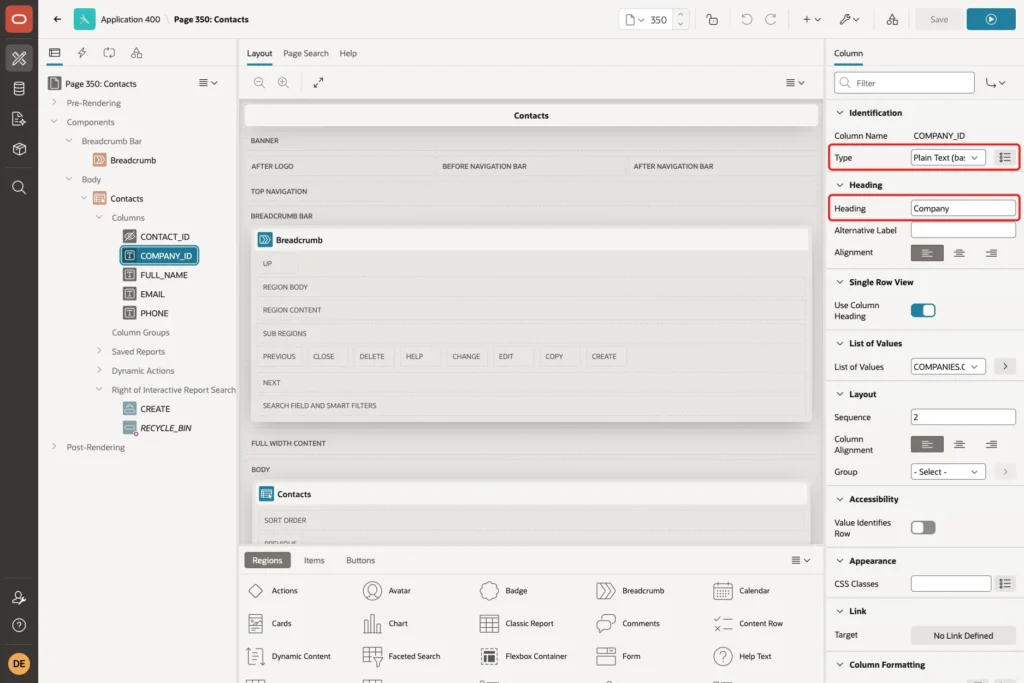
Open page 350. Expand the Contacts region and its Columns, and select COMPANY_ID. Set Type to Plain Text (based on List of Values) and Heading to Company:
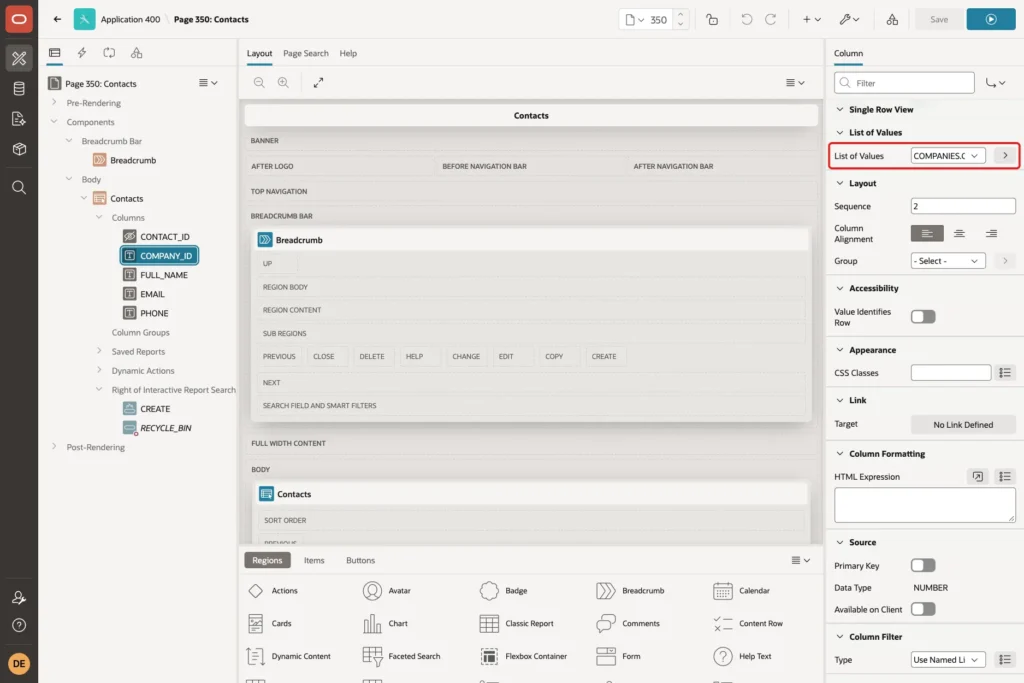
Under List of Values, select the same COMPANIES.COMPANY_NAME list:
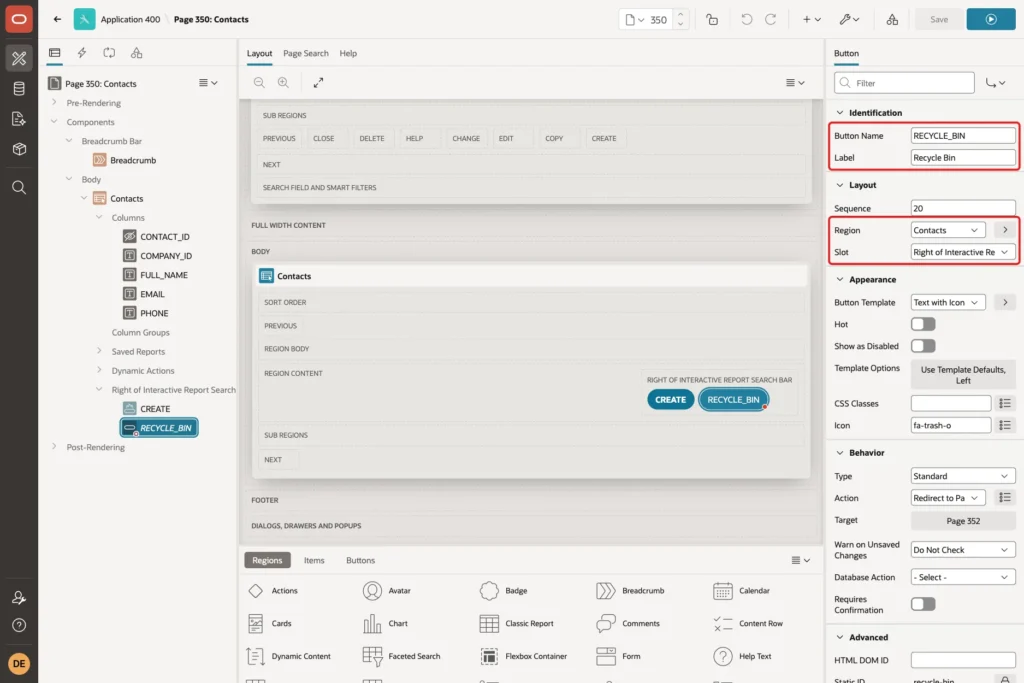
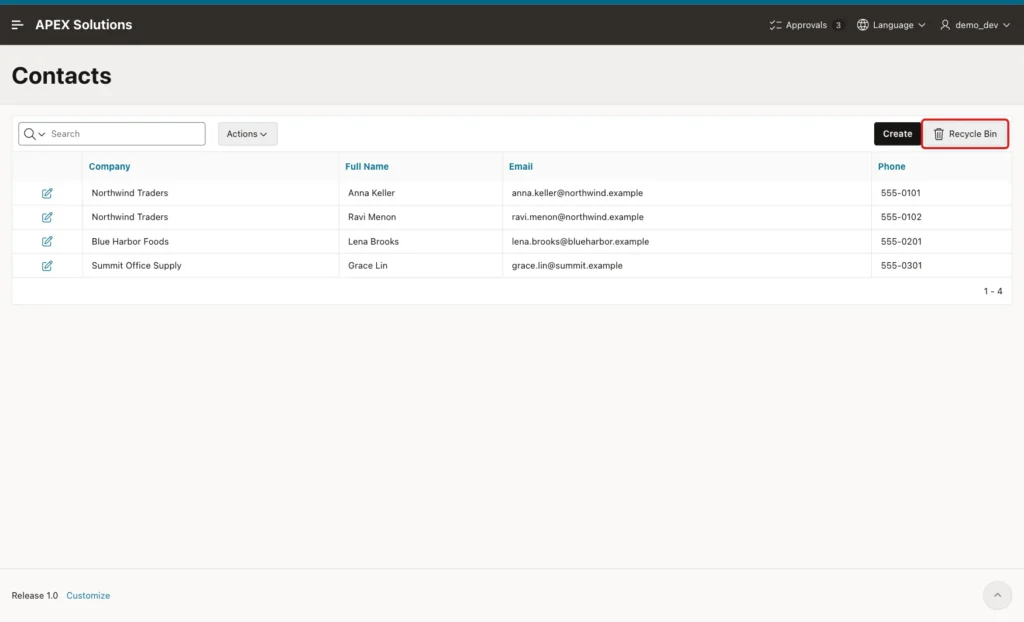
Now add a button that opens the bin. Right-click the Contacts region, choose Create Button, and set Button Name to RECYCLE_BIN, Label to Recycle Bin and Slot to Right of Interactive Report Search Bar:
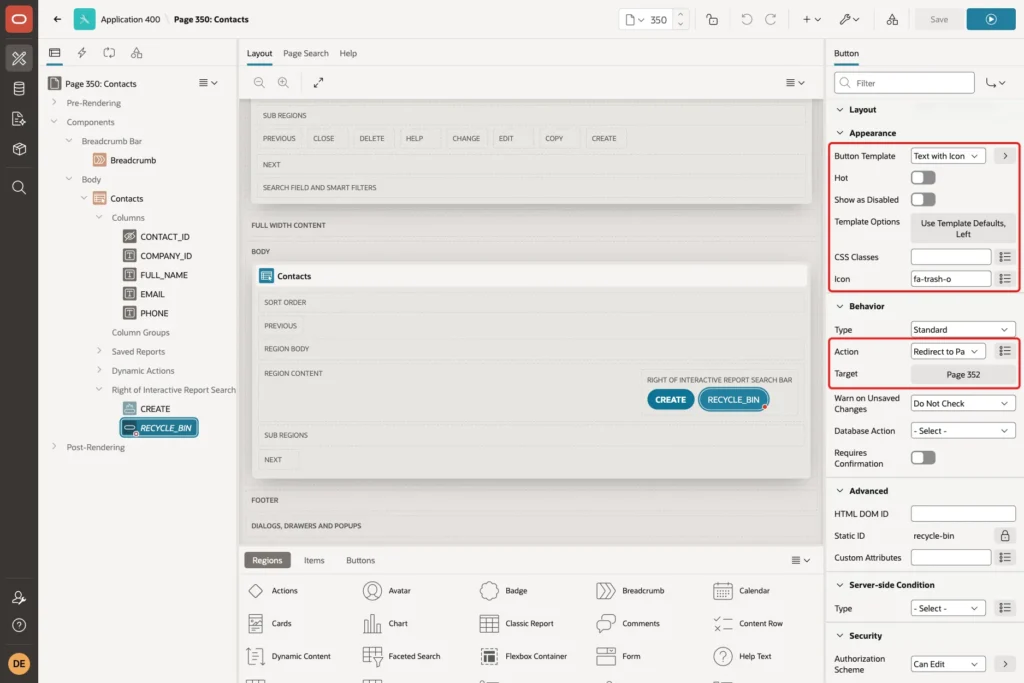
Set Button Template to Text with Icon and Icon to fa-trash-o. Under Behavior, set Action to Redirect to Page in this Application and Target to page 352, which you create in Step 6:
Under Security, set Authorization Scheme to Can Edit, so only users who may change data see the button:
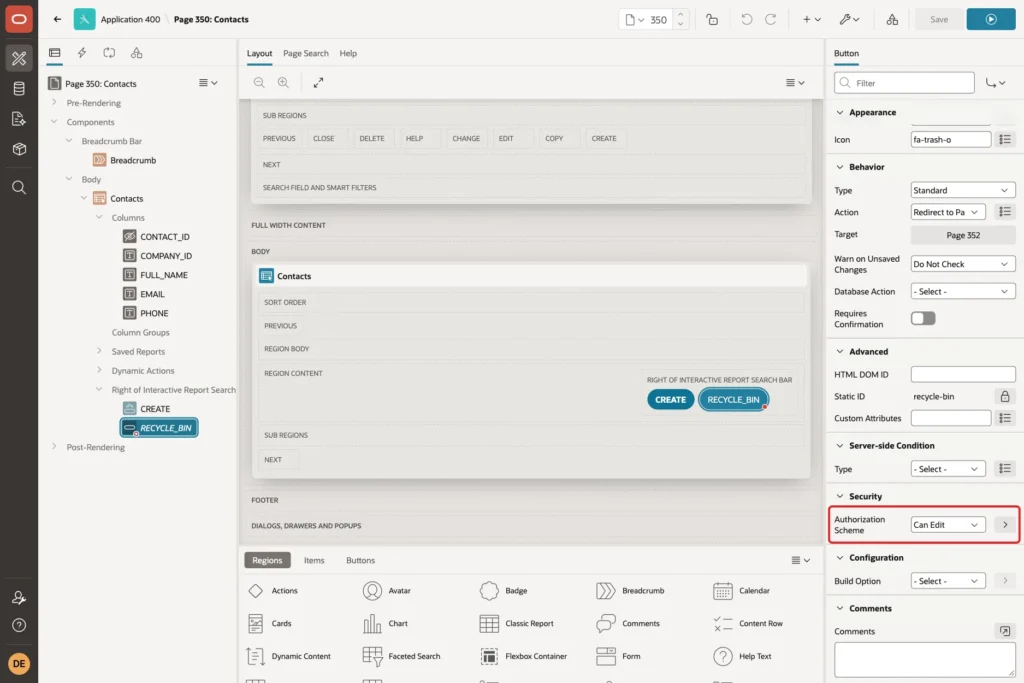
Can Edit is an authorization scheme in this example app. Use any scheme from your app that allows editing.
Step 5: Test the Soft Delete
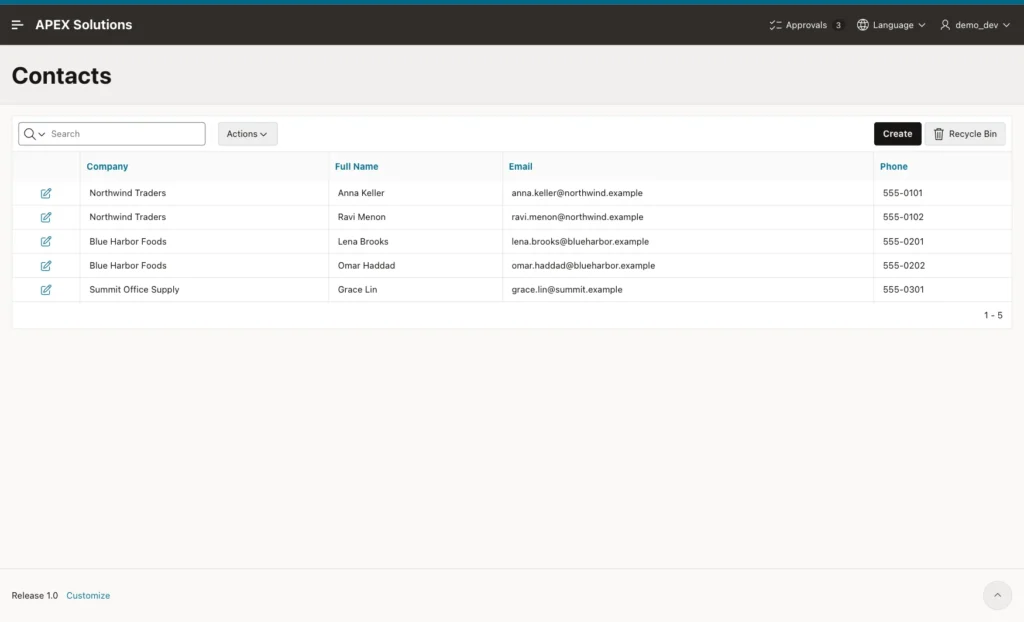
Run page 350 as a user with edit rights. The report shows the five active contacts. The three contacts that are already in the bin do not appear:
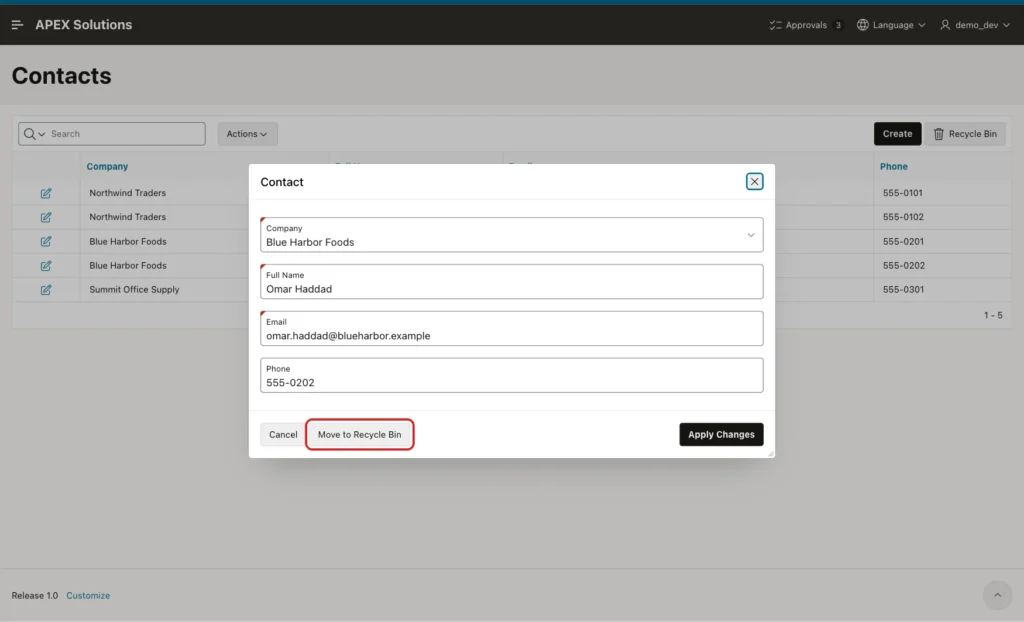
Click the edit icon of Omar Haddad. The dialog shows the Move to Recycle Bin button:
Click Move to Recycle Bin. APEX shows the confirmation, and its confirm button takes the button label:
Confirm it. The dialog closes, the report refreshes without Omar Haddad, and the success message appears:
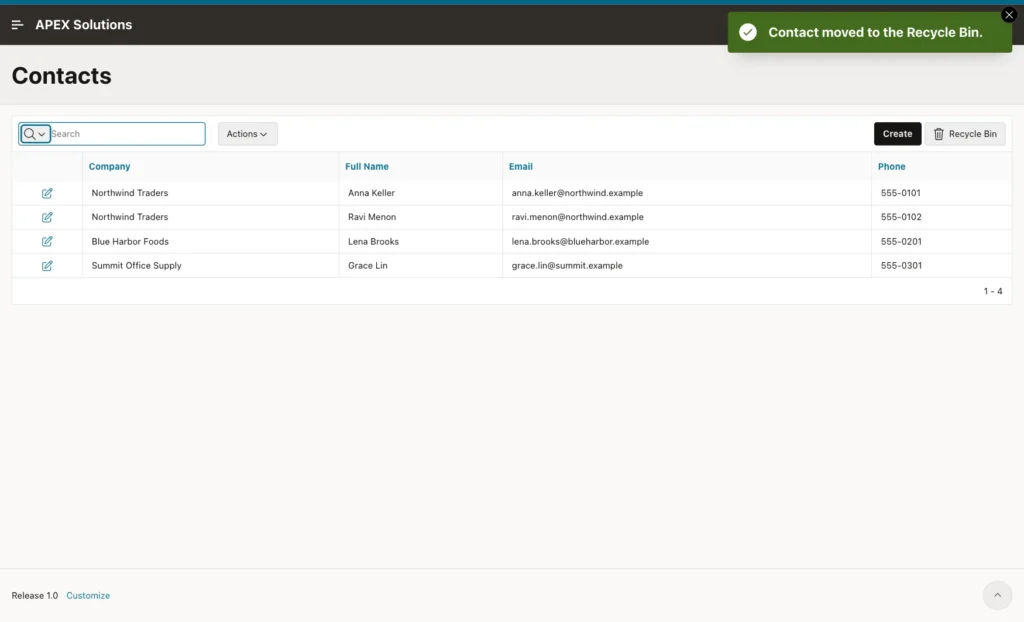
In SQL, the row is still in CONTACTS. Its DELETED_ON had the time of the click, and DELETED_BY had DEMO_DEV, the user who clicked.
Editing still works through the view as well. Changing the phone number of Grace Lin and clicking Apply Changes showed "Row updated.", and the new number was saved in CONTACTS.
Step 6: Create the Recycle Bin Page
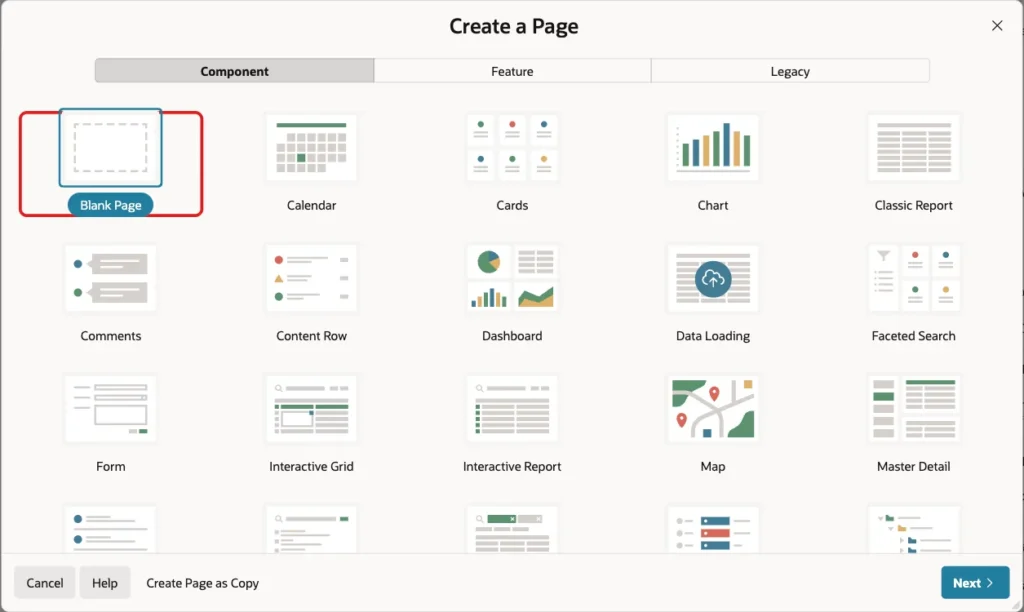
Click Create Page and choose Blank Page on the Component tab:
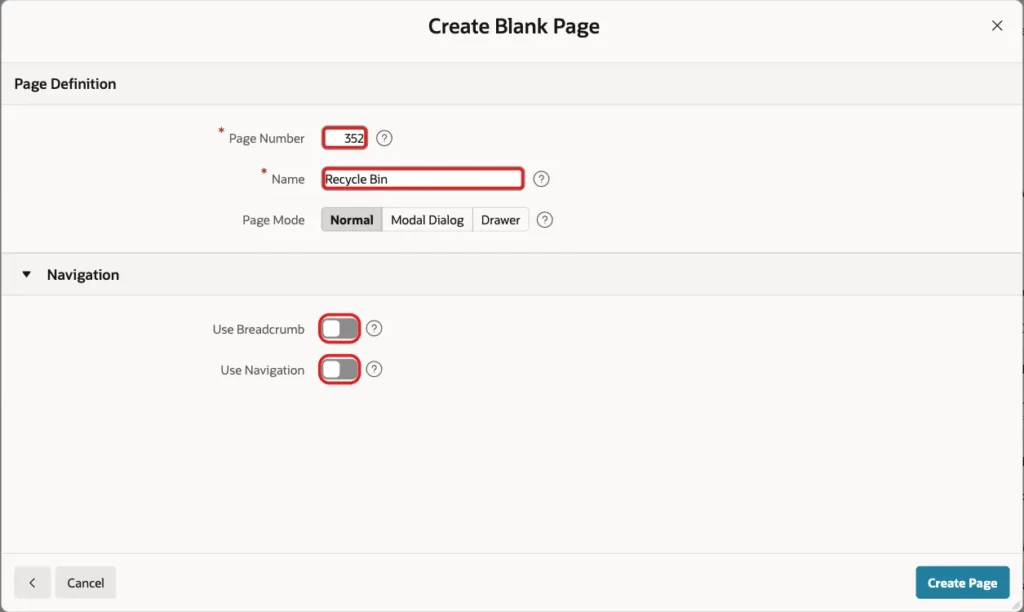
Enter Page Number 352 and Name Recycle Bin. Turn off Use Breadcrumb and Use Navigation, because users reach the page from the button on page 350. Click Create Page:
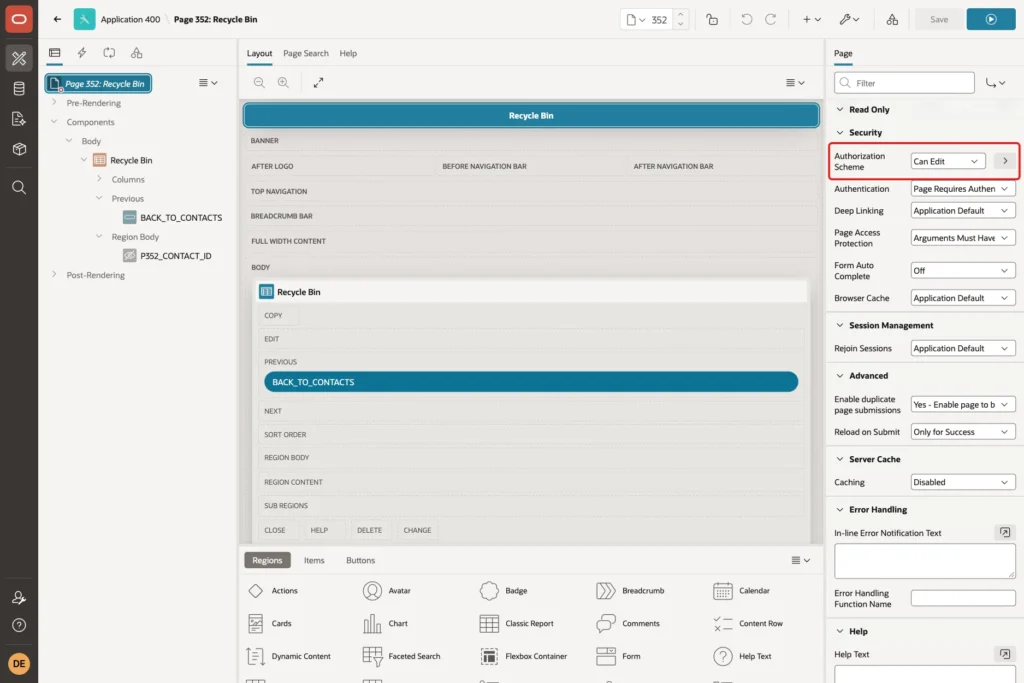
Select the page node and set Security, Authorization Scheme to Can Edit. A user without edit rights who opens the page URL gets an access denied error:
Right-click Body and choose Create Region. Set Name to Recycle Bin and Type to Classic Report. Under Source, set Type to SQL Query and enter this query:
Example:
select c.contact_id,
       c.full_name,
       c.email,
       co.company_name,
       c.deleted_on,
       c.deleted_by,
       greatest(30 - trunc(sysdate - c.deleted_on), 0) as days_left,
       'Restore' as restore_action,
       'Delete Permanently' as purge_action
  from contacts c
  join companies co on co.company_id = c.company_id
 where c.deleted_on is not null
 order by c.deleted_on desc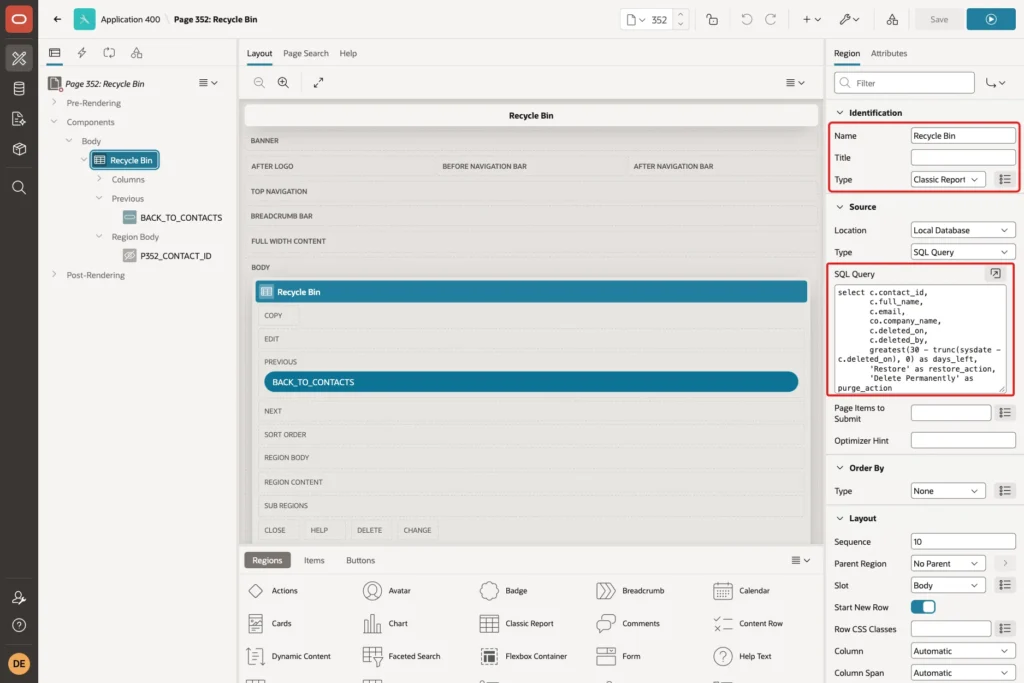
DAYS_LEFT shows how many days remain before the purge job removes the row. RESTORE_ACTION and PURGE_ACTION are placeholder columns for the two buttons.
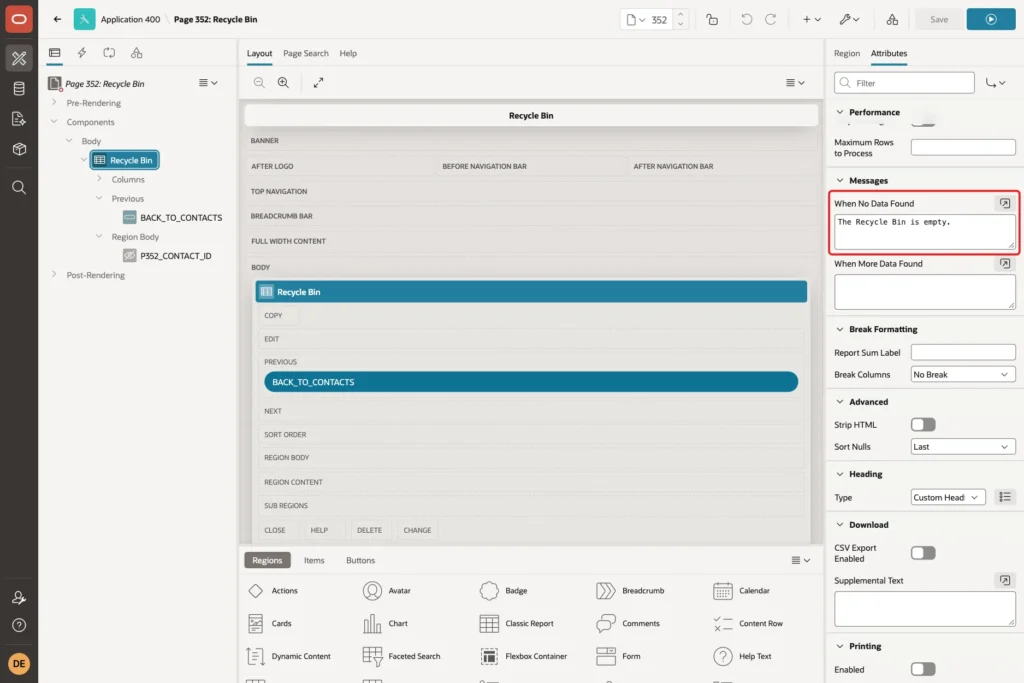
On the Attributes tab, set Messages, When No Data Found to "The Recycle Bin is empty.":
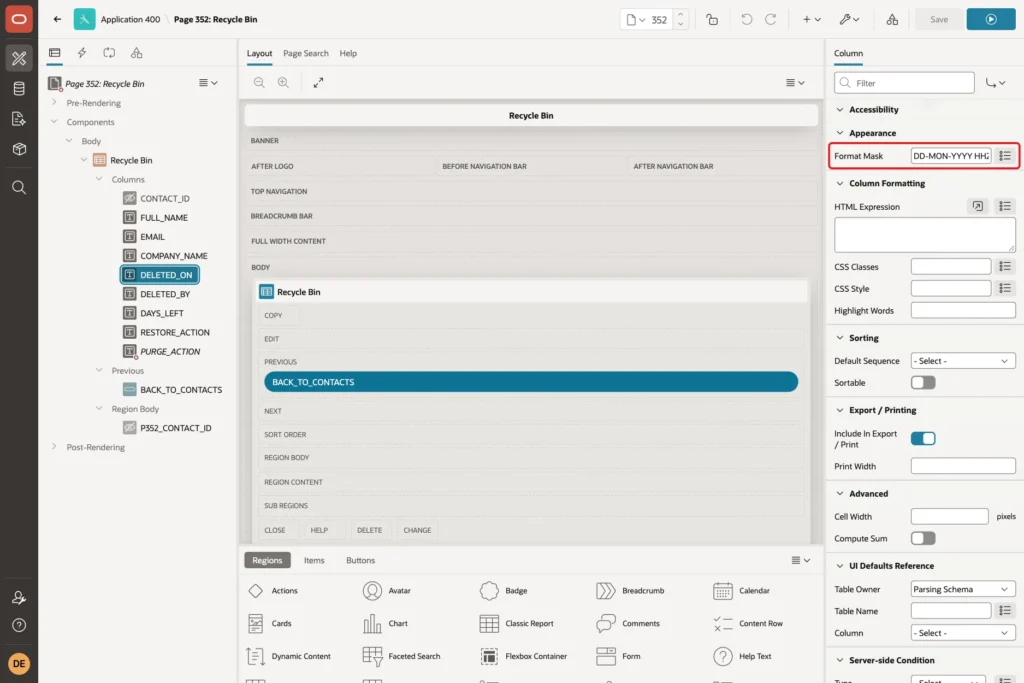
Expand Columns and set these column properties. Set CONTACT_ID, Type to Hidden Column. For DELETED_ON, set Appearance, Format Mask to DD-MON-YYYY HH24:MI:
Select RESTORE_ACTION. Set Heading to Restore and, under Column Formatting, enter this HTML Expression:
Example:
<button type="button" class="t-Button t-Button--small js-restore" data-id="#CONTACT_ID#">Restore</button>
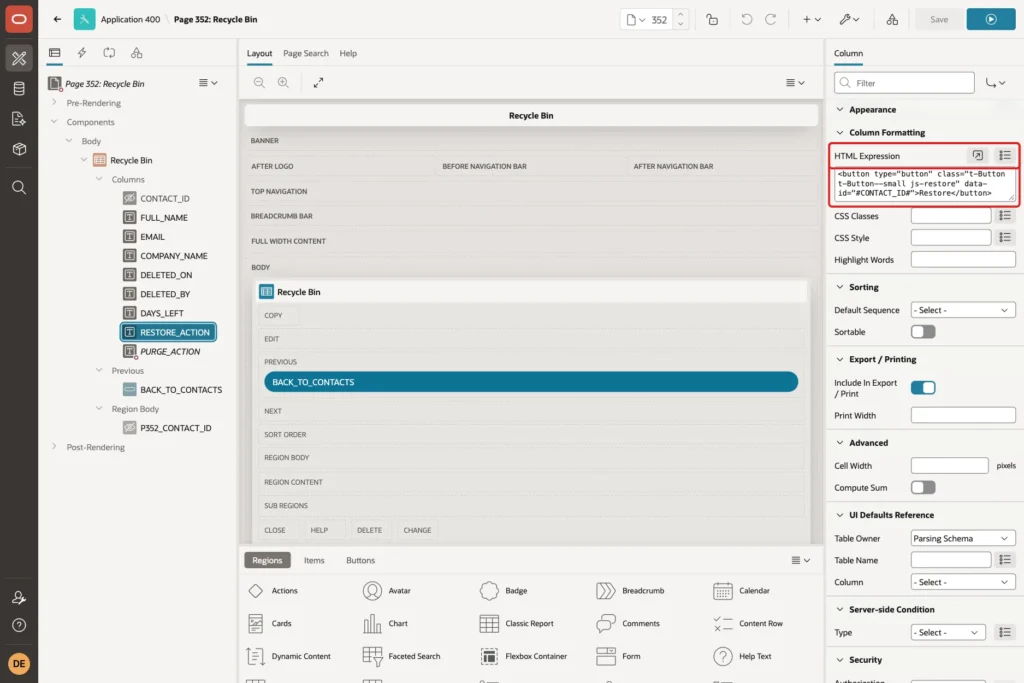
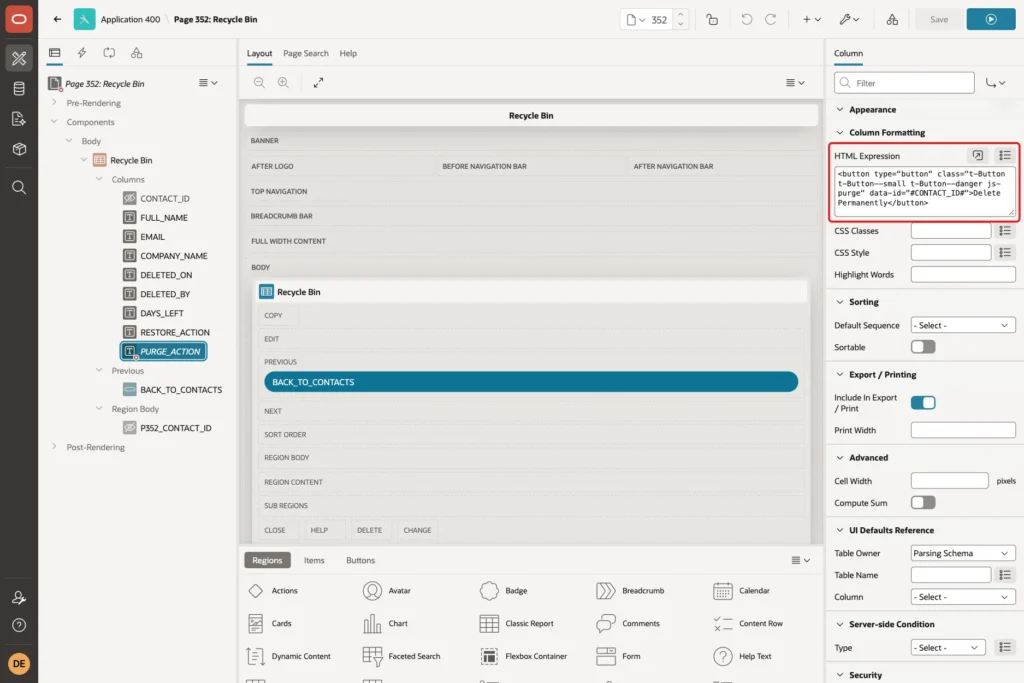
The class js-restore lets a dynamic action find the button, and data-id carries the contact's ID. Select PURGE_ACTION, set Heading to Delete, and enter this HTML Expression:
Example:
<button type="button" class="t-Button t-Button--small t-Button--danger js-purge" data-id="#CONTACT_ID#">Delete Permanently</button>
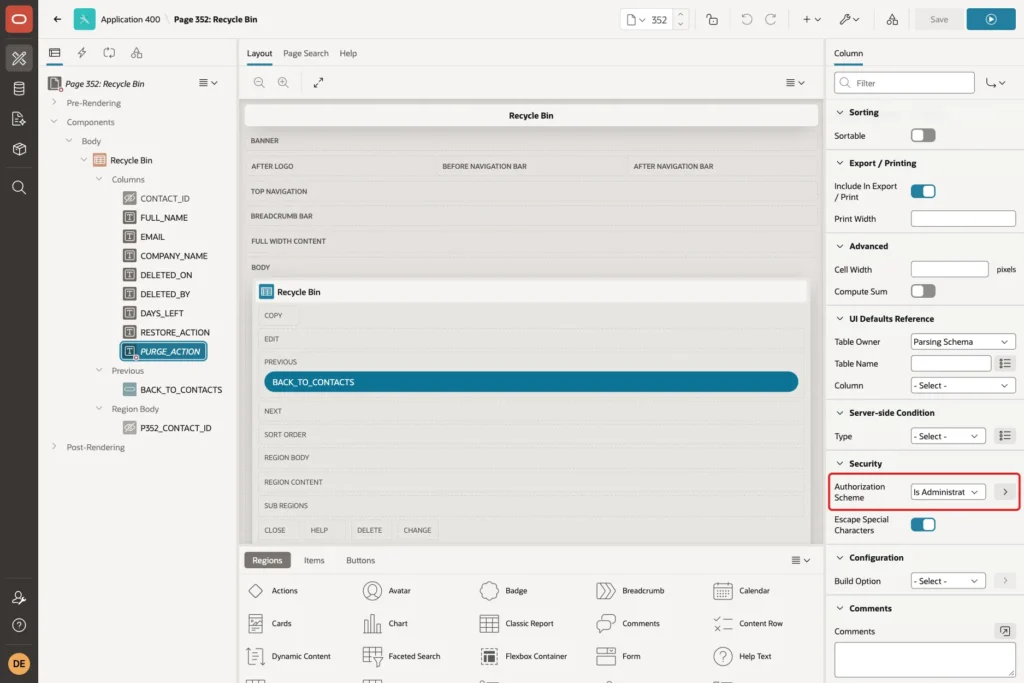
Under Security, set Authorization Scheme to Is Administrator. Users who are not administrators do not get this column at all:
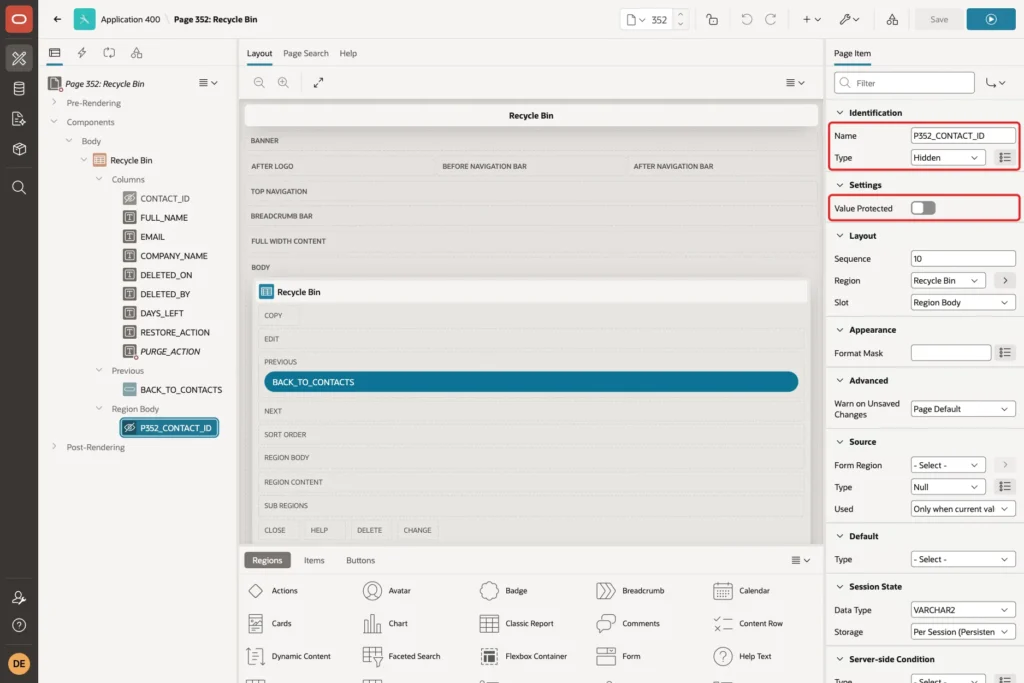
Right-click the region, choose Create Page Item, and name it P352_CONTACT_ID with Type Hidden. Turn off Value Protected, because JavaScript sets this item before each Ajax call:
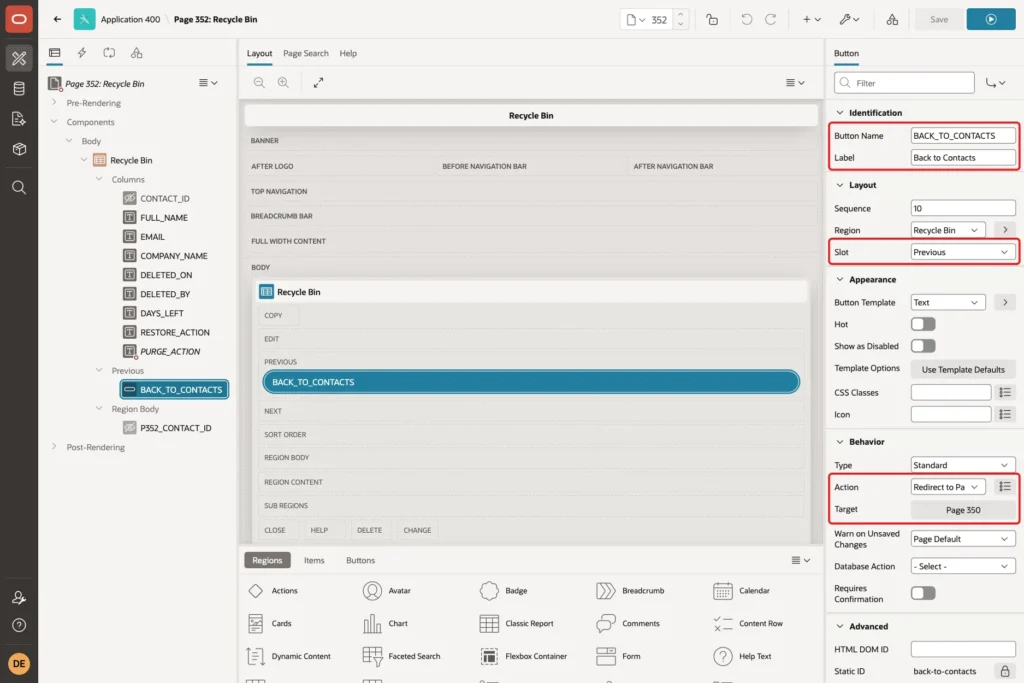
Finally, add a button BACK_TO_CONTACTS with Label Back to Contacts in the region's Previous slot. Set Action to Redirect to Page in this Application and Target to page 350:
Step 7: Add the Restore Dynamic Action
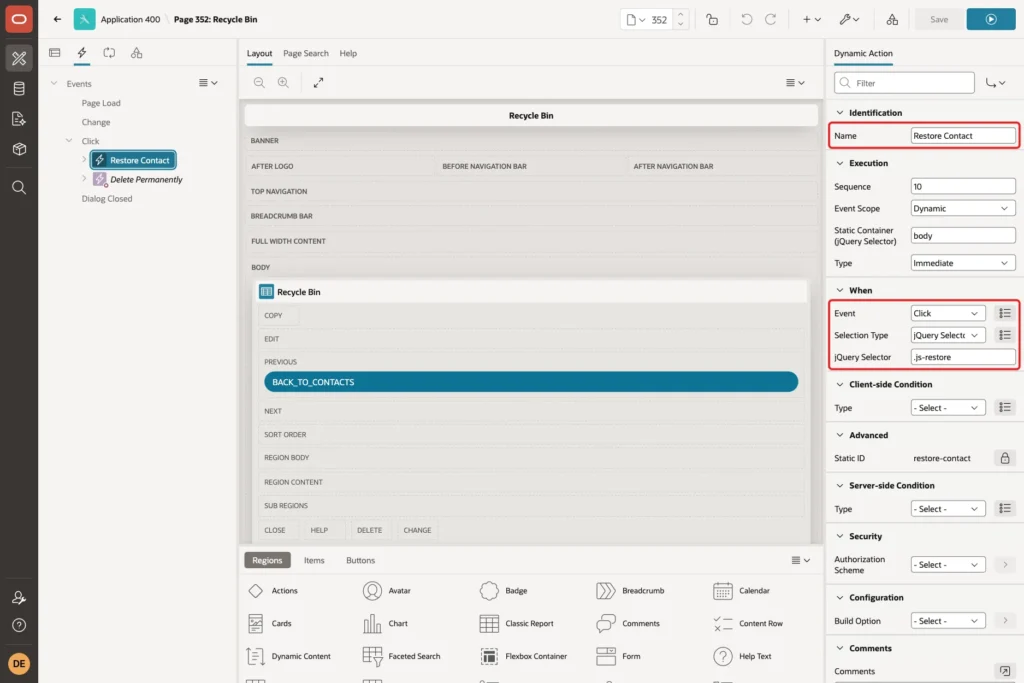
Open the Dynamic Actions tab, right-click Click under Events, and create a dynamic action. Set Name to Restore Contact, Event to Click, Selection Type to jQuery Selector, and jQuery Selector to .js-restore:
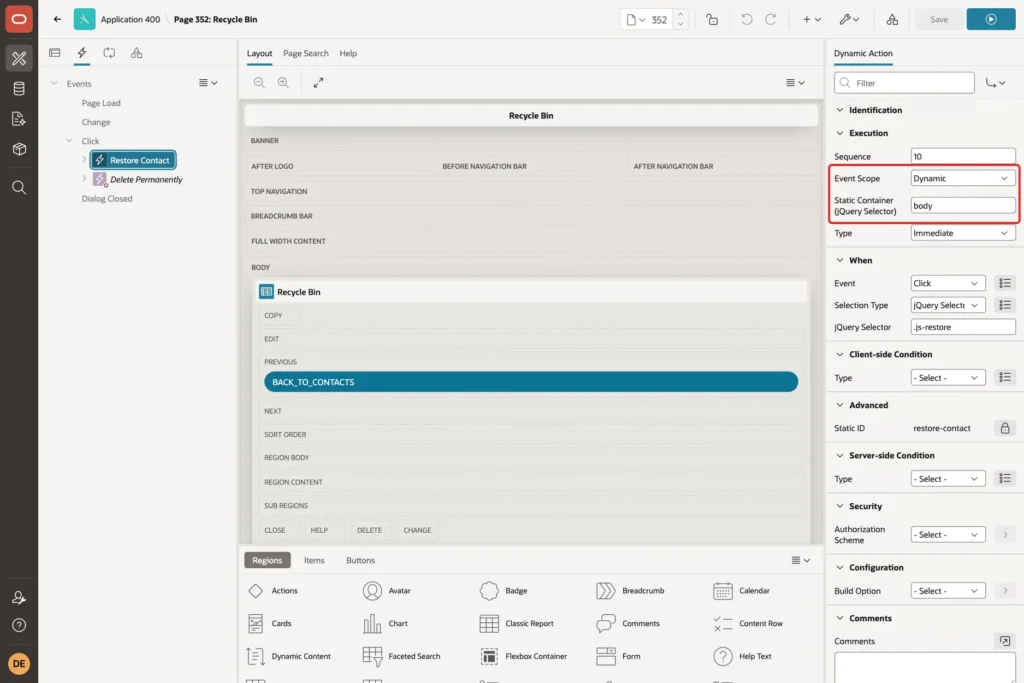
The report replaces its rows when it refreshes. Under Execution, set Event Scope to Dynamic and Static Container (jQuery Selector) to body, so the click still works on rows that appear after a refresh:
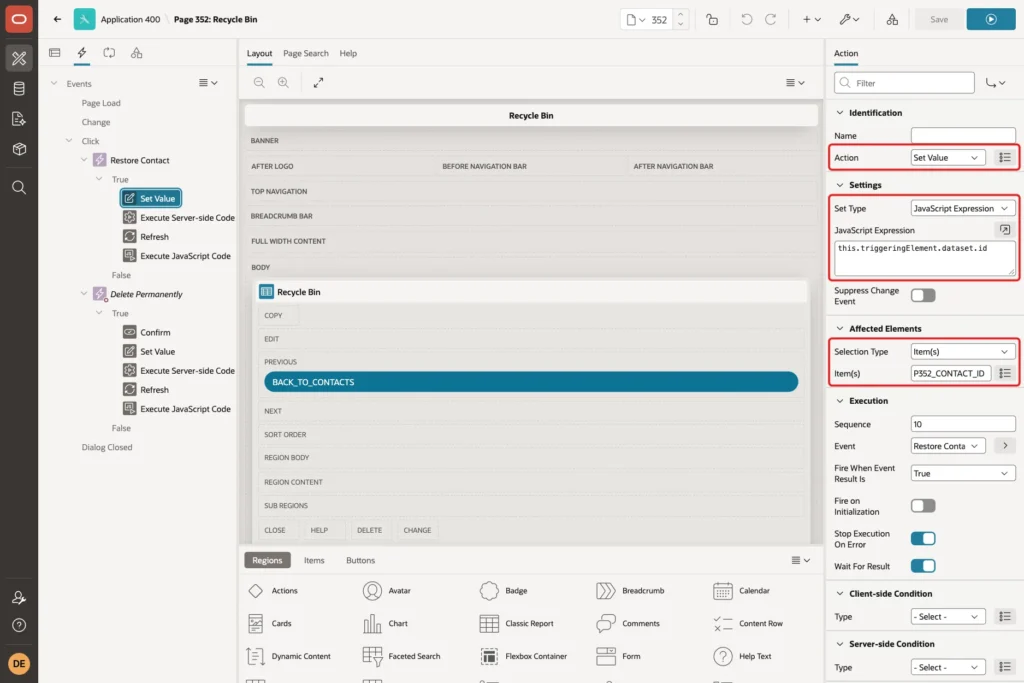
Change the first True action to Set Value. Set Set Type to JavaScript Expression and enter this expression, then set Affected Elements to the item P352_CONTACT_ID:
Example:
this.triggeringElement.dataset.id
Add a second action, Execute Server-side Code, with this PL/SQL Code and Items to Submit P352_CONTACT_ID:
Example:
begin
    update contacts
       set deleted_on = null,
           deleted_by = null
     where contact_id = :P352_CONTACT_ID
       and deleted_on is not null;

    if sql%rowcount = 0 then
        raise_application_error(-20003,
            'This contact is not in the Recycle Bin.');
    end if;
exception
    when dup_val_on_index then
        raise_application_error(-20002,
            'An active contact already uses this email. Change that contact first.');
end;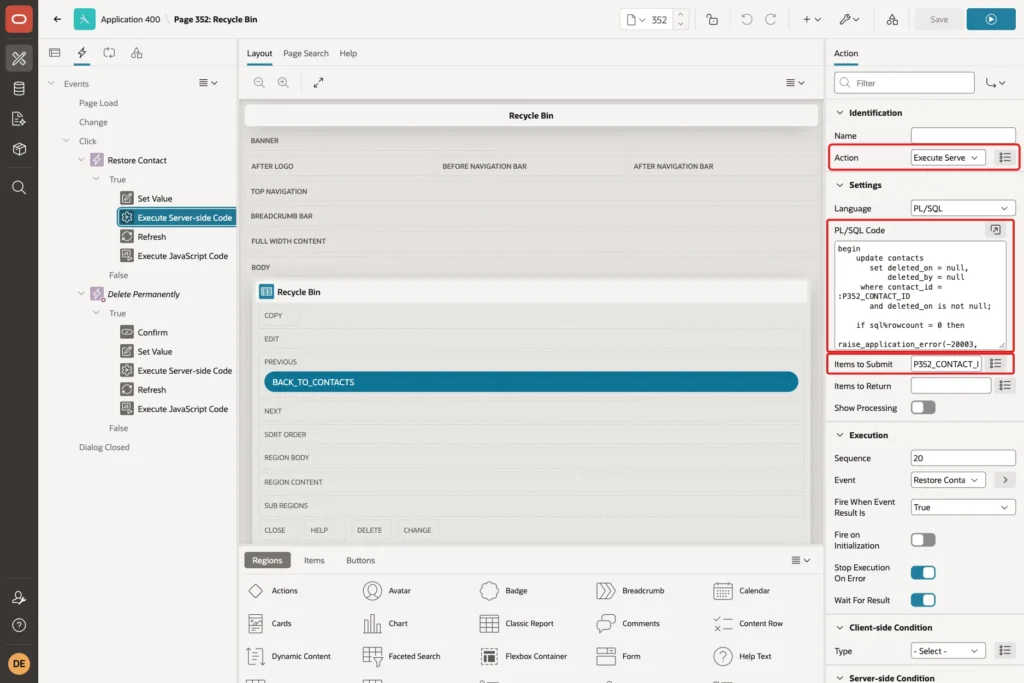
The WHERE clause only touches rows that are in the bin. The DUP_VAL_ON_INDEX handler turns a clash with the active-email index into a readable message.
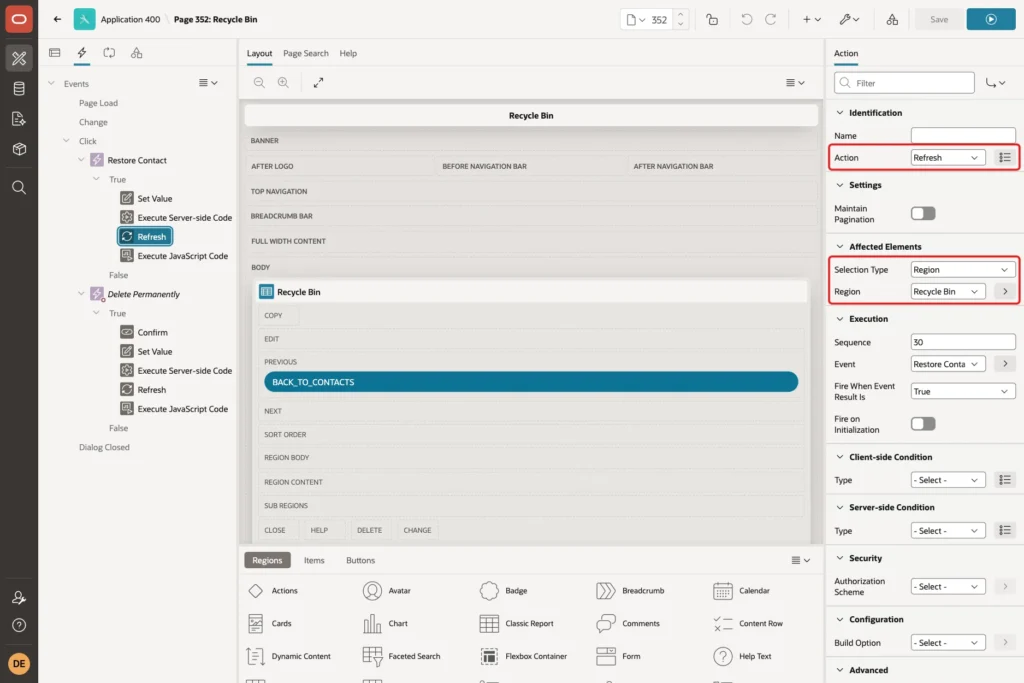
Add a third action, Refresh, with Affected Elements set to the Recycle Bin region:
Add a fourth action, Execute JavaScript Code, with this code:
Example:
apex.message.showPageSuccess("Contact restored.");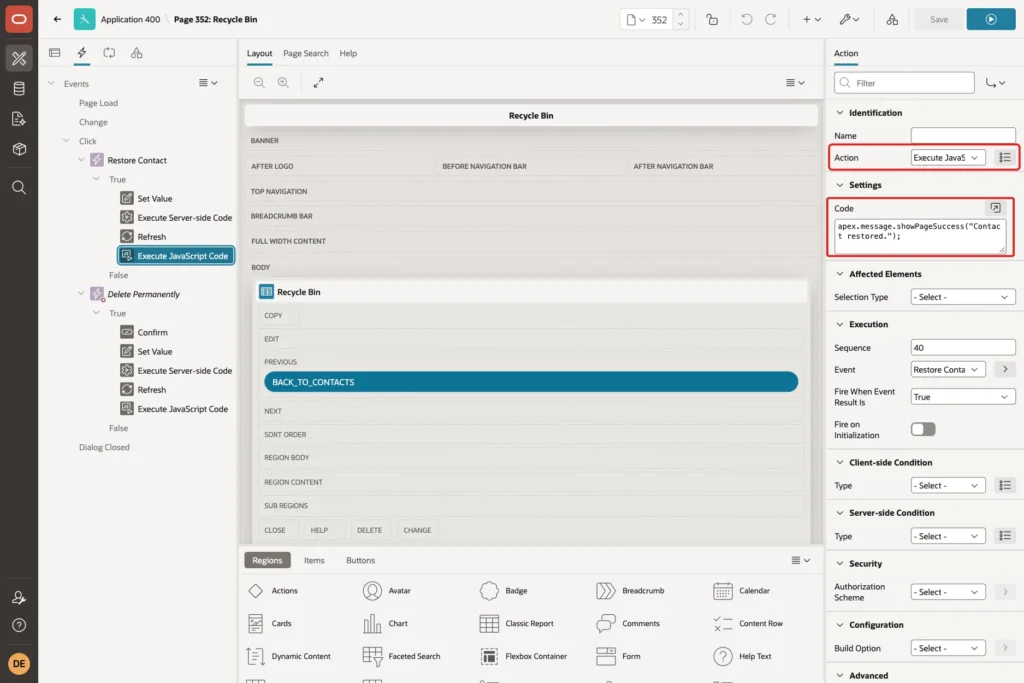
If the server-side code raises an error, APEX stops the remaining actions, so the success message only appears after a real restore.
Step 8: Add the Delete Permanently Dynamic Action
Create a second Click dynamic action named Delete Permanently, with Selection Type jQuery Selector and jQuery Selector .js-purge. Use the same Event Scope Dynamic and Static Container body as in Step 7:
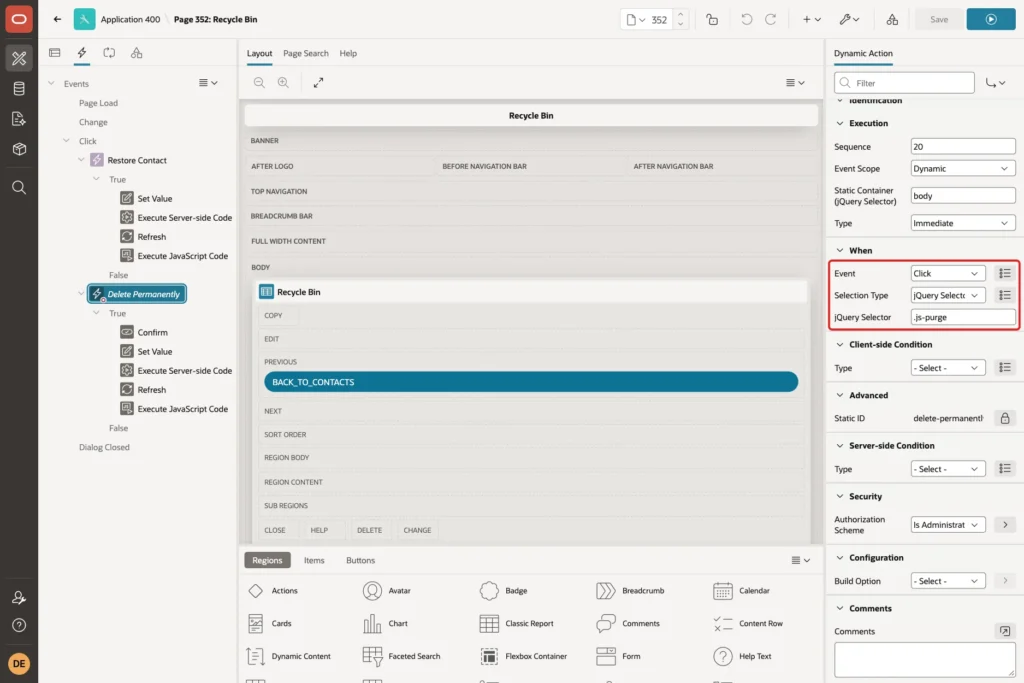
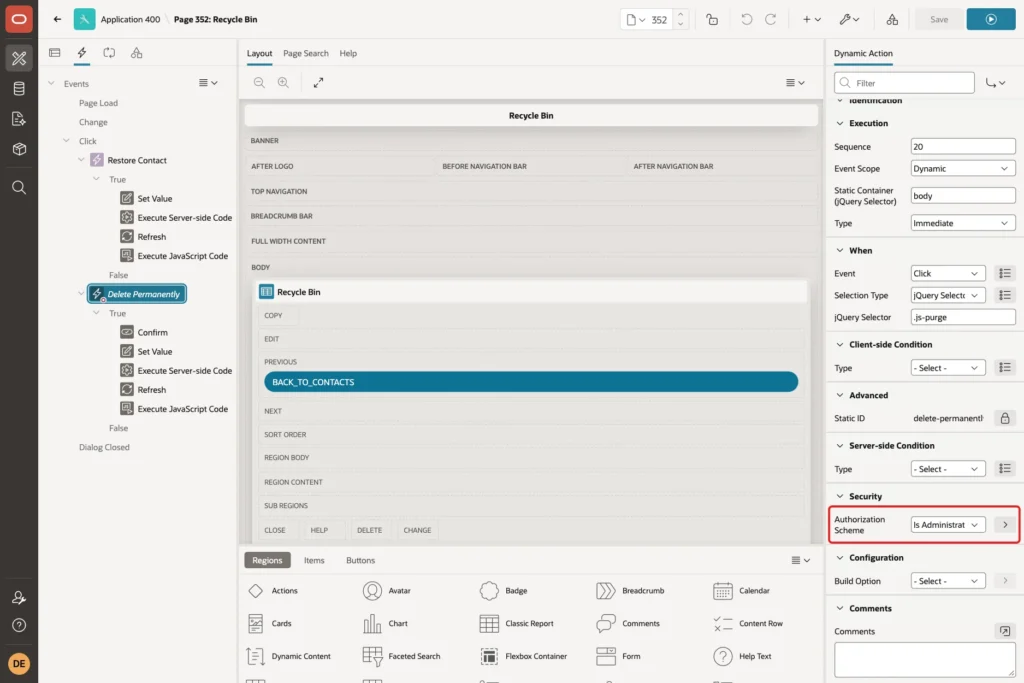
Under Security, set Authorization Scheme to Is Administrator. APEX then does not render this dynamic action for other users. In a test as an editor, a forged js-purge button added in the browser did nothing at all:
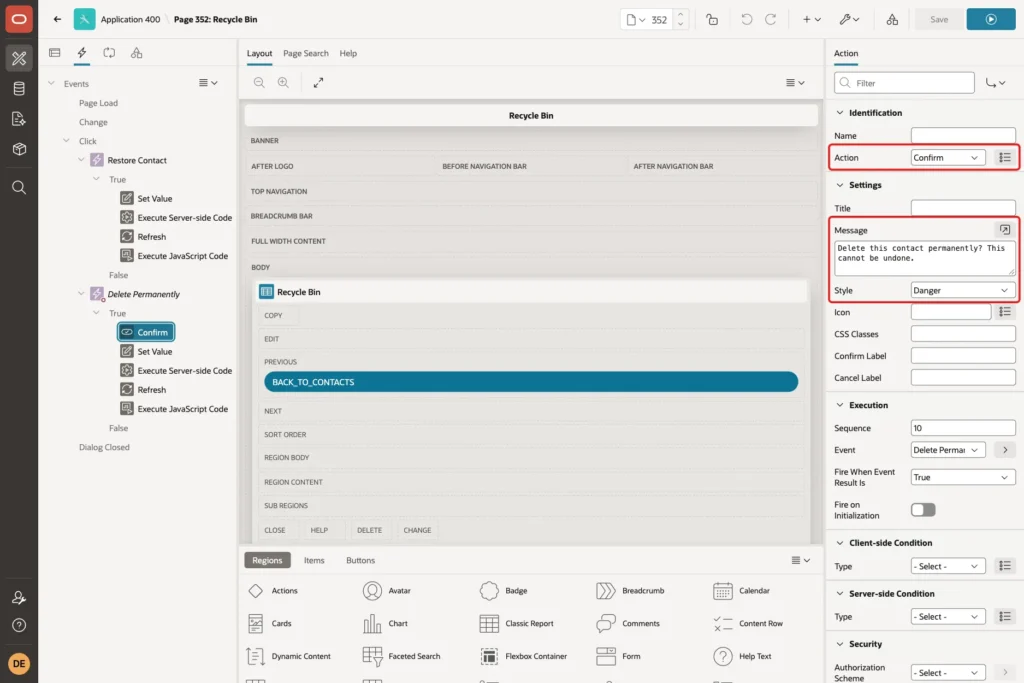
The first True action is a Confirm. Set Message to "Delete this contact permanently? This cannot be undone." and Style to Danger:
Then add the same Set Value action as in Step 7, and an Execute Server-side Code action with Items to Submit P352_CONTACT_ID and this code:
Example:
delete from contacts
 where contact_id = :P352_CONTACT_ID
   and deleted_on is not null;

if sql%rowcount = 0 then
    raise_application_error(-20003,
        'This contact is not in the Recycle Bin.');
end if;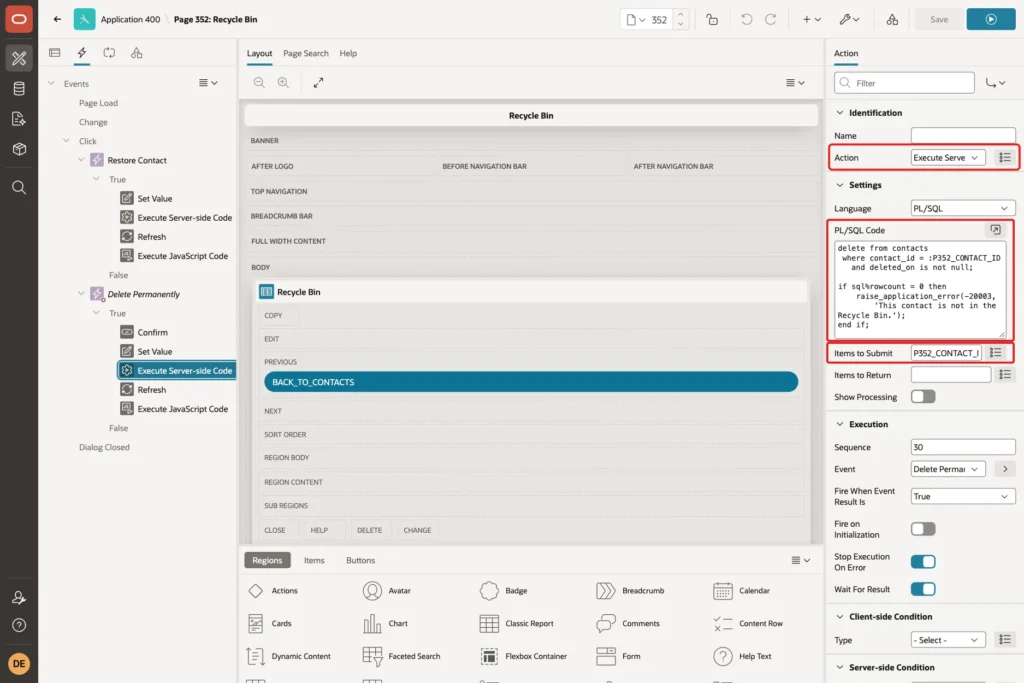
Finish with a Refresh action on the Recycle Bin region and an Execute JavaScript Code action with apex.message.showPageSuccess("Contact deleted permanently."). Save the page.
Step 9: Test the Recycle Bin
Run page 350 and click the Recycle Bin button:
The bin lists Omar Haddad from Step 5 and the three sample rows. Omar Haddad has 30 days left. The rows deleted 40 and 45 days ago show 0, because the purge job has not run yet:
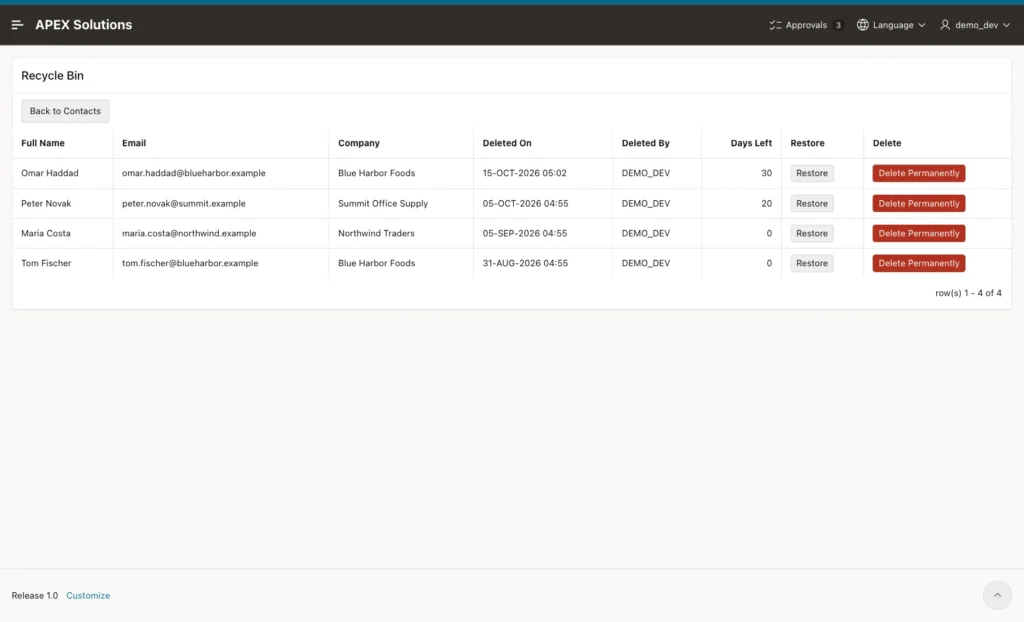
Click Restore in the row of Omar Haddad. The row leaves the bin, the message "Contact restored." appears, and Omar Haddad is back in the contacts report.
Now click Delete Permanently in the row of Peter Novak. The danger confirmation appears:
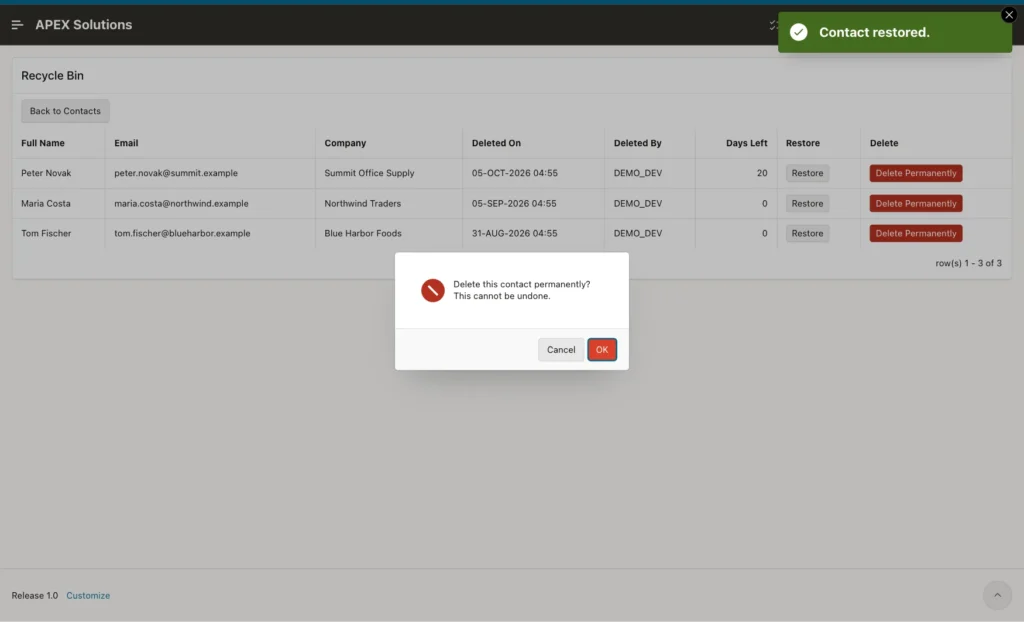
Click OK. Peter Novak is removed from the bin and from the CONTACTS table.
Next, sign in as a user with the Editor role. The page opens, but the Delete column is missing, so this user can only restore:
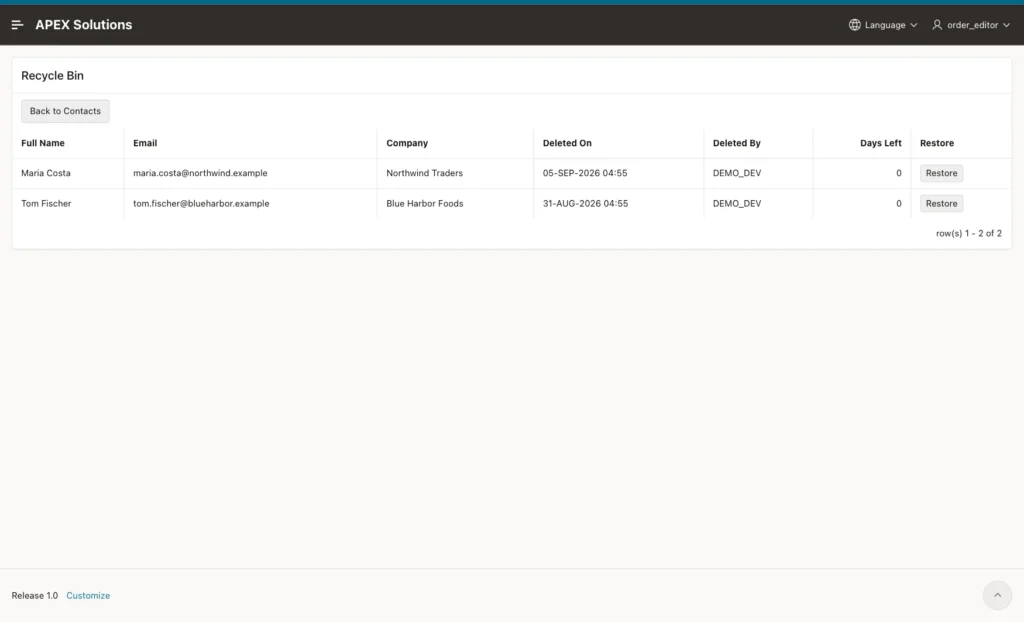
A user with the Reader role does not see the Recycle Bin button on page 350. Opening the page URL directly shows "You are not allowed to change this data. Access denied by Page security check".
The server-side code is protected as well. In a test, a forged js-purge button with the ID of the active contact Anna Keller was added to the page in the browser. Clicking it and confirming showed this error, and Anna Keller stayed in the table:
Output:
Ajax call returned server error ORA-20003: This contact is not in the Recycle Bin. for Execute Server-Side Code.
Now test the email rule. Maria Costa is in the bin. Create a new contact with the same email address on page 350:
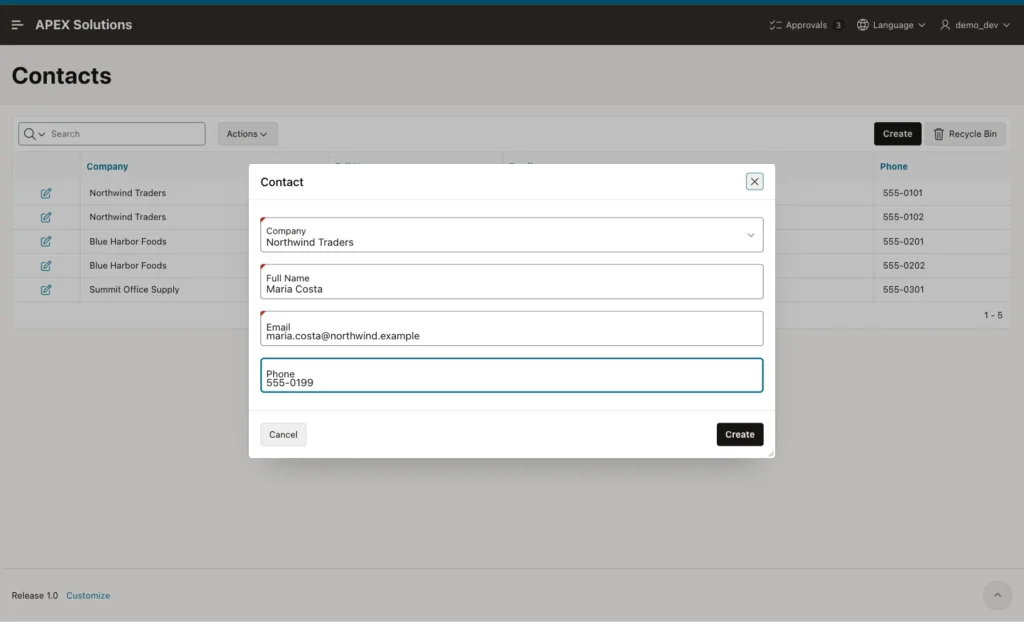
The save works, because the deleted row is not part of the active-email index. A second active contact with the same email is still rejected, in any letter case:
Example:
insert into contacts (company_id, full_name, email)
values (1, 'Anna Duplicate', 'ANNA.KELLER@northwind.example');
Output:
Error starting at line : 1 File @ b37/02-unique.sql
In command -
insert into contacts (company_id, full_name, email)
values (1, 'Anna Duplicate', 'ANNA.KELLER@northwind.example')
Error report -
ORA-00001: unique constraint (APXSOL.CONTACTS_ACTIVE_EMAIL_UK) violated on table
APXSOL.CONTACTS columns (SYS_NC00008$)
ORA-03301: (ORA-00001 details) row with column values
(SYS_NC00008$:'anna.keller@northwind.example') already exists
Help: https://docs.oracle.com/error-help/db/ora-00001/
Back in the bin, click Restore for the old Maria Costa row. The restore would create a second active contact with that email, so it fails with the message from Step 7:
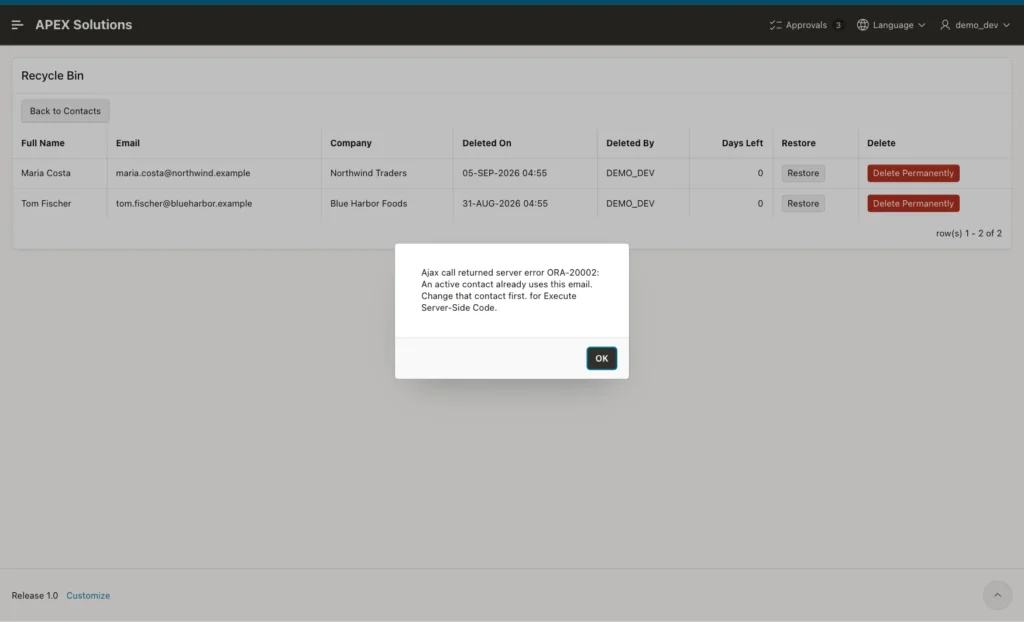
APEX wraps errors from Execute Server-side Code in the text "Ajax call returned server error ... for Execute Server-Side Code.", so the ORA number stays visible.
Step 10: Purge Old Rows with an Automation
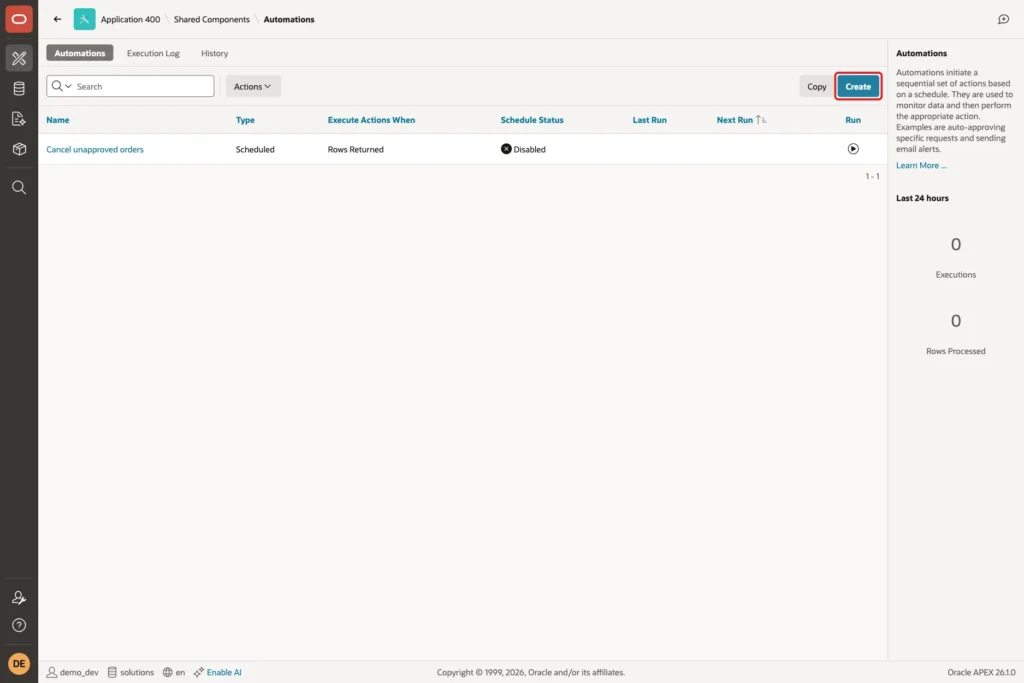
Rows should not stay in the bin forever. An automation can delete rows older than 30 days every night. Go to Shared Components, Automations, and click Create:
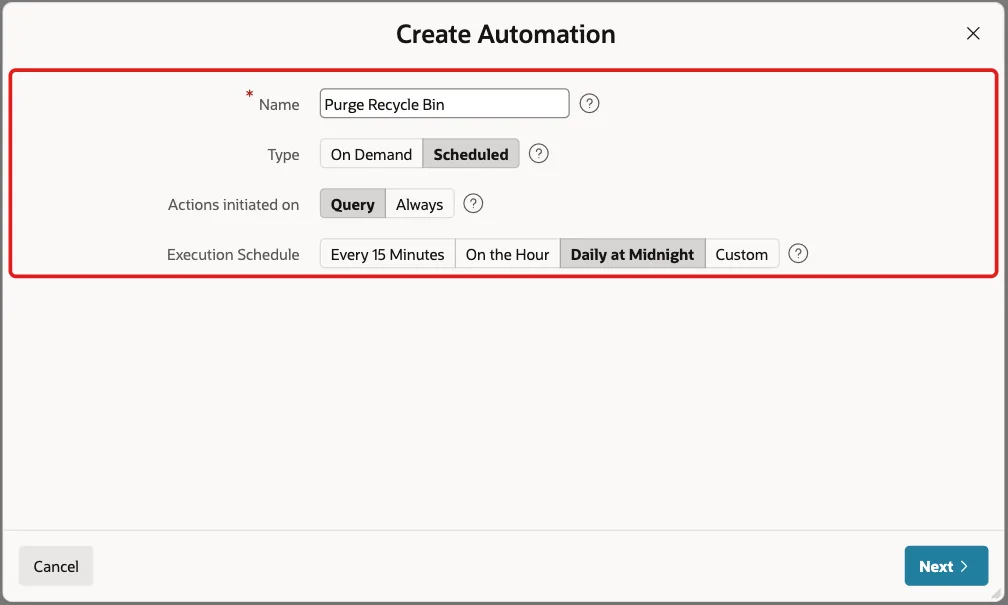
Enter Name Purge Recycle Bin, keep Type Scheduled and Actions initiated on Query, set Execution Schedule to Daily at Midnight, and click Next:
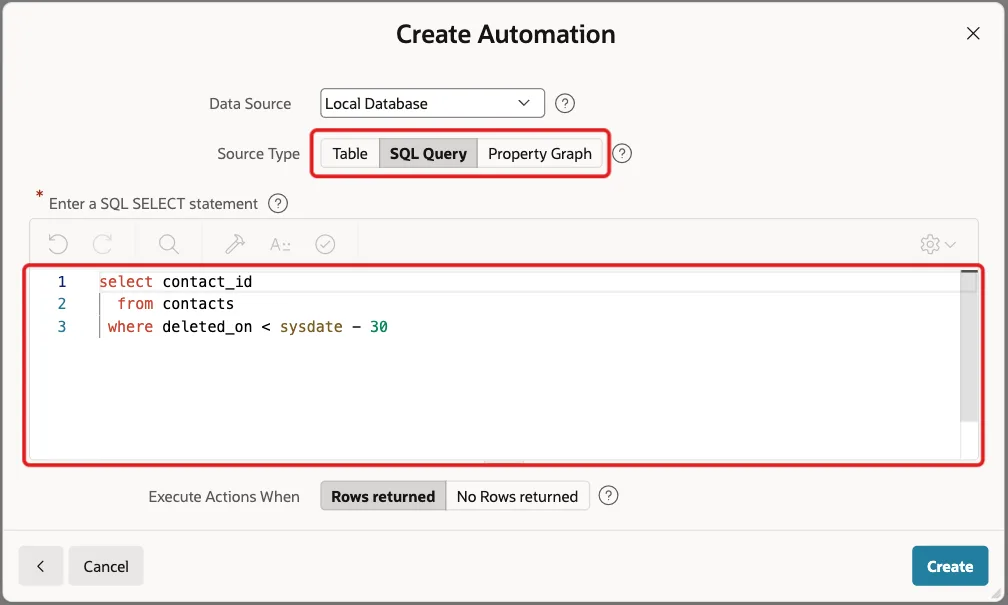
Set Source Type to SQL Query and enter the query that finds expired rows. Keep Execute Actions When Rows returned and click Create:
Example:
select contact_id
  from contacts
 where deleted_on < sysdate - 30
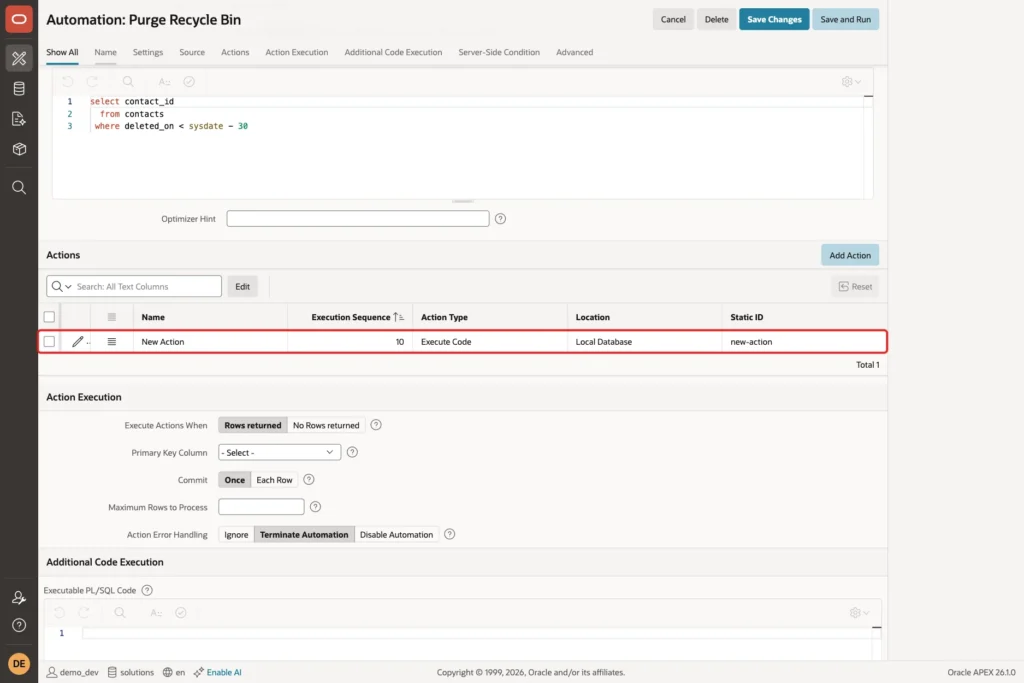
APEX creates the automation in the Disabled state with a placeholder action named New Action. In the Actions section, click the edit icon of that action:
Set Name to Delete expired contact and enter this Code:
Example:
delete from contacts
 where contact_id = :CONTACT_ID
   and deleted_on < sysdate - 30;

apex_automation.log_info('Purged contact ' || :CONTACT_ID);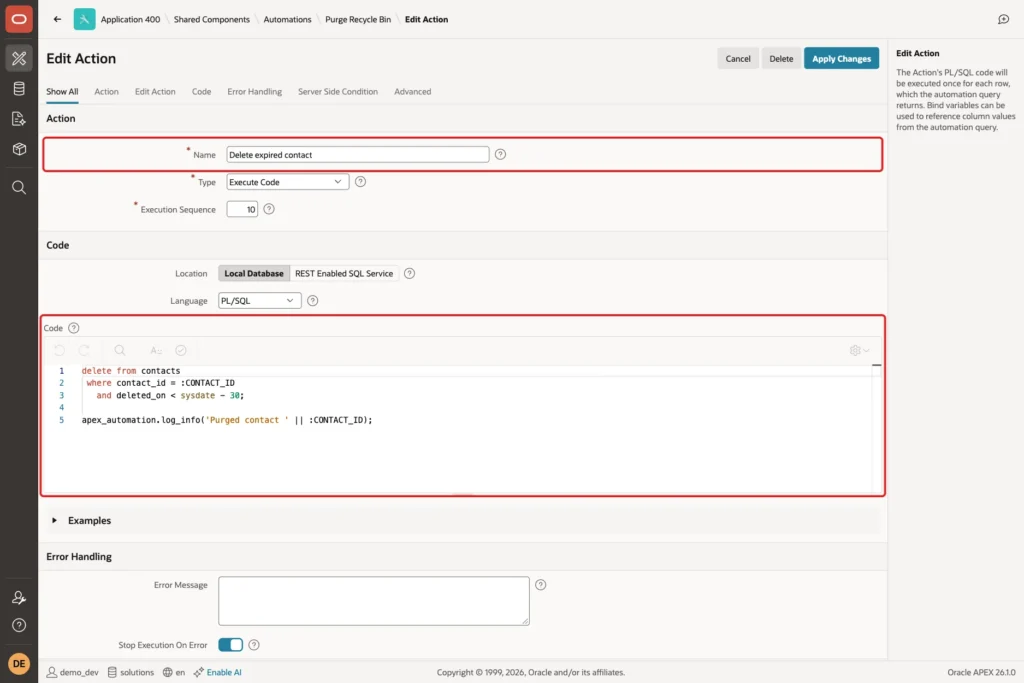
:CONTACT_ID is the column from the automation query. The second condition on DELETED_ON skips a row that someone restored after the query ran. Click Apply Changes.
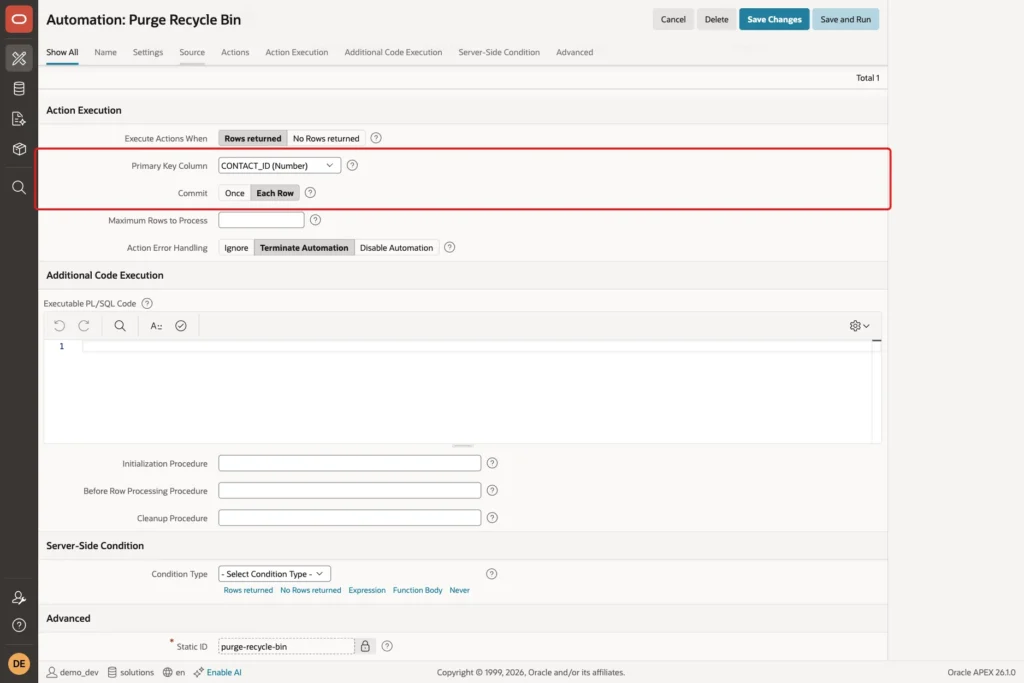
Back on the automation, go to Action Execution. Set Primary Key Column to CONTACT_ID and Commit to Each Row, so one failing row does not undo the rows already purged:
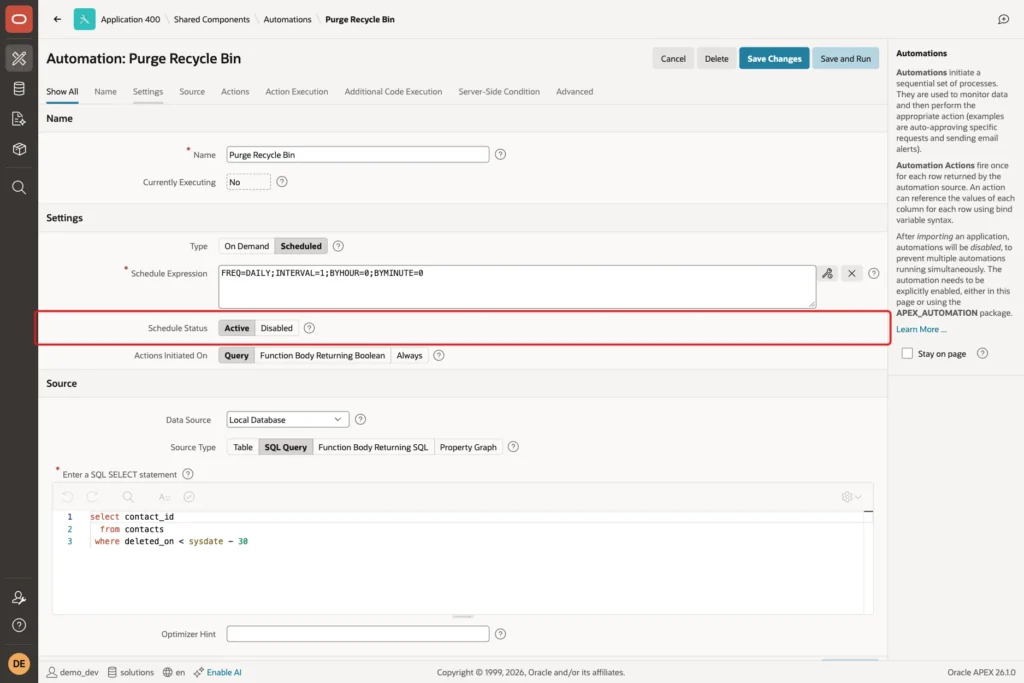
Under Settings, set Schedule Status to Active:
To test it now instead of waiting for midnight, click Save and Run:
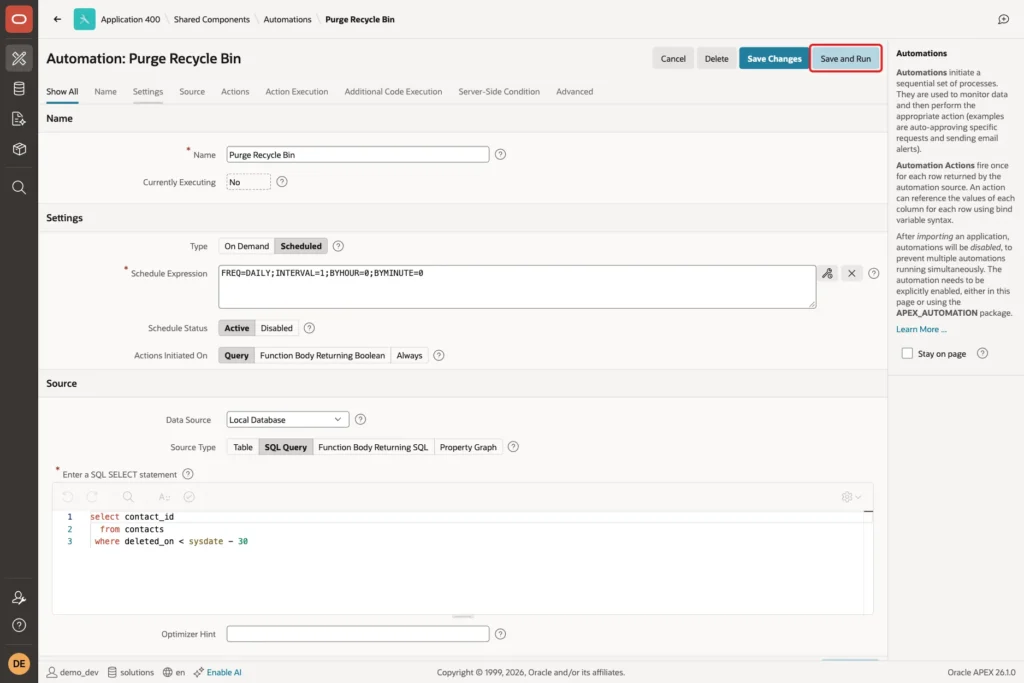
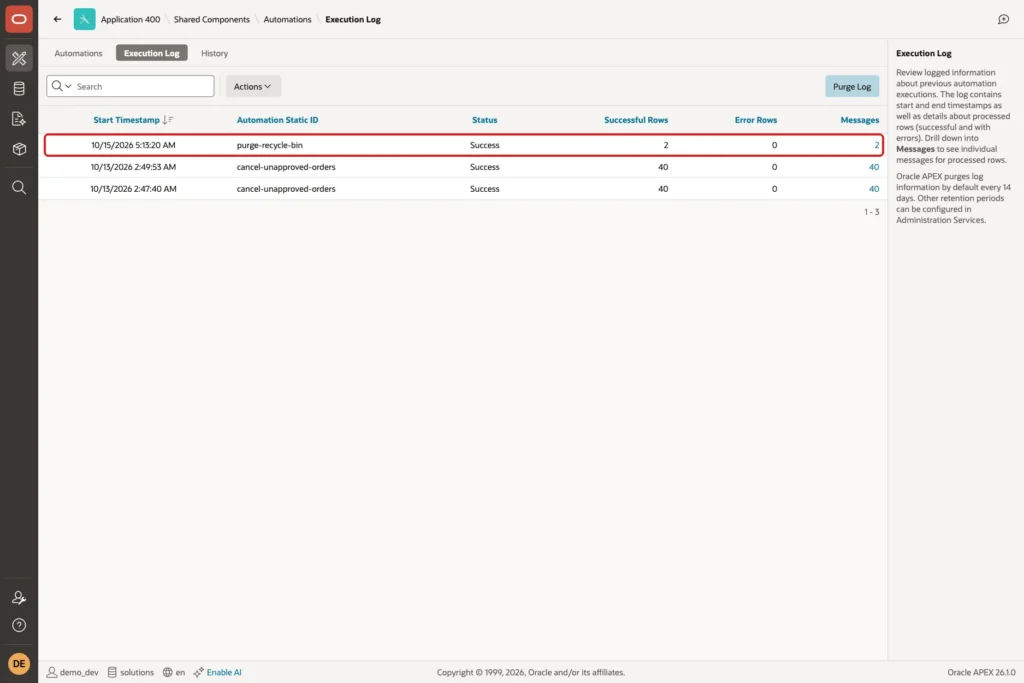
APEX reports "Changes applied. Automation Execution initiated." and runs it in the background. Open the Execution Log tab after a few seconds. The run is Successful with 2 rows, the contacts deleted 40 and 45 days ago:
Check the run and the messages in SQL as well:
Example:
set pages 100 lines 200
column automation_static_id format a20
column message format a30
column pk_value format a8
column message_type format a12
select l.automation_static_id, l.status, l.successful_row_count, l.error_row_count
  from apex_automation_log l
 where l.application_id = 400
   and l.automation_static_id = 'purge-recycle-bin'
 order by l.start_timestamp;

select m.message_type, m.pk_value, m.message
  from apex_automation_msg_log m
 where m.automation_static_id = 'purge-recycle-bin'
 order by m.message_timestamp;

select contact_id, full_name, deleted_on
  from contacts
 order by contact_id;
Output:
AUTOMATION_STATIC_ID    STATUS           SUCCESSFUL_ROW_COUNT    ERROR_ROW_COUNT
_______________________ _____________ _______________________ __________________
purge-recycle-bin       Successful                          2                  0

MESSAGE_TYPE    PK_VALUE    MESSAGE
_______________ ___________ ___________________
Info            8           Purged contact 8
Info            7           Purged contact 7

   CONTACT_ID FULL_NAME      DELETED_ON
_____________ ______________ _____________
            1 Anna Keller
            2 Ravi Menon
            3 Lena Brooks
            4 Omar Haddad
            5 Grace Lin
           21 Maria Costa

6 rows selected.
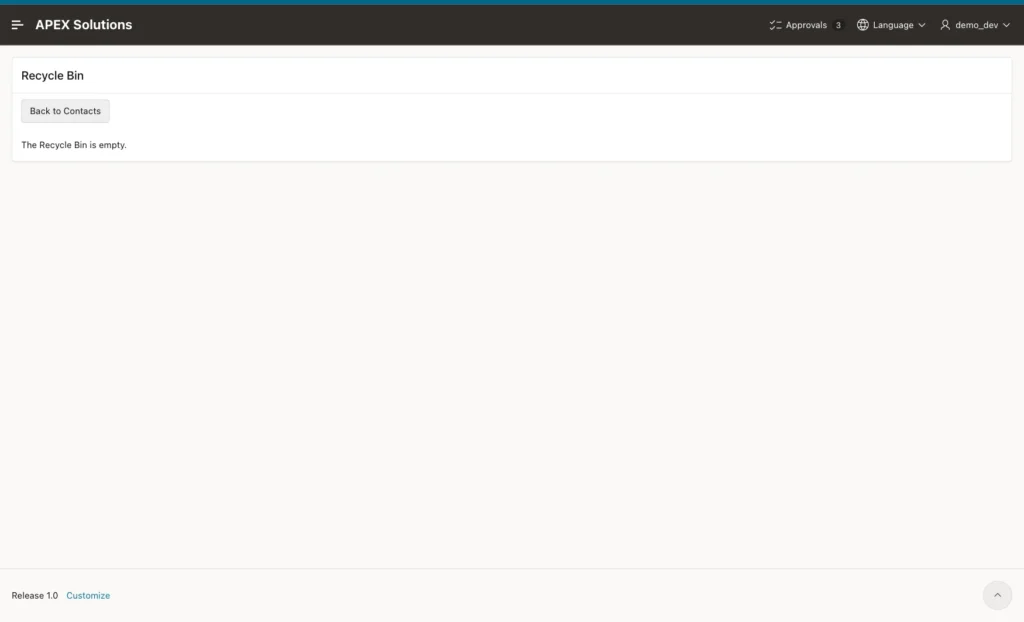
Maria Costa with ID 21 is the new contact from Step 9. The old Maria Costa row (ID 7) and Tom Fischer (ID 8) were purged. The Recycle Bin page now shows the empty message:
Finally, list every contact with its state:
Example:
set pages 100 lines 200
column full_name format a14
column email format a32
select full_name,
       email,
       case when deleted_on is null then 'ACTIVE' else 'IN BIN' end as state
  from contacts
 order by full_name;
Output:
FULL_NAME      EMAIL                             STATE
______________ _________________________________ _________
Anna Keller    anna.keller@northwind.example     ACTIVE
Grace Lin      grace.lin@summit.example          ACTIVE
Lena Brooks    lena.brooks@blueharbor.example    ACTIVE
Maria Costa    maria.costa@northwind.example     ACTIVE
Omar Haddad    omar.haddad@blueharbor.example    ACTIVE
Ravi Menon     ravi.menon@northwind.example      ACTIVE

6 rows selected.
Things to Know
- Every query of active data must exclude deleted rows. Using the view ACTIVE_CONTACTS for reports, forms and lists of values keeps this in one place.
- The soft delete lives in the APEX page. A DELETE statement in SQL Developer or another program still removes the row for good. Grant other users access to the view instead of the table if that matters.
- SYSDATE is the database server time. In this example the server runs on UTC, so Deleted On shows UTC times. Convert the value to the user's time zone in the report if users need local times.
- Unique rules need care. A plain unique constraint also counts deleted rows; a function-based index on active rows, as in Step 1, does not.
- Child rows need a decision. If other tables reference the soft-deleted row, either hide them too or block the move while children exist.
- APEX disables automations when you import the application. After deploying to another environment, set Schedule Status to Active again.
Related Guides
- How to Run a Scheduled Task with Automations in Oracle APEX
- How to Implement a Soft Delete in Oracle Forms
Conclusion
A recycle bin in Oracle APEX needs two columns, DELETED_ON and DELETED_BY, and a view of the active rows. The form's Delete button runs an UPDATE instead of a DELETE, because a server-side condition stops the form's row processing for the DELETE request.
A classic report on deleted rows with two dynamic actions handles Restore and Delete Permanently, guarded by authorization schemes and WHERE clauses. A nightly automation removes rows that stayed in the bin for more than 30 days.
