
Oracle APEX 26.1 can turn a few sentences describing an application into a filled-in Create App wizard: pages, names, and features proposed by an AI assistant, ready for you to review and change before anything is built. It saves the clicks of the wizard; deciding what the application should be stays your job.
This guide describes a knowledge base administration app to the APEX Assistant, refines the proposal in conversation, reviews the blueprint it hands to the wizard, corrects a page with an AI-written SQL query, and creates the application.
Code for This Guide
The application this guide creates, Atlas KB Admin (application 250), is apex/f250.sql in the Oracle AI code repository on GitHub.
These examples come from AI Applications with Oracle Database 26ai and APEX 26.1, a book of 237 tested examples of AI in Oracle Database and APEX.
It is built on the help desk tables of the sample schema from setup/atlas. The builder uses the workspace AI service marked Used by App Builder, as described in how to use the APEX Assistant in SQL Commands.
Describe the Application
In App Builder, choose Create, then Create App Using Generative AI. The APEX Assistant dialog asks you to describe the app, including the data or tables it will use. It builds pages on existing tables and views; it does not create tables.
The description:
An application for the support team to manage the knowledge base and to see the workload:
a report and a form for the table KB_ARTICLES, an interactive report of the TICKETS with
their CUSTOMERS, and a dashboard with tickets by category and by priority.
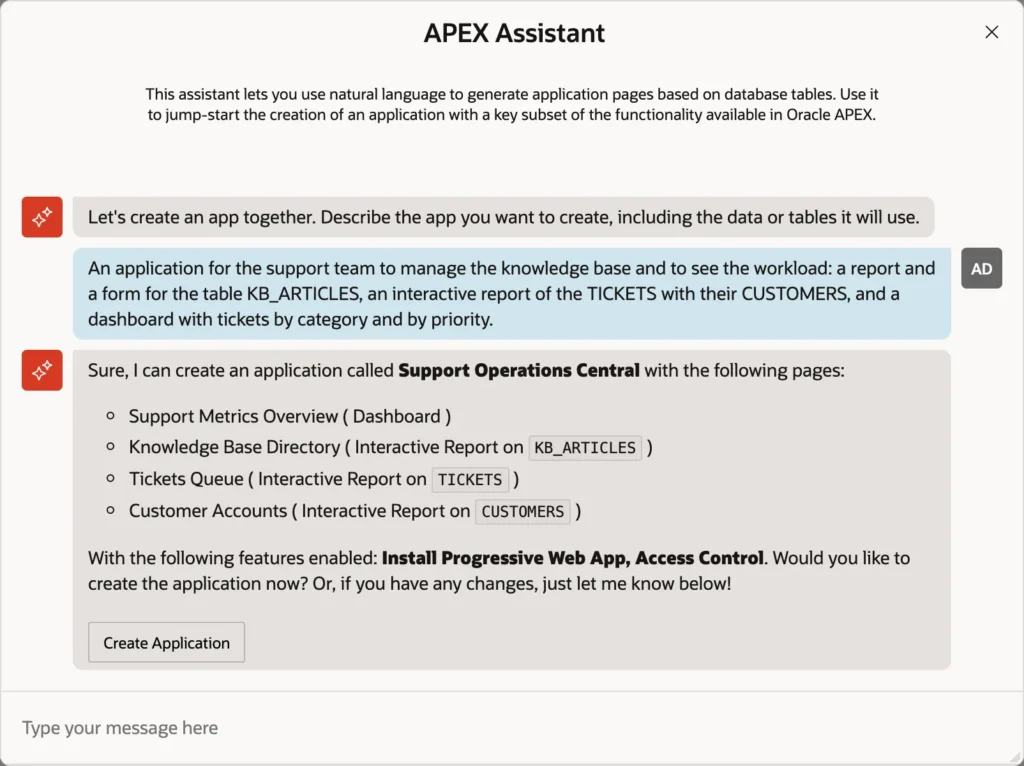
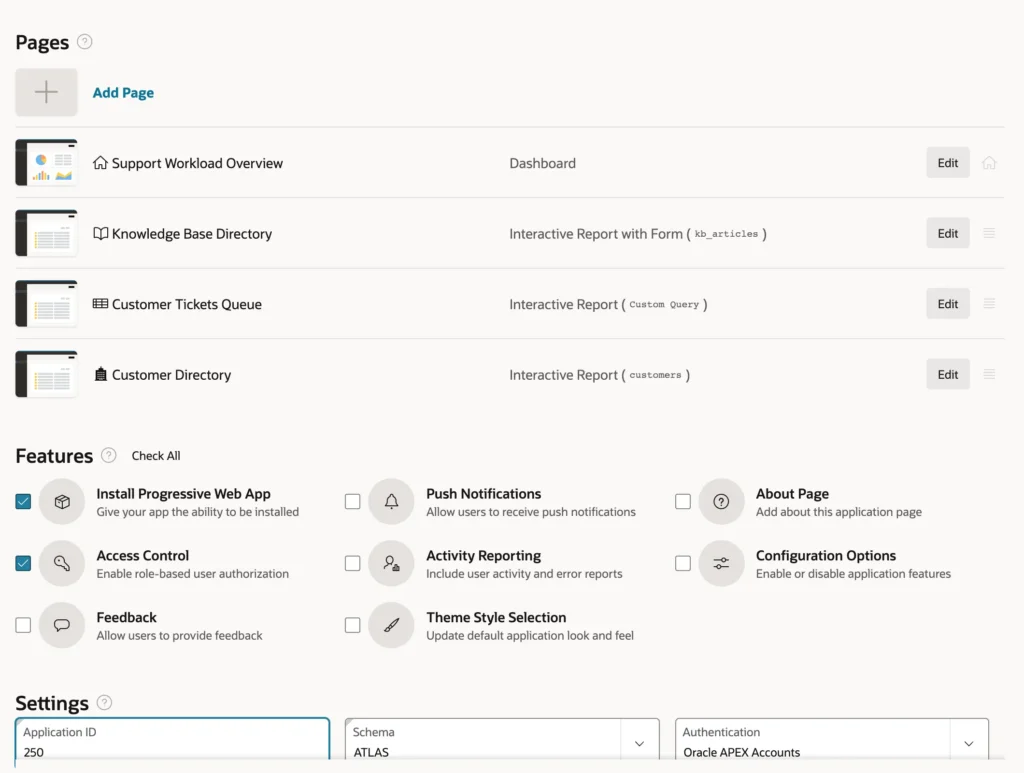
The assistant proposed an application with four pages, a dashboard, interactive reports on KB_ARTICLES and TICKETS, and an interactive report on CUSTOMERS that was not asked for, plus the features Install Progressive Web App and Access Control.
Refine the Proposal
A second message refines it: "Call it Atlas KB Admin. Show the company of the customer in the tickets report, and leave out push notifications."
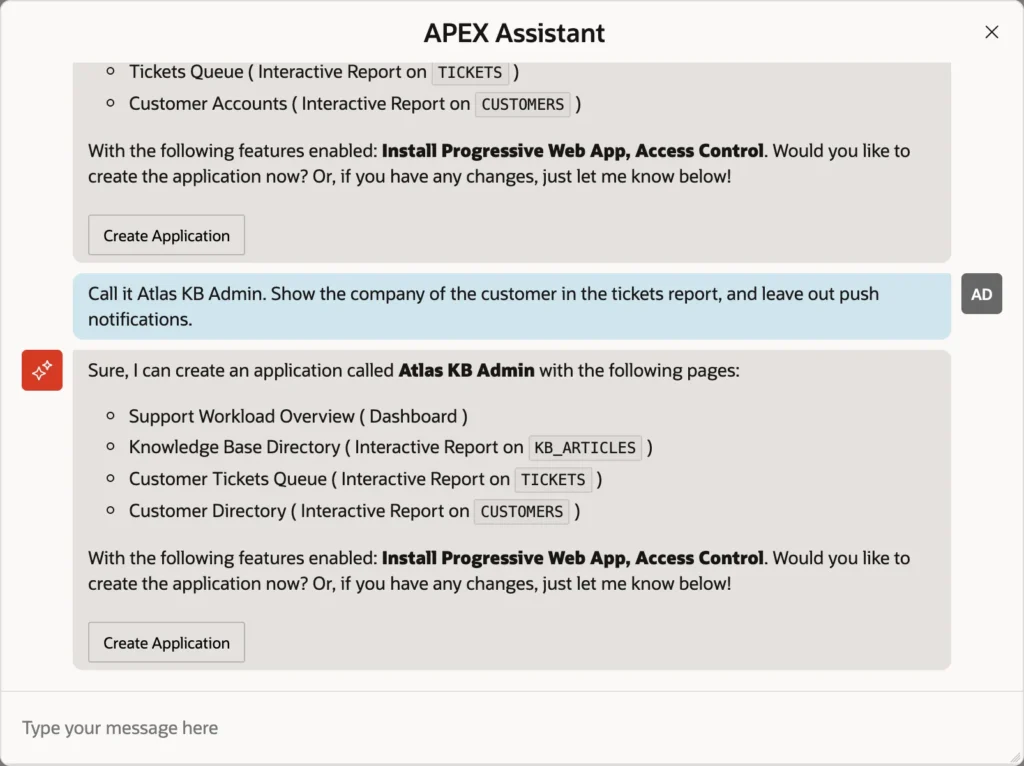
Each answer took about ten seconds. Run the same description twice and the names, and even the pages, differ: the model writes a new proposal each time, so read each one.
Review the Blueprint in the Wizard
Choose Create Application in the conversation. The assistant does not create the application: it fills in the ordinary Create App wizard with what it proposed, as a blueprint.
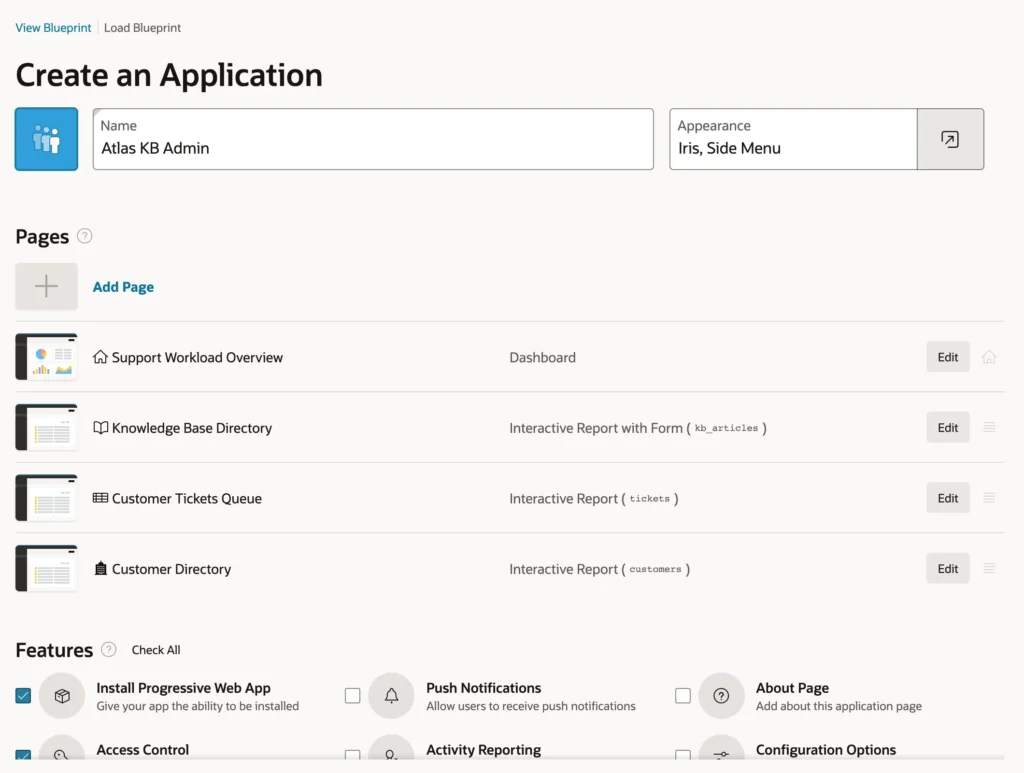
Every choice can now be reviewed and changed. The review finds three things:
| Proposed | Finding |
|---|---|
| Knowledge Base Directory, Interactive Report with Form on kb_articles | The report and form that were asked for, as one page pair. Keep it. |
| Customer Tickets Queue, Interactive Report on the table tickets | It cannot show the company: a report on one table has only that table's columns. The assistant met the request with a name and a separate customers page. |
| Access Control | Not asked for, but roles are useful for a support team's app. Keep it. |
View Blueprint shows the whole proposal as JSON, the form in which the assistant passed it to the wizard.
Correct a Page with the Assistant
The tickets page needs a query that joins the customers. Choose Edit on the page. In the Add Report Page dialog, choose SQL Query instead of Table or View.
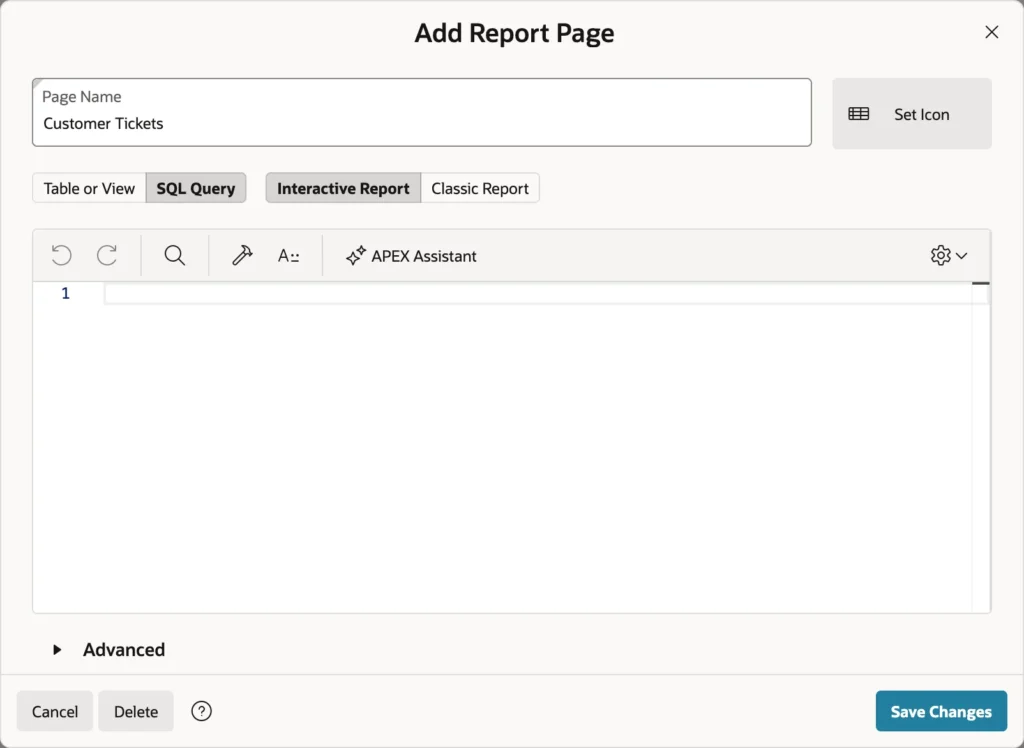
The SQL editor has its own APEX Assistant. In Query Builder mode, ask: "All tickets with the company of their customer: ticket id, subject, company, status, priority, category, and created at, newest first." Choose Insert.
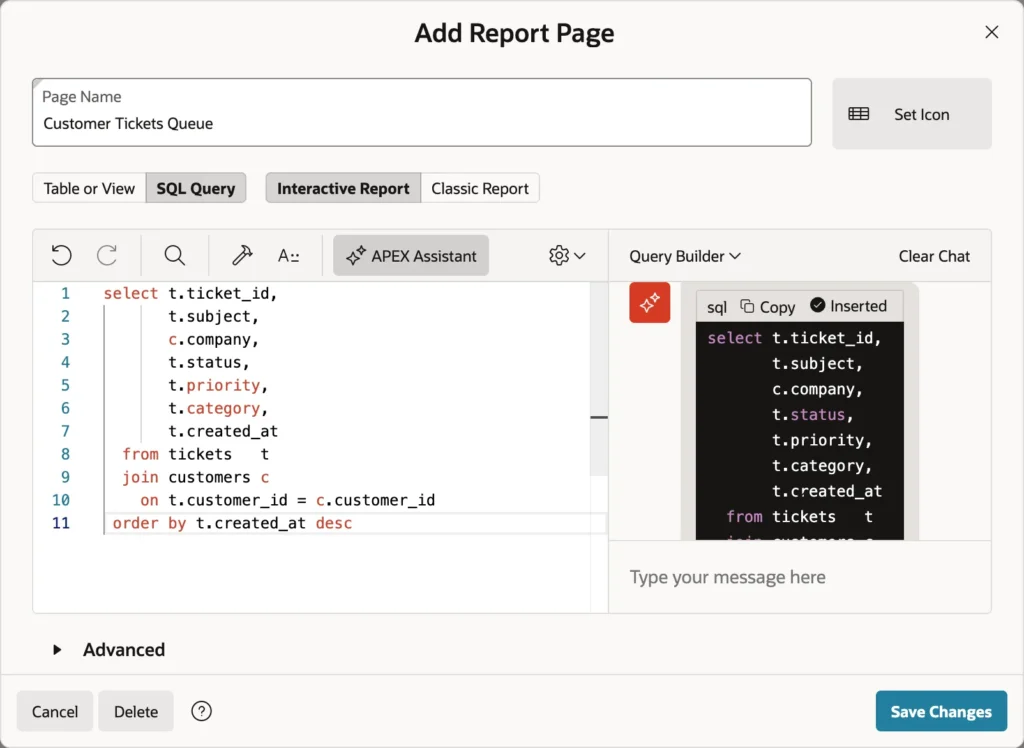
Review it as you would a colleague's: the join, the columns, and no semicolon at the end, which a region's query must not have. Choose Save Changes, and the page now reads Interactive Report (Custom Query).
Create the Application
In Settings, type the Application ID you want, here 250, and choose Create Application.
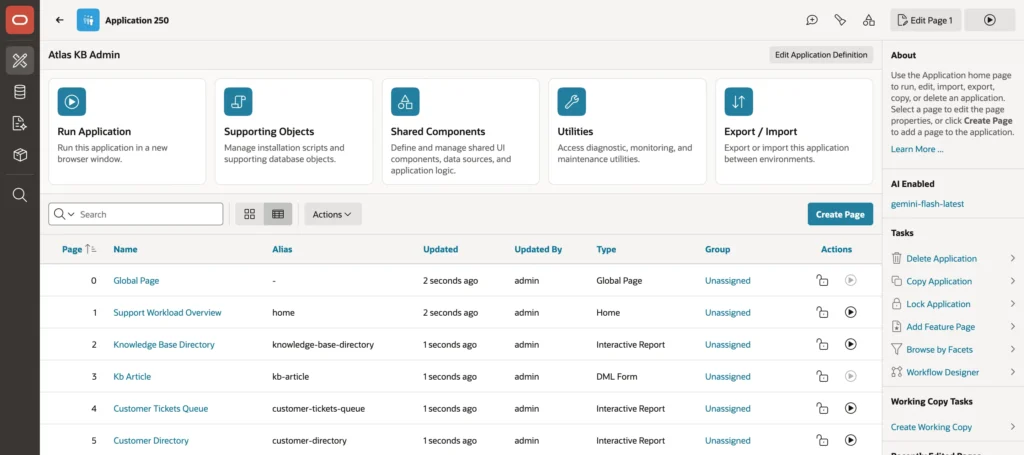
The application has the dashboard with Tickets by Category and Tickets by Priority charts, the knowledge base report and form, the tickets with their companies, the customer directory, and the Access Control administration pages. From a two-sentence description and one correction, it took a few minutes, almost all of it the wizard's work, which the assistant only filled in.
Conclusion
Create App Using Generative AI turns a conversation into a Create App wizard blueprint: pages, names, and features you can review before anything is built. Refine the proposal in conversation, read every page in the wizard, and fix what one table cannot express, such as a report that needs a join, with the APEX Assistant in the page's SQL editor. Expect a different proposal each time, and treat it as a draft you own.
