
Every region so far has read the local database with SQL. Oracle APEX regions can read other things just as easily: a web service on the internet, a table in another database, a file somebody uploads, or a JSON document the database assembles from several tables.
It is all controlled by one property. A region's source Location decides where the data comes from, and the rest of the region behaves identically whatever you choose. This guide covers REST data sources, remote servers and credentials, data load definitions for importing files, and JSON Relational Duality Views.
Every query, trigger, and snippet in this article runs against the Orbit Outfitters sample schema: customers, products, orders, stores, and about 2,300 orders of sample data. Install it once and you can follow along in your own workspace.
git clone https://github.com/devvinish/orb_tables.git
-- then, as your schema:
@orbit/install.sql
| Location | Reads |
|---|---|
| Local Database | Tables, views, and SQL in the application's schema |
| REST Enabled SQL | SQL run in a remote Oracle database through its ORDS service |
| REST Source | A web service, through a REST data source |
| JSON Duality View and JSON Source | JSON documents from Oracle AI Database 26ai |
| Sample Data | Generated rows, for prototypes before the real data exists |
REST Data Sources
A REST data source is a shared component describing a web service: where it lives, how to authenticate, how to page through results, what parameters it takes, and how to turn the JSON or XML it returns into rows and columns. Once defined it can feed reports, grids, cards, charts, maps, forms, and lists of values.
Creating One
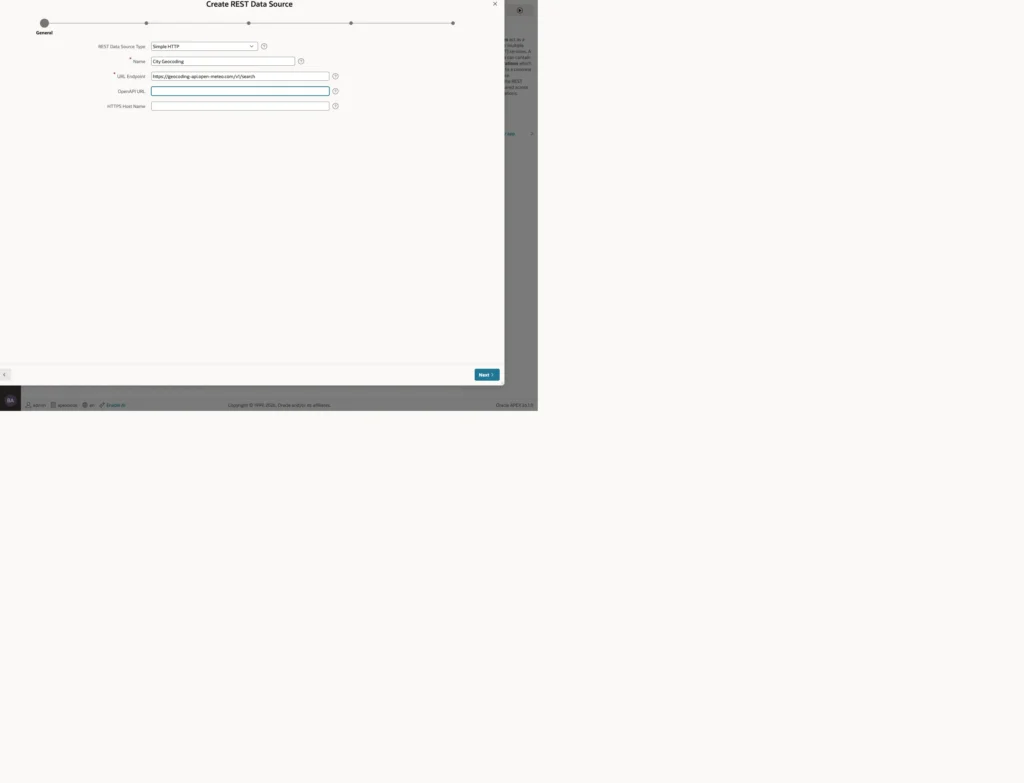
Choose Simple HTTP for any JSON or XML service and give it the endpoint URL. APEX immediately splits that URL into two parts, and the split is more useful than it first appears: the base URL becomes a remote server that other sources on the same host can share, and the rest becomes the service path.
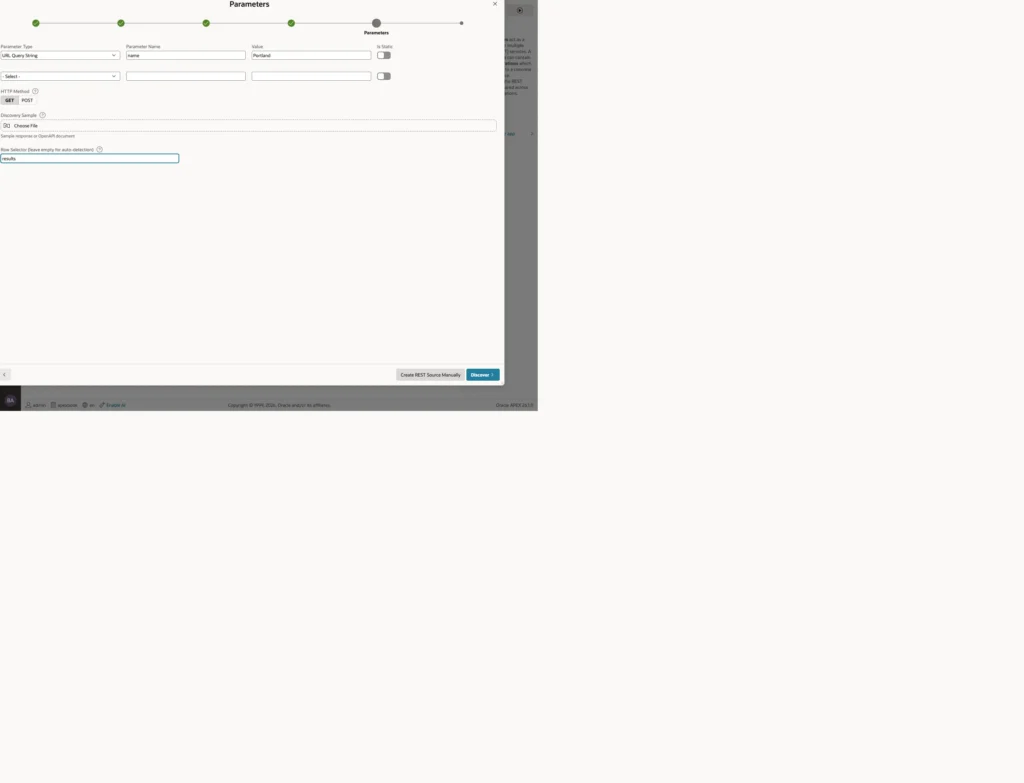
Two settings do the real work here. Parameters define what gets sent, in this case a query string value. The row selector names the array inside the response whose elements become rows, because a service rarely returns a bare array at the top level. Without it, APEX sees one object rather than the list inside it.
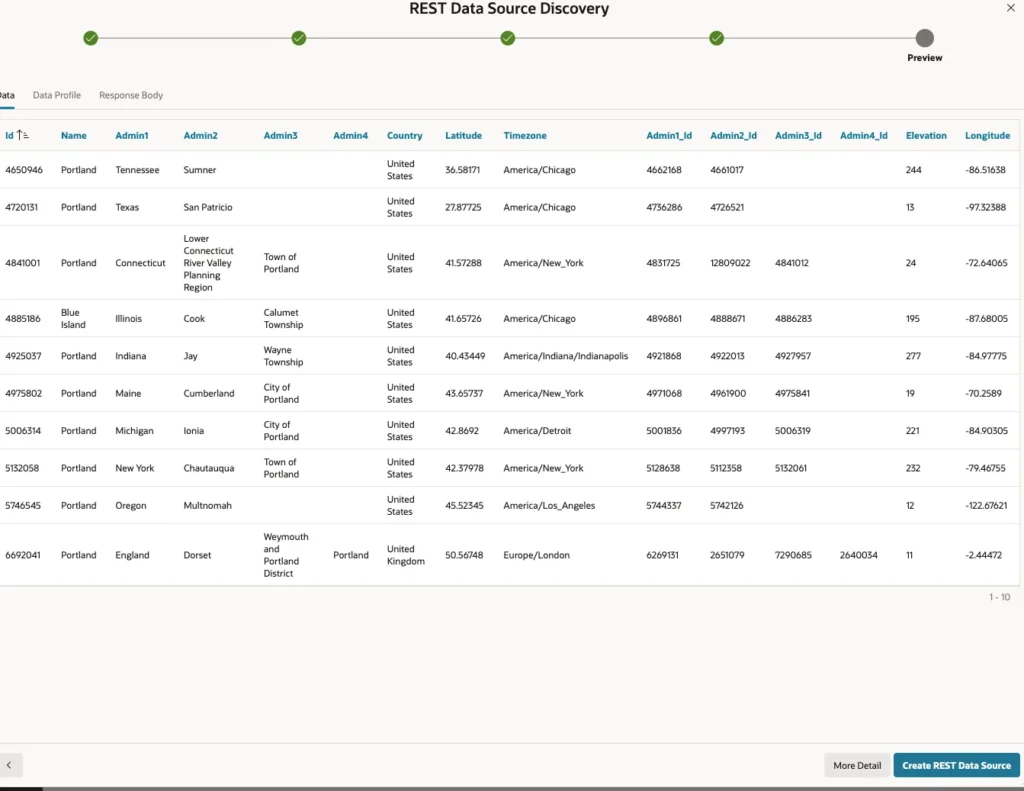
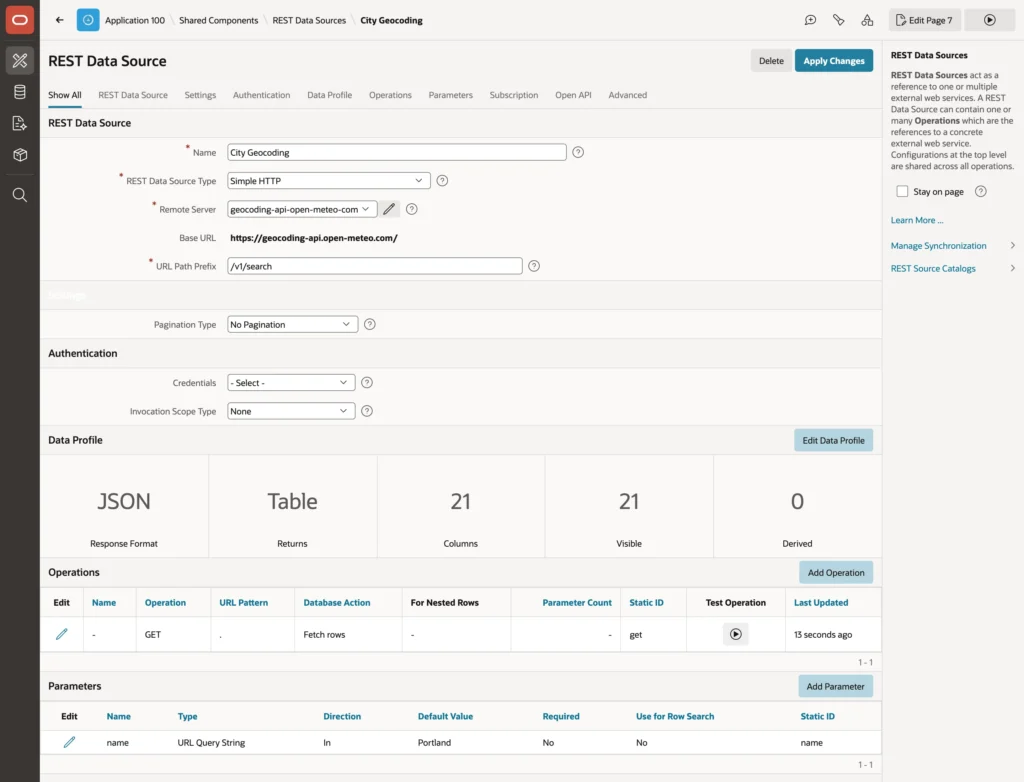
Discovery builds the data profile for you: a column per attribute of the result objects, each with a data type and a selector, which is the JSON path it reads from. You can edit all of it afterwards, which matters when a service returns something APEX guesses wrong.
Using It in a Region
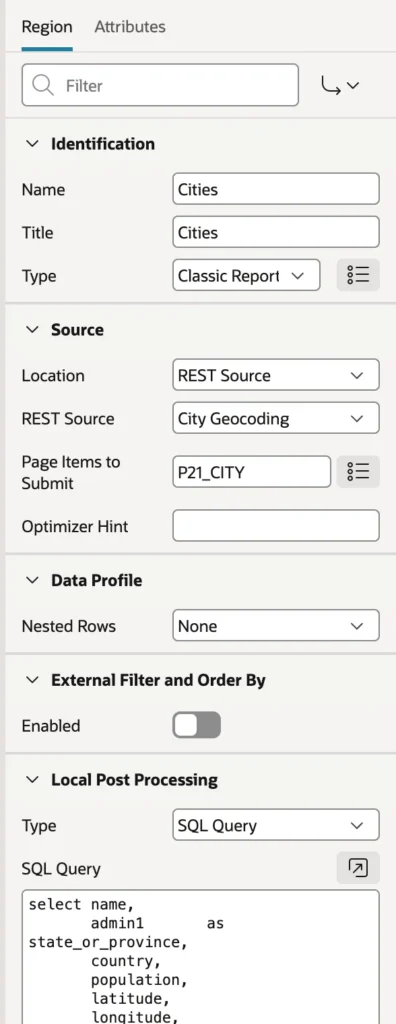
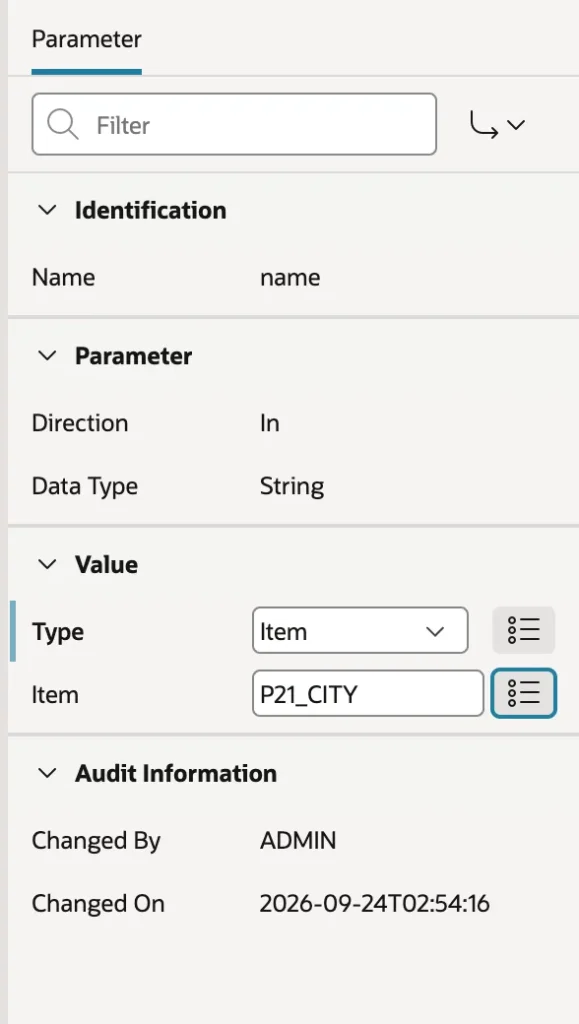
A region on a REST source works like any other: set the location, pick the source, and add the page items it needs to Page Items to Submit. What is different is the Parameters node underneath the region, where each parameter's value can come from a page item, so the user's input becomes part of the outgoing request.
select name,
       admin1       as state_or_province,
       country,
       population,
       latitude,
       longitude,
       timezone
  from #APEX$SOURCE_DATA#
 where country_code in ('US', 'CA')
 order by population desc nulls last
Local post-processing is the feature worth remembering from this whole section. It runs SQL over the rows the service returned, with that placeholder standing for them, so you can filter, sort, rename, and compute columns the service does not offer. A public geocoding service returns every Portland on earth; two lines of post-processing keep the North American ones and sort them by population.
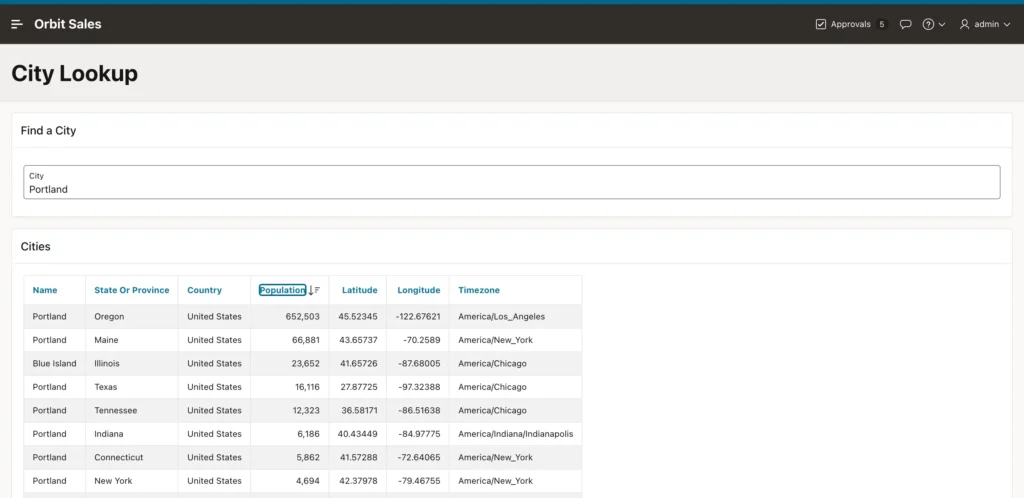
One thing to plan for: every refresh of that region is a live call to the service, which may be slow, rate-limited, or simply down. For data that changes slowly, set the region's server cache, or use REST Data Source Synchronization, which copies the service's rows into a local table on a schedule so your pages read the table instead.
The Other Source Types
Simple HTTP handles any JSON or XML service. The other types understand a specific protocol and handle its paging, filtering, and sorting on the server: Oracle REST Data Services for ORDS-built services including AutoREST tables, OData services, the Oracle Cloud Applications APIs, Oracle Cloud Infrastructure services signed with an OCI credential, and REST-enabled SQL for queries run in a remote database.
Remote Servers and Credentials
A remote server is a base URL shared by several REST data sources, and it exists mainly for one reason: it is the thing that changes between environments. Point the remote server at the test system in your test workspace and at production in production, and every data source using it follows without edits. Remote servers also back REST-enabled SQL, print servers, authentication servers, and AI services.
A credential holds whatever secret a service needs: an API key sent as a header or query parameter, a user name and password for basic authentication, OAuth2 client credentials, or an OCI key. Credentials are stored encrypted in the workspace, never exported with the application, and not visible to developers once saved.
That combination is what keeps keys out of your code and out of your exports, which is the rule from application security applied to integrations. One more setting is worth switching on: Valid for URLs restricts which hosts a credential may be sent to, so a mistyped endpoint cannot hand your API key to somebody else's server.
Data Load Definitions
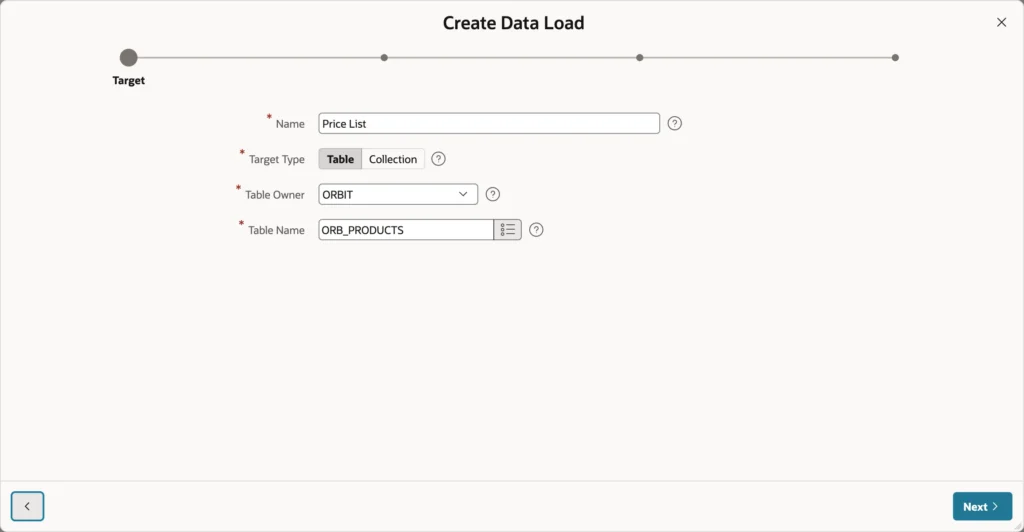
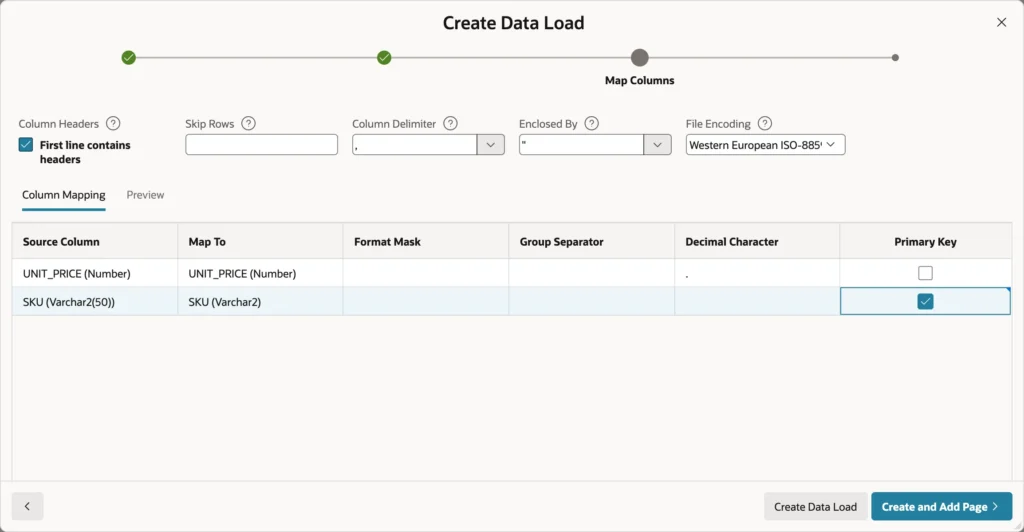
A data load definition describes how a file becomes rows in a table: the target, the mapping from file columns to table columns, the file format, and whether rows are appended, merged, or replaced. The Data Loading page type and process both use it, and it can be run from PL/SQL.
SKU,UNIT_PRICE
FTW-1005,219.99
JKT-1001,224.99
POL-1002,36.99
TNT-1001,249.99
Checking Primary Key on a column is the decision that changes everything downstream. With one defined, the loading method becomes Merge: rows whose key exists are updated and new ones inserted. Append only inserts, and Replace deletes the table's contents first, which is almost never what a product table wants and is worth reading twice before selecting.
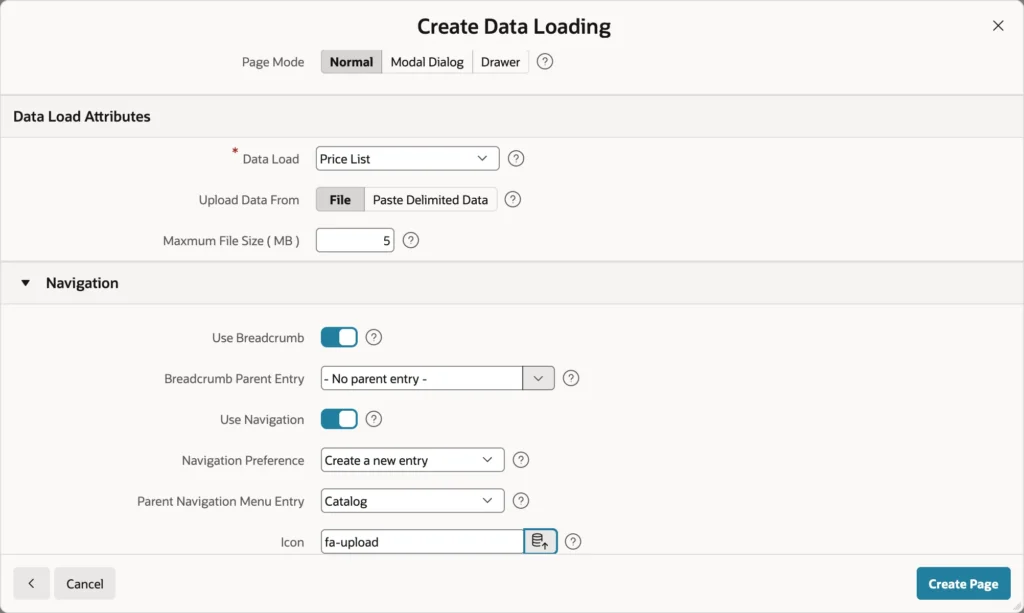
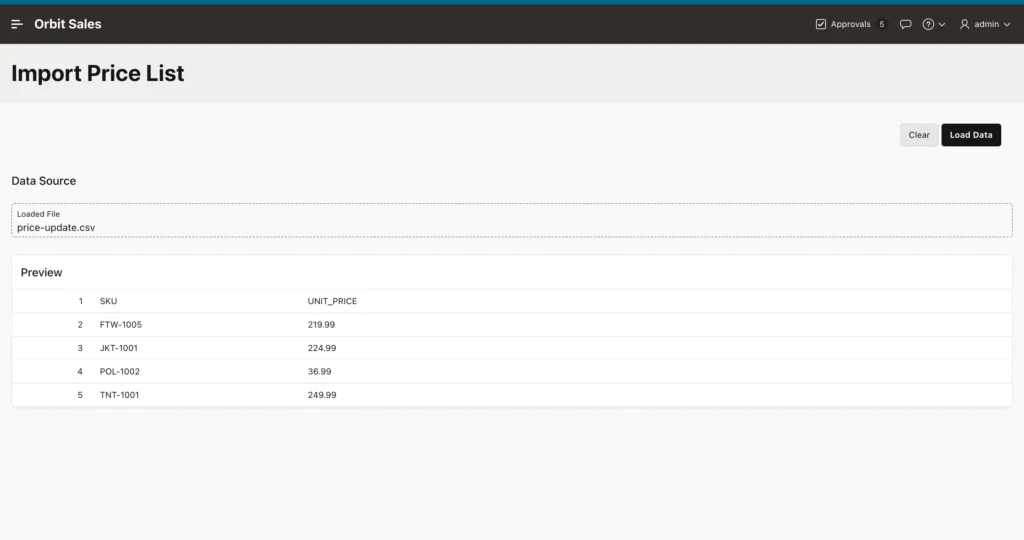
Definitions read CSV, tab-separated, Excel, JSON, and XML files. Error handling decides whether an invalid row stops the load or is skipped and counted, and a transformation or lookup on a column can convert values on the way in, such as turning a category name into its ID.
JSON Relational Duality Views
Oracle AI Database 26ai stores data relationally and serves it as JSON documents through duality views. One view shapes rows from several tables into a single document, an order with its customer and its lines, and applications read and write documents while the database keeps the tables consistent.
create or replace json relational duality view orb_order_dv as
select json {
         '_id'         : o.order_id,
         'orderNumber' : o.order_number,
         'orderDate'   : o.order_date,
         'status'      : o.status,
         'orderTotal'  : o.order_total  with noupdate,
         'customer'    : (select json {
                                   'customerId' : c.customer_id,
                                   'name'       : c.customer_name,
                                   'city'       : c.city }
                            from orb_customers c with noinsert noupdate nodelete
                           where c.customer_id = o.customer_id),
         'lines'       : [ select json {
                                   'itemId'    : i.order_item_id,
                                   'lineNo'    : i.line_no,
                                   'productId' : i.product_id,
                                   'quantity'  : i.quantity,
                                   'unitPrice' : i.unit_price }
                             from orb_order_items i with insert update delete
                            where i.order_id = o.order_id ] }
  from orb_orders o with update;
Read the annotations rather than skimming them, because they are the security model. The order itself may be updated, its lines inserted, updated, and deleted, the customer only read, and the order total not written at all because a trigger maintains it. The database enforces that, so an application cannot corrupt a derived value through the document.
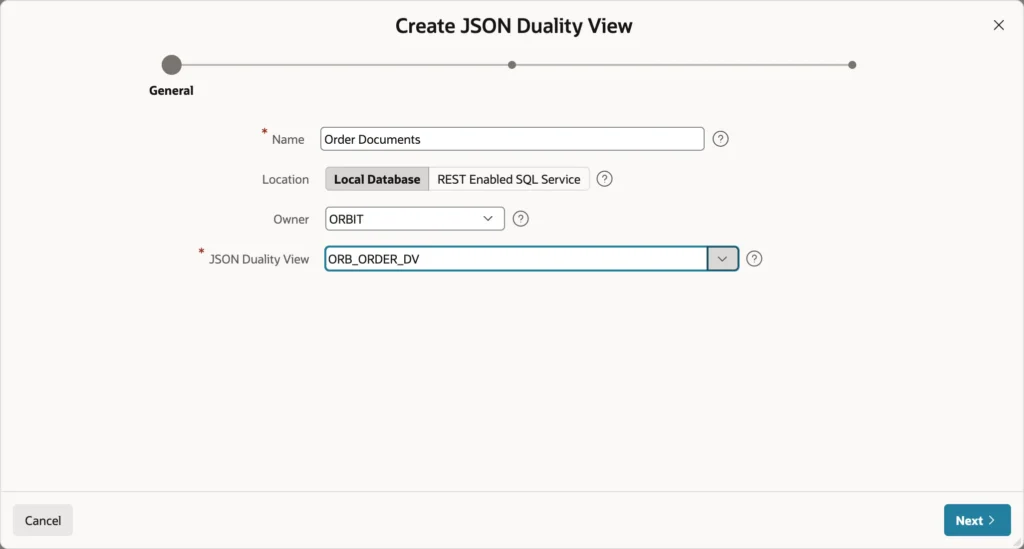
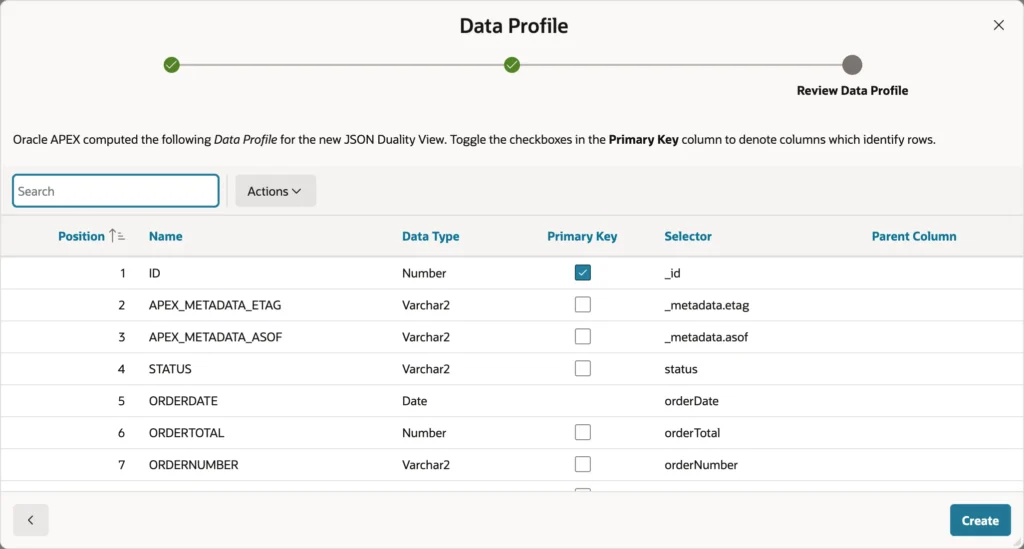
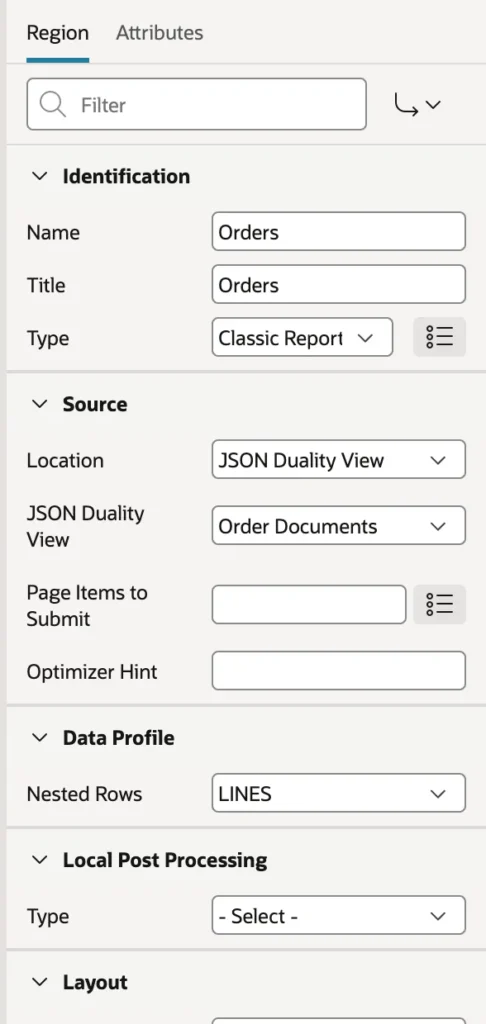
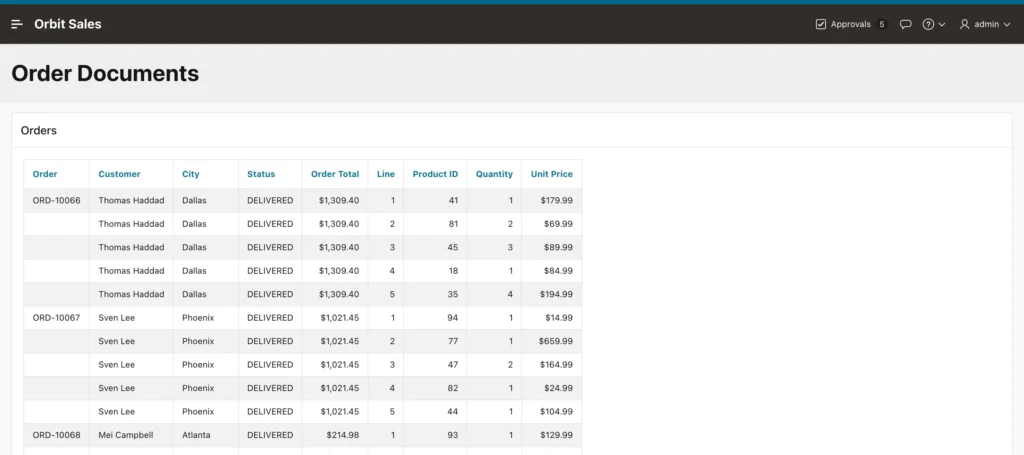
Setting Nested Rows to the lines array gives one row per line with the order's columns repeated, and a break on the first column then shows each order number once. Hide the technical columns, including the metadata values, before anyone sees the page.
One sharp edge to know about in APEX 26.1. The view returns a date as an ISO timestamp, and the data profile converts date attributes with a mask expecting fractional seconds and a time zone, so the report fails with an invalid month error. The fix is to open the component's data profile, delete the date column, and remove it from the region. Check date columns whenever you build on a duality view.
The same component can feed forms and interactive grids that write back through the view. The database updates the underlying tables, and the document's etag detects changes somebody else made in the meantime.
Conclusion
Everything in this article comes down to the region's Location property, which lets the same report, grid, or chart read a table, a remote database, a web service, or a JSON document without changing anything else about how you build it. A REST data source describes the service once, with its parameters, authentication, pagination, and a data profile that discovery usually builds correctly, and local post-processing then lets you filter and reshape the response with plain SQL rather than hoping the service offers the right options. Keep the base URL in a remote server so environments differ by configuration rather than edits, and the key in a credential so it stays encrypted, out of exports, and restricted to the hosts it belongs to. Data load definitions turn a spreadsheet into rows, where marking a primary key is what turns an insert into a merge. And duality views present relational data as documents whose annotations decide exactly what may be written, with the caveat that date columns currently need removing from the profile before a report will run.
