
Items gather values and validations check them. Processes are where an application actually does something: saving a form, calling a PL/SQL API, sending a file to the browser, or queuing a long job so nobody has to sit watching a spinner.
You have already used processes without writing any, because every form and editable grid wizard generates them. This guide covers processes in general, then builds four worth knowing: bulk approval from a report's selected rows, an API call with no code at all, a file download, and a background execution chain.
Where Processes Run
Every process has a point in the page's life, and choosing it correctly solves problems that otherwise look like bugs.
| Point | Runs |
|---|---|
| New Session | Once, when a session is created |
| Before Header | Before anything is sent to the browser, so it can still redirect or send a file instead of the page |
| After Header through After Footer | At the matching stage of rendering |
| After Submit | On submit, before validations |
| Processing | After validations succeed. The default, and where most processes belong |
| Ajax Callback | Only when JavaScript on the page calls the process by name |
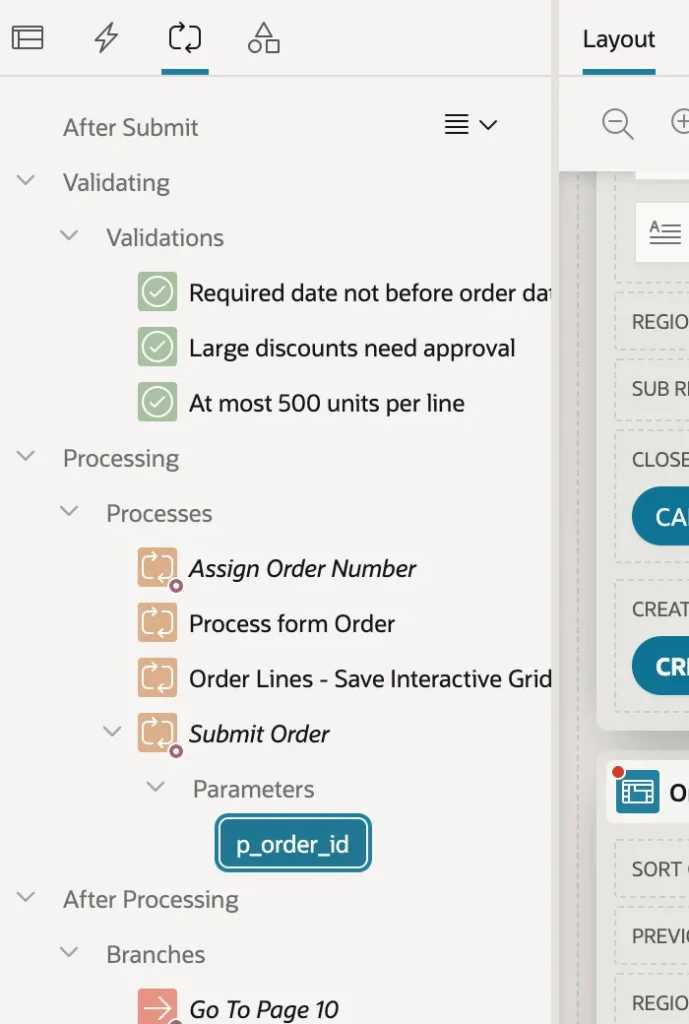
Within a point, processes run in sequence order, and most carry a server-side condition, usually When Button Pressed, so a process only fires for the button that means it. A few settings apply to all of them: Run Process decides between once per page visit and once per session, Success Message appears afterwards and can contain substitutions, and Error Message replaces the database's own wording when something fails.
One rule about transactions is worth stating plainly. APEX commits when page processing finishes without error, and rolls back when a process raises one. Do not commit inside your own processes unless the work genuinely must survive a later failure, because a stray commit turns an all-or-nothing save into a half-finished one.
Process Types
| Type | Does |
|---|---|
| Execute Code | Runs PL/SQL, or JavaScript in the database |
| Invoke API | Calls a PL/SQL procedure or function, or a REST source operation |
| Download | Sends one file, or several as a ZIP, to the browser |
| Execution Chain | Groups processes, optionally running them in the background |
| Form and Grid row processing | Fetches and saves rows for form regions and editable grids |
| Close Dialog, Clear Session State, Reset Pagination, User Preferences | Declarative housekeeping |
| Send E-Mail, Send Push Notification | Messaging, queued and sent in the background |
| Data Loading, Print Report | Loads files into tables, prints regions and report queries |
| Human Task, Workflow, Generate Text With AI | Approvals, workflows, and generative AI |
Execute Code: Acting on Selected Rows
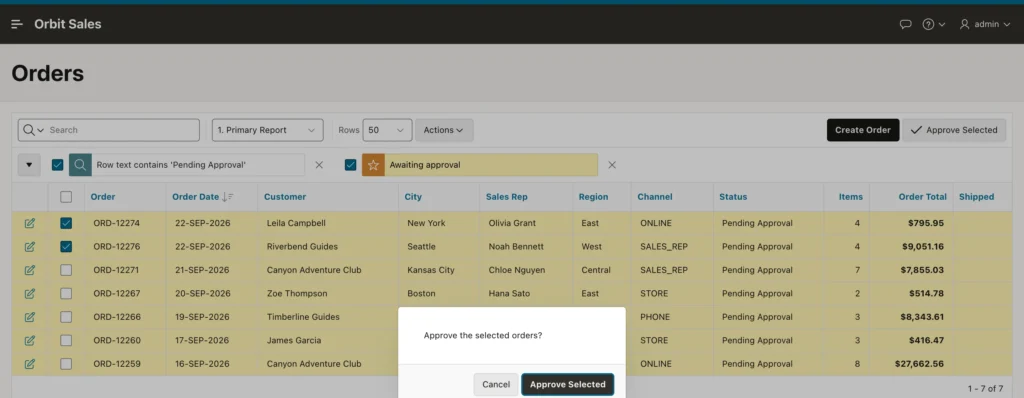
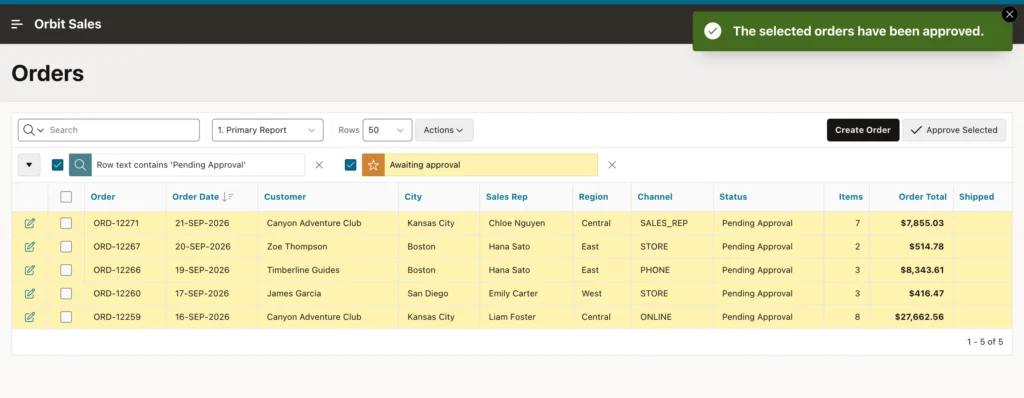
Execute Code is the general-purpose type for when nothing declarative fits. A good demonstration is turning an interactive report's row selection into a bulk action, because it involves three pieces that must line up.
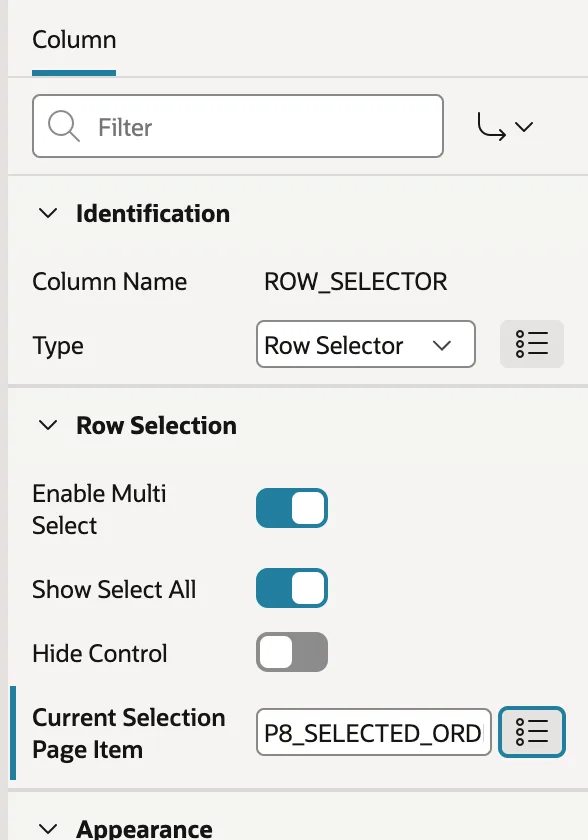
First the selection has to reach the server. Create a hidden item and set the row selector column's Current Selection Page Item to it. As the user ticks rows, the keys are written into that item separated by colons.
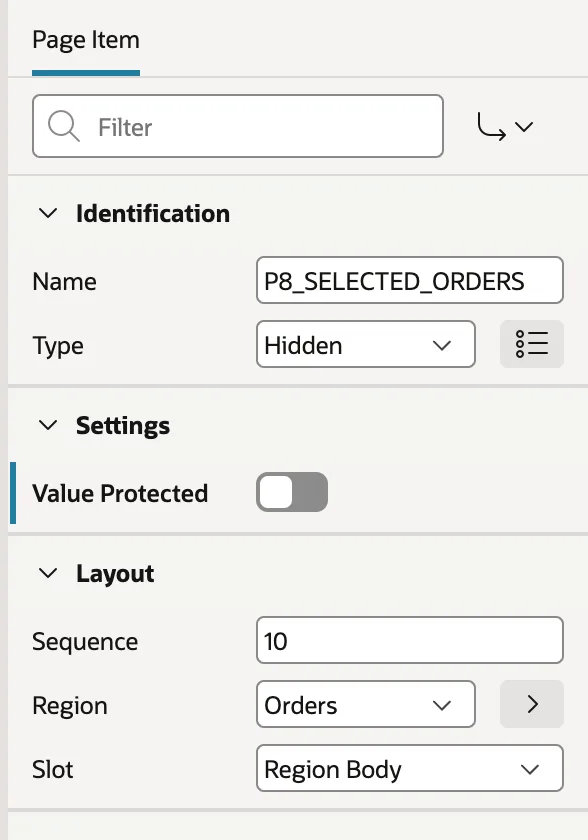
Then switch off Value Protected on that item, and understand why. Hidden items are protected by default: APEX checksums the value it rendered and rejects a submit where the value changed, which is what stops somebody editing a primary key in the browser. An item the page is designed to change client-side must have that protection off, which is precisely why the session state protection violation error appears if you forget.
Switching it off shifts responsibility to you. The value now arrives untrusted, so the code that consumes it must validate rather than assume.
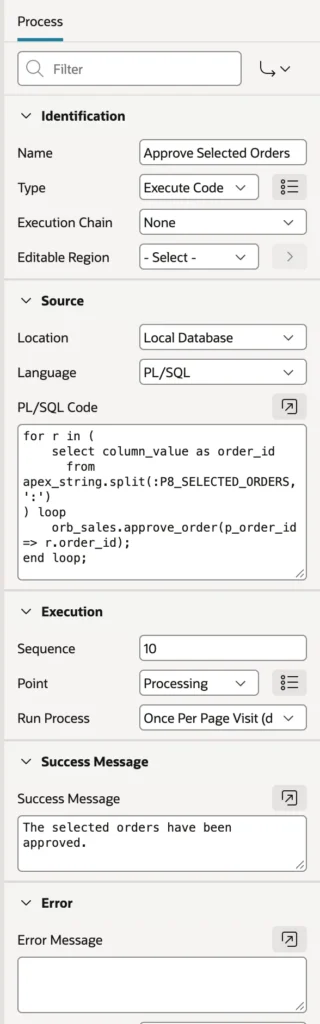
for r in (
    select column_value as order_id
      from apex_string.split(:P8_SELECTED_ORDERS, ':')
) loop
    orb_sales.approve_order(p_order_id => r.order_id);
end loop;
apex_string.split turns the colon-separated list into rows, and each order goes through a package procedure that checks the order's current status and refuses anything that is not awaiting approval. That check is what makes the unprotected item safe: even a forged list cannot approve something that is not eligible.
Execute Code in JavaScript
Set the language to JavaScript MLE and the same process runs JavaScript inside the database on Oracle AI Database 26ai. An apex object provides access to session state through apex.env and to SQL through apex.conn, with query rows returned as objects whose properties are the uppercase column names.
const ids = (apex.env.P8_SELECTED_ORDERS || '').split(':').filter(Boolean);
for (const id of ids) {
    apex.conn.execute(
        'begin orb_sales.approve_order(p_order_id => :id); end;',
        { id: Number(id) });
}
This suits teams who know JavaScript better than PL/SQL, and work JavaScript libraries do well, such as text parsing. For data work inside the database, PL/SQL remains the more natural fit.
Execute Code for Grid Rows
Give an Execute Code process an Editable Region and it runs once per changed row of that grid, with column names available as bind variables. A special bind variable tells you whether the row was created, updated, or deleted, which is how you replace automatic row processing with your own logic when a grid must save through an API.
Invoke API: Calling a Procedure Without Code
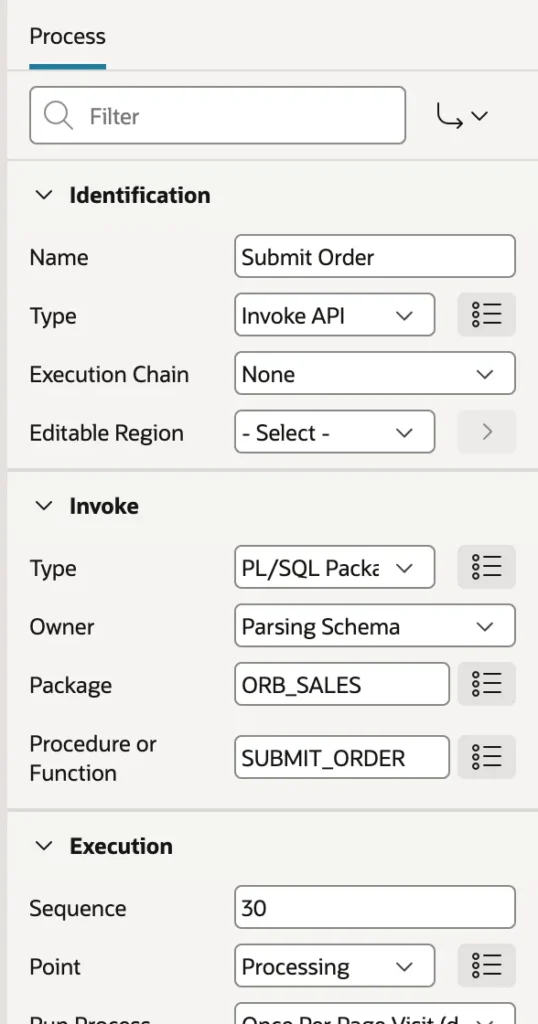
When a process does nothing but call a procedure, Invoke API calls it declaratively. Choose the package and procedure, and APEX lists the parameters as child nodes.
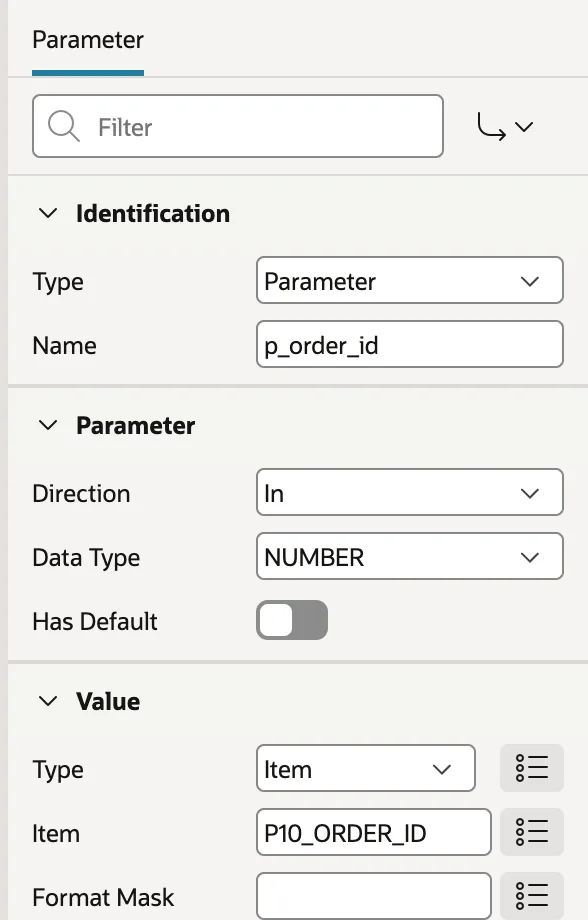
APEX matches parameters to page items by name, ignoring the usual prefixes, so a parameter named for an order ID finds the matching item without help. Where names differ, a parameter's value can come from an item, a static value, a query, an expression, a function body, or a preference, and a function's result can be stored into an item.
Sequence matters more here than anywhere else on the page. Put the API call after the form's save and after the grid's save, and the procedure sees the values the user is looking at. Put it first and it works on yesterday's data.
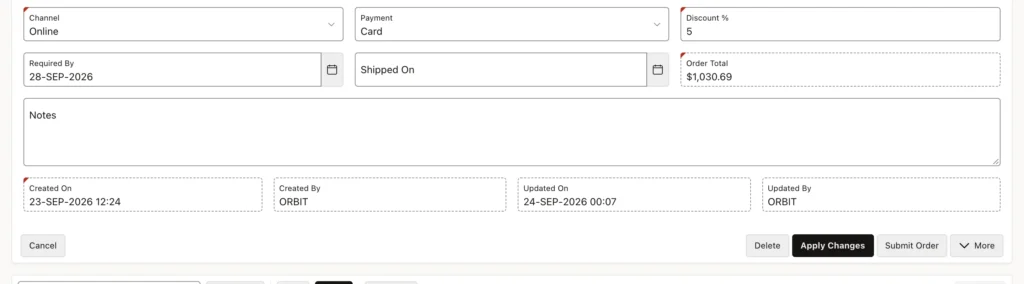
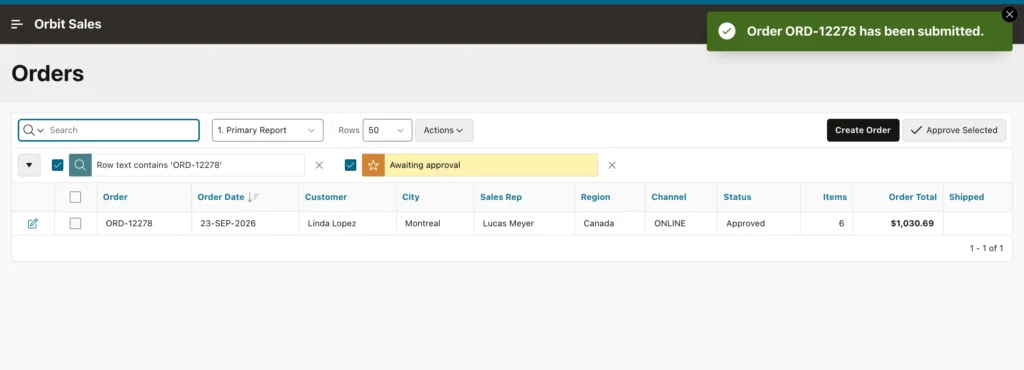
Invoke API is more than a shortcut for lazy typing. The process records which procedure it calls and with what, so it reads clearly in Page Designer and shows up in dependency reports, where the same call buried in a code block would not. Set the type to REST Source instead and the same process calls a remote operation.
Download: Sending a File Instead of a Page
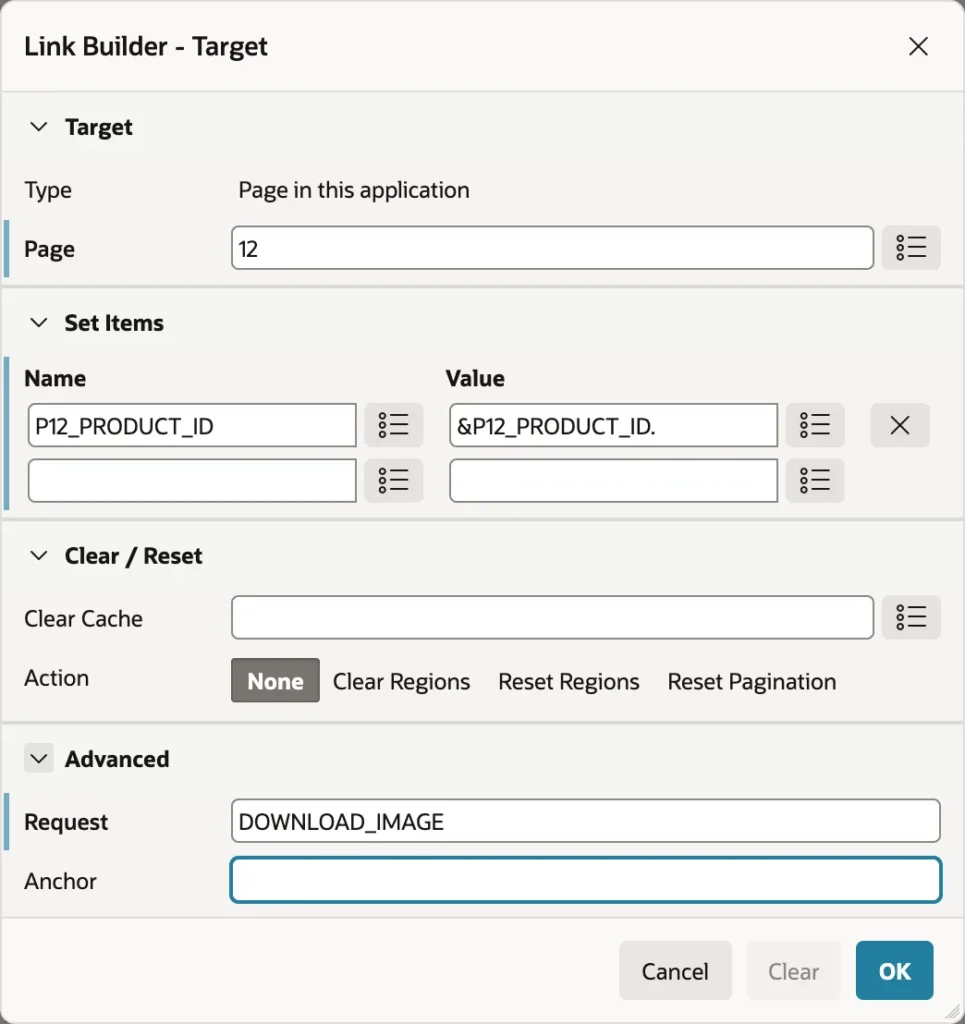
A Download process sends a file rather than a page, which means it must run Before Header, before any markup has gone out. That in turn means it cannot be triggered by a submit. Instead, a button redirects to the same page with a request set, and the process runs when it sees that request.
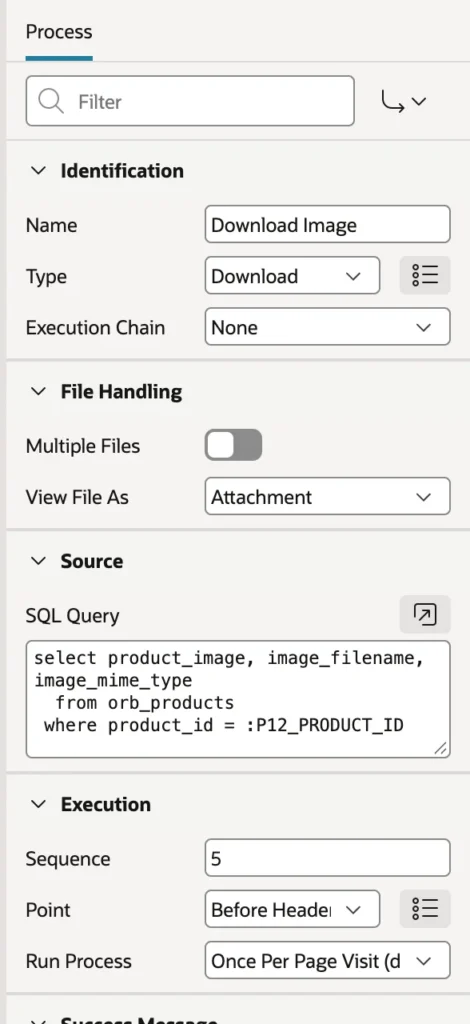
-- Columns: file content, file name, MIME type
select product_image, image_filename, image_mime_type
  from orb_products
 where product_id = :P12_PRODUCT_ID
Column order is the contract: content first, then filename, then MIME type. Give the process a low sequence so it runs before the form initializes, and condition it on the request.
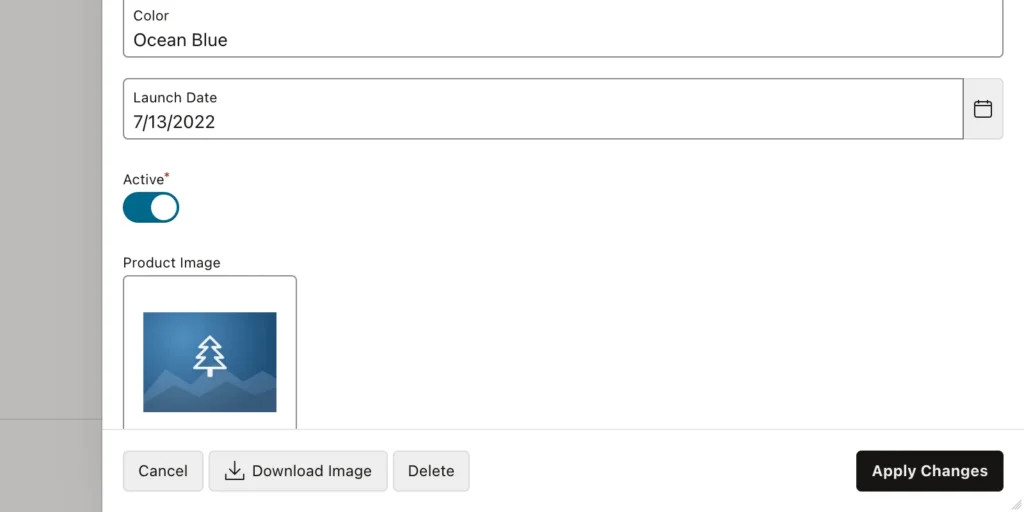
View File As decides between saving the file and opening it in the browser, which matters for PDFs. Switch on Multiple Files and a query returning several rows is packed into a ZIP. For files listed in a report, a Download BLOB column needs no process at all.
Execution Chains and Background Work
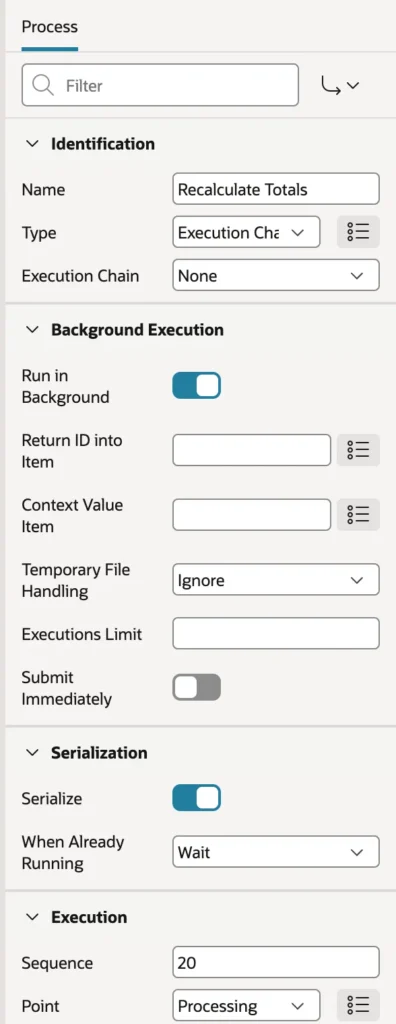
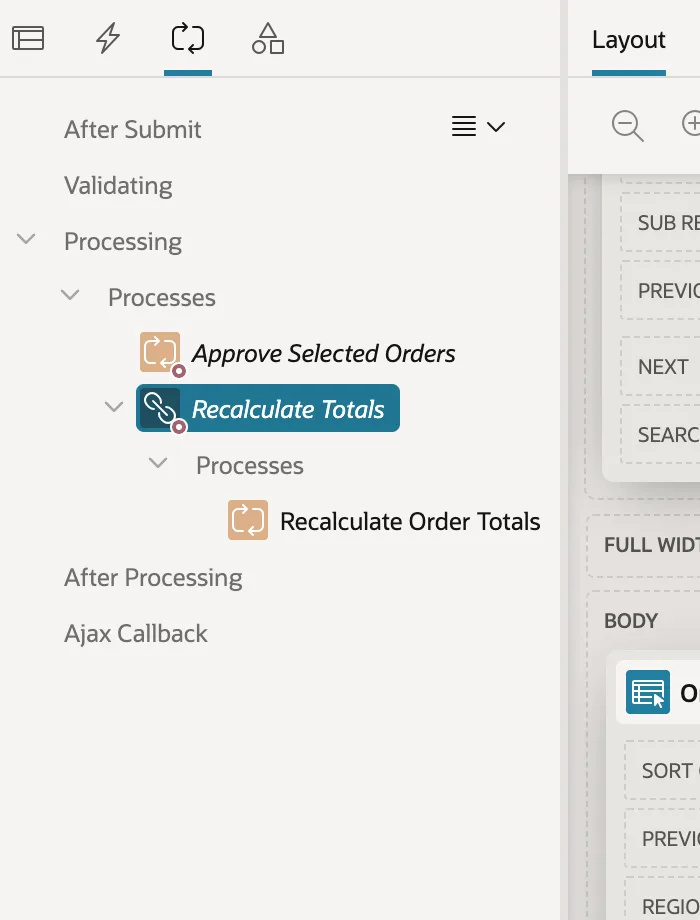
An Execution Chain is a process containing other processes, sharing one condition. Its real purpose is background execution: APEX queues the chain, returns the page at once, and the database works through it in a separate session. A recalculation that takes two minutes stops being a two-minute stare at a spinner.
declare
    l_total pls_integer;
    l_done  pls_integer := 0;
begin
    select count(*) into l_total from orb_orders;
    for o in (select order_id from orb_orders) loop
        orb_sales.recalc_order_total(p_order_id => o.order_id);
        l_done := l_done + 1;
        if mod(l_done, 100) = 0 or l_done = l_total then
            apex_background_process.set_progress(
                p_totalwork => l_total,
                p_sofar     => l_done);
        end if;
    end loop;
end;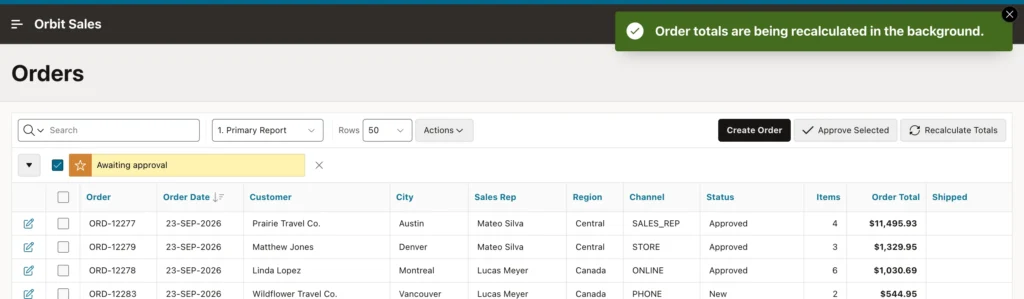
Reporting progress every hundred rows rather than every row keeps the bookkeeping cheap while still giving the user something to watch. A dictionary view exposes every execution with its status and progress, so a region on the page can poll it.
The settings around background execution are mostly about not letting users hurt themselves. Serialize runs executions one after another instead of in parallel, which a job touching every row certainly needs. Executions Limit caps how many a session may queue. Return ID into Item lets the page follow a specific run, Context Value Item identifies what a run is working on, and Submit Immediately queues the work outside the current transaction so it survives a rollback.
One thing about background execution surprises everybody once: APEX clones the session to run the chain. The background processes see session state as it was when the chain was queued, and any item values they change never come back. Write results to tables and read them from there, because setting an item in a background process is writing to a copy that is about to be discarded.
The Declarative Helpers
The remaining types save you from writing code for common jobs. Close Dialog shuts a modal page and returns values to its parent. Clear Session State empties items, pages, or the whole session declaratively. Reset Pagination sends reports back to page one, and User Preferences stores settings that outlive the session. Send E-Mail and Send Push Notification handle messaging, queued by default. Data Loading imports a CSV, spreadsheet, XML, or JSON file into a table, and Print Report produces PDFs from a region or report query. Human Task and Workflow drive approvals, and Generate Text With AI sends a prompt to a configured AI service and stores the answer in an item.
Conclusion
Processes are where an APEX page stops describing data and starts changing it, and nearly everything about them comes down to two choices: the point at which they run and the condition that fires them. Execute Code covers whatever has no declarative equivalent, in PL/SQL or in-database JavaScript, and it is what turns a row selection into a bulk action, provided you switch off value protection on the item carrying the selection and then treat that value as untrusted in the code that consumes it. Invoke API calls a procedure with no code at all and stays visible to dependency reports, as long as its sequence puts it after the saves whose data it depends on. Download sends a file instead of a page, which is why it runs Before Header and is triggered by a request rather than a submit. Execution chains group work and, run in the background, hand the page straight back to the user, reporting progress through a dictionary view while remembering that the cloned session's item changes never return. Let APEX own the commit, put the business rules in packages the processes call, and each page ends up with a handful of small, readable processes instead of one enormous block of code.
