
You might have heard developers whisper about a mysterious issue in their applications. They are usually talking about a ghost thread in coding. This hidden problem can silently ruin your application performance and frustrate your users.
When you build software, you want it to run smoothly and efficiently. However, concurrent programming issues often introduce unexpected behaviors. These invisible processes run in the background and drain your system resources without you even realizing it.
If you have ever wondered why a program suddenly slows down after running for a few hours, you are not alone. These silent resource hogs are a very common headache in the software development world.
What Exactly Are Ghost Threads?
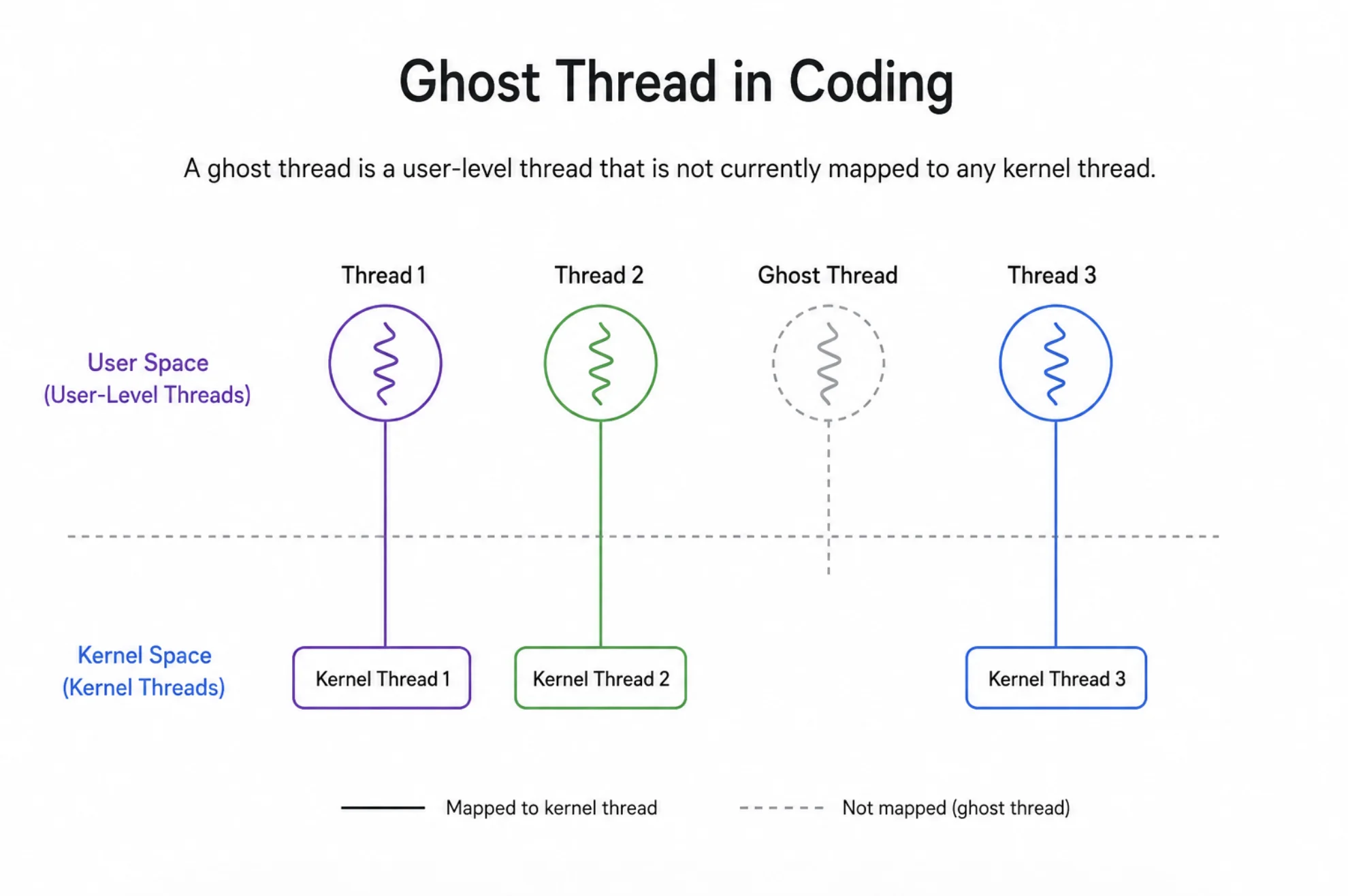
A ghost thread is a background execution path that continues to run after its main task is finished. It loses communication with the main application but stays alive inside the system. These rogue threads no longer serve a purpose but still consume valuable system memory and processing power.
Think of them as leaving the water running after you finish washing your hands. They just keep going and waste precious resources. Over time, these thread leaks can cause severe instability in your software architecture.
Sometimes, they happen because a process was waiting for a network response that never arrived. The main program moves on, but the background task stays frozen in a waiting state forever.
"A thread left unattended is a resource lost forever."
The Dangers of Thread Leaks
When ghost threads accumulate, they cause a critical condition known as resource exhaustion. Your server or personal computer has a limited amount of memory and processing capability. As more dead threads pile up, there is less room for healthy processes to do their jobs.
This situation directly leads to memory leaks in threads. Your application might start feeling incredibly sluggish and unresponsive to user inputs. Eventually, if left completely unchecked, the entire system might crash and require a hard reboot.
The worst part is that these crashes often seem random. Because these threads are invisible to standard monitoring, pinpointing the exact moment of failure can be very tricky.
How to Spot Concurrent Programming Issues
Finding a multithreading bug can feel like searching for a needle in a haystack. You need to know the warning signs to catch them early before they do major damage. Monitoring your application performance over long periods is the first step to identifying these hidden culprits.
Always keep a close eye on how your software behaves, especially when it sits idle. Here are a few common symptoms you might notice:
- Unexpected spikes in CPU usage when the application is completely idle.
- Gradual increases in memory consumption over time without any heavy processing.
- Unexplained application freezes or sudden, unexpected crashes.
- Basic tasks are taking much longer to complete than they normally should.
- Background servers need frequent, manual restarts to stay functional.
Comparing Thread Lifecycles
Understanding the thread lifecycle is crucial for preventing these complex problems. Let's look at how a normal, healthy process compares to a problematic one.
| Feature | Healthy Process | Ghost Thread |
|---|---|---|
| Task Completion | Finishes the assigned job and terminates normally. | Never truly finishes or gets stuck in an infinite loop. |
| Resource Management | Releases memory and CPU back to the system immediately. | Holds onto memory and continuously uses CPU cycles. |
| Visibility | Easily tracked and managed by the main application logic. | Loses connection and becomes completely invisible to the main controller. |
| Impact | Improves application speed by doing work concurrently. | Degrades overall system health through resource exhaustion. |
Preventing a Multithreading Bug in Your Code
Writing clean and safe concurrent code requires careful planning and foresight. You must always ensure that every execution path has a clear and guaranteed exit strategy. Proper error handling is absolutely essential to stop a ghost thread in coding from ever spawning.
Here is a simple example showing how you might accidentally create a problem, followed by the right way to fix it.
// Bad Example: The process might never stop if the condition is never met
function startBadProcess() {
  let running = true;
  while(running) {
    // If an error happens here, 'running' might never become false
    processData();
  }
}

// Good Example: Using a safe exit mechanism with a timeout
function startSafeProcess(cancellationToken) {
  while(!cancellationToken.isCancelled) {
    try {
      processData();
    } catch (error) {
      cancellationToken.cancel();
    }
  }
}
Best Practices for Thread Management
You can avoid these massive headaches by following some established programming guidelines. Always use built-in concurrency managers or thread pools provided by your specific programming language. These tools automatically handle the messy details of the thread lifecycle for you.
- Set strict timeouts for all background tasks so they cannot run forever.
- Implement proper cancellation tokens to gracefully stop operations when a user quits.
- Regularly profile your application to monitor memory usage and catch memory leaks in threads early.
- Always use try-catch blocks to ensure errors do not leave processes hanging in the background.
"Good concurrency is about managing the invisible as well as the visible."
Conclusion
Dealing with a ghost thread in coding can be a challenging part of modern software development. By understanding how thread leaks happen and constantly monitoring your application performance, you can keep your systems running smoothly. Always pay close attention to your thread lifecycle and use proper management techniques to prevent resource exhaustion and keep your software healthy for your users.
