
Everything an Oracle APEX page does normally happens in one request: a user clicks, a row is saved, the page comes back. Real business processes are not like that. An order with a large discount waits for a manager. An approved order waits for the warehouse. Hours or days pass, and different people act at each step.
APEX handles this with two shared components. A task definition describes a piece of work for a person, and APEX creates tasks from it, assigns them, tracks their state, and runs code when they finish. A workflow describes a whole process as a diagram of activities and runs instances of it in the background. This guide builds both, including the parallel flow added in APEX 26.1.
Every query, trigger, and snippet in this article runs against the Orbit Outfitters sample schema: customers, products, orders, stores, and about 2,300 orders of sample data. Install it once and you can follow along in your own workspace.
git clone https://github.com/devvinish/orb_tables.git
-- then, as your schema:
@orbit/install.sql
Task Definitions
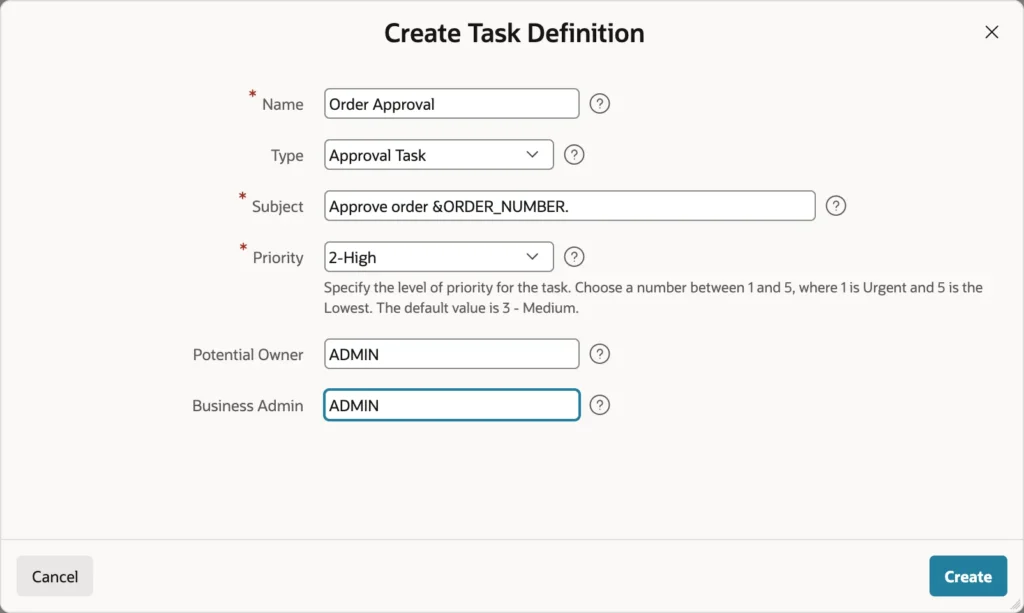
| Type | Asks the owner to |
|---|---|
| Approval Task | Decide. The owner approves or rejects, and the task records an outcome |
| Action Task | Do something. The owner completes it when the work is done, with no outcome |
Two kinds of people are involved, and the distinction matters when things go wrong. Potential owners may act on the task. Business administrators manage it, reassigning it, changing its priority or due date, or cancelling it, without being able to act on it themselves.
The Actions Source
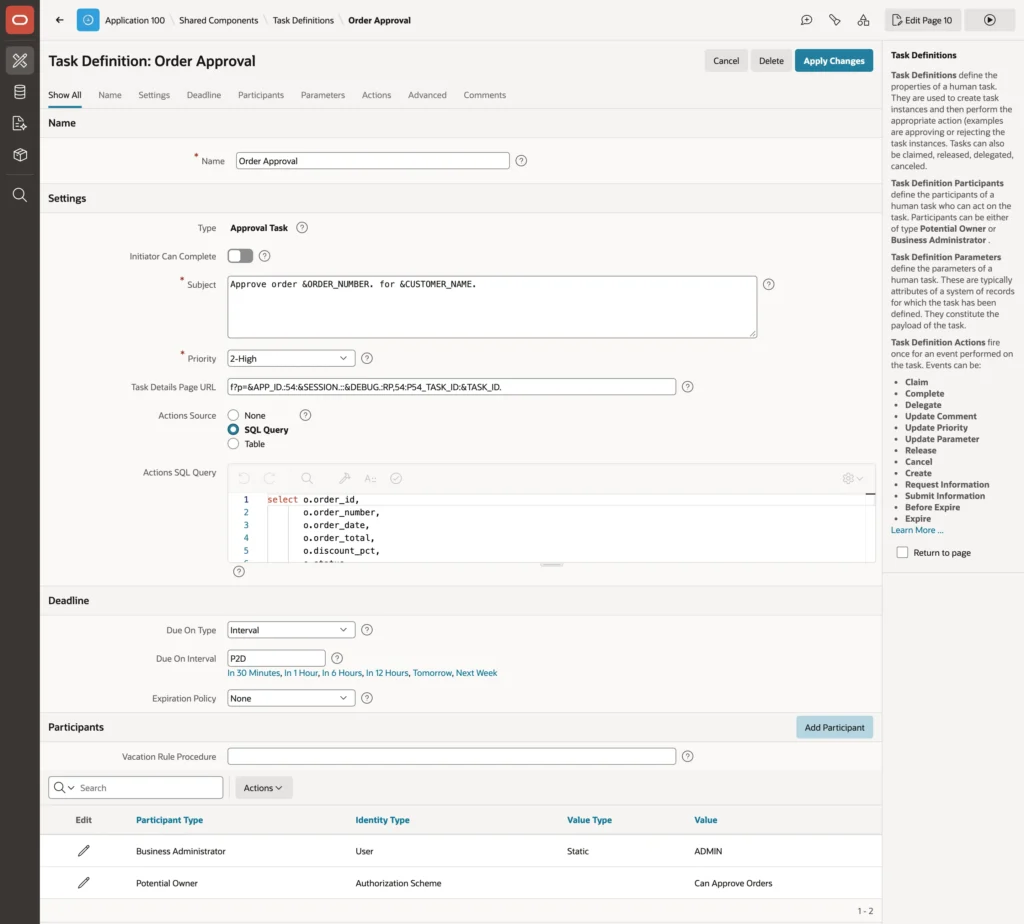
Every task belongs to one row of your data, its detail primary key, and the actions source is the query that fetches it.
select o.order_id,
       o.order_number,
       o.order_date,
       o.order_total,
       o.discount_pct,
       o.status,
       c.customer_name,
       e.employee_name as sales_rep
  from orb_orders o
  join orb_customers c on c.customer_id = o.customer_id
  left join orb_employees e on e.employee_id = o.sales_rep_id
 where o.order_id = :APEX$TASK_PK
That bind variable is the task's row. What the query returns becomes available to the subject and the actions as substitutions and bind variables, which is how a task can be titled with the order number and the customer's name rather than a generic label. A list of tasks all reading "Approve order" helps nobody.
The other settings worth knowing are Initiator Can Complete, off by default so nobody approves their own request, and the task details page URL, covered below.
Deadlines and Participants
Due On Type accepts an interval, a query, a function, an expression, or a scheduler expression, with the interval written in the database's ISO notation. The expiration policy then decides what happens when that date passes: leave the task open, expire it, or renew it with a new deadline, and actions on the before-expire and expire events can remind or escalate.
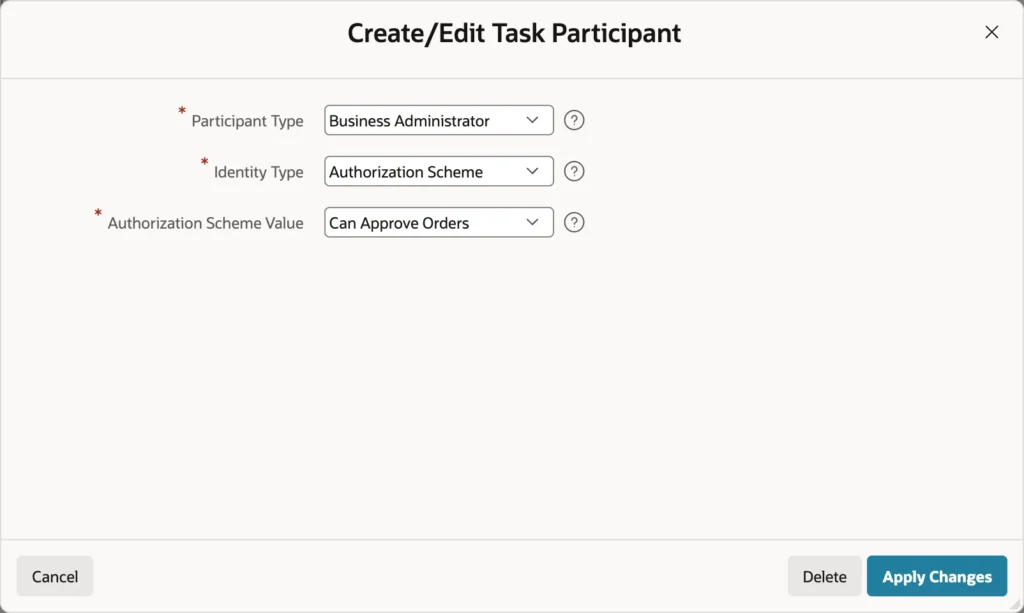
Participants start as fixed user names, which is fine for a first test and wrong for production, because approvals belong to a role rather than a person. APEX 26.1 lets a participant be an authorization scheme instead, so every user the scheme passes is a potential owner.
That one change ties approvals to the security model you already built. Granting or revoking the role changes who sees the tasks, with no edit to the task definition and no chance of the two drifting apart. There is also a vacation rule procedure, which APEX calls when assigning a task so it can redirect to a deputy.
Actions
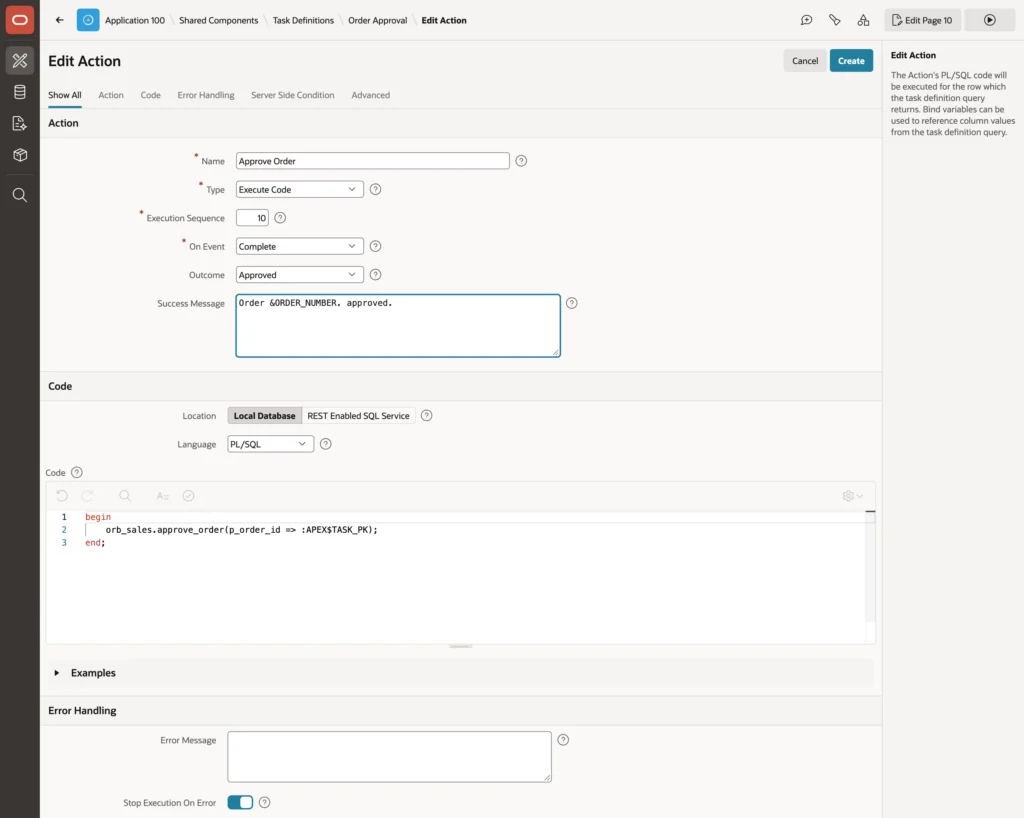
Actions run when something happens to a task: create, claim, complete, delegate, release, cancel, comment, expire, and more. Each is Execute Code, Send E-Mail, or Send Push Notification. The interesting ones fire on Complete and branch on the outcome.
-- Action "Approve Order": On Event = Complete, Outcome = Approved
begin
    orb_sales.approve_order(p_order_id => :APEX$TASK_PK);
end;

-- Action "Return Order": On Event = Complete, Outcome = Rejected
begin
    update orb_orders
       set status = 'NEW',
           notes  = substr(notes || case when notes is not null then chr(10) end
                           || 'Discount rejected by ' || :APP_USER, 1, 4000)
     where order_id = :APEX$TASK_PK
       and status   = 'PENDING_APPROVAL';
end;
Approving calls the package procedure that moves the order forward. Rejecting sends it back to the sales representative with a note saying who rejected it, so the process continues rather than dead-ends.
The Task Details Page
Every task needs a page showing it and offering its actions, and the task definition generates one. It opens in a drawer with the subject, state, priority, comments, and history, and its buttons appear only when the current user may use them.
What it does not show is your data, so add a region for that.
select o.order_number  as "Order",
       c.customer_name as "Customer",
       e.employee_name as "Sales Rep",
       o.order_total   as "Order Total",
       o.discount_pct  as "Discount %"
  from orb_orders o
  join orb_customers c on c.customer_id = o.customer_id
  left join orb_employees e on e.employee_id = o.sales_rep_id
 where o.order_id = (select detail_pk
                       from apex_tasks
                      where task_id = :P54_TASK_ID)
The APEX_TASKS view lists the workspace's tasks with their subject, state, outcome, owner, and the detail primary key, which is how the query gets from a task ID to the order behind it. Rendered with the value attribute pairs template, it reads as a summary rather than a one-row table.
The Unified Task List
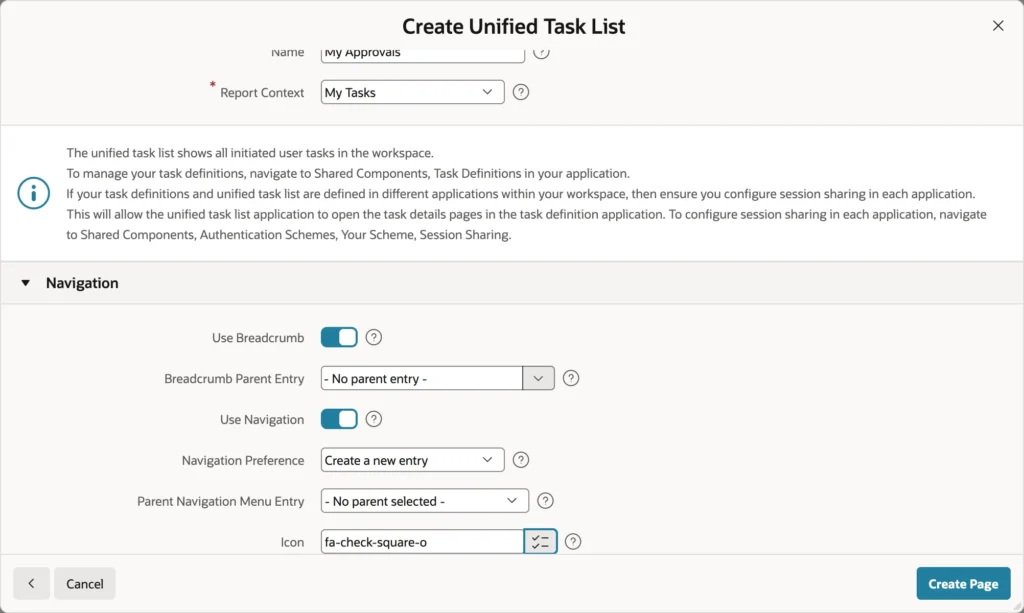
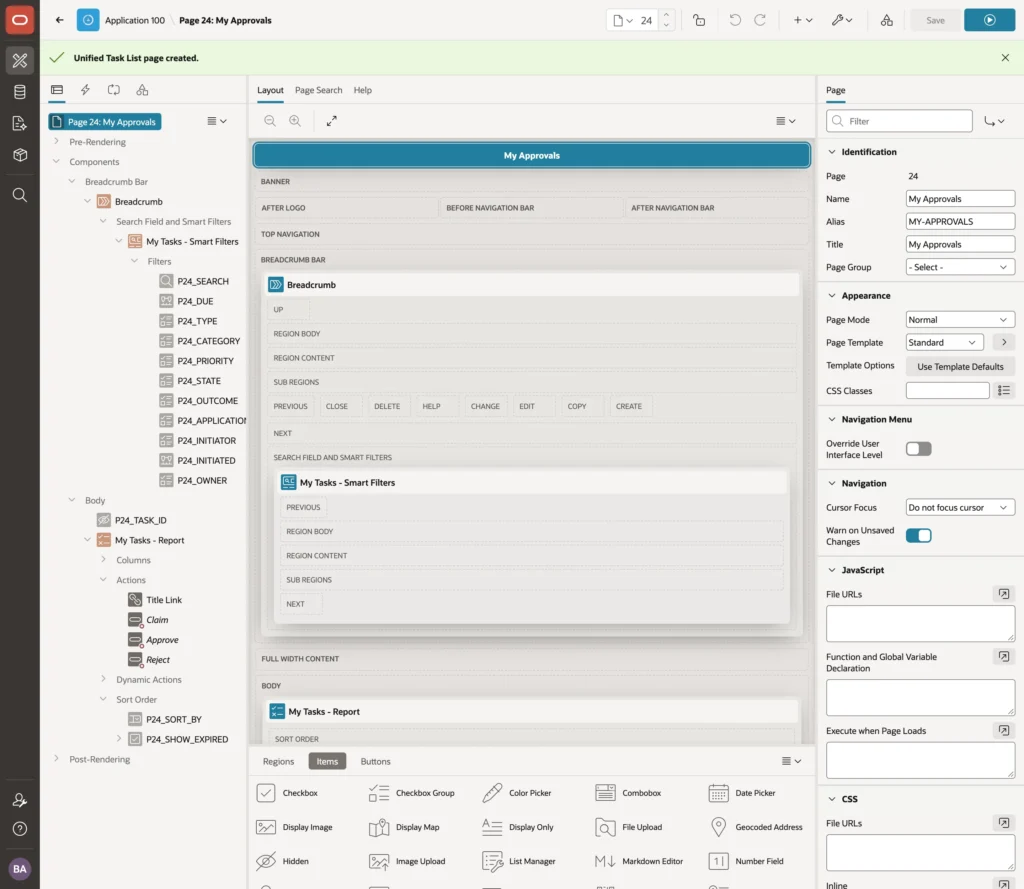
The report context picks the audience: My Tasks for what the user owns or may claim, Admin Tasks for what they administer, Initiated by Me for what they started. The generated page arrives with a search field, smart filters across due date, type, priority, state, outcome, and initiator, and claim and decision actions on each row.
One detail makes this more useful than it looks: the list covers every application in the workspace, so it can serve as a company-wide inbox rather than one more place to check.
Creating Tasks from a Page
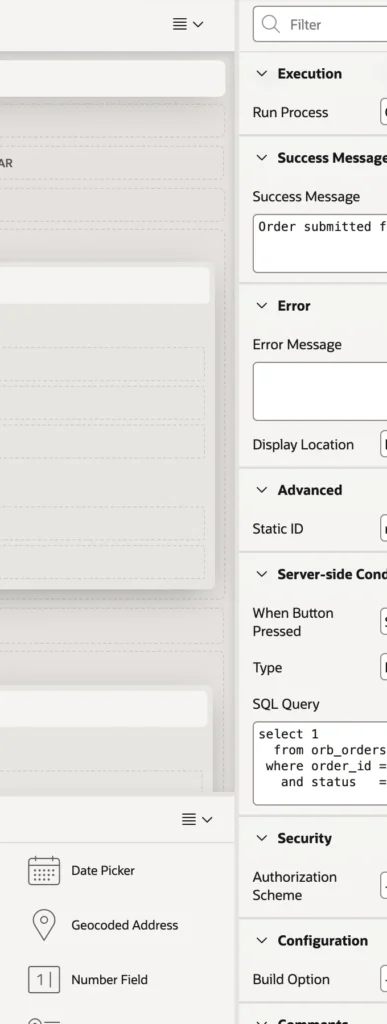
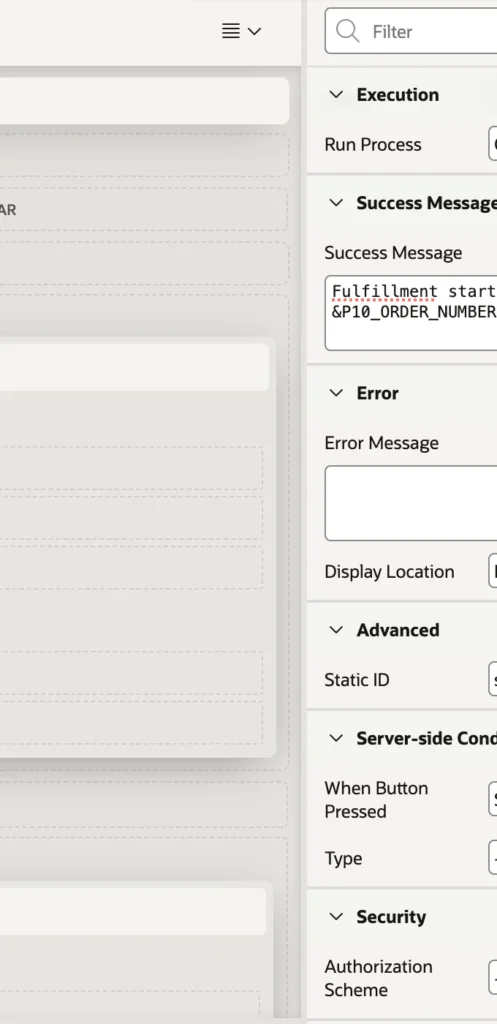
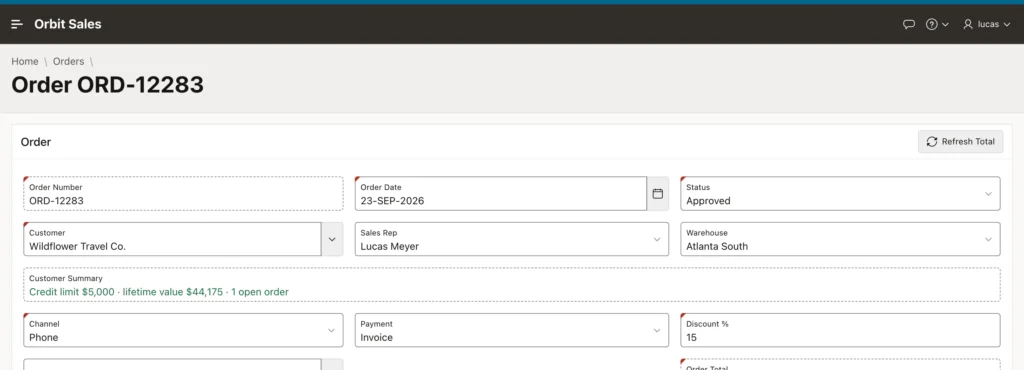
Tasks are created by the Human Task Create process, by a workflow activity, or in PL/SQL. Wiring one into an existing form takes two adjustments first, and both are easy to miss.
The submit button needs a database action so the form saves the user's changes, such as the new discount, before the submission logic runs. And the validation that used to block large discounts needs a condition excluding this request, because submitting such an order is now how you ask for approval rather than an error to prevent.
select 1
  from orb_orders
 where order_id = :P10_ORDER_ID
   and status   = 'PENDING_APPROVAL'
Then the process itself, conditional on that query returning a row, so only orders actually waiting for approval get a task. It can also override the subject and priority, pass a due date, and store the new task's ID in an item.
Approving an Order
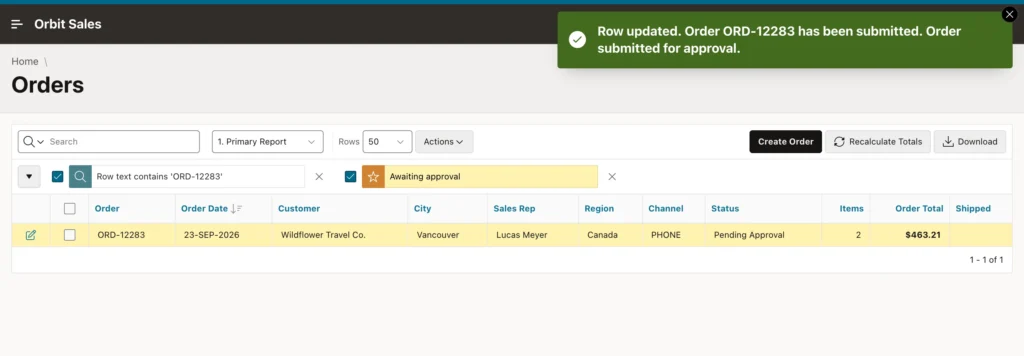
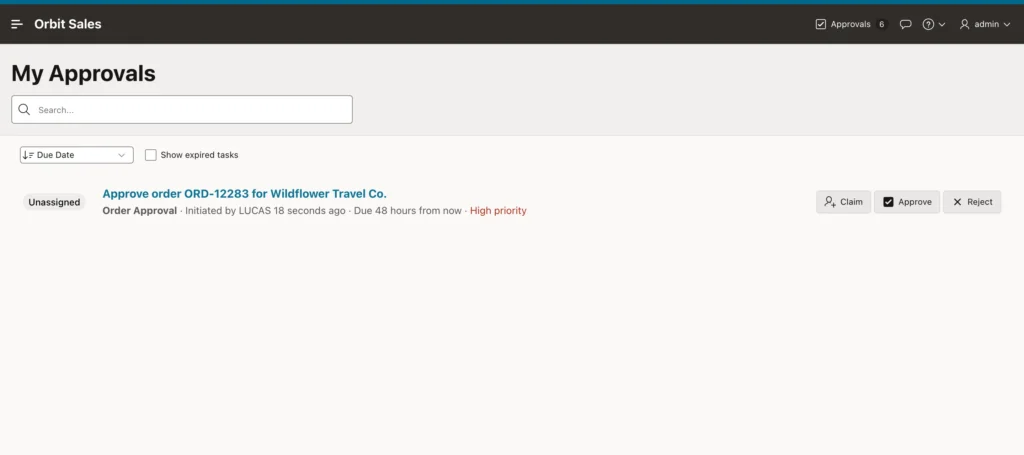
A task with several potential owners arrives unassigned, in a pool. Claiming it assigns it to that user and removes it from everyone else's list, which is what stops two managers approving the same order. Release puts it back. A task with a single potential owner skips all of this and is assigned directly.
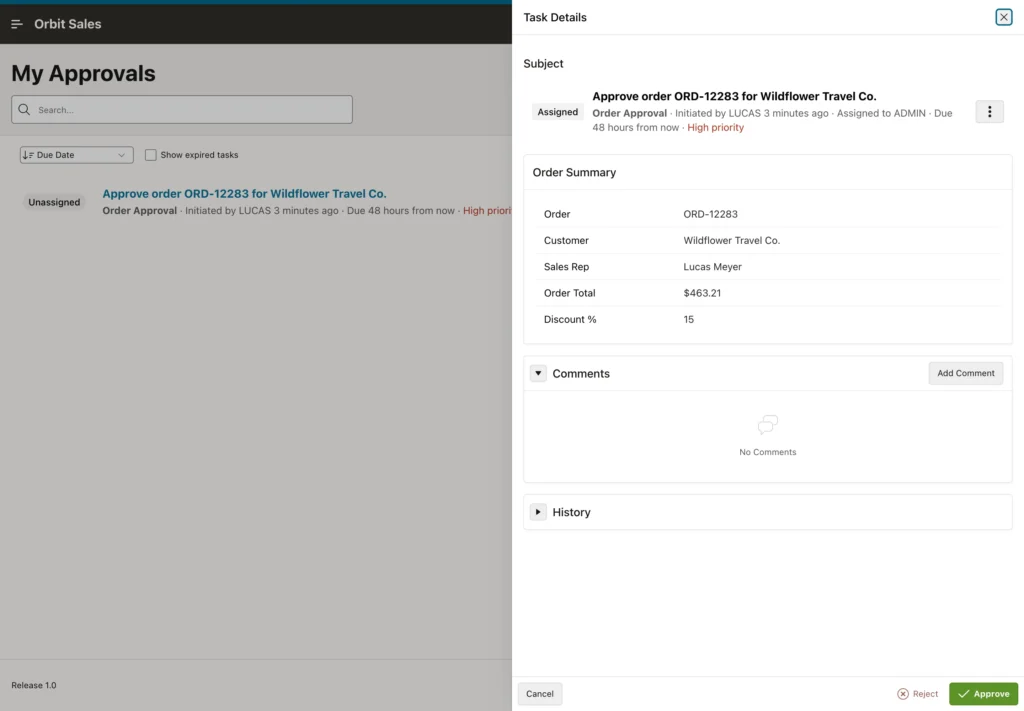
Approving completes the task with that outcome, runs the matching action, and moves the order on. The task itself stays on record, and its history shows who created, claimed, and decided it, and when, which is usually the first thing anyone asks three weeks later.
Workflows
A workflow connects many steps into one process that can span days. Fulfilling an approved order is a good example: reserve stock and prepare the invoice, which are independent, then wait for the warehouse to confirm the shipment, then mark the order shipped.
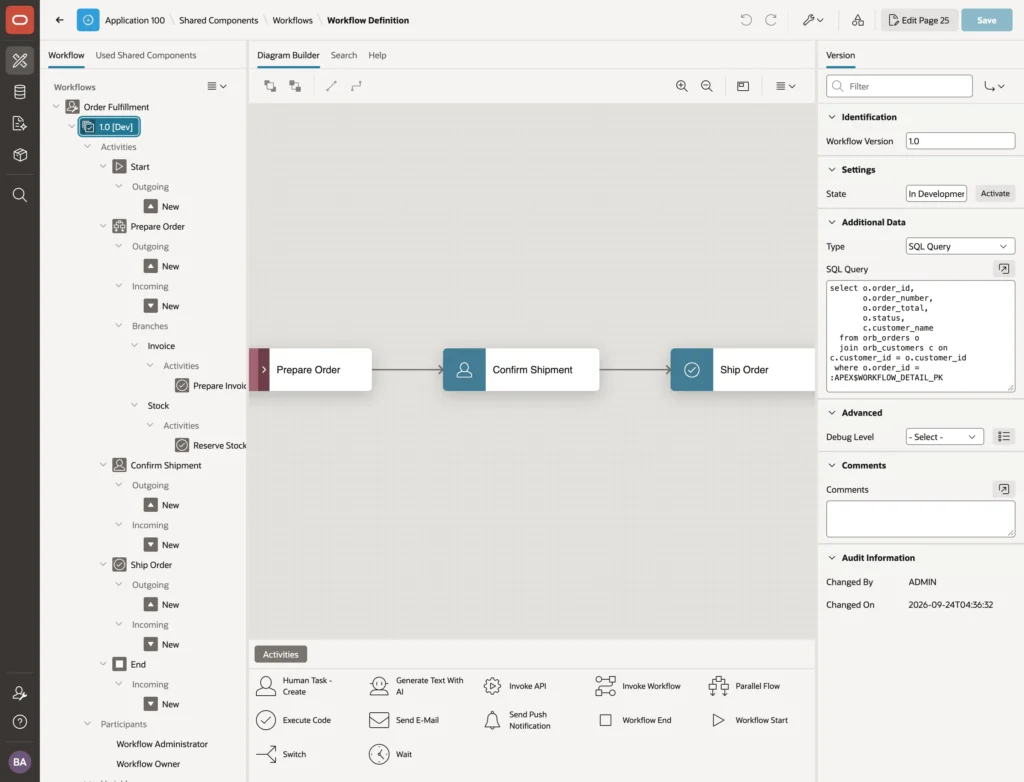
The designer works like Page Designer, and its tree has three levels. The workflow holds the name and the title each instance takes. The version is where the real work sits, because a workflow can have one active version that new instances use and one in development. Under the version come its activities, participants, and variables.
select o.order_id,
       o.order_number,
       o.order_total,
       o.status,
       c.customer_name
  from orb_orders o
  join orb_customers c on c.customer_id = o.customer_id
 where o.order_id = :APEX$WORKFLOW_DETAIL_PK
Additional Data is the workflow's equivalent of a task's actions source: one query, run against the instance's row, whose columns every activity can use.
The Activities
The palette covers Execute Code, Invoke API, Human Task Create, Send E-Mail and Send Push Notification, Generate Text With AI, Switch for branching, Wait for pausing, Invoke Workflow for sub-processes, and Parallel Flow, plus the start and end markers. A workflow may end in more than one place, which is how a rejection path terminates early.
Parallel Flows
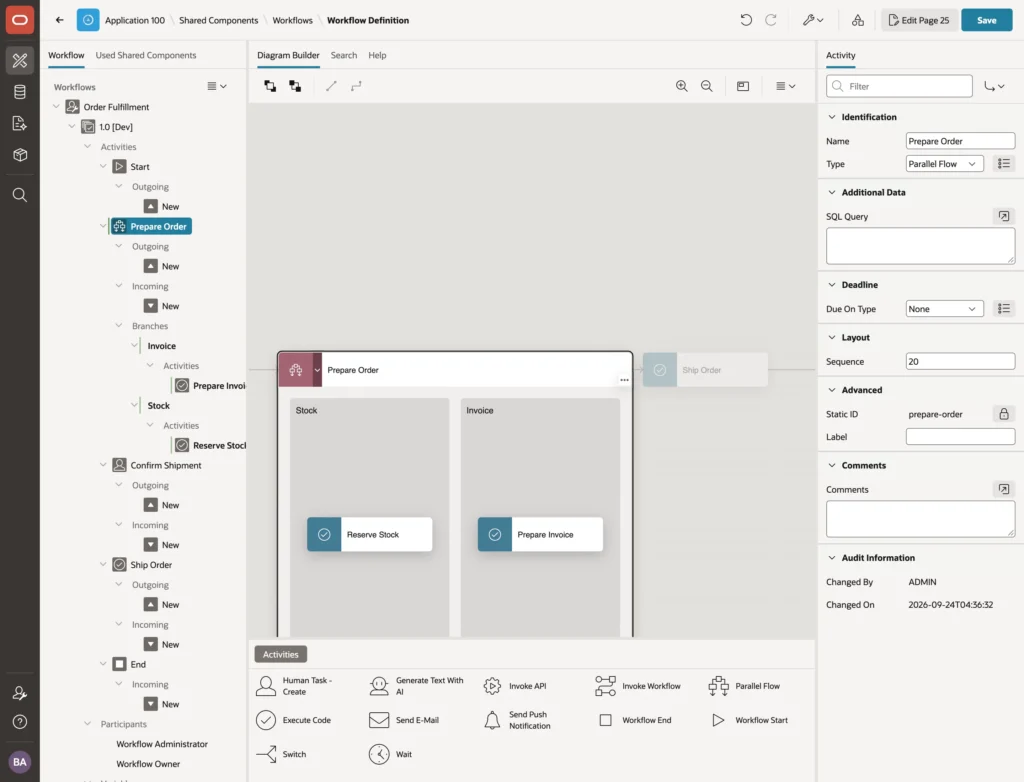
Parallel Flow is new in 26.1 and solves a real problem. Before it, independent steps queued behind each other for no reason other than the diagram being a line. Now every branch starts at once and runs independently, and the workflow continues when all of them have finished.
-- Activity "Reserve Stock" (Execute Code)
begin
    orb_sales.add_order_note(:APEX$WORKFLOW_DETAIL_PK, 'Stock reserved');
end;

-- Activity "Prepare Invoice" (Execute Code)
begin
    orb_sales.add_order_note(:APEX$WORKFLOW_DETAIL_PK, 'Invoice prepared');
end;
A branch can hold several activities, including human tasks, so two people can work on different parts of a process at the same time rather than one waiting for the other.
Waiting for a Person
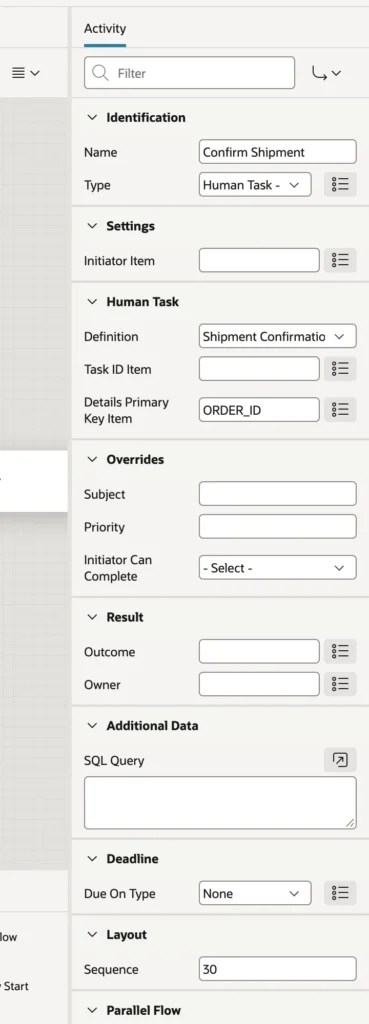
A Human Task activity creates its task and then waits, for as long as it takes. For approval tasks, its outcome and owner properties store the decision and the decider in workflow variables, so a following Switch can branch on what the person decided.
-- Activity "Ship Order" (Execute Code)
begin
    orb_sales.ship_order(p_order_id => :APEX$WORKFLOW_DETAIL_PK);
end;
Note that an action task needs its own details page. The page generated for an approval task offers approve and reject, while an action task needs complete, so generate a second one rather than reusing the first.
Versions
A version in development can be changed and tested freely. Activating it makes it available to new instances and freezes it, because running instances depend on its shape. Later changes go into a new version, and instances already running finish on the version they started with.
That rule is worth internalizing before you activate anything, since the alternative, editing a live process definition underneath instances that are mid-flight, is exactly the kind of thing that produces unexplainable states.
Running and Monitoring
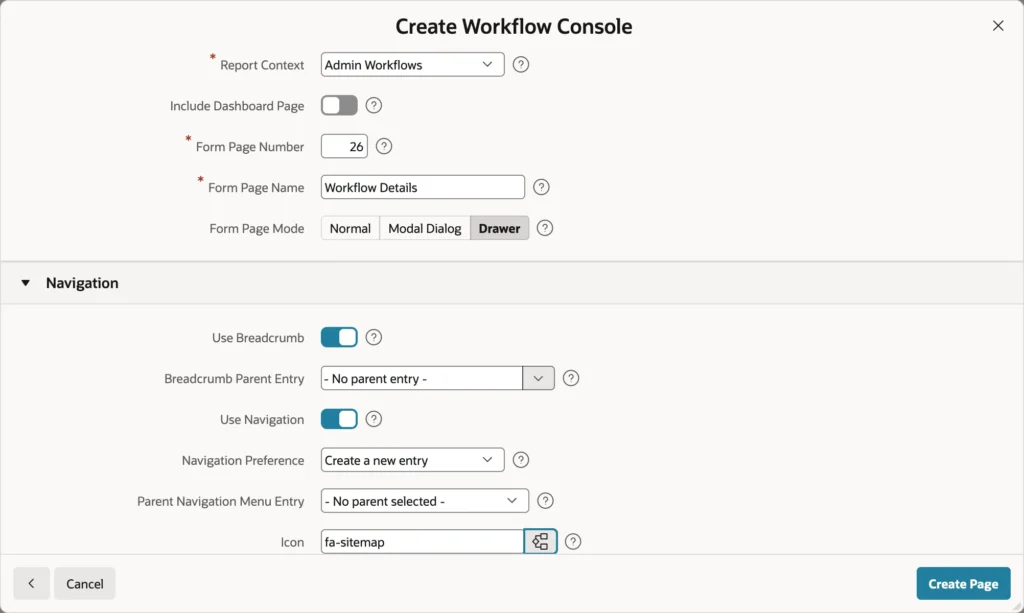
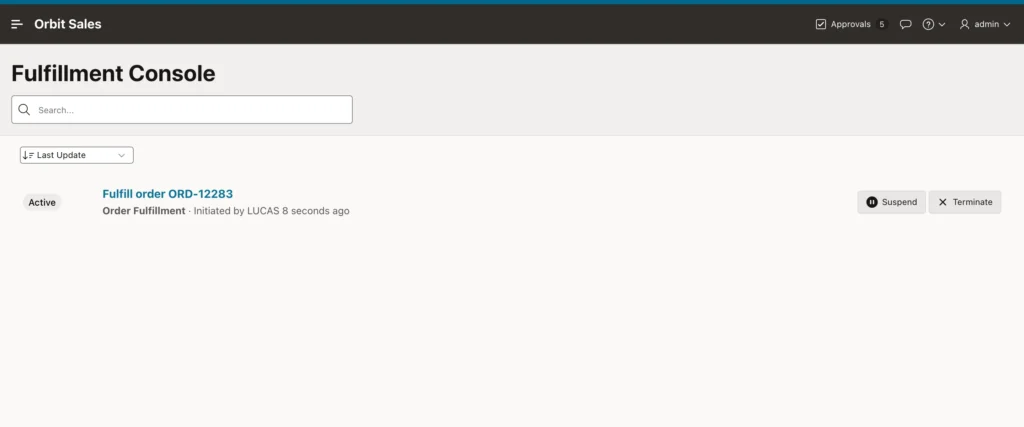
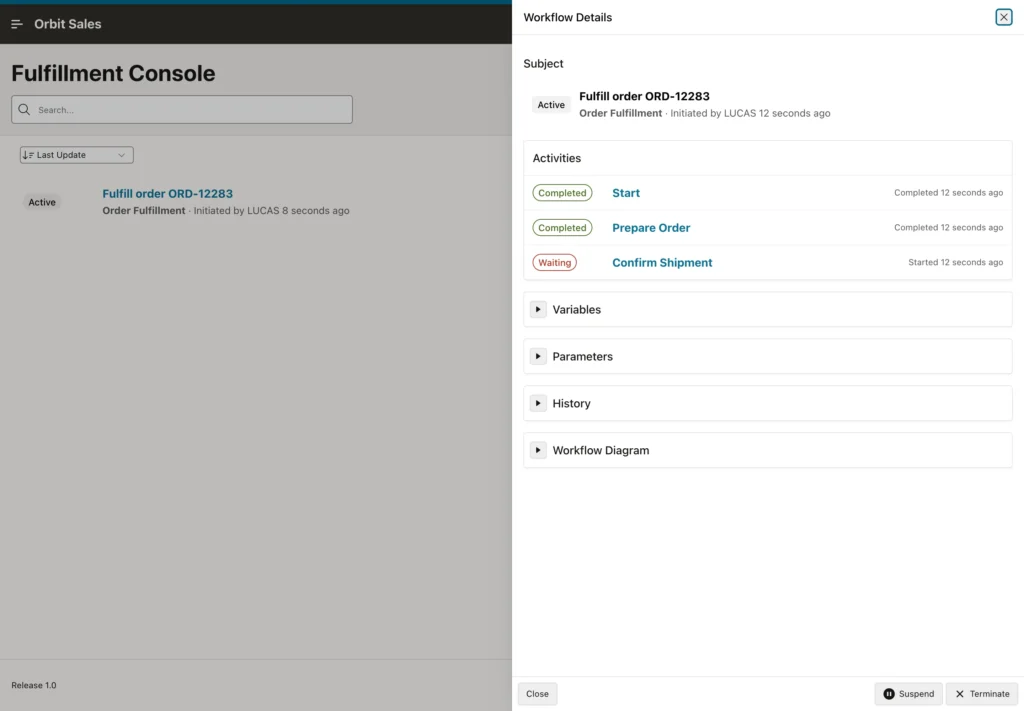
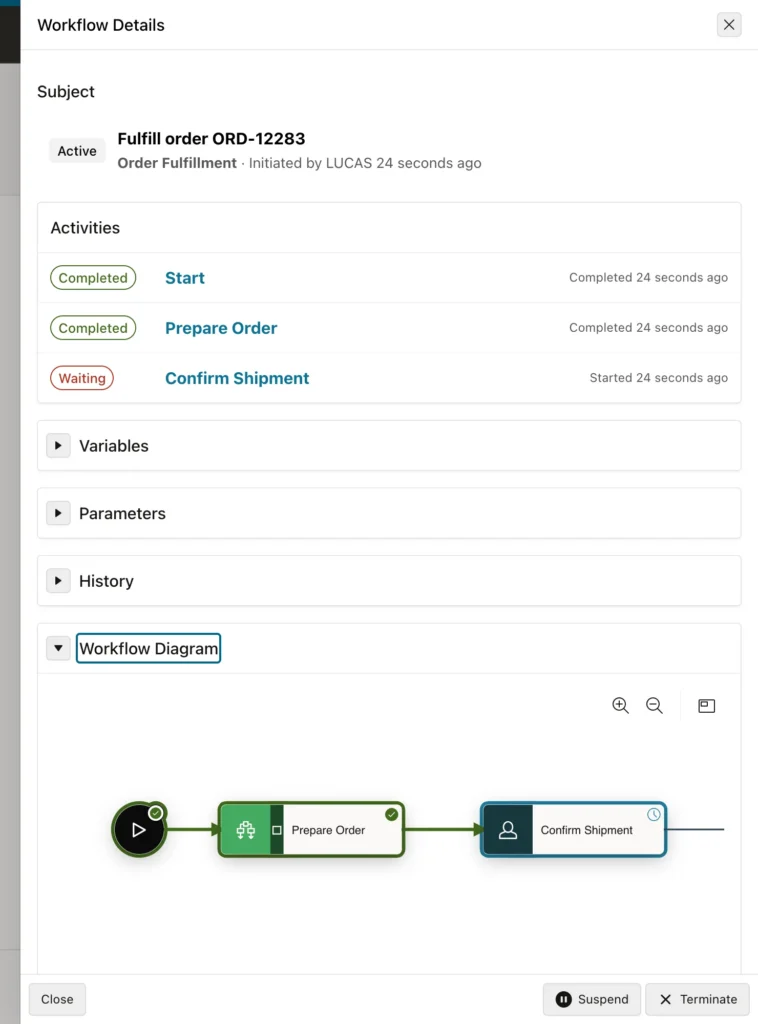
The details page is where this pays off operationally. You can see that both parallel branches completed within a second, that the instance is now waiting on a human task, and exactly what each step wrote, without asking anybody.
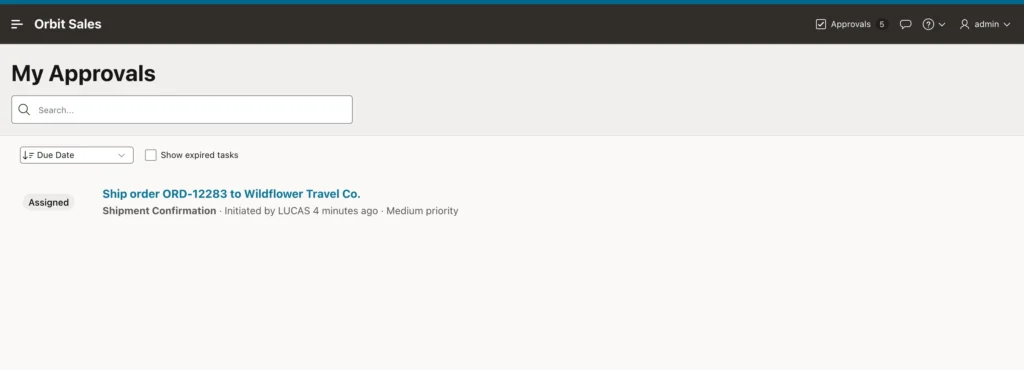
Completing that task resumes the workflow, which runs its final activity and ends.
One rule catches people out here. A task's initiator cannot complete it unless the setting allows it, and a task created by a workflow counts the workflow's initiator as its own. If the same person starts the fulfillment and is the only owner of the shipment task, nobody can complete it. In practice this is the separation of duties the process wants, but it is worth knowing before you spend twenty minutes wondering why a button is missing.
Tasks and Workflows in Code
The APEX_HUMAN_TASK and APEX_WORKFLOW packages do in PL/SQL what the processes do declaratively, which is what you need in automations, REST services, and batch jobs: creating, claiming, approving, rejecting, and completing tasks, and starting, suspending, resuming, terminating, and retrying workflow instances. The APEX_TASKS, APEX_WORKFLOWS, and APEX_WORKFLOW_ACTIVITIES views report on all of it.
Conclusion
Tasks and workflows are how an APEX application stops being a set of screens and starts running a business process. A task definition describes work for a person, with an actions source that hands every activity the row's data through the task's primary key, participants that in APEX 26.1 can be an authorization scheme so approvals follow the roles you already grant, deadlines with an expiration policy, and actions that fire on completion and branch on the outcome. Generate the details page, add a region showing the actual record, and give owners a Unified Task List that spans every application in the workspace. Workflows then chain those steps together, with versions that are developed and activated but never edited once live, human task activities that wait indefinitely for a person, and parallel flows that let independent work happen at the same time instead of queueing. Watch it run in the console, remember that a workflow's initiator cannot complete their own tasks by default, and reach for the PL/SQL packages when the same process needs to run outside a page.
