
Users want data out of the application: an order list for a meeting, a customer report to email a manager, figures to pull apart in Excel. Oracle APEX produces most of those files by itself, and hands the genuinely designed ones to a print server.
This guide covers what reports can download with no extra software, how the print server setting decides what is possible, building a formatted PDF in code with APEX_DATA_EXPORT, report queries and layouts for documents like invoices, and Data Reporter, new in APEX 26.1.
Every query, trigger, and snippet in this article runs against the Orbit Outfitters sample schema: customers, products, orders, stores, and about 2,300 orders of sample data. Install it once and you can follow along in your own workspace.
git clone https://github.com/devvinish/orb_tables.git
-- then, as your schema:
@orbit/install.sql
Downloads from Reports
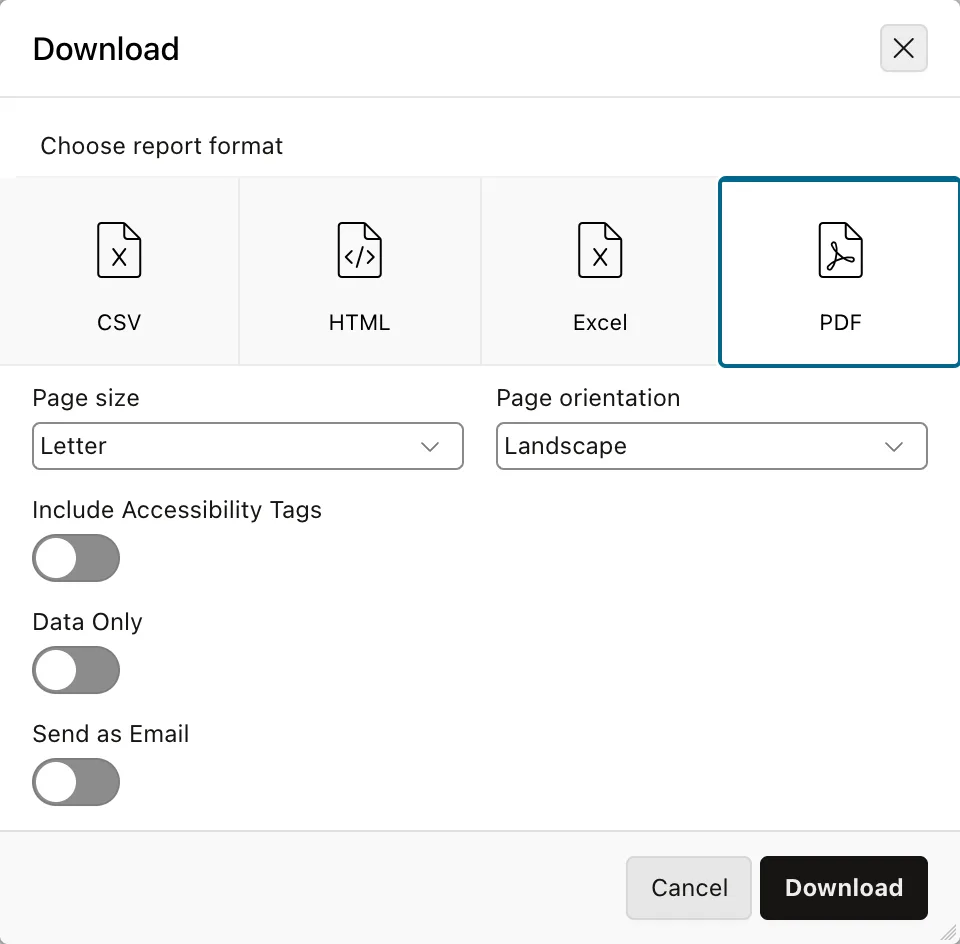
Interactive reports, interactive grids, and classic reports download data with nothing extra installed.
| Format | Produces |
|---|---|
| CSV | Plain values for spreadsheets and other programs |
| HTML | A web page of the report |
| Excel | A real xlsx workbook, with column types and formatting |
| A printable document, with page size, orientation, accessibility tags, and a data-only option |
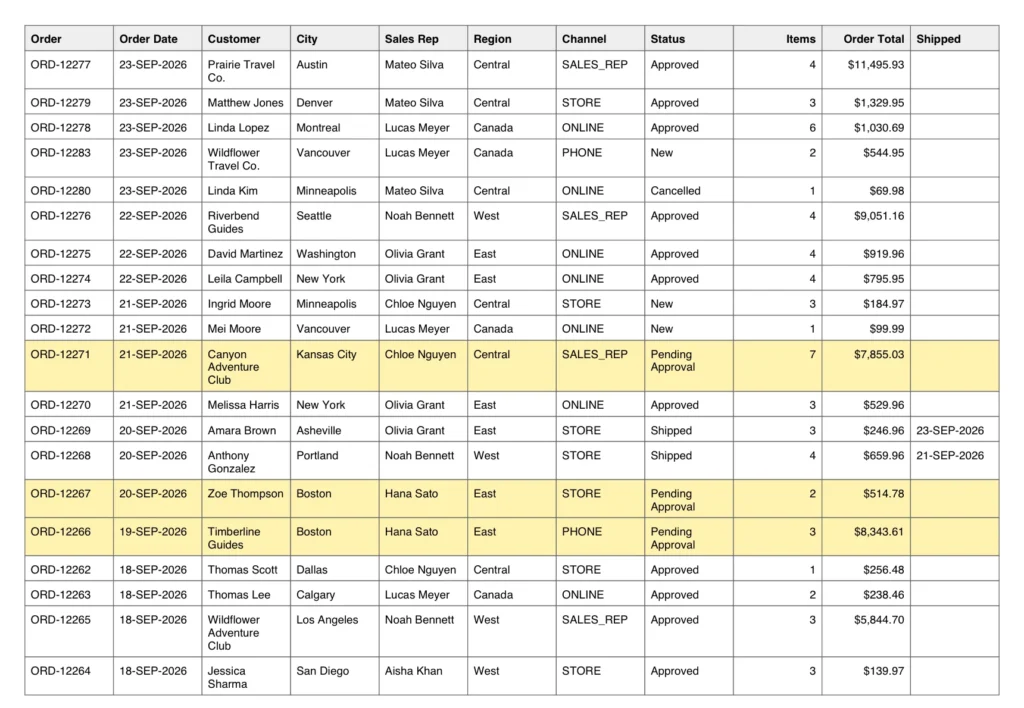
What makes the PDF genuinely useful is that it exports what the user is looking at rather than the raw query: their column order and widths, their saved report's filters, even the row highlighting. Data Only strips the highlights and control breaks when somebody wants the numbers without the decoration.
Send as Email mails the file instead of downloading it, once the instance has a mail server, and which formats a report offers at all is set in its download attributes.
The Print Server Setting
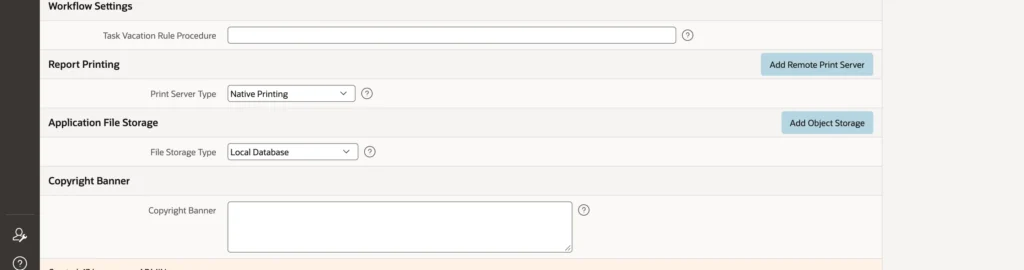
One setting in the application definition governs everything else in this article.
- Native Printing: APEX produces PDF, Excel, and the rest itself. Nothing to install, but custom report layouts are not available.
- Remote Print Server: a registered server, which can be Oracle BI Publisher, Apache FOP, or the Oracle Document Generator service in Oracle Cloud Infrastructure.
- Use Instance Settings: whatever the instance administrator configured.
Native printing covers the great majority of what applications actually need. Reach for a print server when somebody needs a document that looks designed rather than tabular.
Building a PDF with APEX_DATA_EXPORT
The report downloads are built on APEX_DATA_EXPORT, and your own code can call the same package for CSV, HTML, JSON, PDF, XLSX, and XML, with control over columns, headings, format masks, page headers and footers, colors, and fonts.
declare
    l_context apex_exec.t_context;
    l_columns apex_data_export.t_columns;
    l_export  apex_data_export.t_export;
begin
    l_context := apex_exec.open_query_context(
        p_location  => apex_exec.c_location_local_db,
        p_sql_query => q'[
            select c.customer_name    as customer,
                   c.customer_type    as customer_type,
                   c.city,
                   count(o.order_id)  as orders,
                   sum(o.order_total) as total_sales
              from orb_customers c
              join orb_orders o on o.customer_id = c.customer_id
             where o.status <> 'CANCELLED'
             group by c.customer_name, c.customer_type, c.city
             order by total_sales desc
             fetch first 25 rows only]');

    apex_data_export.add_column(p_columns => l_columns, p_name => 'CUSTOMER',      p_heading => 'Customer');
    apex_data_export.add_column(p_columns => l_columns, p_name => 'CUSTOMER_TYPE', p_heading => 'Type');
    apex_data_export.add_column(p_columns => l_columns, p_name => 'CITY',          p_heading => 'City');
    apex_data_export.add_column(p_columns => l_columns, p_name => 'ORDERS',        p_heading => 'Orders');
    apex_data_export.add_column(p_columns => l_columns, p_name => 'TOTAL_SALES',   p_heading => 'Total Sales',
                                p_format_mask => 'FML999G999G990D00');

    l_export := apex_data_export.export(
        p_context      => l_context,
        p_format       => apex_data_export.c_format_pdf,
        p_columns      => l_columns,
        p_file_name    => 'top_customers',
        p_print_config => apex_data_export.get_print_config(
            p_paper_size        => apex_data_export.c_size_letter,
            p_orientation       => apex_data_export.c_orientation_portrait,
            p_page_header       => 'Orbit Outfitters - Top 25 Customers',
            p_page_footer       => 'Printed ' || to_char(sysdate, 'DD-MON-YYYY'),
            p_header_bg_color   => '#8a4b2d',
            p_header_font_color => '#ffffff'));

    apex_exec.close(l_context);
    apex_data_export.download(p_export => l_export);
exception
    when others then
        apex_exec.close(l_context);
        raise;
end;
There are three moving parts. APEX_EXEC runs the query and hands back a context, which is a cursor APEX can read. The export call turns that context into a file, with columns defined by add_column and the page layout by get_print_config. And download sends the file to the browser and ends the request.
Two details are easy to miss and both matter. The exception handler closes the context before re-raising, because a context left open leaks a cursor on every failure. And the process must run Before Header with a request condition, exactly like the download process, because it sends a file instead of a page.
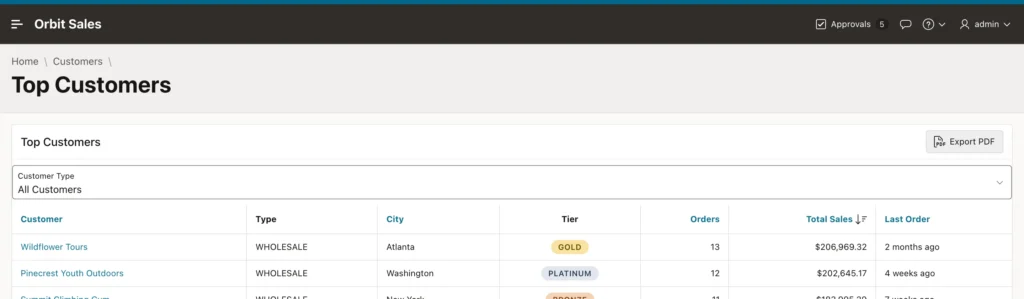
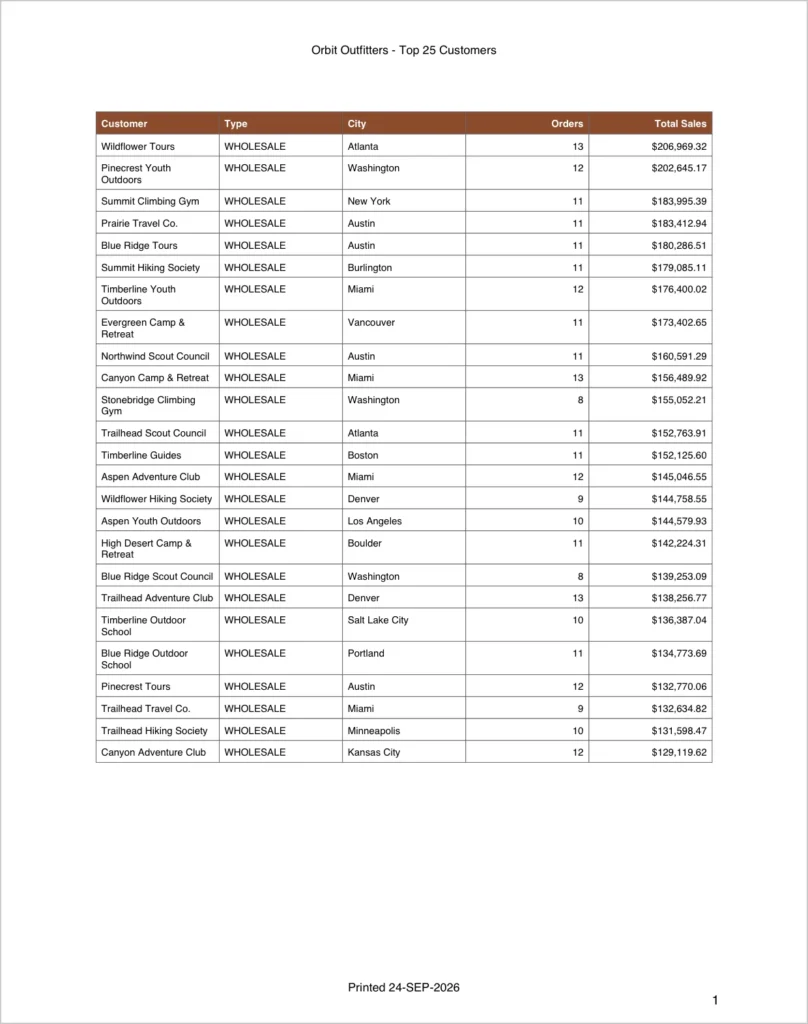
Switching the format constant from PDF to XLSX produces an Excel workbook from identical code, which is the real argument for this package over any hand-rolled alternative.
One caveat worth planning for: this query is independent of the page, so it ignores whatever filter the user has applied. To respect it, either add the condition to the query and pass the item through the query context's parameters, or export the region itself with apex_region.open_query_context, which applies the region's own query, filters, and sort.
Report Queries and Layouts
For documents with a designed layout, an invoice with a logo, a letter, a packing slip, APEX has two more shared components. A report query is one or more SQL queries whose results become an XML document. A report layout turns that XML into the finished document, as an RTF or XSL-FO template for BI Publisher or Apache FOP, or a Word template for Oracle Document Generator.
Both need a remote print server. With native printing configured, the Report Queries page says so directly rather than letting you build something that cannot run.
With a server in place, a report query is printed by the Print Report process or dynamic action, whose properties name the query, the file name, whether it opens inline or downloads, and a file password. That password option is worth remembering: the generated PDF only opens for someone who knows it, which is what you want for documents emailed out, such as statements or contracts.
Oracle Document Generator is the modern choice here. It runs as a pre-built function in Oracle Cloud Infrastructure and takes Word templates, which means the people who own the document's wording can edit it themselves instead of filing a request with you.
Data Reporter
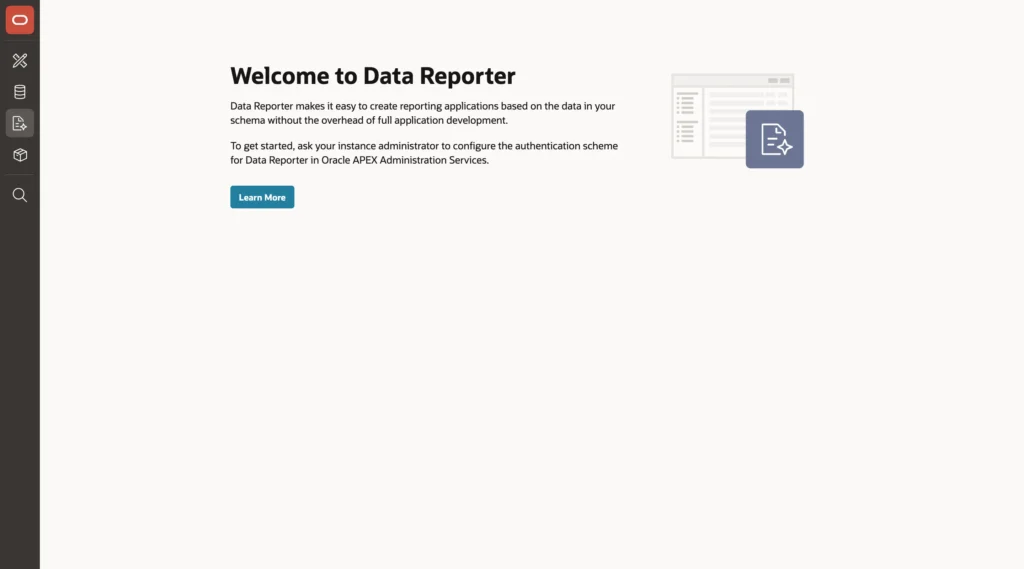
Data Reporter is new in APEX 26.1 and sits beside App Builder and SQL Workshop in the builder. It lets people create reporting applications over the workspace's schemas without the overhead of building a full application, which suits the many reports that do not justify a page of their own.
There is a prerequisite that catches people out. Data Reporter signs its users in through the organization's identity provider, so an instance administrator must first choose its authentication, whether HTTP header variable, SAML, or social sign-in, through an instance parameter. Until that is done the tab simply explains what is missing.
Conclusion
Getting data out of APEX is layered, and most applications never need to leave the first layer. Reports download CSV, HTML, Excel, and PDF with nothing installed, and the PDF reflects each user's own columns, filters, and highlighting rather than the underlying query. When you need a document built in code, APEX_DATA_EXPORT gives you the same engine with control over headings, format masks, page headers and footers, and colors, in three steps: open a query context, export it with your column definitions and print config, then download, remembering to close the context in an exception handler and to run the whole thing Before Header behind a request. Switching one constant turns the same code into a spreadsheet. Beyond that sit report queries and layouts for genuinely designed documents, which need a remote print server and can produce password-protected PDFs, with Oracle Document Generator letting business users maintain Word templates themselves. And Data Reporter, once an administrator has configured its sign-in, hands routine reporting to the people who actually want the reports.
