
Several dynamic actions already talk to the server without reloading the page. Set Value runs a query, Execute Server-side Code calls a procedure, Refresh re-renders a region. Each one sends an Ajax request and updates part of the page with the answer.
Those declarative actions cover most of what an application needs. When they do not, Oracle APEX lets you write the server half as an Ajax Callback process and call it from JavaScript. This guide shows what an APEX Ajax request actually looks like, how to write a callback, how to get values in and JSON out, and how to follow long-running background work.
What an APEX Ajax Request Looks Like
Every Ajax request from an APEX page goes to the same endpoint and carries the application, page, and session, plus a request value saying what to run. Open the Network tab in your browser's developer tools and change an item that has a Set Value action, and you will see it.
POST /ords/wwv_flow.ajax?p_context=orbit-sales/order/6714593808632
p_flow_id=100&p_flow_step_id=10&p_instance=6714593808632
&p_request=PLUGIN=REEgVFlQRX5-Mzc2MDgxMzIy
&p_json={"pageItems":{"itemsToSubmit":[{"n":"P10_CUSTOMER_ID","v":"16"}]}}
The request names the dynamic action's plug-in, and pageItems carries the Items to Submit, which APEX writes into session state before running anything. The response is small JSON that the action feeds into the target item.
Your own callbacks look the same, with the request naming your process instead. Two consequences follow from all of this running inside the user's session: Ajax requests read and write session state exactly like a page submit, and a request without a valid session is rejected outright.
Writing an Ajax Callback
Suppose an order form should show a live summary of the chosen customer: credit limit, lifetime value, open orders. No item on the page holds that, and the browser cannot compute it.
The Display Item
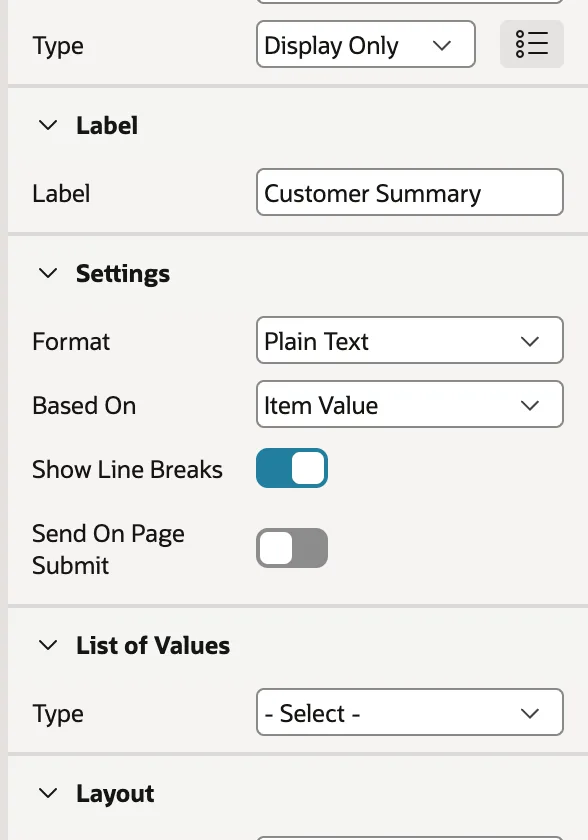
Create a display-only item with a null source, then switch off Send On Page Submit. This is the detail that saves an hour of confusion later.
APEX protects display-only and hidden items by remembering the value it rendered and rejecting a submit where that value changed. An item filled in by JavaScript will have changed, so leaving Send On Page Submit on means every save after a customer change fails with a session state protection violation. Switched off, the item is simply never sent, which is fine because it exists only to be read.
The related case is different: for a hidden item that JavaScript changes and the server genuinely needs, switch off Value Protected instead, and validate the value in your code.
The Callback Process
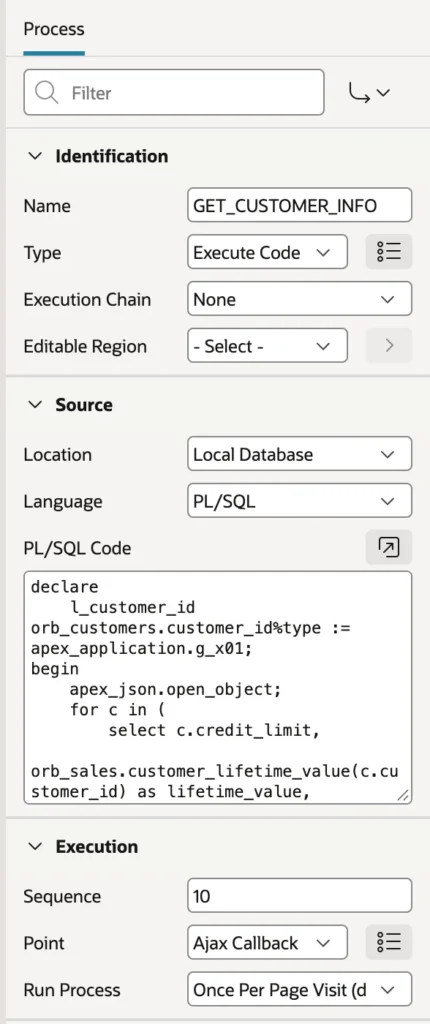
declare
    l_customer_id orb_customers.customer_id%type := apex_application.g_x01;
begin
    apex_json.open_object;
    for c in (
        select c.credit_limit,
               orb_sales.customer_lifetime_value(c.customer_id) as lifetime_value,
               (select count(*)
                  from orb_orders o
                 where o.customer_id = c.customer_id
                   and o.status in ('NEW', 'PENDING_APPROVAL', 'APPROVED')) as open_orders
          from orb_customers c
         where c.customer_id = l_customer_id
    ) loop
        apex_json.write('creditLimit',   c.credit_limit);
        apex_json.write('lifetimeValue', c.lifetime_value);
        apex_json.write('openOrders',    c.open_orders);
    end loop;
    apex_json.close_object;
end;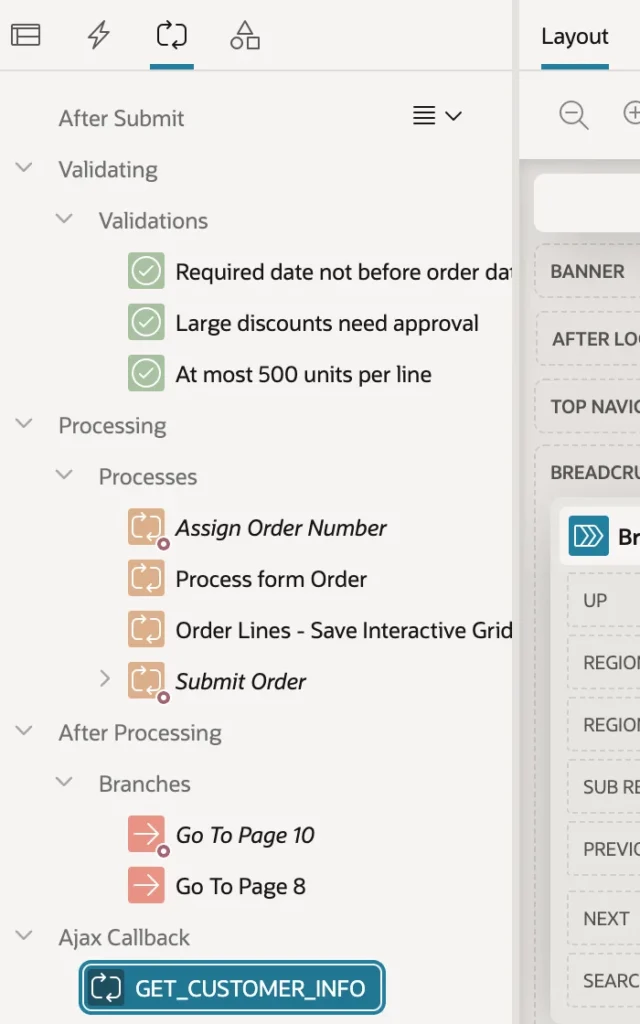
The process name is what JavaScript will call, so name it like an API rather than a page component. Whatever the process writes to the HTTP output becomes the response, and APEX_JSON writes there by default.
The JavaScript
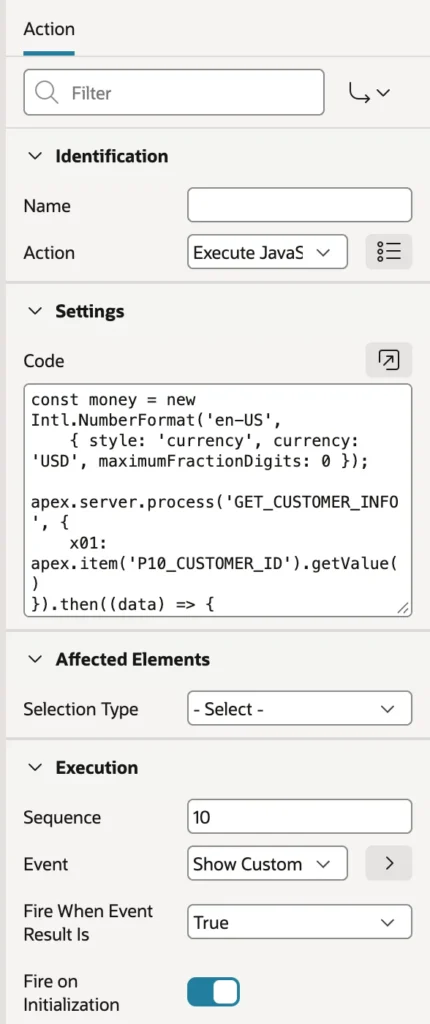
const money = new Intl.NumberFormat('en-US',
    { style: 'currency', currency: 'USD', maximumFractionDigits: 0 });

apex.server.process('GET_CUSTOMER_INFO', {
    x01: apex.item('P10_CUSTOMER_ID').getValue()
}).then((data) => {
    apex.item('P10_CUSTOMER_INFO').setValue(
        'Credit limit ' + money.format(data.creditLimit) +
        ' · lifetime value ' + money.format(data.lifetimeValue) +
        ' · ' + data.openOrders +
        (data.openOrders === 1 ? ' open order' : ' open orders'));
}).catch((error) => {
    apex.message.showErrors([{
        type: 'error', location: 'page',
        message: 'Customer details could not be loaded.'
    }]);
});
apex.server.process returns a promise. The parsed JSON arrives in then, and catch handles both network failures and exceptions raised inside the callback. Do write that catch: a silent failure here looks like an item that mysteriously stays empty.
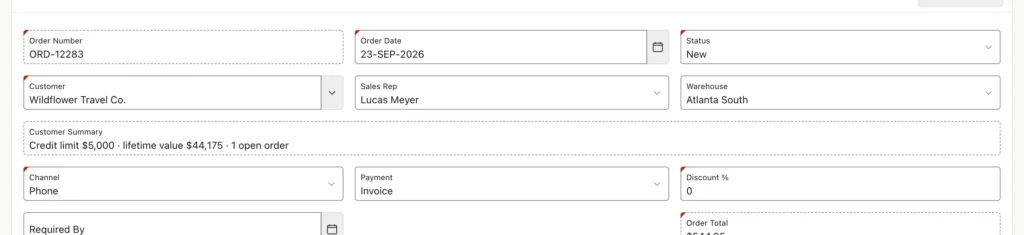
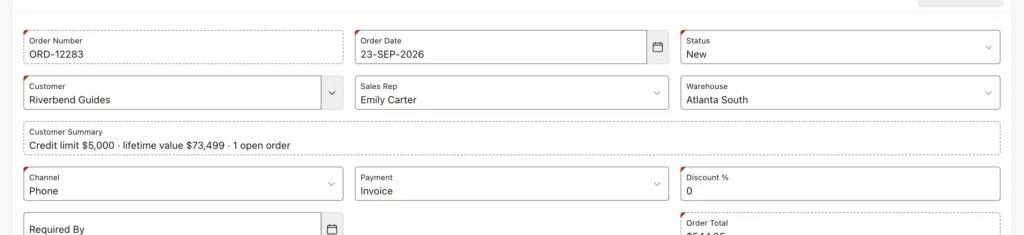
Leaving Fire on Initialization on here is deliberate, because the summary should also appear when an existing order opens. That is the opposite of the rule for actions that change data, and the distinction is worth internalizing: read-only actions usually want initialization, data-changing ones usually do not.
Sending Values to the Server
| Property | Sends | Read in PL/SQL as |
|---|---|---|
| x01 to x20 | Up to twenty single values | apex_application.g_x01 and friends |
| f01 to f20 | Up to twenty arrays | apex_application.g_f01 collections |
| pageItems | Page items, by selector or name array | Bind variables, because they reach session state first |
| p_clob_01 | A large text value | apex_application.g_clob_01 |
The choice between x01 and pageItems is a real design decision rather than a style preference. Sending a page item puts the value into session state, which is what you want when a report on the same page also reads it. Sending x01 leaves session state untouched, which is what you want when the value is a passing argument and nothing else should see it.
The third argument holds options, including a data type for responses that are not JSON, and a loading indicator that puts a spinner beside an element while the request runs. For anything that might take a moment, showing a spinner is the difference between "slow" and "broken".
Returning JSON
APEX_JSON writes JSON piece by piece, and it can also serialize an entire cursor in one call, which is the shortest path from a query to an array of objects.
declare
    l_cursor sys_refcursor;
begin
    open l_cursor for
        select order_number, order_date, order_total
          from orb_orders
         where customer_id = apex_application.g_x01
         order by order_date desc
         fetch first 5 rows only;
    apex_json.write(l_cursor);
end;
The database's own SQL JSON functions are an equally good alternative, building the document in the query and printing it with htp.p.
Whichever you choose, the callback must write nothing but the JSON. One stray debug line printed to the output makes the response unparseable and the promise rejects, which produces an error message that points nowhere near the actual mistake. If you need to trace something, write to a logging table.
Following Long-Running Work
A background execution chain hands the page straight back to the user, which is the point, but leaves them with no idea when the work finishes. A callback that reads the execution's status, polled from the browser, closes that gap.
declare
    l_done boolean := true;
begin
    apex_json.open_object;
    for s in (
        select status, status_code, sofar, totalwork
          from apex_appl_page_bg_proc_status
         where execution_id = :P8_RECALC_ID
    ) loop
        l_done := s.status_code in ('SUCCESS', 'FAILED', 'ABORTED');
        apex_json.write('status',    s.status);
        apex_json.write('sofar',     s.sofar);
        apex_json.write('totalwork', s.totalwork);
    end loop;
    apex_json.write('done', l_done);
    apex_json.close_object;

    if l_done then
        apex_util.set_session_state('P8_RECALC_ID', null);
    end if;
end;
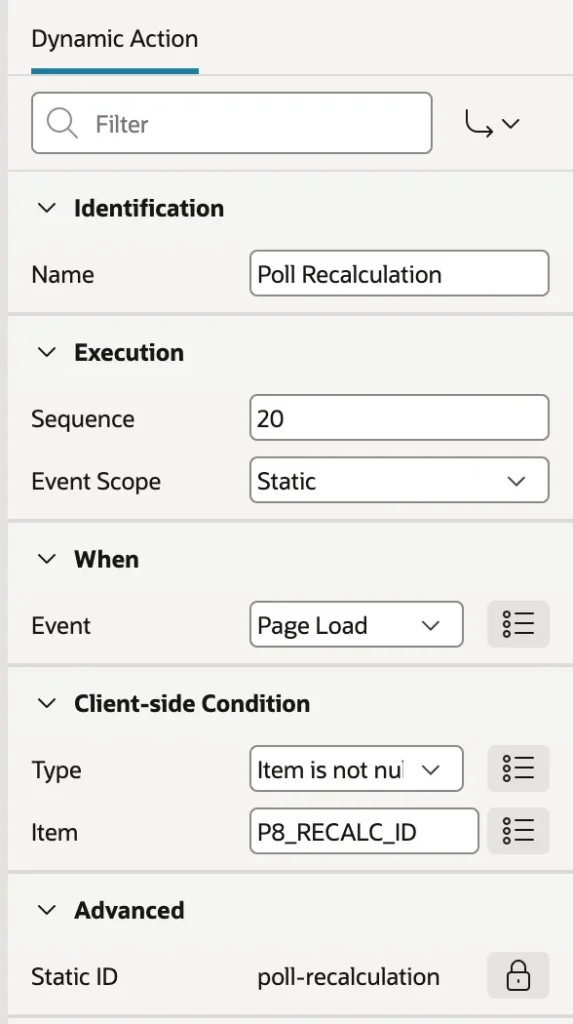
The chain's Return ID into Item setting puts the execution's ID into a hidden item when the job is queued, which is how the page knows what to watch. Clearing that item once the job finishes matters just as much, otherwise the next visit to the page starts polling a job that ended yesterday.
function checkProgress() {
    apex.server.process('GET_RECALC_PROGRESS').then((data) => {
        if (data.done) {
            apex.message.showPageSuccess('Recalculation ' + data.status.toLowerCase() +
                ': ' + data.sofar.toLocaleString() + ' orders.');
        } else {
            apex.message.showPageSuccess(data.totalwork
                ? 'Recalculating order totals: ' + data.sofar.toLocaleString() +
                  ' of ' + data.totalwork.toLocaleString() + ' orders…'
                : 'Recalculation: ' + data.status + '…');
            setTimeout(checkProgress, 1000);
        }
    });
}
checkProgress();

Poll politely. Every poll is a request, so match the interval to the job: a second for work measured in seconds, ten seconds for work measured in minutes, and always stop when done. And for anything that finishes in a few seconds, skip polling entirely and use Execute Server-side Code with Show Processing, which waits with a spinner and needs no callback at all.
Partial Page Refresh
Refreshing a region is the same machinery wearing different clothes. The declarative Refresh action and its JavaScript equivalent both ask the server to render the region again with current session state, plus the region's Page Items to Submit, and swap it into the page while everything else, including the scroll position, stays put.
apex.region('top_customers').refresh();That name is the region's HTML DOM ID, not its title. Regions fire Before Refresh and After Refresh events that other dynamic actions can hook, and many offer Lazy Loading, which renders the page first and fetches the region's data afterwards, so one slow report no longer delays everything else.
Keeping Callbacks Secure
A callback is a public entry point to your server, and it deserves the same suspicion as any other.
- Treat the input as untrusted. Values in x01 or f01 come from the browser and can be anything at all. A callback returning or changing restricted data must check the user is entitled to it, through an authorization scheme on the process or a check in the code.
- Use bind variables. Never concatenate a value from the browser into dynamic SQL.
- Page items keep their protection. Items sent through pageItems are subject to session state protection exactly as on a submit, so a value-protected item cannot be changed by Ajax.
- Mind the scope. A page-level callback can only be called from its page, while an application process with the Ajax Callback point is reachable from every page, which is convenient and correspondingly wider exposure.
Conclusion
Ajax in APEX is less mysterious than it looks: every request goes to one endpoint inside the user's session, carrying a request value that names what to run, and reads and writes session state exactly as a page submit does. Write the server half as an Ajax Callback process, read what the browser sent from x01 through x20 or from session state, and return JSON built with APEX_JSON or the database's own JSON functions, taking care that the response contains nothing else. Call it from JavaScript with apex.server.process, which hands back a promise, and always attach a catch so a failure surfaces instead of silently doing nothing. Choose pageItems when the value belongs in session state and x01 when it is just an argument, switch off Send On Page Submit for display items that JavaScript writes, and poll background work no faster than the work actually changes. Most of the time a declarative dynamic action is still the right answer, but when it is not, this is the seam APEX leaves open for you.
