
If you are building a financial reporting or planning application on Oracle APEX and your customers demand EU data residency, the path forward is Oracle EU Sovereign Cloud backed by Autonomous Database. This is not just a geography checkbox. It changes how you design your tenancy structure, how you migrate existing workloads, and how you handle data ingestion from heterogeneous upstream systems.
This article walks you through the engineering decisions and configuration patterns that go into building a multi-tenant APEX reporting platform in this architecture, from initial provisioning to live REST integrations.
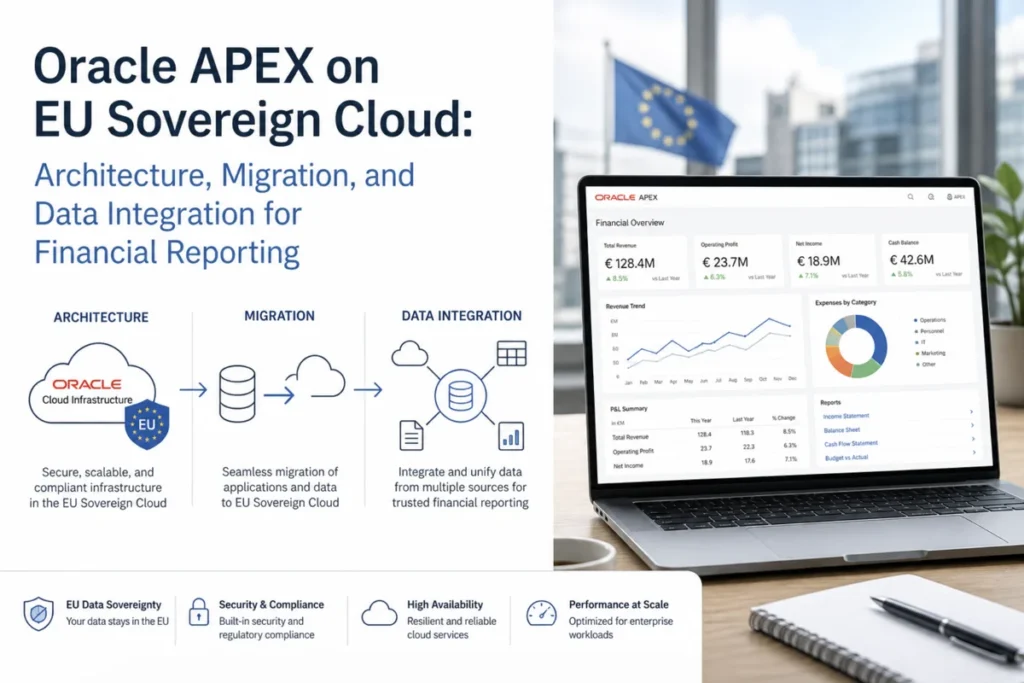
Why Autonomous Database Changes the APEX Hosting Model
When you run APEX on a self-managed Oracle Database, you own the ORDS layer, the web listener, and all patching cycles. On Autonomous Database, APEX is a built-in service. Oracle manages the ORDS configuration, TLS termination, and database patching automatically.
This eliminates a class of infrastructure decisions you would otherwise make, such as whether to run ORDS on a separate compute node, how to configure connection pools, and when to apply quarterly PSUs. You get a fixed, well-tested ORDS version that Oracle upgrades in place with zero downtime.
Tenancy and Compartment Structure for Multi-Customer Environments
In a consulting or ISV context where you are managing separate APEX environments per customer, your OCI compartment hierarchy is your primary governance mechanism. Each customer should map to its own compartment, with an Autonomous Database instance provisioned inside it.
A typical structure looks like this:
- Root tenancy: your organization
- Child compartment per customer: contains ADB instance, network resources, and any OCI services consumed
- IAM policies scoped to each compartment to prevent cross-customer access
- Separate APEX workspaces inside each ADB instance, each mapped to a dedicated schema
You create a compartment using the OCI CLI with a command like: oci iam compartment create --compartment-id <parent-ocid> --name <customer-name> --description "Customer environment"
Provisioning an Autonomous Database into that compartment follows as: oci db autonomous-database create --compartment-id <customer-compartment-ocid> --db-name <name> --cpu-core-count 2 --data-storage-size-in-tbs 1 --db-workload OLTP --display-name <name>
Provisioning APEX Workspaces Programmatically
Once the ADB instance is running, you do not need to use the APEX administration UI manually for each customer. You can automate workspace creation using the APEX_INSTANCE_ADMIN PL/SQL API over a SQL*Net or ORDS connection.
The core calls are: APEX_INSTANCE_ADMIN.ADD_WORKSPACE and APEX_INSTANCE_ADMIN.ADD_SCHEMA. You assign one schema per workspace and control which database user owns that schema. This keeps customer data physically separated at the schema level, which is the recommended isolation model inside a shared ADB instance.
According to Oracle's architecture guidance, "each workspace in APEX is isolated: users in one workspace cannot see applications, data, or schemas belonging to another workspace." That separation holds even when two customers share the same Autonomous Database instance.
Migrating Existing APEX Applications Using Zero Downtime Migration
If you already have APEX applications running in a commercial Oracle Cloud region or an on-premises database, you can move them to EU Sovereign Cloud without taking downtime using Oracle Zero Downtime Migration (ZDM). ZDM orchestrates a logical or physical migration using GoldenGate replication under the hood.
For a logical migration to Autonomous Database, you run ZDM in logical online mode. The key configuration parameters in the ZDM response file include:
MIGRATION_METHOD=ONLINE_LOGICAL
DATA_TRANSFER_MEDIUM=DBLINK
TARGETDATABASEOCID=<adb-ocid>
SOURCEDATABASECONNECTIONDETAILS_HOST=<source-host>
SOURCEDATABASECONNECTIONDETAILS_PORT=1521
SOURCEDATABASECONNECTIONDETAILS_SERVICENAME=<source-service>
You then execute the migration job with: zdmcli migrate database -sourcedb <source-alias> -sourcenode <source-host> -srcauth zdmauth -srcarg1 user:opc -targetdatabaseocid <adb-ocid> -rsp <response-file-path> -eval
The -eval flag runs a dry-run validation first. Once you are satisfied, remove -eval to kick off the actual migration. APEX application metadata, schemas, and data are replicated incrementally until you perform the final cutover.
REST API Integration With DATEV and SAP
Financial reporting platforms typically pull data from accounting systems. In the German market, DATEV is the dominant source system. DATEV exposes a DATEV Daten-Service REST API that returns JSON payloads covering accounts, journal entries, and cost centers.
Inside APEX, you consume these REST services using APEX_WEB_SERVICE or the native REST Data Source feature in APEX 22.1 and later. The REST Data Source approach is preferable because it caches responses, supports pagination, and integrates directly with Interactive Reports and Interactive Grids without additional PL/SQL glue code.
To configure a REST Data Source, you define a Remote Server under Shared Components, then create a REST Data Source against it. Key settings to get right include:
- Authentication type: OAuth 2.0 Client Credentials for DATEV's token endpoint
- Pagination type: set to match the API's response envelope, typically "Response contains row count"
- Row Selector: the JSON path to the array of records inside the response body
- Column Mapping: map JSON keys to APEX column aliases for use in report queries
For SAP integration, the approach is similar but you are typically hitting SAP OData services. The OData protocol wraps responses in a specific JSON envelope (__deferred links, __count fields), so your Row Selector must target the value array inside the d property of the response.
Handling File-Based Data Transfers From DATEV
DATEV also supports periodic flat-file exports in DATEV-specific CSV and EXTF formats. If your customer uses the export-based flow rather than live REST calls, you need to handle file ingestion inside APEX.
The standard approach is to build an APEX file upload page backed by an APEX_DATA_PARSER call. APEX_DATA_PARSER handles CSV, XLSX, XML, and JSON natively. For DATEV EXTF files, which are semicolon-delimited with a fixed multi-line header block, you configure: p_skip_rows to skip the header lines, p_col_delimiter to ';', and p_file_name to the uploaded BLOB reference.
Parsed rows are inserted into a staging table within the customer schema. From there, a transformation process maps DATEV account codes to your internal chart of accounts and loads the data into the reporting layer. This two-phase staging approach lets you validate and audit raw imports before they affect any financial reports.
Authorization Model Inside APEX on Autonomous Database
Autonomous Database's built-in security model integrates cleanly with APEX authorization schemes. Because there is no separate application server tier, there is no additional session management layer to configure. APEX handles session state entirely within the database.
For multi-customer deployments, you implement authorization using APEX authorization schemes backed by PL/SQL functions that check the application's current user against a roles table in the workspace schema. A typical check function returns TRUE if the current user has the required role, and you attach that scheme to pages, regions, and buttons as needed.
For row-level security, use Oracle Virtual Private Database (VPD) policies on your reporting tables. A VPD policy is a PL/SQL function that appends a WHERE clause to every query on the target table. This ensures that even if a developer writes a report query without an explicit filter, the database enforces the tenant boundary automatically.
Provisioning Speed: What the 4 to 5 Hour Window Actually Covers
You can realistically go from a new customer request to a running APEX application in under five hours. Here is what that time covers:
| Step | Approximate Duration | Method |
|---|---|---|
| Create OCI compartment and IAM policies | 5 to 10 minutes | OCI CLI or Terraform |
| Deploy the application from SQL export | 15 to 20 minutes | OCI CLI or console |
| Create APEX workspace and schema | 5 to 10 minutes | APEX_INSTANCE_ADMIN API |
| Deploy the application from the SQL export | 10 to 20 minutes | SQLcl or APEX import |
| Configure REST Data Sources and credentials | 30 to 60 minutes | APEX Shared Components |
| Customer data load and validation | 1 to 3 hours | File upload or REST pull |
Most of the time is spent on the initial data ingestion and validation, not on infrastructure. Once you have a repeatable Terraform or OCI CLI script for the compartment and ADB setup, the infrastructure portion drops to under 30 minutes per new customer.
Operational Overhead Reduction: Where the 30 to 40 Percent Comes From
On a self-managed Oracle stack, your DBA team handles quarterly PSU applications, ORDS upgrades, SSL certificate renewals, and OS patching on the database host. Each of these has a planning, testing, and execution cycle that adds up across a portfolio of customers.
On Autonomous Database, Oracle handles all of that automatically. You do not schedule maintenance windows for patching. You do not manage ORDS versions. You do not renew TLS certificates for the APEX HTTPS endpoint.
The remaining administrative work is at the APEX application level: deploying new versions, managing workspace users, monitoring REST integration health, and reviewing database storage usage. That is a significantly narrower scope than full-stack ownership.
Certifications and Sovereign Cloud Region Specifics
Oracle EU Sovereign Cloud regions are physically isolated from standard OCI commercial regions. They operate under a separate control plane that is staffed and operated within the EU. This is what enables the BSI (Bundesamt fur Sicherheit in der Informationstechnik) compliance claims that German public sector customers require in tenders.
From an engineering perspective, the key differences you need to account for are: the region identifiers in your OCI CLI config will differ from commercial region names, some OCI services available in commercial regions may not yet be available in sovereign regions, and cross-region replication to commercial regions is not permitted by design.
Before migrating or building in a sovereign region, run oci iam region list to confirm the exact region name, and verify service availability in the sovereign region using the OCI documentation or the console service catalog for that region.
Conclusion
Building a multi-tenant financial reporting platform on Oracle APEX in the EU Sovereign Cloud is straightforward once you understand the moving parts. Your compartment hierarchy handles governance. Autonomous Database eliminates the infrastructure management layer. ZDM handles live migrations with no downtime. REST Data Sources and APEX_DATA_PARSER cover the upstream integrations you will encounter in German accounting environments.
The real engineering payoff is in repeatability. Once your provisioning scripts, application export packages, and REST source configurations are dialed in, adding a new customer environment is a matter of hours, not weeks. That is where the operational efficiency gains come from, and it is something you can measure and demonstrate concretely to stakeholders without relying on vendor talking points.
