
Type a short code into your dialer, press call, and instantly find out if someone is spying on your phone — that's the promise behind codes like *#21# and *#62# that circulate endlessly on social media.
The truth is more nuanced. These dialer codes are real, and they can reveal one specific type of attack: someone secretly forwarding your calls and messages. But they cannot detect spyware, stalkerware, or most hacks — and believing they give your phone a clean bill of health is dangerous.
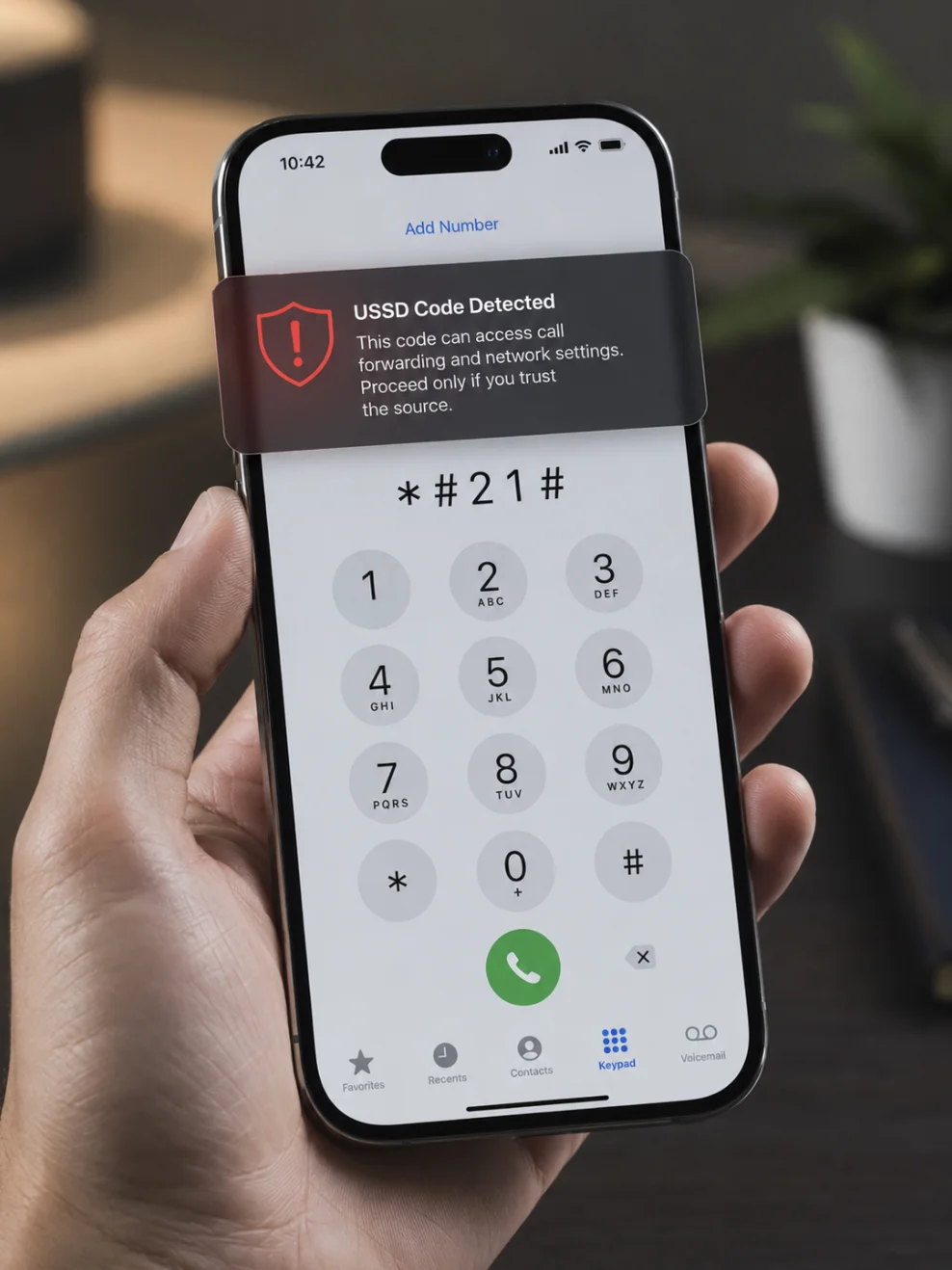
This guide covers exactly what to dial to see if your phone is hacked, what each code actually tells you (and doesn't), and the checks that catch the threats no dialer code can see.
Quick Reference: Codes to Check If Your Phone Is Hacked
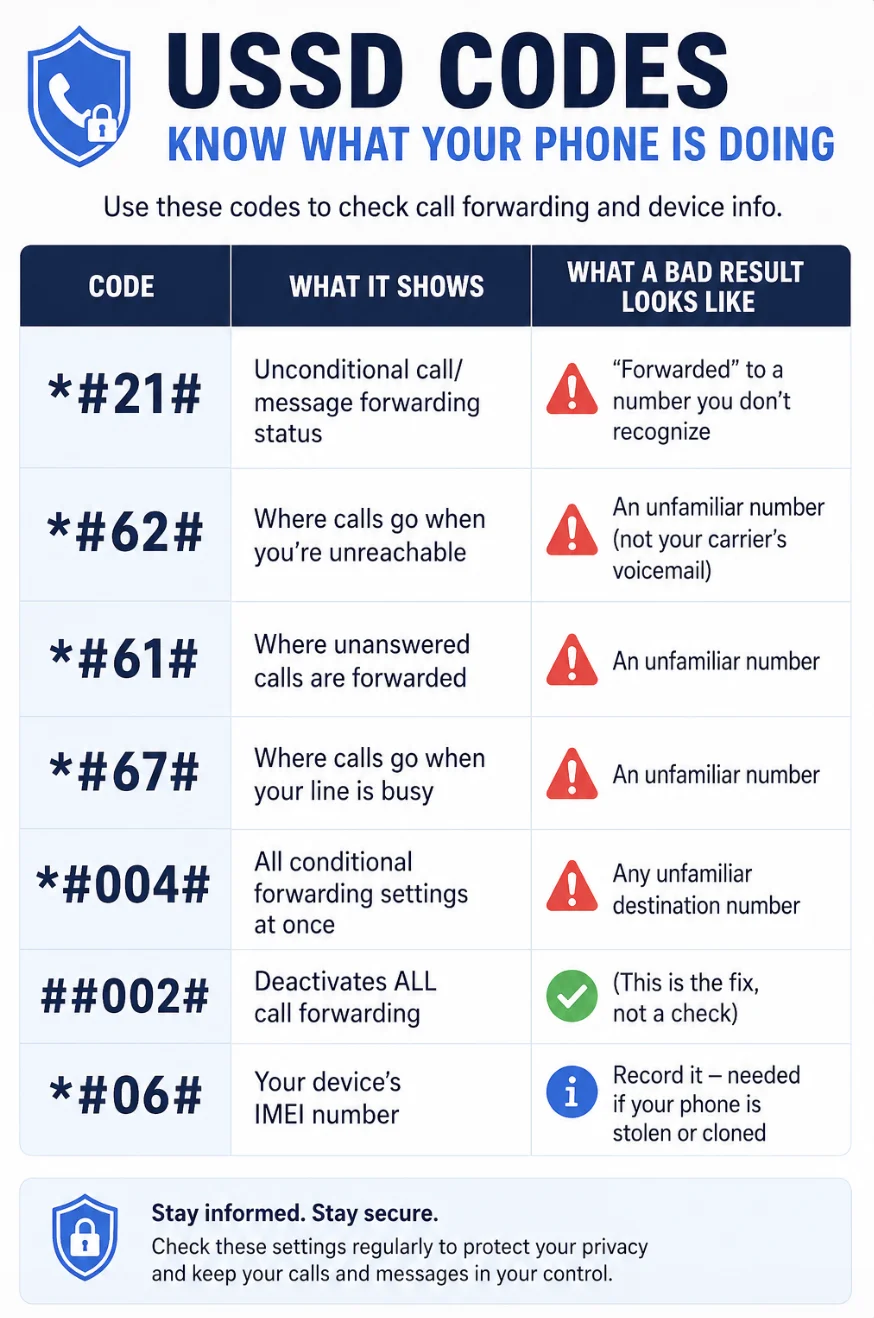
These are called USSD codes (Unstructured Supplementary Service Data) or MMI codes. You enter them in your phone's dialer app, exactly as written, then tap the call button. Most work on both iPhone and Android.
| Code | What It Shows | What a Bad Result Looks Like |
|---|---|---|
| *#21# | Unconditional call/message forwarding status | "Forwarded" to a number you don't recognize |
| *#62# | Where calls go when you're unreachable | An unfamiliar number (not your carrier's voicemail) |
| *#61# | Where unanswered calls are forwarded | An unfamiliar number |
| *#67# | Where calls go when your line is busy | An unfamiliar number |
| *#004# | All conditional forwarding settings at once | Any unfamiliar destination number |
| ##002# | Deactivates ALL call forwarding | (This is the fix, not a check) |
| *#06# | Your device's IMEI number | Record it — needed if your phone is stolen or cloned |
Let's break down what each one really means.
What Each Code Does (and Doesn't) Tell You
*#21# — Check for Unconditional Call Forwarding
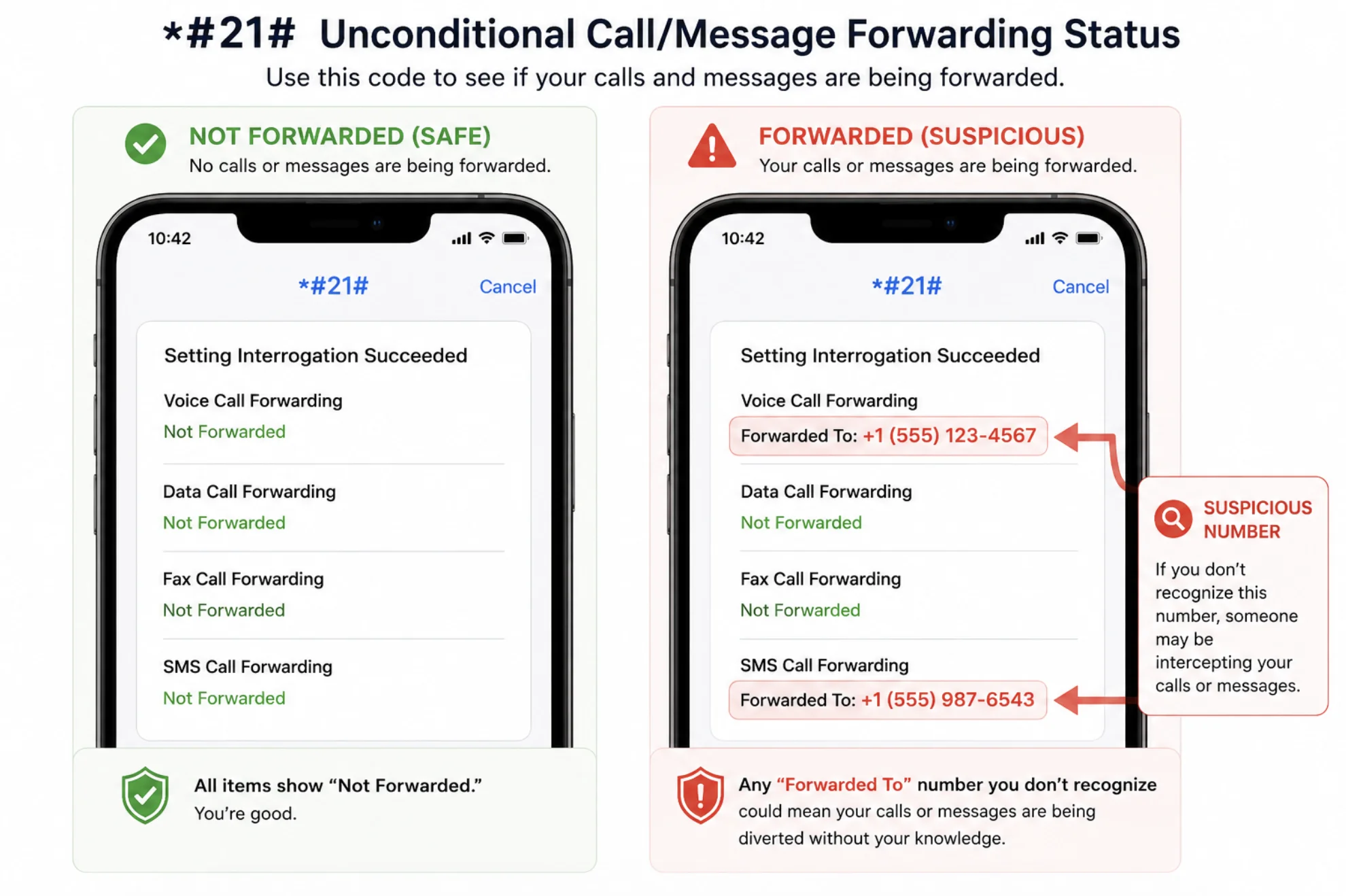
Dialing *#21# shows whether every incoming call, message, or data session is being diverted to another number before your phone even rings. This is the most serious forwarding setting, because you'd never notice it — your phone simply stays silent while someone else receives your calls.
How to read the result:
- "Not forwarded" for all categories → normal, nothing diverted
- "Forwarded" with a number you don't recognize → someone may have set up call interception; note the number and disable it (see below)
Important: "Forwarded" isn't automatically sinister. Your own voicemail number, a work-phone setup, or a "find my number busy" feature from your carrier can appear here legitimately.
*#62# — Check Where Calls Go When You're Unreachable
*#62# reveals where calls are redirected when your phone is off, in airplane mode, or out of coverage. This is the code behind most viral "your phone is tapped!" posts — and most of the panic is misplaced.
For nearly everyone, this code shows a number because that's how voicemail works. Your carrier forwards unreachable calls to its voicemail system, which often appears as an unfamiliar-looking number.
When to worry: only if the number shown isn't your carrier's voicemail service. A quick web search for the number plus your carrier name usually settles it — or call your carrier and ask.
*#61# and *#67# — Unanswered and Busy Call Forwarding
These show where calls go when you don't pick up (*#61#) or when you're on another call (*#67#). Like *#62#, these normally point at voicemail. An attacker setting these instead of *#21# gets a subtler tap — your phone still rings, so nothing seems wrong, but every call you miss goes to them.
*#004# — Check All Conditional Forwarding at Once
Rather than dialing three separate codes, *#004# displays the status of all conditional forwarding (unanswered, unreachable, busy) in one result. A convenient single check.
##002# — The Kill Switch: Erase All Call Forwarding
If any code above shows forwarding to a number you don't recognize, dial ##002#. This deactivates every call forwarding rule on your line in one step.
It's safe to dial even as a precaution — the only side effect is that you may need to reactivate voicemail forwarding afterward (your carrier can do this, or it often re-registers automatically).
*#06# — Your IMEI Number
*#06# Displays your phone's IMEI — a unique 15-digit hardware identifier. It doesn't detect hacking, but records it somewhere safe:
- If your phone is stolen, your carrier can blocklist the IMEI
- If you suspect your phone was cloned, the IMEI helps your carrier investigate
- If the IMEI shown differs from the one on your box or settings menu, that's worth investigating
What About *#*#4636#*#* and Other "Secret Menus"?
On some Android phones, *#*#4636#*#* opens a testing menu with network, battery, and usage statistics. Tech-savvy users sometimes inspect it for odd network behavior, but it is a diagnostics screen, not a hack detector. Similarly, codes you'll see in viral posts like *#*#197328640#*#* ("utility netmonitor") only work on certain models and require expertise to interpret. Don't expect a verdict from them.
The Hard Truth: What Dialer Codes Can't Detect
This is the part most viral posts leave out. USSD codes query carrier network settings — they know nothing about what's installed on your phone. They cannot detect:
- Spyware or stalkerware apps are recording your screen, messages, and location
- Keyloggers capturing your passwords
- Malicious apps mining crypto or stealing data
- Compromised accounts (Google, Apple ID, email)
- SIM swapping attacks
- Pegasus-style zero-click exploits
In other words, clean results from every code above do not mean your phone is safe. Modern phone hacking almost never involves call forwarding — it involves software on the device or stolen account credentials.
Beyond Dialing: How to Actually Check If Your Phone Is Hacked
If you suspect compromise, pair the dialer codes with these on-device checks:
On iPhone
- Settings → General → VPN & Device Management — delete any configuration profile you didn't install (a common spyware foothold)
- Settings → Privacy & Security → App Privacy Report — see which apps accessed your camera, mic, and location, and when
- Settings → [your name] — scroll to the device list and remove any device you don't recognize
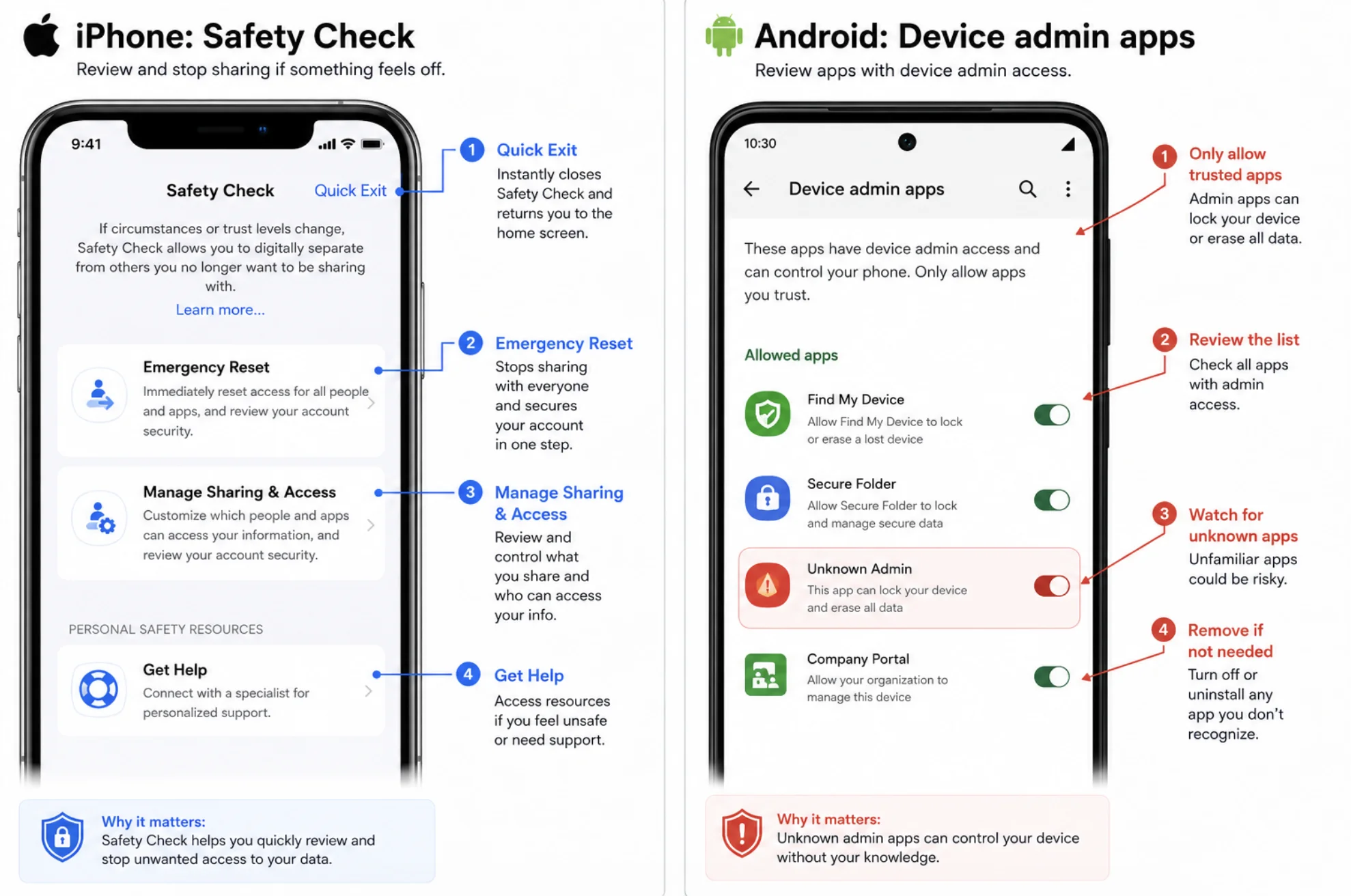
- Run Apple's built-in Safety Check (Settings → Privacy & Security → Safety Check) — designed specifically for stalkerware situations
On Android
- Settings → Apps → See all apps — uninstall anything unfamiliar; tap the menu to show system apps if needed
- Settings → Security → Device admin apps — revoke admin rights from anything you don't recognize (spyware uses this to resist uninstallation)
- Settings → Security → Google Play Protect — run a scan
- Settings → Accessibility — spyware often abuses accessibility services; disable services for apps you don't know
On Any Phone
- Check battery and data usage for apps consuming far more than they should
- Review your Google/Apple account security page for unfamiliar logins and active sessions
- Watch for the classic warning signs — overheating, mystery apps, 2FA codes you didn't request
What to Do If a Code Reveals Suspicious Forwarding
Found forwarding to a number you can't identify? Take these steps in order:
- Screenshot the result — evidence for your carrier (and police, if this involves stalking)
- Dial
##002#to erase all forwarding rules - Call your carrier — ask when and how the forwarding was set, and add a security PIN or port-freeze to your account to block SIM-swap attacks
- Change your passwords — starting with your email and carrier account, from a device you trust
- Enable two-factor authentication using an authenticator app rather than SMS
- If you suspect a person you know set it up (an abusive partner, for example), contact a support organization before confronting them — resources like the Coalition Against Stalkerware specialize in this safely
FAQ
What is the code to check if your phone is hacked?
There is no single code that detects hacking. *#21# and *#62# check whether your calls and messages are being forwarded to another number — one specific attack type. They cannot detect spyware, malicious apps, or stolen passwords, which account for most real-world phone hacks.
What does *#21# actually tell you?
*#21# Shows whether unconditional call forwarding is active on your line — meaning all calls, SMS, and data are diverted before your phone rings. "Not forwarded" is the normal result. A "Forwarded" status pointing to an unknown number warrants dialing ##002# and calling your carrier.
Is the *#62# "your phone is tapped" warning real?
Mostly no. *#62# shows where calls go when your phone is unreachable, and for almost everyone, the number displayed is simply their carrier's voicemail system. It only indicates a problem if the number belongs to neither your carrier nor a service you set up.
What does ##002# do? Is it safe to dial?
##002# Deactivates all call forwarding on your line, including any malicious diversions. It's safe to dial as a precaution — at worst, you may need to re-enable voicemail forwarding, which your carrier can do in minutes.
Do these codes work on both iPhone and Android?
Yes — USSD codes are processed by your carrier's network, not your phone's operating system, so they work on both. However, some carriers (especially in the US, like Verizon's CDMA-legacy lines) don't support every code and may return an error or "feature not available."
Can dialing a code remove a hacker from my phone?
##002# removes call-forwarding interception, but no dial code can remove spyware or malware. For software-based compromise, you need to delete malicious apps and profiles, run a security scan, change your passwords from a clean device, and — for persistent infections — perform a factory reset.
Conclusion: Use the Codes, but Don't Stop There
Dialer codes are a genuinely useful 60-second check: dial *#21# and *#004# to inspect forwarding, ##002# to wipe anything suspicious, and *#06# to record your IMEI. Just remember their limits — they check your carrier settings, not your phone.
For real peace of mind, pair the codes with the on-device checks above: review installed apps and profiles, scan your account login activity, and turn on two-factor authentication. Five minutes of checking beats months of being watched.
See also: 10 Signs Your Phone or Computer Has Been Hacked (and What to Do)
