
You stare at the screen and realize something feels off about the application you are building. The software compiles perfectly and the unit tests pass without any errors. Yet, the overall structure looks messy and makes you hesitate before adding new features.
This uneasy feeling is your intuition recognizing code smells within your files. A code smell is not a bug that breaks your application immediately. Instead, it is a subtle warning sign indicating a deeper problem in your software design.
If you ignore these warnings, your project will eventually become impossible to maintain. You will spend hours trying to understand simple logic instead of building exciting new features. Learning to identify these anti-patterns is a crucial skill for your programming career.
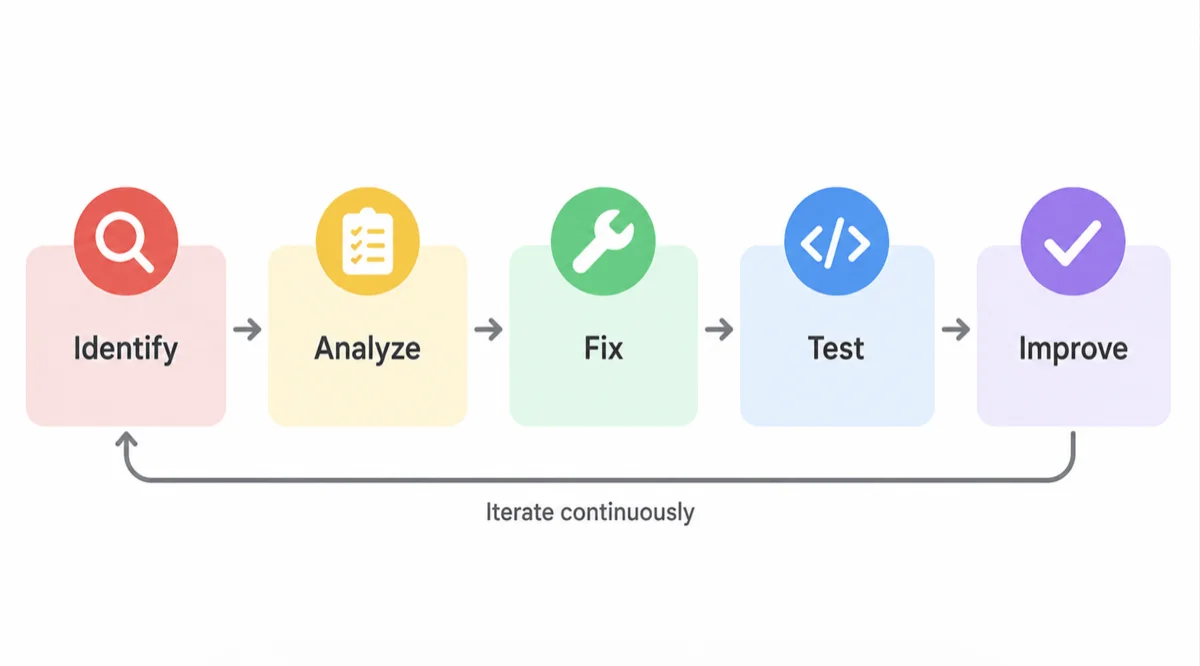
What Exactly Are Code Smells?
Code smells are surface-level indicators that usually correspond to deeper flaws in your system. They represent structural issues that slow down development and increase the risk of future failures. Think of them as the digital equivalent of a strange noise coming from your car engine.
These issues often emerge when developers rush to meet tight deadlines without considering the long-term impact. You might take a shortcut today that ultimately creates massive technical debt for your team tomorrow. This debt compounds over time until the entire application grinds to a halt.
The best time to fix a poor design choice is the moment you notice it, not six months down the line.
Recognizing these smells requires practice and a solid understanding of clean code principles. You must learn to read your files critically and question the necessity of every function. Once you train your eyes, you will spot these issues instantly.
Why You Should Care About Software Maintenance
Many developers mistakenly believe their job is done once the software works and the ticket is closed. However, writing functional code is only a small fraction of your actual responsibility. The true challenge lies in writing logic that other humans can read and modify easily.
Bad code significantly damages team productivity and destroys developer morale. When you constantly fight against a tangled mess of logic, you lose the joy of programming. Your daily tasks become exhausting chores rather than engaging puzzles.
Proactive software maintenance keeps your codebase healthy and your development speed high. You can adapt to changing business requirements without fearing a catastrophic system collapse. A clean project attracts better talent and makes onboarding new developers a breeze.
The Most Common Categories of Code Smells
Software engineers have categorized these anti-patterns into several distinct groups to help you identify them faster. Understanding these categories allows you to apply the correct refactoring techniques. Here is a breakdown of the primary groups you will encounter.
| Category | Description | Common Examples |
|---|---|---|
| Bloaters | Code that has grown so large it cannot be effectively managed. | Long methods, large classes, long parameter lists. |
| Change Preventers | Code that requires modifying multiple files for a single change. | Shotgun surgery, divergent change. |
| Dispensables | Pointless code whose absence would make the system cleaner. | Duplicate code, dead code, lazy classes. |
| Couplers | Classes that are overly dependent on one another. | Feature envy, inappropriate intimacy. |
Dealing with Bloaters in Your Files
Bloaters are the most frequent offenders you will find in older applications. A function might start small but slowly gather more responsibilities over several months. Eventually, you end up with a massive block of logic that no one dares to touch.
You must actively monitor your class and function sizes to prevent bloaters from forming. Whenever you see a method exceeding a single screen height, consider breaking it apart. Smaller chunks of logic are much easier to test and understand.
Eliminating Change Preventers
Change preventers violate the core principles of good software architecture. If you want to update your database connection, you should only have to modify one specific file. If you find yourself updating twenty different classes for one feature, you have a serious problem.
A well-designed system allows you to make sweeping changes by altering a single line of configuration.
This tight coupling makes your application incredibly fragile and resistant to change. You must reorganize your architecture to ensure each class has a single, clearly defined responsibility. This separation of concerns is the foundation of robust engineering.
The Famous Long Method Smell
The long method is perhaps the easiest anti-pattern to spot in your daily work. When a function tries to validate input, fetch data, process results, and format the output simultaneously, it becomes a nightmare. You cannot easily isolate bugs when so many things happen at once.
To fix this, you should extract chunks of logic into their own dedicated helper functions. This technique dramatically improves readability and allows you to reuse the logic elsewhere. Here is a simple example of how a messy method looks before refactoring:
function processCustomerOrder(orderData) {
  // Validate order data
  if (!orderData.id || !orderData.amount) {
    return "Invalid order";
  }

  // Apply discount logic
  let discount = 0;
  if (orderData.customerType === "VIP") {
    discount = 0.2;
  }

  // Calculate final price
  let finalPrice = orderData.amount - (orderData.amount * discount);

  // Save to database and return
  database.save(orderData.id, finalPrice);
  return finalPrice;
}
You can clearly see how this single function manages four entirely different responsibilities. A better approach would separate the validation, discount calculation, and database operations into distinct methods. Your primary function would simply orchestrate these smaller pieces.
How to Handle Duplicate Code
Duplicate code is a silent killer that slowly destroys your application architecture. When you copy and paste logic across multiple files, you create a massive maintenance burden. If you discover a bug in that logic, you must remember to fix it in every single location.
You will inevitably forget one instance, leading to frustrating regressions in your production environment. To resolve this, you must extract the duplicated logic into a shared utility class or function. You then reference this single source of truth throughout your application.
Sometimes duplication is subtle and not an exact copy-paste match. You might have two methods that perform the same algorithm but use different variable names. You must train yourself to recognize these hidden redundancies and consolidate them.
Best Practices for Clean Code
Eliminating code smells requires a proactive approach and a commitment to quality. You cannot simply write logic and walk away without reviewing your work. Here are the most effective practices you should incorporate into your daily routine.
- Keep your functions small and focused on a single specific task.
- Use descriptive variable names that clearly explain their purpose.
- Write self-documenting logic instead of relying on excessive comments.
- Delete dead code and unused variables immediately to reduce visual noise.
- Review your architecture regularly to ensure classes are not tightly coupled.
By following these guidelines, you naturally prevent most anti-patterns from taking root. Your projects will remain flexible and easy to navigate regardless of their size. This discipline separates average programmers from truly exceptional engineers.
Strategies for Effective Refactoring
Refactoring is the process of restructuring your existing logic without changing its external behavior. It is the only cure for a codebase plagued by persistent smells. However, changing old logic can be dangerous if you do not have a safety net.
You must always write comprehensive automated tests before you attempt any structural changes. These tests guarantee that your refactoring efforts do not break existing functionality. If a test fails after you modify a file, you immediately know you made a mistake.
Refactoring without automated tests is simply reckless gambling with your production environment.
You should practice continuous refactoring rather than waiting for a massive system overhaul. Dedicate a small portion of your daily work to cleaning up minor issues as you find them. This scout rule ensures you always leave the files cleaner than you found them.
Conclusion
Identifying code smells is the first step toward achieving a truly professional engineering standard. You now know that these subtle warning signs point to deeper architectural flaws that cause technical debt. Addressing them early saves your team countless hours of frustrating maintenance.
You have learned about bloaters, change preventers, and the dangers of duplicate logic. You also understand the critical importance of writing tests before you begin the refactoring process. By applying these concepts, you can transform a messy project into a masterpiece of clean code.
Make a habit of reviewing your files critically every single day. Do not accept mediocre design choices just because a deadline is approaching. Take pride in your craftsmanship and your software will stand the test of time.
