
If you're seeing an endless "Verifying that you are not a robot..." message with a reCAPTCHA that never completes on your WordPress site, you're experiencing a LiteSpeed server brute force protection conflict. This guide will help you fix it permanently.
Understanding the Problem
What's Happening?
The error message appears like this:
Verifying that you are not a robot...

I'm not a robot [reCAPTCHA logo]
This site is exceeding reCAPTCHA Enterprise free quota.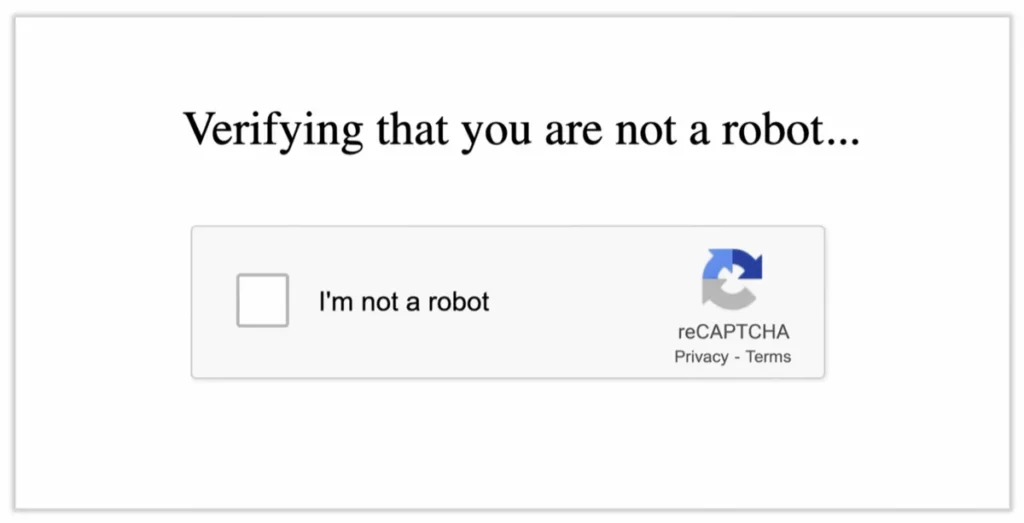
Root Cause of Verifying that you are not a robot Issue
This issue occurs when:
- Your hosting server runs LiteSpeed Web Server (not the WordPress plugin)
- Server-level WordPress Brute Force Protection is enabled with
captchaorfull_captchamode - You've exceeded Google's free reCAPTCHA quota (100,000 assessments/month)
- The CAPTCHA verification enters an endless loop because it can't validate
Important: This is a server-level setting, NOT in the LiteSpeed Cache WordPress plugin. That's why you won't find it in your WordPress admin panel.
The Solution to LiteSpeed's "Verifying that you are not a robot" Issue
Before You Begin: If LiteSpeed Crawler is enabled in the LiteSpeed Cache plugin, turn it off first (LiteSpeed Cache → Crawler → Off). The crawler can continue generating automated requests that may interfere with login verification or keep triggering protection checks, which can prevent this fix from working properly.
Step 1: Access Your .htaccess File
You need to edit the .htaccess file in your WordPress root directory (where wp-config.php is located).
Methods to access:
- cPanel File Manager: Navigate to
public_html→ Right-click.htaccess→ Edit - FTP Client (FileZilla, etc.): Download, edit locally, re-upload
- SSH/Terminal: Use
nanoorvito edit
Step 2: Locate the LiteSpeed Block
Find this section in your .htaccess:
<IfModule LiteSpeed>
CacheLookup on
RewriteRule .* - [E=Cache-Control:no-autoflush]
Step 3: Add the Disable Command
Add WordPressProtect off right after CacheLookup on:
<IfModule LiteSpeed>
CacheLookup on
### add this line ###
WordPressProtect off
RewriteRule .* - [E=Cache-Control:no-autoflush]
### add this line ###
RewriteRule .* - [E=verifycaptcha:off]
Step 4: Save and Test
- Save the
.htaccessfile - Clear Cloudflare cache (if using Cloudflare): Dashboard → Caching → Purge Everything
- Clear browser cache or test in Incognito/Private mode
- Try accessing your WordPress login page
The reCAPTCHA loop should be gone immediately.
Alternative Locations
If you have multiple <IfModule LiteSpeed> blocks or different .htaccess structure, you can also add it as a standalone block:
<IfModule mod_rewrite.c>
RewriteEngine on
RewriteRule litespeed/debug/.*\.log$ - [F,L]
RewriteRule \.litespeed_conf\.dat - [F,L]
</IfModule>

<IfModule Litespeed>
WordPressProtect off
RewriteRule .* - [E=verifycaptcha:off]
</IfModule>

<IfModule mod_rewrite.c>
RewriteEngine On
RewriteRule .* - [E=HTTP_AUTHORIZATION:%{HTTP:Authorization}]
RewriteBase /
Security Considerations
Will This Make My Site Less Secure?
Short answer: Only slightly, and it's easily mitigated.
What you lose:
- Server-level brute force attack throttling on
wp-login.php
How to maintain security:
- Use Cloudflare (Recommended)
- Enable "Under Attack Mode" for wp-login.php
- Create a Page Rule:
*yourdomain.com/wp-login.php→ Security Level: I'm Under Attack - This is actually better than LiteSpeed protection because it filters attacks before they reach your server
- Install a WordPress Security Plugin:
- Wordfence - Most popular, includes login protection
- iThemes Security - Comprehensive security suite
- All In One WP Security - Lightweight option
- Implement Best Practices:
- Use strong, unique passwords
- Enable Two-Factor Authentication (2FA)
- Limit login attempts at the WordPress level
- Change default admin username from "admin"
Why This Happens
LiteSpeed's WordPress Brute Force Protection has several modes:
WordPressProtect [off|on|drop|deny|throttle|captcha|full_captcha] <limit>RewriteRule .* - [E=verifycaptcha:off]
When set to captcha or full_captcha, it forces reCAPTCHA verification on wp-login.php. Once you exceed Google's free tier limits, the CAPTCHA fails silently, creating an infinite loop.
Troubleshooting
Still seeing the CAPTCHA?
- Clear all caches:
- Browser cache (Ctrl+Shift+Delete)
- Cloudflare cache (if applicable)
- WordPress cache plugins
- LiteSpeed Cache plugin
- Check .htaccess syntax:
- Ensure proper indentation
- No typos in
WordPressProtect offandRewriteRule .* - [E=verifycaptcha:off] - File saved correctly
- Verify file location:
- Must be in WordPress root directory
- Same folder as wp-config.php
- Test in Incognito mode:
- Ensures no cached version is loading
Can't access .htaccess?
- Contact your hosting provider's support
- They can disable this at the server level
- Or grant you file access through alternative methods
Prevention Tips
- Monitor your site regularly - Check login pages periodically
- Use Cloudflare - Offload security to their network
- Keep security plugins updated - Ensure login protection is active
- Review server logs - Watch for unusual login attempt patterns
Conclusion
The LiteSpeed "Verifying that you are not a robot" loop is caused by server-level reCAPTCHA quota exhaustion. By adding WordPressProtect off and RewriteRule .* - [E=verifycaptcha:off] to your .htaccess file, you can resolve this immediately while maintaining security through WordPress plugins or Cloudflare.
Quick Recap:
- Edit
.htaccessin WordPress root - Add
WordPressProtect offandRewriteRule .* - [E=verifycaptcha:off]inside<IfModule LiteSpeed>block - Save and clear caches
- Implement alternative security (Cloudflare or security plugin)
Your WordPress login should work perfectly after this fix!
