Free Sci-Fi Doors 3D Models: Iris, Blast, Hexagon, Cargo Bay, Force Field and Airlock Doors (GLB, OBJ, STL)
Twelve free sci-fi door 3D models: a wall of four doors, an iris door, a blast door, a hexagon door, a diagonal split door, an octagon door, a cargo bay door, a shutter door, a force field door, a glass lab door, an arched door and an airlock chamber. Free for commercial use under CC BY 4.0, no login.
- 12 models
- 2,052–26,720 triangles
- 224 KB–1.8 MB each
- GLB, glTF, OBJ, STL
- CC BY 4.0
- No login
All 12 models
Drag a model to turn it, or tap it to open the 3D viewer with zoom. Sizes are width × depth × height.
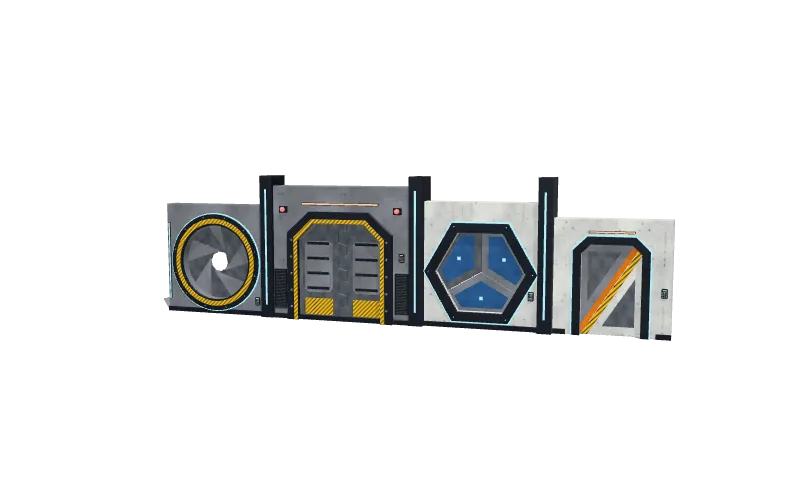
Sci-Fi Door Set
Four doors in a wall
A long sci-fi wall with four doors side by side: an iris door, a toothed blast door, a hexagon door and a diagonal split door, between pillars.
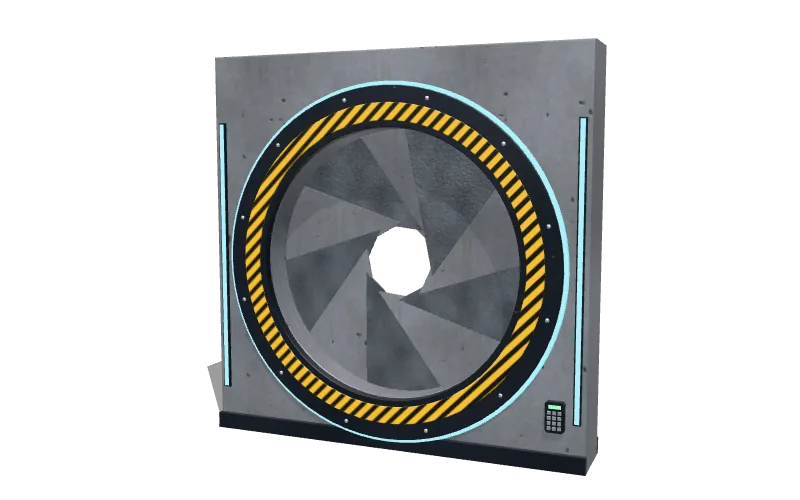
Iris Door
Iris aperture door
A round iris door with ten overlapping blades part way open, a dark frame with a hazard ring, a glowing cyan rim and a keypad.
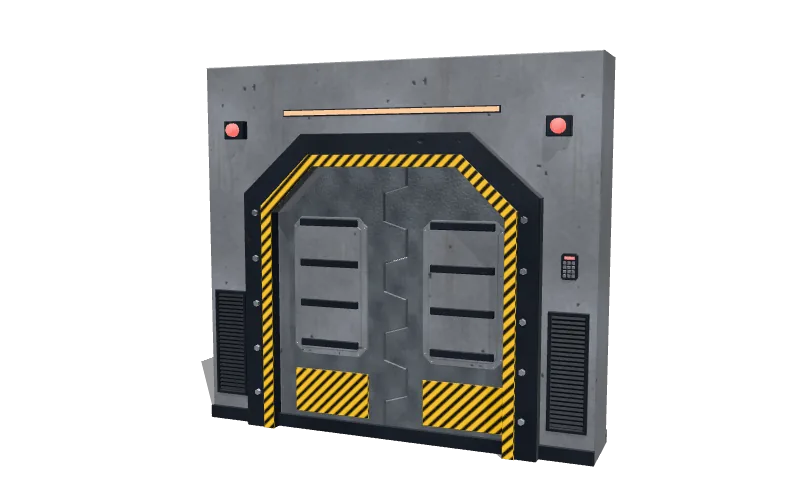
Blast Door
Heavy two leaf door
A heavy blast door with two thick leaves that meet on a toothed seam, a deep hazard frame, big bolts, red warning lamps and vents.
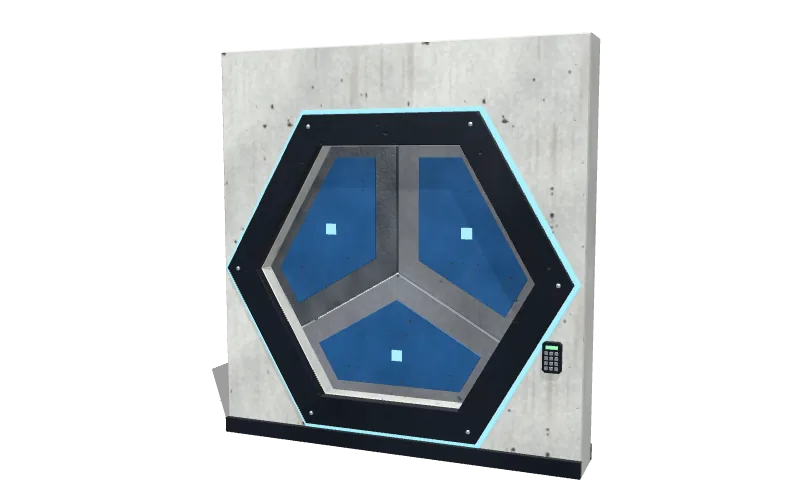
Hexagon Door
Three leaf door
A hexagon door that splits into three leaves from the centre, with blue panels and glowing lights, a dark hex frame and a cyan rim.
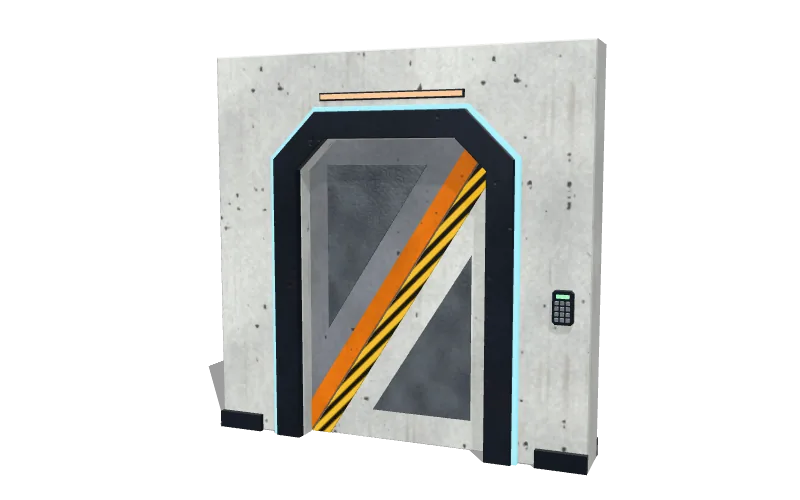
Diagonal Split Door
Two leaf door
A doorway whose two leaves split along a diagonal seam, with an orange stripe and a hazard stripe either side of the cut and a lit frame.
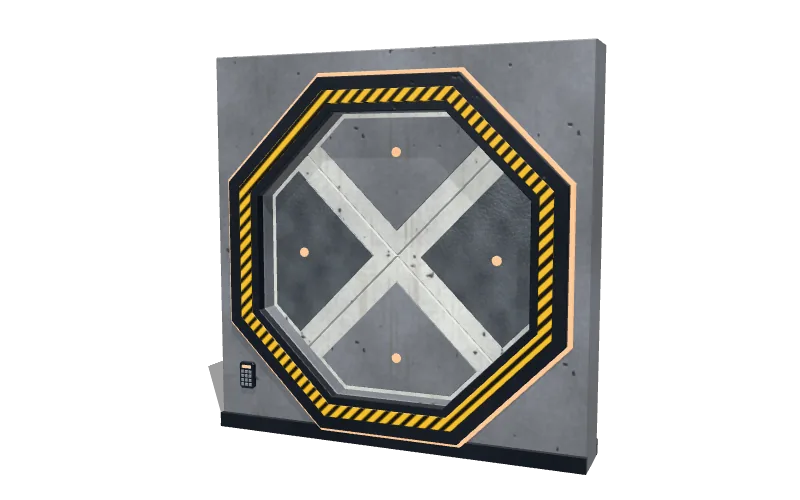
Octagon Door
Four leaf door
An octagon door with four leaves that meet in an X, each with an inset panel and an amber light, in a dark frame with a hazard band.
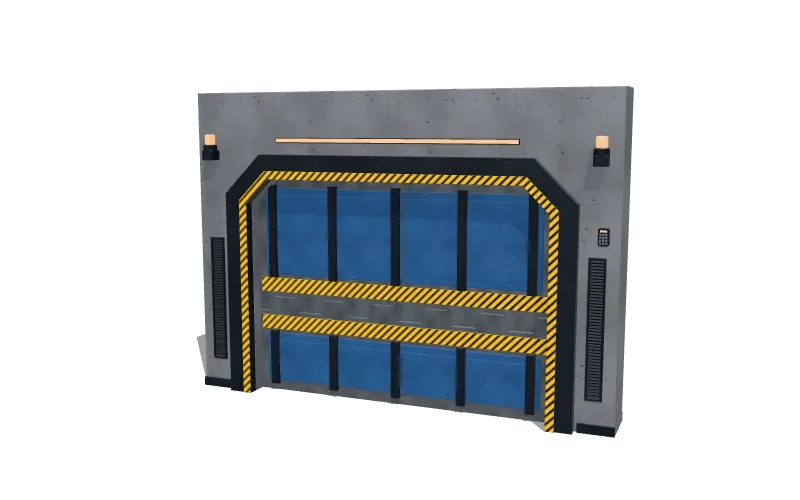
Cargo Bay Door
Wide two leaf door
A wide cargo bay door with top and bottom leaves that meet on a toothed seam, ribbed panels, hazard bands, amber beacons and vents.
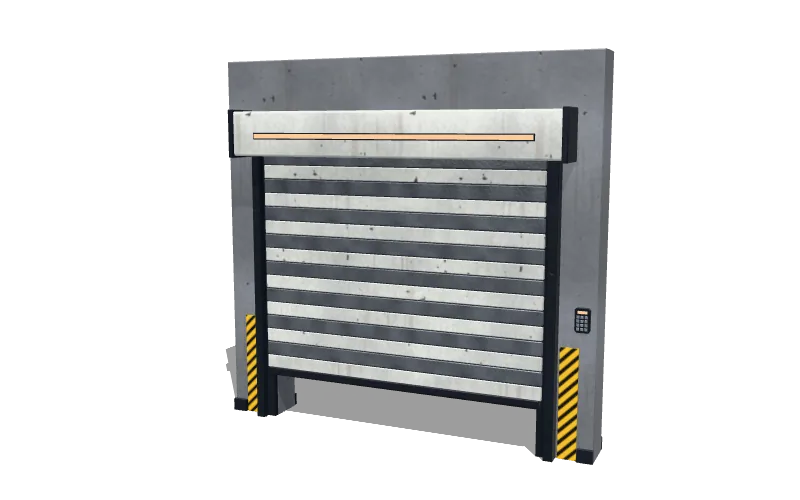
Shutter Door
Roll-up door
A roll-up shutter door half a metre open, with ribbed slats in guide rails, a rubber edged bottom bar, a roll housing and amber lights.
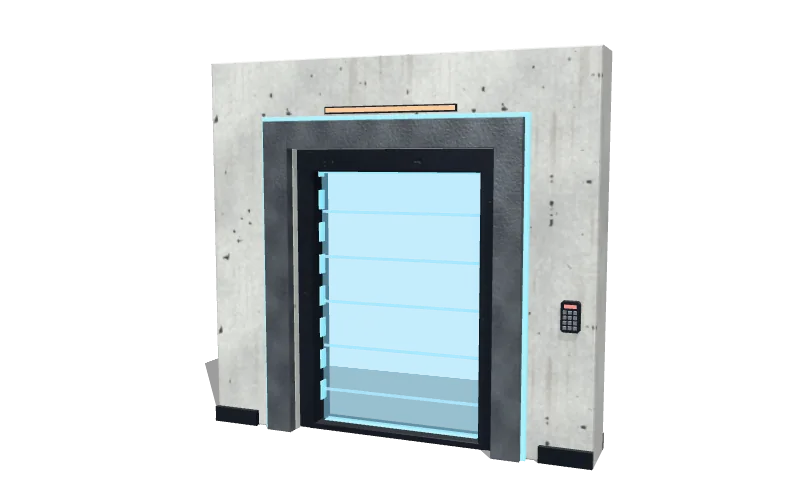
Force Field Door
Energy barrier
A doorway sealed by a glowing see-through force field with bright scan lines, between emitter pylons with a header and a sill.
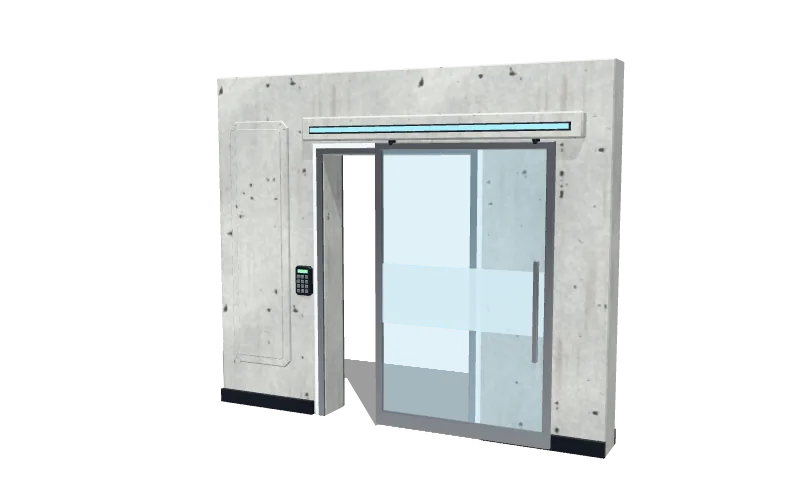
Glass Lab Door
Sliding glass door
A clean white lab wall with a glass door slid part way open along a lit top track, with a frosted band, a long handle and a keypad.
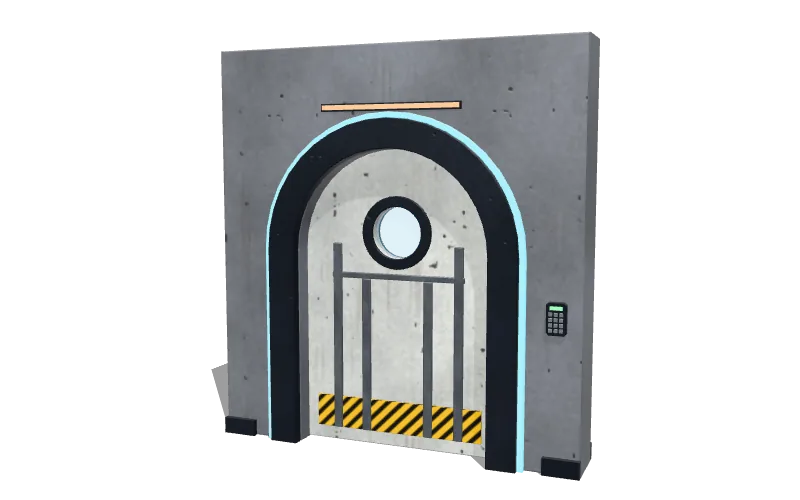
Arched Sci-Fi Door
Arched door
An arched door with a single ribbed leaf and a round window, a hazard kick plate, a dark arch frame with a cyan rim and a keypad.
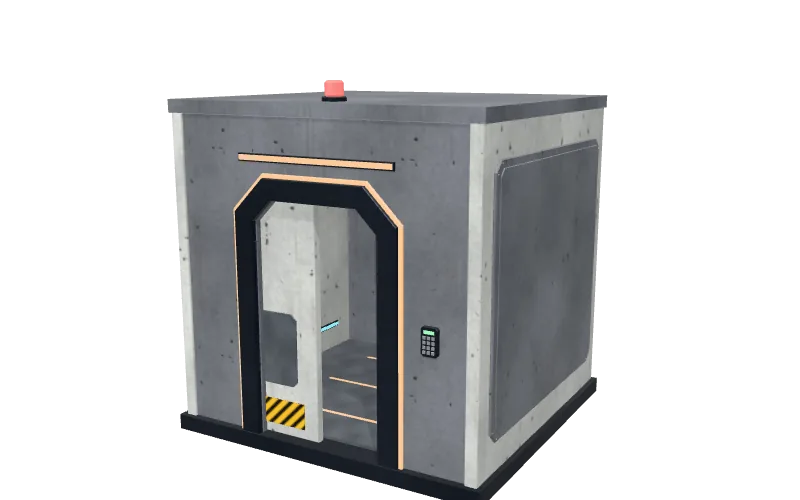
Airlock Chamber
Walk-in airlock
A walk-in airlock room with an outer door slid open and a closed inner door with a window, lit floor lines, vents and a red beacon.
Made for games
- Built to openLeaves sit in a slot inside the wall and run past the opening, so you can slide, split or scale them in your engine without gaps showing.
- Lit framesCyan, amber and red light strips, warning lamps and keypad lights are emissive, so the doors glow in dark corridors.
- Real scaleModelled in metres: doorways about 2.3 to 3.6 m tall, walls 3 to 5 m high, all standing on y = 0 and facing +Z.
- No textHazard stripes, panels and lights only: no words, numbers or logos, so they fit any setting.
How to use these GLB models
GLB is binary glTF 2.0: one file with the mesh, materials and node names. Every modern 3D tool reads it.
three.js
Load it with GLTFLoader, as in the code below. Babylon.js, PlayCanvas and A-Frame load GLB directly too.
Unity
Add the free glTFast package (Package Manager, add by name: com.unity.cloud.gltfast), then drag the .glb into Assets.
Godot 4
Drop the .glb into the FileSystem dock. Godot imports it as a scene you can instance.
Blender
File, Import, glTF 2.0. From there you can also export to FBX, OBJ or STL.
import * as THREE from 'three';
import { GLTFLoader } from 'three/addons/loaders/GLTFLoader.js';

const gltf = await new GLTFLoader().loadAsync('model.glb');
const model = gltf.scene;
scene.add(model);

// the model is in metres, +Y up, facing +Z, standing on the ground at the origin

// close off the end of a corridor that runs along -Z (three.js)
const door = (await new GLTFLoader().loadAsync('blast-door.glb')).scene;
door.position.set(0, 0, -20); // it faces +Z, back toward the player
scene.add(door);
Licence: free with credit (CC BY 4.0)
All models are made by vinish.dev and released under Creative Commons Attribution 4.0. You may use them in personal and commercial projects, change them and share them. The one condition is credit, for example in your game's credits, your app's about page or your video description:
Each file carries its own credit line inside it (the glTF asset.copyright field), and each zip has a CREDITS.txt. If you change a model, say so after the credit, for example "recoloured".
Questions
Do the doors open?
They are static meshes shown closed or part open. Every leaf sits in a slot inside the wall and is larger than the opening, so you can split it into its own object and slide or scale it to animate an opening.
Can I put them in my corridors?
Yes. Each door comes in its own wall section facing +Z, so you can line it up with a corridor end or drop it into a wall gap, then turn it to fit.
Is the force field see-through?
Yes. The field and its scan lines use alpha blending with a cyan glow, so the room behind shows through it.
What goes with them?
Pair them with the Sci-Fi Corridor Kit, Space Station Kit, Sci-Fi Crates and Props, Robots and Doors packs.
Can I use them in a paid game or video?
Yes. They are CC BY 4.0: free for commercial use, just credit vinish.dev.
Can I use these models in a commercial game?
Yes. CC BY 4.0 allows commercial use. Put the credit line in your credits or about screen.
Do I need an account?
No. There is no login, sign-up or email. Click Download and the file is yours.
Can I get OBJ, STL or glTF?
Yes. Press the arrow next to Download GLB, or open the 3D view, and pick glTF, OBJ or STL. Your browser makes the file from the GLB in a second or two. OBJ and STL have no animation. STL is in millimetres with Z up; the models are made of separate parts, so a slicer may need to repair or merge them before 3D printing. For FBX, import the GLB into Blender (File, Import, glTF 2.0) and export it.
Can I change the models?
Yes. You may edit, recolour or cut them up. Keep the credit and mention that you changed them.
More from vinish.dev
- Free 3D Models: every pack in the library
- All 3D model categories: the full list on one page, with a search box
- Free Low Poly Farm 3D Models: Flat-coloured, flat-shaded farm buildings, crops, vehicles and animals that are light enough for mobile games and quick scenes.
- Free Shield 3D Models: Shields from medieval wood and steel to modern riot gear and a sci-fi energy field, each with straps and grips on the back.
- Free Crypt Kit 3D Models: Modular stone walls, floors and doorways for underground tombs, with skulls, bones and candles already in place.
- Free Campers and Caravans 3D Models: Holiday trailers and a motorhome at real size, with rounded bodies, windows, doors and steps, wheels, drawbars and jockey wheels.
- Free Ceiling Lights and Chandeliers 3D Models: Hanging lights for rooms, cafes and kitchens, each on its own canopy, cord or downrod, with glowing bulbs and diffusers.
- Free Nuts, Bolts and Screws 3D Models: Everyday metric fasteners at true size, with real helical threads, chamfered hex heads and drive recesses you can see into.
- Free Mushroom 3D Models: Wild mushrooms at real size for forests, gardens and fairy tales, from tiny fairy ring caps to a giant glowing mushroom over two metres tall.
- Free Box Mockup 3D Models: Product and shipping boxes for packaging mockups: tuck end, mailer, carton, pillow, gable, drawer, rigid, hexagon, window, tube and magnetic flap boxes.
- Free Valentine’s Day 3D Models: Hearts, roses, candles and gifts for a romantic scene, a shop window, a game event or a greeting video, all at real size.
- Free Cardboard Box and Packaging 3D Models: Everything for a shipping room, a warehouse corner or a moving day, from taped cartons and labels to bubble wrap and foam peanuts, at real size.
- Free Knight 3D Models: Rigged medieval knights in plate, mail, brigandine and quilted coats, with helms, shields, swords, a lance, a halberd and a banner. Idle, walk and run.
- Free Diner and Restaurant 3D Models: Restaurant fronts with dining rooms you can see into, a retro diner, a drive-in and the furniture that fills them, all at real size.
- Free Skate Park 3D Models: Ramps with smooth transitions and steel coping, rails, ledges and a bowl, at real size and ready to ride in a game.
- Free 1940s Warplane 3D Models: Piston warplanes of our own design in camouflage, with spinning propellers and wheels as nodes, at real size.
- Free Monster Truck 3D Models: Big-tyre trucks with their wheels as separate nodes, plus the cars and ramps to wreck, at real size.
- Free Medieval Market 3D Models: Trade stalls full of goods at real size, ready to fill a fantasy town, an RPG village or a historical scene.
- Free Fast Food 3D Models: Real-size takeaway food in plain unbranded packaging, ready for diner, kitchen and street food scenes.
- Free Spider and Scorpion 3D Models: Rigged and animated arachnids at real size, from a 9 mm jumping spider to a 26 cm emperor scorpion.
- Free Sewer Kit 3D Models: Modular brick sewer tunnels on a 4 m grid, plus the gates, grates, ladders and pipes that go in them.
- Free Planet and Moon 3D Models: Made-up worlds for space games and scenes, each with its own painted surface, craters and clouds.
- Free Cactus and Succulent 3D Models: Desert plants with ribs, spines, pads and fleshy leaves, from tiny potted rosettes to 3 m shrubs.
- Free Outdoor Furniture 3D Models: Garden, patio and pool furniture in teak, aluminium, rattan and rope, with soft outdoor cushions.
- Free Pixel Item 3D Models: Pixel-art pickups in puffy voxel 3D, each with a Spin clip that turns and bobs it.
- Free Bow and Crossbow 3D Models: Traditional and modern bows with their strings on, crossbows cocked with a bolt, arrows, a quiver and a target.
- Free Off-Road 4x4 3D Models: Lifted trucks, crawlers and buggies on big all-terrain tyres, loaded with racks, winches, tents and spare wheels.
- Free European Old Town 3D Models: Gabled townhouses, civic buildings and street pieces in an old European style, ready to line a cobbled street.
- Free Fountain 3D Models: Garden, park and plaza fountains with the water already in them: still pools, falling sheets and arcing jets.
- Free Surgical Instrument 3D Models: Stainless steel surgical tools at real size, for hospital scenes, medical games, training and product renders.
- Free Mask 3D Models: Theatre, party, costume and safety masks with real eye holes and thickness, for games, films and props.
- Free Cartoon People 3D Models: Rigged big-head cartoon townspeople with idle, walk and run clips for cosy games, kids apps and animation.
- Free Yacht 3D Models: Motor and sailing yachts from a 5.8 m tender to a 40 m superyacht, for marinas, harbour scenes, games and films.
- Free Server Room 3D Models: Racks, cables, cooling and power at real size for data centre scenes, tech games and explainer videos.
- Free Astronaut and Space Suit 3D Models: Rigged astronauts with walk and run clips, plus suit gear, for space games, films and classrooms.
- Free Prison 3D Models: A modern jail on a 3 m grid for escape games, crime dramas, stealth levels and police training scenes.
- Free Pipe and Valve 3D Models: Industrial pipework and plumbing parts for factories, plant rooms, refineries, basements, sci-fi sets and puzzle games.
- Free Electric Car and Charger 3D Models: Battery cars and the kit to charge them, for car parks, city streets, homes, games and EV explainer videos.
- Free Lizard and Reptile 3D Models: Scaly lizards at real size for zoos, terrariums, deserts, jungles, nature films and creature games.
- Free Grass and Ground Cover 3D Models: Clumps, patches and pond-side plants to dress the ground in gardens, parks, meadows and nature games.
- Free Abstract Shapes 3D Models: Glossy maths shapes and modern sculptures for shelves, galleries, logos, puzzles and stylish game levels.
- Free Viking Age 3D Models: Norse buildings, a cargo ship and everyday things for saga games, history scenes and village builders.
- Free Candy and Chocolate 3D Models: Sweets for candy shops, parties, fairgrounds, kitchens and cute games, in bright glossy colours.
- Free Keyboard and Mouse 3D Models: Keyboards and mice for desk scenes, game rooms, offices and product shots, with every key a real shaped keycap.
- Free Desk 3D Models: Desks for offices, studies, bedrooms and game rooms, old and new, each dressed with a few things to work with.
- Free Columns and Arches 3D Models: Building parts for gateways, cloisters, porches, gardens and ruins: arches in stone and brick, rows of columns and single pillars.
- Free Cottages and Cabins 3D Models: Small country homes for a village, a lakeside, a forest or a mountain scene, each with its own garden, deck, dock or props.
- Free Low Poly Car 3D Models for Games: 12 vehicles with separate wheels
- Sample GLB Files: small test files for loaders, viewers and engines
- Free browser games and simulators by vinish.dev