Free Sci-Fi Corridor Kit 3D Models: Walls, Floors, Doors, Airlock, Corner Modules (GLB, OBJ, STL)
A free modular sci-fi corridor kit with sixteen 3D models on a 4 m grid: straight, corner and T junction modules, a plain wall, window, console, pipe and locker walls, floor and grate tiles, a ceiling tile, a sliding door, an airlock hatch, an open bulkhead, stairs and a wall light. Doors slide and turn. Free for commercial use under CC BY 4.0, no login.
- 16 models
- 1,148–22,263 triangles
- 92 KB–1.8 MB each
- GLB, glTF, OBJ, STL
- CC BY 4.0
- No login
All 16 models
Drag a model to turn it, or tap it to open the 3D viewer with zoom. Sizes are width × depth × height. The tags under a model are its separate parts, by node name.
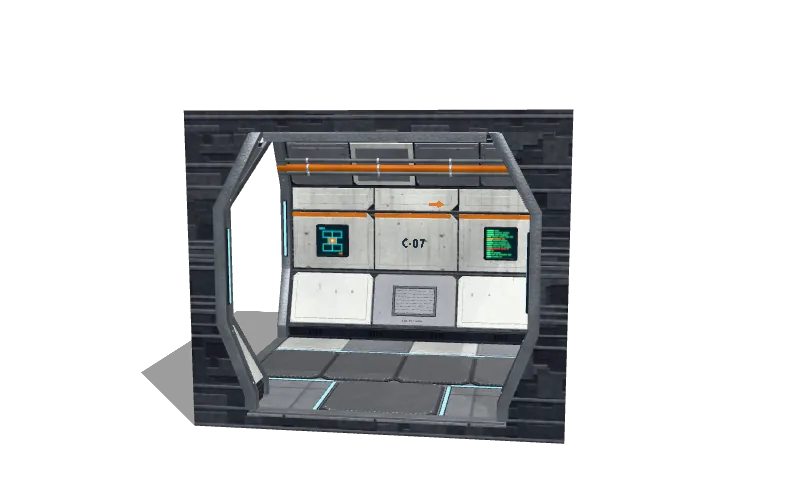
Corridor Junction
T junction module
A T junction module: one straight wall, two corner posts, walkways to three openings and a ceiling with a round light. Floor, walls and ceiling are separate nodes.
- Floor
- Walls
- Ceiling
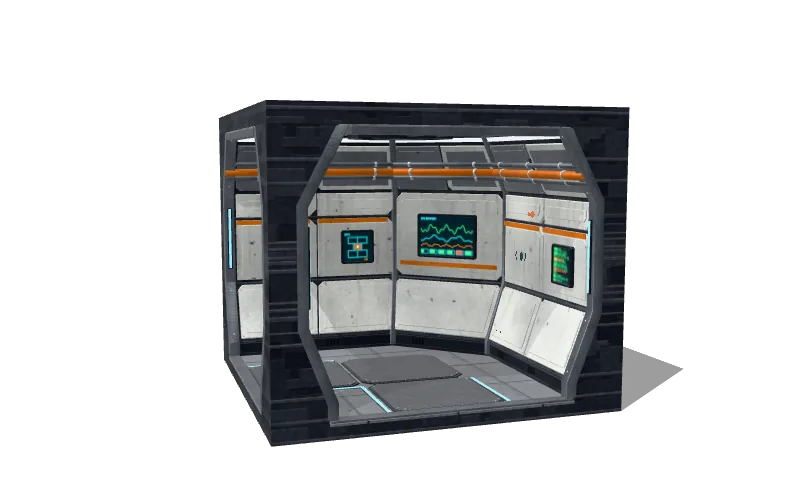
Corridor Corner
Corner module
A corner module with a cut corner wall, a display on the angled panel, a corner post, walkways that turn and a ceiling with a round light.
- Floor
- Walls
- Ceiling
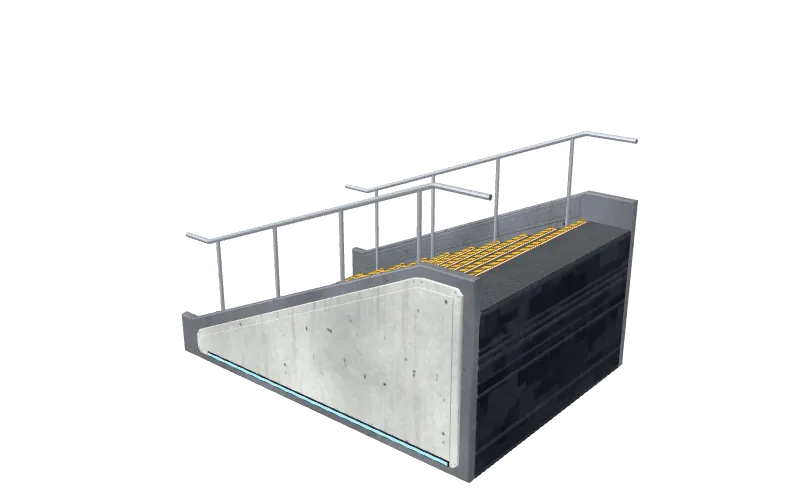
Corridor Stairs
Ten steps
Ten steps with tread plates, lit nosings, side panels with light strips and hand rails. They climb 1.6 m over 4 m.
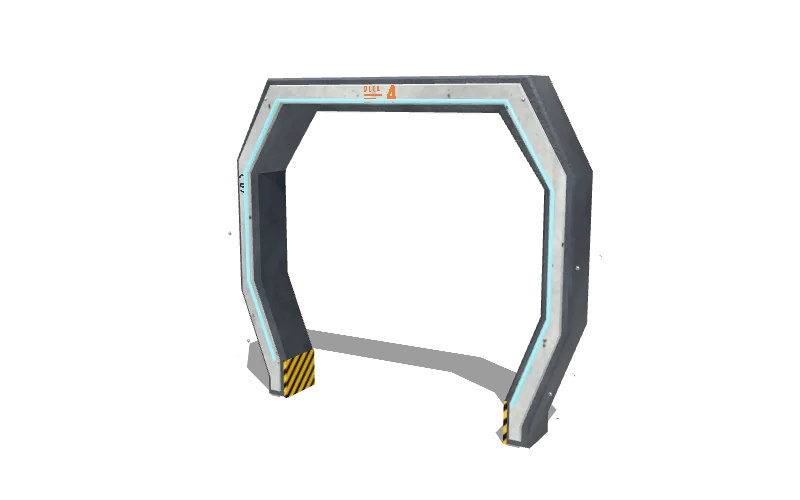
Bulkhead Frame
Open arch
An open arch that fills the corridor’s inside shape, with white facings, a cyan light line round the opening, lamps and hazard sill ends.
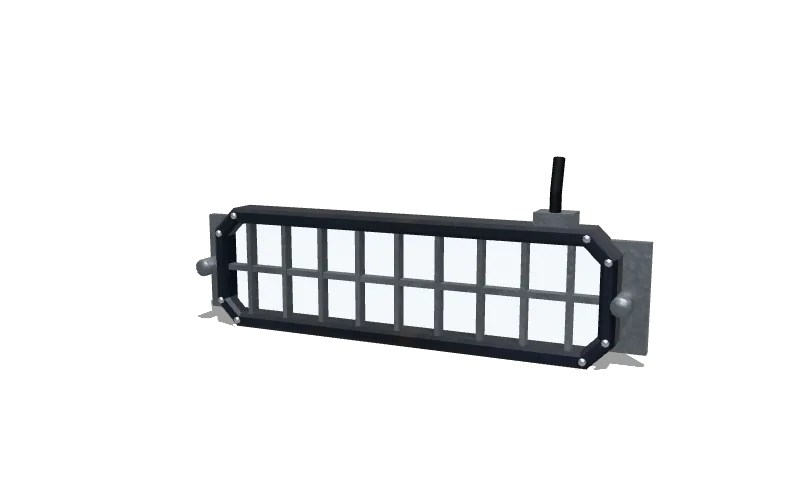
Light Panel
Wall light
A wall light with a lit diffuser behind a steel grille, bolted brackets and a cable entry. Turn it 90 degrees to hang it from a ceiling.
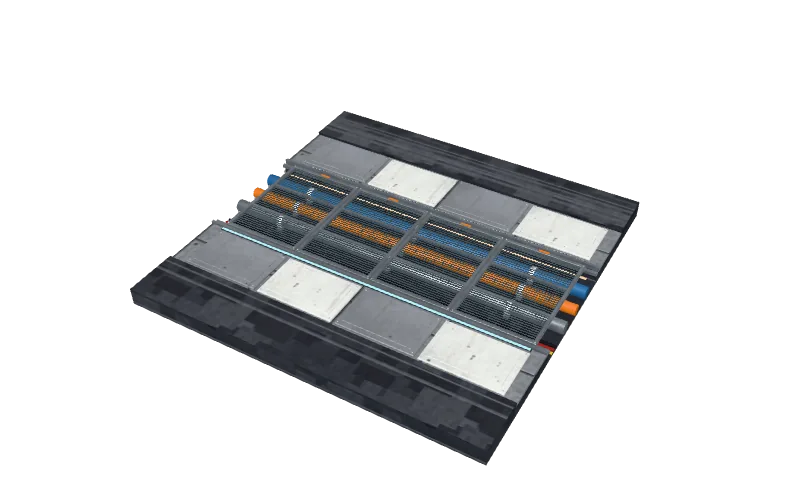
Floor Grate
Trench with grates
A floor tile with a service trench: pipes, cables and amber lights under four grates that lift out, each its own node.
- Grate_1
- Grate_2
- Grate_3
- Grate_4
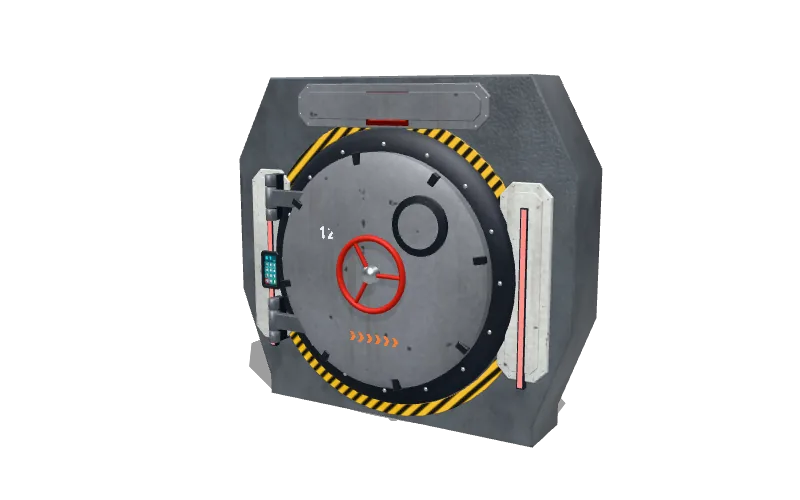
Airlock Door
Round hatch
A round airlock hatch on a hinge with a red wheel that turns, a porthole, locking dogs, hazard rings and lock screens on both sides.
- Hatch
- Wheel
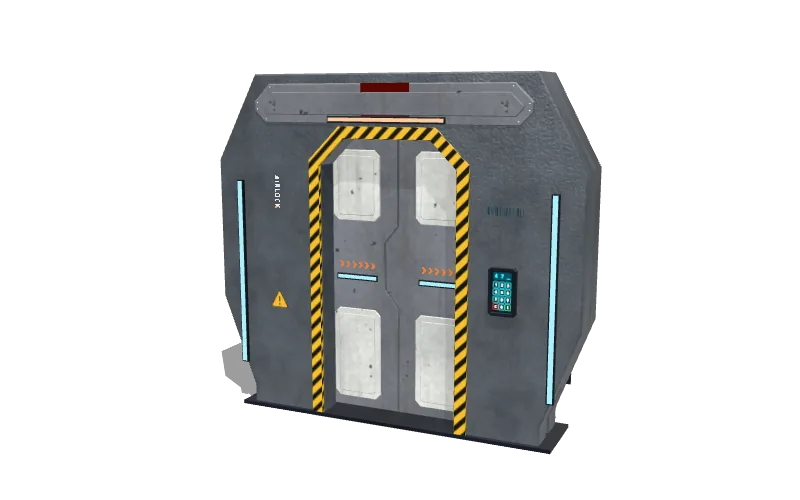
Sliding Door
Two leaf door
A bulkhead with a two leaf door that slides into the frame. The leaves meet on a stepped seam and are separate nodes, with keypads and lock screens.
- Door ×2
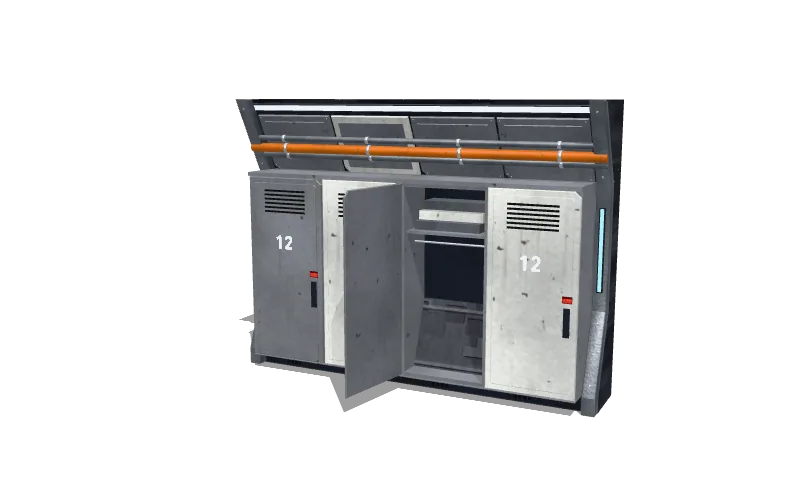
Wall Lockers
Four lockers
Four crew lockers with hinged doors and a helmet, oxygen bottles, boxes and a med kit inside. Each door is its own node.
- Door_1
- Door_2
- Door_3
- Door_4
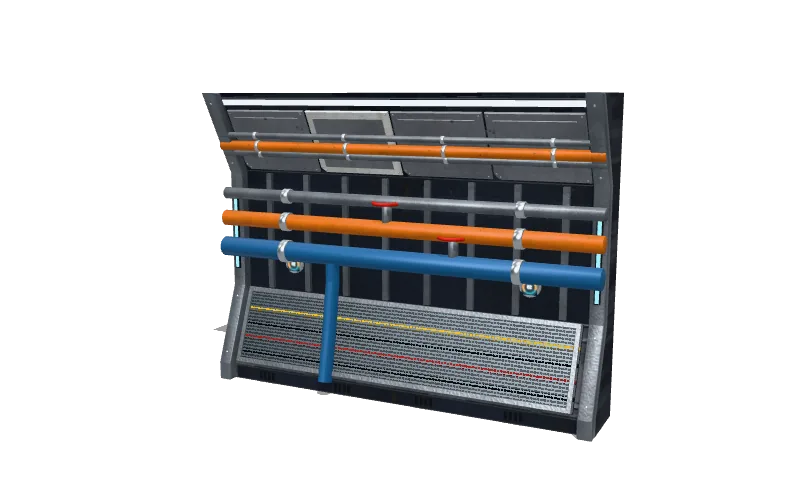
Wall Pipes
Service wall
A service wall with three big pipes, a branch into the floor, two red valves that turn, gauges and a cable grate.
- Valve_1
- Valve_2
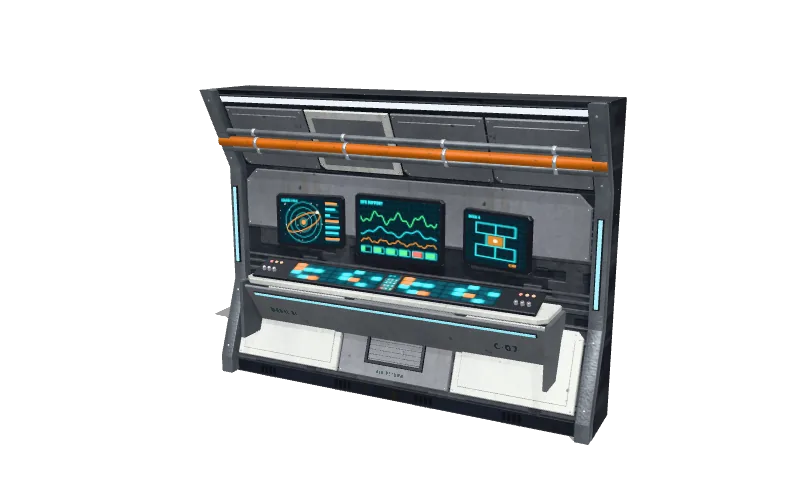
Wall Console
Desk and screens
A work console with a sloped desk, two keyboards, a keypad, switches and three angled screens with invented charts and maps.
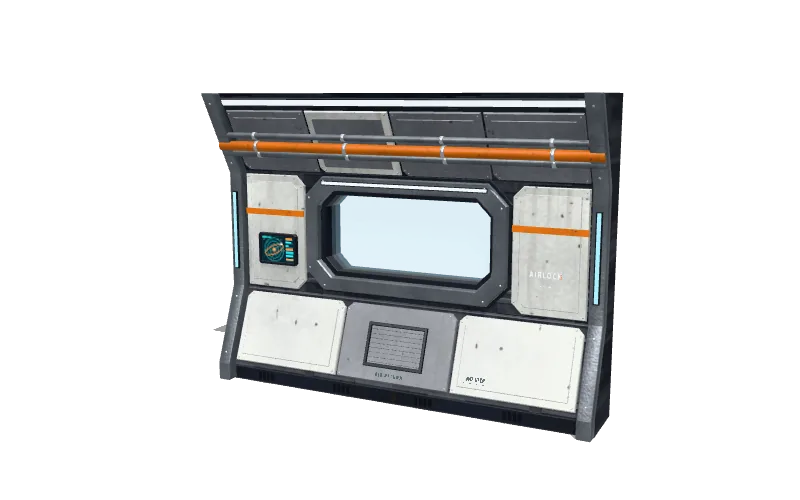
Wall Window
Window wall
A wall with a framed window cut right through it, two glass panes, a light strip, white panels and a navigation display.
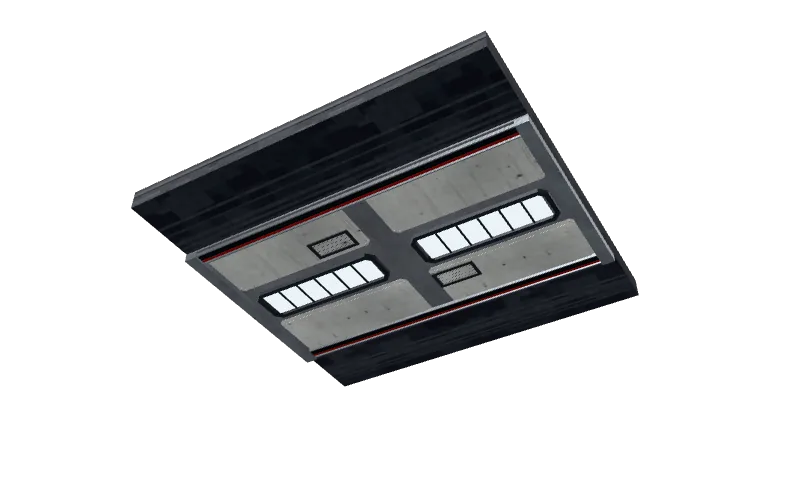
Ceiling Panel
Lit ceiling
A 4 m ceiling tile with two long lights, white panels, air vents and cable trays. It hangs 0.1 m below the wall tops.
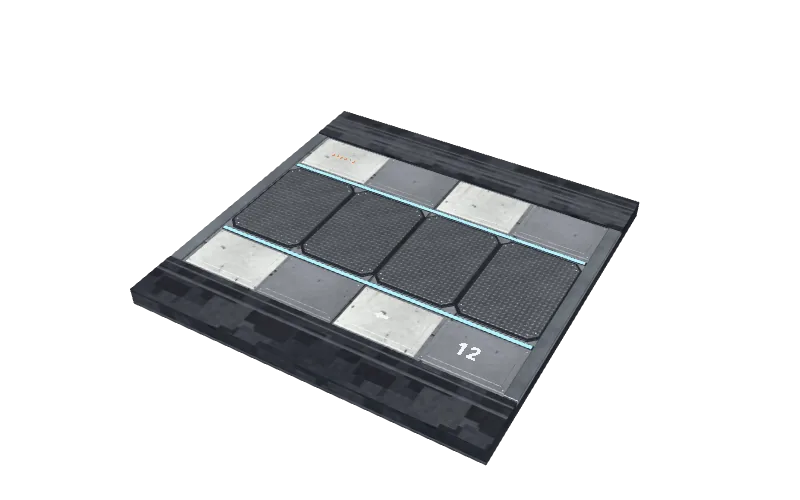
Floor Panel
Walkway floor
A 4 m floor tile with tread plate walkways, light lines, raised side panels and edge ribs that meet the wall ribs.
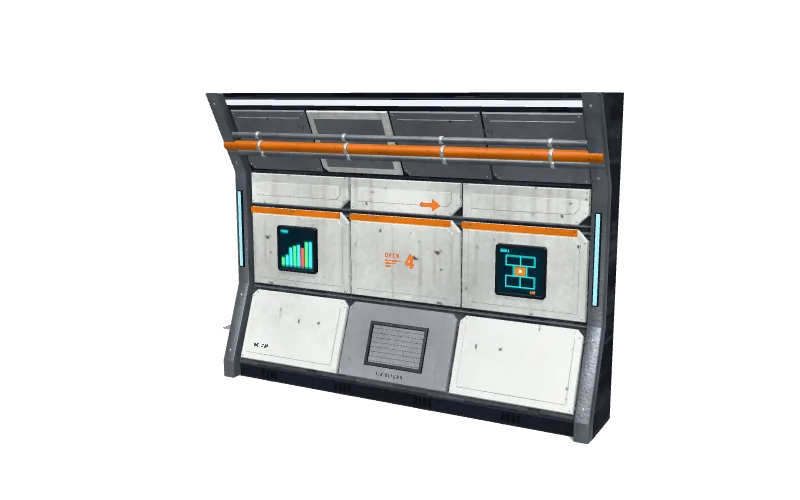
Wall Panel
Plain wall
The basic 4 m wall: a slanted base with vents, white panels with displays, a pipe run, a light line and lit ribs at each end.
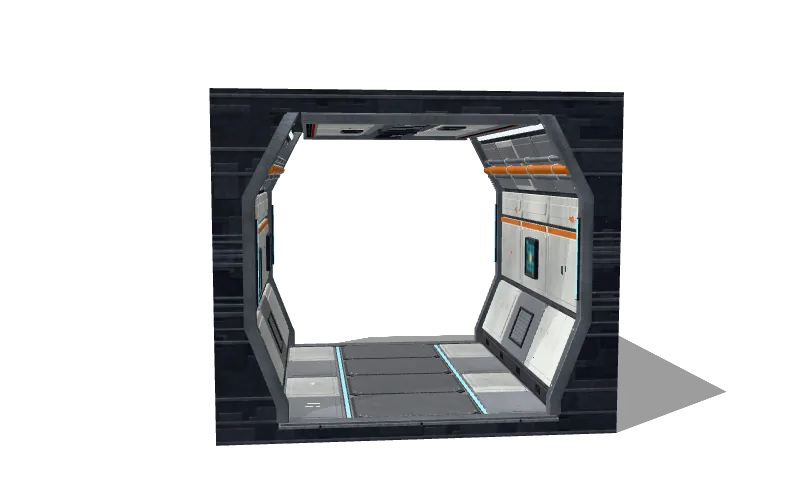
Corridor Section
Straight 4 m module
A full 4 m straight corridor: floor, two walls and a ceiling as separate nodes, with lit ribs, pipes, displays and walkways. The ends tile.
- Floor
- Wall ×2
- Ceiling
Made for games
- Snaps on a 4 m gridFloors are 0.2 m thick, walls 3 m tall stand on top, and the ceiling hangs 0.1 m below the wall tops. Every piece lines up with the next one.
- Doors that workThe sliding door has two leaves that slide into the frame, the airlock hatch swings on its hinge with a wheel that turns, lockers open and floor grates lift out.
- Lit and labelledCyan and white light strips glow, screens show invented maps and charts, and decals mark decks, sections and hazards.
- Game readyFrom 1,000 to 22,000 triangles a piece, real size in metres, with floor, walls and ceiling as separate nodes in each module.
How to use these GLB models
GLB is binary glTF 2.0: one file with the mesh, materials and node names. Every modern 3D tool reads it.
three.js
Load it with GLTFLoader, as in the code below. Babylon.js, PlayCanvas and A-Frame load GLB directly too.
Unity
Add the free glTFast package (Package Manager, add by name: com.unity.cloud.gltfast), then drag the .glb into Assets.
Godot 4
Drop the .glb into the FileSystem dock. Godot imports it as a scene you can instance.
Blender
File, Import, glTF 2.0. From there you can also export to FBX, OBJ or STL.
import * as THREE from 'three';
import { GLTFLoader } from 'three/addons/loaders/GLTFLoader.js';

const gltf = await new GLTFLoader().loadAsync('model.glb');
const model = gltf.scene;
scene.add(model);

// the model is in metres, +Y up, facing +Z, standing on the ground at the origin

const load = url => new GLTFLoader().loadAsync(url).then(g => g.scene);
const section = await load('corridor-section.glb');
const door = await load('sliding-door.glb');

// four straight modules in a row along x, 4 m apart
for (let i = 0; i < 4; i++) {
  const s = i ? section.clone() : section;
  s.position.x = i * 4;
  scene.add(s);
}
// a door between the 2nd and 3rd module, turned to face along x
door.position.set(6, 0.2, 0);                   // floors are 0.2 m thick
door.rotation.y = Math.PI / 2;
scene.add(door);

let open = 0;                                   // 0 shut, 1 open
function tick(dt, near) {
  open += (near ? dt : -dt) * 1.5;
  open = Math.min(1, Math.max(0, open));
  door.getObjectByName('Door_Left').position.x  = -0.62 * open;
  door.getObjectByName('Door_Right').position.x =  0.62 * open;
}
Licence: free with credit (CC BY 4.0)
All models are made by vinish.dev and released under Creative Commons Attribution 4.0. You may use them in personal and commercial projects, change them and share them. The one condition is credit, for example in your game's credits, your app's about page or your video description:
Each file carries its own credit line inside it (the glTF asset.copyright field), and each zip has a CREDITS.txt. If you change a model, say so after the credit, for example "recoloured".
Questions
How do the pieces fit together?
Everything sits on a 4 m grid. Put a floor tile at y = 0, walls on top at y = 0.2 along the cell edges (back on the edge, facing in), and the ceiling at y = 3.1. Doors and the bulkhead stand at y = 0.2, turned 90 degrees to cross a corridor that runs along x.
Which parts move?
Door_Left and Door_Right on the sliding door slide 0.62 m along x. Hatch on the airlock door turns on y, and its Wheel turns on z. The lockers have Door_1 to Door_4, the pipe wall has Valve_1 and Valve_2, and the floor grate has Grate_1 to Grate_4.
Can I see out of the window?
Yes. The window wall has a real hole with two glass panes, so you can put stars or a planet behind it.
Do the lights glow?
The light strips and screens have emissive materials. Add a bloom pass, and real lights where you want them to light the room.
Are the labels real?
No. Deck names, numbers, screens and warning signs are all invented, with no brands.
Can I use these models in a commercial game?
Yes. CC BY 4.0 allows commercial use. Put the credit line in your credits or about screen.
Do I need an account?
No. There is no login, sign-up or email. Click Download and the file is yours.
Can I get OBJ, STL or glTF?
Yes. Press the arrow next to Download GLB, or open the 3D view, and pick glTF, OBJ or STL. Your browser makes the file from the GLB in a second or two. OBJ and STL have no animation. STL is in millimetres with Z up; the models are made of separate parts, so a slicer may need to repair or merge them before 3D printing. For FBX, import the GLB into Blender (File, Import, glTF 2.0) and export it.
Can I change the models?
Yes. You may edit, recolour or cut them up. Keep the credit and mention that you changed them.
More from vinish.dev
- Free 3D Models: every pack in the library
- All 3D model categories: the full list on one page, with a search box
- Free Butterfly and Moth 3D Models: Monarch, swallowtail, morpho, peacock, cabbage white, glasswing, luna, atlas, two hawkmoths, a caterpillar and a chrysalis.
- Free Office Supplies 3D Models: Stapler, tape, scissors, hole punch, desk organizer, file, clipboard, fountain pen, stamps, sharpener, trimmer and letter trays.
- Free Vase 3D Models: Blue and white porcelain, ginger jar, amphora, cut crystal, art nouveau, handkerchief glass, twisted ceramic, ring vase, drip glaze, kintsugi, marble urn and rattan.
- Free Bird 3D Models: Robin, sparrow, crow, pigeon, kingfisher, bald eagle, barn owl, scarlet macaw, flamingo, emperor penguin, mallard duck and herring gull.
- Free Monster 3D Models: Demon, bog monster, golem, stalker, werewolf, yeti, cyclops, gargoyle, antler wraith, treant, lava brute and deep lurker, rigged and animated.
- Free Camping 3D Models: Dome tent, canvas tent, campfire, two-burner stove, gas stove, lantern, chair, table, cooler, backpack, sleeping bag and hammock.
- Free Horse 3D Models: Bay, Arabian, draft, Friesian, paint, Appaloosa, palomino, Shetland pony, foal, western, race and war horse, rigged and animated.
- Free Bridge 3D Models: Stone arch, suspension, rope, truss, covered, garden, log, drawbridge, bascule, cable-stayed, viaduct and overpass.
- Free Van 3D Models: Panel, high-roof, crew, passenger, tradesman, step, refrigerated, electric, city, Luton box, retro camper and motorhome.
- Free Dog 3D Models: German Shepherd, Golden Retriever, Labrador, husky, Border Collie, beagle, Dalmatian, corgi, dachshund, pug, French Bulldog and poodle, rigged and animated.
- Free Playground 3D Models: Play tower, wave slide, spiral slide, swing set, nest swing, seesaw, merry-go-round, climbing dome, rope pyramid, monkey bars, spring rider and sandbox.
- Free Shoe 3D Models: Running shoe, court sneaker, canvas high-top, basketball shoe, slip-on, trail shoe, oxford, monk strap, loafer, ballet flat, sandal and flip-flops.
- Free Human Skeleton and Skull 3D Models: Human skull, posable full skeleton, rib cage, spine, pelvis, hand, foot and leg bones, skull candle, painted skull, bone pile and sitting skeleton.
- Free Cyberpunk City Kit 3D Models: Neon corner block, tower, container flats, skywalk, stairs, sign wall, screens, hologram, noodle stall and street props.
- Free Bottle and Jar 3D Models: Wine, milk, jam, pickles, honey, swing top, apothecary, perfume, lab flasks, hip flask, ship in a bottle and candy jar.
- Free Flower 3D Models: Rose, tulips, sunflower, daisies, lily, poppies, orchid, peony, daffodils, water lily, lavender, hydrangea, hibiscus, cherry blossom, iris and bouquet.
- Free Helmet 3D Models: Motorcycle, motocross, scooter, combat, bicycle, space, football, knight, viking, Greek, firefighter and hard hat.
- Free Gym Equipment 3D Models: Power rack, benches, dumbbells, kettlebells, cable and leg machines, treadmill, rower, bike, cross trainer, heavy bag and floor set.
- Free Watch 3D Models: Dive, chronograph, skeleton, dress, pilot, field, art deco, cocktail, digital, smart, fitness band and pocket watch.
- Free Laptop 3D Models: Gaming, thin, rugged, business, convertible, tablet, dual-screen, school, 2000s, 1990s and 1980s machines, and a cyberdeck.
- Free Door 3D Models: Front, arched, vault, grand double, barn, shop, French, security, elevator, fire exit, saloon, stable, roller shutter and panel doors.
- Free Dragon 3D Models: Fire, ice, shadow and forest dragons, wyvern, eastern dragon, drake, sea dragon, hydra, bone dragon, sleeper and hatchling, all animated.
- Free Bus 3D Models: City bus, electric bus, articulated bus, trolleybus, double-decker, tour bus, coach, minibus, school bus, vintage bus and more.
- Free Toy 3D Models: Tin robot, rocking horse, teddy bear, blocks, wooden train, spinning top, dollhouse, jack-in-the-box, dump truck and more.
- Free Classroom 3D Models: School desks, chair, teacher desk, blackboard, whiteboard, globe, lockers, bookcase, notice board, school bag and supplies.
- Free Zombie 3D Models: Walker, woman, runner, crawler, brute, worker, nurse, soldier, office worker, rotten, bloated and prisoner, all rigged and animated.
- Free Chess Set 3D Models: Wooden, modern, glass, medieval, marble, travel, tournament and garden sets, chess table, pieces, board and clock.
- Free Lamp 3D Models: Table, banker, stained glass, desk, arc, tripod and reading lamps, storm lantern, lava lamp, wall lamp and chandelier.
- Free Headphone and Speaker 3D Models: Headphones, gaming headset, earbuds, in-ear monitors, bookshelf and floor speakers, soundbar, smart and stage speakers.
- Free Emergency Vehicle 3D Models: Fire engine, ladder truck, rescue truck, airport fire truck, ambulance, police cars, command truck and response cars.
- Free Phone and Tablet 3D Models: Smartphone, foldable, flip phone, rugged phone, tablets, e-reader, desk phone and charging stand.
- Free Train 3D Models: High speed train, metro, tram, coach, steam, diesel and electric locomotives, boxcar, tank wagon and track.
- Free Hospital Room 3D Models: Hospital bed, drip stand, patient monitor, curtain, wheelchair, crash cart, ventilator, stretcher and more.
- Free Sword 3D Models: Longsword, greatsword, claymore, broadsword, rapier, scimitar, cutlass, sabre, katana, gladius and more.
- Free Bicycle 3D Models: Road, mountain, enduro, BMX, city, tandem, fixed gear, cruiser, folding, electric, cargo and kids bikes.
- Free Hand Tool 3D Models: Hammer, saws, wrenches, pliers, screwdrivers, level, tape measure, plane, chisels, knife, ratchet and clamp.
- Free Computer 3D Models: Gaming PCs, desktop set, office PC, workstation, all-in-one, mini PC, cube PC, home server, motherboard, graphics card and CPU cooler.
- Free Truck 3D Models: Tractor unit, long-nose truck, box, fridge, curtainside, flatbed, tipper, tanker, crane, logging, garbage and recovery trucks.
- Free Money 3D Models: Cash bundles, banknotes, gold bars, coins, a briefcase of cash, a piggy bank, a money bag, a wallet and bank cards.
- Free Realistic Car 3D Models: Sedans, a limousine, an off-roader, an SUV, sports coupes, a muscle car, a hatchback, a city car, an EV and a supercar.
- Free Motorcycle 3D Models: Street, sport, cruiser, chopper, touring, adventure, enduro, cafe racer, scooter, moped, vintage and police bikes.
- Free Character Animations: Two rigged mannequins, a man and a woman, with 36 clips: walk, run, wave, salute, fight, push-ups, sitting and dance.
- Free War Zone 3D Models: Sandbag position, blast barrier, hedgehog, razor wire, guard tower, army tent, field howitzer, bombed ruin, camouflage net and a shell crater.
- Free Dinosaur 3D Models: T. rex, Triceratops, Stegosaurus, Brachiosaurus, Ankylosaurus, Parasaurolophus, Velociraptor, Pteranodon, an egg nest and a cycad.
- Free Town 3D Models: Pastel townhouses, a garden home, shops, a mall, apartments, an office tower, a clock tower, parks, a playground and a cherry tree.
- Free Low Poly Car 3D Models for Games: 12 vehicles with separate wheels
- Sample GLB Files: small test files for loaders, viewers and engines
- Free browser games and simulators by vinish.dev