Free Space Station Kit 3D Models: Modules, Hub, Docking Port, Solar Wing, Truss, Cupola, Robotic Arm (GLB, OBJ, STL)
Fourteen free modular space station 3D models: a hub node, a corridor, a docking port, a solar wing, a habitat module, a lab module, an airlock, a truss segment, a radiator, a robotic arm, an antenna dish, a cupola and a cargo module, plus a whole 50 m station built from the same parts. Free for commercial use under CC BY 4.0, no login.
- 14 models
- 1,136–55,918 triangles
- 53 KB–2.0 MB each
- GLB, glTF, OBJ, STL
- CC BY 4.0
- No login
All 14 models
Drag a model to turn it, or tap it to open the 3D viewer with zoom. Sizes are width × depth × height.
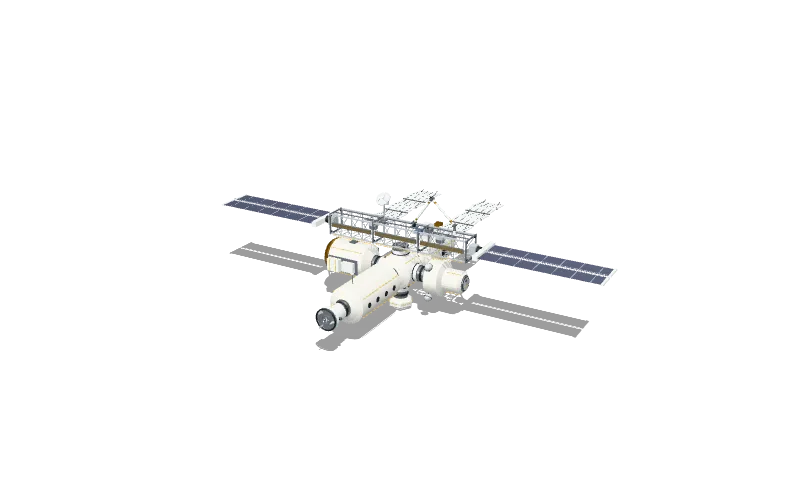
Space Station
Space station
A 50 m space station built from this kit: hub, habitat, lab, airlock, cargo module, cupola, docking port, truss, solar wings and radiators.
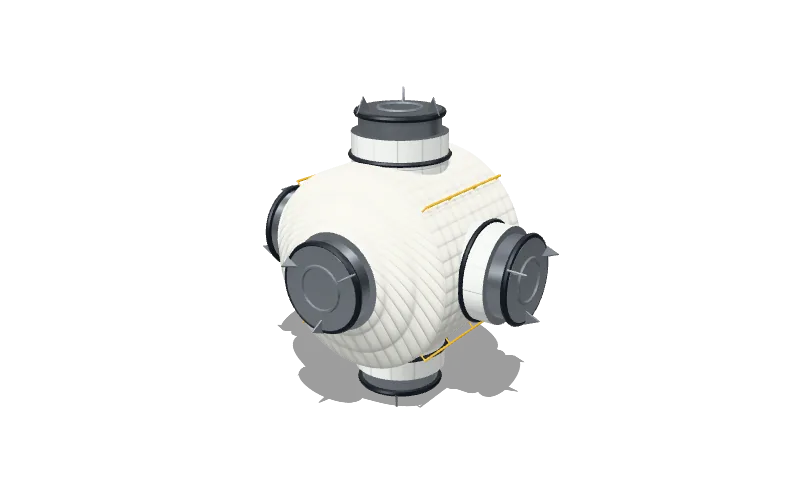
Station Hub Node
Station module
A quilted hub node 4.4 m long with docking ports on both ends and four side ports, so up to six modules can join it.
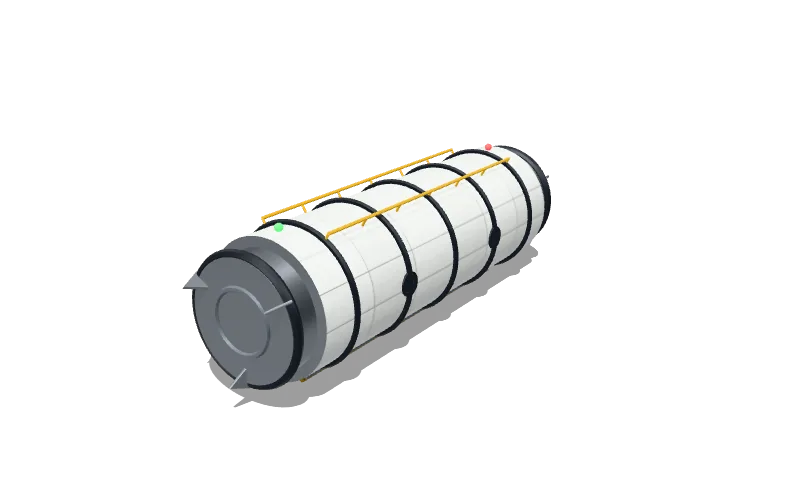
Station Corridor
Station module
A narrow 6 m station corridor 2 m across with docking ports on both ends, rings, handrails, two windows and a cable tray.
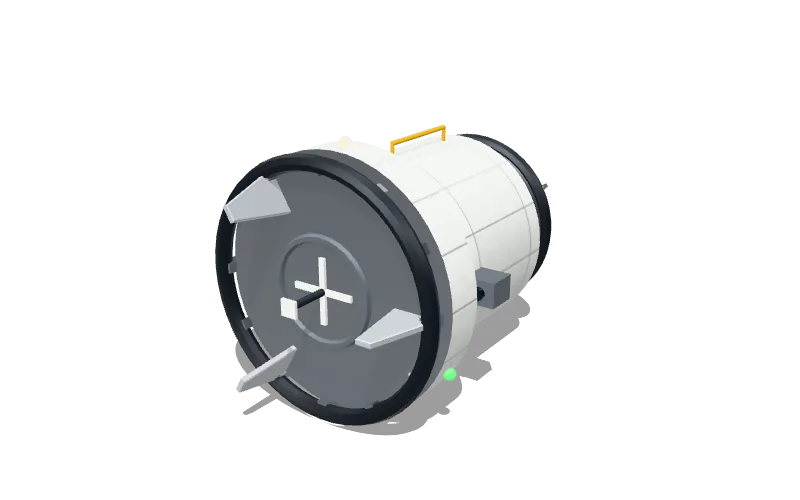
Docking Port
Station module
A docking port adapter with three guide petals, a latch ring, a docking target, cameras and lights for visiting ships.
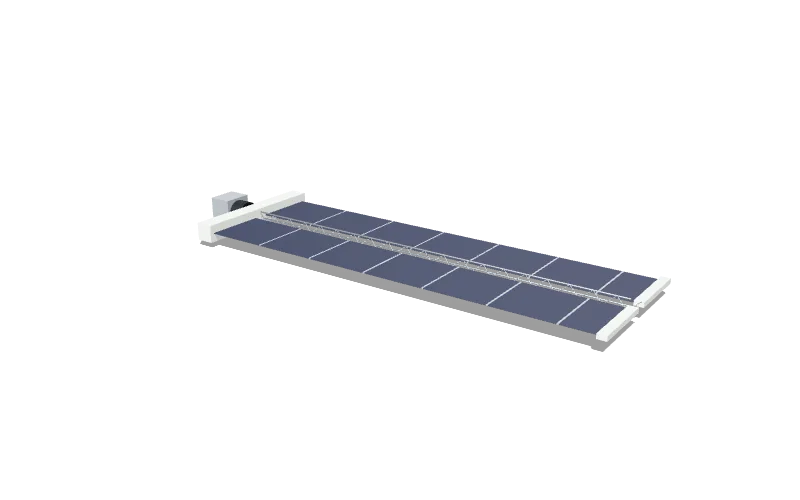
Solar Wing
Station part
A 15.5 m solar wing: two blue cell blankets on a lattice mast with tension frames, on a turning root joint.
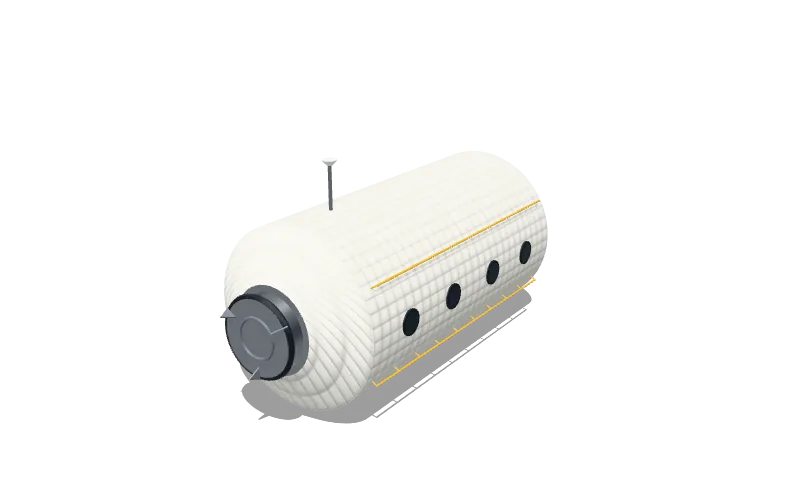
Habitat Module
Station module
A quilted habitat module 9.2 m long and 4.2 m wide with a row of windows, a big window, handrails, a radiator and a port each end.
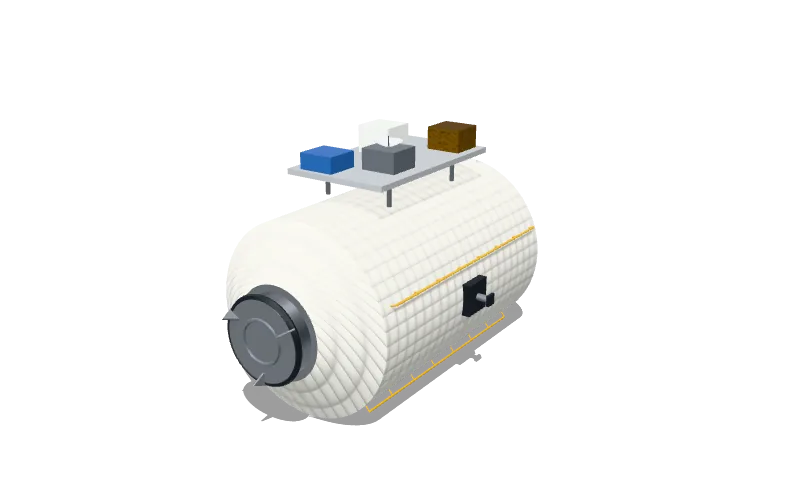
Lab Module
Station module
A 7.6 m lab module with an outside platform of experiment boxes and a small dish, a window, a grapple pin and two ports.
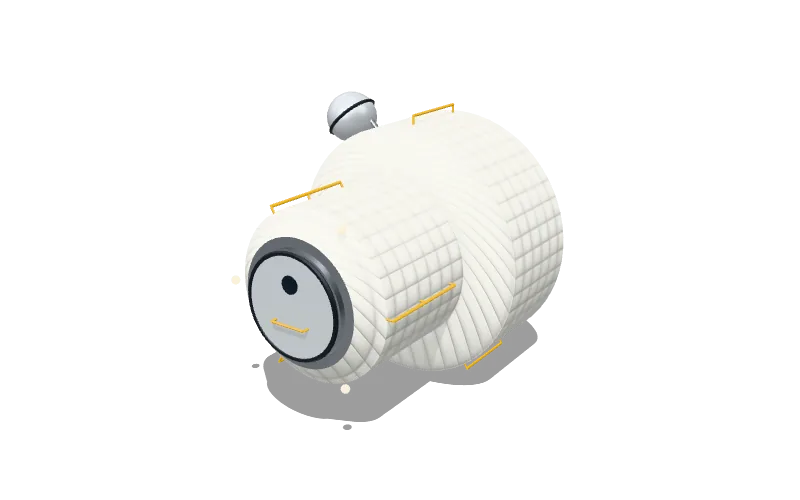
Airlock Module
Station module
An airlock with a wide equipment lock, a narrow crew lock and an outer hatch with a window, plus two gas tanks and lights.
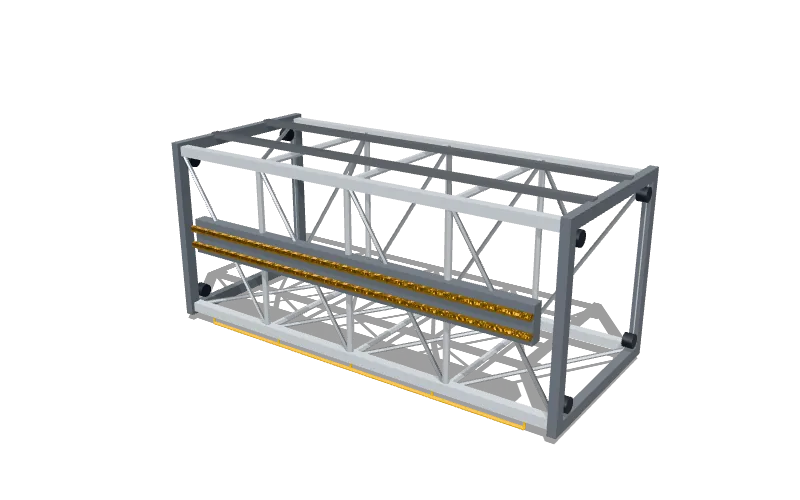
Truss Segment
Station part
A 6 m square truss segment 2.4 m wide with cross bracing, end plates, a cart rail on top, a cable tray and handrails.
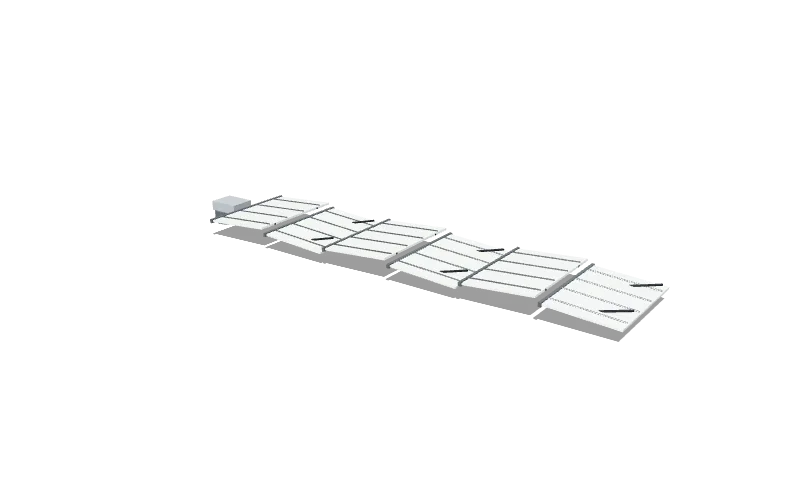
Radiator Panel
Station part
A 15 m station radiator: six white panels with fluid lines, folded out like an accordion from a turning base.
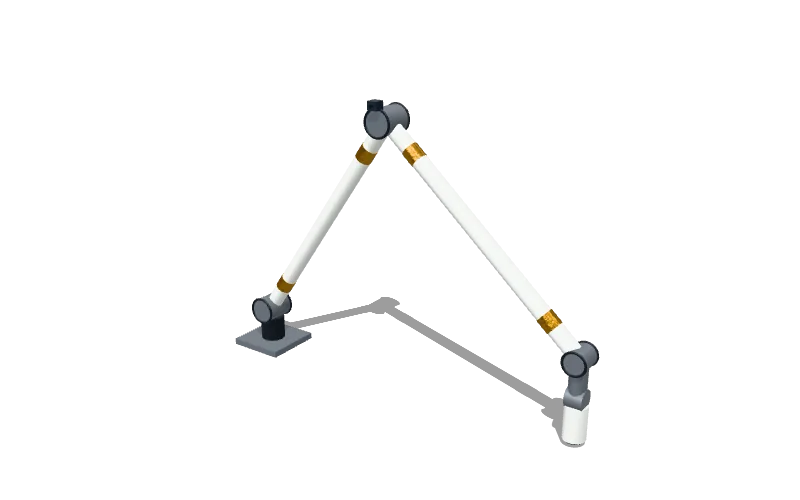
Robotic Arm
Station part
A station robotic arm with two 6.5 m booms, shoulder, elbow and wrist joints, a camera and an end grabber.
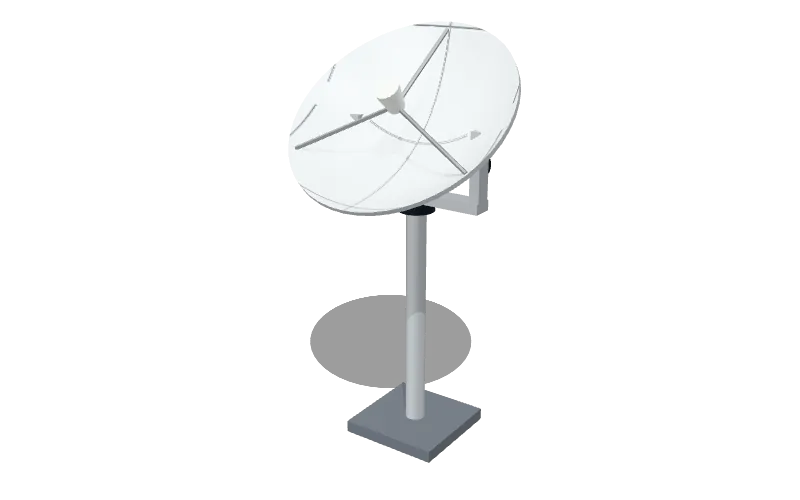
Antenna Dish
Station part
A 2.2 m station antenna dish with a feed horn on three struts, held on a two-axis gimbal on a short mast.
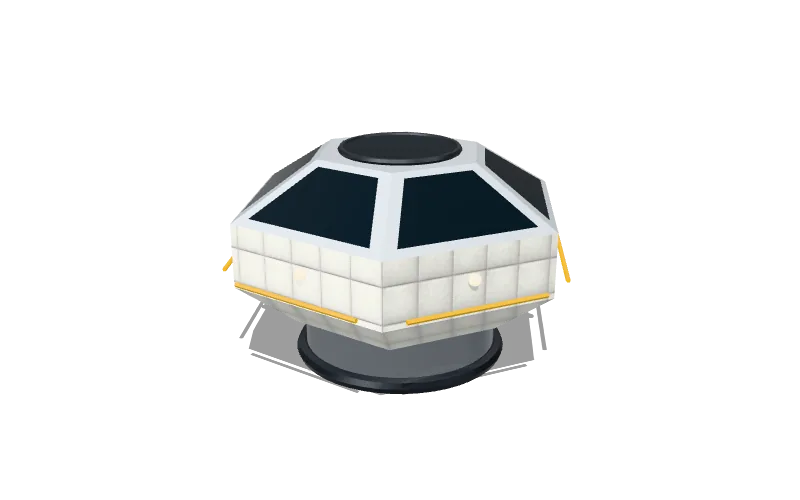
Cupola
Station module
A six-sided observation cupola 3 m across with six side windows, a round top window, lights and a docking ring base.
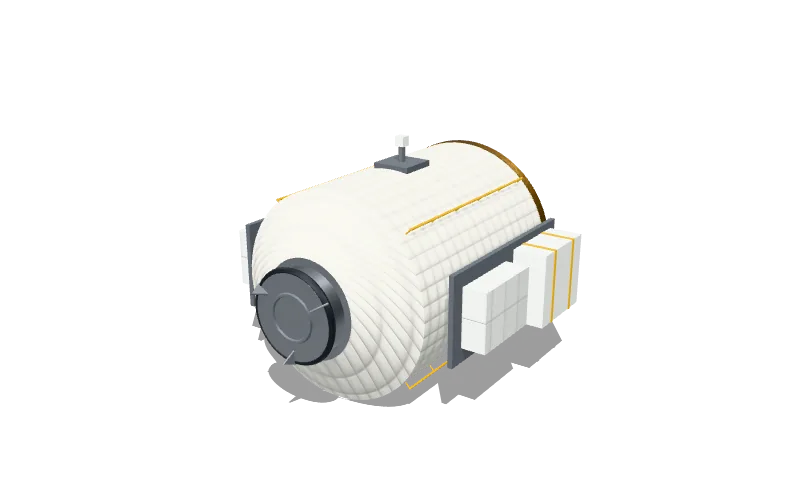
Cargo Module
Station module
A 6 m supply module with one docking port, a gold foil end, two outside cargo pallets, a grapple pin and handrails.
Made for games
- Snap port to portEvery module lies along Z and every port is the same 1.7 m docking ring with its face 0.45 m out from the hull, so two ports meet face to face with no gaps.
- Build your own stationThe hub has six ports. Chain habitats, labs and corridors off it, hang a cupola below, an airlock and cargo module on the sides, and a truss on top.
- Truss, power and toolsTruss segments line up end to end every 6 m. Hang solar wings and radiators on them, and mount the robotic arm and antenna dish on the top rails.
- Real space lookQuilted white blanket skins, gold foil, blue solar cells, yellow handrails, windows, lights and latches, with no agency names, flags or logos.
How to use these GLB models
GLB is binary glTF 2.0: one file with the mesh, materials and node names. Every modern 3D tool reads it.
three.js
Load it with GLTFLoader, as in the code below. Babylon.js, PlayCanvas and A-Frame load GLB directly too.
Unity
Add the free glTFast package (Package Manager, add by name: com.unity.cloud.gltfast), then drag the .glb into Assets.
Godot 4
Drop the .glb into the FileSystem dock. Godot imports it as a scene you can instance.
Blender
File, Import, glTF 2.0. From there you can also export to FBX, OBJ or STL.
import * as THREE from 'three';
import { GLTFLoader } from 'three/addons/loaders/GLTFLoader.js';

const gltf = await new GLTFLoader().loadAsync('model.glb');
const model = gltf.scene;
scene.add(model);

// the model is in metres, +Y up, facing +Z, standing on the ground at the origin

// join a habitat to the hub's front port (three.js); ports face each other 0.45 m out from each hull
const load = async f => (await new GLTFLoader().loadAsync(f)).scene;
const hub = await load('station-hub-node.glb'), hab = await load('habitat-module.glb');
scene.add(hub, hab);
// hub is 4.4 m long, habitat 9.2 m: centre distance = 2.2 + 0.45 + 0.45 + 4.6
hab.position.z = hub.position.z + 7.7;
Licence: free with credit (CC BY 4.0)
All models are made by vinish.dev and released under Creative Commons Attribution 4.0. You may use them in personal and commercial projects, change them and share them. The one condition is credit, for example in your game's credits, your app's about page or your video description:
Each file carries its own credit line inside it (the glTF asset.copyright field), and each zip has a CREDITS.txt. If you change a model, say so after the credit, for example "recoloured".
Questions
How do the parts fit together?
Each module lies along the Z axis. The hub is 4.4 m long, the habitat 9.2 m, the lab 7.6 m and the corridor 6 m, and every port face sits 0.45 m past the hull end. Add the half lengths and the two 0.45 m port depths to get the gap between centres.
Are they resting on the ground?
Each file sits on y = 0 so it shows well in a viewer. In space you can place them anywhere: move each part so its ports line up along the same axis.
Is it a copy of a real station?
No. It is our own design made in code by vinish.dev, in the general style of modern stations, with no agency names, flags, logos or mission patches.
How heavy are the files?
The parts are light, from about 1,100 to 12,200 triangles. The whole station is about 56,000 triangles and 2 MB, fine for games and space scenes.
Can I use them in a paid game or video?
Yes. They are CC BY 4.0: free for commercial use, just credit vinish.dev.
Can I use these models in a commercial game?
Yes. CC BY 4.0 allows commercial use. Put the credit line in your credits or about screen.
Do I need an account?
No. There is no login, sign-up or email. Click Download and the file is yours.
Can I get OBJ, STL or glTF?
Yes. Press the arrow next to Download GLB, or open the 3D view, and pick glTF, OBJ or STL. Your browser makes the file from the GLB in a second or two. OBJ and STL have no animation. STL is in millimetres with Z up; the models are made of separate parts, so a slicer may need to repair or merge them before 3D printing. For FBX, import the GLB into Blender (File, Import, glTF 2.0) and export it.
Can I change the models?
Yes. You may edit, recolour or cut them up. Keep the credit and mention that you changed them.
More from vinish.dev
- Free 3D Models: every pack in the library
- All 3D model categories: the full list on one page, with a search box
- Free Shelf and Bookcase 3D Models: Tall, barrister, staggered, revolving and cabinet bookcases, ladder, cube, floating, pipe, corner and wire shelves, and a kids book display, filled with books and decor.
- Free Keychain 3D Models: Heart, star, puzzle piece and lightning bolt keychains, a cat, fox, whale, owl, paw and dinosaur, and round, bone, luggage and hexagon tags, in two colours.
- Free Soldier 3D Models: Rigged soldiers in made-up camo and uniforms: infantry, winter, desert, medic, tank crew, pilot, radio, officer, paratrooper, jungle scout, sailor and engineer. Idle, walk and run.
- Free Blacksmith 3D Models: A working forge in brick, iron, steel, leather and old wood, with a live coal fire and glowing hot metal.
- Free Alchemy Lab 3D Models: A fantasy alchemist room in copper, brass, glass, stone and old wood, with glowing brews, crystals and fire.
- Free Ancient Rome 3D Models: Roman buildings, army gear and everyday things in marble, travertine, bronze, iron, wood and clay, at real size.
- Free Cake and Dessert 3D Models: Bakery and party desserts with real layers inside, glossy glazes, piped cream, fresh fruit and plates or boards to sit on.
- Free Spooky and Dead Tree 3D Models: Bare, gnarled and broken trees for haunted forests, swamps and burned land, with real hollows, holes and split trunks.
- Free 1950s to 1970s Classic Car 3D Models: Period cars with chrome bumpers, round lamps, tail fins, two-tone paint, vinyl roofs, whitewall tyres and full interiors.
- Free Apartment Building 3D Models: Residential blocks from 3 to 18 floors: brick, balcony, tower, walk-up, courtyard, modern, terraced, corner shops, garden, gallery, slab and colourful panel.
- Free Voxel Nature 3D Models: Blocky trees, rocks, flowers, water and desert plants for voxel games: cherry, birch, palm, autumn and snowy trees, a pond, a waterfall and more.
- Free Dagger and Knife 3D Models: Fighting, hunting and old daggers: bowie, survival, hunting, rondel, dirk, stiletto, tanto, trench, throwing knives, push dagger, karambit and folding knife.
- Free Alien Spaceship 3D Models: Saucers, a mothership and strange alien craft: crystal, spiral shell, ring, jellyfish, pyramid, manta, orb probe, seed pod, crescent and bone spine ships.
- Free Bottle Mockup 3D Models: Product bottles with blank labels for packaging mockups: water, wine, spray, dropper, pump, beer, aluminium, shampoo, mist, olive oil, juice and insulated.
- Free Easter 3D Models: Eggs, bunnies, chocolate and spring decorations: a basket, painted eggs, a foil bunny, a chocolate egg, a chick, buns, a wreath, an egg tree and an egg hunt sign.
- Free Science Lab 3D Models: Lab furniture, instruments, glassware and safety gear: fume hood, bench, microscope, centrifuge, burner, test tubes, stirrer, balance, shower, burette, fridge and cabinet.
- Free Big Cat 3D Models: Tiger, white tiger, leopard, snow leopard, cheetah, jaguar, black leopard, puma, lynx and caracal, all rigged with Idle, Walk, Trot, Run, Sit and Roar clips.
- Free Table 3D Models: Dining, side, hall, cafe and utility tables: walnut, pine, oak, cherry, reclaimed planks, a wood slab, marble, glass, steel and cast iron.
- Free Classic Car 3D Models: Vintage cars and trucks from the 1920s to 1940s: roadster, touring car, coupe, sedan, delivery truck, pickup, woodie, limousine, streamliner, convertible, taxi and speedster.
- Free Bench 3D Models: Park, street, garden and indoor benches: cast iron, stone, perforated steel, pine, concrete, curved teak, tree ring, log, wrought iron, locker room, pew and back-to-back.
- Free Medical Equipment 3D Models: Hospital and clinic machines: MRI, CT, mobile X-ray, ultrasound, ECG, operating table, surgical light, AED, oxygen concentrator, incubator, beam scale and exam couch.
- Free Shirts and Tops 3D Models: Hollow shirts and tops shown as if worn: T-shirt, hoodie, polo, blouse, dress shirt, flannel, striped tee, sweater, cardigan, turtleneck, sports jersey and rugby shirt.
- Free Workers and Jobs 3D Models: Rigged people in work clothes: chef, farmer, mechanic, waiter, pilot, security guard, firefighter, nurse, painter, courier, scientist and gardener, each with a tool. Idle, walk and run.
- Free Sailing Ship 3D Models: Square riggers, fore-and-aft schooners and old ships from a 10 m felucca to an 84 m four-masted barque, sails set and rigging on.
- Free Wand and Staff 3D Models: Three hand wands of 35 to 43 cm and nine walking staffs of 1.6 to 1.8 m, each with its own glowing crystal, gem, flame or rune.
- Free Fruit Tree 3D Models: Orchard and garden trees from a 3 m lemon to a 9 m avocado, with fruit on the outer leaves and a few fallen on the ground.
- Free Monitor and TV 3D Models: Desk monitors from 15.6 to 34 inch, a dual arm, a pen display and 55 to 65 inch TVs on feet, a wall, a console, a pedestal and a cart.
- Free Office Building 3D Models: Low and mid-rise offices: glass, brick and concrete blocks, an atrium, a ring campus, a car park, a pavilion and a brick loft.
- Free Steam Locomotive 3D Models: Express, freight and tank engines, an old west wood burner, a big 4-8-4, a quarry engine, goods and mixed traffic engines and a coal tender.
- Free Space Freighter 3D Models: Container hauler, tankers, an ore hauler, an ice hauler, a cargo lander, a tug and pod, a heavy lifter, a courier, a salvage ship, a farm ship and a cargo drone.
- Free Soccer 3D Models: Cleats, a vintage ball and a match ball, a training goal, a corner flag, a dugout, cones, a free-kick wall, a ball bag, a line marker, a sub board and a referee set.
- Free Passenger Jet 3D Models: Narrow-body, stretched, wide-body and four-engine jets, regional and business jets, a freighter, a trijet, a quadjet, a supersonic concept and a blended wing.
- Free Truck Trailer 3D Models: Dry van, reefer, curtainside, fuel tanker, car carrier, log, livestock, dry bulk tanker, container chassis, tipper and low loader trailers, plus a converter dolly.
- Free Garden Tools 3D Models: Garden spade, digging fork, leaf rake, bow rake, garden hoe, hand trowel, hand fork, pruning shears, hedge shears, watering can, hose reel cart and reel mower.
- Free Ancient Greece 3D Models: Greek temple, Doric column, Ionic column, column ruins, black-figure amphora, bell krater, kylix cup, hoplite shield, clay oil lamp, lyre, gold laurel wreath and marble altar.
- Free Bread and Pastries 3D Models: Sourdough loaf, tin loaf, baguette, sesame bagel, croissant, pretzel, cinnamon roll, apple pie, braided loaf, chocolate pastry, fruit danish and dinner rolls.
- Free Voxel City 3D Models: Town house, corner shop, apartment block, office tower, cafe, fire station, road and crossroads tiles, taxi, city bus, traffic light and street lamp, all blocky voxels.
- Free Axe and Hammer 3D Models: Bearded axe, great axe, throwing axe, hatchet, double-bit axe, felling axe, splitting maul, war hammer, horseman's hammer, great maul, sledgehammer and cross-peen hammer.
- Free Office Equipment 3D Models: Laser printer, photocopier, paper shredder, projector, projector screen, mobile whiteboard, water cooler, filing cabinet, desk phone, stapler, hole punch and laminator.
- Free Farm Animal 3D Models: Dairy cow, bull, calf, shaggy cow, goat, kid goat, sheep, lamb, ram, donkey, llama and alpaca, all rigged with Idle, Walk, Trot, Gallop and Graze clips.
- Free Armchair 3D Models: Wingback, lounge chair, recliner, tub chair, club chair, buttoned leather armchair, French armchair, rattan fan-back chair, papasan, rocking armchair, bouclé teddy chair and armchair with ottoman.
- Free Business People 3D Models: Rigged men and women in suits and office clothes, with a briefcase, tablet, phone, coffee, headset and clicker, clipboard, folder, laptop bag, handbag and laptop. Idle, walk and run.
- Free Potion Bottle 3D Models: Mana flask, skull-stopper potion, sealed vial, conical flask, potion rack, elixir bottle, poison bottle, love potion, flat flask, star potion, bubbling flask and gourd potion.
- Free Palm Tree 3D Models: Coconut palm, date palm, royal palm, fan palm clump, bottle palm, golden cane palm, banana plant, traveller's palm, tree fern, cycad, mangrove and screw pine.
- Free Skyscraper 3D Models: Glass office tower, stepped stone tower, twin towers, twisted tower, round tower, needle tower, residential tower, triangle tower, slanted-top, concrete, hotel and podium towers.
- Free Low Poly Car 3D Models for Games: 12 vehicles with separate wheels
- Sample GLB Files: small test files for loaders, viewers and engines
- Free browser games and simulators by vinish.dev