Free Retro Computer 3D Models: Terminals, Floppy Drives, a Tape Cabinet and More (GLB, OBJ, STL)
Twelve free retro computer 3D models: a wedge home computer, an external floppy drive, floppy disks, a cassette data recorder, a green screen terminal, a beige tower PC, a CRT monitor, a dot matrix printer, an acoustic coupler modem, a tape drive cabinet, a joystick and a front panel minicomputer. Made in code by vinish.dev, free under CC BY 4.0.
- 12 models
- 1,488–7,980 triangles
- 70 KB–338 KB each
- GLB, glTF, OBJ, STL
- CC BY 4.0
- No login
All 12 models
Drag a model to turn it, or tap it to open the 3D viewer, where you can zoom and download it. Sizes are width × depth × height.
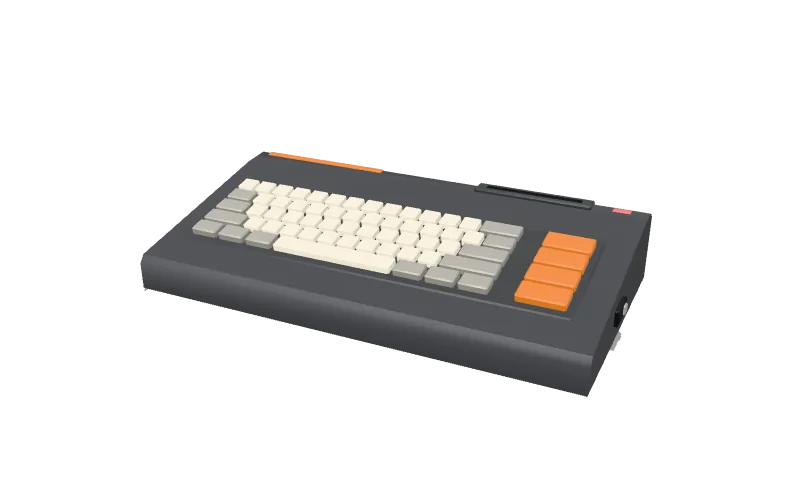
Wedge Home Computer
Keyboard computer
A wedge-shaped home computer 40 cm wide with the keyboard built in: cream and grey keys, four orange function keys, a cartridge slot and ports.
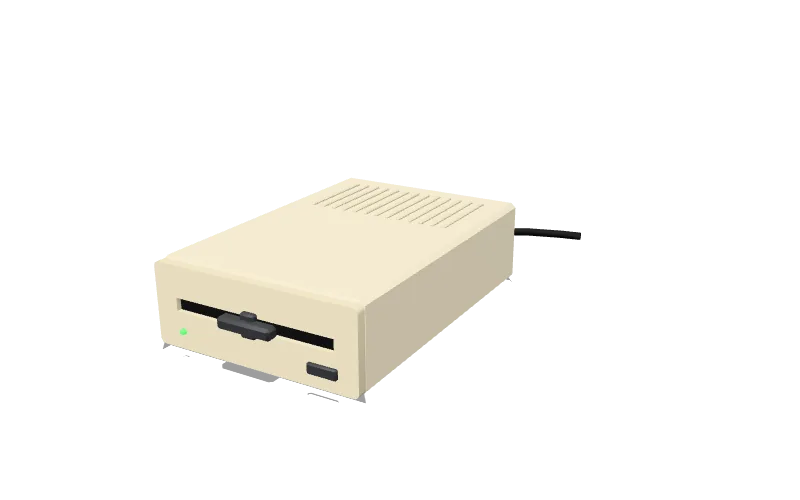
Floppy Disk Drive
External 5.25 inch
An external 5.25 inch floppy drive in a beige case with a disk slot, a turn latch, a green busy light, top vents and a cable at the back.
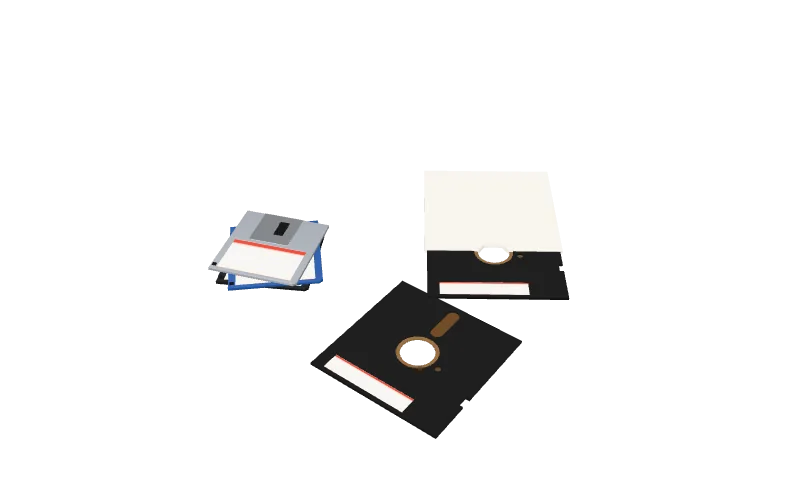
Floppy Disks
3.5 and 5.25 inch
A spread of floppy disks: three 3.5 inch disks in black, blue and grey with metal shutters, and two 5.25 inch disks, one in a paper sleeve.
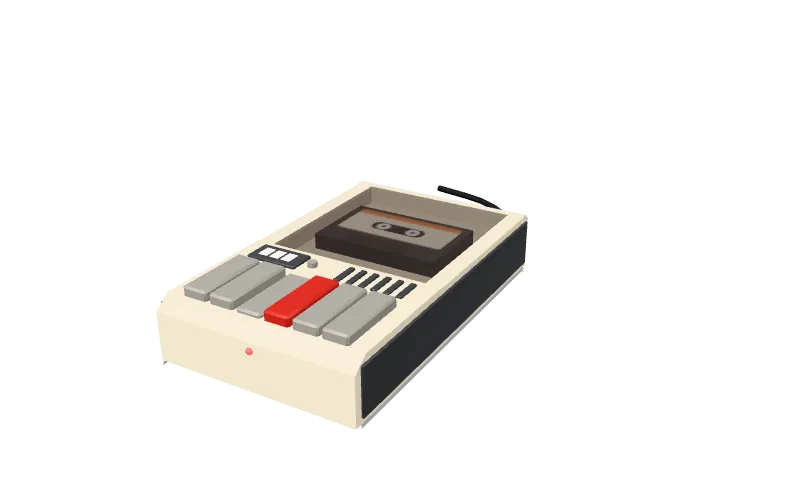
Cassette Data Recorder
Piano keys
A cassette data recorder with a tape under a smoked window, six piano keys with a red record key, a tape counter and a lead at the back.
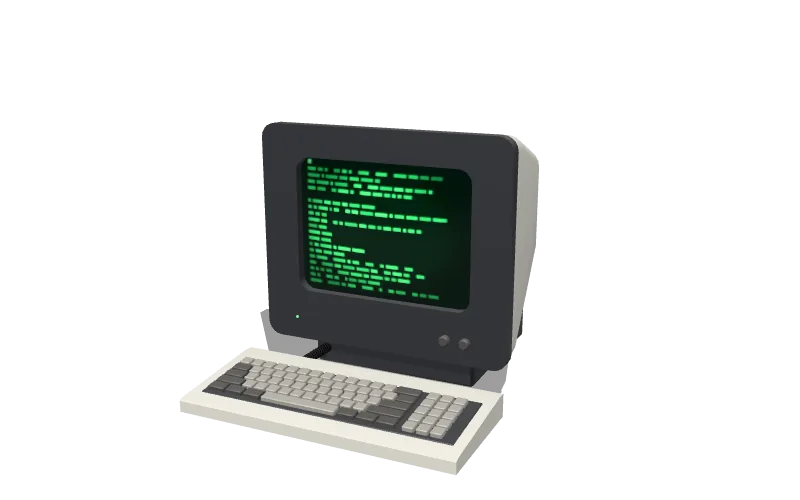
Green Screen Terminal
CRT and keyboard
A green screen terminal: a grey CRT with glowing green lines on a dark stand, two knobs and a separate keyboard on a coiled cord.
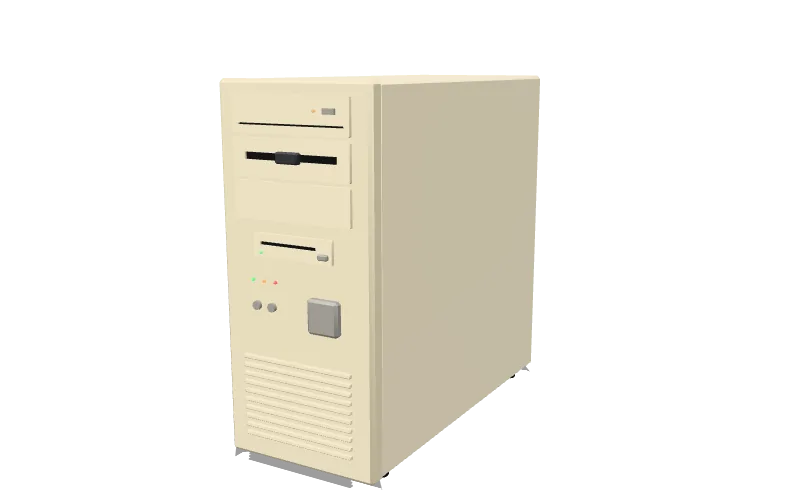
Beige Tower PC
Drive bays, turbo
A beige tower PC 43 cm tall with disc and floppy bays, power, reset and turbo buttons, three lights, a fan grille and slot covers at the back.
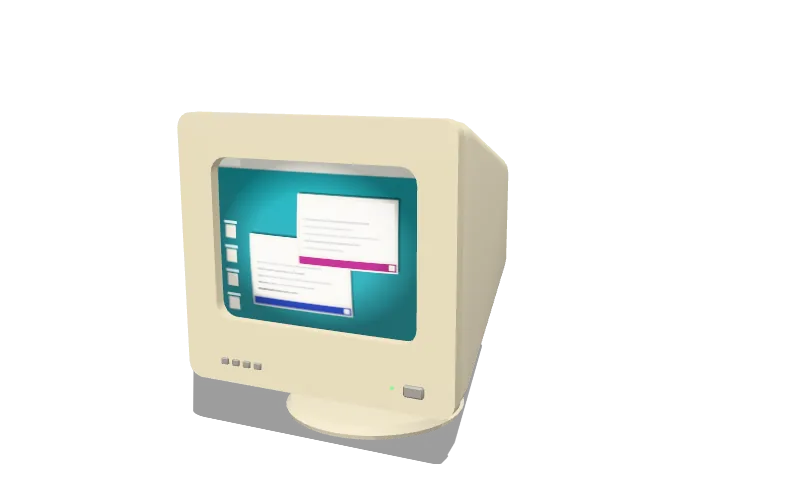
CRT Computer Monitor
Tilt and swivel
A beige CRT monitor 36 cm wide on a tilt and swivel foot, with a curved screen showing a simple desktop, front buttons and rear vents.
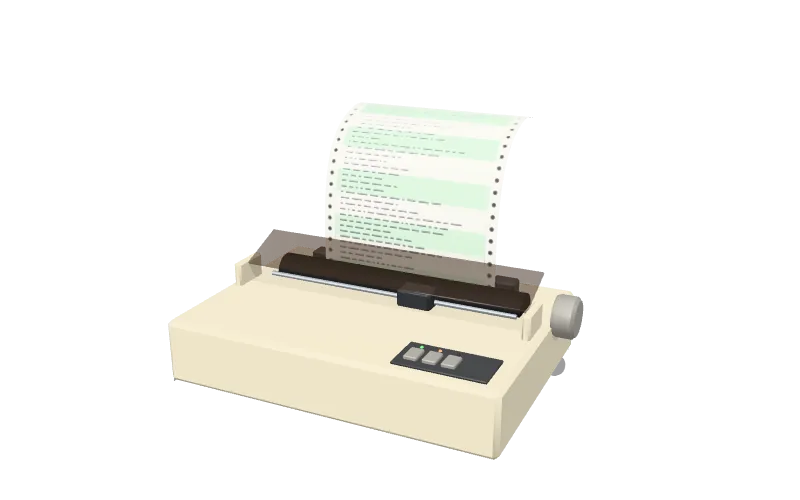
Dot Matrix Printer
Green-bar paper
A dot matrix printer 42 cm wide with green-bar fan-fold paper rising over the platen, a print head, tractor feeds and a smoked lid.
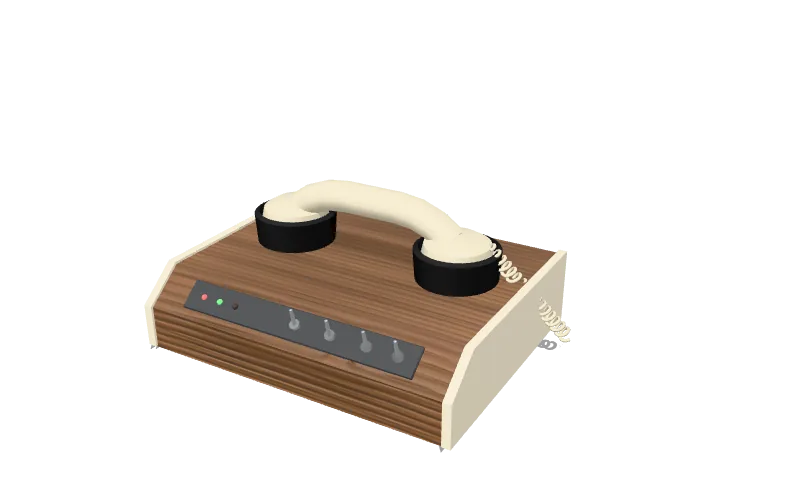
Acoustic Coupler Modem
Handset in cups
An acoustic coupler modem in a wood-grain case: a phone handset rests in two rubber cups, with toggle switches, lights and a coiled cord.
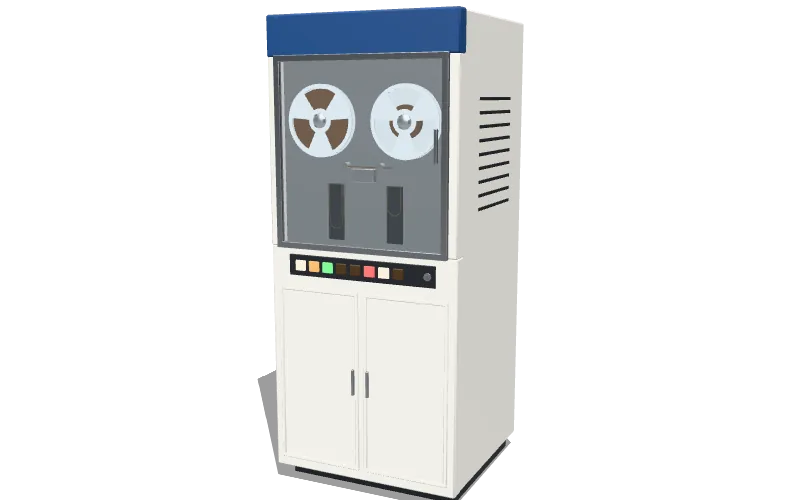
Tape Drive Cabinet
Reels, glass door
A tape drive cabinet 1.8 m tall: two tape reels and vacuum columns behind a glass door, a row of lit buttons, a key switch and lower doors.
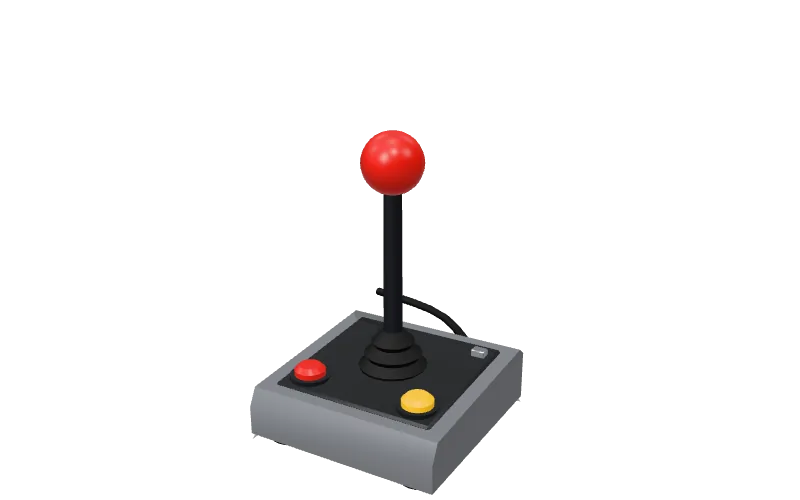
Retro Joystick
Ball grip, two buttons
A retro joystick on a grey base with a black shaft, a red ball grip, a rubber boot, red and yellow fire buttons and suction cup feet.
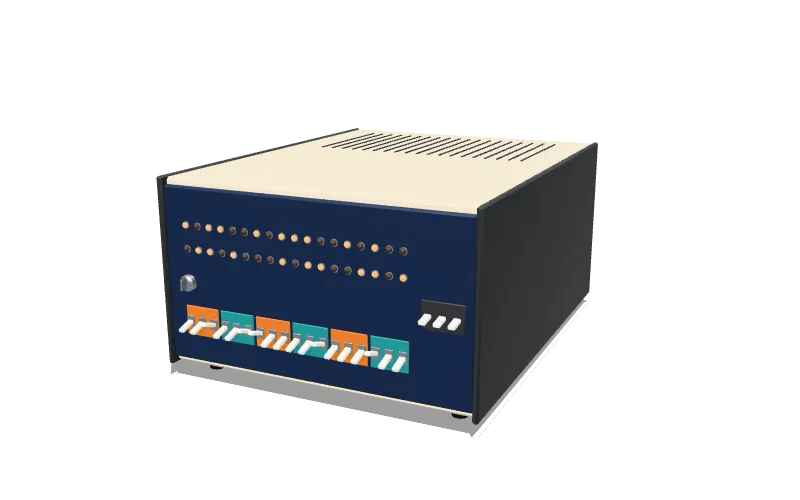
Front Panel Minicomputer
Lamps and switches
A minicomputer 48 cm wide with a navy front panel: two rows of amber lamps, paddle switches over orange and teal bands and a key switch.
Made for games
- Sixty years of machinesFrom a tape cabinet with two big reels and a minicomputer full of lamps and switches to a beige tower PC and a CRT with a simple desktop.
- Screens that glowThe terminal shows green lines and the monitor a teal desktop, both on curved glass that lights up on its own in any scene.
- No names or logosOur own designs after common machine types, with blank keys and plain labels, so you can drop them into any game or film.
- Light and true to sizeThey are 1,500 to 8,000 triangles, in metres at real size with the base on y = 0 and the fronts and screens toward +Z.
How to use these GLB models
GLB is binary glTF 2.0: one file with the mesh, materials and node names. Every modern 3D tool reads it.
three.js
Load it with GLTFLoader, as in the code below. Babylon.js, PlayCanvas and A-Frame load GLB directly too.
Unity
Add the free glTFast package (Package Manager, add by name: com.unity.cloud.gltfast), then drag the .glb into Assets.
Godot 4
Drop the .glb into the FileSystem dock. Godot imports it as a scene you can instance.
Blender
File, Import, glTF 2.0. From there you can also export to FBX, OBJ or STL.
import * as THREE from 'three';
import { GLTFLoader } from 'three/addons/loaders/GLTFLoader.js';

const gltf = await new GLTFLoader().loadAsync('model.glb');
const model = gltf.scene;
scene.add(model);

// the model is in metres, +Y up, facing +Z, standing on the ground at the origin

// a retro desk: terminal, tower, printer (three.js)
const load = f => new GLTFLoader().loadAsync(f).then(g => g.scene);
const names = ['green-screen-terminal.glb', 'beige-tower-pc.glb', 'dot-matrix-printer.glb'];
const [term, tower, printer] = await Promise.all(names.map(load));
term.position.set(0, 0.75, 0); tower.position.set(-0.55, 0, 0.1); printer.position.set(0.6, 0.75, -0.05);
scene.add(term, tower, printer);
renderer.setAnimationLoop(() => renderer.render(scene, camera));
Licence: free with credit (CC BY 4.0)
All models are made by vinish.dev and released under Creative Commons Attribution 4.0. You may use them in personal and commercial projects, change them and share them. The one condition is credit, for example in your game's credits, your app's about page or your video description:
Each file carries its own credit line inside it (the glTF asset.copyright field), and each zip has a CREDITS.txt. If you change a model, say so after the credit, for example "recoloured".
Questions
Are these copies of real computers?
No. They are our own designs after common machine types of the 1960s to the 1990s, with no brand names, logos or key legends.
Do the screens light up?
Yes. The terminal and monitor screens use an emissive material, so they glow in a dark room without any extra light.
How big are they?
They are real size in metres: the tower PC is 43 cm tall, the monitor 36 cm wide, the dot matrix printer 42 cm wide and the tape cabinet 1.8 m tall.
What goes with them?
Pair them with the Retro Tech, Computers, Office Equipment and Keyboards and Mice packs.
Can I use them in a paid game or video?
Yes. They are CC BY 4.0: free for commercial use, just credit vinish.dev.
Can I use these models in a commercial game?
Yes. CC BY 4.0 allows commercial use. Put the credit line in your credits or about screen.
Do I need an account?
No. There is no login, sign-up or email. Open a model in the 3D view and press Download: the file is yours.
Can I get OBJ, STL or glTF?
Yes. Open the model in the 3D view and pick glTF, OBJ or STL. Your browser makes the file from the GLB in a second or two. OBJ and STL have no animation. STL is in millimetres with Z up; the models are made of separate parts, so a slicer may need to repair or merge them before 3D printing. For FBX, import the GLB into Blender (File, Import, glTF 2.0) and export it.
Can I change the models?
Yes. You may edit, recolour or cut them up. Keep the credit and mention that you changed them.
More from vinish.dev
- Free 3D Models: every pack in the library
- All 3D model categories: the full list on one page, with a search box
- Free 1950s Diner 3D Models: Chrome, red vinyl, neon and sweet treats for retro diner scenes, games and product shots.
- Free Coffee and Tea 3D Models: Cups, pots and brewers with drinks inside for cafe scenes, kitchen tables and product shots.
- Free Cookware 3D Models: Pots, pans, a wok, a kettle and a steamer for kitchen scenes, cooking games and product shots.
- Free Modular Wall Kit 3D Models: Brick wall pieces with windows, doors and arches that snap together into streets and houses.
- Free Japanese Buildings 3D Models: Pagodas, shrines, townhouses, farmhouses and castle walls of a traditional Japanese town.
- Free Train Station 3D Models: Platforms, canopies, ticket halls, footbridges and the furniture of a railway station.
- Free Snow and Ice 3D Models: Icebergs, ice caves, frozen water, snow blocks and drifts for winter levels.
- Free Meat-Eating Dinosaur 3D Models: Big hunters, crested and horned theropods and feathered raptors that walk, run and roar.
- Free Car Parts 3D Models: Engine, chassis and interior parts for garages and tuning.
- Free Industrial Machine 3D Models: Factory and workshop machines with controls and guards.
- Free Tower Defense 3D Models: Path tiles, towers, a spawn portal and a crystal to defend.
- Free Combat Robot 3D Models: Arena fighting robots with spinners, flippers and axes.
- Free Bar and Pub 3D Models: Pub furniture, beer taps, pool, darts and drinks.
- Free Sidewalk 3D Models: Sidewalk tiles, curbs and gutters that join into streets.
- Free Cell and Virus 3D Models: Cut-open cells, bacteria and viruses for science lessons.
- Free Jewelry 3D Models: Rings, necklaces, earrings and bracelets at true size.
- Free Mythical Creature 3D Models: Rigged, animated legends from unicorns to krakens.
- Free Harbor 3D Models: Quays, piers and dockside pieces that tile into a working harbor.
- Free Windmill and Watermill 3D Models: Old wind and water power with sails, caps, wheels and stones that really turn.
- Free Cyberpunk Vehicle 3D Models: Angular future traffic with neon strips, glowing hover pods and dark glass, ready for a night city.
- Free Low Poly Animal 3D Models: Faceted forest and farm animals in flat colours, light enough for any mobile game.
- Free Old Firearm 3D Models: Antique guns from the first hand cannons to caplocks, with locks and hammers that move.
- Free Kitchen Appliance 3D Models: Big built-in appliances and countertop helpers with doors, lids and drawers that open.
- Free Desert 3D Models: Dunes, rock towers, dry plants, bones and an oasis to build a desert level from.
- Free Mech 3D Models: Piloted walking machines with turning torsos and arms, from a 2.4 m exosuit to a 7.9 m sniper.
- Free Puzzle Block 3D Models: A grid kit of switches, lasers, mirrors, locks and blocks for puzzle and adventure games.
- Free Plant-Eating Dinosaur 3D Models: Horned, crested, armoured, long-necked and feathered herbivores that walk, run and call.
- Free Stone Age 3D Models: Shelters, stone tools, megaliths and daily life from the Old and New Stone Age.
- Free Soft Drink and Juice 3D Models: Cans, bottles, cartons and glasses with made-up artwork, see-through glass and drinks inside.
- Free Post-Apocalyptic Vehicle 3D Models: Rusted cars, trucks and buggies with steel plates, spiked rams, cages and loaded roof racks.
- Free Trophy and Medal 3D Models: Gold cups, star trophies, medals, plaques and a title belt for prize screens and award scenes.
- Free Drone 3D Models: Camera, racing, delivery and survey drones with spinning rotor nodes, plus a controller and a dock.
- Free Factory and Warehouse 3D Models: Brick factories, clad warehouses, loading docks, chimneys and tank farms for city and industrial scenes.
- Free Skeleton 3D Models: Undead warriors, archers and kings with weapons, armour and glowing eyes for fantasy games.
- Free Phone and Laptop Mockup 3D Models: Blank-screen phones, laptops, tablets and monitors for app and website mockups.
- Free Birthday Party 3D Models: Cake, candles, balloons and streamers for a bright party scene.
- Free Restaurant Kitchen 3D Models: Stainless cooking lines, prep stations and a dish pit for a busy back-of-house scene.
- Free Mountain and Hill 3D Models: Snowy peaks, rock ridges and green hills ready to drop round a game level.
- Free Engine and Motor 3D Models: Petrol, diesel, electric and steam engines with pulleys, fans and flywheels that turn.
- Free Home Decor 3D Models: Calm modern shelf and table styling pieces in wood, marble, glass and rattan.
- Free Sci-Fi Laboratory 3D Models: A clean white future lab with glowing fluids, screens and moving parts.
- Free E-Bike and Electric Scooter 3D Models: Electric bikes, scooters and boards with moving wheels, forks and stems.
- Free Endless Runner Kit 3D Models: Bright track pieces, obstacles and coins for lane-switching runner games.
- Free Low Poly Weapon 3D Models: Light flat-shaded weapons for stylized, mobile and prototype games.
- Free Rifle 3D Models: Long guns from the frontier to the range, with their moving parts on their own nodes.
- Free Low Poly Car 3D Models for Games: 12 vehicles with separate wheels
- Sample GLB Files: small test files for loaders, viewers and engines
- Free browser games and simulators by vinish.dev