Free Computer 3D Models: Gaming PC, Desktop Set, Mini PC, Graphics Card (GLB, OBJ, STL)
Twelve free computer 3D models for games, rooms and renders: a gaming PC, a panoramic gaming PC, a desktop computer set, an office PC, a workstation, an all-in-one, a mini PC, a cube PC, a home server, a motherboard, a graphics card and a CPU cooler. Real sizes, real ports, full insides behind the glass, and every fan on its own node. Free for commercial use under CC BY 4.0, no login.
- 12 models
- 16,016–122,434 triangles
- 436 KB–3.9 MB each
- GLB, glTF, OBJ, STL
- CC BY 4.0
- No login
All 12 models
Drag a model to turn it, or tap it to open the 3D viewer with zoom. Sizes are width × depth × height. The tags under a model are its separate parts, by node name.
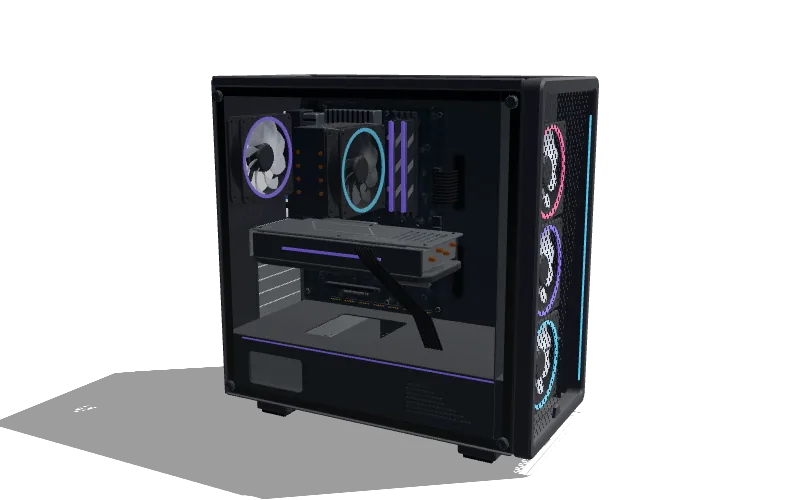
Gaming PC
Glass-side tower
A black tower 47 cm high with a glass side: a full main board, tower cooler, memory, a three-fan graphics card, sleeved cables and power supply inside, three lit front fans behind mesh and every fan on its own node.
- Front_Fan_1
- Front_Fan_2
- Front_Fan_3
- Rear_Fan
- CPU_Fan
- GPU_Fan_1
- GPU_Fan_2
- GPU_Fan_3
- Glass_Panel
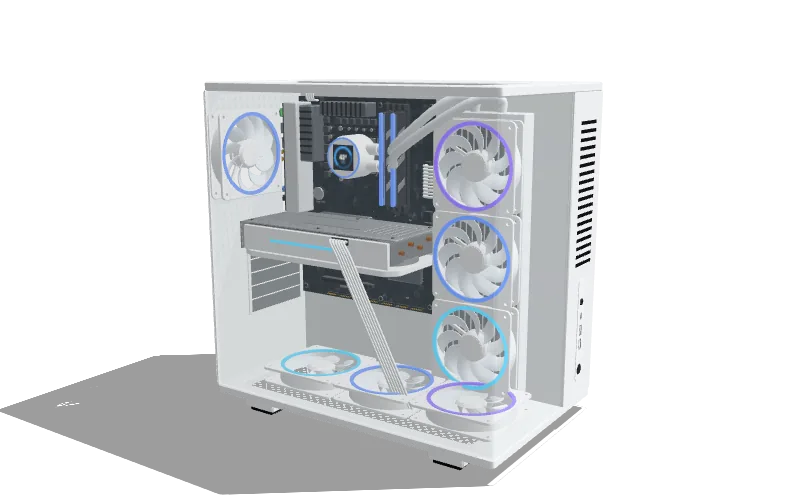
Panoramic Gaming PC
Glass-corner tower
A white gaming PC with front and side glass that meet at the corner: liquid cooling with hoses, a pump screen and a three-fan radiator, seven lit white fans and a white graphics card.
- Side_Fan_1
- Side_Fan_2
- Side_Fan_3
- Bottom_Fan_1
- Bottom_Fan_2
- Bottom_Fan_3
- Rear_Fan
- GPU_Fan_1
- GPU_Fan_2
- GPU_Fan_3
- Side_Glass
- Front_Glass
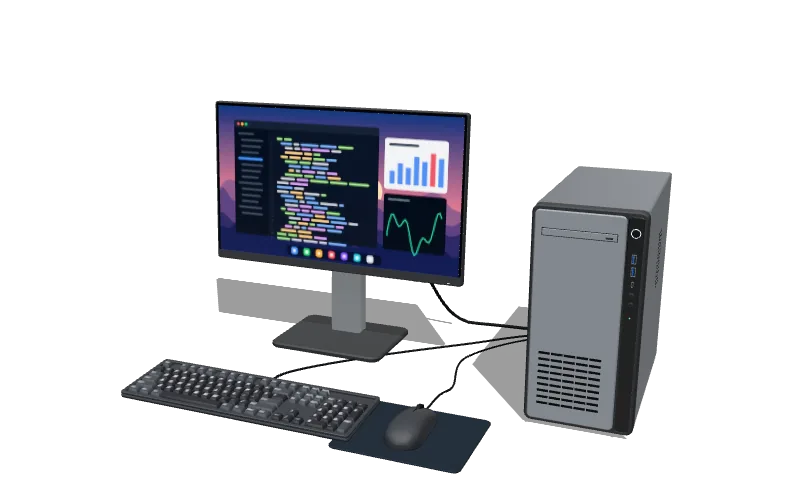
Desktop Computer Set
Tower, monitor, keyboard, mouse
A ready-to-place desk set: an office tower, a 24 inch monitor on a tilting stand, a full keyboard with printed keys, a mouse on a mat, and the cables between them.
- Tower
- Monitor_Stand
- Monitor
- Keyboard
- Mouse_Mat
- Mouse
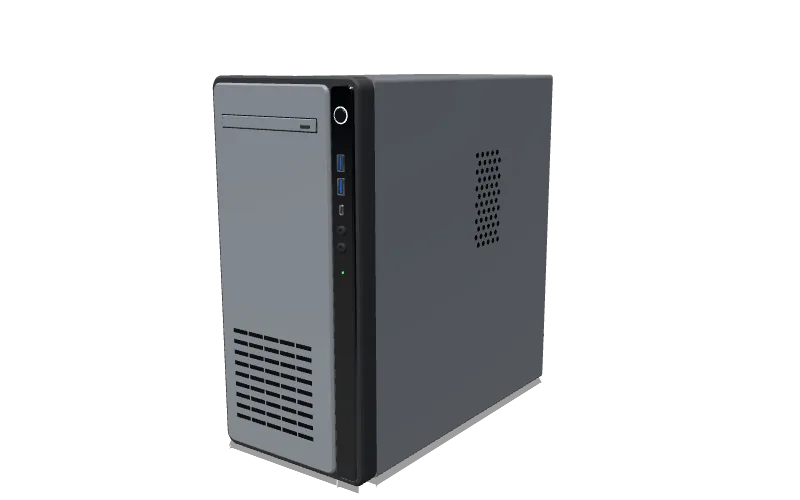
Office PC
Compact tower
A small grey office tower 37 cm high: a drive slot, power button, front ports and vents, and a back with a full port panel, four slot covers, power socket and switch.
Workstation
Professional tower
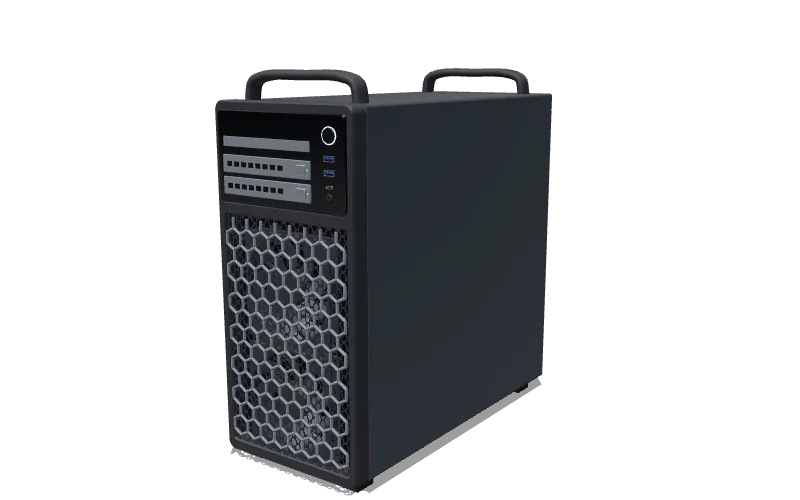
A heavy dark workstation with two carry handles: a honeycomb front with two fans behind it, two lockable drive bays, a side panel latch, seven slots, a guarded rear fan and a full set of ports.
- Rear_Fan
- Front_Fan_1
- Front_Fan_2
All-in-One Computer
Screen computer
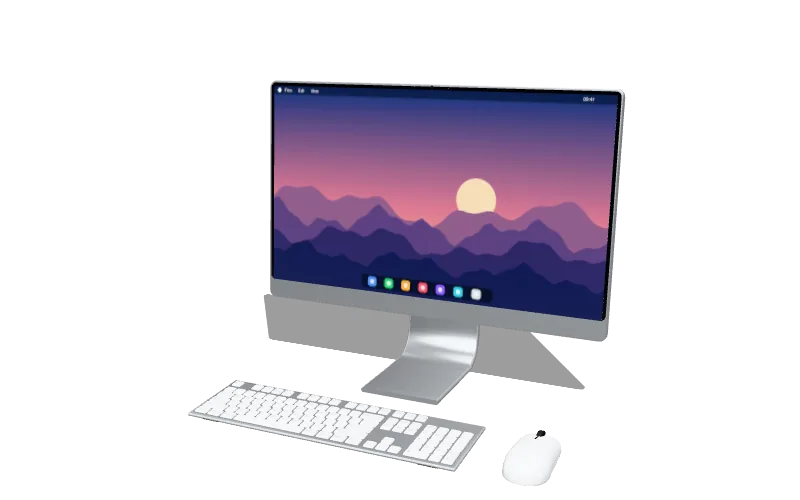
A slim silver all-in-one with a 27 inch screen on a bent aluminium foot, ports on the back, a low white keyboard with printed keys and a white mouse. The screen tilts on its own node.
- Display
- Keyboard
- Mouse
Mini PC
Palm-size computer
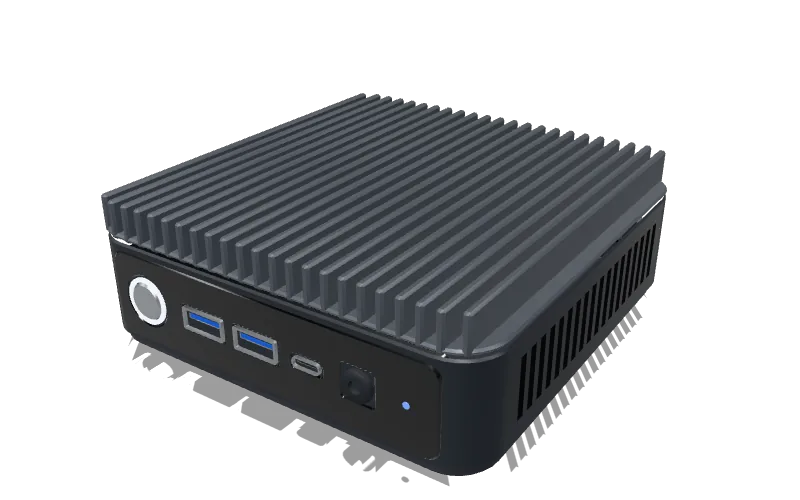
A palm-size black PC 12.8 cm wide with a finned aluminium lid: a lit power button, USB, USB-C and audio in front, and network, video and power ports at the back.
Cube PC
Compact tower
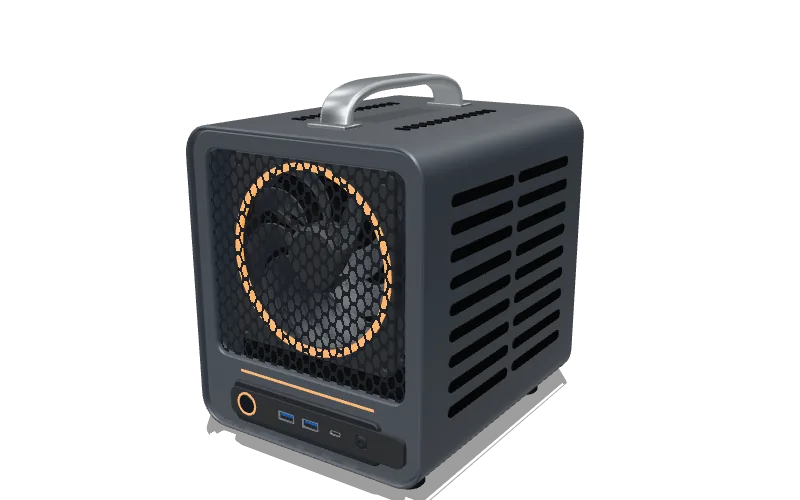
A compact cube PC with a carry handle: rounded dark aluminium, a mesh front with an amber-lit fan, long side vents, front ports and a graphics card output row at the back.
- Front_Fan
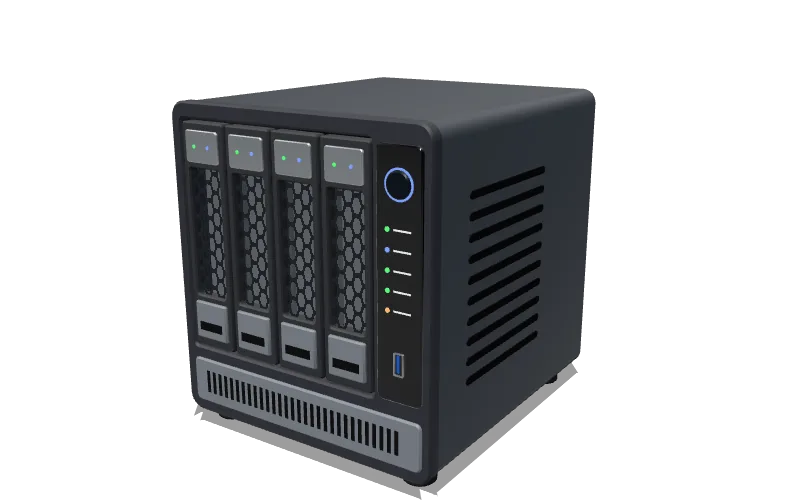
Home Server
Four-bay storage box
A four-bay home server: each drive tray is its own node and slides out, with status lamps, a power button, side vents, a guarded rear fan, two network ports and a power socket.
- Drive_Tray_1
- Drive_Tray_2
- Drive_Tray_3
- Drive_Tray_4
- Rear_Fan
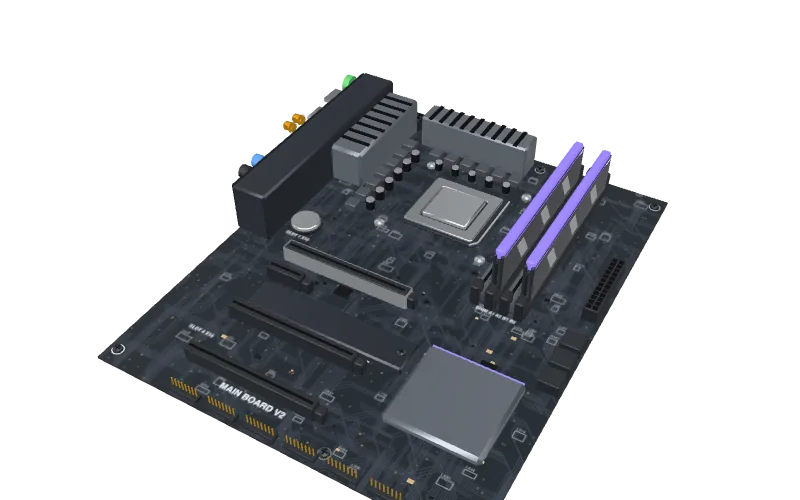
Motherboard
Main board
A full-size main board: printed traces, processor in its socket, two lit memory sticks in four slots, heatsinks, chokes and capacitors, expansion slots, a battery, pin headers and all rear ports.
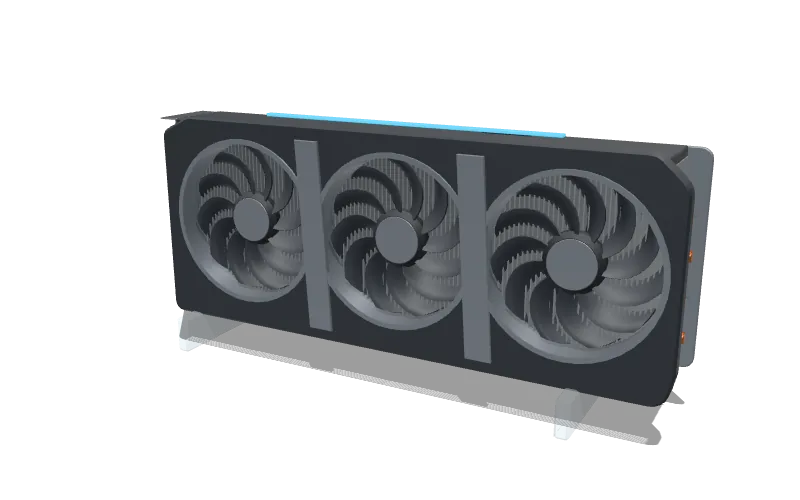
Graphics Card
Three-fan card
A three-fan graphics card on two clear stands: spinning fans, a fin stack with copper heat pipes, a metal back plate with vents, gold edge contacts, a lit edge strip and four video outputs.
- Fan_1
- Fan_2
- Fan_3
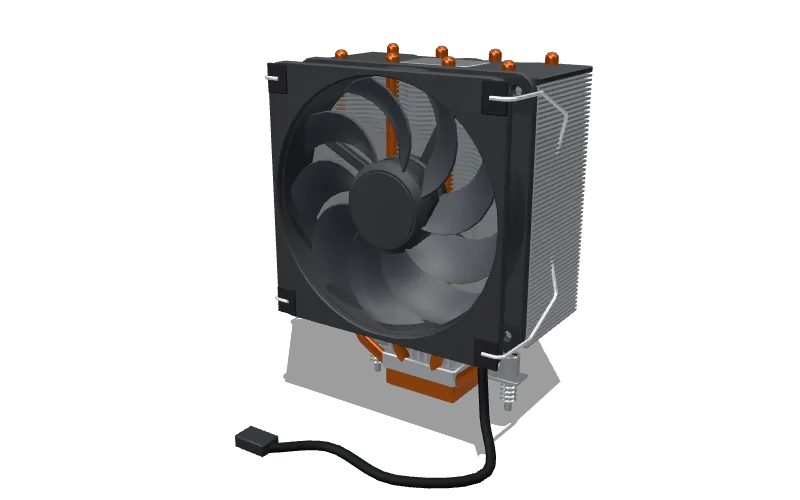
CPU Cooler
Tower cooler
A tower CPU cooler 17 cm high: fifty-six fins on eight copper pipe ends, a polished copper base, spring screws, wire clips, rubber corners, a fan that spins and its cable with plug.
- Fan
Made for games
- Fans that spinEvery fan is a node with its pivot in the middle: turn it round its local Z. The gaming PC has eight of them, with lit rings in cyan, violet and pink.
- A real insideBehind the glass there is a main board, memory, cooler, graphics card, power supply and cables. The glass panel is a separate node, so you can take it off.
- Ports and labelsUSB, USB-C, HDMI, DisplayPort, network, audio and power sockets are modelled, front and back, and the keyboards have printed keys.
- No brandsAll computers are our own designs with no makes or logos, and the desktop pictures are our own, so they are safe in commercial games. Real sizes in metres, ground at y = 0, front toward +Z.
How to use these GLB models
GLB is binary glTF 2.0: one file with the mesh, materials and node names. Every modern 3D tool reads it.
three.js
Load it with GLTFLoader, as in the code below. Babylon.js, PlayCanvas and A-Frame load GLB directly too.
Unity
Add the free glTFast package (Package Manager, add by name: com.unity.cloud.gltfast), then drag the .glb into Assets.
Godot 4
Drop the .glb into the FileSystem dock. Godot imports it as a scene you can instance.
Blender
File, Import, glTF 2.0. From there you can also export to FBX, OBJ or STL.
import * as THREE from 'three';
import { GLTFLoader } from 'three/addons/loaders/GLTFLoader.js';

const gltf = await new GLTFLoader().loadAsync('model.glb');
const model = gltf.scene;
scene.add(model);

// the model is in metres, +Y up, facing +Z, standing on the ground at the origin

const pc = (await new GLTFLoader().loadAsync('gaming-pc.glb')).scene;
scene.add(pc);
// spin every fan round its own Z axis
const fans = []; pc.traverse(o => { if (o.name.includes('Fan')) fans.push(o); });
const spin = dt => fans.forEach(f => f.rotateZ(dt * 12));
// take the glass side off
pc.getObjectByName('Glass_Panel').visible = false;
Licence: free with credit (CC BY 4.0)
All models are made by vinish.dev and released under Creative Commons Attribution 4.0. You may use them in personal and commercial projects, change them and share them. The one condition is credit, for example in your game's credits, your app's about page or your video description:
Each file carries its own credit line inside it (the glTF asset.copyright field), and each zip has a CREDITS.txt. If you change a model, say so after the credit, for example "recoloured".
Questions
Which parts can I move?
Open a model in the viewer to see its node names. All fans spin, the glass panels come off, the screens of the desktop set and the all-in-one tilt, the keyboard and mouse are separate, and the home server has four drive trays that slide out.
Can I put my own picture on the screen?
Yes. The screen is its own material, named Screen on the all-in-one and Screen_Work on the monitor. Replace its base colour and emissive texture with any 16:9 picture or a video texture.
Can I change the light colours?
Yes. The lit rings and strips use the materials LED_Cyan, LED_Violet, LED_Pink, LED_Blue and LED_Amber. Change the emissive colour of each in your editor or in code.
Are these real computer makes?
No. They are general types of computer drawn by vinish.dev, without makes, names or logos.
Are the models light enough for a game?
The small ones have about 16,000 to 65,000 triangles. The two glass gaming PCs have about 103,000 and 122,000 because the whole inside is modelled, which suits close views and renders.
Can I use these models in a commercial game?
Yes. CC BY 4.0 allows commercial use. Put the credit line in your credits or about screen.
Do I need an account?
No. There is no login, sign-up or email. Click Download and the file is yours.
Can I get OBJ, STL or glTF?
Yes. Press the arrow next to Download GLB, or open the 3D view, and pick glTF, OBJ or STL. Your browser makes the file from the GLB in a second or two. OBJ and STL have no animation. STL is in millimetres with Z up; the models are made of separate parts, so a slicer may need to repair or merge them before 3D printing. For FBX, import the GLB into Blender (File, Import, glTF 2.0) and export it.
Can I change the models?
Yes. You may edit, recolour or cut them up. Keep the credit and mention that you changed them.
More from vinish.dev
- Free 3D Models: every pack in the library
- All 3D model categories: the full list on one page, with a search box
- Free Truck 3D Models: Tractor unit, long-nose truck, box, fridge, curtainside, flatbed, tipper, tanker, crane, logging, garbage and recovery trucks.
- Free Money 3D Models: Cash bundles, banknotes, gold bars, coins, a briefcase of cash, a piggy bank, a money bag, a wallet and bank cards.
- Free Realistic Car 3D Models: Sedans, a limousine, an off-roader, an SUV, sports coupes, a muscle car, a hatchback, a city car, an EV and a supercar.
- Free Motorcycle 3D Models: Street, sport, cruiser, chopper, touring, adventure, enduro, cafe racer, scooter, moped, vintage and police bikes.
- Free Character Animations: Two rigged mannequins, a man and a woman, with 36 clips: walk, run, wave, salute, fight, push-ups, sitting and dance.
- Free War Zone 3D Models: Sandbag position, blast barrier, hedgehog, razor wire, guard tower, army tent, field howitzer, bombed ruin, camouflage net and a shell crater.
- Free Dinosaur 3D Models: T. rex, Triceratops, Stegosaurus, Brachiosaurus, Ankylosaurus, Parasaurolophus, Velociraptor, Pteranodon, an egg nest and a cycad.
- Free Town 3D Models: Pastel townhouses, a garden home, shops, a mall, apartments, an office tower, a clock tower, parks, a playground and a cherry tree.
- Free Bathroom 3D Models: Toilet, vanity unit, bathtub, shower enclosure, mirror cabinet, towel rail, toilet roll holder, laundry basket, pedestal basin, soap set, scale and a rubber duck.
- Free Kitchen 3D Models: Fridge freezer, gas cooker, microwave, sink unit, base and wall cabinets, cooker hood, washing machine, toaster, kettle, espresso machine, blender, pans and a cutting board.
- Free Fantasy Item 3D Models: Health and mana potions, elixir vial, spellbook, crystal ball, magic staff, crown, gold coin pile, cut gems, goblet, treasure map, rune stone and key.
- Free Graveyard and Halloween 3D Models: Mausoleum, headstones, ring cross, obelisk, family grave, wooden cross, cemetery fence and gate, coffin, carved pumpkin, cauldron, candelabra, lantern and web.
- Free Dungeon Kit 3D Models: Modular floor, walls, doorway, archway, alcove, pillar, column, stairs, portcullis, prison bars and spike trap, plus a brazier, chains, sarcophagus and lever.
- Free House 3D Models: Family house, modern house, log cabin, stone cottage, bungalow, townhouses, A-frame, beach house, villa, tiny house, container home and Victorian house.
- Free Rock and Terrain 3D Models: Boulders, rock pile, stepping stones, cliff wall, rock arch, sea stack, desert mesa, small island, crystal cluster, snowy rocks and a cave entrance.
- Free Musical Instrument 3D Models: Acoustic, electric and bass guitars, ukulele, violin, cello, grand piano, keyboard, drum kit, trumpet, saxophone, microphone, amp and xylophone.
- Free Sports 3D Models: Soccer ball, basketball, volleyball, tennis, baseball, American football, bowling, golf, hockey, fitness gear, skateboard, trophy, soccer goal and hoop.
- Free Food 3D Models: A burger, pizza, fries, hot dog, donuts, ice cream, cupcake, layer cake, pancakes, coffee and croissant, fruit, sushi, bread and popcorn.
- Free Christmas 3D Models: A Christmas tree, presents, snowman, candy canes, sleigh, reindeer, wreath, ornaments, gingerbread house, stocking, snow globe, fireplace and gingerbread man.
- Free Sea Life 3D Models: A shark, dolphin, whale, reef fish, fish school, sea turtle, octopus, crab, jellyfish, manta ray, seahorse and coral reef, all animated.
- Free Wildlife 3D Models: A lion, elephant, giraffe, zebra, rhino, hippo, camel, fox, dog and cat, each with Idle, Walk and Run clips.
- Free Space 3D Models: A rocket and its launch pad, a capsule, a lander, a satellite, a station module, a rover, a starfighter, a flying saucer, asteroids, a ringed planet and a radio telescope.
- Free Construction 3D Models: An excavator, a bulldozer, a wheel loader, dump and mixer trucks, a tower crane, a forklift, a road roller and site props from a cement mixer to a hard hat.
- Free Farm 3D Models: A tractor and trailer, a red barn, a grain silo, a windpump, fences and a gate, hay bales, a trough, a chicken coop, a pumpkin and a milk churn.
- Free Animal 3D Models: A horse, deer, wolf, bear, cow, pig and sheep, each with Idle, Walk and Run clips.
- Free Street Prop 3D Models: A bus stop, bins, road signs, barriers, a bicycle, a kick scooter, a vending machine, a food cart, a utility pole and a billboard.
- Free Boat 3D Models: A speedboat, sailboat, rowboat, trawler, container ship, jet ski, submarine, kayak and RIB with moving parts, plus buoys, a bollard and a dock.
- Free Aircraft 3D Models: A light plane, airliner, jet fighter, helicopter, biplane, drone and hot-air balloon with spinning props, rotors and moving control surfaces.
- Free Voxel 3D Models: Blocky characters and farm animals with walk clips, voxel trees, a cottage, a car, a chest and spinning pixel pickups.
- Free Race Car 3D Models: Formula, classic, GT, prototype and rally cars, a kart, a superbike, a motocross bike and track props.
- Free Weapon 3D Models: Pistol, revolver, assault rifle, SMG, shotgun, sniper rifle, rocket launcher, grenade, combat knife and sci-fi blaster.
- Free Rigged People 3D Models: Men and women in everyday, office and work clothes, rigged with idle, walk and run animations.
- Free Medieval 3D Models: A treasure chest, a longsword, a shield, an axe, a weapon rack, a torch, a hay cart, a market stall, an anvil and a well.
- Free Furniture 3D Models: A sofa, an armchair, a dining set, a double bed, a bookcase, an office desk and chair, a wardrobe, a lamp and a coffee table.
- Free Retro Tech 3D Models: An 80s PC, a CRT TV, a rotary phone, a boombox, a typewriter and a VCR with a tape. No brands.
- Free Garden 3D Models: A park bench, a picnic table, a stone fountain, a wheelbarrow, a shed, a planter, pots and a birdbath.
- Free Tree 3D Models: An oak, a pine, a willow, a snowy spruce, a fan palm, an apple tree, a saguaro, shrubs, a hedge, wildflowers, mushrooms and more.
- Free Jungle 3D Models: A coconut palm, a banana plant, a monstera, bamboo, mossy boulders and a fallen log, with cut-out leaves.
- Free City Kit 3D Models: 16 m road tiles that snap together, street props and two apartment blocks with shop fronts.
- Free Game Prop 3D Models: Crates, a barrel, an oil drum, a shipping container, a concrete barrier, a pallet and a fuel can. Lids and doors open.
- Free Military Vehicle 3D Models: A main battle tank, an 8x8 armoured carrier, a 4x4 patrol vehicle and a 6x6 cargo truck. Turrets, guns and wheels turn.
- Free Robot 3D Models: An industrial arm, a robot dog, a drone, a tracked robot with a claw, a walking mech and a humanoid. Every joint is a node you can turn.
- Free Low Poly Car 3D Models for Games: 12 vehicles with separate wheels
- Sample GLB Files: small test files for loaders, viewers and engines
- Free browser games and simulators by vinish.dev