Free Mech 3D Models: Battle Mech, Walkers, Exosuit, Cargo Mech and More (GLB, OBJ, STL)
Twelve free mech 3D models: a battle mech, a scout mech, an assault mech with jump jets, a brawler mech, a sniper mech, a cargo mech, a construction mech, an exosuit, a tracked mech, a reverse-joint walker, a spider mech and a four-legged artillery walker. Free for commercial use under CC BY 4.0, no login.
- 12 models
- 3,306–7,575 triangles
- 267 KB–429 KB each
- GLB, glTF, OBJ, STL
- CC BY 4.0
- No login
All 12 models
Drag a model to turn it, or tap it to open the 3D viewer, where you can zoom and download it. Sizes are width × depth × height. The tags under a model are its separate parts, by node name.
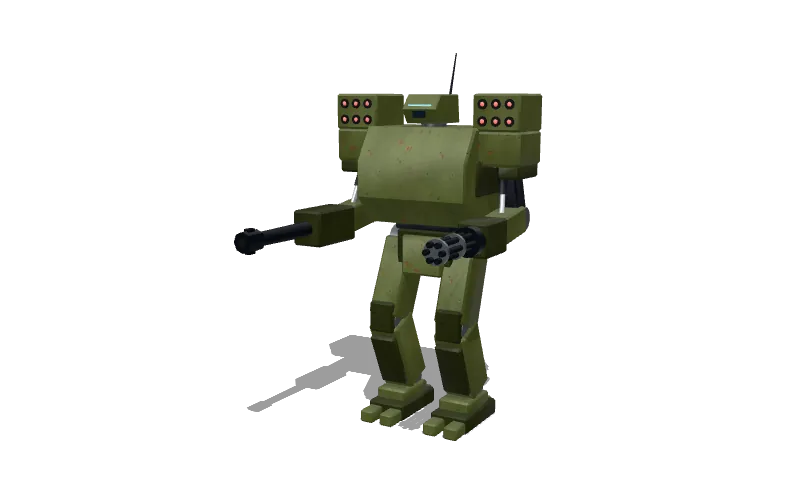
Battle Mech
Heavy assault mech
A 7.5 m heavy battle mech in olive armour: a cannon arm, a rotary gun arm, missile pods on both shoulders and a sensor head on a turning torso.
- Torso
- Arm ×2
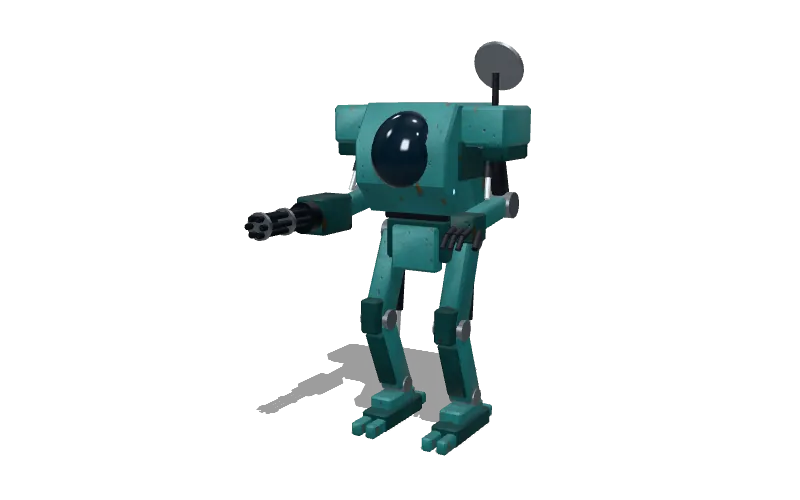
Scout Mech
Light recon mech
A 5 m light scout mech in teal armour with slim legs, a glass canopy cockpit, a radar dish on one shoulder, a rotary gun and a hand.
- Torso
- Arm ×2
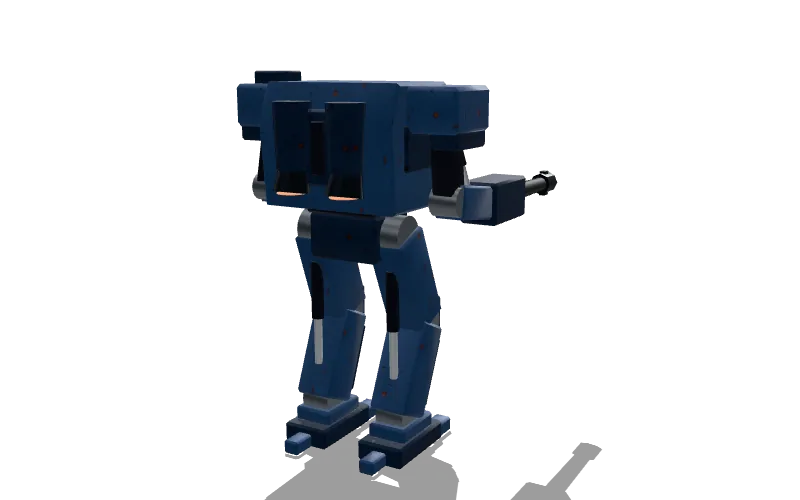
Assault Mech
Jump-jet mech
A 5.4 m assault mech in blue armour with twin arm cannons, a slit visor cockpit and two glowing jump jets on its back.
- Torso
- Arm ×2
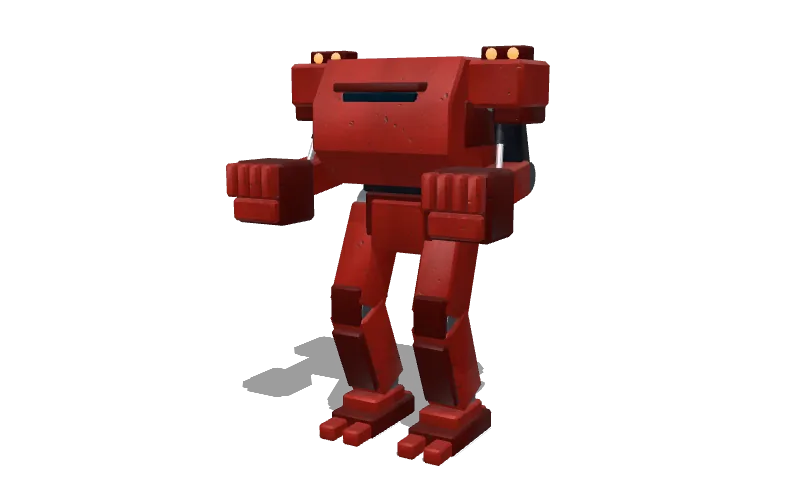
Brawler Mech
Close combat mech
A 5.7 m brawler mech in red armour built for close combat: huge armoured fists, heavy pauldrons, a slit visor and floodlights.
- Torso
- Arm ×2
Sniper Mech
Long-range mech
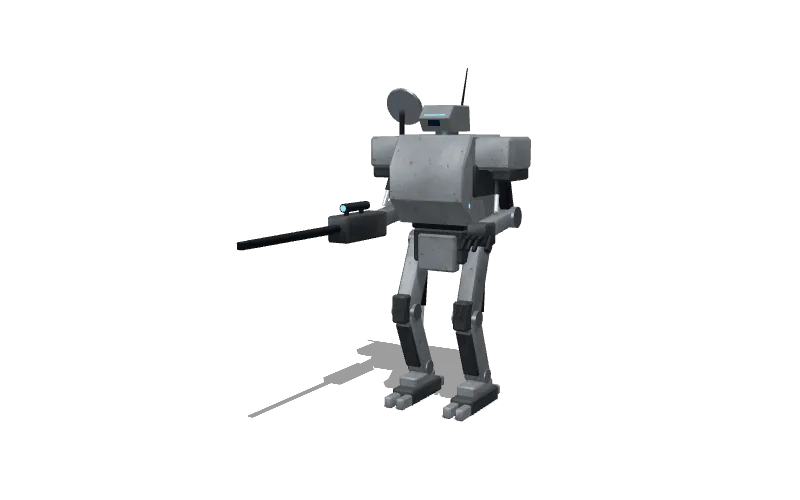
A 7.9 m slim sniper mech in grey armour carrying a long rail rifle with a glowing scope, a sensor head with an antenna and a radar dish.
- Torso
- Arm ×2
Cargo Mech
Loader mech
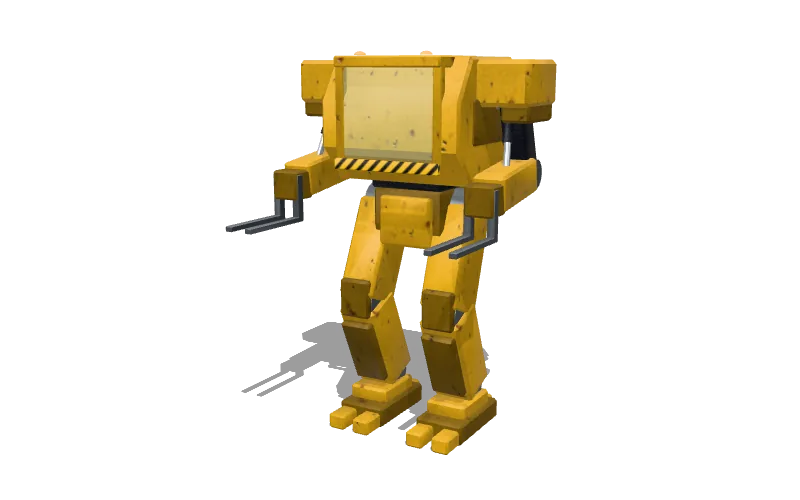
A 3.8 m yellow cargo mech with a glass cab and seat, hazard stripes, roof lights and pallet forks on both arms for lifting crates.
- Torso
- Arm ×2
Construction Mech
Drill and claw mech
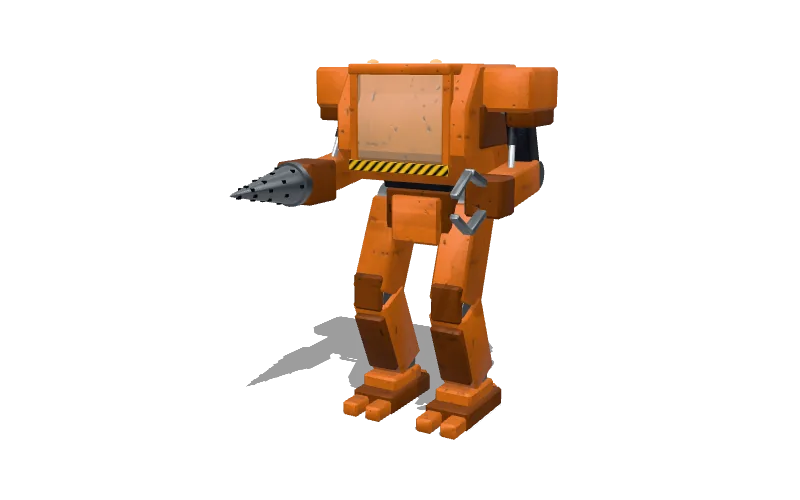
A 4.6 m orange construction mech with a glass cab, a big spiral drill on one arm and a gripping claw on the other.
- Torso
- Arm ×2
Exosuit
Powered exoskeleton
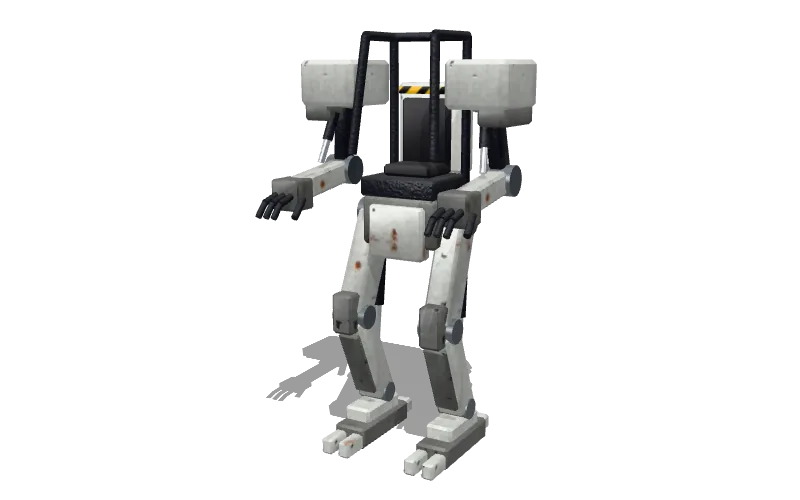
A 2.4 m powered exosuit in white with an open roll-cage frame round a pilot seat, a battery pack, piston-driven legs and gripping hands.
- Torso
- Arm ×2
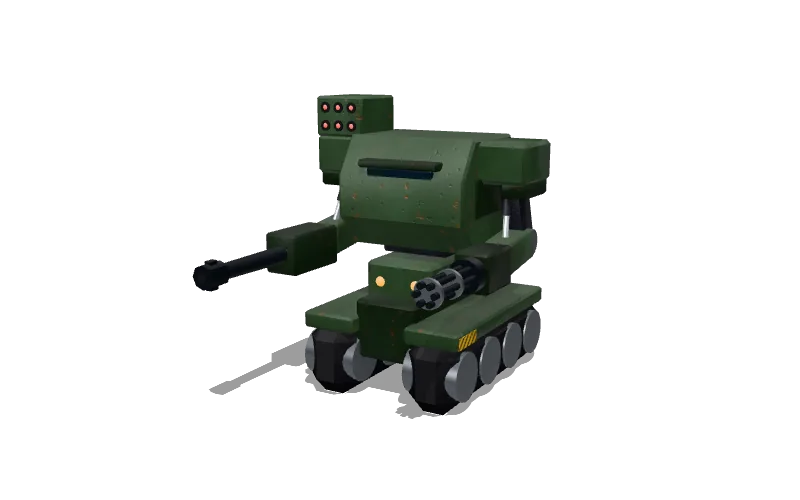
Tracked Mech
Mech on tank tracks
A mech torso on a tank-track base in green: twin rubber tracks with road wheels, a cannon, a rotary gun and a shoulder missile pod.
- Torso
- Arm ×2
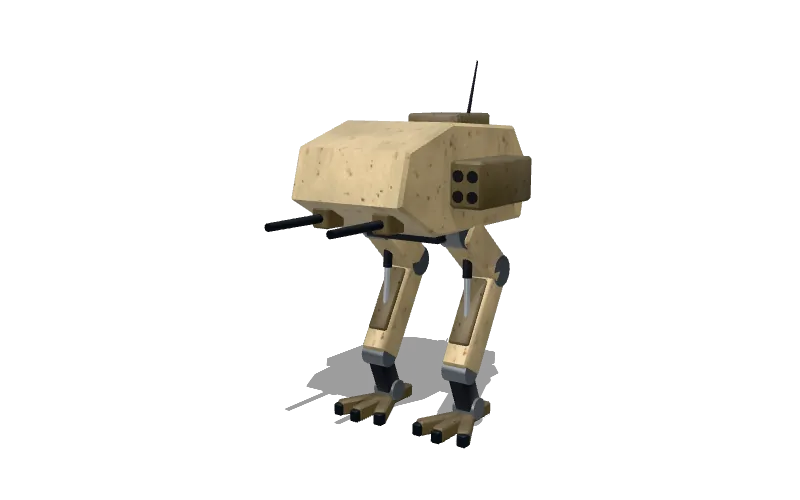
Reverse-Joint Walker
Two-legged walker
A 5.9 m two-legged walker with backward-bending legs, three-toed feet, a cockpit body, twin chin guns and rocket pods on its sides.
- Torso
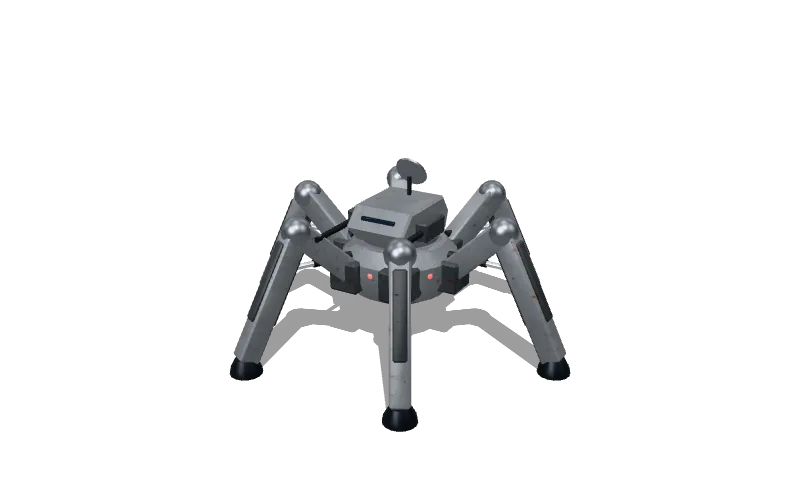
Spider Mech
Six-legged walker
A six-legged spider mech in grey: a round hull on jointed legs with pistons, a turning turret with twin guns, a radar dish and red lights.
- Turret
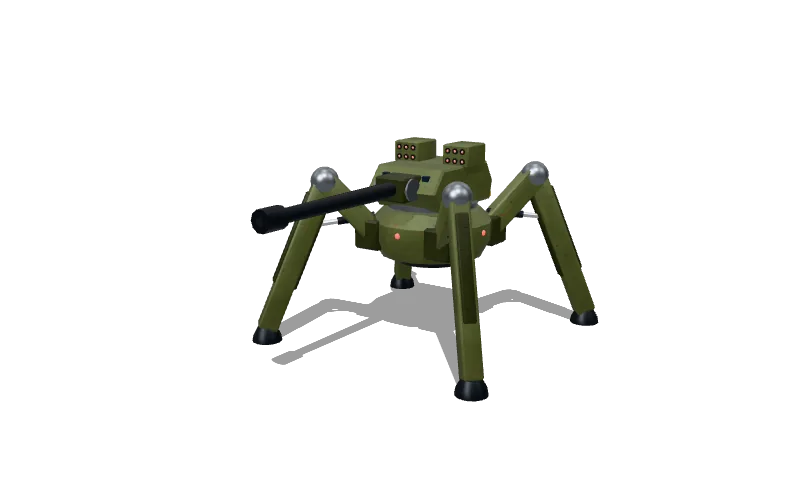
Quad Walker
Four-legged artillery
A heavy four-legged artillery walker in olive: a round hull on piston legs and a turning turret with a long gun and two missile pods.
- Turret
Made for games
- Turning torsos and armsEvery two-legged mech has a Torso node that turns at the waist with Arm_L and Arm_R under it, and the walkers carry a Turret node, so you can aim them in code.
- Twelve different jobsCannons, rotary guns, a rail rifle, missile pods, jump jets, armoured fists, pallet forks, a drill and claw, tank tracks and six legs give each mech its own role.
- Real scaleThey are in metres: the exosuit is 2.4 m tall, the cargo mech 3.8 m, the battle mech 7.5 m and the quad walker 9.9 m long with its gun.
- Light for gamesThey are 3,300 to 7,600 triangles each, with painted armour textures, glass cockpits and glowing lights.
How to use these GLB models
GLB is binary glTF 2.0: one file with the mesh, materials and node names. Every modern 3D tool reads it.
three.js
Load it with GLTFLoader, as in the code below. Babylon.js, PlayCanvas and A-Frame load GLB directly too.
Unity
Add the free glTFast package (Package Manager, add by name: com.unity.cloud.gltfast), then drag the .glb into Assets.
Godot 4
Drop the .glb into the FileSystem dock. Godot imports it as a scene you can instance.
Blender
File, Import, glTF 2.0. From there you can also export to FBX, OBJ or STL.
import * as THREE from 'three';
import { GLTFLoader } from 'three/addons/loaders/GLTFLoader.js';

const gltf = await new GLTFLoader().loadAsync('model.glb');
const model = gltf.scene;
scene.add(model);

// the model is in metres, +Y up, facing +Z, standing on the ground at the origin

// turn the battle mech's torso toward a target (three.js)
const gltf = await new GLTFLoader().loadAsync('battle-mech.glb');
scene.add(gltf.scene);
const torso = gltf.scene.getObjectByName('Torso');
const arm = gltf.scene.getObjectByName('Arm_R');
const target = new THREE.Vector3(10, 4, 10), local = new THREE.Vector3();
renderer.setAnimationLoop(() => {
  local.copy(target); gltf.scene.worldToLocal(local);
  const want = Math.atan2(local.x, local.z);
  torso.rotation.y += (want - torso.rotation.y) * 0.05;   // swing round smoothly
  arm.rotation.x = -0.2;                                  // raise the cannon a little
  renderer.render(scene, camera);
});
Licence: free with credit (CC BY 4.0)
All models are made by vinish.dev and released under Creative Commons Attribution 4.0. You may use them in personal and commercial projects, change them and share them. The one condition is credit, for example in your game's credits, your app's about page or your video description:
Each file carries its own credit line inside it (the glTF asset.copyright field), and each zip has a CREDITS.txt. If you change a model, say so after the credit, for example "recoloured".
Questions
Which parts move?
The two-legged mechs and the tracked mech have a Torso node that turns at the waist, with Arm_L and Arm_R under it. The spider mech and the quad walker have a Turret node on top.
How big are they?
They are in metres with the feet on y = 0 and the front toward +Z. The exosuit is 2.4 m tall, the scout mech 5.3 m, the battle mech 7.5 m and the sniper mech 7.9 m.
Are they from a game or show?
No. They are our own designs with no real franchise, unit markings, text or logos, only hazard stripes, so you can paint your own colours and decals over them.
What goes with them?
Pair them with the Robots, Sci-Fi Weapons, Sci-Fi Crates and Props and Military Vehicles packs.
Can I use them in a paid game or video?
Yes. They are CC BY 4.0: free for commercial use, just credit vinish.dev.
Can I use these models in a commercial game?
Yes. CC BY 4.0 allows commercial use. Put the credit line in your credits or about screen.
Do I need an account?
No. There is no login, sign-up or email. Open a model in the 3D view and press Download: the file is yours.
Can I get OBJ, STL or glTF?
Yes. Open the model in the 3D view and pick glTF, OBJ or STL. Your browser makes the file from the GLB in a second or two. OBJ and STL have no animation. STL is in millimetres with Z up; the models are made of separate parts, so a slicer may need to repair or merge them before 3D printing. For FBX, import the GLB into Blender (File, Import, glTF 2.0) and export it.
Can I change the models?
Yes. You may edit, recolour or cut them up. Keep the credit and mention that you changed them.
More from vinish.dev
- Free 3D Models: every pack in the library
- All 3D model categories: the full list on one page, with a search box
- Free Cyberpunk Vehicle 3D Models: Angular future traffic with neon strips, glowing hover pods and dark glass, ready for a night city.
- Free Low Poly Animal 3D Models: Faceted forest and farm animals in flat colours, light enough for any mobile game.
- Free Old Firearm 3D Models: Antique guns from the first hand cannons to caplocks, with locks and hammers that move.
- Free Kitchen Appliance 3D Models: Big built-in appliances and countertop helpers with doors, lids and drawers that open.
- Free Desert 3D Models: Dunes, rock towers, dry plants, bones and an oasis to build a desert level from.
- Free Puzzle Block 3D Models: A grid kit of switches, lasers, mirrors, locks and blocks for puzzle and adventure games.
- Free Plant-Eating Dinosaur 3D Models: Horned, crested, armoured, long-necked and feathered herbivores that walk, run and call.
- Free Stone Age 3D Models: Shelters, stone tools, megaliths and daily life from the Old and New Stone Age.
- Free Soft Drink and Juice 3D Models: Cans, bottles, cartons and glasses with made-up artwork, see-through glass and drinks inside.
- Free Post-Apocalyptic Vehicle 3D Models: Rusted cars, trucks and buggies with steel plates, spiked rams, cages and loaded roof racks.
- Free Trophy and Medal 3D Models: Gold cups, star trophies, medals, plaques and a title belt for prize screens and award scenes.
- Free Drone 3D Models: Camera, racing, delivery and survey drones with spinning rotor nodes, plus a controller and a dock.
- Free Factory and Warehouse 3D Models: Brick factories, clad warehouses, loading docks, chimneys and tank farms for city and industrial scenes.
- Free Skeleton 3D Models: Undead warriors, archers and kings with weapons, armour and glowing eyes for fantasy games.
- Free Phone and Laptop Mockup 3D Models: Blank-screen phones, laptops, tablets and monitors for app and website mockups.
- Free Birthday Party 3D Models: Cake, candles, balloons and streamers for a bright party scene.
- Free Restaurant Kitchen 3D Models: Stainless cooking lines, prep stations and a dish pit for a busy back-of-house scene.
- Free Mountain and Hill 3D Models: Snowy peaks, rock ridges and green hills ready to drop round a game level.
- Free Engine and Motor 3D Models: Petrol, diesel, electric and steam engines with pulleys, fans and flywheels that turn.
- Free Home Decor 3D Models: Calm modern shelf and table styling pieces in wood, marble, glass and rattan.
- Free Sci-Fi Laboratory 3D Models: A clean white future lab with glowing fluids, screens and moving parts.
- Free E-Bike and Electric Scooter 3D Models: Electric bikes, scooters and boards with moving wheels, forks and stems.
- Free Endless Runner Kit 3D Models: Bright track pieces, obstacles and coins for lane-switching runner games.
- Free Low Poly Weapon 3D Models: Light flat-shaded weapons for stylized, mobile and prototype games.
- Free Rifle 3D Models: Long guns from the frontier to the range, with their moving parts on their own nodes.
- Free Game Controller and Console 3D Models: Our own controller and console designs for gaming rooms, desks, shops and menus.
- Free Stadium and Arena 3D Models: Whole sports venues and the pieces round them, at real size in metres.
- Free Railway Track Kit 3D Models: Standard gauge track pieces that snap together into a railway, with the lineside and station pieces to dress it.
- Free Ice Age Animal 3D Models: Prehistoric mammals of the last ice age, each rigged with its own legs, head and tail and ready to idle, walk and run.
- Free Elf, Dwarf and Orc 3D Models: Three fantasy folk with their own builds: tall slim elves, short broad dwarves with big beards and huge green-skinned orcs with tusks.
- Free Quad Bike and ATV 3D Models: Four-wheel off-road machines for farms, trails, races and snow, with wheels, bars and work tools ready to animate.
- Free Cave Kit 3D Models: A modular cave system: rough rock tunnels with matching ends for building cave levels, and formations and set pieces to dress them.
- Free Neon Sign 3D Models: Picture signs bent from glowing glass tubes, with no letters, so they suit any shop, bar, diner, motel or arcade in any language.
- Free Feudal Japan 3D Models: Shrines, temples, gardens and castle-town props of old Japan, from a vermilion gate and a pagoda to lacquered armour and paper screens.
- Free Meat and Barbecue 3D Models: Grills, a smoker and a fire pit loaded with food, plus meats served on boards and platters, for cookouts, kitchens, restaurants and food scenes.
- Free Bakery 3D Models: The working side of a bakery, from the mixer and proofer to the oven, slicer and shop counter, each dressed with dough, loaves and pastries.
- Free Antique Furniture 3D Models: Period pieces in walnut, mahogany, cherry, oak and pine for old houses, shops, museums and period films, with cabriole legs, brass pulls and carved crests.
- Free Abandoned Hospital 3D Models: A creepy but not gory kit for horror and explore games: chipped paint, rust, stains, broken glass and scattered papers are built into every piece.
- Free Ruins 3D Models: Weathered stonework for fantasy, adventure and survival scenes: broken tops, fallen blocks, moss and rubble are part of each model, so they look old as soon as you drop them in.
- Free Buggy and Go-Kart 3D Models: Small fun vehicles for racing games, beach scenes and fairground tracks, each with four wheels and a steering wheel you can turn.
- Free Printable Vase and Planter STL: Watertight shells with real wall thickness at real millimetre sizes: download the STL, drop it in your slicer and print.
- Free Park 3D Models: A kit for building a town park: the path tiles are 2 m squares that join edge to edge, and the features drop in beside them at real size.
- Free Lab Glassware 3D Models: Clear glass with real wall thickness and coloured liquids inside, at real size for chemistry classrooms, lab scenes and science games, with stoppers, lids and taps as their own nodes.
- Free Survival Gear 3D Models: Bushcraft and emergency kit at real size for survival games, loot tables and inventory icons, with the parts that turn or fold split out as their own nodes.
- Free Low Poly Vehicle 3D Models: Flat-shaded vehicles in bright solid colours with no textures, at real size, for city builders, toy worlds and casual games.
- Free Low Poly Car 3D Models for Games: 12 vehicles with separate wheels
- Sample GLB Files: small test files for loaders, viewers and engines
- Free browser games and simulators by vinish.dev