Free Highway 3D Models: Road Sections, Ramps, Overpass Deck, Guardrail, Sign Gantry and More (GLB, OBJ, STL)
Fourteen free modular highway 3D models: a straight section, a curve, an on-ramp, an off-ramp, an elevated section, a bridge pier, a guardrail, a median barrier with glare screen, a sign gantry, a cantilever sign, a noise wall, a light pole, a toll plaza and a tunnel portal. Free for commercial use under CC BY 4.0, no login.
- 14 models
- 488–13,789 triangles
- 73 KB–678 KB each
- GLB, glTF, OBJ, STL
- CC BY 4.0
- No login
All 14 models
Drag a model to turn it, or tap it to open the 3D viewer, where you can zoom and download it. Sizes are width × depth × height.
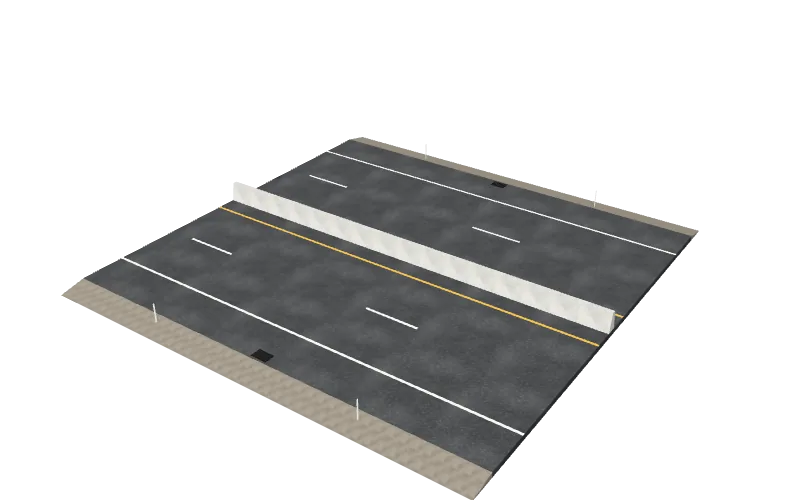
Highway Straight Section
Road piece, 24 m
A 24 m straight piece of divided four-lane highway with lane lines, a concrete median barrier, gravel verges, delineators and drains.
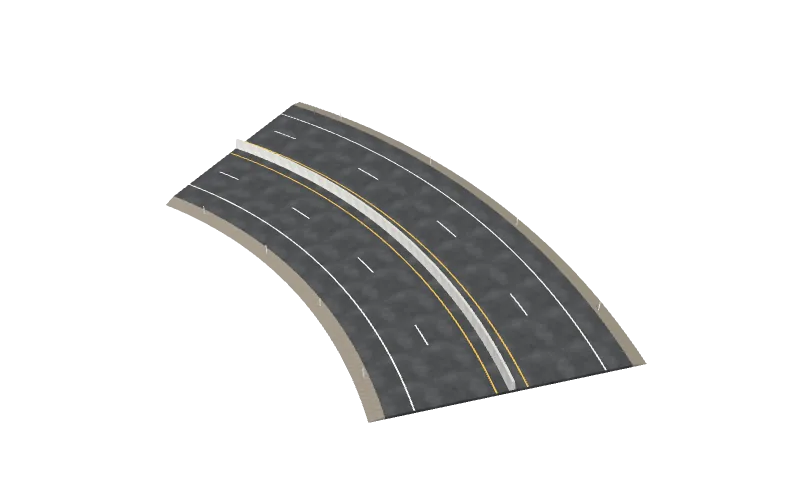
Highway Curve Section
Road piece, 45 degrees
A 45 degree highway curve, 48 m long on the centre line, with the same lanes, median barrier, verges and delineators as the straight.
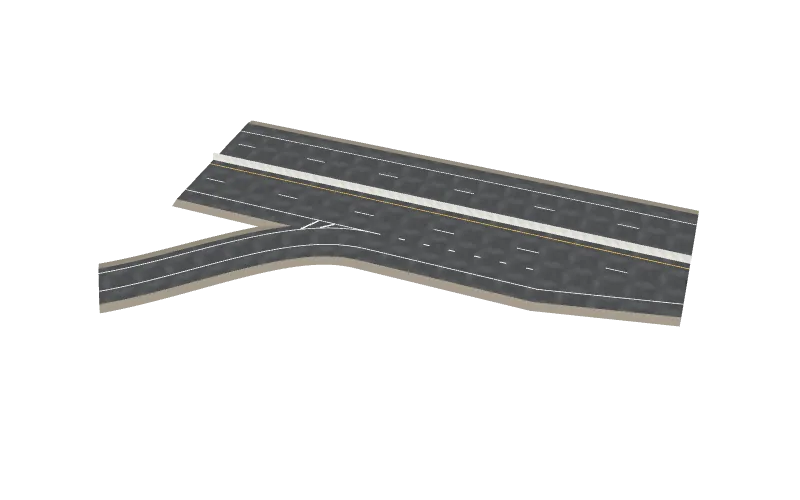
Highway On-Ramp
Road piece, 72 m
A 72 m highway piece where a one-lane ramp joins an added lane, with gore chevrons, a dotted lane-drop line and a taper back.
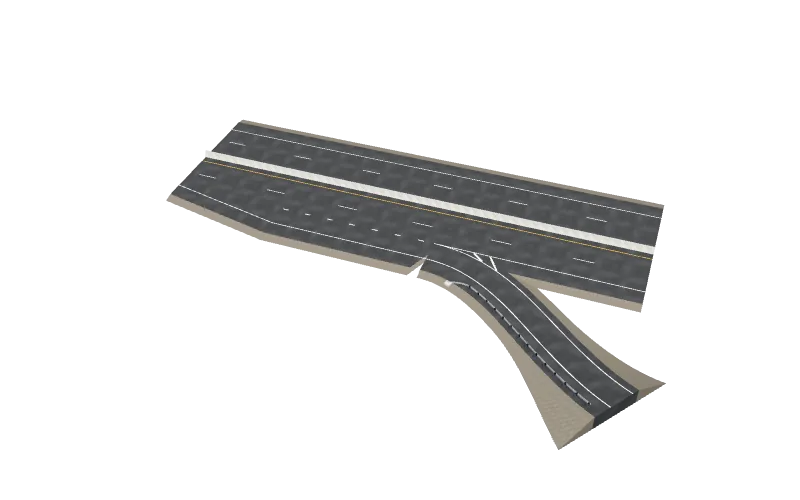
Highway Off-Ramp
Road piece, 72 m
A 72 m highway piece with a deceleration lane and an exit ramp that splits off and climbs an embankment behind a guardrail.
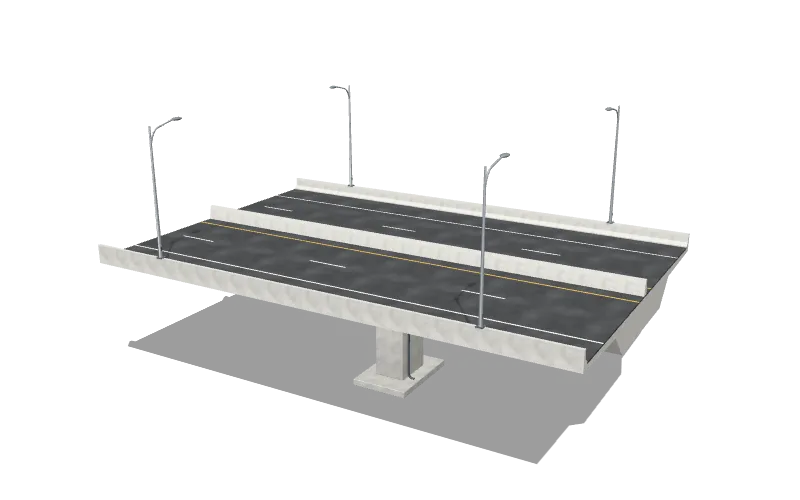
Elevated Highway Section
Road piece on a pier
A 36 m raised four-lane deck on a concrete box girder and hammerhead pier, with parapets, a median barrier, lamps and a drain pipe.
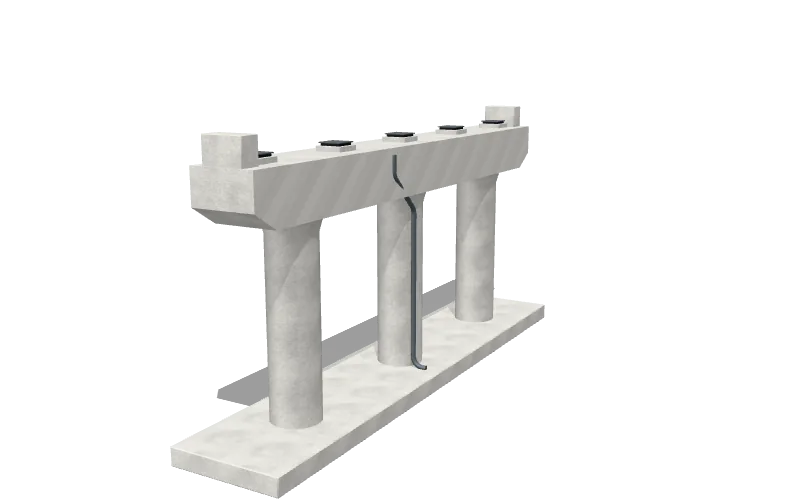
Highway Bridge Pier
Bridge pier
A 17 m concrete bridge pier with three round columns, a cap beam, bearing pads for five girders, shear blocks and a drain pipe.
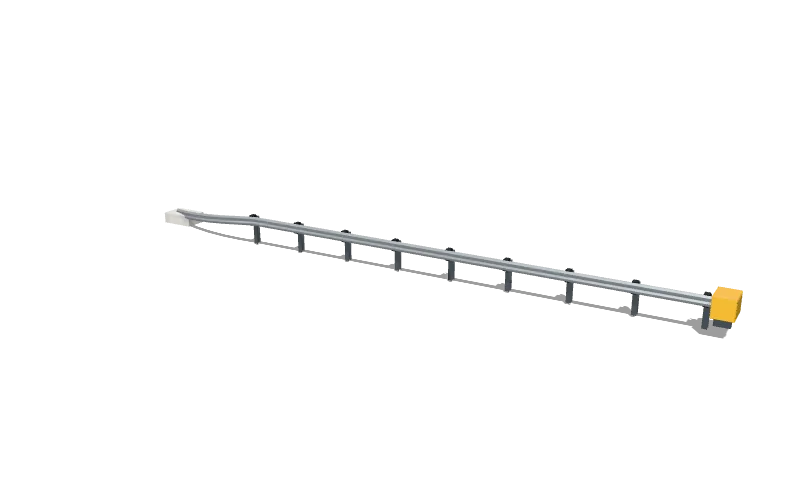
W-Beam Guardrail
Guardrail, 15 m
A 15 m galvanised W-beam guardrail on steel posts with black blockouts, a buried turned-down end and a yellow impact head.
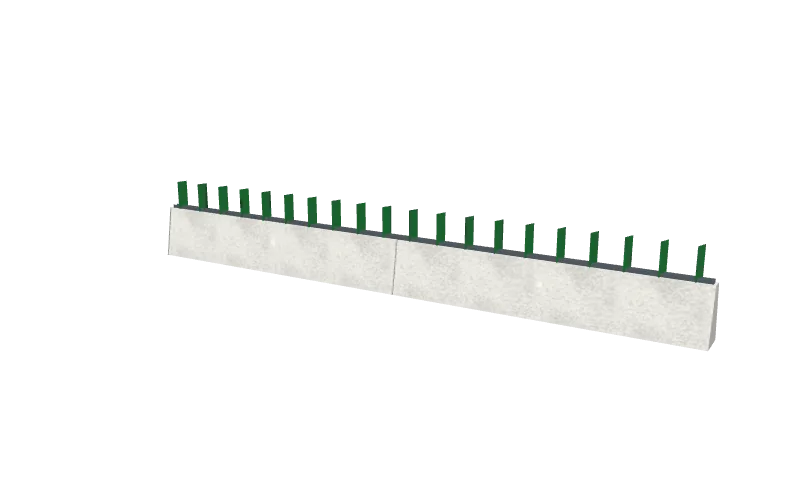
Median Barrier with Glare Screen
Barrier, 12 m
A 12 m single-slope concrete median barrier topped with green glare screen blades that block headlights from the other side.
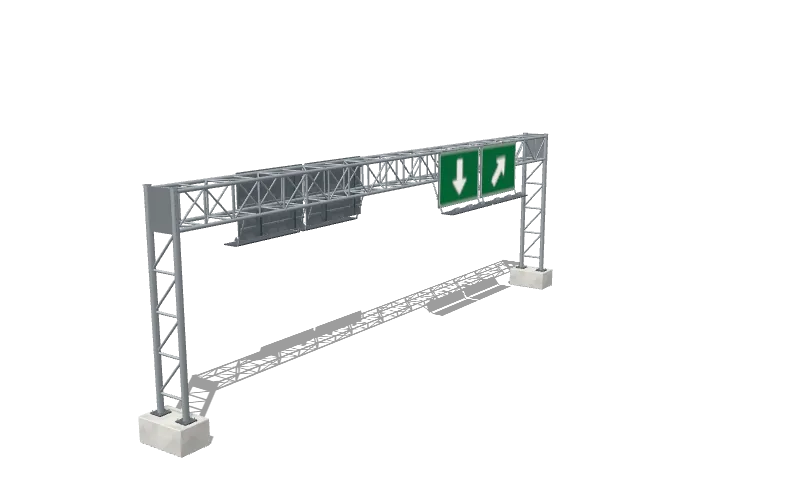
Overhead Sign Gantry
Sign gantry
A 25 m steel truss gantry over four lanes, with four green lane and exit arrow signs, a catwalk and sign lights.
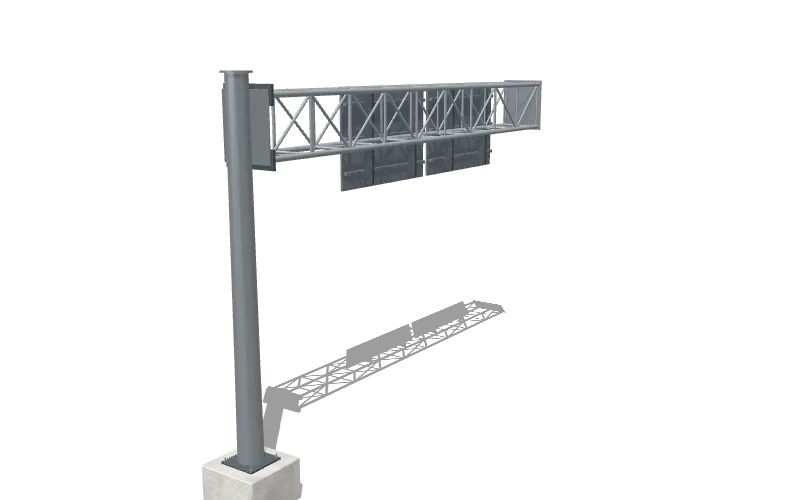
Cantilever Sign Structure
Sign structure
A single steel post with a truss arm over two lanes, holding a lane arrow sign and an exit arrow sign on a concrete base.
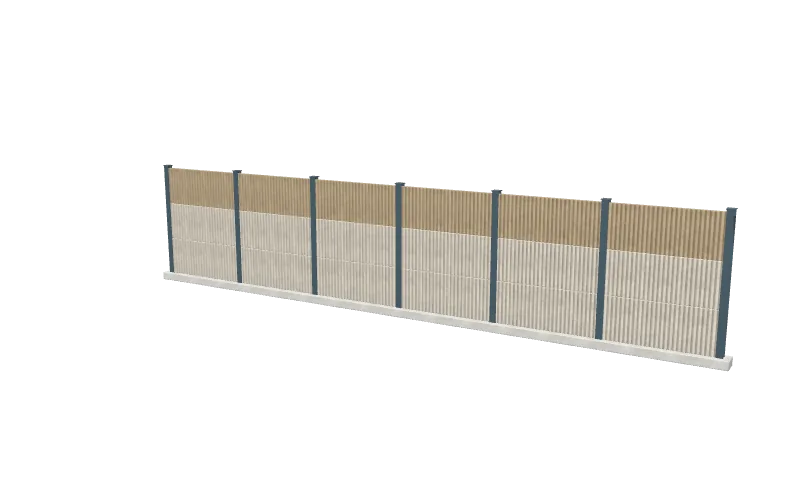
Highway Noise Wall
Wall, 24 m
A 24 m noise wall of ribbed concrete panels slotted between steel H posts on a concrete footing, in grey and sand tones.
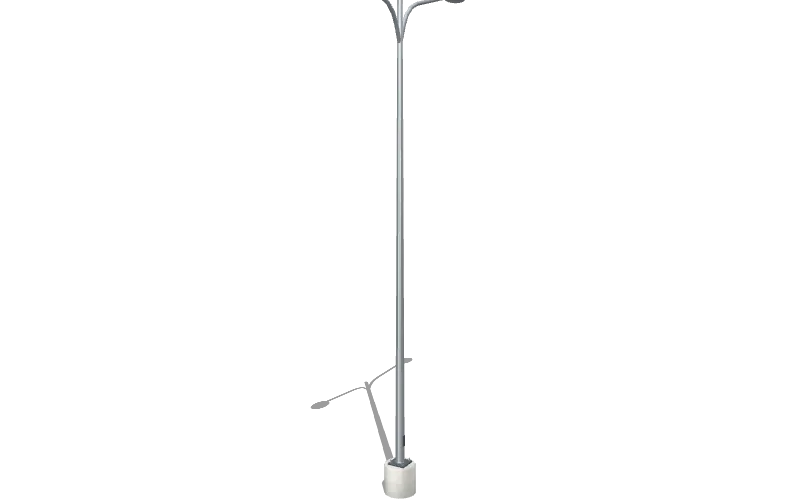
Twin-Arm Highway Light
Light pole
A 12 m galvanised light pole with two curved arms and glowing lamp heads, on a bolted base plate and round concrete footing.
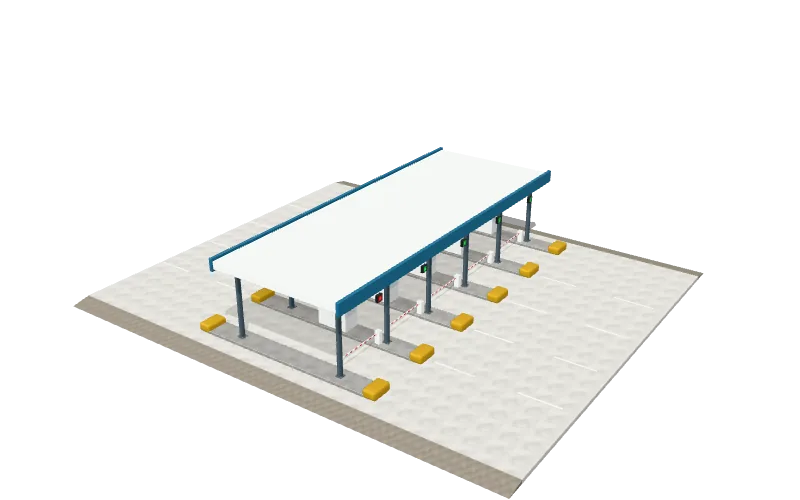
Highway Toll Plaza
Toll plaza
A five-lane toll plaza with booths on raised islands, red and white barrier arms, a canopy with lights and lane signals.
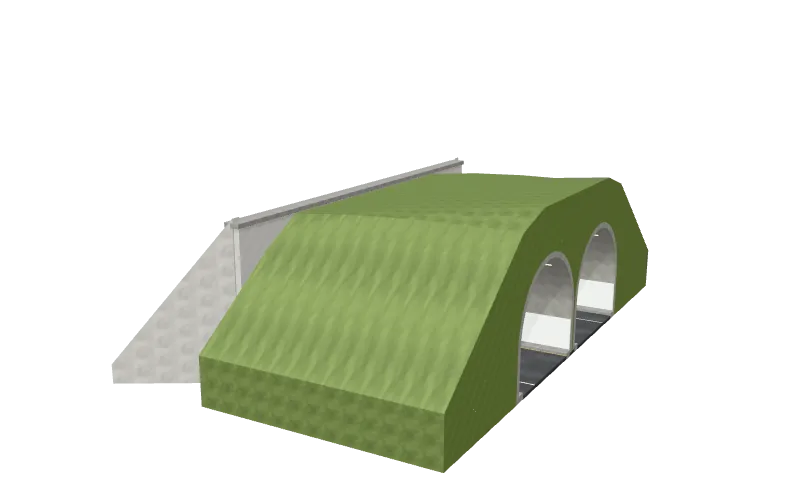
Highway Tunnel Portal
Twin tunnel portal
A twin tunnel entrance with two arched bores, tiled walls, lights and jet fans, a concrete headwall, wing walls and a grassy hill.
Made for games
- Pieces that joinEvery road piece uses the same four-lane layout with 3.6 m lanes, a median barrier and matching line positions, so straights, curves, ramps and the tunnel line up end to end.
- Full road furnitureGuardrail with an impact head, a glare screen barrier, a sign gantry with a catwalk, a cantilever sign, a noise wall and twin-arm lights.
- No text or logosSigns carry white arrows only, so the kit fits any country, language or game world.
- Real sizeReal size in metres, from a 12 m barrier to a 72 m ramp piece, about 500 to 13,800 triangles each.
How to use these GLB models
GLB is binary glTF 2.0: one file with the mesh, materials and node names. Every modern 3D tool reads it.
three.js
Load it with GLTFLoader, as in the code below. Babylon.js, PlayCanvas and A-Frame load GLB directly too.
Unity
Add the free glTFast package (Package Manager, add by name: com.unity.cloud.gltfast), then drag the .glb into Assets.
Godot 4
Drop the .glb into the FileSystem dock. Godot imports it as a scene you can instance.
Blender
File, Import, glTF 2.0. From there you can also export to FBX, OBJ or STL.
import * as THREE from 'three';
import { GLTFLoader } from 'three/addons/loaders/GLTFLoader.js';

const gltf = await new GLTFLoader().loadAsync('model.glb');
const model = gltf.scene;
scene.add(model);

// the model is in metres, +Y up, facing +Z, standing on the ground at the origin

// lay a run of highway (three.js): straights are 24 m long, so step them along x
const piece = (await new GLTFLoader().loadAsync('highway-straight-section.glb')).scene;
for (let i = 0; i < 10; i++) { const p = piece.clone(); p.position.x = i * 24; scene.add(p); }
Licence: free with credit (CC BY 4.0)
All models are made by vinish.dev and released under Creative Commons Attribution 4.0. You may use them in personal and commercial projects, change them and share them. The one condition is credit, for example in your game's credits, your app's about page or your video description:
Each file carries its own credit line inside it (the glTF asset.copyright field), and each zip has a CREDITS.txt. If you change a model, say so after the credit, for example "recoloured".
Questions
Do the pieces snap together?
Yes. The straight is 24 m long and the curve turns 45 degrees over 48 m, both with the median at the centre and the same lane lines. The ramps, elevated section and tunnel portal use the same cross section, so the lanes carry on across every joint.
Which way does the traffic run?
The road runs along the X axis with two lanes each way. The ramps join and leave on the right of the lanes heading toward +X, as on right-hand traffic roads. Mirror a piece in your editor for left-hand traffic.
Do the signs have words?
No. The gantry and cantilever signs show white arrows on green with a white border, and the toll lane signals show a green arrow or a red cross, with no text or logos.
Are they free for commercial use?
Yes. They are free under CC BY 4.0 for games, apps, videos and renders. Just give credit.
What goes with them?
Pair them with the Realistic Cars, Semi Trucks, Road Signs and Bridges packs.
Can I use these models in a commercial game?
Yes. CC BY 4.0 allows commercial use. Put the credit line in your credits or about screen.
Do I need an account?
No. There is no login, sign-up or email. Open a model in the 3D view and press Download: the file is yours.
Can I get OBJ, STL or glTF?
Yes. Open the model in the 3D view and pick glTF, OBJ or STL. Your browser makes the file from the GLB in a second or two. OBJ and STL have no animation. STL is in millimetres with Z up; the models are made of separate parts, so a slicer may need to repair or merge them before 3D printing. For FBX, import the GLB into Blender (File, Import, glTF 2.0) and export it.
Can I change the models?
Yes. You may edit, recolour or cut them up. Keep the credit and mention that you changed them.
More from vinish.dev
- Free 3D Models: every pack in the library
- All 3D model categories: the full list on one page, with a search box
- Free Doctor and Nurse 3D Models: White coats, scrubs in five colours, scrub caps, surgical masks, gloves, stethoscopes, badges, a clipboard, a tablet and a phone.
- Free Woodworking Shop 3D Models: Slate blue machines with cast iron tables, beech and ash benches, walnut boxes, steel blades and hand wheels.
- Free Meeting Room 3D Models: Walnut and oak tops, steel and chrome bases, mesh and fabric seats, lit screens, felt panels and glass.
- Free Suburban House 3D Models: Lap siding, board and batten, red and tan brick, stone, half timbering, shingle, slate and metal roofs, garages, porches and dormers.
- Free Chicken, Duck and Goose 3D Models: Hen, rooster, chick, Pekin duck, female mallard, duckling, white goose, greylag goose, Canada goose and gosling.
- Free Coffee Table 3D Models: Clear glass, chrome and brass, walnut, oak and pine, veined marble, bark and end grain, woven rattan and button tufted leather.
- Free Tennis and Racket Sports 3D Models: Glossy racket frames with real string patterns, yellow felt balls with seams, feathers, cork, rubber and a full-size hard court.
- Free Bunker and Shelter 3D Models: Worn olive and grey painted steel, rough concrete, chrome valves and glowing lamps, with gauges that show tick marks only.
- Free Abandoned Building 3D Models: Run-down brick, render, siding and rusty steel with boarded and broken windows, peeling paint, weeds and rubble.
- Free Hex Tile 3D Models: Faceted low poly tops in bright flat colours on brown soil sides, with tiny trees, rocks, houses and a castle.
- Free 3D Letters and Numbers: One rounded letter style with soft bevels, in six bright plastic colours that repeat red, orange, yellow, green, blue and purple.
- Free Hairstyle 3D Models: Smooth hair shapes with a fine strand texture in natural colours and one teal dye, on a pale display head and walnut stand.
- Free Modern Living Room 3D Models: One matching set in walnut wood, soft grey fabric, black metal and brass, with mustard and rust accent pillows.
- Free Cartoon Animal 3D Models: Soft toy-like animals in bright smooth colours with big glossy eyes, rosy cheeks, little smiles and simple paws, ears and tails.
- Free Police Station and Prison 3D Models: Steel bars and brushed stainless fittings, concrete walls, navy desks with laminate tops, glass screens, glowing monitors and orange mattresses.
- Free Isometric Room 3D Models: Soft rounded furniture in bright flat colours on wood and tile floors, two coloured walls per room, glowing lamps and screens.
- Free Military Base 3D Models: Olive and sand painted buildings, concrete, corrugated metal, galvanised steel lattices, dark glass, yellow railings and grass covered earth.
- Free Museum Artifact 3D Models: Gold, bronze, patina, clay, terracotta and carved stone pieces on wooden and black stands, with velvet, glass and brass for the gallery.
- Free Low Poly Food 3D Models: Flat-shaded faceted food in bright flat colours: buns, crusts, icing, sprinkles, seeds, fruit skins and scoops, with no textures to load.
- Free Lock and Key 3D Models: Brass, nickel, chrome and old iron finishes, chrome shackles, keyways, tick-marked dials, cut key blades and an oak door section.
- Free Traffic Light and Barrier 3D Models: Yellow and black signal heads with visors and backplates, glowing red, amber and green lenses, striped arms and boards, concrete and plastic barriers.
- Free Concert Stage 3D Models: Aluminium box truss, black speaker cabinets with metal grilles, glowing stage light lenses, chain hoists, crowd barriers and a curved stage roof.
- Free Airport Terminal 3D Models: Clean white panels, brushed steel, blue accents, glass, rubber belts and screens that show only blank coloured rows and tiles.
- Free Steampunk Machine 3D Models: Polished brass and copper, riveted iron, spoked flywheels, open gears, round pressure gauges, valve wheels, governors and glowing bulbs.
- Free Vintage Radio and TV 3D Models: Polished walnut cabinets, cloth speaker grilles, glass dials with red needles, bakelite and chrome knobs, domed tube screens and telescopic aerials.
- Free Haunted House 3D Models: Weathered boards, mossy and rusty roofs, boarded windows, eerie orange and green glowing windows, sagging porches, leaning walls and dead trees.
- Free Subway Station 3D Models: White tiles with blue bands, grey floor tiles, yellow tactile strips, stainless fittings and standard gauge track, to build a metro station from street to tunnel.
- Free Terrain Tile 3D Models: Chunky game terrain blocks with textured tops and soil sides, built on one grid so every edge meets its neighbour at the same height.
- Free 3D Icons: Chunky, soft and glossy icons in bright colours with deep rounded bevels, ready for apps, websites, landing pages and game menus.
- Free Market Stall 3D Models: Pop-up gazebos and wooden awning stalls of a modern farmers market, each one loaded with its own goods and a blank chalkboard sign.
- Free DNA and Molecule 3D Models: Glossy ball-and-stick models in the usual model kit colours: black carbon, white hydrogen, red oxygen, blue nitrogen, each on a clear rod stand.
- Free Armor 3D Models: Polished steel plates with rolled edges and rivets, steel mail, red velvet with brass studs and quilted linen, most of them on wooden museum stands.
- Free Human Anatomy 3D Models: Teaching models in classic anatomy colours, red arteries and blue veins, each on a black display stand, sculpted in code at real size.
- Free Lighthouse 3D Models: Banded paint, granite blocks, white shingles, red brick and riveted iron, each topped with a railed gallery, a glazed lamp room and a glowing lens.
- Free Road Sign 3D Models: Picture-only signs with crisp printed faces, galvanised backs, round steel posts, black caps, clamp bands and small concrete collars.
- Free Cup and Mug 3D Models: Glazed ceramic, speckled enamel, brushed steel, hammered copper and clear glass, with coffee, tea, water, lemonade and brandy inside some of them.
- Free Animal Skull 3D Models: Smooth pale bone with ivory teeth, brown ridged horns and tan antlers, ready for desert scenes, hunting lodges, witch huts, museums and Halloween.
- Free Podium 3D Models: Clean marble, pastel, terrazzo, stone, wood and glowing neon stages for product renders, mockups, ads and online shop images.
- Free Wedding 3D Models: Soft blush, ivory and peach roses with gold, silver and white satin, ready for venue walkthroughs, event planning renders and wedding scenes.
- Free Warehouse 3D Models: Bright safety yellow, red and blue steel with pine pallets and taped cartons, ready for logistics sims, factory levels and storage scenes.
- Free Sci-Fi Turret 3D Models: Clean white and grey armor with glowing cyan, orange and red lights, ready for tower defense, base building and shooter games.
- Free Cartoon Vehicle 3D Models: Chunky, toy-like cars and trucks with big wheels and bright glossy paint, ready for kids games, city builders and casual racers.
- Free Armored Vehicle 3D Models: Wheeled and tracked armor beyond the tank: troop carriers, scout cars, engineer and support vehicles at real size.
- Free Fantasy Village 3D Models: Storybook homes and village props with glowing windows, at real building size, ready for cosy games, fairy tale scenes and kids apps.
- Free Gas Station 3D Models: Everything for a roadside fuel stop, from pumps and canopy to the kiosk, car wash and forecourt props, at real size.
- Free Low Poly Car 3D Models for Games: 12 vehicles with separate wheels
- Sample GLB Files: small test files for loaders, viewers and engines
- Free browser games and simulators by vinish.dev