Free Backdrop and Scene 3D Models: a Studio Sweep, a Green Screen Cove and Painted Stage Sets (GLB, OBJ, STL)
Twelve free backdrop and scene 3D models: a photo studio paper sweep, a green screen cove and ten stage sets with curved painted backdrops for sunset, forest, desert, snowy night, city night, underwater, space and beach scenes, a pastel podium scene and a curtain stage. Made in code by vinish.dev, free under CC BY 4.0.
- 12 models
- 1,392–14,236 triangles
- 48 KB–359 KB each
- GLB, glTF, OBJ, STL
- CC BY 4.0
- No login
All 12 models
Drag a model to turn it, or tap it to open the 3D viewer, where you can zoom and download it. Sizes are width × depth × height.
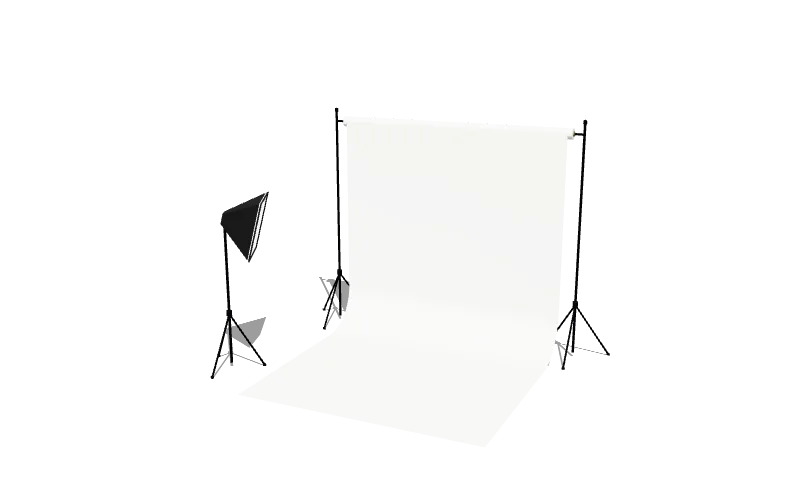
Studio Sweep Backdrop
Paper roll, softbox
A photo studio paper sweep 2.7 m wide falling from a roll on two stands in a smooth curve to the floor, with a square softbox on a stand.
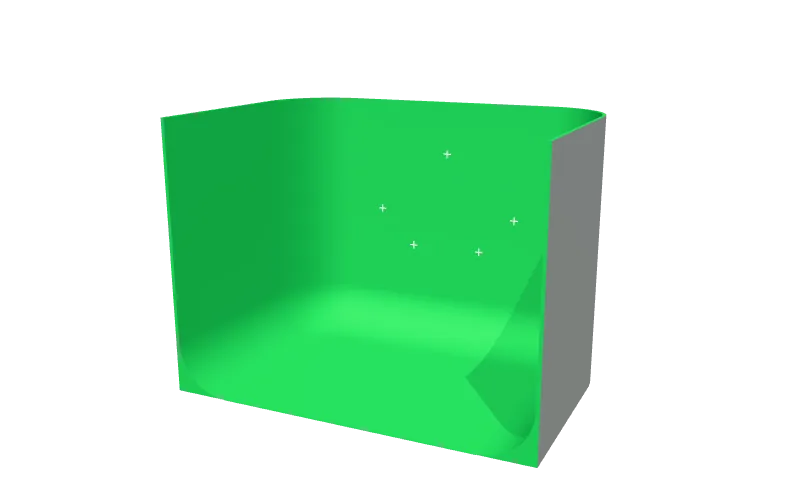
Green Screen Cove
Chroma key cove
A chroma green cove 3.3 m wide and 2.4 m tall: back and side walls joined to the floor by rounded fillets, with white tracking crosses.
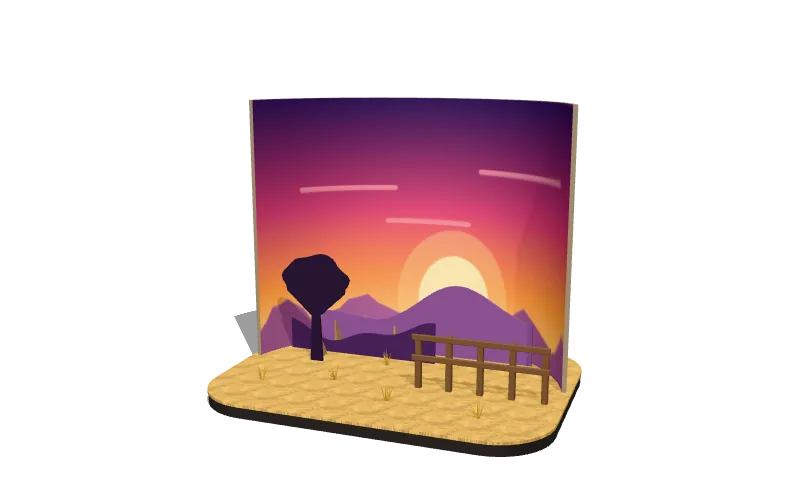
Sunset Scene Set
Painted stage set
A 3 m stage set with a painted sunset backdrop, purple hill cut-outs on wooden braces, a dark tree cut-out, a rail fence and grass tufts.
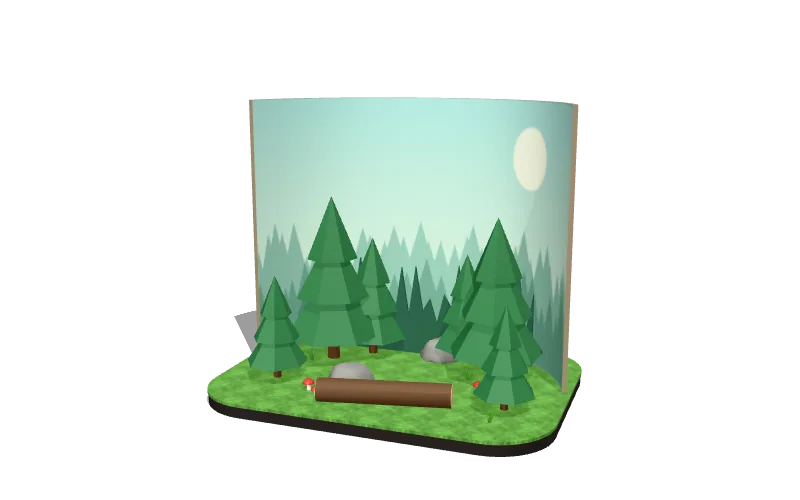
Forest Scene Set
Pines and a log
A 3 m forest stage set: a painted misty backdrop, a cut-out treeline, low-poly pines, grey rocks, a fallen log and red mushrooms.
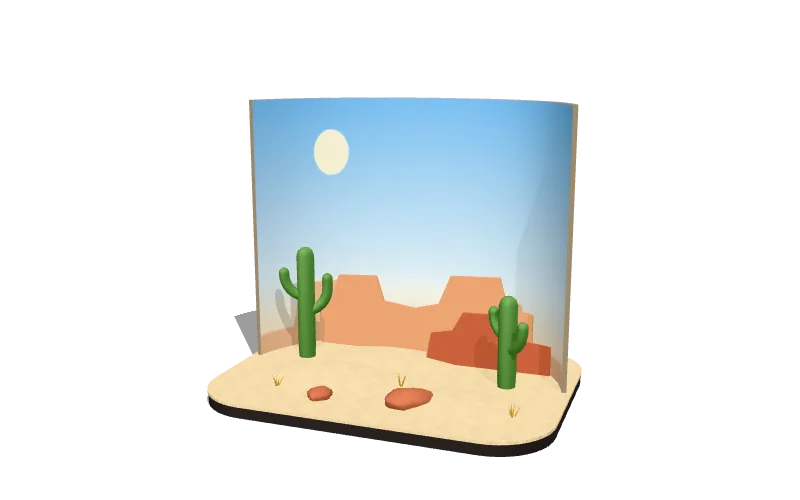
Desert Scene Set
Cacti and mesas
A 3 m desert stage set with a painted sky, cut-out mesas, two ribbed cacti with arms, sand dunes, red rocks and dry grass tufts.
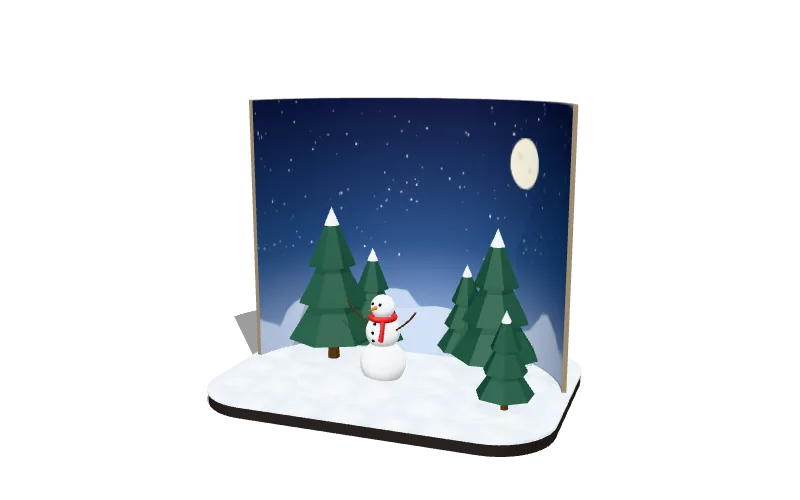
Snowy Night Scene Set
Snowman and pines
A 3 m snowy night stage set with a painted starry sky and moon, a snow hill cut-out, snow-capped pines, drifts and a snowman.
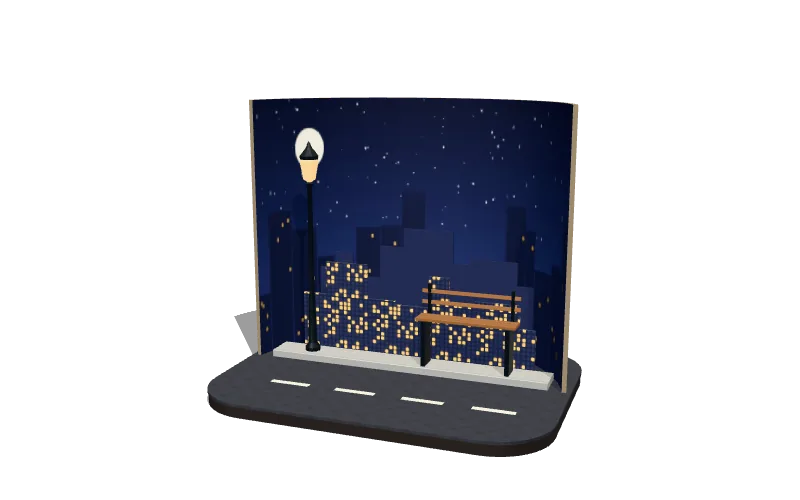
City Night Scene Set
Skyline and lamp
A 3 m city night stage set: a painted skyline, two building cut-outs with glowing windows, a sidewalk, a street lamp, a bench and a road.
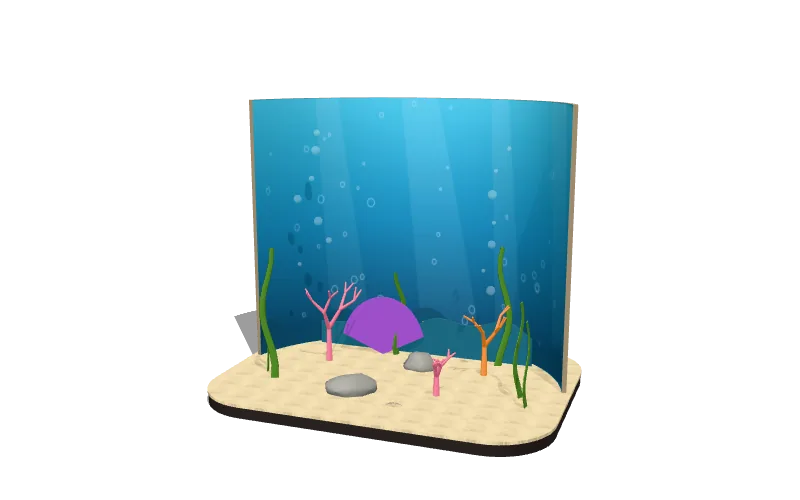
Underwater Scene Set
Coral and kelp
A 3 m underwater stage set with a painted sea and light rays, a reef cut-out, branching corals, a fan coral, kelp, rocks, a shell and bubbles.
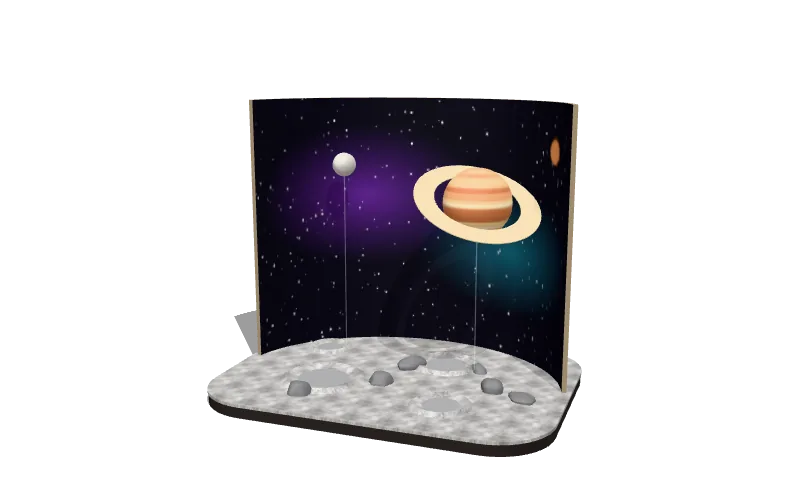
Space Scene Set
Planet and craters
A 3 m space stage set: a painted starfield and nebula, a moon floor with craters and boulders, a ringed planet and a small moon on clear rods.
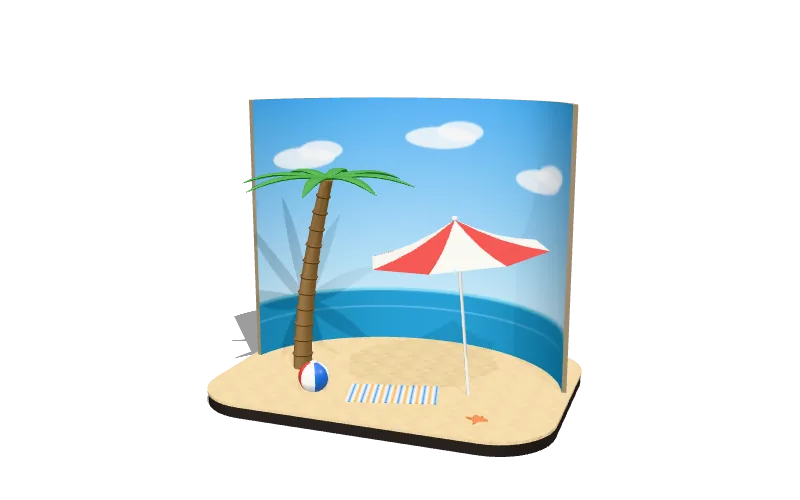
Beach Scene Set
Palm and umbrella
A 3 m beach stage set with a painted sea and clouds, a leaning palm tree, a red and white umbrella, a striped towel, a beach ball and a starfish.
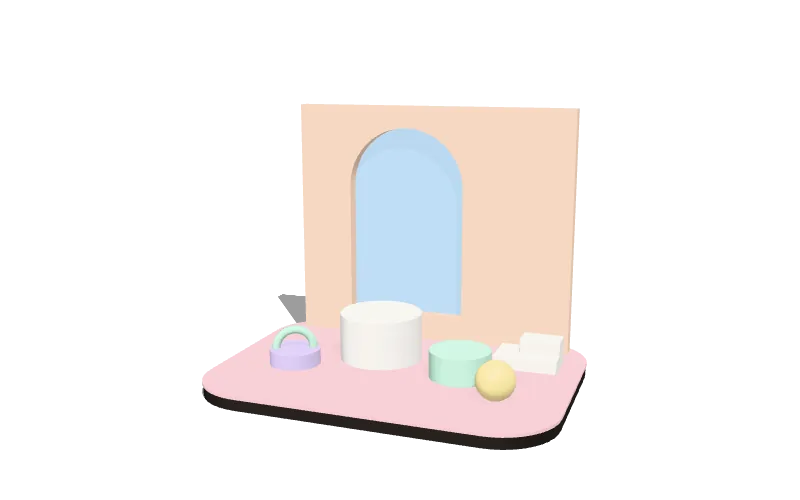
Pastel Arch Podium Scene
Product display
A pastel product scene 3 m wide: a peach wall with an arched opening, a blue arch behind, round podiums, steps, a sphere and a half ring.
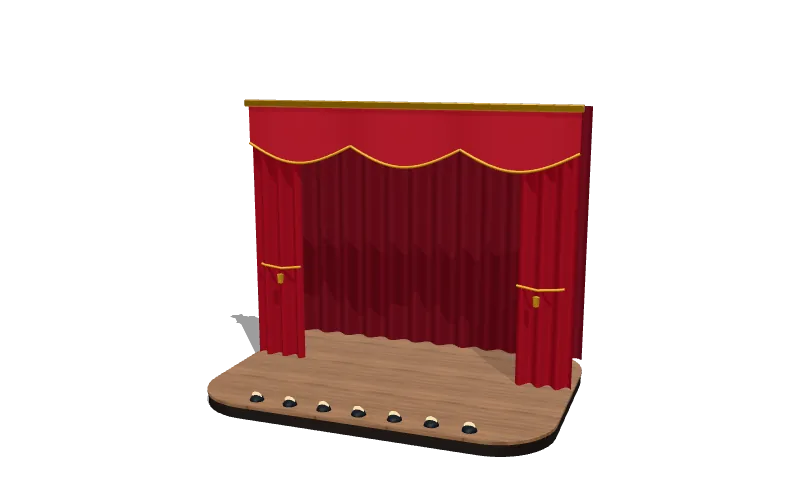
Curtain Stage Set
Red velvet drapes
A 3 m wooden stage with red velvet side drapes and tie-backs, a swagged valance with gold trim, a dark back curtain and a row of footlights.
Made for games
- Drop in and shootEvery set is a finished scene: place a character or product in the middle, aim the camera at the open front and render.
- Painted backdropsEach scene set has a curved backdrop with its own painted sky, plus flat cut-outs on wooden braces like a theatre stage.
- Studio basics tooA paper sweep on stands with a softbox, and a chroma green cove with rounded fillets and tracking crosses for keying.
- Light and true to sizeThey are 1,400 to 14,300 triangles, in metres at real size (about 3 m wide and 2.5 m tall) with the floor on y = 0.
How to use these GLB models
GLB is binary glTF 2.0: one file with the mesh, materials and node names. Every modern 3D tool reads it.
three.js
Load it with GLTFLoader, as in the code below. Babylon.js, PlayCanvas and A-Frame load GLB directly too.
Unity
Add the free glTFast package (Package Manager, add by name: com.unity.cloud.gltfast), then drag the .glb into Assets.
Godot 4
Drop the .glb into the FileSystem dock. Godot imports it as a scene you can instance.
Blender
File, Import, glTF 2.0. From there you can also export to FBX, OBJ or STL.
import * as THREE from 'three';
import { GLTFLoader } from 'three/addons/loaders/GLTFLoader.js';

const gltf = await new GLTFLoader().loadAsync('model.glb');
const model = gltf.scene;
scene.add(model);

// the model is in metres, +Y up, facing +Z, standing on the ground at the origin

// stand a character in a scene set and frame it (three.js)
const load = f => new GLTFLoader().loadAsync(f).then(g => g.scene);
const [set, hero] = await Promise.all([load('forest-scene-set.glb'), load('my-character.glb')]);
hero.position.set(0, 0.12, 0); // the platform top is 12 cm up
scene.add(set, hero);
camera.position.set(0, 1.4, 3.2); camera.lookAt(0, 1.0, 0);
renderer.setAnimationLoop(() => renderer.render(scene, camera));
Licence: free with credit (CC BY 4.0)
All models are made by vinish.dev and released under Creative Commons Attribution 4.0. You may use them in personal and commercial projects, change them and share them. The one condition is credit, for example in your game's credits, your app's about page or your video description:
Each file carries its own credit line inside it (the glTF asset.copyright field), and each zip has a CREDITS.txt. If you change a model, say so after the credit, for example "recoloured".
Questions
How big are they?
The scene sets are 3 m wide, 2.2 m deep and 2.5 m tall, with the platform top 12 cm above the floor. The green screen cove is 3.3 m wide and 2.4 m tall.
Can I put my own picture on a backdrop?
Yes. Each painted backdrop has its own material and texture coordinates running once across the curve, so you can swap in any wide image of your own.
Is the green cove the right green for keying?
It uses a bright chroma green with a rough finish, close to what keying tools expect. Tune the shade in your engine if your keyer prefers another.
What goes with them?
Pair them with the Abstract Shapes, Shop Displays, Trees and Space packs.
Can I use them in a paid game or video?
Yes. They are CC BY 4.0: free for commercial use, just credit vinish.dev.
Can I use these models in a commercial game?
Yes. CC BY 4.0 allows commercial use. Put the credit line in your credits or about screen.
Do I need an account?
No. There is no login, sign-up or email. Open a model in the 3D view and press Download: the file is yours.
Can I get OBJ, STL or glTF?
Yes. Open the model in the 3D view and pick glTF, OBJ or STL. Your browser makes the file from the GLB in a second or two. OBJ and STL have no animation. STL is in millimetres with Z up; the models are made of separate parts, so a slicer may need to repair or merge them before 3D printing. For FBX, import the GLB into Blender (File, Import, glTF 2.0) and export it.
Can I change the models?
Yes. You may edit, recolour or cut them up. Keep the credit and mention that you changed them.
More from vinish.dev
- Free 3D Models: every pack in the library
- All 3D model categories: the full list on one page, with a search box
- Free Tabletop Miniature STL: Each mini is one closed solid on its own round base at real millimetre size: download the STL, slice, prime and paint.
- Free Sci-Fi Soldier 3D Models: A future squad for a shooter or space game: armoured troopers with glowing visors, specialists with packs and tools, and officers. Idle, walk and run.
- Free Building Materials 3D Models: Strapped pallets, stacked timber, bar bundles and bulk bags at real size, for building sites, yards, games and films.
- Free Tableware 3D Models: China, glass, silver and wood for the table, from a butter dish to a laid dinner place, for dining rooms, restaurants, games and films.
- Free Alien Creature 3D Models: Strange alien animals from a small hopper to a 5.7 m tunnel worm, for sci-fi games, alien planets, films and prints.
- Free Garage 3D Models: Lifts, jacks, tool chests and tire machines for car repair shops, garages and mechanic games.
- Free Fossil 3D Models: Skulls, skeletons and stone fossils for museum scenes, dig site games and science lessons.
- Free Viking Village 3D Models: Halls, workshops, walls and docks for Norse settlements, survival games and saga scenes.
- Free Beach 3D Models: Umbrellas, towers, huts and sand toys for seaside scenes, summer games and holiday worlds.
- Free Casino 3D Models: Tables, slot machines and chips for casino scenes, heist games and card game worlds.
- Free Theme Park 3D Models: Bright fairground rides and stands for park builder games, carnival scenes and kids worlds.
- Free Flying Car and Air Taxi 3D Models: Near-future eVTOL air taxis, flying cars and landing pads for city builders, sci-fi games and future mobility scenes.
- Free Strategy Game Building 3D Models: Chunky medieval base buildings for real time strategy, city builder and tower defence games.
- Free Cartoon Building 3D Models: Bright, bendy toon buildings for kids games, casual city builders and cartoon worlds.
- Free Tank 3D Models: Tracked armour from the interwar years to today for war games, dioramas and battle scenes.
- Free Wheel and Tire 3D Models: Car, truck and classic wheels with real tread for garages, car games and parts shops.
- Free Slime and Cute Monster 3D Models: Friendly slimes and little monsters for casual games, RPG enemies and kids scenes.
- Free Home and Service Robot 3D Models: Everyday robots for smart homes, hotels, hospitals and near-future game scenes.
- Free 1950s Diner 3D Models: Chrome, red vinyl, neon and sweet treats for retro diner scenes, games and product shots.
- Free Coffee and Tea 3D Models: Cups, pots and brewers with drinks inside for cafe scenes, kitchen tables and product shots.
- Free Retro Computer 3D Models: Old computers, drives, disks and a tape cabinet for retro rooms, labs and period scenes.
- Free Cookware 3D Models: Pots, pans, a wok, a kettle and a steamer for kitchen scenes, cooking games and product shots.
- Free Modular Wall Kit 3D Models: Brick wall pieces with windows, doors and arches that snap together into streets and houses.
- Free Japanese Buildings 3D Models: Pagodas, shrines, townhouses, farmhouses and castle walls of a traditional Japanese town.
- Free Train Station 3D Models: Platforms, canopies, ticket halls, footbridges and the furniture of a railway station.
- Free Snow and Ice 3D Models: Icebergs, ice caves, frozen water, snow blocks and drifts for winter levels.
- Free Meat-Eating Dinosaur 3D Models: Big hunters, crested and horned theropods and feathered raptors that walk, run and roar.
- Free Car Parts 3D Models: Engine, chassis and interior parts for garages and tuning.
- Free Industrial Machine 3D Models: Factory and workshop machines with controls and guards.
- Free Tower Defense 3D Models: Path tiles, towers, a spawn portal and a crystal to defend.
- Free Combat Robot 3D Models: Arena fighting robots with spinners, flippers and axes.
- Free Bar and Pub 3D Models: Pub furniture, beer taps, pool, darts and drinks.
- Free Sidewalk 3D Models: Sidewalk tiles, curbs and gutters that join into streets.
- Free Cell and Virus 3D Models: Cut-open cells, bacteria and viruses for science lessons.
- Free Jewelry 3D Models: Rings, necklaces, earrings and bracelets at true size.
- Free Mythical Creature 3D Models: Rigged, animated legends from unicorns to krakens.
- Free Harbor 3D Models: Quays, piers and dockside pieces that tile into a working harbor.
- Free Windmill and Watermill 3D Models: Old wind and water power with sails, caps, wheels and stones that really turn.
- Free Cyberpunk Vehicle 3D Models: Angular future traffic with neon strips, glowing hover pods and dark glass, ready for a night city.
- Free Low Poly Animal 3D Models: Faceted forest and farm animals in flat colours, light enough for any mobile game.
- Free Old Firearm 3D Models: Antique guns from the first hand cannons to caplocks, with locks and hammers that move.
- Free Kitchen Appliance 3D Models: Big built-in appliances and countertop helpers with doors, lids and drawers that open.
- Free Desert 3D Models: Dunes, rock towers, dry plants, bones and an oasis to build a desert level from.
- Free Mech 3D Models: Piloted walking machines with turning torsos and arms, from a 2.4 m exosuit to a 7.9 m sniper.
- Free Puzzle Block 3D Models: A grid kit of switches, lasers, mirrors, locks and blocks for puzzle and adventure games.
- Free Low Poly Car 3D Models for Games: 12 vehicles with separate wheels
- Sample GLB Files: small test files for loaders, viewers and engines
- Free browser games and simulators by vinish.dev