
Use the Owa_Util.Get_Cgi_Env() function with a parameter X-FORWARDED-FOR to get the client IP address in Oracle Apex. The following is an example:
Get Client IP Address in Oracle Apex
Execute the following SQL query from Oracle Apex SQL Workshop to test:
Select
    owa_util.get_cgi_env('X-FORWARDED-FOR')
From
    dual;
Below is an example of inserting a record in the table with values such as user id, date and IP address on logon in Oracle Apex.
Create a Table
Create Table login_detail (
    user_id          Varchar2(50),
    login_datetime   Date,
    ip_address       Varchar2(50)
)
/
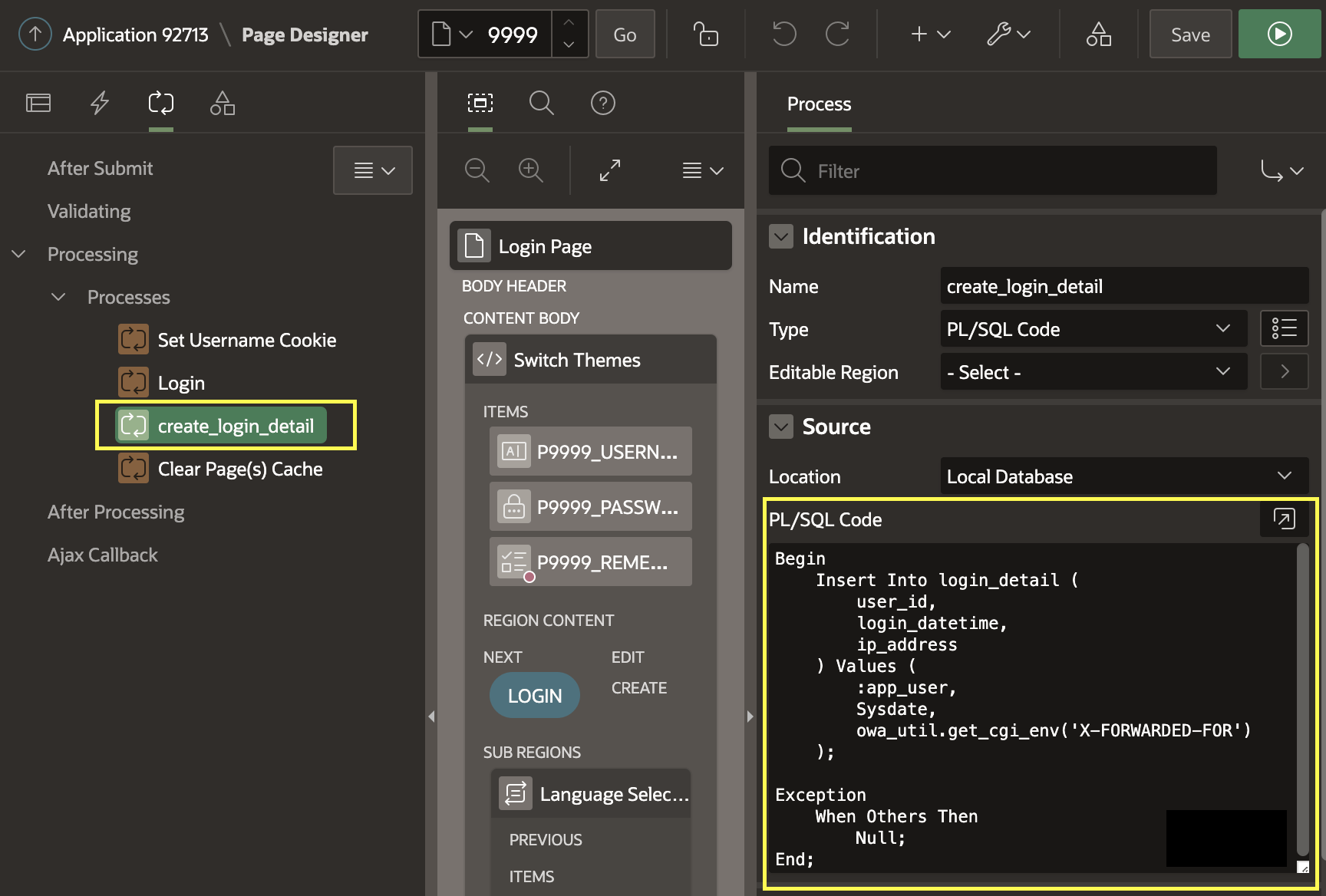
Create a Process on Login Page (9999)
Create a PL/SQL code process on the login page (9999), after the Login process to get the client IP address and insert it into the above table:
Begin
    Insert Into login_detail (
        user_id,
        login_datetime,
        ip_address
    ) Values (
        :app_user,
        Sysdate,
        owa_util.get_cgi_env('X-FORWARDED-FOR')
    );

Exception
    When Others Then
        Null;
End;
Now, whenever the user will login, his user id, date and time of login and the IP address will be saved into the login_detail table.
The following is the screenshot for your reference:
Get more Vinish.dev tutorials on Google
See my articles more often when you search Google.
