Free Cliff 3D Models: Modular Cliff Walls, Corners, Ledge, Overhang, Sea Cliff, Waterfall and More (GLB, OBJ, STL)
Twelve free cliff 3D models for game levels: a modular granite cliff kit on an 8 m grid with straight, tall, corner, ledge, overhang, end and path pieces, plus a sandstone wall, a basalt column cliff, a sea cliff and a waterfall cliff. Free for commercial use under CC BY 4.0, no login.
- 12 models
- 14,661–35,137 triangles
- 1.0 MB–1.9 MB each
- GLB, glTF, OBJ, STL
- CC BY 4.0
- No login
All 12 models
Drag a model to turn it, or tap it to open the 3D viewer, where you can zoom and download it. Sizes are width × depth × height.
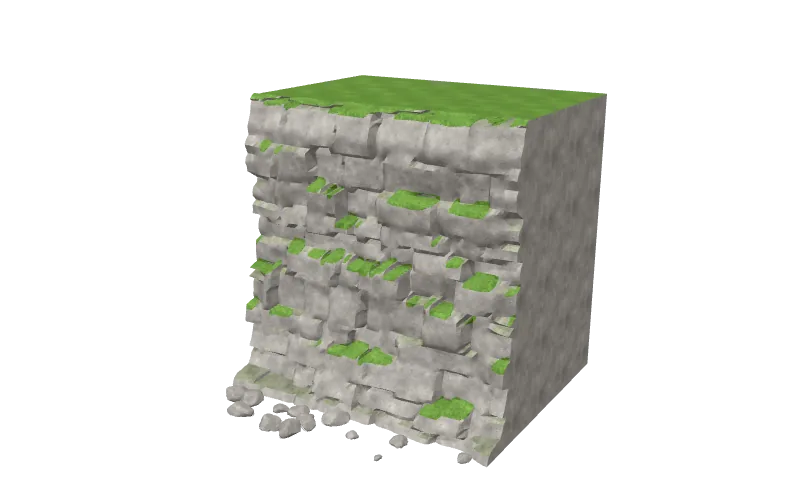
Granite Cliff Wall
Cliff piece
A straight granite cliff piece 8 m wide and 8 m tall: jointed blocks in rough beds, grassy ledges, a grass top and fallen rocks at the foot.
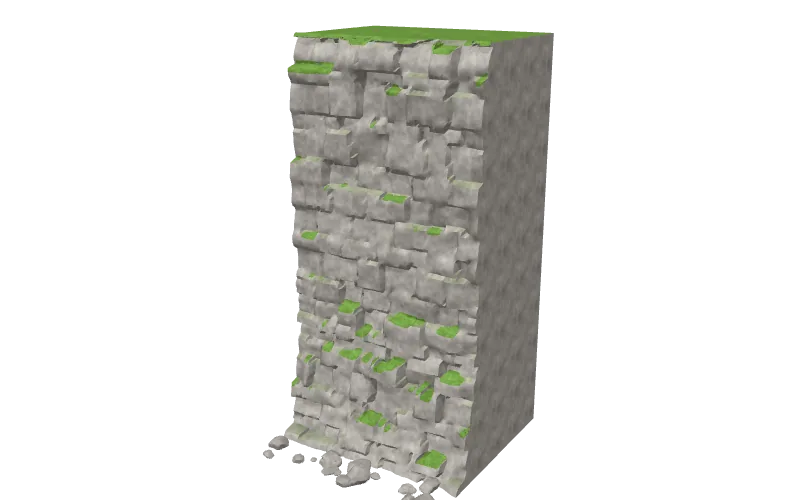
Tall Granite Cliff
Cliff piece
A 16 m tall granite cliff piece on the same 8 m grid: a high wall of jointed blocks with grassy ledges, a grass top and big fallen rocks.
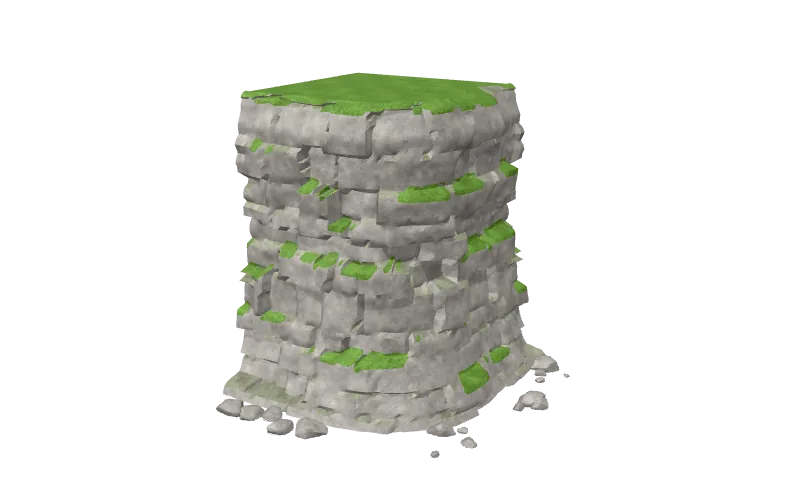
Granite Cliff Outer Corner
Cliff piece
An outer corner for the granite cliff kit: the face turns round a rounded convex corner and both ends meet straight wall pieces.
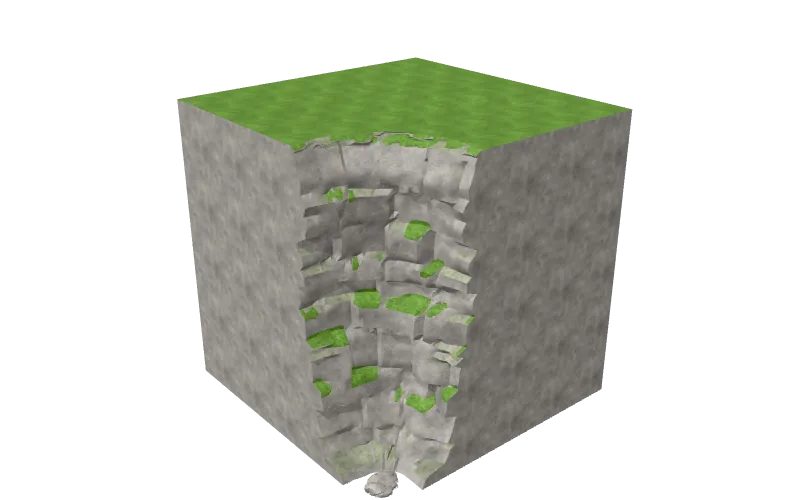
Granite Cliff Inner Corner
Cliff piece
An inner corner for the granite cliff kit: the face folds into a rounded hollow, filling the 8 m tile except the front right quarter.
Granite Cliff Ledge
Cliff piece
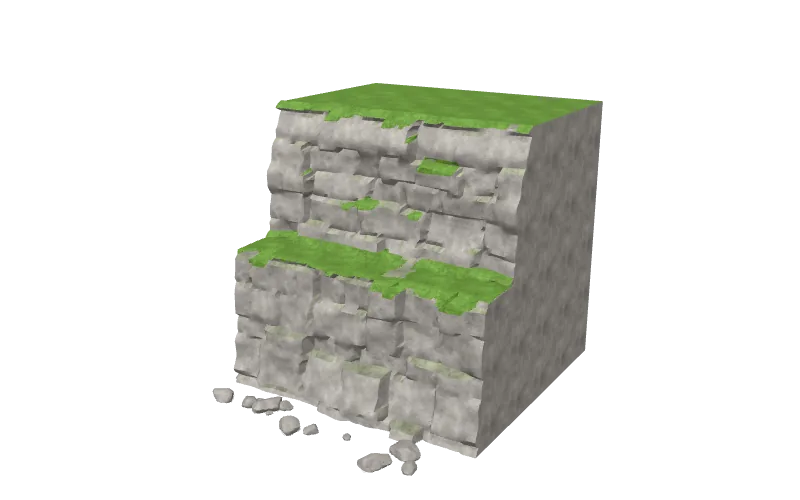
A granite cliff piece with a walkable grassy shelf 1.4 m deep halfway up, at 4 m, with the upper wall set back above it.
Granite Cliff Overhang
Cliff piece
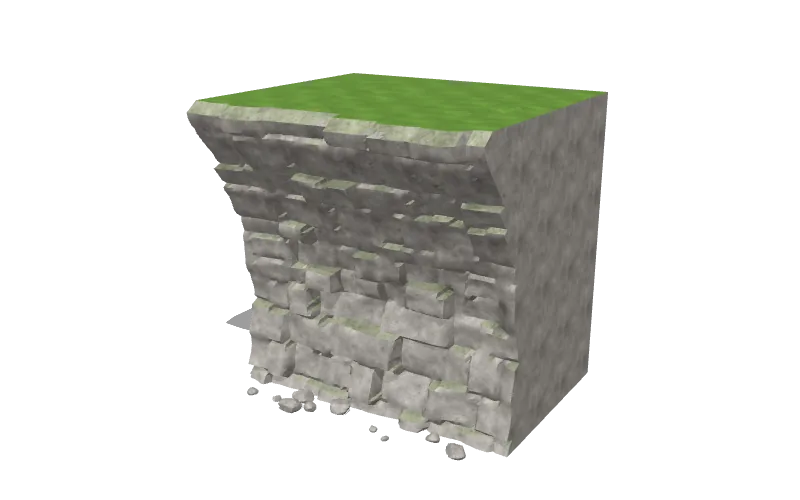
A granite cliff piece whose upper face leans out 2.3 m over the foot, with layered block undersides and fallen rocks below.
Granite Cliff End Slope
Cliff piece
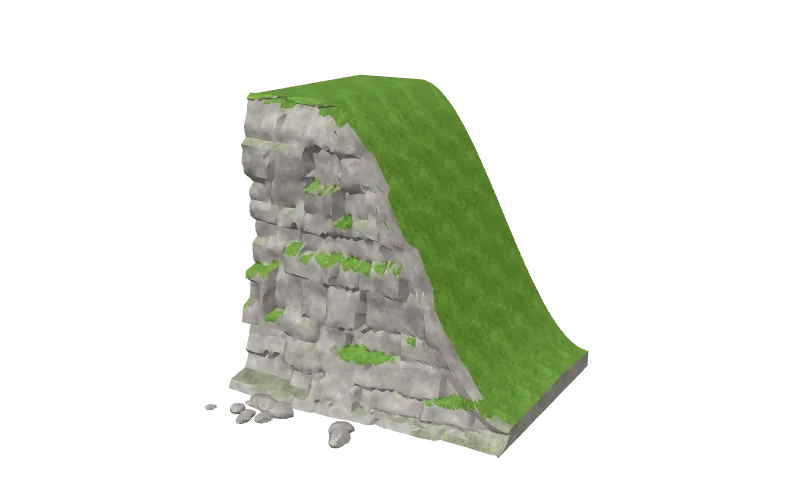
The end of a granite cliff run: full 8 m height at the left edge, sloping down into the ground at the right with a grass top.
Cliff Path Ramp
Cliff piece
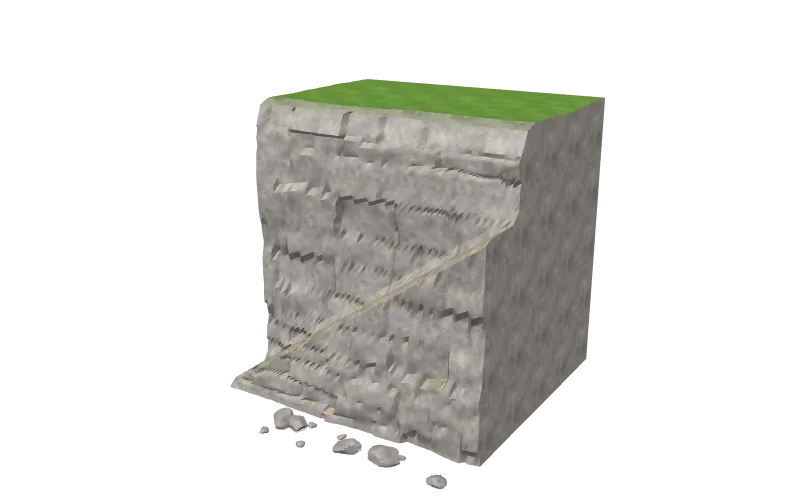
A granite cliff piece with a narrow gravel track carved into the face, climbing from the ground at the left to 5.7 m at the right.
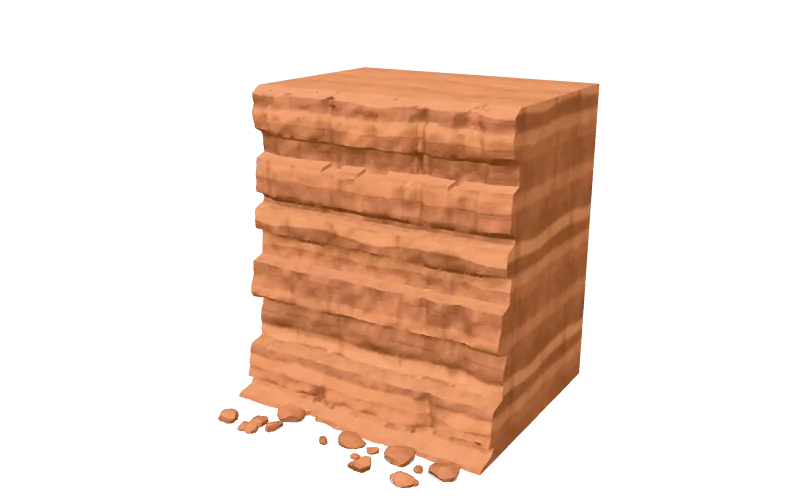
Sandstone Cliff Wall
Desert cliff
A 9 m desert cliff of banded red sandstone: hard beds stand out, soft ones weather back, rain runnels, a bare rock top and fallen slabs.
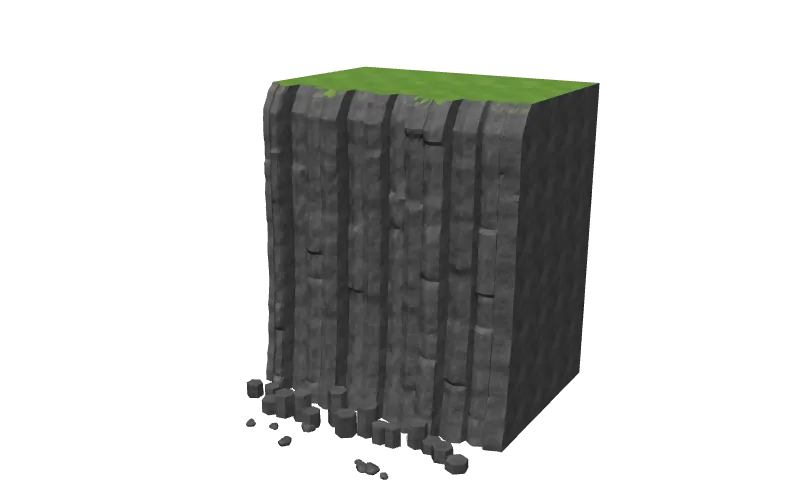
Basalt Column Cliff
Volcanic cliff
A 9 m basalt cliff of upright six-sided columns with cross cracks, a grass top and broken column stumps of different heights at its foot.
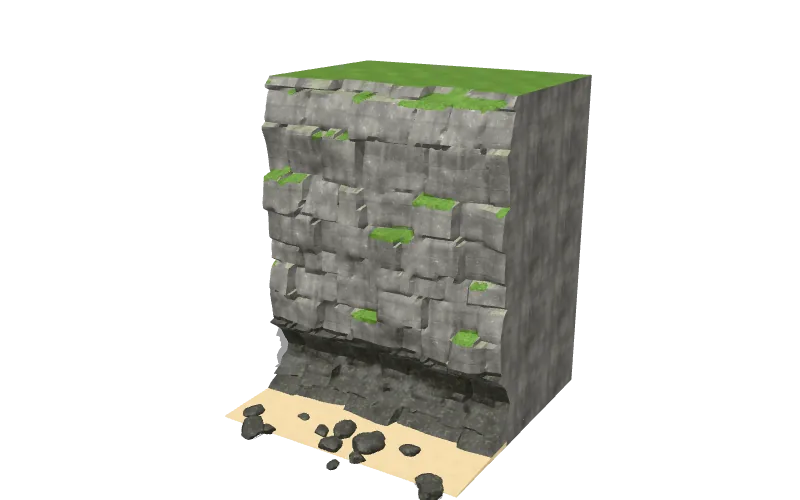
Sea Cliff
Coastal cliff
A 10 m sea cliff with a wave-cut notch and dark wet rock at its foot, standing on a strip of sand scattered with boulders.
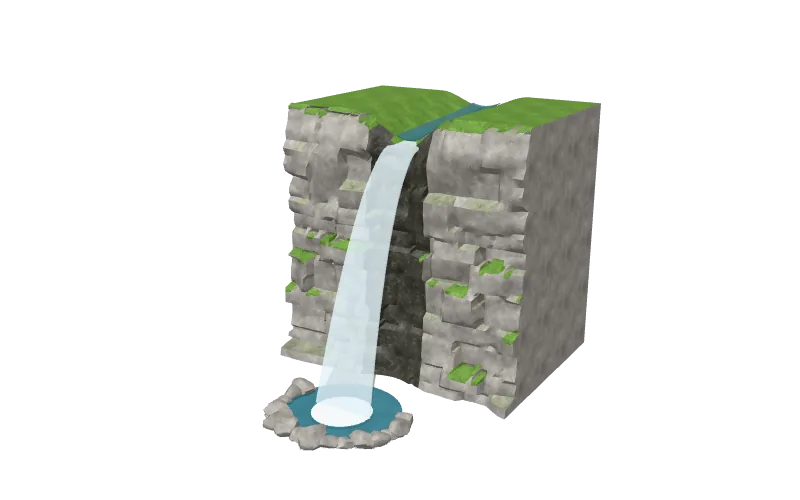
Waterfall Cliff
Cliff with waterfall
An 8 m granite cliff with a stream running down a notch in the rim and falling into a round pool ringed with rocks at the foot.
Made for games
- Modular on an 8 m gridEvery granite piece fills an 8 by 8 m tile with its back on the tile edge, so pieces line up on the grid and turn in 90 degree steps.
- Matching endsThe 8 m wall, both corners and the end slope share one face line and one end shape, so they join side by side without a step.
- Solid and closedEach piece is a closed solid with flat cut faces at the back and ends, ready for collision, and rests on the ground at y 0.
- Four rock typesJointed granite with grass, banded red sandstone, dark basalt columns, and a sea cliff with wet rock over a sandy beach.
How to use these GLB models
GLB is binary glTF 2.0: one file with the mesh, materials and node names. Every modern 3D tool reads it.
three.js
Load it with GLTFLoader, as in the code below. Babylon.js, PlayCanvas and A-Frame load GLB directly too.
Unity
Add the free glTFast package (Package Manager, add by name: com.unity.cloud.gltfast), then drag the .glb into Assets.
Godot 4
Drop the .glb into the FileSystem dock. Godot imports it as a scene you can instance.
Blender
File, Import, glTF 2.0. From there you can also export to FBX, OBJ or STL.
import * as THREE from 'three';
import { GLTFLoader } from 'three/addons/loaders/GLTFLoader.js';

const gltf = await new GLTFLoader().loadAsync('model.glb');
const model = gltf.scene;
scene.add(model);

// the model is in metres, +Y up, facing +Z, standing on the ground at the origin

// lay a run of cliff pieces on the 8 m grid (three.js)
const load = f => new GLTFLoader().loadAsync(f).then(g => g.scene);
const [wall, corner] = await Promise.all([load('granite-cliff-wall.glb'), load('granite-cliff-outer-corner.glb')]);
for (let i = 0; i < 3; i++) { const w = wall.clone(); w.position.x = i * 8; scene.add(w); }
corner.position.x = 24; scene.add(corner);
Licence: free with credit (CC BY 4.0)
All models are made by vinish.dev and released under Creative Commons Attribution 4.0. You may use them in personal and commercial projects, change them and share them. The one condition is credit, for example in your game's credits, your app's about page or your video description:
Each file carries its own credit line inside it (the glTF asset.copyright field), and each zip has a CREDITS.txt. If you change a model, say so after the credit, for example "recoloured".
Questions
How big are the models?
Real size in metres. Each piece fills an 8 by 8 m tile. The granite walls are 8 m tall, the tall wall 16 m, the sandstone and basalt cliffs 9 m and the sea cliff 10 m. The waterfall pool reaches out about 2.5 m past the tile front.
How do the pieces fit together?
Place them on an 8 m grid and turn them in 90 degree steps. The 8 m granite wall, both corners and the end slope share the same face line, back edge and end shape, so they meet without steps. The tall wall joins other tall walls, and the ledge, overhang and path ramp have their own profiles for set pieces.
Are they solid for collision?
Yes. Each cliff is a closed shape with flat cut faces at the back, ends and underside, so a mesh collider works straight away. For speed you can use a simple box per tile instead.
What goes with them?
Pair them with the Rocks and Terrain, Trees, Bushes and Hedges, Grass and Ground Cover and Bridges packs.
Can I use them in a paid game or video?
Yes. They are CC BY 4.0: free for commercial use, just credit vinish.dev.
Can I use these models in a commercial game?
Yes. CC BY 4.0 allows commercial use. Put the credit line in your credits or about screen.
Do I need an account?
No. There is no login, sign-up or email. Open a model in the 3D view and press Download: the file is yours.
Can I get OBJ, STL or glTF?
Yes. Open the model in the 3D view and pick glTF, OBJ or STL. Your browser makes the file from the GLB in a second or two. OBJ and STL have no animation. STL is in millimetres with Z up; the models are made of separate parts, so a slicer may need to repair or merge them before 3D printing. For FBX, import the GLB into Blender (File, Import, glTF 2.0) and export it.
Can I change the models?
Yes. You may edit, recolour or cut them up. Keep the credit and mention that you changed them.
More from vinish.dev
- Free 3D Models: every pack in the library
- All 3D model categories: the full list on one page, with a search box
- Free Gear and Machine Part 3D Models: Steel, bronze and brass machine parts with real involute teeth that mesh, from a 52 mm bearing to a half-metre crankshaft.
- Free Sci-Fi Building 3D Models: Clean white future buildings with glass bands and glowing trim, from a small gun tower to a 96 m spire, at real size.
- Free Warship 3D Models: Modern and 1940s warships with turning guns, radar and screws, a landing craft and hovercraft with ramps, and two naval props, at real size.
- Free Fighter Jet 3D Models: Jet fighters, trainers and attack jets with opening canopies, moving wings and turning wheels, plus a hangar and an engine stand, at real size.
- Free Drift and Drag Car 3D Models: Drag strip rails and drift builds with wings, roll cages, slicks and tow straps, plus two pit props, at real size.
- Free Castle 3D Models: Whole castles and modular castle pieces in stone, sandstone and timber, at real building size.
- Free Trap 3D Models: Classic game traps built on 50 cm flagstone tiles, at real size and ready to drop into a level.
- Free Candle 3D Models: Lit candles with wax drips and glowing flames, in the holders, stands and dishes that go with them, at real size.
- Free Shop Display 3D Models: Retail fixtures for clothing, shoe, gift and jewellery shops, stocked with goods and built at real size.
- Free Victorian Era 3D Models: Nineteenth-century transport, home furnishings, gadgets and travel goods in mahogany, brass, cast iron, marble and leather, at real size.
- Free Japanese Food 3D Models: Noodle soups, a packed lunch, rice balls, fried and grilled dishes, street snacks and a tea set, each a ready table setting at real size.
- Free Sci-Fi Weapon 3D Models: Our own futuristic guns, a grenade and two melee weapons with emissive energy cells, coils, arcs and blades, at real hand size with named moving parts.
- Free Crop 3D Models: Field and garden crops at real size in ridges and patches of soil: corn, wheat, barley, sunflowers, tomato, cabbage, potato, strawberry, pumpkin, cotton and carrot.
- Free Taxi 3D Models: Six taxi cars with full cabins and lit roof signs, and the street kit around them: roof sign, fare meter, rank sign, call box, shelter and a painted rank bay.
- Free Samurai and Ninja 3D Models: Rigged characters of old Japan in laced armour, kimono and hakama or dark ninja dress, with swords, a naginata, a spear, a bow and a war fan. Idle, walk and run.
- Free Freshwater Fish 3D Models: River, lake and pond fish with painted skins, real markings and bending tails, ready for fishing games, aquariums and nature scenes.
- Free PC Parts 3D Models: Detailed computer hardware at real scale, with spinning fans, a hard disk platter and arm, a swing-open glass panel and a sliding disc tray on their own nodes.
- Free Church 3D Models: Church buildings in many styles, from a tiny wayside chapel to a 75 m cathedral, with stained glass windows, belfries and bells you can swing.
- Free Subway Train 3D Models: Detailed metro and subway rolling stock with full seated interiors, separate bogies and matching track and tunnel pieces for city and underground scenes.
- Free Low Poly Farm 3D Models: Flat-coloured, flat-shaded farm buildings, crops, vehicles and animals that are light enough for mobile games and quick scenes.
- Free Shield 3D Models: Shields from medieval wood and steel to modern riot gear and a sci-fi energy field, each with straps and grips on the back.
- Free Crypt Kit 3D Models: Modular stone walls, floors and doorways for underground tombs, with skulls, bones and candles already in place.
- Free Campers and Caravans 3D Models: Holiday trailers and a motorhome at real size, with rounded bodies, windows, doors and steps, wheels, drawbars and jockey wheels.
- Free Sci-Fi Doors 3D Models: Game-ready doorways for space stations, ships and bases, each set in its own wall section with frames, lights and keypads.
- Free Ceiling Lights and Chandeliers 3D Models: Hanging lights for rooms, cafes and kitchens, each on its own canopy, cord or downrod, with glowing bulbs and diffusers.
- Free Nuts, Bolts and Screws 3D Models: Everyday metric fasteners at true size, with real helical threads, chamfered hex heads and drive recesses you can see into.
- Free Mushroom 3D Models: Wild mushrooms at real size for forests, gardens and fairy tales, from tiny fairy ring caps to a giant glowing mushroom over two metres tall.
- Free Box Mockup 3D Models: Product and shipping boxes for packaging mockups: tuck end, mailer, carton, pillow, gable, drawer, rigid, hexagon, window, tube and magnetic flap boxes.
- Free Valentine’s Day 3D Models: Hearts, roses, candles and gifts for a romantic scene, a shop window, a game event or a greeting video, all at real size.
- Free Cardboard Box and Packaging 3D Models: Everything for a shipping room, a warehouse corner or a moving day, from taped cartons and labels to bubble wrap and foam peanuts, at real size.
- Free Knight 3D Models: Rigged medieval knights in plate, mail, brigandine and quilted coats, with helms, shields, swords, a lance, a halberd and a banner. Idle, walk and run.
- Free Diner and Restaurant 3D Models: Restaurant fronts with dining rooms you can see into, a retro diner, a drive-in and the furniture that fills them, all at real size.
- Free Skate Park 3D Models: Ramps with smooth transitions and steel coping, rails, ledges and a bowl, at real size and ready to ride in a game.
- Free 1940s Warplane 3D Models: Piston warplanes of our own design in camouflage, with spinning propellers and wheels as nodes, at real size.
- Free Monster Truck 3D Models: Big-tyre trucks with their wheels as separate nodes, plus the cars and ramps to wreck, at real size.
- Free Medieval Market 3D Models: Trade stalls full of goods at real size, ready to fill a fantasy town, an RPG village or a historical scene.
- Free Fast Food 3D Models: Real-size takeaway food in plain unbranded packaging, ready for diner, kitchen and street food scenes.
- Free Spider and Scorpion 3D Models: Rigged and animated arachnids at real size, from a 9 mm jumping spider to a 26 cm emperor scorpion.
- Free Sewer Kit 3D Models: Modular brick sewer tunnels on a 4 m grid, plus the gates, grates, ladders and pipes that go in them.
- Free Planet and Moon 3D Models: Made-up worlds for space games and scenes, each with its own painted surface, craters and clouds.
- Free Cactus and Succulent 3D Models: Desert plants with ribs, spines, pads and fleshy leaves, from tiny potted rosettes to 3 m shrubs.
- Free Outdoor Furniture 3D Models: Garden, patio and pool furniture in teak, aluminium, rattan and rope, with soft outdoor cushions.
- Free Pixel Item 3D Models: Pixel-art pickups in puffy voxel 3D, each with a Spin clip that turns and bobs it.
- Free Bow and Crossbow 3D Models: Traditional and modern bows with their strings on, crossbows cocked with a bolt, arrows, a quiver and a target.
- Free Off-Road 4x4 3D Models: Lifted trucks, crawlers and buggies on big all-terrain tyres, loaded with racks, winches, tents and spare wheels.
- Free Low Poly Car 3D Models for Games: 12 vehicles with separate wheels
- Sample GLB Files: small test files for loaders, viewers and engines
- Free browser games and simulators by vinish.dev