Free Bush and Hedge 3D Models: Boxwood, Topiary, Hedge Kit, Berry Bush, Hydrangea, Juniper (GLB, OBJ, STL)
Twelve free bush and hedge 3D models: a boxwood ball and cone, a spiral topiary and a pom pom topiary in pots, a tall privet hedge kit with a straight section, a corner, an arch and a curved border, a berry bush, a hydrangea, a spreading juniper and a red autumn bush. Free for commercial use under CC BY 4.0, no login.
- 12 models
- 1,136–11,460 triangles
- 192 KB–686 KB each
- GLB, glTF, OBJ, STL
- CC BY 4.0
- No login
All 12 models
Drag a model to turn it, or tap it to open the 3D viewer with zoom. Sizes are width × depth × height. The tags under a model are its separate parts, by node name.
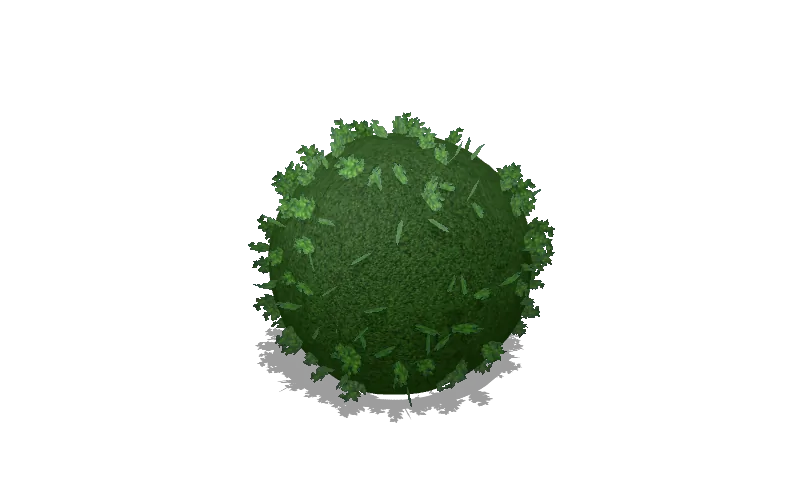
Boxwood Ball
Clipped
A clipped boxwood ball about 1 m across, a dense dome of tiny leaves with fresh shoots poking out, flat where it meets the ground.
- Clipped
- Shoots
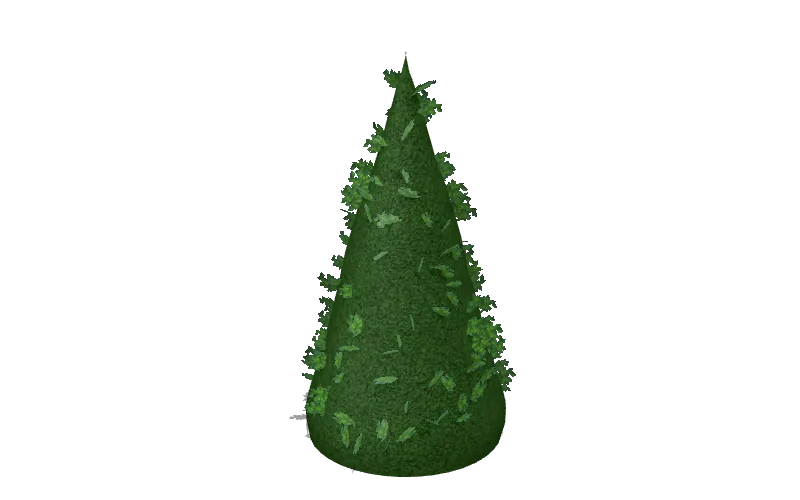
Boxwood Cone
Clipped
A clipped boxwood cone 1.6 m tall and 0.95 m across at the foot, with a gentle bulge and new shoots all over.
- Clipped
- Shoots
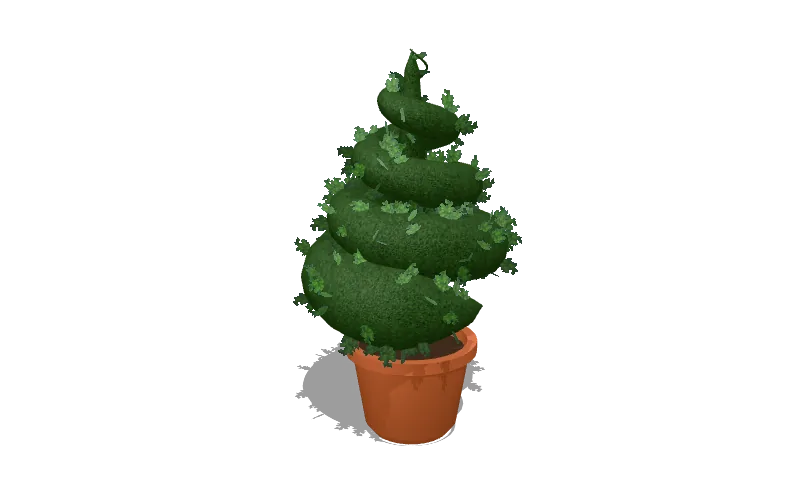
Spiral Topiary
Topiary
A boxwood spiral topiary just over 2 m tall, four turns narrowing to the top round a slim core, in a terracotta pot.
- Pot
- Clipped
- Shoots
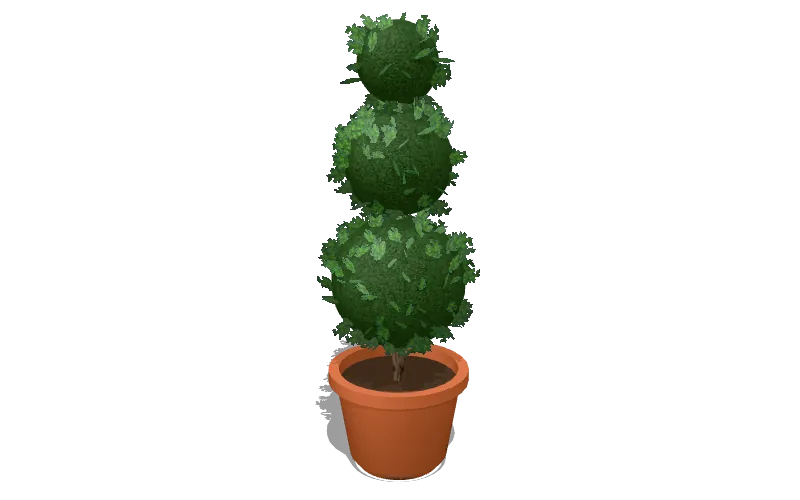
Pom Pom Topiary
Topiary
A pom pom topiary in a terracotta pot: three clipped boxwood balls getting smaller up a bare stem, 2.3 m tall.
- Pot
- Clipped
- Shoots
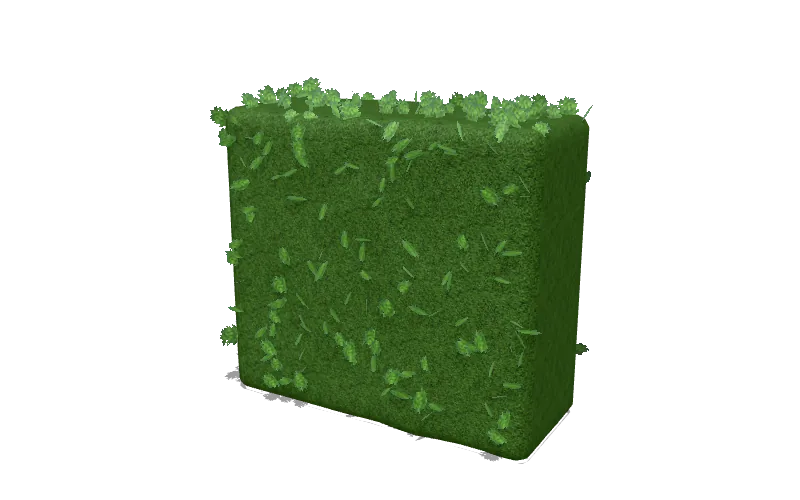
Tall Privet Hedge
Hedge kit
A 2 m section of tall clipped privet hedge, 1.8 m high and 0.8 m thick, with square ends so sections butt together.
- Clipped
- Shoots
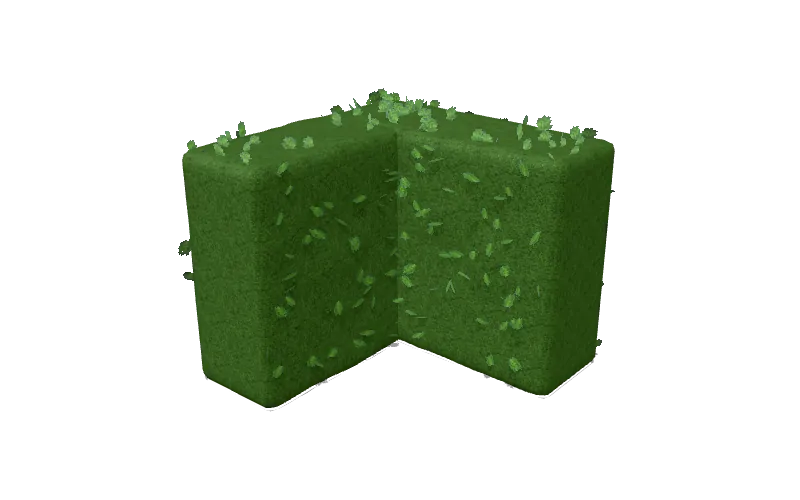
Hedge Corner
Hedge kit
A square corner for the tall privet hedge: two arms 2.2 m long on the outside, 1.8 m high and 0.8 m thick, with square ends.
- Clipped
- Shoots
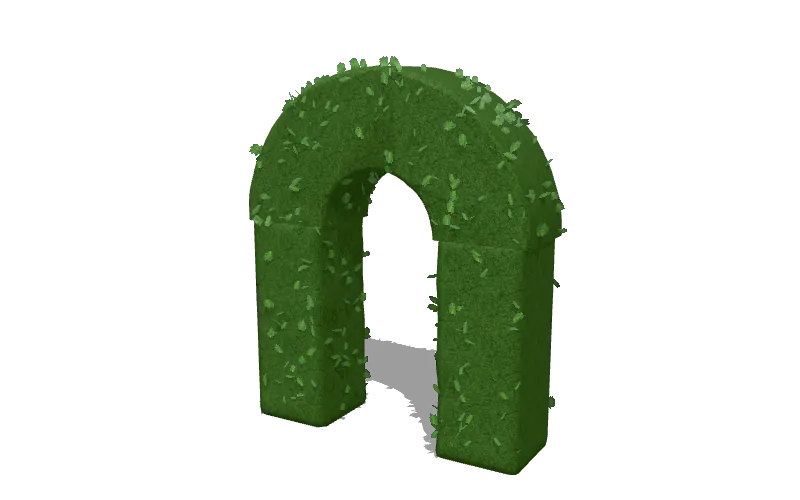
Hedge Arch
Hedge kit
A clipped privet archway 2.8 m wide and 3.4 m tall, with a 1.2 m wide walkway, to set into a line of tall hedge.
- Clipped
- Shoots
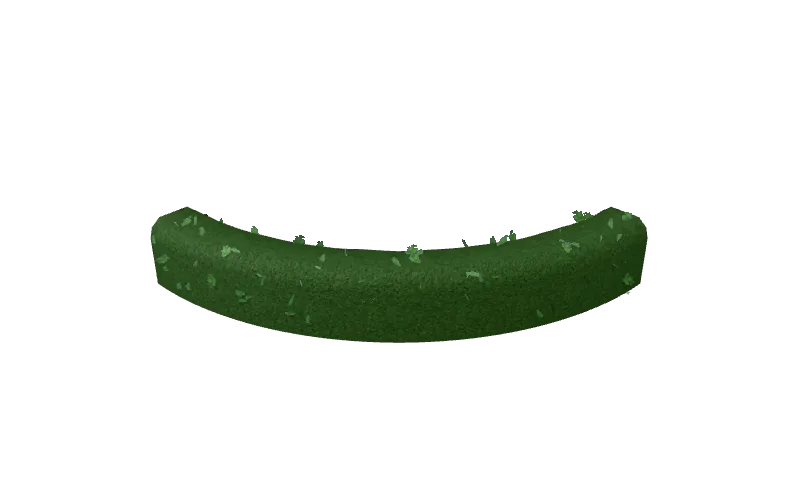
Curved Border Hedge
Hedge kit
A quarter circle of low clipped box border, 45 cm high on a 2 m radius, for parterres, paths and round beds.
- Clipped
- Shoots
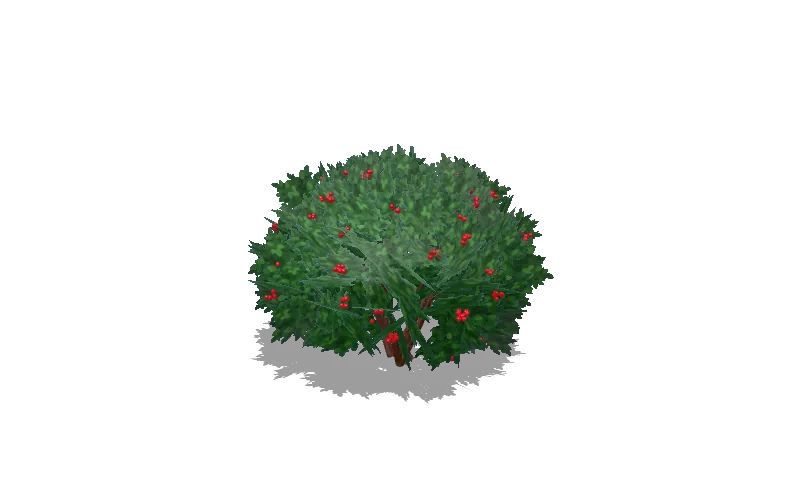
Berry Bush
Shrub
A rounded bush about 1.5 m tall and 2 m across with glossy dark leaves and clusters of bright red berries on woody stems.
- Stems
- Leaves
- Berries
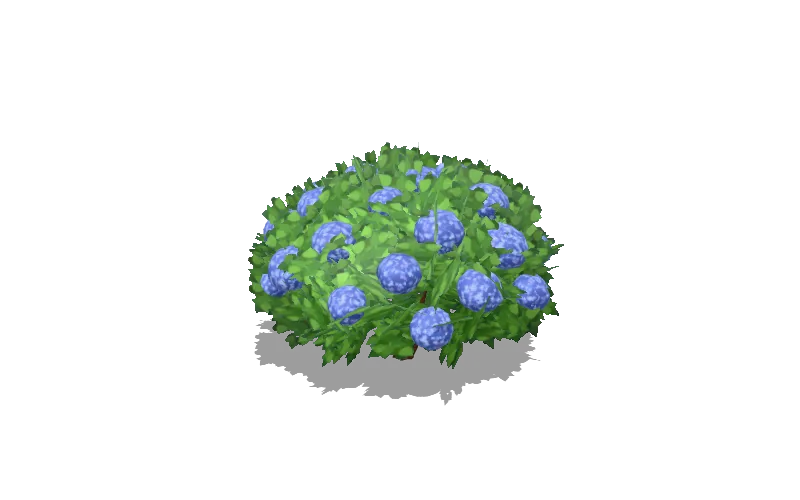
Hydrangea Bush
Shrub
A hydrangea bush about 1.4 m tall with broad green leaves and big round heads of blue and lilac flowers.
- Stems
- Leaves
- Flowers
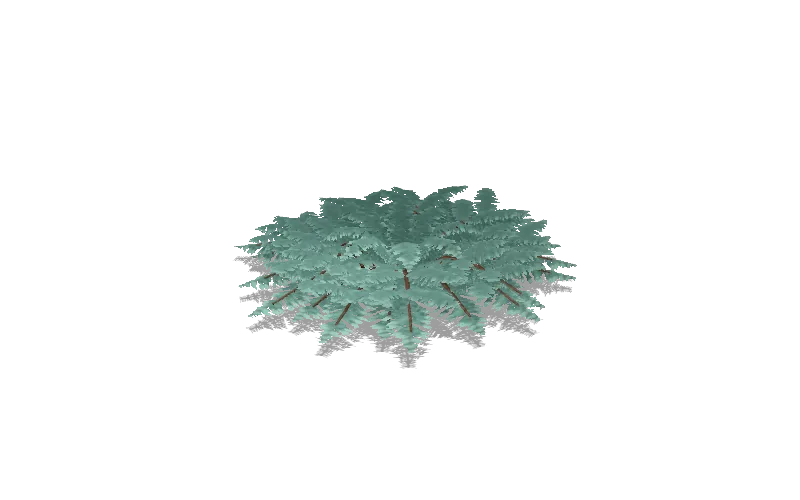
Spreading Juniper
Conifer
A low spreading juniper about 3.3 m across and just over half a metre high, with blue green needle sprays on long low branches.
- Branches
- Needles
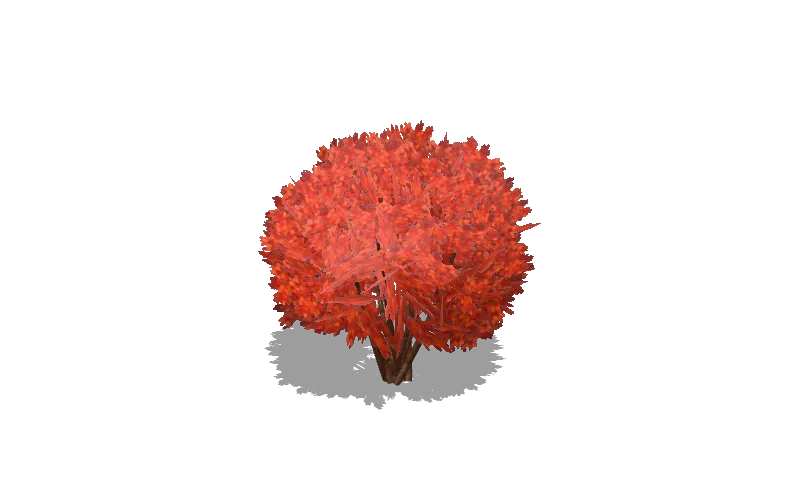
Red Autumn Bush
Shrub
A dense rounded bush about 2 m tall in bright autumn red, with slim woody stems inside the leaves.
- Stems
- Leaves
Made for games
- A hedge kit that joins upThe straight section, the corner and the arch share one height and thickness with square ends, so you can wall a whole garden or maze.
- Clipped and loose looksClipped shapes are a dense leaf surface with fresh shoots poking out; loose bushes are leaf sprays on woody stems, lit as one soft crown.
- Light for gamesAbout 1,100 to 11,500 triangles each and 0.2 to 0.7 MB, with alpha masked leaves, so you can line paths and fill beds without slowing down.
- Real sizesModelled in metres: a 1 m boxwood ball, 2 m topiaries, a 1.8 m tall hedge in 2 m sections and a juniper 3.3 m across.
How to use these GLB models
GLB is binary glTF 2.0: one file with the mesh, materials and node names. Every modern 3D tool reads it.
three.js
Load it with GLTFLoader, as in the code below. Babylon.js, PlayCanvas and A-Frame load GLB directly too.
Unity
Add the free glTFast package (Package Manager, add by name: com.unity.cloud.gltfast), then drag the .glb into Assets.
Godot 4
Drop the .glb into the FileSystem dock. Godot imports it as a scene you can instance.
Blender
File, Import, glTF 2.0. From there you can also export to FBX, OBJ or STL.
import * as THREE from 'three';
import { GLTFLoader } from 'three/addons/loaders/GLTFLoader.js';

const gltf = await new GLTFLoader().loadAsync('model.glb');
const model = gltf.scene;
scene.add(model);

// the model is in metres, +Y up, facing +Z, standing on the ground at the origin

// build a hedge maze wall from the kit: 2 m straight sections end to end (three.js)
const loader = new GLTFLoader();
const straight = (await loader.loadAsync('tall-privet-hedge.glb')).scene;
const arch = (await loader.loadAsync('hedge-arch.glb')).scene;
for (let i = 0; i < 6; i++) {
  const s = straight.clone();
  s.position.set(i * 2 + 1, 0, 0);   // each section is 2 m long, centred on its origin
  scene.add(s);
}
arch.position.set(13.4, 0, 0);        // the arch is 2.8 m wide
scene.add(arch);
Licence: free with credit (CC BY 4.0)
All models are made by vinish.dev and released under Creative Commons Attribution 4.0. You may use them in personal and commercial projects, change them and share them. The one condition is credit, for example in your game's credits, your app's about page or your video description:
Each file carries its own credit line inside it (the glTF asset.copyright field), and each zip has a CREDITS.txt. If you change a model, say so after the credit, for example "recoloured".
Questions
How do the hedge pieces join?
The straight section is 2 m long, centred on its origin, with flat square ends. Place copies 2 m apart. The corner and the arch have the same 1.8 m height and 0.8 m thickness.
Are the leaves transparent?
The loose bushes and the shoots on the clipped shapes use leaf textures with an alpha mask, so the gaps between leaves are cut out. Turn on alpha test or masking in your engine.
How detailed are they?
Each model has about 1,100 to 11,500 triangles and is about 0.2 to 0.7 MB as a GLB, light enough to use many times in one scene.
Do they match the Trees and Plants pack?
Yes. They use the same scale, axes and leaf style as the Trees and Plants pack, which also has a low box hedge and a round bush.
Can I use them in a paid game or video?
Yes. They are CC BY 4.0: free for commercial use, just credit vinish.dev.
Can I use these models in a commercial game?
Yes. CC BY 4.0 allows commercial use. Put the credit line in your credits or about screen.
Do I need an account?
No. There is no login, sign-up or email. Click Download and the file is yours.
Can I get OBJ, STL or glTF?
Yes. Press the arrow next to Download GLB, or open the 3D view, and pick glTF, OBJ or STL. Your browser makes the file from the GLB in a second or two. OBJ and STL have no animation. STL is in millimetres with Z up; the models are made of separate parts, so a slicer may need to repair or merge them before 3D printing. For FBX, import the GLB into Blender (File, Import, glTF 2.0) and export it.
Can I change the models?
Yes. You may edit, recolour or cut them up. Keep the credit and mention that you changed them.
More from vinish.dev
- Free 3D Models: every pack in the library
- All 3D model categories: the full list on one page, with a search box
- Free Voxel Vehicles 3D Models: Fill a blocky world with traffic: cars, trucks, a tractor, boats and aircraft built from 12.5 cm cubes, with wheels, propellers and rotors that spin.
- Free Katanas and Asian Weapons 3D Models: Arm a samurai, a ninja or a kung fu hero: curved blades with temper lines, silk-wrapped grips, lacquer scabbards and martial arts tools.
- Free Castle Interior 3D Models: Furnish a great hall, a throne room and a royal bedchamber: carved oak, red velvet, iron, candles and stone, ready for a fantasy game.
- Free Basketball 3D Models: Everything for a gym or an outdoor court: three hoops at the right heights, a marked half court, scoring gear and seating.
- Free Propeller Plane 3D Models: Small and mid size planes for airfields, lakes and farm strips, each with spinning propellers and wheels as their own parts.
- Free Library 3D Models: Library furniture that comes stocked: shelves full of books, lamps, open books and dressing, ready to drop into a reading room, a school or a game level.
- Free Modern Villa 3D Models: Flat roofs, big glass walls, pools, decks, terraces with glass rails, pergolas, palms and planters, from a one storey courtyard house to a three level hillside villa.
- Free Eagle, Hawk and Owl 3D Models: Golden eagle, harpy eagle, peregrine falcon, kestrel, red tailed hawk, Harris hawk, osprey, turkey vulture, Andean condor, snowy owl, great horned owl and burrowing owl.
- Free Muscle Car 3D Models: Period muscle cars with stripes, scoops, a shaker, a supercharger, wings, louvers, side pipes and fat rear tyres: hardtops, a convertible, a sedan and a wagon.
- Free Space Station Kit 3D Models: Modular station parts that join port to port: hub, corridor, docking port, habitat, lab, airlock, cargo, cupola, truss, solar wing, radiator, robotic arm, dish and a full station.
- Free Shelf and Bookcase 3D Models: Tall, barrister, staggered, revolving and cabinet bookcases, ladder, cube, floating, pipe, corner and wire shelves, and a kids book display, filled with books and decor.
- Free Keychain 3D Models: Heart, star, puzzle piece and lightning bolt keychains, a cat, fox, whale, owl, paw and dinosaur, and round, bone, luggage and hexagon tags, in two colours.
- Free Soldier 3D Models: Rigged soldiers in made-up camo and uniforms: infantry, winter, desert, medic, tank crew, pilot, radio, officer, paratrooper, jungle scout, sailor and engineer. Idle, walk and run.
- Free Blacksmith 3D Models: A working forge in brick, iron, steel, leather and old wood, with a live coal fire and glowing hot metal.
- Free Alchemy Lab 3D Models: A fantasy alchemist room in copper, brass, glass, stone and old wood, with glowing brews, crystals and fire.
- Free Ancient Rome 3D Models: Roman buildings, army gear and everyday things in marble, travertine, bronze, iron, wood and clay, at real size.
- Free Cake and Dessert 3D Models: Bakery and party desserts with real layers inside, glossy glazes, piped cream, fresh fruit and plates or boards to sit on.
- Free Spooky and Dead Tree 3D Models: Bare, gnarled and broken trees for haunted forests, swamps and burned land, with real hollows, holes and split trunks.
- Free 1950s to 1970s Classic Car 3D Models: Period cars with chrome bumpers, round lamps, tail fins, two-tone paint, vinyl roofs, whitewall tyres and full interiors.
- Free Apartment Building 3D Models: Residential blocks from 3 to 18 floors: brick, balcony, tower, walk-up, courtyard, modern, terraced, corner shops, garden, gallery, slab and colourful panel.
- Free Voxel Nature 3D Models: Blocky trees, rocks, flowers, water and desert plants for voxel games: cherry, birch, palm, autumn and snowy trees, a pond, a waterfall and more.
- Free Dagger and Knife 3D Models: Fighting, hunting and old daggers: bowie, survival, hunting, rondel, dirk, stiletto, tanto, trench, throwing knives, push dagger, karambit and folding knife.
- Free Alien Spaceship 3D Models: Saucers, a mothership and strange alien craft: crystal, spiral shell, ring, jellyfish, pyramid, manta, orb probe, seed pod, crescent and bone spine ships.
- Free Bottle Mockup 3D Models: Product bottles with blank labels for packaging mockups: water, wine, spray, dropper, pump, beer, aluminium, shampoo, mist, olive oil, juice and insulated.
- Free Easter 3D Models: Eggs, bunnies, chocolate and spring decorations: a basket, painted eggs, a foil bunny, a chocolate egg, a chick, buns, a wreath, an egg tree and an egg hunt sign.
- Free Science Lab 3D Models: Lab furniture, instruments, glassware and safety gear: fume hood, bench, microscope, centrifuge, burner, test tubes, stirrer, balance, shower, burette, fridge and cabinet.
- Free Big Cat 3D Models: Tiger, white tiger, leopard, snow leopard, cheetah, jaguar, black leopard, puma, lynx and caracal, all rigged with Idle, Walk, Trot, Run, Sit and Roar clips.
- Free Table 3D Models: Dining, side, hall, cafe and utility tables: walnut, pine, oak, cherry, reclaimed planks, a wood slab, marble, glass, steel and cast iron.
- Free Classic Car 3D Models: Vintage cars and trucks from the 1920s to 1940s: roadster, touring car, coupe, sedan, delivery truck, pickup, woodie, limousine, streamliner, convertible, taxi and speedster.
- Free Bench 3D Models: Park, street, garden and indoor benches: cast iron, stone, perforated steel, pine, concrete, curved teak, tree ring, log, wrought iron, locker room, pew and back-to-back.
- Free Medical Equipment 3D Models: Hospital and clinic machines: MRI, CT, mobile X-ray, ultrasound, ECG, operating table, surgical light, AED, oxygen concentrator, incubator, beam scale and exam couch.
- Free Shirts and Tops 3D Models: Hollow shirts and tops shown as if worn: T-shirt, hoodie, polo, blouse, dress shirt, flannel, striped tee, sweater, cardigan, turtleneck, sports jersey and rugby shirt.
- Free Workers and Jobs 3D Models: Rigged people in work clothes: chef, farmer, mechanic, waiter, pilot, security guard, firefighter, nurse, painter, courier, scientist and gardener, each with a tool. Idle, walk and run.
- Free Sailing Ship 3D Models: Square riggers, fore-and-aft schooners and old ships from a 10 m felucca to an 84 m four-masted barque, sails set and rigging on.
- Free Wand and Staff 3D Models: Three hand wands of 35 to 43 cm and nine walking staffs of 1.6 to 1.8 m, each with its own glowing crystal, gem, flame or rune.
- Free Fruit Tree 3D Models: Orchard and garden trees from a 3 m lemon to a 9 m avocado, with fruit on the outer leaves and a few fallen on the ground.
- Free Monitor and TV 3D Models: Desk monitors from 15.6 to 34 inch, a dual arm, a pen display and 55 to 65 inch TVs on feet, a wall, a console, a pedestal and a cart.
- Free Office Building 3D Models: Low and mid-rise offices: glass, brick and concrete blocks, an atrium, a ring campus, a car park, a pavilion and a brick loft.
- Free Steam Locomotive 3D Models: Express, freight and tank engines, an old west wood burner, a big 4-8-4, a quarry engine, goods and mixed traffic engines and a coal tender.
- Free Space Freighter 3D Models: Container hauler, tankers, an ore hauler, an ice hauler, a cargo lander, a tug and pod, a heavy lifter, a courier, a salvage ship, a farm ship and a cargo drone.
- Free Soccer 3D Models: Cleats, a vintage ball and a match ball, a training goal, a corner flag, a dugout, cones, a free-kick wall, a ball bag, a line marker, a sub board and a referee set.
- Free Passenger Jet 3D Models: Narrow-body, stretched, wide-body and four-engine jets, regional and business jets, a freighter, a trijet, a quadjet, a supersonic concept and a blended wing.
- Free Truck Trailer 3D Models: Dry van, reefer, curtainside, fuel tanker, car carrier, log, livestock, dry bulk tanker, container chassis, tipper and low loader trailers, plus a converter dolly.
- Free Garden Tools 3D Models: Garden spade, digging fork, leaf rake, bow rake, garden hoe, hand trowel, hand fork, pruning shears, hedge shears, watering can, hose reel cart and reel mower.
- Free Ancient Greece 3D Models: Greek temple, Doric column, Ionic column, column ruins, black-figure amphora, bell krater, kylix cup, hoplite shield, clay oil lamp, lyre, gold laurel wreath and marble altar.
- Free Low Poly Car 3D Models for Games: 12 vehicles with separate wheels
- Sample GLB Files: small test files for loaders, viewers and engines
- Free browser games and simulators by vinish.dev