Free Printable Vases and Planters: Spiral Vase, Self-Watering Planter, Cat Planter and More (STL, GLB, OBJ)
Twelve free 3D printable vases and planters: a spiral vase, a ribbed vase, a faceted planter, a self-watering planter, a hexagon planter with saucer, a bubble stack vase, a bud vase trio, a cat planter, a hanging planter, a tripod planter, a twisted square vase and a wall planter. Free for commercial use under CC BY 4.0, no login.
- 12 models
- 19,632–76,608 triangles
- 358 KB–1.3 MB each
- GLB, glTF, OBJ, STL
- CC BY 4.0
- No login
All 12 models
Drag a model to turn it, or tap it to open the 3D viewer, where you can zoom and download it. Sizes are width × depth × height. The tags under a model are its separate parts, by node name.
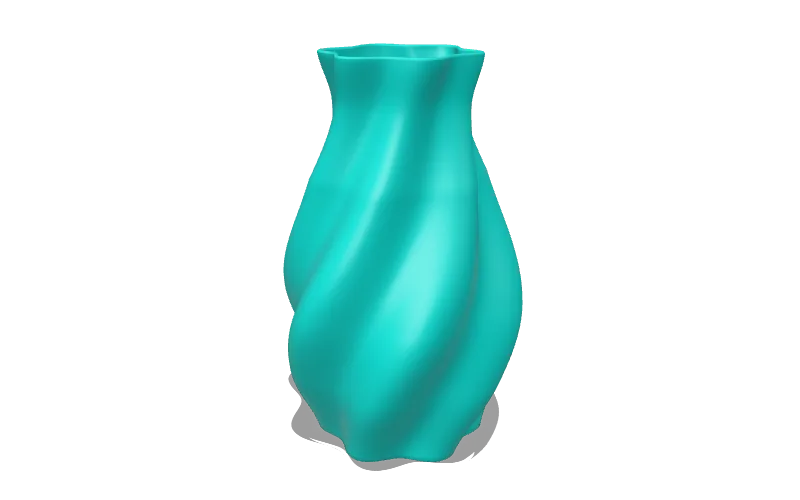
Spiral Vase
Vase
A 3D printable spiral vase 200 mm tall with six soft lobes that twist a third of a turn from the wide belly up to the narrow neck. STL ready, PLA or PETG.
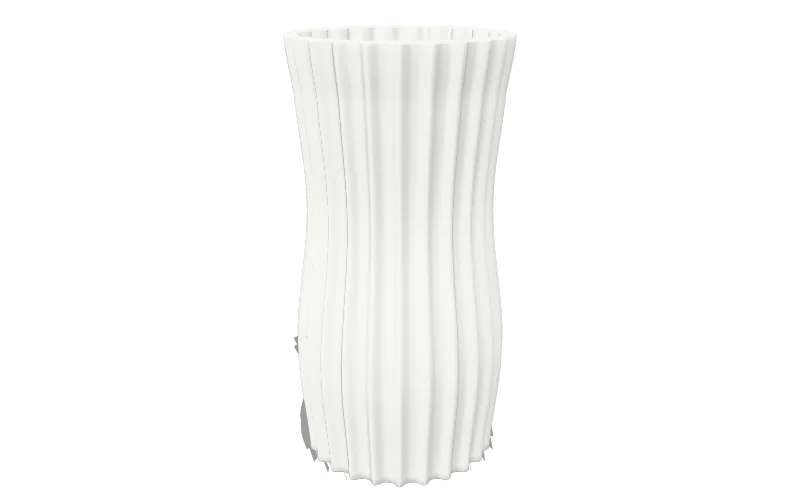
Ribbed Vase
Vase
A 3D printable vase 180 mm tall with 24 rounded vertical ribs, a gentle waist and a slightly flared top. STL ready, PLA or PETG.
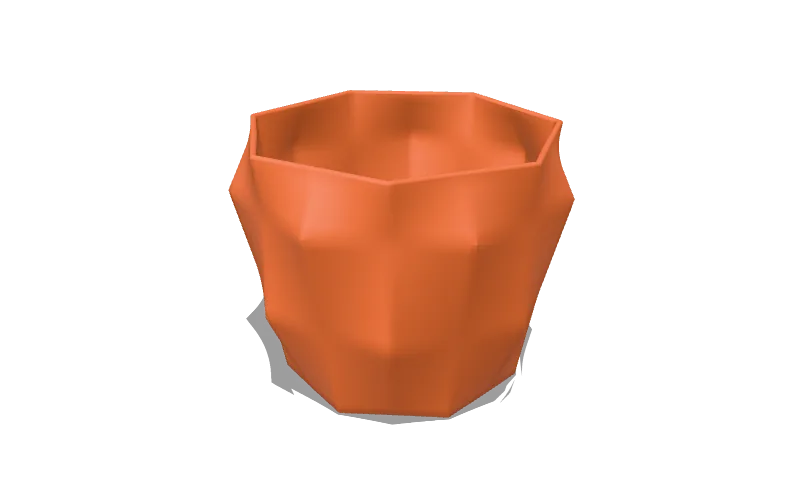
Faceted Planter
Planter
A 3D printable low-poly planter 160 mm across with seven-sided bands of flat facets turning row by row and a drainage hole. STL ready, PLA or PETG.
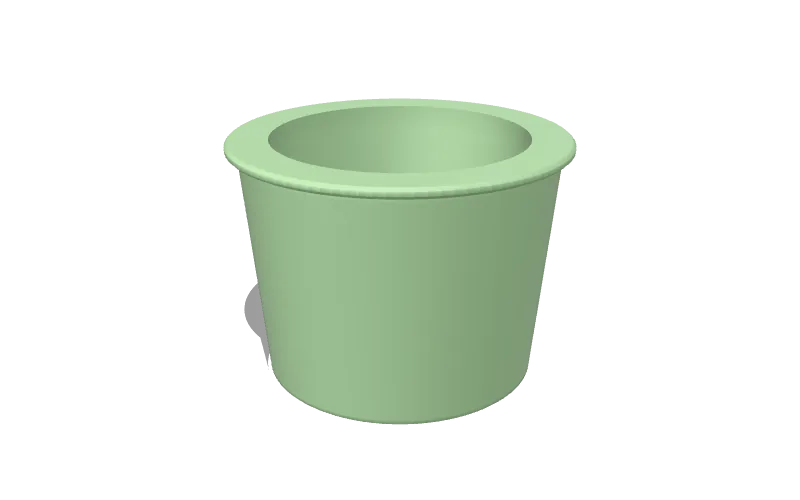
Self-Watering Planter
Planter
A 3D printable self-watering planter: a reservoir and an Insert with a rim flange and an open wick tube reaching into the water. STL ready, PLA or PETG.
- Insert
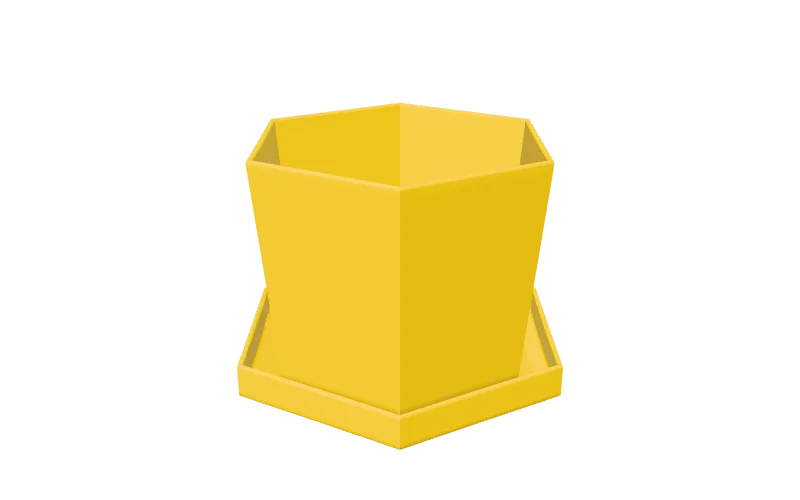
Hexagon Planter
Planter
A 3D printable hexagonal planter with softened corners, a drainage hole and a matching hexagon Saucer underneath. STL ready, PLA or PETG.
- Saucer
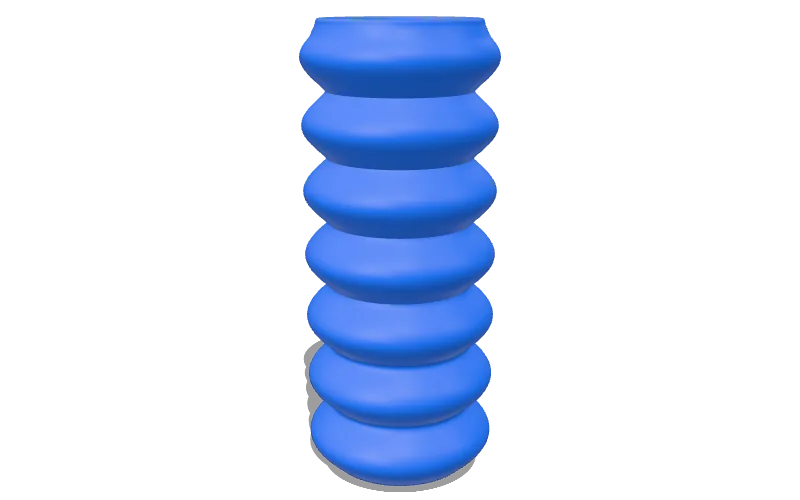
Bubble Stack Vase
Vase
A 3D printable vase 196 mm tall made of seven round bubbles stacked one on another, with a small flare at the mouth. STL ready, PLA or PETG.
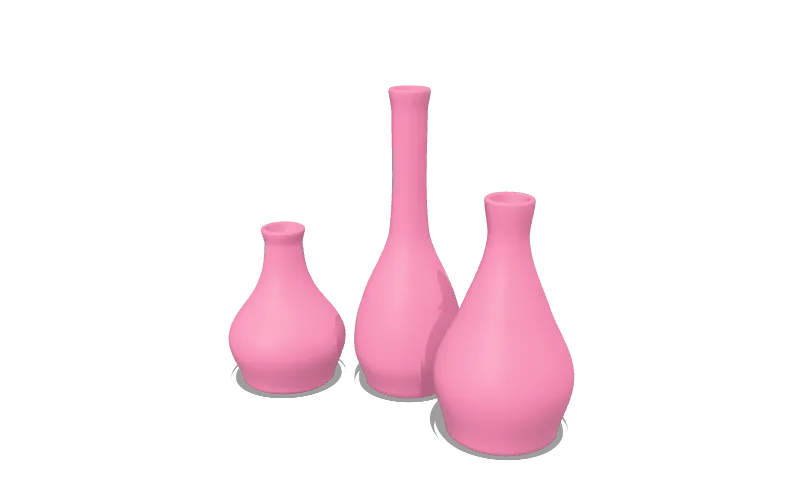
Bud Vase Trio
Vase
A 3D printable set of three small bud vases, 150, 110 and 80 mm tall, each with a round body and a narrow neck for a single stem. STL ready, PLA or PETG.
- Tall_Bud_Vase
- Medium_Bud_Vase
- Short_Bud_Vase
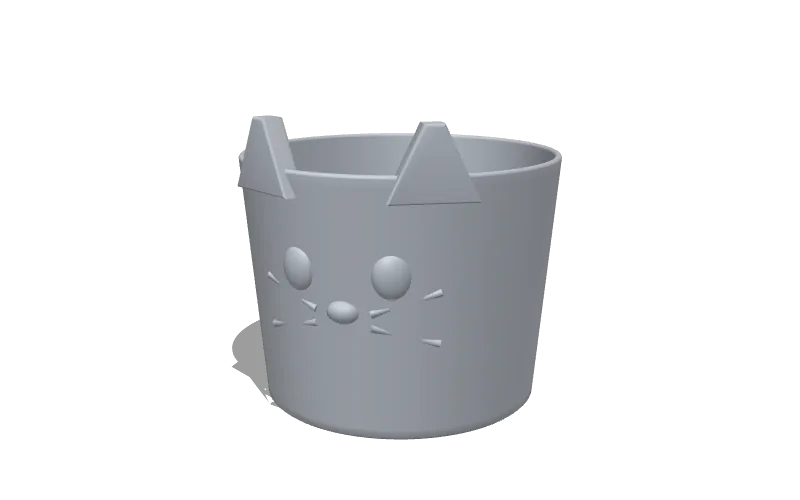
Cat Planter
Planter
A 3D printable round planter with two cat ears on the rim, raised eyes, a little nose and whiskers on the front, plus a drainage hole. STL ready, PLA or PETG.
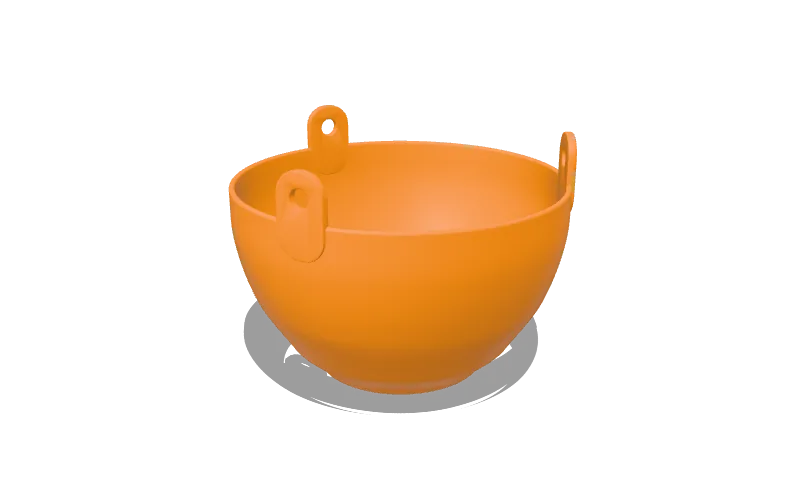
Hanging Planter
Planter
A 3D printable round-bellied hanging planter 150 mm across with three rounded tabs on the rim, each with a hole for a cord. STL ready, PLA or PETG.
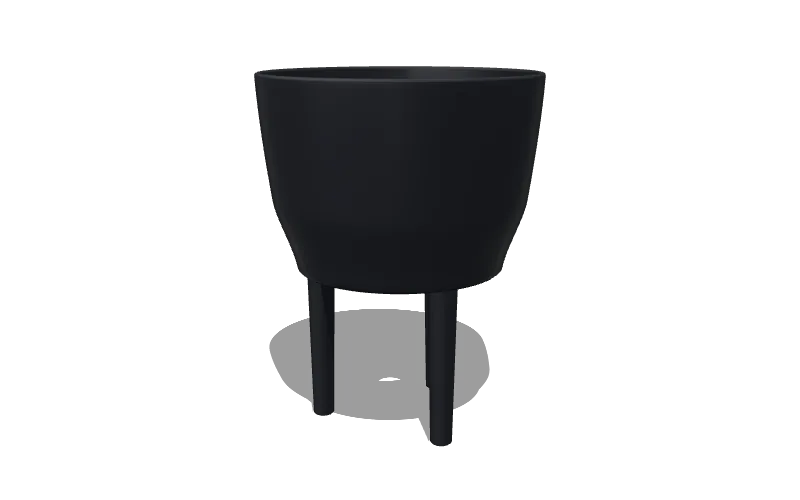
Tripod Planter
Planter
A 3D printable mid-century style planter on three tapered legs, with a flared pot and a drainage hole, all in one piece. STL ready, PLA or PETG.
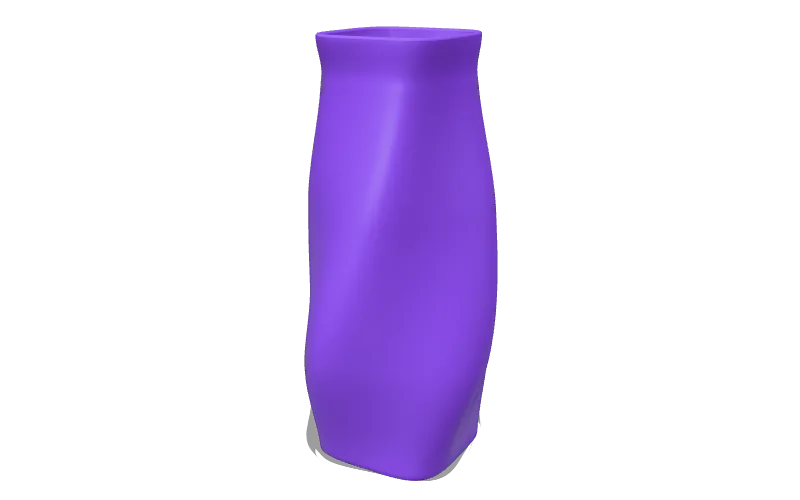
Twisted Square Vase
Vase
A 3D printable vase 210 mm tall whose rounded square section turns a quarter turn from base to top. STL ready, PLA or PETG.
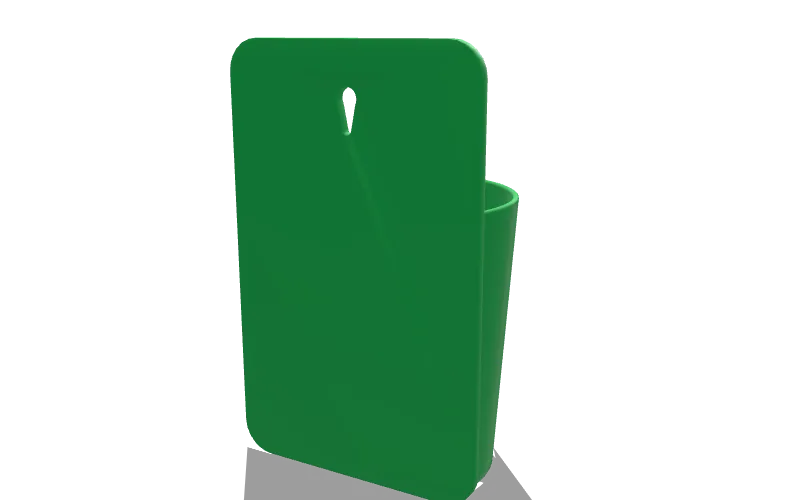
Wall Planter
Planter
A 3D printable half-round wall planter with a flat back plate and a keyhole slot for hanging it on a screw. STL ready, PLA or PETG.
Made for games
- Made to printEach piece is a closed shell with a flat base on y = 0, a rounded rim and walls of 2.4 mm or more, so it slices as a normal solid with no repairs.
- Drainage where it mattersThe faceted, hexagon, cat and tripod planters have a 12 mm drainage hole, the hexagon planter has its own saucer and the self-watering planter has an open wick tube.
- Shapes from twisting curvesA six-lobed spiral, 24 ribs, a quarter-turn square, seven stacked bubbles and seven-sided facets, all made from smooth maths curves rather than scans.
- One colour eachEach model is shown in one plastic colour so you can see how the print will look; any PLA or PETG works.
How to use these GLB models
GLB is binary glTF 2.0: one file with the mesh, materials and node names. Every modern 3D tool reads it.
three.js
Load it with GLTFLoader, as in the code below. Babylon.js, PlayCanvas and A-Frame load GLB directly too.
Unity
Add the free glTFast package (Package Manager, add by name: com.unity.cloud.gltfast), then drag the .glb into Assets.
Godot 4
Drop the .glb into the FileSystem dock. Godot imports it as a scene you can instance.
Blender
File, Import, glTF 2.0. From there you can also export to FBX, OBJ or STL.
import * as THREE from 'three';
import { GLTFLoader } from 'three/addons/loaders/GLTFLoader.js';

const gltf = await new GLTFLoader().loadAsync('model.glb');
const model = gltf.scene;
scene.add(model);

// the model is in metres, +Y up, facing +Z, standing on the ground at the origin

// show the self-watering planter with its insert lifted out (three.js)
const gltf = await new GLTFLoader().loadAsync('self-watering-planter.glb');
gltf.scene.getObjectByName('Insert').position.y += 0.08;   // metres
scene.add(gltf.scene);
Licence: free with credit (CC BY 4.0)
All models are made by vinish.dev and released under Creative Commons Attribution 4.0. You may use them in personal and commercial projects, change them and share them. The one condition is credit, for example in your game's credits, your app's about page or your video description:
Each file carries its own credit line inside it (the glTF asset.copyright field), and each zip has a CREDITS.txt. If you change a model, say so after the credit, for example "recoloured".
Questions
Which file do I print?
Pick STL in the download box. The models are in real millimetre sizes, so they come in at the right size. Print them standing on their flat base, except the self-watering Insert, which prints best upside down on its flat flange, and the tripod planter, which needs supports under the pot floor.
What filament and settings work?
PLA or PETG, 0.2 mm layers, 3 walls and 10 to 15 percent infill. For water, PETG with 3 walls is the safest, and a coat of clear sealer inside helps any vase hold water for a long time.
Can I print them in vase mode?
The vases have a real wall thickness, so print them normally. If you want spiral vase mode, set your slicer to vase mode and it will use the outer surface with a single wall.
Which parts are separate?
The self-watering planter has a separate Insert, the hexagon planter a separate Saucer, and the bud vase trio has Tall_Bud_Vase, Medium_Bud_Vase and Short_Bud_Vase nodes. Each part is its own closed solid.
What goes with them?
Pair them with the Vases, Desk Organizers, Phone Stands, Keychains and Garden packs.
Can I use these models in a commercial game?
Yes. CC BY 4.0 allows commercial use. Put the credit line in your credits or about screen.
Do I need an account?
No. There is no login, sign-up or email. Open a model in the 3D view and press Download: the file is yours.
Can I get OBJ, STL or glTF?
Yes. Open the model in the 3D view and pick glTF, OBJ or STL. Your browser makes the file from the GLB in a second or two. OBJ and STL have no animation. STL is in millimetres with Z up; the models are made of separate parts, so a slicer may need to repair or merge them before 3D printing. For FBX, import the GLB into Blender (File, Import, glTF 2.0) and export it.
Can I change the models?
Yes. You may edit, recolour or cut them up. Keep the credit and mention that you changed them.
More from vinish.dev
- Free 3D Models: every pack in the library
- All 3D model categories: the full list on one page, with a search box
- Free Buggy and Go-Kart 3D Models: Small fun vehicles for racing games, beach scenes and fairground tracks, each with four wheels and a steering wheel you can turn.
- Free Park 3D Models: A kit for building a town park: the path tiles are 2 m squares that join edge to edge, and the features drop in beside them at real size.
- Free Lab Glassware 3D Models: Clear glass with real wall thickness and coloured liquids inside, at real size for chemistry classrooms, lab scenes and science games, with stoppers, lids and taps as their own nodes.
- Free Survival Gear 3D Models: Bushcraft and emergency kit at real size for survival games, loot tables and inventory icons, with the parts that turn or fold split out as their own nodes.
- Free Low Poly Vehicle 3D Models: Flat-shaded vehicles in bright solid colours with no textures, at real size, for city builders, toy worlds and casual games.
- Free Handgun 3D Models: Game-ready sidearms at real size with the moving parts split out: slides, hammers, cylinders, bolts, magazines and break-open barrels are their own nodes.
- Free Glasses and Sunglasses 3D Models: Everyday frames, sunglasses and goggles at real size, with see-through tinted lenses and temples that fold on their hinges.
- Free Fantasy Hero 3D Models: A full adventuring party for an RPG: armoured fighters, hooded scouts and robed spellcasters with staffs, bows, blades, shields and a lute. Idle, walk and run.
- Free Sea Fish 3D Models: Animated sea fish at real size with painted skins, from a 10 cm clownfish to a 3 m blue marlin and a 2.8 m tall sunfish.
- Free Cliff 3D Models: Solid cliff pieces 8 m wide with jointed rock faces, grass tops and fallen rocks, from an 8 m wall to a 16 m high face.
- Free Gear and Machine Part 3D Models: Steel, bronze and brass machine parts with real involute teeth that mesh, from a 52 mm bearing to a half-metre crankshaft.
- Free Sci-Fi Building 3D Models: Clean white future buildings with glass bands and glowing trim, from a small gun tower to a 96 m spire, at real size.
- Free Warship 3D Models: Modern and 1940s warships with turning guns, radar and screws, a landing craft and hovercraft with ramps, and two naval props, at real size.
- Free Fighter Jet 3D Models: Jet fighters, trainers and attack jets with opening canopies, moving wings and turning wheels, plus a hangar and an engine stand, at real size.
- Free Drift and Drag Car 3D Models: Drag strip rails and drift builds with wings, roll cages, slicks and tow straps, plus two pit props, at real size.
- Free Castle 3D Models: Whole castles and modular castle pieces in stone, sandstone and timber, at real building size.
- Free Trap 3D Models: Classic game traps built on 50 cm flagstone tiles, at real size and ready to drop into a level.
- Free Candle 3D Models: Lit candles with wax drips and glowing flames, in the holders, stands and dishes that go with them, at real size.
- Free Shop Display 3D Models: Retail fixtures for clothing, shoe, gift and jewellery shops, stocked with goods and built at real size.
- Free Victorian Era 3D Models: Nineteenth-century transport, home furnishings, gadgets and travel goods in mahogany, brass, cast iron, marble and leather, at real size.
- Free Japanese Food 3D Models: Noodle soups, a packed lunch, rice balls, fried and grilled dishes, street snacks and a tea set, each a ready table setting at real size.
- Free Sci-Fi Weapon 3D Models: Our own futuristic guns, a grenade and two melee weapons with emissive energy cells, coils, arcs and blades, at real hand size with named moving parts.
- Free Crop 3D Models: Field and garden crops at real size in ridges and patches of soil: corn, wheat, barley, sunflowers, tomato, cabbage, potato, strawberry, pumpkin, cotton and carrot.
- Free Taxi 3D Models: Six taxi cars with full cabins and lit roof signs, and the street kit around them: roof sign, fare meter, rank sign, call box, shelter and a painted rank bay.
- Free Samurai and Ninja 3D Models: Rigged characters of old Japan in laced armour, kimono and hakama or dark ninja dress, with swords, a naginata, a spear, a bow and a war fan. Idle, walk and run.
- Free Freshwater Fish 3D Models: River, lake and pond fish with painted skins, real markings and bending tails, ready for fishing games, aquariums and nature scenes.
- Free PC Parts 3D Models: Detailed computer hardware at real scale, with spinning fans, a hard disk platter and arm, a swing-open glass panel and a sliding disc tray on their own nodes.
- Free Church 3D Models: Church buildings in many styles, from a tiny wayside chapel to a 75 m cathedral, with stained glass windows, belfries and bells you can swing.
- Free Subway Train 3D Models: Detailed metro and subway rolling stock with full seated interiors, separate bogies and matching track and tunnel pieces for city and underground scenes.
- Free Low Poly Farm 3D Models: Flat-coloured, flat-shaded farm buildings, crops, vehicles and animals that are light enough for mobile games and quick scenes.
- Free Shield 3D Models: Shields from medieval wood and steel to modern riot gear and a sci-fi energy field, each with straps and grips on the back.
- Free Crypt Kit 3D Models: Modular stone walls, floors and doorways for underground tombs, with skulls, bones and candles already in place.
- Free Campers and Caravans 3D Models: Holiday trailers and a motorhome at real size, with rounded bodies, windows, doors and steps, wheels, drawbars and jockey wheels.
- Free Sci-Fi Doors 3D Models: Game-ready doorways for space stations, ships and bases, each set in its own wall section with frames, lights and keypads.
- Free Ceiling Lights and Chandeliers 3D Models: Hanging lights for rooms, cafes and kitchens, each on its own canopy, cord or downrod, with glowing bulbs and diffusers.
- Free Nuts, Bolts and Screws 3D Models: Everyday metric fasteners at true size, with real helical threads, chamfered hex heads and drive recesses you can see into.
- Free Mushroom 3D Models: Wild mushrooms at real size for forests, gardens and fairy tales, from tiny fairy ring caps to a giant glowing mushroom over two metres tall.
- Free Box Mockup 3D Models: Product and shipping boxes for packaging mockups: tuck end, mailer, carton, pillow, gable, drawer, rigid, hexagon, window, tube and magnetic flap boxes.
- Free Valentine’s Day 3D Models: Hearts, roses, candles and gifts for a romantic scene, a shop window, a game event or a greeting video, all at real size.
- Free Cardboard Box and Packaging 3D Models: Everything for a shipping room, a warehouse corner or a moving day, from taped cartons and labels to bubble wrap and foam peanuts, at real size.
- Free Knight 3D Models: Rigged medieval knights in plate, mail, brigandine and quilted coats, with helms, shields, swords, a lance, a halberd and a banner. Idle, walk and run.
- Free Diner and Restaurant 3D Models: Restaurant fronts with dining rooms you can see into, a retro diner, a drive-in and the furniture that fills them, all at real size.
- Free Skate Park 3D Models: Ramps with smooth transitions and steel coping, rails, ledges and a bowl, at real size and ready to ride in a game.
- Free 1940s Warplane 3D Models: Piston warplanes of our own design in camouflage, with spinning propellers and wheels as nodes, at real size.
- Free Monster Truck 3D Models: Big-tyre trucks with their wheels as separate nodes, plus the cars and ramps to wreck, at real size.
- Free Low Poly Car 3D Models for Games: 12 vehicles with separate wheels
- Sample GLB Files: small test files for loaders, viewers and engines
- Free browser games and simulators by vinish.dev