Free Circuit Board and Chip 3D Models: Microcontroller Board, Single Board Computer, Breadboard, Silicon Wafer, LEDs and Relay Module (GLB, OBJ, STL)
Twelve free circuit board and chip 3D models: a microcontroller dev board, a single board computer, a breadboard with jumper wires, a bare printed circuit board, a silicon wafer, DIP chips on foam, an SMD component reel, a resistor strip, a capacitor set, through hole LEDs, a relay module and an LCD display module. Free for commercial use under CC BY 4.0, no login.
- 12 models
- 1,372–11,480 triangles
- 111 KB–490 KB each
- GLB, glTF, OBJ, STL
- CC BY 4.0
- No login
All 12 models
Drag a model to turn it, or tap it to open the 3D viewer, where you can zoom and download it. Sizes are width × depth × height.
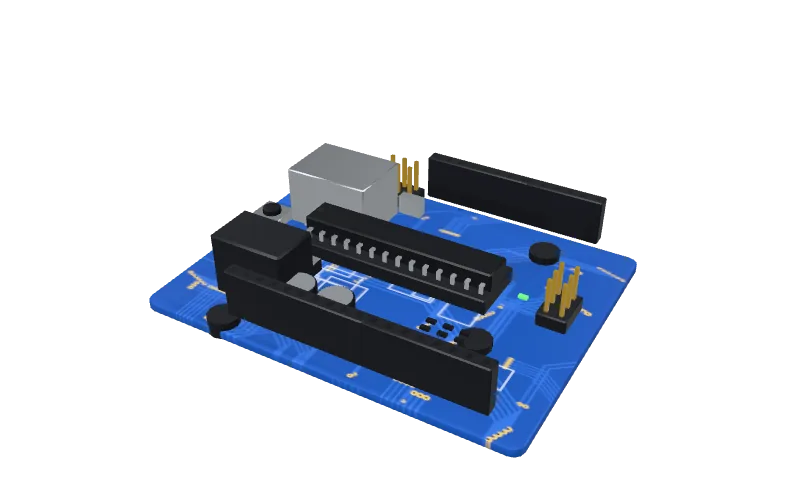
Microcontroller Dev Board
Blue board with headers
A blue microcontroller board with a socketed DIP chip, female pin headers, a USB socket, a barrel jack, a reset button and status LEDs.
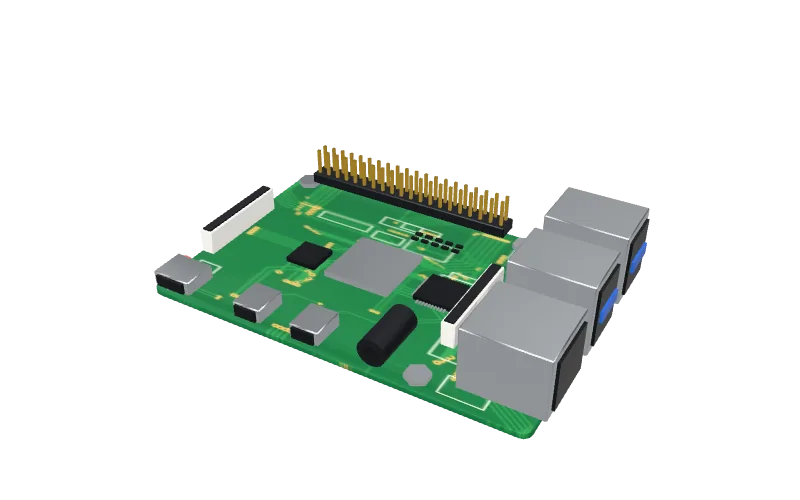
Single Board Computer
Credit card sized computer
A credit card sized computer board with a 40 pin header, a processor, double USB stacks, a network jack, small video ports and ribbon sockets.
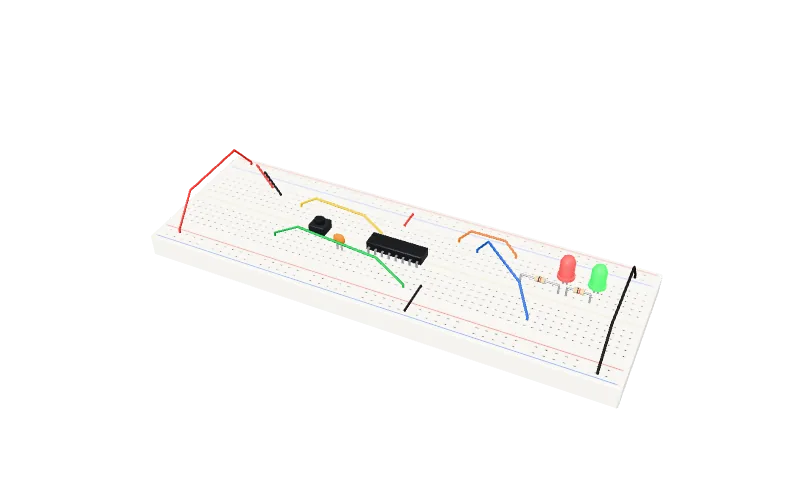
Breadboard With Jumper Wires
Prototype circuit
A full size solderless breadboard with a DIP chip, coloured jumper wires, two LEDs with resistors, a push button and a ceramic capacitor.
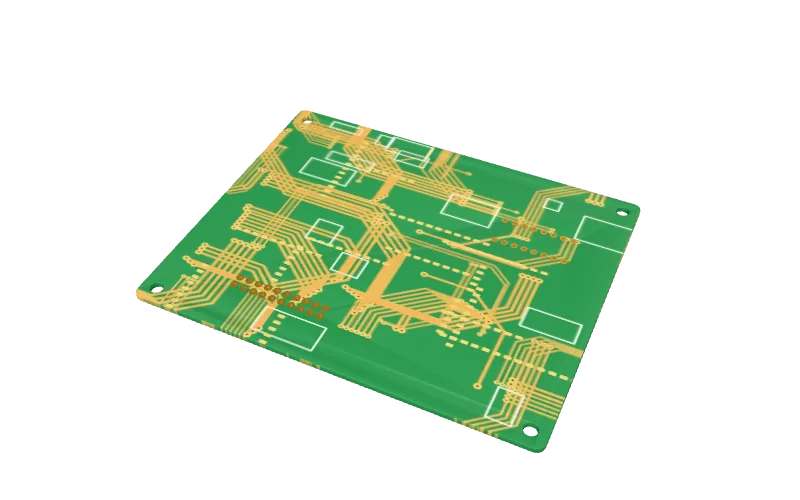
Bare Printed Circuit Board
Unpopulated board
A bare 10 by 8 cm green circuit board with copper traces, gold plated pads and through holes, mounting holes and white outline markings.
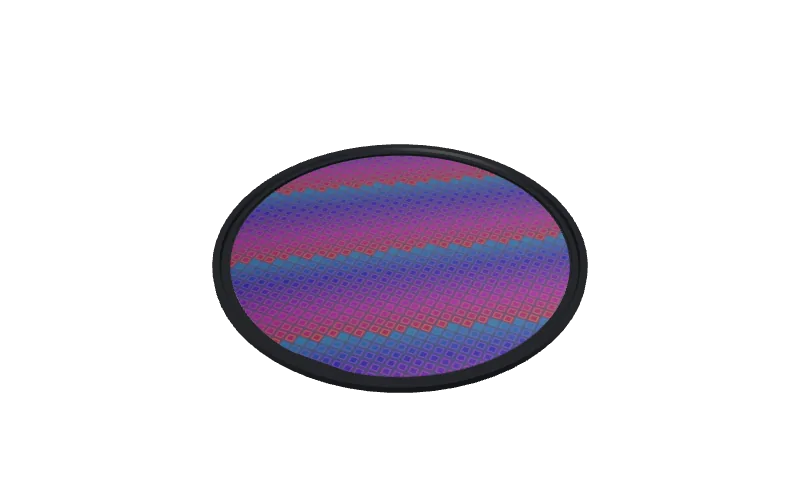
Silicon Wafer With Dies
Wafer on a tray
A 20 cm silicon wafer with a flat edge and a grid of shiny dies in shifting colours, resting in a round black carrier tray.
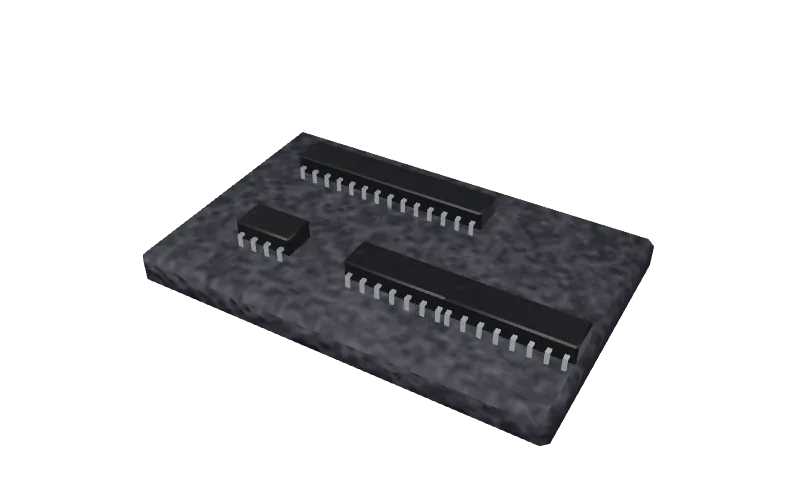
DIP Chips On Foam
Four chips in foam
Four black DIP chips with 8, 14, 16 and 28 pins pressed into a block of grey conductive foam, legs sunk into the foam.
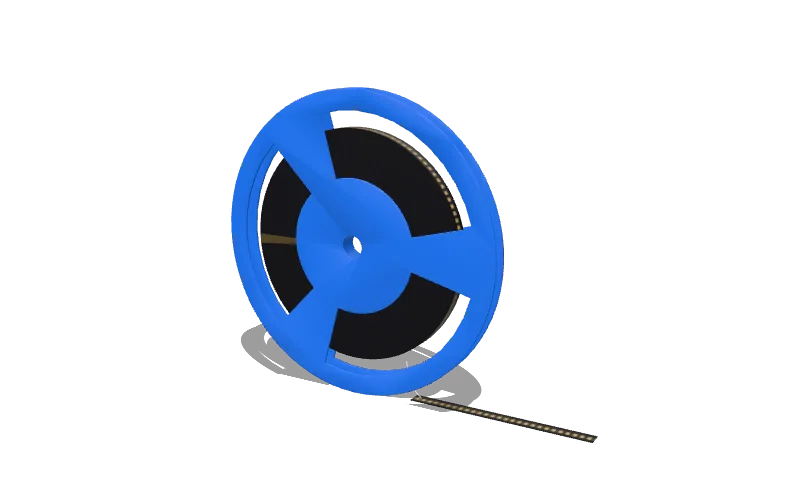
SMD Component Reel
Tape reel on its edge
A blue 18 cm reel of surface mount parts standing on its edge, wound with pocketed carrier tape and a loose tail along the table.
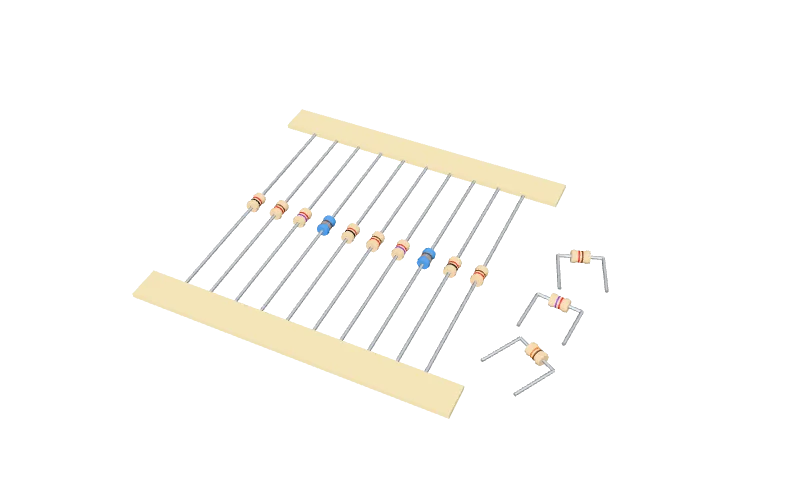
Resistor Strip
Taped resistors
A strip of ten colour banded resistors held between two paper tapes, plus three loose ones with their legs bent ready to fit.
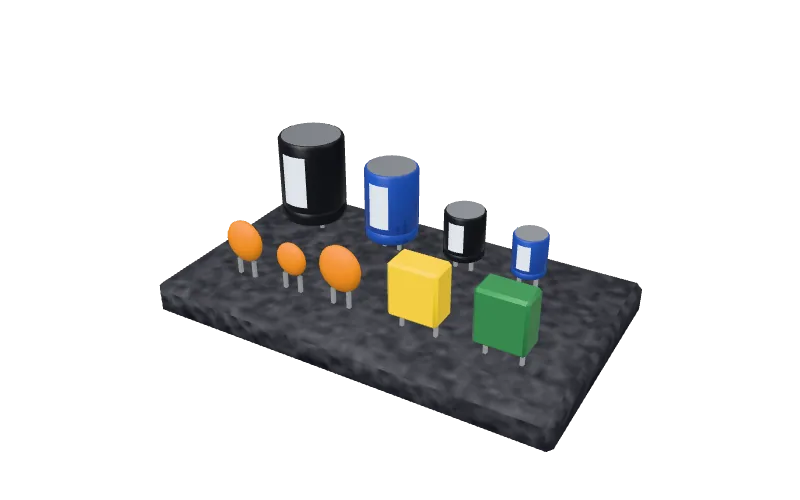
Capacitor Set
Mixed capacitors in foam
Electrolytic capacitors in black and blue, orange ceramic discs and yellow and green film capacitors standing in a foam block.
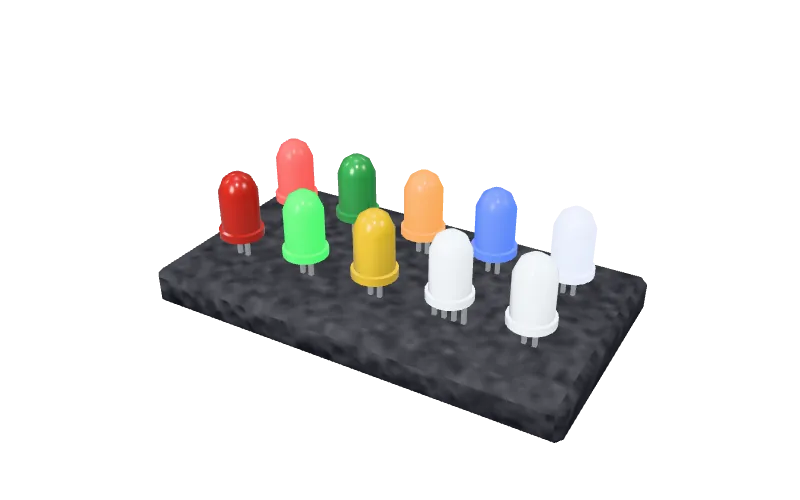
Through Hole LEDs
Ten LEDs in foam
Ten 5 mm LEDs in foam: lit red, green, amber, blue and white, unlit red, green and yellow, and two clear ones, one with four legs.
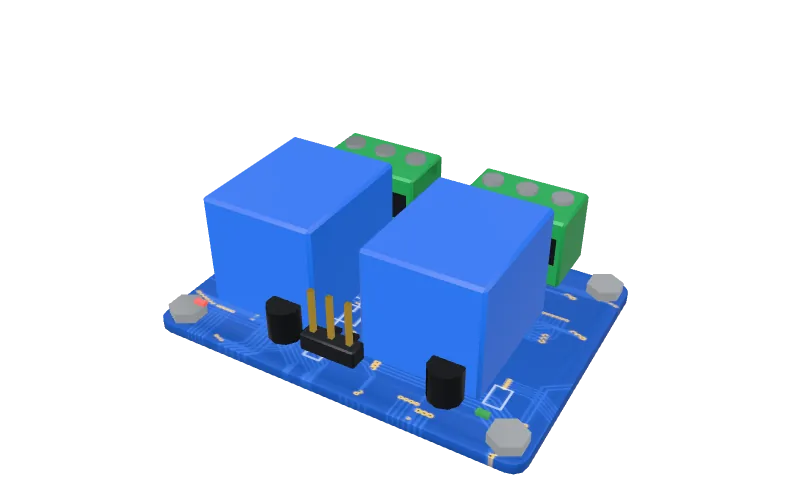
Relay Module
Two relays and terminals
A blue two channel relay board with two cube relays, green screw terminal blocks, a three pin header, indicator LEDs and standoffs.
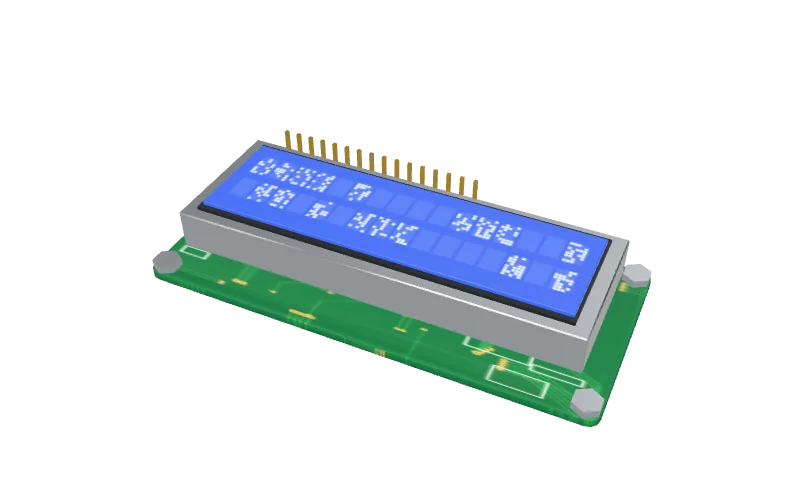
LCD Display Module
Character LCD board
A green board with a two line character LCD in a metal frame, a blue backlit screen of dot cells and a 16 pin header along its edge.
Made for games
- Real board detailPin headers with single pins, gull wing and DIP chip legs, USB, network and power sockets, screw terminals, mounting holes and copper traces.
- Workbench partsTaped resistors, mixed capacitors, lit and unlit LEDs, chips pressed into conductive foam and a reel of surface mount parts.
- Real sizesFrom a 5.2 cm relay board to a 16.5 cm breadboard and a 20 cm silicon wafer, all in metres and resting on y = 0.
- Light enough for gamesAbout 1,400 to 11,500 triangles and 110 to 490 KB each, with solder mask, breadboard, wafer, tape and foam textures.
How to use these GLB models
GLB is binary glTF 2.0: one file with the mesh, materials and node names. Every modern 3D tool reads it.
three.js
Load it with GLTFLoader, as in the code below. Babylon.js, PlayCanvas and A-Frame load GLB directly too.
Unity
Add the free glTFast package (Package Manager, add by name: com.unity.cloud.gltfast), then drag the .glb into Assets.
Godot 4
Drop the .glb into the FileSystem dock. Godot imports it as a scene you can instance.
Blender
File, Import, glTF 2.0. From there you can also export to FBX, OBJ or STL.
import * as THREE from 'three';
import { GLTFLoader } from 'three/addons/loaders/GLTFLoader.js';

const gltf = await new GLTFLoader().loadAsync('model.glb');
const model = gltf.scene;
scene.add(model);

// the model is in metres, +Y up, facing +Z, standing on the ground at the origin

// set up an electronics workbench (three.js)
const load = n => new GLTFLoader().loadAsync(n + '.glb').then(g => g.scene);
const [bread, board, leds] = await Promise.all(['breadboard-with-jumper-wires', 'microcontroller-dev-board', 'through-hole-leds'].map(load));
board.position.set(-0.13, 0, 0.02); leds.position.set(0.12, 0, 0.05);
scene.add(bread, board, leds); // real sizes: a breadboard is about 16.5 cm long
Licence: free with credit (CC BY 4.0)
All models are made by vinish.dev and released under Creative Commons Attribution 4.0. You may use them in personal and commercial projects, change them and share them. The one condition is credit, for example in your game's credits, your app's about page or your video description:
Each file carries its own credit line inside it (the glTF asset.copyright field), and each zip has a CREDITS.txt. If you change a model, say so after the credit, for example "recoloured".
Questions
Do the boards have brand names or logos?
No. Every board is a generic design of our own, with no makes, names, logos or printed text, only plain outline markings.
How small are these models?
They are at true size in metres, so most boards are 5 to 9 cm wide. Scale them up in your engine if you need a close up or a giant prop.
Do the LEDs glow?
The lit LEDs, the board status lights and the LCD screen use emissive materials, so they glow with bloom. The unlit and clear LEDs do not.
What goes with them?
Pair them with the PC Parts, Retro Computers, Physics Experiments and Robots packs.
Can I use them in a paid game or video?
Yes. They are CC BY 4.0: free for commercial use, just credit vinish.dev.
Can I use these models in a commercial game?
Yes. CC BY 4.0 allows commercial use. Put the credit line in your credits or about screen.
Do I need an account?
No. There is no login, sign-up or email. Open a model in the 3D view and press Download: the file is yours.
Can I get OBJ, STL or glTF?
Yes. Open the model in the 3D view and pick glTF, OBJ or STL. Your browser makes the file from the GLB in a second or two. OBJ and STL have no animation. STL is in millimetres with Z up; the models are made of separate parts, so a slicer may need to repair or merge them before 3D printing. For FBX, import the GLB into Blender (File, Import, glTF 2.0) and export it.
Can I change the models?
Yes. You may edit, recolour or cut them up. Keep the credit and mention that you changed them.
More from vinish.dev
- Free 3D Models: every pack in the library
- All 3D model categories: the full list on one page, with a search box
- Free Papercraft 3D Models: Folded origami, faceted papercraft animals, a paper house, a pop up castle book and a layered shadow box in tinted paper.
- Free Artillery 3D Models: Howitzers, mortars, rocket launchers, an anti aircraft gun, a coastal gun, shells and a sandbagged observation post.
- Free Desert Town 3D Models: Adobe houses, a gate, a market row, towers, walls and a cistern to build a walled desert town or an oasis village level.
- Free Railway Signals and Crossings 3D Models: Semaphore and colour light signals, crossing lights and gates, point gear and a signal box to dress the lineside of a railway scene.
- Free Puzzles and Fidget Toys 3D Models: A half done jigsaw, a puzzle cube, a spinner, a tilt maze and more brain teasers and fidgets for desks, kids rooms and game nights.
- Free Laundromat 3D Models: Coin washers, stacked dryers, a folding counter, carts and a big ironer to fit out a self service laundromat or a dry cleaner scene.
- Free Tiki and Polynesia 3D Models: A thatched bar, torches, a fale, a voyaging canoe and island crafts to dress a beach resort, luau party or tropical island level.
- Free Soup and Salad 3D Models: Five bowls of soup and five salads served on plain plates and bowls, real size, for cafe, kitchen and dining scenes in games and films.
- Free Surfboard and Water Sports 3D Models: Surfboards, foil, body and skim boards, a wakeboard, water skis, a windsurf rig, a kite, a jet boat and a tow tube for beach and lake scenes.
- Free Swamp Kit 3D Models: Shack, dock, boats, murky water, mud, roots, cypress knees and bog plants to build a bayou or swamp level for games, films and dioramas.
- Free Shark and Ray 3D Models: Animated sharks and rays with painted skins, gill slits, teeth and spots, from a 1.2 m torpedo ray to a 10.5 m whale shark, for ocean scenes and games.
- Free Laundry Room 3D Models: Washers, a dryer, a sink, ironing, drying racks, baskets and a garden washing line with towels and clothes, for home interiors, sims and cosy games.
- Free Doll and Figure 3D Models: Cloth, porcelain, vinyl, wood and plastic dolls and figures with sewn and painted faces, for toy shops, nurseries, attics and shelf props.
- Free Greek Island Village 3D Models: Whitewashed walls, blue doors and shutters, a blue dome, flagstone paths, bougainvillea and pots for a sunny island village scene.
- Free Goblin and Troll 3D Models: Small big-headed goblins with long pointed ears next to huge tusked trolls in moss, stone, ice and fur, all rigged with idle, walk and run clips.
- Free Safety Gear 3D Models: A hi-vis vest, a helmet, ear defenders, a respirator, a face shield, work boots, an extinguisher, a first aid cabinet, a harness and more.
- Free Mini Golf Kit 3D Models: Lane pieces with a start tee, corner and cup, plus windmill, loop, ramp, castle, bridge, bumper and lighthouse holes and a putter rack.
- Free Portals and Teleporters 3D Models: A ring gate, a teleporter pad, a rift, a stone portal, a magic mirror, a booth, a portal generator, a jump gate, a doorway and a waygate.
- Free Steampunk Vehicles 3D Models: A steam car, a steam bike, a walking carriage, an omnibus, a clockwork trike, a crawler, an airship, a gyrocopter, a submarine and more.
- Free Bricks, Rubble and Debris 3D Models: A brick pile, a broken slab, rebar chunks, a debris mound, a fallen wall, cinder blocks, timber, drywall, a pipe, a wheelbarrow and more.
- Free Hotel Room 3D Models: A king bed, a nightstand, a desk and chair, a minibar, a luggage rack, a wardrobe, a TV console, an armchair, two carts, a tea tray and a door.
- Free Lunar New Year 3D Models: A red lantern and a lantern string, a dance dragon, a lion head, red envelopes, firecrackers, a kumquat tree, a candy box, a drum and more.
- Free Airport Ground Vehicle 3D Models: A baggage tractor and carts, a pushback tug, a stair truck, a refueler, a catering truck, loaders, a power unit, a de icer and a crash tender.
- Free Bee and Ant 3D Models: A rigged bumblebee, carpenter bee, hornet, carpenter ant and leafcutter ant, plus a beehive, honeycomb frame, bee skep, wasp nest and ant hill.
- Free Bathroom Fixtures 3D Models: A clawfoot tub, wall hung and high tank toilets, a bidet, a urinal, two vanities, a rain shower, a corner tub, a towel radiator and more.
- Free Toy Cars and Trains 3D Models: A wooden car, tin roadster, die cast car, pull back racer, fire engine, RC buggy, clockwork engine, train set, wooden track, bullet train and more.
- Free Cartoon Trees and Plants 3D Models: A round tree, pine, palm, blossom tree, willow, potted cactus, berry bush, toadstool, sunflower, tulip patch, potted plant and a tree stump.
- Free Military Trucks and 4x4s 3D Models: A utility 4x4, military pickup, tactical 4x4, cargo truck, troop truck, fuel tanker, wrecker, field ambulance, 8x8 tractor, patrol buggy and more.
- Free Telephones 3D Models: A rotary dial phone, wall crank phone, kitchen wall phone, slimline, field phone, switchboard, cradle phone, satellite phone, car phone and more.
- Free Chinese Buildings 3D Models: A palace hall, pavilion, city gate tower, courtyard house, round earth house, archway, drum tower, water town house, stilt house, teahouse and more.
- Free Volcano and Lava 3D Models: An erupting volcano, shield volcano, cinder cone, lava lobe, lava lake, lava river tile, lavafall, basalt columns, obsidian, magma rocks and more.
- Free Printable Ornament STL: A snowflake, bauble, faceted gem, puffy star, bell, pine tree, gingerbread figure, snowman, heart lattice, lattice ball, spiral drop and icicle.
- Free Kiosk and Newsstand 3D Models: A newsstand, coffee, flower, food and juice kiosks, a poster column, a park kiosk, a mall kiosk, paper boxes and a container cafe.
- Free Physics Experiment 3D Models: School physics set ups: a pendulum, a Newtons cradle, a prism, a circuit, a spring, a ramp, a Van de Graaff, magnets, a lever and more.
- Free Glove, Scarf and Belt 3D Models: Leather, knitted, fingerless and ski gloves, a striped scarf, a folded plaid scarf, two belts, a necktie and a bow tie.
- Free Ghost and Demon 3D Models: Six glowing rigged ghosts and six horned demons with claws, tails and wings, each with idle, walk and run clips.
- Free Crane and Lift 3D Models: A mobile crane, a crawler crane, a tower crane, a scissor lift, a boom lift, a bucket truck, gantry cranes, a telehandler and a site hoist.
- Free Pet Shop 3D Models: A hamster cage, an aquarium, a fish tank rack, a terrarium, a cat tree, a pet carrier, a dog crate, a rabbit hutch and a shop counter.
- Free Frog and Toad 3D Models: A red-eyed tree frog, three poison dart frogs, a bullfrog, a cane toad, a leopard frog, a tomato frog, a horned frog and a tadpole.
- Free Basket and Storage Box 3D Models: A wicker hamper, a picnic basket, seagrass and cotton rope baskets, a wire basket, a fabric bin, a clear box, a wooden crate and more.
- Free 1990s Room 3D Models: A CRT TV, a CD boombox, a portable CD player, a cordless phone, a pager, an inflatable chair, a virtual pet, inline skates and more.
- Free Cheese and Dairy 3D Models: A cheddar wheel, a holey Swiss wedge, brie, blue cheese, red wax gouda, a cheese board, a milk carton, a milk churn, butter and yogurt.
- Free Canoe, Kayak and Raft 3D Models: Open, cedar and aluminium canoes, sit-on-top, tandem and whitewater kayaks, a whitewater raft, a barrel raft, a paddleboard and more.
- Free Teddy Bear and Plush Toy 3D Models: A patchwork teddy, a giant bear with a heart, a panda, a bunny, an elephant, a unicorn, a dinosaur, an octopus, a whale and more.
- Free Poster and Frame Mockup 3D Models: A taped poster, black and oak frames, a leaning frame, a roll-up banner, an A-board, a snap frame, a canvas and a light box.
- Free Low Poly Car 3D Models for Games: 12 vehicles with separate wheels
- Sample GLB Files: small test files for loaders, viewers and engines
- Free browser games and simulators by vinish.dev