Free Game Controller and Console 3D Models: Gamepad, Fight Stick, Racing Wheel, Handheld, VR Headset and More (GLB, OBJ, STL)
Twelve free game controller and console 3D models: a wireless gamepad, a retro wired pad, an arcade fight stick, a flight stick, a racing wheel, racing pedals, a handheld console, a handheld gaming PC, a tower console, a retro cartridge console, a VR headset and a pair of VR controllers. Free for commercial use under CC BY 4.0, no login.
- 12 models
- 1,146–53,828 triangles
- 73 KB–987 KB each
- GLB, glTF, OBJ, STL
- CC BY 4.0
- No login
All 12 models
Drag a model to turn it, or tap it to open the 3D viewer, where you can zoom and download it. Sizes are width × depth × height. The tags under a model are its separate parts, by node name.
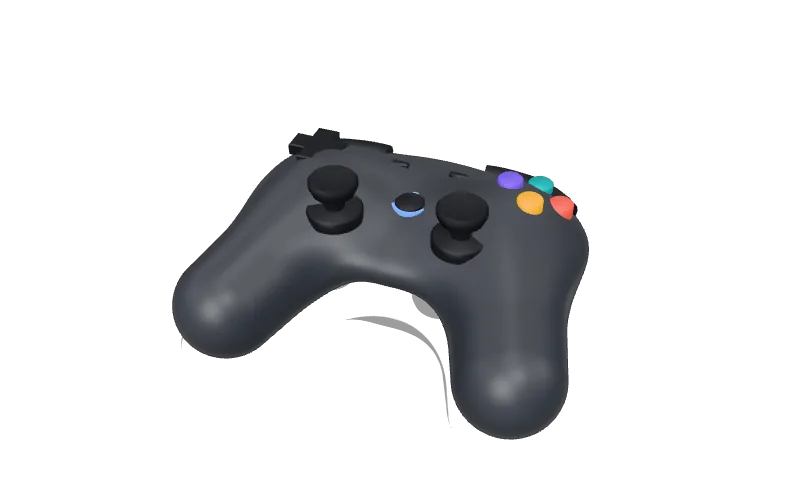
Wireless Gamepad
Controller
A dark grey wireless gamepad with two thumbsticks, a direction pad, four coloured face buttons, shoulder buttons, triggers and a light strip.
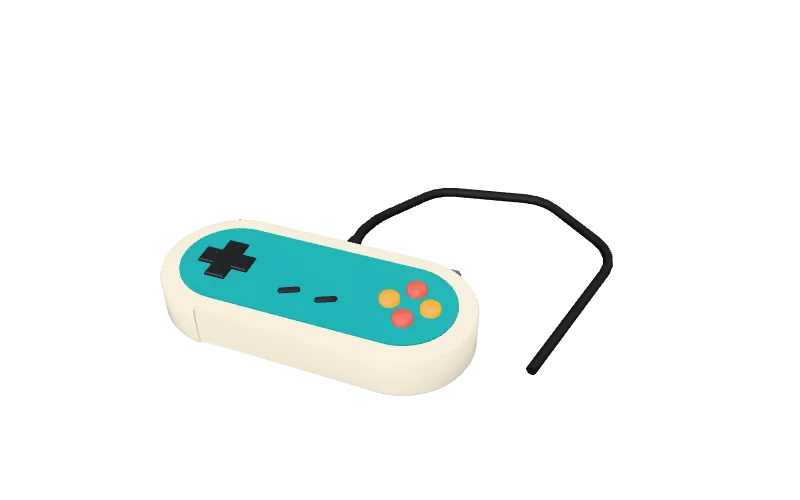
Retro Gamepad
Controller
A cream wired gamepad in the old style with rounded ends, a teal face, a direction pad, four small buttons, shoulder buttons and a cable.
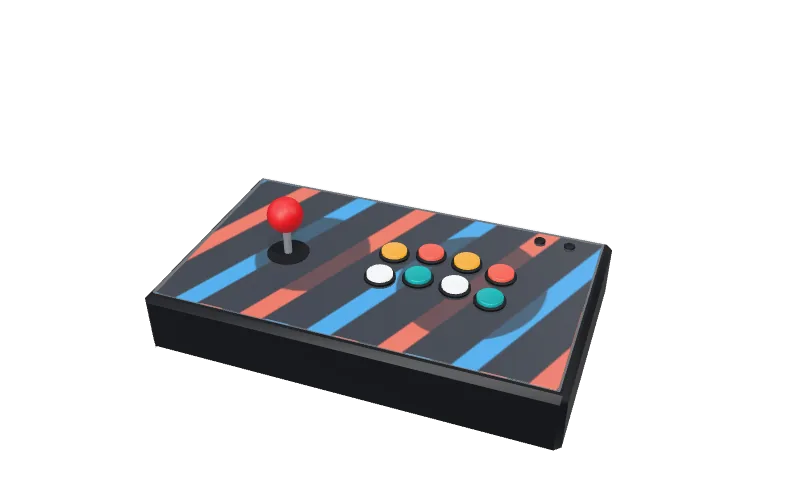
Arcade Fight Stick
Controller
A slim arcade stick with bold art under clear acrylic, a red ball top lever, eight arcade buttons in two curved rows and a cable.
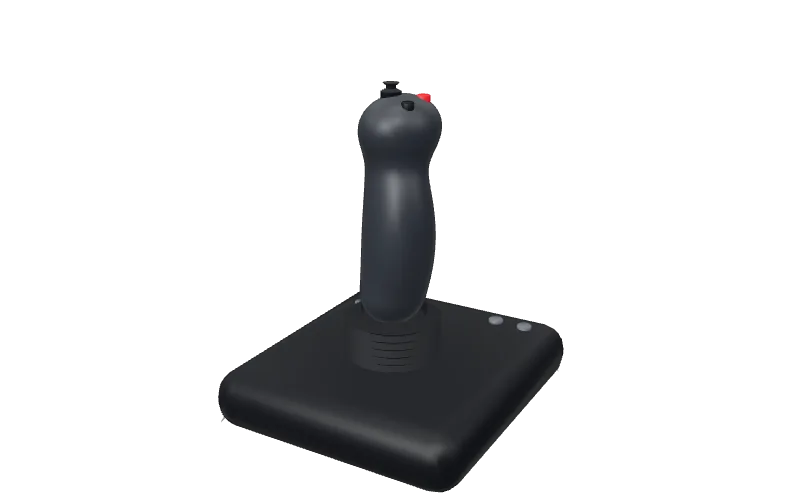
Flight Stick
Controller
A flight stick with a shaped grip on a ribbed rubber boot, a trigger, a hat switch, head buttons and six more buttons on its heavy base.
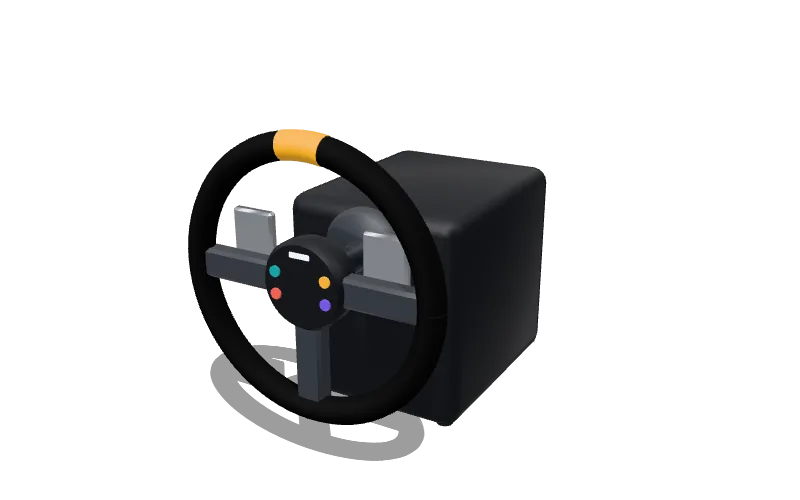
Racing Wheel
Controller
A racing wheel with a rubber rim, a top centre mark, metal shift paddles and four buttons, on a motor base with a desk clamp.
- Steering_Wheel
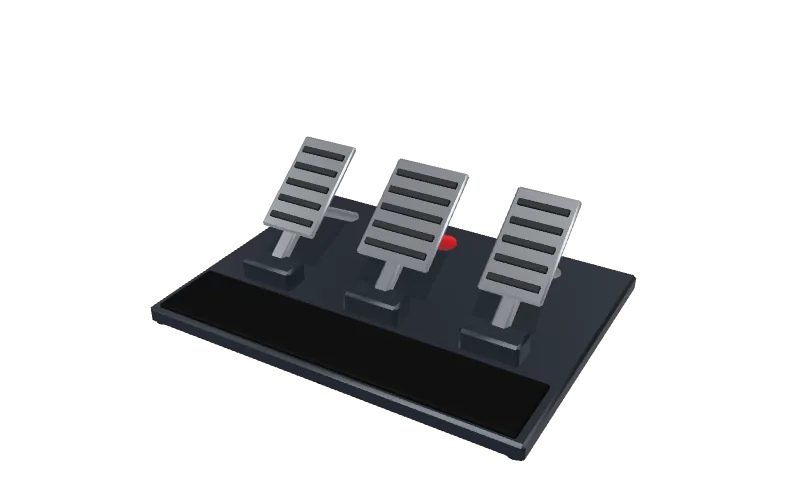
Racing Pedals
Controller
A metal pedal set with clutch, brake and throttle pedals on hinges, rubber treads, springs and a red damper, and a grippy heel rest.
- Clutch_Pedal
- Brake_Pedal
- Throttle_Pedal
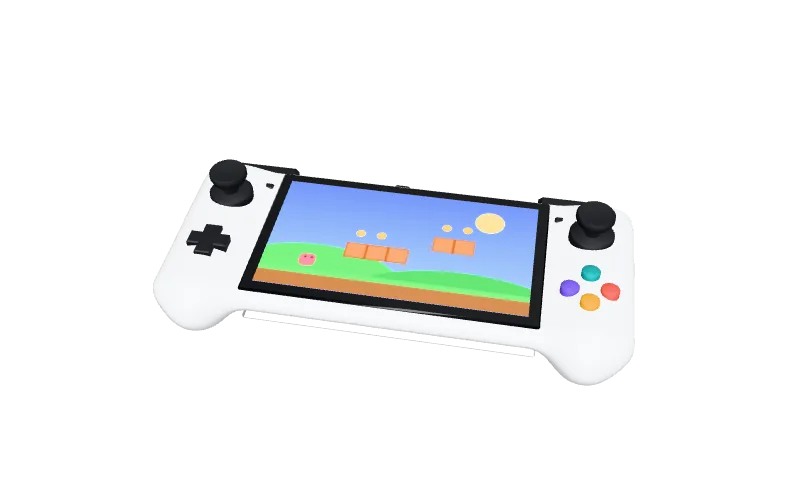
Handheld Console
Console
A white handheld console with a glowing wide screen showing a made-up game, two sticks, a direction pad, four buttons and shoulder buttons.
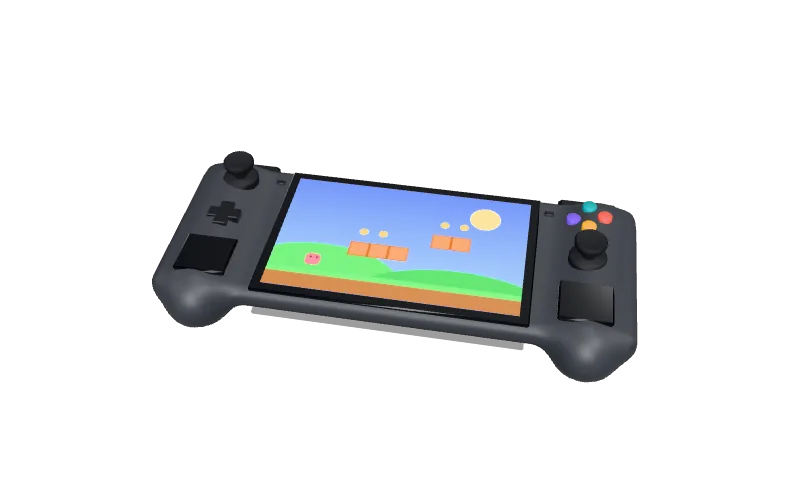
Handheld Gaming PC
Console
A large dark handheld gaming PC with a 7 inch glowing screen, sticks, a direction pad, buttons, two touch pads and deep grips behind.
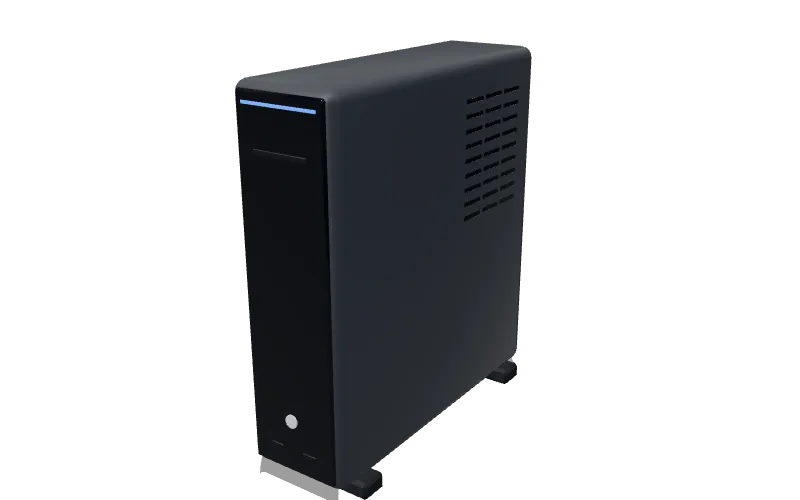
Tower Console
Console
A tall graphite home console with a gloss black front, a blue light line, a disc slot, two ports, rows of side vents and rubber feet.
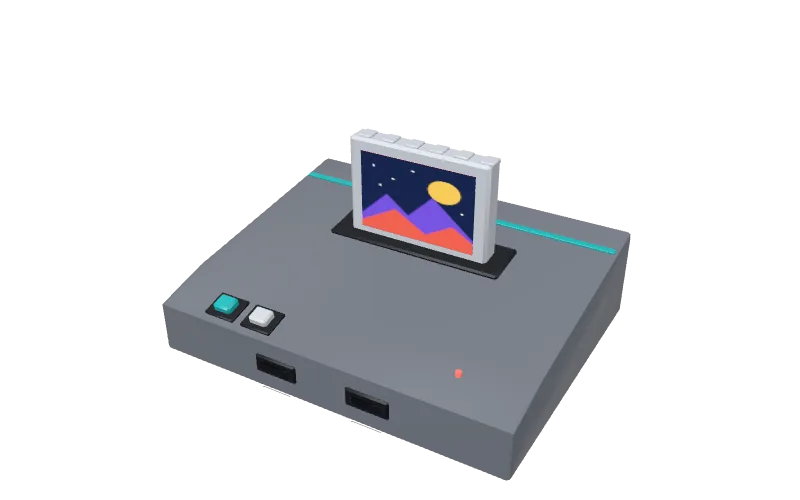
Retro Cartridge Console
Console
A sloped grey home console from the cartridge days, with a game cartridge in its top slot, power and reset sliders and two pad ports.
- Cartridge
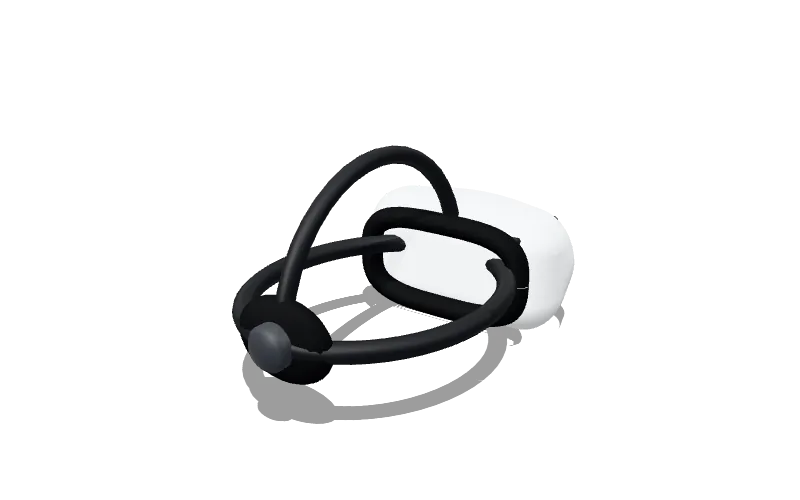
VR Headset
VR
A white VR headset with four front cameras, a foam face cushion, a rigid black halo band, a top strap and a dial at the back.
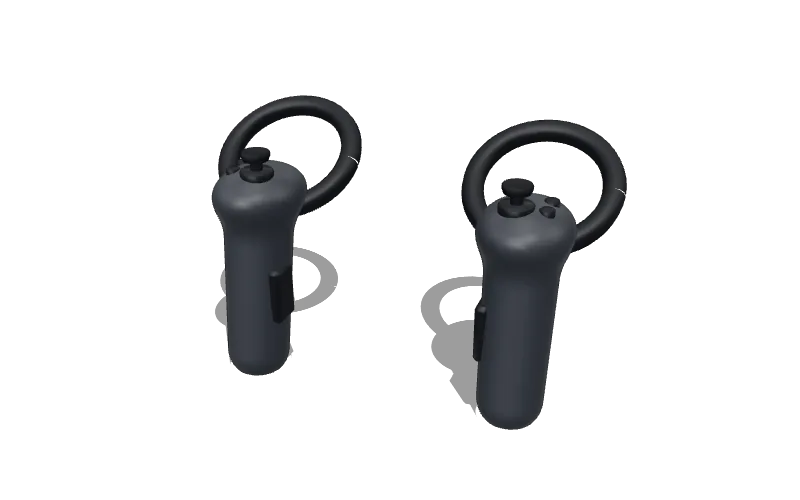
VR Controllers
VR
A left and right pair of VR motion controllers with tracking rings, thumbsticks, buttons, triggers and grip buttons, standing up.
Made for games
- Our own designsEvery controller and console is a general design made for this pack, with no maker names, logos or button symbols, in its own colours.
- Glowing screensThe handhelds show a bright made-up platform game on their screens, and the lights on the pads, consoles and wheel glow.
- Moving partsThe racing wheel turns on its own node, each racing pedal swings on its own hinge node, and the retro console cartridge lifts out of its slot.
- Smooth real shapesThe gamepad, handhelds, flight stick grip, VR headset and VR controllers have smooth rounded shells with thumbsticks, pads and buttons on their surfaces.
How to use these GLB models
GLB is binary glTF 2.0: one file with the mesh, materials and node names. Every modern 3D tool reads it.
three.js
Load it with GLTFLoader, as in the code below. Babylon.js, PlayCanvas and A-Frame load GLB directly too.
Unity
Add the free glTFast package (Package Manager, add by name: com.unity.cloud.gltfast), then drag the .glb into Assets.
Godot 4
Drop the .glb into the FileSystem dock. Godot imports it as a scene you can instance.
Blender
File, Import, glTF 2.0. From there you can also export to FBX, OBJ or STL.
import * as THREE from 'three';
import { GLTFLoader } from 'three/addons/loaders/GLTFLoader.js';

const gltf = await new GLTFLoader().loadAsync('model.glb');
const model = gltf.scene;
scene.add(model);

// the model is in metres, +Y up, facing +Z, standing on the ground at the origin

// turn the racing wheel with the arrow keys (three.js)
const rig = (await new GLTFLoader().loadAsync('racing-wheel.glb')).scene;
const wheel = rig.getObjectByName('Steering_Wheel');
let steer = 0;
addEventListener('keydown', e => { if (e.key === 'ArrowLeft') steer = 1; if (e.key === 'ArrowRight') steer = -1; });
addEventListener('keyup', () => { steer = 0; });
renderer.setAnimationLoop(() => {
  wheel.rotation.z += (steer * 1.6 - wheel.rotation.z) * 0.1;   // the wheel faces +Z, so it turns about Z
  renderer.render(scene, camera);
});
scene.add(rig);
Licence: free with credit (CC BY 4.0)
All models are made by vinish.dev and released under Creative Commons Attribution 4.0. You may use them in personal and commercial projects, change them and share them. The one condition is credit, for example in your game's credits, your app's about page or your video description:
Each file carries its own credit line inside it (the glTF asset.copyright field), and each zip has a CREDITS.txt. If you change a model, say so after the credit, for example "recoloured".
Questions
How big are they?
Real size in metres. The gamepad is 16 cm wide, the handheld console 24 cm, the handheld gaming PC 29 cm, the arcade fight stick 40 cm, the racing wheel rim 31 cm across, the tower console 31 cm tall and the VR headset 30 cm deep with its band.
Which way do they face?
The player side is toward +Z: pads and handhelds lie face up with their shoulder buttons on the far side toward -Z, and the racing wheel, tower console front and VR headset cushion face +Z.
Are there moving parts?
Yes. Steering_Wheel turns about Z on the racing wheel, Clutch_Pedal, Brake_Pedal and Throttle_Pedal swing about X on their hinges, and the Cartridge on the retro console can be lifted out.
What goes with them?
Pair them with the Arcade, Monitors and TVs, Keyboards and Mice, Computers and Retro Tech packs.
Can I use them in a paid game or video?
Yes. They are CC BY 4.0: free for commercial use, just credit vinish.dev.
Can I use these models in a commercial game?
Yes. CC BY 4.0 allows commercial use. Put the credit line in your credits or about screen.
Do I need an account?
No. There is no login, sign-up or email. Open a model in the 3D view and press Download: the file is yours.
Can I get OBJ, STL or glTF?
Yes. Open the model in the 3D view and pick glTF, OBJ or STL. Your browser makes the file from the GLB in a second or two. OBJ and STL have no animation. STL is in millimetres with Z up; the models are made of separate parts, so a slicer may need to repair or merge them before 3D printing. For FBX, import the GLB into Blender (File, Import, glTF 2.0) and export it.
Can I change the models?
Yes. You may edit, recolour or cut them up. Keep the credit and mention that you changed them.
More from vinish.dev
- Free 3D Models: every pack in the library
- All 3D model categories: the full list on one page, with a search box
- Free Home Decor 3D Models: Calm modern shelf and table styling pieces in wood, marble, glass and rattan.
- Free Sci-Fi Laboratory 3D Models: A clean white future lab with glowing fluids, screens and moving parts.
- Free E-Bike and Electric Scooter 3D Models: Electric bikes, scooters and boards with moving wheels, forks and stems.
- Free Endless Runner Kit 3D Models: Bright track pieces, obstacles and coins for lane-switching runner games.
- Free Low Poly Weapon 3D Models: Light flat-shaded weapons for stylized, mobile and prototype games.
- Free Rifle 3D Models: Long guns from the frontier to the range, with their moving parts on their own nodes.
- Free Stadium and Arena 3D Models: Whole sports venues and the pieces round them, at real size in metres.
- Free Railway Track Kit 3D Models: Standard gauge track pieces that snap together into a railway, with the lineside and station pieces to dress it.
- Free Ice Age Animal 3D Models: Prehistoric mammals of the last ice age, each rigged with its own legs, head and tail and ready to idle, walk and run.
- Free Elf, Dwarf and Orc 3D Models: Three fantasy folk with their own builds: tall slim elves, short broad dwarves with big beards and huge green-skinned orcs with tusks.
- Free Quad Bike and ATV 3D Models: Four-wheel off-road machines for farms, trails, races and snow, with wheels, bars and work tools ready to animate.
- Free Cave Kit 3D Models: A modular cave system: rough rock tunnels with matching ends for building cave levels, and formations and set pieces to dress them.
- Free Neon Sign 3D Models: Picture signs bent from glowing glass tubes, with no letters, so they suit any shop, bar, diner, motel or arcade in any language.
- Free Feudal Japan 3D Models: Shrines, temples, gardens and castle-town props of old Japan, from a vermilion gate and a pagoda to lacquered armour and paper screens.
- Free Meat and Barbecue 3D Models: Grills, a smoker and a fire pit loaded with food, plus meats served on boards and platters, for cookouts, kitchens, restaurants and food scenes.
- Free Bakery 3D Models: The working side of a bakery, from the mixer and proofer to the oven, slicer and shop counter, each dressed with dough, loaves and pastries.
- Free Antique Furniture 3D Models: Period pieces in walnut, mahogany, cherry, oak and pine for old houses, shops, museums and period films, with cabriole legs, brass pulls and carved crests.
- Free Abandoned Hospital 3D Models: A creepy but not gory kit for horror and explore games: chipped paint, rust, stains, broken glass and scattered papers are built into every piece.
- Free Ruins 3D Models: Weathered stonework for fantasy, adventure and survival scenes: broken tops, fallen blocks, moss and rubble are part of each model, so they look old as soon as you drop them in.
- Free Buggy and Go-Kart 3D Models: Small fun vehicles for racing games, beach scenes and fairground tracks, each with four wheels and a steering wheel you can turn.
- Free Printable Vase and Planter STL: Watertight shells with real wall thickness at real millimetre sizes: download the STL, drop it in your slicer and print.
- Free Park 3D Models: A kit for building a town park: the path tiles are 2 m squares that join edge to edge, and the features drop in beside them at real size.
- Free Lab Glassware 3D Models: Clear glass with real wall thickness and coloured liquids inside, at real size for chemistry classrooms, lab scenes and science games, with stoppers, lids and taps as their own nodes.
- Free Survival Gear 3D Models: Bushcraft and emergency kit at real size for survival games, loot tables and inventory icons, with the parts that turn or fold split out as their own nodes.
- Free Low Poly Vehicle 3D Models: Flat-shaded vehicles in bright solid colours with no textures, at real size, for city builders, toy worlds and casual games.
- Free Handgun 3D Models: Game-ready sidearms at real size with the moving parts split out: slides, hammers, cylinders, bolts, magazines and break-open barrels are their own nodes.
- Free Glasses and Sunglasses 3D Models: Everyday frames, sunglasses and goggles at real size, with see-through tinted lenses and temples that fold on their hinges.
- Free Fantasy Hero 3D Models: A full adventuring party for an RPG: armoured fighters, hooded scouts and robed spellcasters with staffs, bows, blades, shields and a lute. Idle, walk and run.
- Free Sea Fish 3D Models: Animated sea fish at real size with painted skins, from a 10 cm clownfish to a 3 m blue marlin and a 2.8 m tall sunfish.
- Free Cliff 3D Models: Solid cliff pieces 8 m wide with jointed rock faces, grass tops and fallen rocks, from an 8 m wall to a 16 m high face.
- Free Gear and Machine Part 3D Models: Steel, bronze and brass machine parts with real involute teeth that mesh, from a 52 mm bearing to a half-metre crankshaft.
- Free Sci-Fi Building 3D Models: Clean white future buildings with glass bands and glowing trim, from a small gun tower to a 96 m spire, at real size.
- Free Warship 3D Models: Modern and 1940s warships with turning guns, radar and screws, a landing craft and hovercraft with ramps, and two naval props, at real size.
- Free Fighter Jet 3D Models: Jet fighters, trainers and attack jets with opening canopies, moving wings and turning wheels, plus a hangar and an engine stand, at real size.
- Free Drift and Drag Car 3D Models: Drag strip rails and drift builds with wings, roll cages, slicks and tow straps, plus two pit props, at real size.
- Free Castle 3D Models: Whole castles and modular castle pieces in stone, sandstone and timber, at real building size.
- Free Trap 3D Models: Classic game traps built on 50 cm flagstone tiles, at real size and ready to drop into a level.
- Free Candle 3D Models: Lit candles with wax drips and glowing flames, in the holders, stands and dishes that go with them, at real size.
- Free Shop Display 3D Models: Retail fixtures for clothing, shoe, gift and jewellery shops, stocked with goods and built at real size.
- Free Victorian Era 3D Models: Nineteenth-century transport, home furnishings, gadgets and travel goods in mahogany, brass, cast iron, marble and leather, at real size.
- Free Japanese Food 3D Models: Noodle soups, a packed lunch, rice balls, fried and grilled dishes, street snacks and a tea set, each a ready table setting at real size.
- Free Sci-Fi Weapon 3D Models: Our own futuristic guns, a grenade and two melee weapons with emissive energy cells, coils, arcs and blades, at real hand size with named moving parts.
- Free Crop 3D Models: Field and garden crops at real size in ridges and patches of soil: corn, wheat, barley, sunflowers, tomato, cabbage, potato, strawberry, pumpkin, cotton and carrot.
- Free Taxi 3D Models: Six taxi cars with full cabins and lit roof signs, and the street kit around them: roof sign, fare meter, rank sign, call box, shelter and a painted rank bay.
- Free Samurai and Ninja 3D Models: Rigged characters of old Japan in laced armour, kimono and hakama or dark ninja dress, with swords, a naginata, a spear, a bow and a war fan. Idle, walk and run.
- Free Low Poly Car 3D Models for Games: 12 vehicles with separate wheels
- Sample GLB Files: small test files for loaders, viewers and engines
- Free browser games and simulators by vinish.dev