Free Recording Studio 3D Models: Mixing Console, Vocal Booth, Mic Stand, Monitors and Tape Machine (GLB, OBJ, STL)
Twelve free recording studio 3D models: a control room corner, an analog mixing console, a vocal booth, a condenser mic on a boom stand, monitor speakers on stands, a rack of outboard gear, a tape machine, an acoustic diffuser, a gobo, a keyboard controller, a podcast mic arm and a headphone cue mixer. Free for commercial use under CC BY 4.0, no login.
- 12 models
- 1,324–38,696 triangles
- 162 KB–1.9 MB each
- GLB, glTF, OBJ, STL
- CC BY 4.0
- No login
All 12 models
Drag a model to turn it, or tap it to open the 3D viewer, where you can zoom and download it. Sizes are width × depth × height.
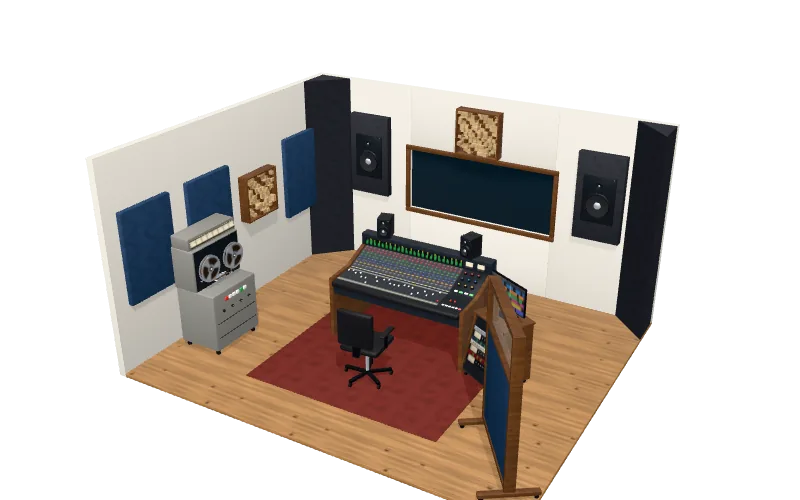
Studio Control Room
Mixing room corner
A corner of a mixing room with an analog console, nearfield and wall monitors, a rack, a tape machine, bass traps, diffusers and a chair.
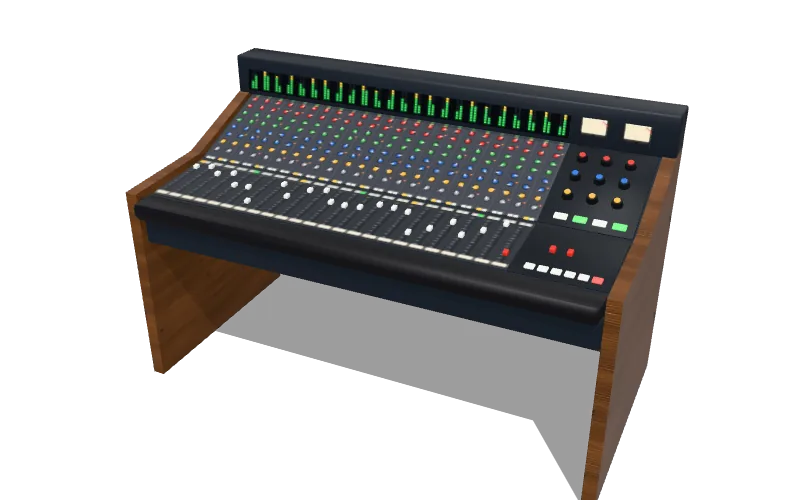
Analog Mixing Console
24 channel desk
A 24 channel analog mixing console with coloured knobs, faders, a master section, LED meters and two VU meters between walnut cheeks.
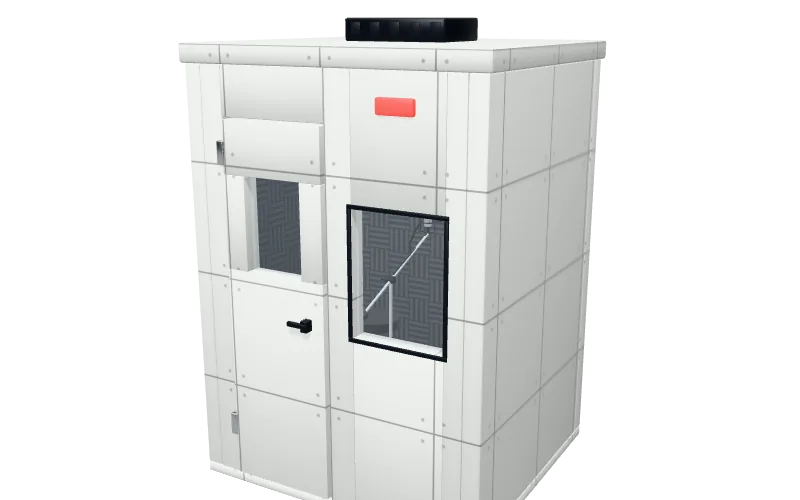
Vocal Booth
Isolation booth
A panelled vocal booth with a windowed door, a side window, a red light, foam inside, a mic on a boom stand and a stool.
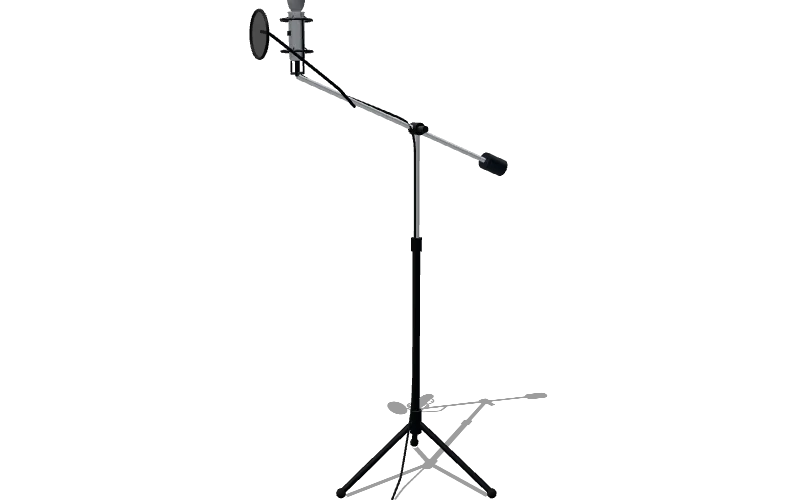
Condenser Mic on Stand
Boom stand and pop filter
A side address condenser microphone in an elastic shock mount on a tripod boom stand with a counterweight, a pop filter and a cable.
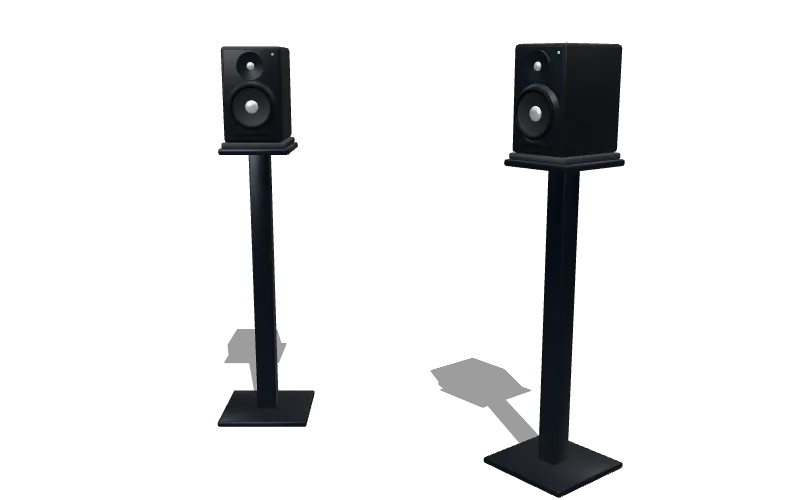
Monitor Speakers on Stands
Pair of monitors
A pair of two way studio monitors with woofers and tweeters on steel stands with felt pads, turned in toward the listener.
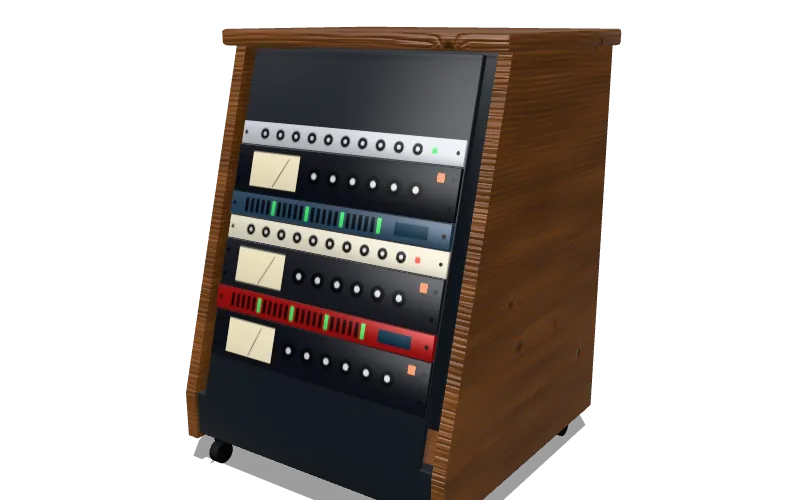
Studio Rack Cabinet
Outboard gear rack
A walnut producer rack on casters with a slanted front of outboard gear: knob rows, VU meters, meter strips and small displays.
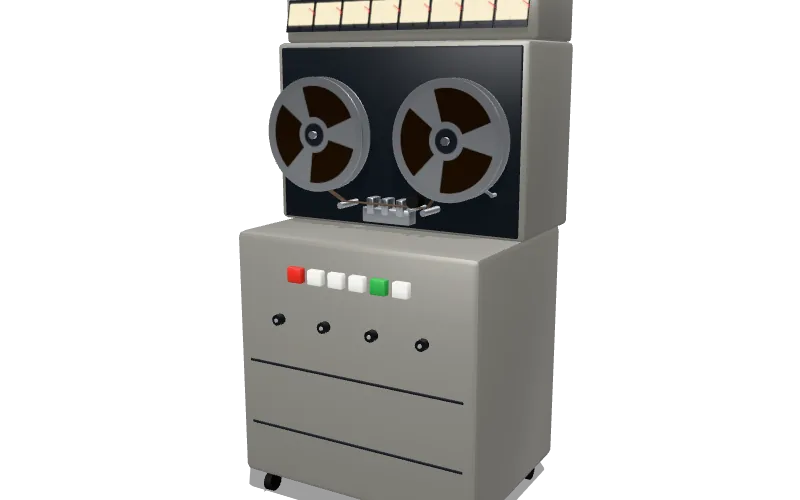
Multitrack Tape Machine
Reel to reel recorder
A reel to reel tape machine on casters with two reels, tape over the heads and capstan, transport keys and a bridge of VU meters.
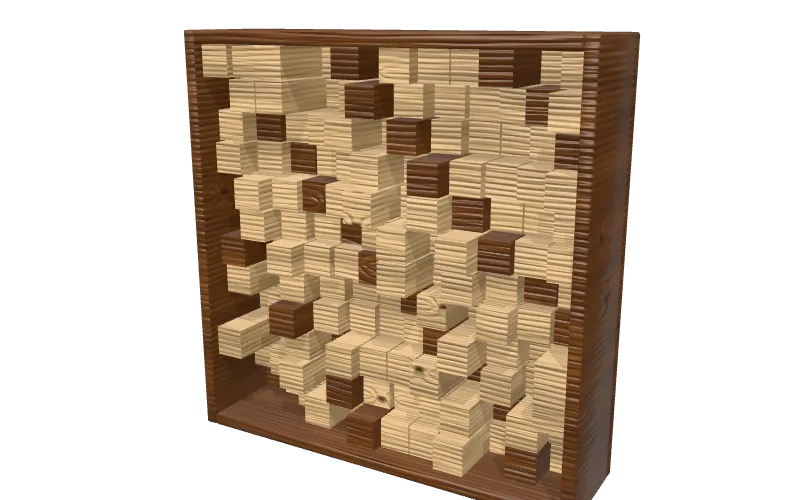
Acoustic Diffuser
Skyline wall panel
A skyline acoustic diffuser: a grid of maple and walnut blocks of stepped depths in a walnut frame, made to hang on a studio wall.
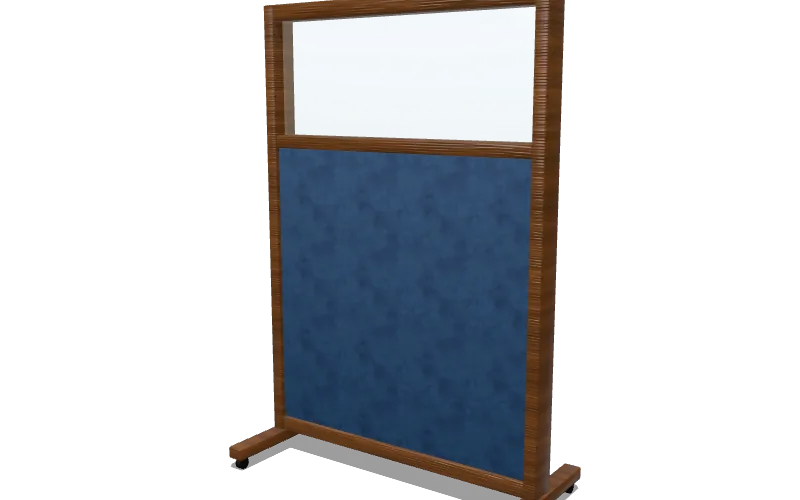
Studio Gobo
Acoustic partition
A wheeled studio gobo with a walnut frame, a blue fabric lower panel and a glass top, for screening off players in a live room.
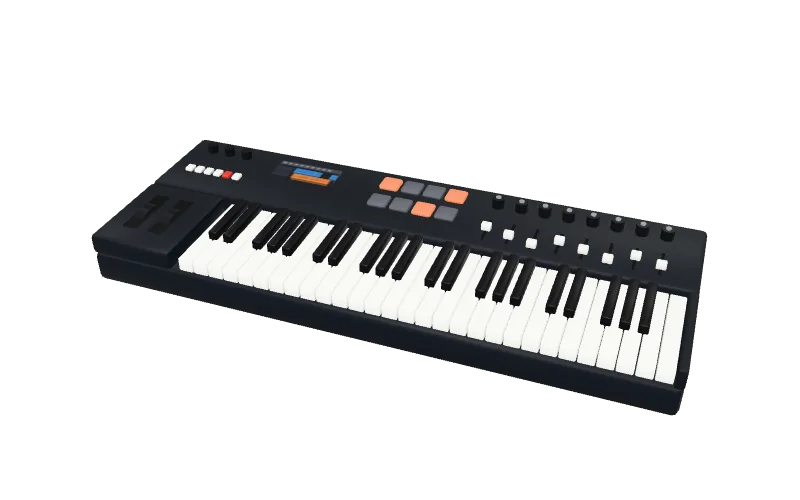
MIDI Keyboard Controller
49 keys
A 49 key keyboard controller with pitch and mod wheels, eight pads, a row of knobs, small faders, transport keys and a screen.
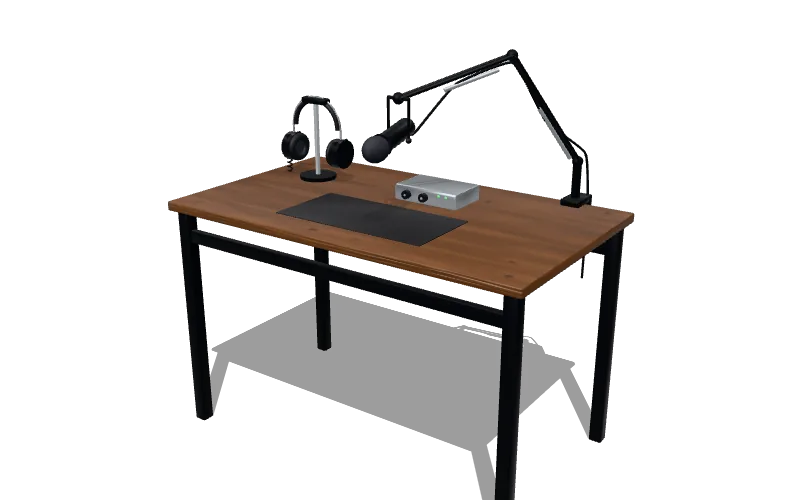
Podcast Mic Arm
Boom arm on a desk
A spring boom arm clamped to a walnut desk holding a dynamic broadcast mic, with headphones on a stand and an audio interface.
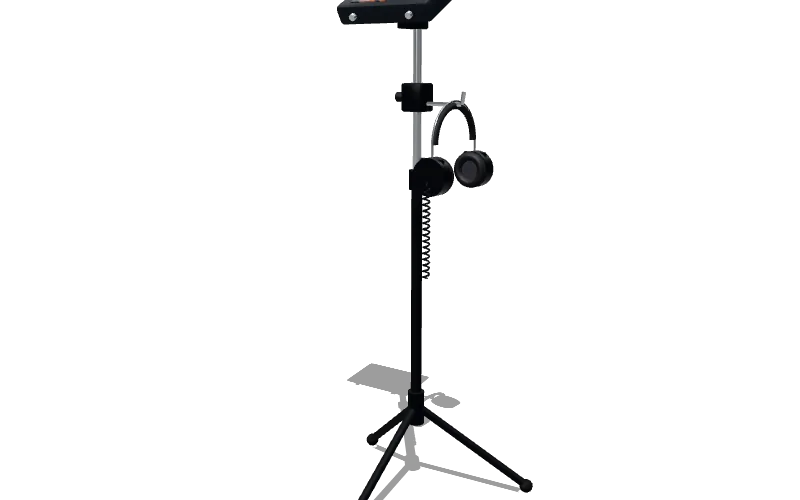
Headphone Cue Mixer
Personal monitor mixer
A personal headphone cue mixer with coloured knobs and a small screen on a tripod stand, with closed headphones on a hook.
Made for games
- Control roomA mixing room corner with the console, nearfields on the meter bridge, wall monitors either side of the window, a rack with a display, a tape machine, bass traps and diffusers.
- RecordingA panelled vocal booth with foam and a red light, a condenser mic in a shock mount with a pop filter, a wheeled gobo and a headphone cue mixer on a stand.
- GearA 24 channel console with faders and meters, studio monitors on stands, a slanted rack of outboard units, a reel to reel machine, a keyboard controller and a podcast arm.
- Ready for gamesAbout 1,300 to 39,000 triangles and 160 KB to 2 MB per GLB, at real size in metres, resting on y = 0 with the front toward +Z.
How to use these GLB models
GLB is binary glTF 2.0: one file with the mesh, materials and node names. Every modern 3D tool reads it.
three.js
Load it with GLTFLoader, as in the code below. Babylon.js, PlayCanvas and A-Frame load GLB directly too.
Unity
Add the free glTFast package (Package Manager, add by name: com.unity.cloud.gltfast), then drag the .glb into Assets.
Godot 4
Drop the .glb into the FileSystem dock. Godot imports it as a scene you can instance.
Blender
File, Import, glTF 2.0. From there you can also export to FBX, OBJ or STL.
import * as THREE from 'three';
import { GLTFLoader } from 'three/addons/loaders/GLTFLoader.js';

const gltf = await new GLTFLoader().loadAsync('model.glb');
const model = gltf.scene;
scene.add(model);

// the model is in metres, +Y up, facing +Z, standing on the ground at the origin

const loader = new GLTFLoader();
const gltf = await loader.loadAsync('analog-mixing-console.glb');
scene.add(gltf.scene);

// face the console toward the control room window
gltf.scene.rotation.y = Math.PI;
Licence: free with credit (CC BY 4.0)
All models are made by vinish.dev and released under Creative Commons Attribution 4.0. You may use them in personal and commercial projects, change them and share them. The one condition is credit, for example in your game's credits, your app's about page or your video description:
Each file carries its own credit line inside it (the glTF asset.copyright field), and each zip has a CREDITS.txt. If you change a model, say so after the credit, for example "recoloured".
Questions
How big are they?
Real size in metres: the control room is 5.3 by 4.5 m with 2.8 m walls, the console 1.9 m wide, the vocal booth 1.7 by 1.6 m and 2.5 m tall, the mic stand 1.8 m tall and the keyboard controller 80 cm long.
Are these copies of real products?
No. They are our own generic designs. There are no brands, logos, text or numbers anywhere: the meters and fader scales are plain ticks and the screens show only coloured clips.
Do they have textures?
Yes. Channel strips with coloured knobs, fader lanes, LED and VU meters, rack gear faces, tape reels, wedge foam, booth panels, fabric, walnut and maple grain and a timeline on the screens.
Can I use them in a paid game?
Yes. They are CC BY 4.0: free for commercial use, just credit vinish.dev.
What goes well with them?
For more see Musical Instruments, Concert Stage, Film and Studio Gear and Vintage Radios and TVs.
Can I use these models in a commercial game?
Yes. CC BY 4.0 allows commercial use. Put the credit line in your credits or about screen.
Do I need an account?
No. There is no login, sign-up or email. Open a model in the 3D view and press Download: the file is yours.
Can I get OBJ, STL or glTF?
Yes. Open the model in the 3D view and pick glTF, OBJ or STL. Your browser makes the file from the GLB in a second or two. OBJ and STL have no animation. STL is in millimetres with Z up; the models are made of separate parts, so a slicer may need to repair or merge them before 3D printing. For FBX, import the GLB into Blender (File, Import, glTF 2.0) and export it.
Can I change the models?
Yes. You may edit, recolour or cut them up. Keep the credit and mention that you changed them.
More from vinish.dev
- Free 3D Models: every pack in the library
- All 3D model categories: the full list on one page, with a search box
- Free Roof and Chimney 3D Models: Every roof is built at real size in metres from our own designs on the top band of its walls, from the 10 m cross gable and the 9 m barn roof down to chimney pots under a metre tall.
- Free Bonsai 3D Models: Every tree is built at real size in metres from our own designs, from the 71 cm literati pine and the 68 cm wide forest slab down to a shohin maple on a 60 cm display table.
- Free Hospital Buildings 3D Models: Every building comes on its own plot at real size in metres with car parks, lawns, trees and lamps, from the 92 m hospital campus with its 32 m ward tower down to the 40 m helipad deck.
- Free Renaissance 3D Models: Every piece is built at real size in metres from our own designs in the spirit of the period, from the 2 m printing press and the 8.7 m flying machine down to a brass astrolabe 22 cm across.
- Free Pizza and Pasta 3D Models: Every dish is built at real size in metres and served on its own plate, board, tray or baking dish, from a 30 cm pizza cut into eight slices to single strands of spaghetti twirled into a nest.
- Free Fishing Boat 3D Models: Every boat and every piece of gear is built at real size in metres, from the 16 m trawler with its gantry and net drum down to the floats on a cork line, ready to dress a harbor, a dock or a fishing game.
- Free Wolf and Fox 3D Models: Every animal stands at real size on all fours with its own coat colours and markings, from the grizzled saddle of the gray wolf to the black stockings of the red fox and the huge ears of the fennec.
- Free Bar Stool 3D Models: Real heights for kitchens and bars: bar stools seat at about 76 cm, the counter stool at 68 cm, the island top at 92 cm and the bar counter at 106 cm; bottles carry no labels.
- Free Athlete 3D Models: Kits are plain team colours with no numbers, names, logos or flags; every athlete shares one 17-bone skeleton, so clips and props move from one model to another.
- Free Electrical Panel 3D Models: Labels are blank and warning signs use a plain bolt pictogram, so there are no brands, ratings, words or numbers; doors, covers, the switch lever and the meter disc are separate nodes.
- Free Golf 3D Models: Clubs stand at address on their soles with real lie angles, balls carry dimples, and every model is real size in metres with no brands, logos, words or numbers.
- Free Voxel People 3D Models: Each person is a small node tree of cubes, with the body, head, arms and legs as separate nodes, painted from one shared palette texture and with no logos, badges with text or printed words.
- Free Shotgun and SMG 3D Models: Fore ends, barrels, hammers, bolt handles, magazines and stocks are separate named nodes you can animate, all at real size in metres with no brands, logos, markings or printed text.
- Free Smart Home 3D Models: The screens show our own icon pictures, and status lights, light rings, panels and bulbs glow with emissive materials, all at real size in metres with no brands, logos or printed text.
- Free Altar and Rune Stone 3D Models: The runes are made-up stroke glyphs of our own, carved into weathered stone or glowing in cyan, violet and amber, with moss, rubble, candles, flames and crystals placed round them.
- Free Satellite and Space Probe 3D Models: Every model is our own general design with foil blankets, solar cell panels, dishes, booms, thrusters and instruments modelled in 3D, at real size in metres and resting on the ground plane.
- Free Garbage Truck and Street Sweeper 3D Models: The trucks have full cabs with seats and dashboards, and every wheel and working part, from tailgates, packers and bin arms to lift arms, brooms, doors and booms, is its own node ready to animate.
- Free Art Studio 3D Models: Each piece comes dressed with its own supplies, from canvases, paint tubes, jars and brushes to wet clay, greenware pots and felt blankets, so a few of them make a whole painting, pottery or print studio.
- Free School Building 3D Models: Each building stands on its own plot with lawns, trees, paths and props such as a playground, a flagpole, car parks or picnic tables, so one model fills a whole block of a town or campus.
- Free Passenger Rail Car 3D Models: Each car runs on standard gauge bogies that are their own nodes, with gangways, couplers or buffers at the ends, so you can make up a whole passenger train behind any locomotive.
- Free Bear 3D Models: Every bear stands at real size on all fours with its own coat colours and markings, from the grizzly hump to the panda eye patches and the pale chest marks of the moon bear.
- Free TV Stand 3D Models: Most stands come dressed with a blank flat TV, media boxes, books, plants and vases, so a living room scene looks lived in straight away.
- Free American Football 3D Models: Field gear, practice gear and player gear in one set, all blank with no teams, logos or numbers, so you can dress a gridiron, a practice field or a locker room scene.
- Free Winter Tree 3D Models: Every tree stands on its own low mound of snow, with snow lying along the tops of the branches, so you can plant a whole winter forest or a snowy park straight away.
- Free Coffee Cup Mockup 3D Models: Every cup has a blank print area whose UVs run 0 to 1 across the print, so you can swap in your own logo or artwork as a single texture and render branded cup shots in minutes.
- Free Police and Firefighter 3D Models: Each one is a full man or woman on a 17-bone skeleton with Idle, Walk and Run clips, dressed in generic uniforms with blank badges and carrying the gear of the job.
- Free Metal Shop and Welding 3D Models: Fill a fabrication shop: welders with their guns, torches, leads and clamps, gas bottles with regulators, a table full of clamps, a rack of steel and the tools that cut and bend it.
- Free Thanksgiving 3D Models: Set a whole holiday table: the roast and every side dish, a pie for dessert, candles and gourds down the middle, a wreath on the door and a turkey strutting in the yard.
- Free Private Jet 3D Models: From a 9 m personal jet to a 32 m long range jet, each at real size with its own livery, ready for an airport, a hangar or a VIP arrival scene.
- Free Reception and Lobby 3D Models: Everything you need to dress the front of a hotel, an office or a clinic: desks with monitors and bells, seats for guests, a brass cart full of suitcases and the small props around them.
- Free Hotel and Motel 3D Models: Every building stands on its own plot with parking, pools, palms, pines, lamps and blank signs, so you can drop it straight into a town, a highway or a seaside map.
- Free Deer, Elk and Moose 3D Models: Each animal walks, runs and stands idle: Idle, Walk and Run clips on a simple node rig with a Head, a Tail and four legs that bend at the knee and hock.
- Free Wardrobe and Dresser 3D Models: Painted wood, oak, walnut, cherry and knotty pine, white laminate, blue grey steel and woven cane, with brass, chrome and black metal pulls.
- Free Cookie Cutter STL: Each cutter is one closed solid at real millimetre size with a wide rim to press on and a thin cutting edge: download the STL, slice and print it rim down.
- Free Trash and Litter 3D Models: Glossy black, grey and green bag plastic, green bin plastic, red and silver can metal, clear bottle plastic, newsprint, cardboard, paper and foil.
- Free Dentist 3D Models: Teal vinyl, glossy white plastic, brushed steel and chrome, white enamel teeth, pink gums and acrylic, white plaster and a lit screen.
- Free Jacket and Coat 3D Models: Beige gabardine, olive nylon, glossy red quilting, blue denim, black leather, navy and camel wool, charcoal suiting, yellow rain cloth, teal fleece and cream leather sleeves.
- Free Baseball 3D Models: White leather with red stitching, natural and stained wood, blue alloy, tan glove leather, a glossy navy helmet, black steel and rubber, and canvas.
- Free Balcony and Railing 3D Models: Dressed limestone, black wrought iron with twisted bars, frameless glass, brushed and powder coated steel, galvanized pipe, timber decks and white painted wood.
- Free Aztec and Maya 3D Models: Weathered limestone and basalt, red temple plaster, carved step-fret friezes, jade tiles, shell and obsidian, painted clay and bright feathers.
- Free Ice Cream 3D Models: Textured scoops with ragged collars, piped soft serve swirls, glossy chocolate shells, waffle and cake cones, wooden sticks, sprinkles and cherries.
- Free Motorboat 3D Models: Gelcoat and flake paint hulls, aluminium tubes and punts, vinyl seats, canvas tops, stainless rails and black outboards.
- Free Voxel Animal 3D Models: Blocky animals built from cubes on one shared palette texture, with Idle and Walk clips and Hop or Flap where it fits.
- Free Spear and Polearm 3D Models: Steel and iron heads with bright honed edges, langets and rivets, ash and dark wood shafts, leather and cord grips.
- Free Film and Studio Gear 3D Models: Black metal, chrome and aluminium stands, glowing lamps and screens, a fur windshield, wood track ties and a striped clapper.
- Free Low Poly Car 3D Models for Games: 12 vehicles with separate wheels
- Sample GLB Files: small test files for loaders, viewers and engines
- Free browser games and simulators by vinish.dev