Free Pixel Village, Pirate and Haunted Props: Pixel Art Sprites (PNG)
A cottage, signs, fences, barrels, a well, a lantern post, a pirate flag, an anchor, treasure, gravestones and skulls. Pixel art in the style of a classic 16-bit platformer, drawn pixel by pixel by our own code, at 1x and 4x. Each one stands on its bottom edge. Free with credit, no login.
- 14 props
- Pixel art
- PNG + @4x
- CC BY 4.0
All 14 props
The previews play the real files. Press View and download for every file and format.
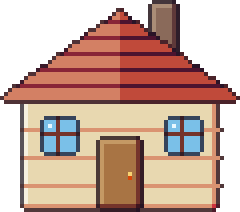
Cottage
60 × 53 px PNG · pixel art · @4x
Pixel art at 1x, plus a 4x copy (240 × 212 px). It stands on its bottom edge.
Pixel Village, Pirate and Haunted Props · 60 × 53 px PNG · pixel art · @4x
Pixel art at 1x, plus a 4x copy (240 × 212 px). It stands on its bottom edge.
Download

Pivot: x 0.5, y 1 (bottom centre). Scale by whole numbers with smoothing off so the pixels stay sharp.
Credit (CC BY 4.0)
Free for personal and commercial use. Paste the credit line in your credits. How to credit

Signpost
26 × 29 px PNG · pixel art · @4x
Pixel art at 1x, plus a 4x copy (104 × 116 px). It stands on its bottom edge.
Pixel Village, Pirate and Haunted Props · 26 × 29 px PNG · pixel art · @4x
Pixel art at 1x, plus a 4x copy (104 × 116 px). It stands on its bottom edge.
Download

Pivot: x 0.5, y 1 (bottom centre). Scale by whole numbers with smoothing off so the pixels stay sharp.
Credit (CC BY 4.0)
Free for personal and commercial use. Paste the credit line in your credits. How to credit

Fence
48 × 22 px PNG · pixel art · @4x
Pixel art at 1x, plus a 4x copy (192 × 88 px). It stands on its bottom edge.
Pixel Village, Pirate and Haunted Props · 48 × 22 px PNG · pixel art · @4x
Pixel art at 1x, plus a 4x copy (192 × 88 px). It stands on its bottom edge.
Download

Pivot: x 0.5, y 1 (bottom centre). Scale by whole numbers with smoothing off so the pixels stay sharp.
Credit (CC BY 4.0)
Free for personal and commercial use. Paste the credit line in your credits. How to credit

Barrel
22 × 26 px PNG · pixel art · @4x
Pixel art at 1x, plus a 4x copy (88 × 104 px). It stands on its bottom edge.
Pixel Village, Pirate and Haunted Props · 22 × 26 px PNG · pixel art · @4x
Pixel art at 1x, plus a 4x copy (88 × 104 px). It stands on its bottom edge.
Download

Pivot: x 0.5, y 1 (bottom centre). Scale by whole numbers with smoothing off so the pixels stay sharp.
Credit (CC BY 4.0)
Free for personal and commercial use. Paste the credit line in your credits. How to credit
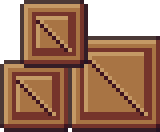
Crate Stack
40 × 33 px PNG · pixel art · @4x
Pixel art at 1x, plus a 4x copy (160 × 132 px). It stands on its bottom edge.
Pixel Village, Pirate and Haunted Props · 40 × 33 px PNG · pixel art · @4x
Pixel art at 1x, plus a 4x copy (160 × 132 px). It stands on its bottom edge.
Download

Pivot: x 0.5, y 1 (bottom centre). Scale by whole numbers with smoothing off so the pixels stay sharp.
Credit (CC BY 4.0)
Free for personal and commercial use. Paste the credit line in your credits. How to credit
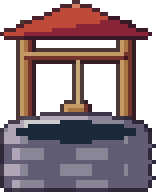
Well
39 × 48 px PNG · pixel art · @4x
Pixel art at 1x, plus a 4x copy (156 × 192 px). It stands on its bottom edge.
Pixel Village, Pirate and Haunted Props · 39 × 48 px PNG · pixel art · @4x
Pixel art at 1x, plus a 4x copy (156 × 192 px). It stands on its bottom edge.
Download

Pivot: x 0.5, y 1 (bottom centre). Scale by whole numbers with smoothing off so the pixels stay sharp.
Credit (CC BY 4.0)
Free for personal and commercial use. Paste the credit line in your credits. How to credit

Lantern Post
13 × 52 px PNG · pixel art · @4x
Pixel art at 1x, plus a 4x copy (52 × 208 px). It stands on its bottom edge.
Pixel Village, Pirate and Haunted Props · 13 × 52 px PNG · pixel art · @4x
Pixel art at 1x, plus a 4x copy (52 × 208 px). It stands on its bottom edge.
Download

Pivot: x 0.5, y 1 (bottom centre). Scale by whole numbers with smoothing off so the pixels stay sharp.
Credit (CC BY 4.0)
Free for personal and commercial use. Paste the credit line in your credits. How to credit
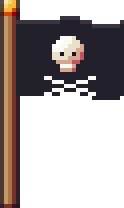
Pirate Flag
31 × 52 px PNG · pixel art · @4x
Pixel art at 1x, plus a 4x copy (124 × 208 px). It stands on its bottom edge.
Pixel Village, Pirate and Haunted Props · 31 × 52 px PNG · pixel art · @4x
Pixel art at 1x, plus a 4x copy (124 × 208 px). It stands on its bottom edge.
Download

Pivot: x 0.5, y 1 (bottom centre). Scale by whole numbers with smoothing off so the pixels stay sharp.
Credit (CC BY 4.0)
Free for personal and commercial use. Paste the credit line in your credits. How to credit

Anchor
31 × 32 px PNG · pixel art · @4x
Pixel art at 1x, plus a 4x copy (124 × 128 px). It stands on its bottom edge.
Pixel Village, Pirate and Haunted Props · 31 × 32 px PNG · pixel art · @4x
Pixel art at 1x, plus a 4x copy (124 × 128 px). It stands on its bottom edge.
Download

Pivot: x 0.5, y 1 (bottom centre). Scale by whole numbers with smoothing off so the pixels stay sharp.
Credit (CC BY 4.0)
Free for personal and commercial use. Paste the credit line in your credits. How to credit

Treasure Pile
40 × 17 px PNG · pixel art · @4x
Pixel art at 1x, plus a 4x copy (160 × 68 px). It stands on its bottom edge.
Pixel Village, Pirate and Haunted Props · 40 × 17 px PNG · pixel art · @4x
Pixel art at 1x, plus a 4x copy (160 × 68 px). It stands on its bottom edge.
Download

Pivot: x 0.5, y 1 (bottom centre). Scale by whole numbers with smoothing off so the pixels stay sharp.
Credit (CC BY 4.0)
Free for personal and commercial use. Paste the credit line in your credits. How to credit

Gravestone
24 × 28 px PNG · pixel art · @4x
Pixel art at 1x, plus a 4x copy (96 × 112 px). It stands on its bottom edge.
Pixel Village, Pirate and Haunted Props · 24 × 28 px PNG · pixel art · @4x
Pixel art at 1x, plus a 4x copy (96 × 112 px). It stands on its bottom edge.
Download

Pivot: x 0.5, y 1 (bottom centre). Scale by whole numbers with smoothing off so the pixels stay sharp.
Credit (CC BY 4.0)
Free for personal and commercial use. Paste the credit line in your credits. How to credit

Cross Grave
20 × 30 px PNG · pixel art · @4x
Pixel art at 1x, plus a 4x copy (80 × 120 px). It stands on its bottom edge.
Pixel Village, Pirate and Haunted Props · 20 × 30 px PNG · pixel art · @4x
Pixel art at 1x, plus a 4x copy (80 × 120 px). It stands on its bottom edge.
Download

Pivot: x 0.5, y 1 (bottom centre). Scale by whole numbers with smoothing off so the pixels stay sharp.
Credit (CC BY 4.0)
Free for personal and commercial use. Paste the credit line in your credits. How to credit
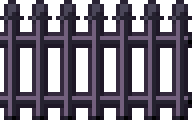
Iron Fence
48 × 30 px PNG · pixel art · @4x
Pixel art at 1x, plus a 4x copy (192 × 120 px). It stands on its bottom edge.
Pixel Village, Pirate and Haunted Props · 48 × 30 px PNG · pixel art · @4x
Pixel art at 1x, plus a 4x copy (192 × 120 px). It stands on its bottom edge.
Download

Pivot: x 0.5, y 1 (bottom centre). Scale by whole numbers with smoothing off so the pixels stay sharp.
Credit (CC BY 4.0)
Free for personal and commercial use. Paste the credit line in your credits. How to credit

Skull Pile
30 × 20 px PNG · pixel art · @4x
Pixel art at 1x, plus a 4x copy (120 × 80 px). It stands on its bottom edge.
Pixel Village, Pirate and Haunted Props · 30 × 20 px PNG · pixel art · @4x
Pixel art at 1x, plus a 4x copy (120 × 80 px). It stands on its bottom edge.
Download

Pivot: x 0.5, y 1 (bottom centre). Scale by whole numbers with smoothing off so the pixels stay sharp.
Credit (CC BY 4.0)
Free for personal and commercial use. Paste the credit line in your credits. How to credit
How to use these assets
Animated sprites come as one PNG sprite sheet each, with a frame map next to it: a TexturePacker-style JSON (frame names, sizes, animations and speed) that most 2D engines read, plus a Godot 4 SpriteFrames file. Tilesets come with Tiled .tsx files.
Phaser
Load the PNG and JSON with this.load.atlas and build each animation from its frame names, as in the code below.
Godot 4
Drop the PNG and the .tres in your project and pick the .tres as the SpriteFrames of an AnimatedSprite2D. All animations and speeds are already set.
Unity
Set the texture to Sprite (Multiple), slice by cell size (it is in the JSON and on each card) and drag the frames onto the scene to make an animation.
Tiled
Open the .tsx tileset. Top-down sets have corner (Wang) sets, so the terrain brush paints shores, paths and kerbs with the right edge tiles.
this.load.atlas('knight', 'knight.png', 'knight.json');   // in preload()

this.anims.create({                                       // in create()
  key: 'run',
  frames: this.anims.generateFrameNames('knight', { prefix: 'knight-run-', start: 0, end: 7, zeroPad: 2 }),
  frameRate: 16,
  repeat: -1
});
const hero = this.add.sprite(200, 300, 'knight');
hero.setOrigin(0.5, hero.frame.customData.pivot.y);       // the pivot in the JSON is at the feet
hero.play('run');
Every PNG has clean transparency: the colour under see-through pixels is filled in from the edges, so scaled sprites get no white or dark halo.
How to credit (CC BY 4.0)
All assets are made by vinish.dev and released under Creative Commons Attribution 4.0. Use them in personal and commercial games and apps, change them and share them. The one condition is credit:
- Copy a credit line below.
- Paste it where players can see it: your game's credits screen, store page or About screen.
- If you changed an asset, add that after the credit, for example "recoloured".
Used many assets? One line for the whole library is enough:
Or credit one asset by name:
Questions
Can I use these in a commercial game?
Yes. CC BY 4.0 allows commercial use. Put the credit line in your credits or About screen.
Do I need an account?
No. There is no login, sign-up or email. Press View and download and the files are yours.
Can I change them?
Yes. Recolour, resize or cut them. Keep the credit and mention that you changed them.
More from vinish.dev
- Free 2D Game Assets: every pack
- Free Pixel Nature Props: Trees, bushes, rocks, flowers, grass, a cactus, crystals and a log to dress platformer levels.
- Free Pixel Traps and Platforms: Saws, spikes, a fire jet, a spiked ball, a crushing spike head, falling and moving platforms, a bounce pad, an arrow trap and more.
- Free Pixel Checkpoints and Goals: A checkpoint flag that rises, a waving finish flag, a trophy, a door, a chest, crates that break and a lever.
- Free Pixel Effects: Run dust, landing dust, a poof, sparkles, confetti, an explosion, a hit spark, a splash, smoke, a collect burst and flames.
- Free Pixel HUD and UI: Hearts, coins, gems, keys, bars, buttons, panels, arrows and icons for a pixel game screen, at 1x and 4x.
- Free Pixel Bitmap Font: Our own pixel font with 7 px capitals: A to Z, a to z, 0 to 9 and signs, as a PNG sheet with an AngelCode .fnt and a JSON map.
- All 86 packs: the whole library as a list
- Free 3D Models: GLB, OBJ and STL models for games
- Free Sound Effects: WAV, OGG and MP3 sounds for games
- Free VFX: explosion, fire and magic sprite sheets