Free Bitmap Game Fonts: Bubble, Gold and Neon (PNG + BMFont)
Three bold game fonts for titles, scores and menus: Bubble, Gold and Neon, each as a PNG sheet with an AngelCode .fnt at 1x and 2x. Load the .fnt in Phaser, Godot, Unity or libGDX and type your text; the sheets need no font file. The letters are our own shapes, drawn by our own code, with one JSON glyph map for all three fonts. Free with credit, no login.
- 3 fonts
- Capitals, digits, signs
- 1x + 2x
- PNG + .fnt + JSON
- CC BY 4.0
All 3 fonts
The previews play the real files. Press View and download for every file and format.
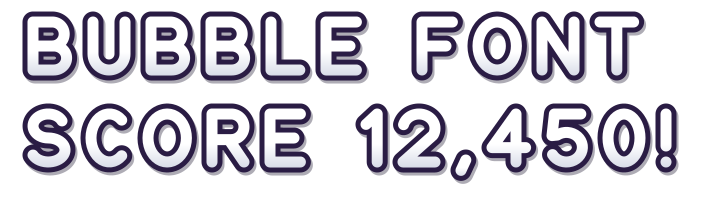
Bubble font
1x + 2x sheets · AngelCode .fnt + JSON
56 characters: A to Z, 0 to 9 and 19 signs, capitals only. Capitals are 48 px high at 1x and 96 px at 2x.
Bubble font · 1x + 2x sheets · AngelCode .fnt + JSON
56 characters: A to Z, 0 to 9 and 19 signs, capitals only. Capitals are 48 px high at 1x and 96 px at 2x. Our own letter shapes, drawn by our own code, not made from any font file.
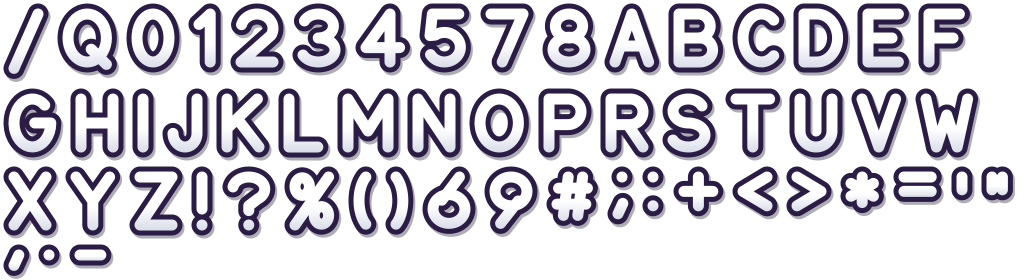
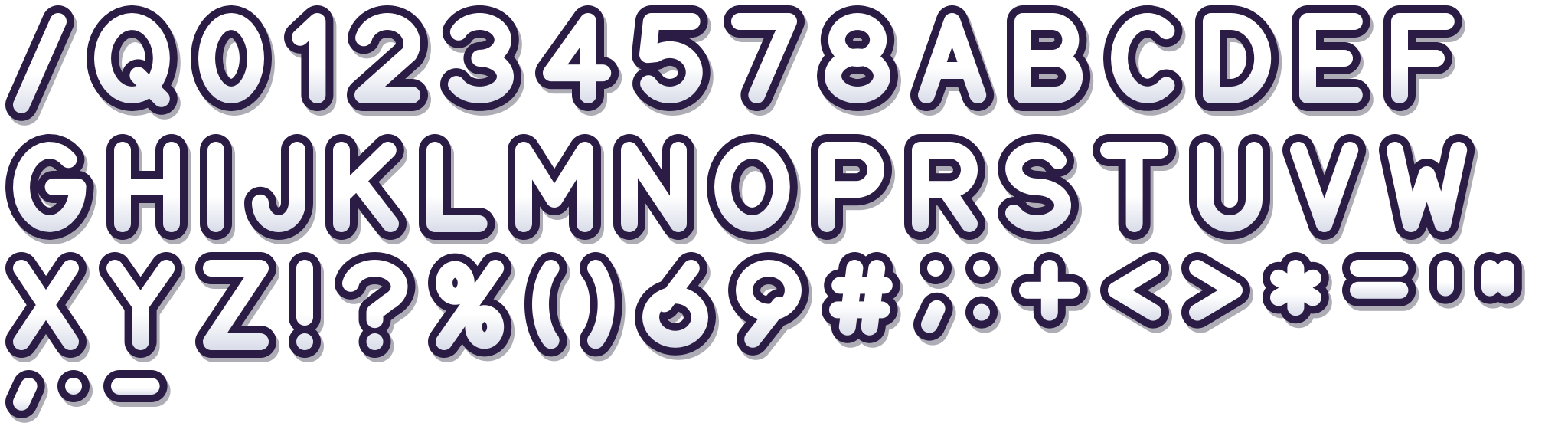
The .fnt (BMFont text format) loads in Phaser (this.load.bitmapFont), Godot, Unity text tools and libGDX. Use the @2x sheet with its own @2x .fnt for sharp text on big screens.
Credit (CC BY 4.0)
Free for personal and commercial use. Paste the credit line in your credits. How to credit
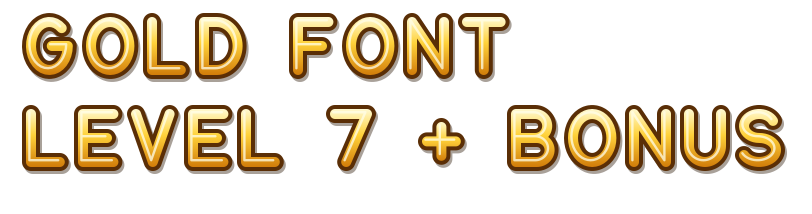
Gold font
1x + 2x sheets · AngelCode .fnt + JSON
56 characters: A to Z, 0 to 9 and 19 signs, capitals only. Capitals are 48 px high at 1x and 96 px at 2x.
Gold font · 1x + 2x sheets · AngelCode .fnt + JSON
56 characters: A to Z, 0 to 9 and 19 signs, capitals only. Capitals are 48 px high at 1x and 96 px at 2x. Our own letter shapes, drawn by our own code, not made from any font file.
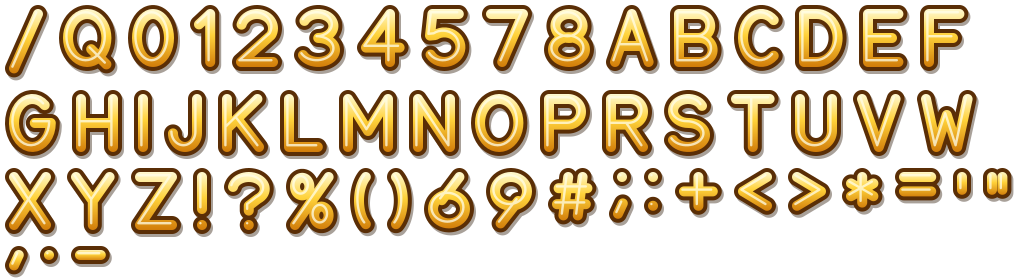
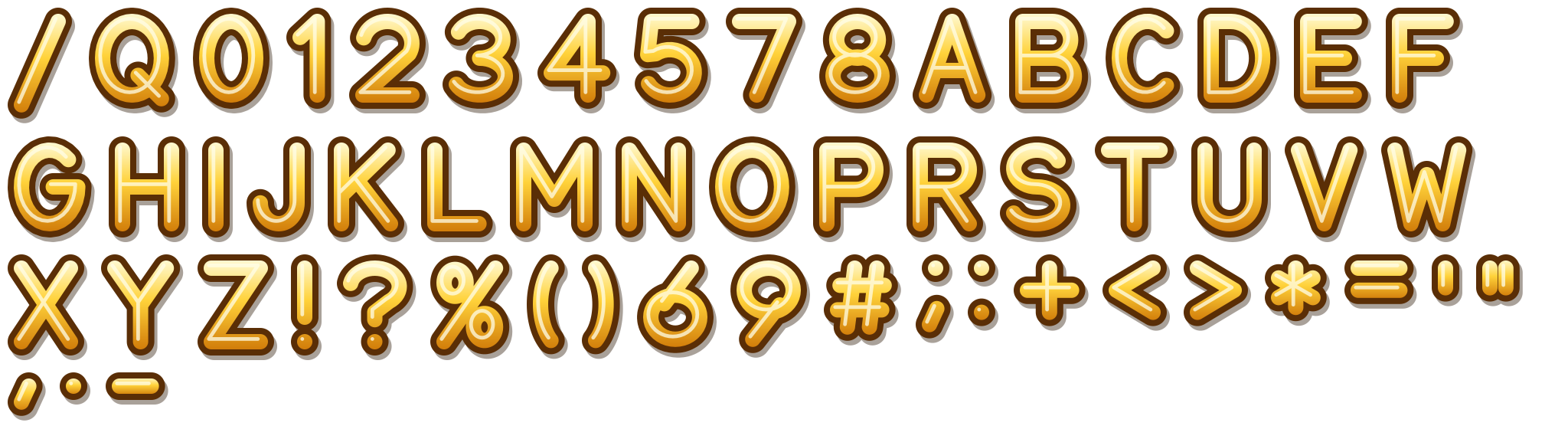
The .fnt (BMFont text format) loads in Phaser (this.load.bitmapFont), Godot, Unity text tools and libGDX. Use the @2x sheet with its own @2x .fnt for sharp text on big screens.
Credit (CC BY 4.0)
Free for personal and commercial use. Paste the credit line in your credits. How to credit
Neon font
1x + 2x sheets · AngelCode .fnt + JSON
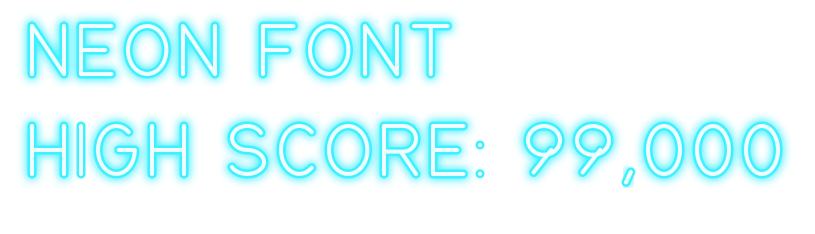
56 characters: A to Z, 0 to 9 and 19 signs, capitals only. Capitals are 48 px high at 1x and 96 px at 2x.
Neon font · 1x + 2x sheets · AngelCode .fnt + JSON
56 characters: A to Z, 0 to 9 and 19 signs, capitals only. Capitals are 48 px high at 1x and 96 px at 2x. Our own letter shapes, drawn by our own code, not made from any font file.
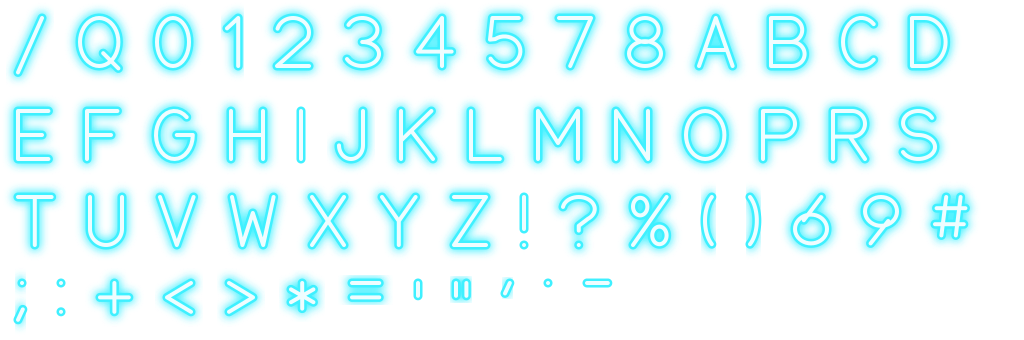
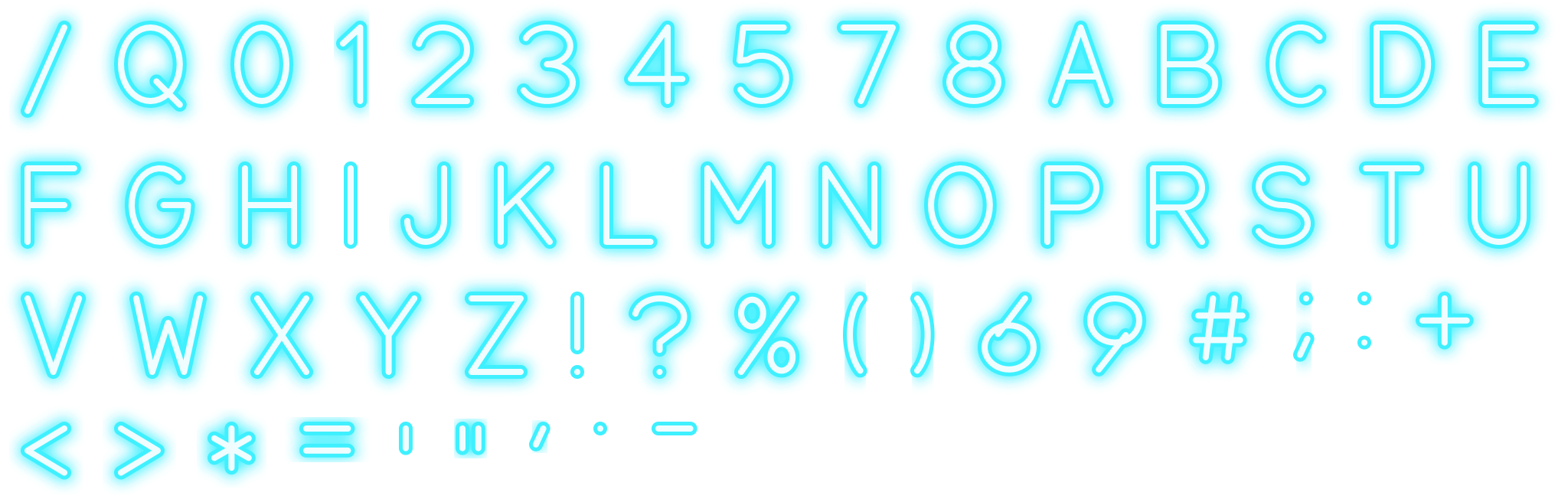
The .fnt (BMFont text format) loads in Phaser (this.load.bitmapFont), Godot, Unity text tools and libGDX. Use the @2x sheet with its own @2x .fnt for sharp text on big screens.
Credit (CC BY 4.0)
Free for personal and commercial use. Paste the credit line in your credits. How to credit
How to use these assets
Animated sprites come as one PNG sprite sheet each, with a frame map next to it: a TexturePacker-style JSON (frame names, sizes, animations and speed) that most 2D engines read, plus a Godot 4 SpriteFrames file. Tilesets come with Tiled .tsx files.
Phaser
Load the PNG and JSON with this.load.atlas and build each animation from its frame names, as in the code below.
Godot 4
Drop the PNG and the .tres in your project and pick the .tres as the SpriteFrames of an AnimatedSprite2D. All animations and speeds are already set.
Unity
Set the texture to Sprite (Multiple), slice by cell size (it is in the JSON and on each card) and drag the frames onto the scene to make an animation.
Tiled
Open the .tsx tileset. Top-down sets have corner (Wang) sets, so the terrain brush paints shores, paths and kerbs with the right edge tiles.
this.load.atlas('knight', 'knight.png', 'knight.json');   // in preload()

this.anims.create({                                       // in create()
  key: 'run',
  frames: this.anims.generateFrameNames('knight', { prefix: 'knight-run-', start: 0, end: 7, zeroPad: 2 }),
  frameRate: 16,
  repeat: -1
});
const hero = this.add.sprite(200, 300, 'knight');
hero.setOrigin(0.5, hero.frame.customData.pivot.y);       // the pivot in the JSON is at the feet
hero.play('run');
Every PNG has clean transparency: the colour under see-through pixels is filled in from the edges, so scaled sprites get no white or dark halo.
How to credit (CC BY 4.0)
All assets are made by vinish.dev and released under Creative Commons Attribution 4.0. Use them in personal and commercial games and apps, change them and share them. The one condition is credit:
- Copy a credit line below.
- Paste it where players can see it: your game's credits screen, store page or About screen.
- If you changed an asset, add that after the credit, for example "recoloured".
Used many assets? One line for the whole library is enough:
Or credit one asset by name:
Questions
Can I use these in a commercial game?
Yes. CC BY 4.0 allows commercial use. Put the credit line in your credits or About screen.
Do I need an account?
No. There is no login, sign-up or email. Press View and download and the files are yours.
Can I change them?
Yes. Recolour, resize or cut them. Keep the credit and mention that you changed them.
More from vinish.dev
- Free 2D Game Assets: every pack
- Free Castle Tiles: Castle flagstones with a carpet, cracks and moss, courtyard cobbles, wooden floors, a moat set, a path set and a grassy stone platformer set.
- Free Dragons: Seven winged dragons that walk, fly, roar and attack: fire, ice, forest, shadow, bone and eastern dragons and a wyvern.
- Free Elves, Dwarves and Orcs: Fantasy folk: an elf archer, sentinel and healer, a dwarf warrior, smith and shieldmaiden, and an orc warrior and chieftain.
- Free Top-Down Fantasy Heroes: Eight fantasy heroes for top-down RPGs, idle and walking in 8 directions: barbarian, paladin, ranger, rogue, sorceress, cleric and two knights.
- Free Sci-Fi Props: Cargo crates, barrels, a cryo pod, a holo table, consoles, a server rack, a generator and a loot chest for top-down sci-fi maps.
- Free Cyberpunk City Background: A neon city at night: far towers in a pink haze, glowing signs, dark buildings and a wet street with neon reflections in five looping layers.
- All 107 packs: the whole library as a list
- Free 3D Models: GLB, OBJ and STL models for games
- Free Sound Effects: WAV, OGG and MP3 sounds for games
- Free VFX: explosion, fire and magic sprite sheets