Free Game Item Icons: PNG and SVG
Coins, gems, potions, keys, a sword, a shield and more as PNG and vector SVG. Item icons drawn as vectors: PNG at 128 and 256 px, plus SVG that scales to any size. Free with credit, no login.
- 12 icons
- 128 + 256 px PNG
- SVG
- CC BY 4.0
All 12 icons
The previews play the real files. Press View and download for every file and format.
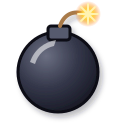
Bomb
Item icon · PNG + @2x + SVG
Drawn as a vector, so the SVG scales to any size with sharp edges.
Game Item Icons · Item icon · PNG + @2x + SVG
Drawn as a vector, so the SVG scales to any size with sharp edges.
Download
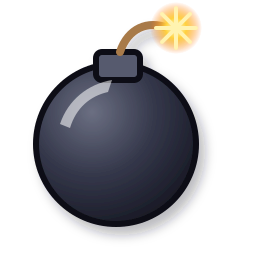
Open the SVG in Inkscape, Figma or Illustrator to recolour it.
Credit (CC BY 4.0)
Free for personal and commercial use. Paste the credit line in your credits. How to credit

Coin
Item icon · PNG + @2x + SVG
Drawn as a vector, so the SVG scales to any size with sharp edges.
Game Item Icons · Item icon · PNG + @2x + SVG
Drawn as a vector, so the SVG scales to any size with sharp edges.
Download


Open the SVG in Inkscape, Figma or Illustrator to recolour it.
Credit (CC BY 4.0)
Free for personal and commercial use. Paste the credit line in your credits. How to credit
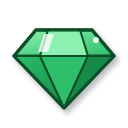
Emerald
Item icon · PNG + @2x + SVG
Drawn as a vector, so the SVG scales to any size with sharp edges.
Game Item Icons · Item icon · PNG + @2x + SVG
Drawn as a vector, so the SVG scales to any size with sharp edges.
Download
Open the SVG in Inkscape, Figma or Illustrator to recolour it.
Credit (CC BY 4.0)
Free for personal and commercial use. Paste the credit line in your credits. How to credit
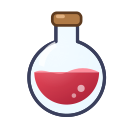
Health Potion
Item icon · PNG + @2x + SVG
Drawn as a vector, so the SVG scales to any size with sharp edges.
Game Item Icons · Item icon · PNG + @2x + SVG
Drawn as a vector, so the SVG scales to any size with sharp edges.
Download
Open the SVG in Inkscape, Figma or Illustrator to recolour it.
Credit (CC BY 4.0)
Free for personal and commercial use. Paste the credit line in your credits. How to credit

Heart
Item icon · PNG + @2x + SVG
Drawn as a vector, so the SVG scales to any size with sharp edges.
Game Item Icons · Item icon · PNG + @2x + SVG
Drawn as a vector, so the SVG scales to any size with sharp edges.
Download


Open the SVG in Inkscape, Figma or Illustrator to recolour it.
Credit (CC BY 4.0)
Free for personal and commercial use. Paste the credit line in your credits. How to credit

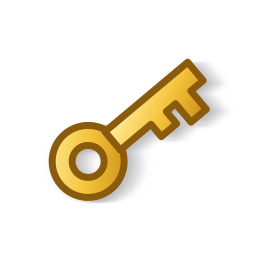
Key
Item icon · PNG + @2x + SVG
Drawn as a vector, so the SVG scales to any size with sharp edges.
Game Item Icons · Item icon · PNG + @2x + SVG
Drawn as a vector, so the SVG scales to any size with sharp edges.
Download

Open the SVG in Inkscape, Figma or Illustrator to recolour it.
Credit (CC BY 4.0)
Free for personal and commercial use. Paste the credit line in your credits. How to credit

Mana Potion
Item icon · PNG + @2x + SVG
Drawn as a vector, so the SVG scales to any size with sharp edges.
Game Item Icons · Item icon · PNG + @2x + SVG
Drawn as a vector, so the SVG scales to any size with sharp edges.
Download


Open the SVG in Inkscape, Figma or Illustrator to recolour it.
Credit (CC BY 4.0)
Free for personal and commercial use. Paste the credit line in your credits. How to credit
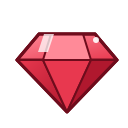
Ruby
Item icon · PNG + @2x + SVG
Drawn as a vector, so the SVG scales to any size with sharp edges.
Game Item Icons · Item icon · PNG + @2x + SVG
Drawn as a vector, so the SVG scales to any size with sharp edges.
Download
Open the SVG in Inkscape, Figma or Illustrator to recolour it.
Credit (CC BY 4.0)
Free for personal and commercial use. Paste the credit line in your credits. How to credit
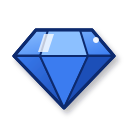
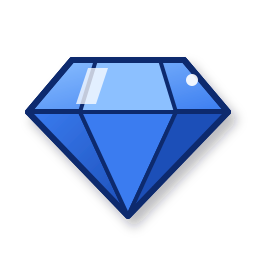
Sapphire
Item icon · PNG + @2x + SVG
Drawn as a vector, so the SVG scales to any size with sharp edges.
Game Item Icons · Item icon · PNG + @2x + SVG
Drawn as a vector, so the SVG scales to any size with sharp edges.
Download
Open the SVG in Inkscape, Figma or Illustrator to recolour it.
Credit (CC BY 4.0)
Free for personal and commercial use. Paste the credit line in your credits. How to credit

Shield
Item icon · PNG + @2x + SVG
Drawn as a vector, so the SVG scales to any size with sharp edges.
Game Item Icons · Item icon · PNG + @2x + SVG
Drawn as a vector, so the SVG scales to any size with sharp edges.
Download


Open the SVG in Inkscape, Figma or Illustrator to recolour it.
Credit (CC BY 4.0)
Free for personal and commercial use. Paste the credit line in your credits. How to credit

Star
Item icon · PNG + @2x + SVG
Drawn as a vector, so the SVG scales to any size with sharp edges.
Game Item Icons · Item icon · PNG + @2x + SVG
Drawn as a vector, so the SVG scales to any size with sharp edges.
Download


Open the SVG in Inkscape, Figma or Illustrator to recolour it.
Credit (CC BY 4.0)
Free for personal and commercial use. Paste the credit line in your credits. How to credit
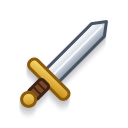
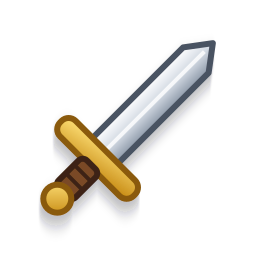
Sword
Item icon · PNG + @2x + SVG
Drawn as a vector, so the SVG scales to any size with sharp edges.
Game Item Icons · Item icon · PNG + @2x + SVG
Drawn as a vector, so the SVG scales to any size with sharp edges.
Download
Open the SVG in Inkscape, Figma or Illustrator to recolour it.
Credit (CC BY 4.0)
Free for personal and commercial use. Paste the credit line in your credits. How to credit
How to use these assets
Animated sprites come as one PNG sprite sheet each, with a frame map next to it: a TexturePacker-style JSON (frame names, sizes, animations and speed) that most 2D engines read, plus a Godot 4 SpriteFrames file. Tilesets come with Tiled .tsx files.
Phaser
Load the PNG and JSON with this.load.atlas and build each animation from its frame names, as in the code below.
Godot 4
Drop the PNG and the .tres in your project and pick the .tres as the SpriteFrames of an AnimatedSprite2D. All animations and speeds are already set.
Unity
Set the texture to Sprite (Multiple), slice by cell size (it is in the JSON and on each card) and drag the frames onto the scene to make an animation.
Tiled
Open the .tsx tileset. Top-down sets have corner (Wang) sets, so the terrain brush paints shores, paths and kerbs with the right edge tiles.
this.load.atlas('knight', 'knight.png', 'knight.json');   // in preload()

this.anims.create({                                       // in create()
  key: 'run',
  frames: this.anims.generateFrameNames('knight', { prefix: 'knight-run-', start: 0, end: 7, zeroPad: 2 }),
  frameRate: 16,
  repeat: -1
});
const hero = this.add.sprite(200, 300, 'knight');
hero.setOrigin(0.5, hero.frame.customData.pivot.y);       // the pivot in the JSON is at the feet
hero.play('run');
Every PNG has clean transparency: the colour under see-through pixels is filled in from the edges, so scaled sprites get no white or dark halo.
How to credit (CC BY 4.0)
All assets are made by vinish.dev and released under Creative Commons Attribution 4.0. Use them in personal and commercial games and apps, change them and share them. The one condition is credit:
- Copy a credit line below.
- Paste it where players can see it: your game's credits screen, store page or About screen.
- If you changed an asset, add that after the credit, for example "recoloured".
Used many assets? One line for the whole library is enough:
Or credit one asset by name:
Questions
Can I use these in a commercial game?
Yes. CC BY 4.0 allows commercial use. Put the credit line in your credits or About screen.
Do I need an account?
No. There is no login, sign-up or email. Press View and download and the files are yours.
Can I change them?
Yes. Recolour, resize or cut them. Keep the credit and mention that you changed them.
More from vinish.dev
- Free 2D Game Assets: every pack
- Free Crates and Boxes: Wooden crates, cardboard boxes, cases and an ammo can.
- Free Town Buildings: Cartoon buildings for top-down towns: bakery, cafe, store, barn, towers, a lighthouse and more.
- Free Home Furniture: Beds, sofas, tables, shelves and a kitchen for top-down house interiors.
- Free Gem and Ore Icons: Cut gems, crystals, geodes and gold ore as item icons.
- Free Fantasy Weapon and Potion Icons: Magic swords, axes, a bow, a staff and six potions as RPG item icons.
- Free Food Icons: Fruit, bread, a burger, pizza, cake and more as food item icons.
- All 33 packs: the whole library as a list
- Free 3D Models: GLB, OBJ and STL models for games
- Free Sound Effects: WAV, OGG and MP3 sounds for games
- Free VFX: explosion, fire and magic sprite sheets