Oracle APEX 26.1 The Complete Guide
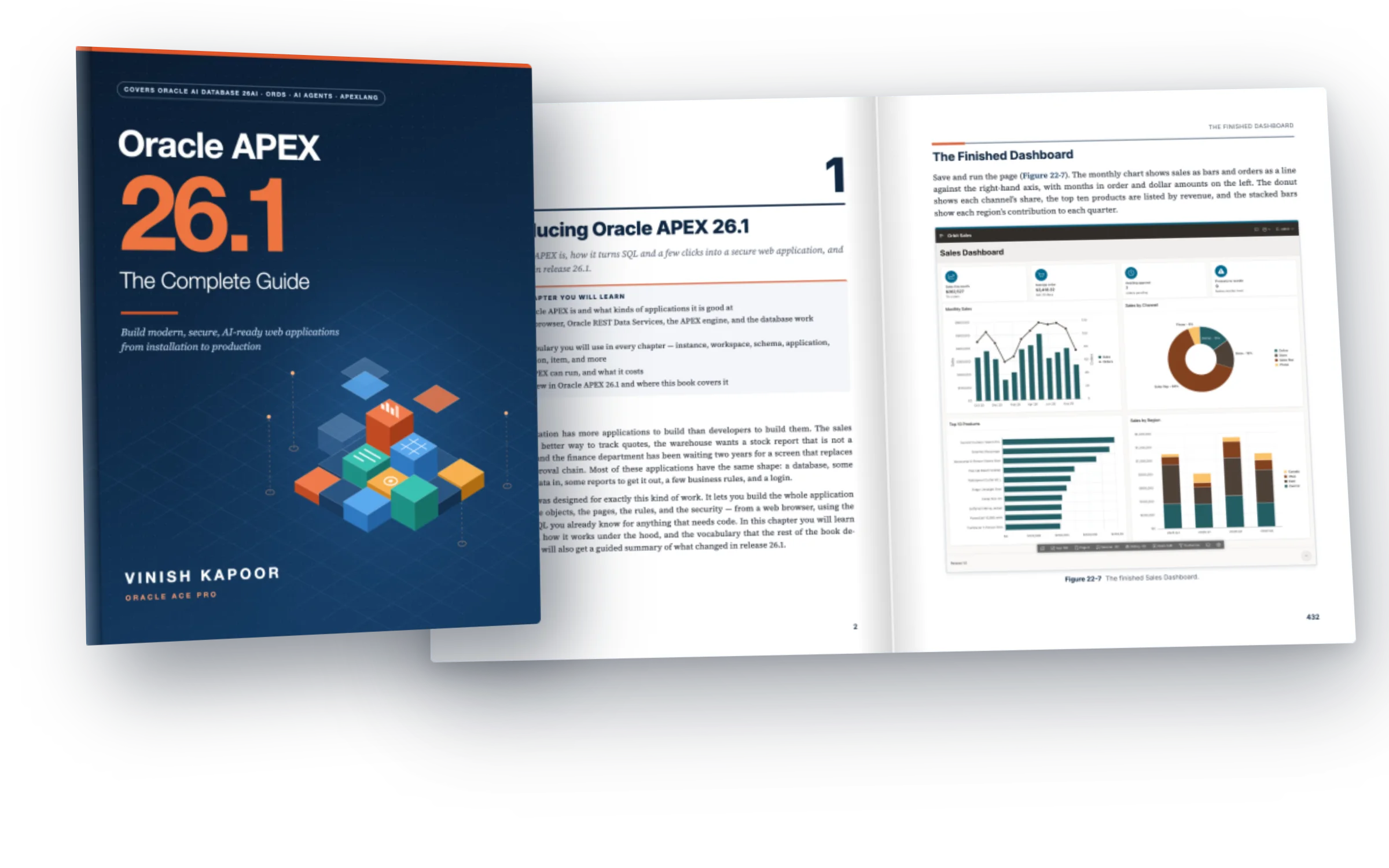
Build modern, secure, AI-ready web applications, from installation to production. In 828 pages you build one real application, Orbit Sales, and learn every part of Oracle APEX on the way: pages and reports, forms and grids, security, workflows, REST services, and generative AI.
- Installation
- Page Designer
- Reports & grids
- Dynamic actions
- Security
- Workflows
- Generative AI
- REST & ORDS
Learn APEX the way you will use it
Oracle APEX turns SQL and PL/SQL skills into complete, secure web applications. The hard part is not any one feature, it is knowing how they fit together. This book takes you through all of it, in order, on one application.
Blog posts, old versions and toy examples
- Answers scattered over forums and videos, each for a different APEX release.
- Screenshots that no longer match the builder you have in front of you.
- One-page demos that stop right where a real application starts.
- Security, deployment and administration left for later, or never.
One real application, built step by step
- Written for APEX 26.1, with New in 26.1 boxes wherever something changed.
- 474 real screenshots, taken on APEX 26.1 while the book was written.
- You build Orbit Sales, an order-management application with real data, from the first table to production.
- Every script and code example on GitHub, plus the finished application to compare with.
From an empty laptop to production
Every chapter builds on the last. You install the stack, build the application page by page, and finish with REST services, debugging and deployment.
Install the stack
Oracle AI Database 26ai Free, APEX 26.1 and ORDS, in containers or natively on Windows, Linux and macOS. Or use a free cloud workspace.
Build Orbit Sales
Reports, grids, forms, cards, charts, maps and faceted search, then security, workflows and an AI assistant, on real sample data.
Take it to production
Publish REST services with ORDS, debug, export as APEXlang, deploy, and administer workspaces and the instance.
Real pages from the book
Numbered steps, full-size screenshots, code you can copy, and boxes for tips, cautions and what is new in 26.1. Click any page to read it.
Pages shown from the full-color edition. The Kindle edition has every screenshot in color; the paperback is printed in black and white.
Orbit Sales, one screen at a time
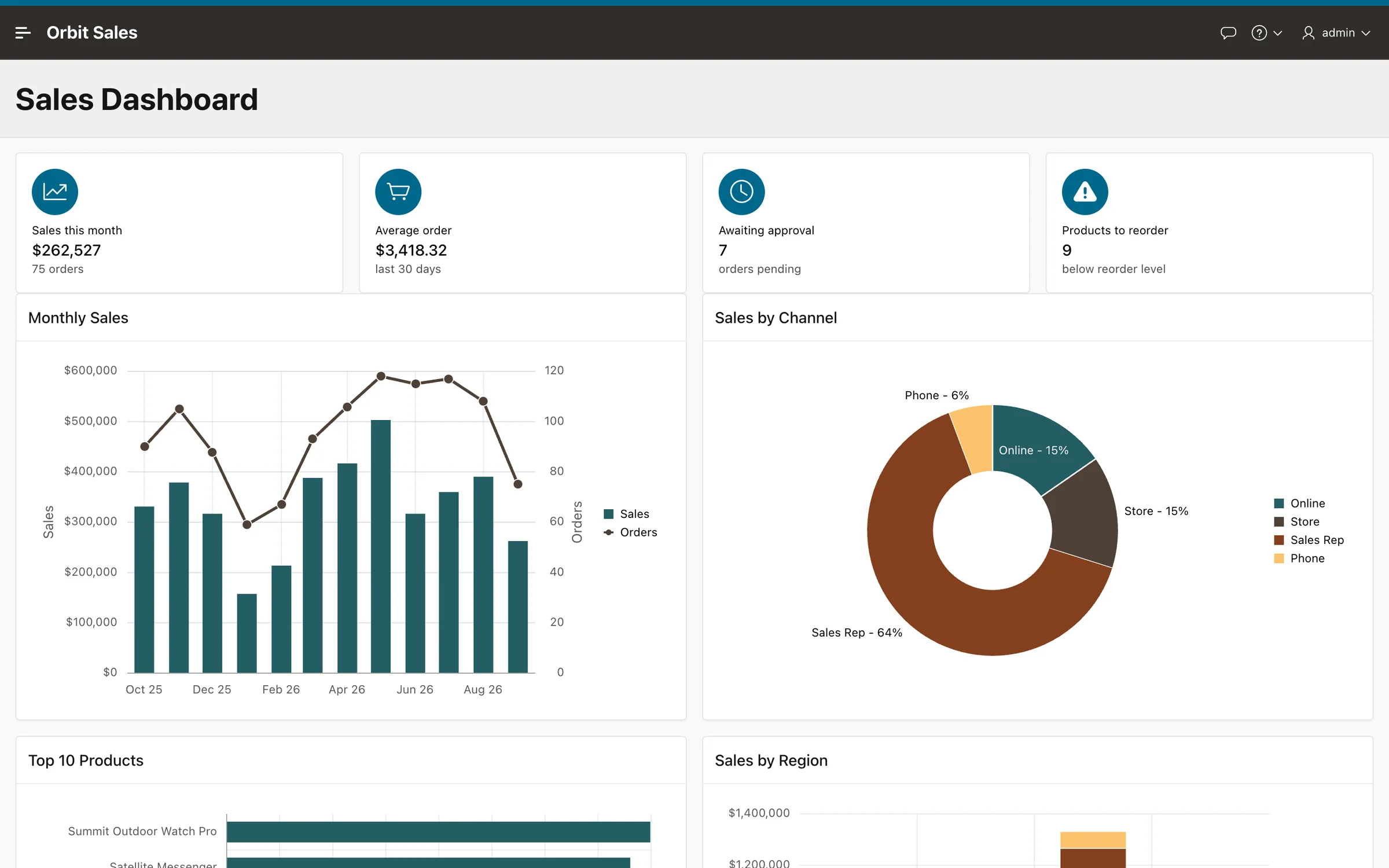
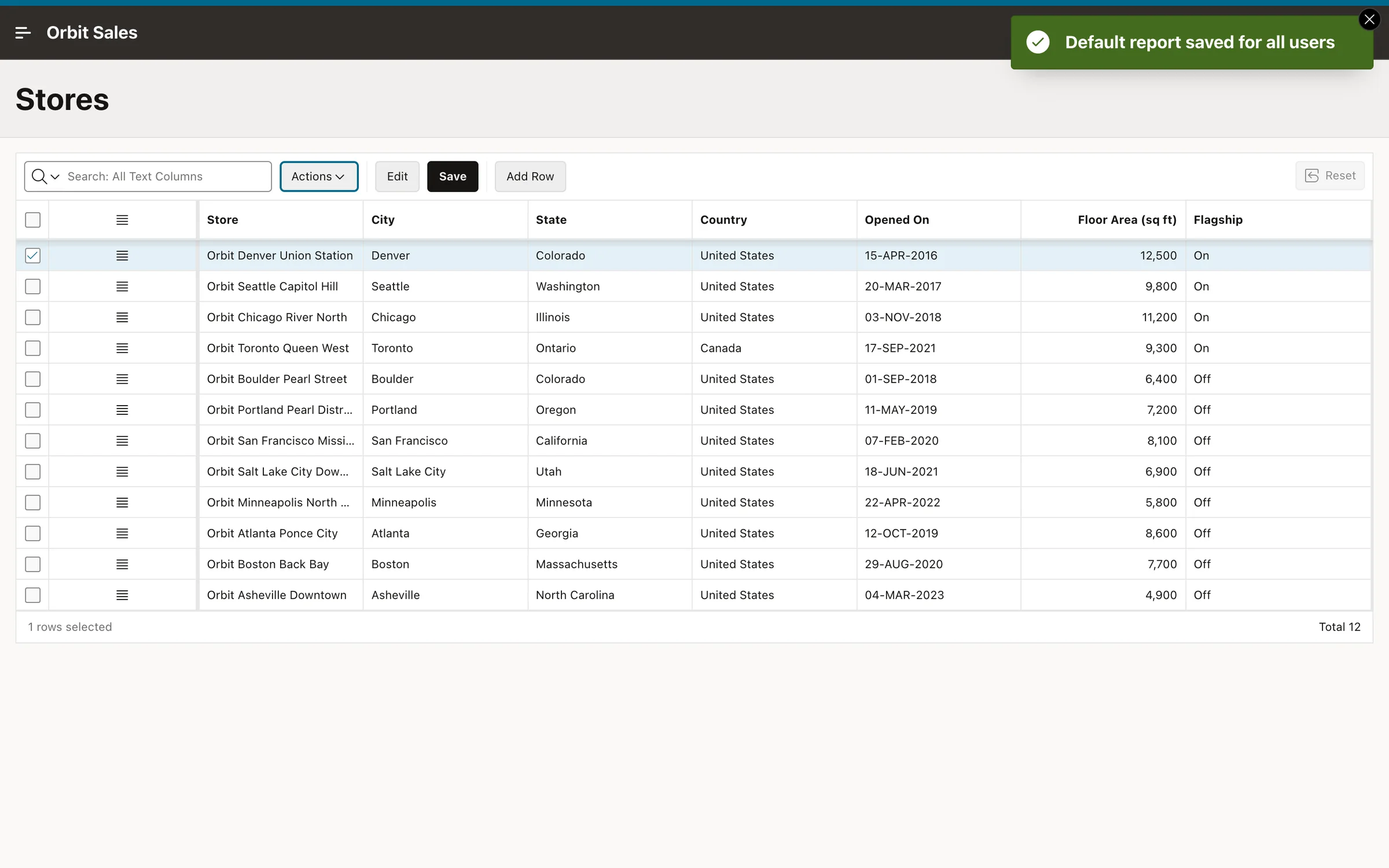
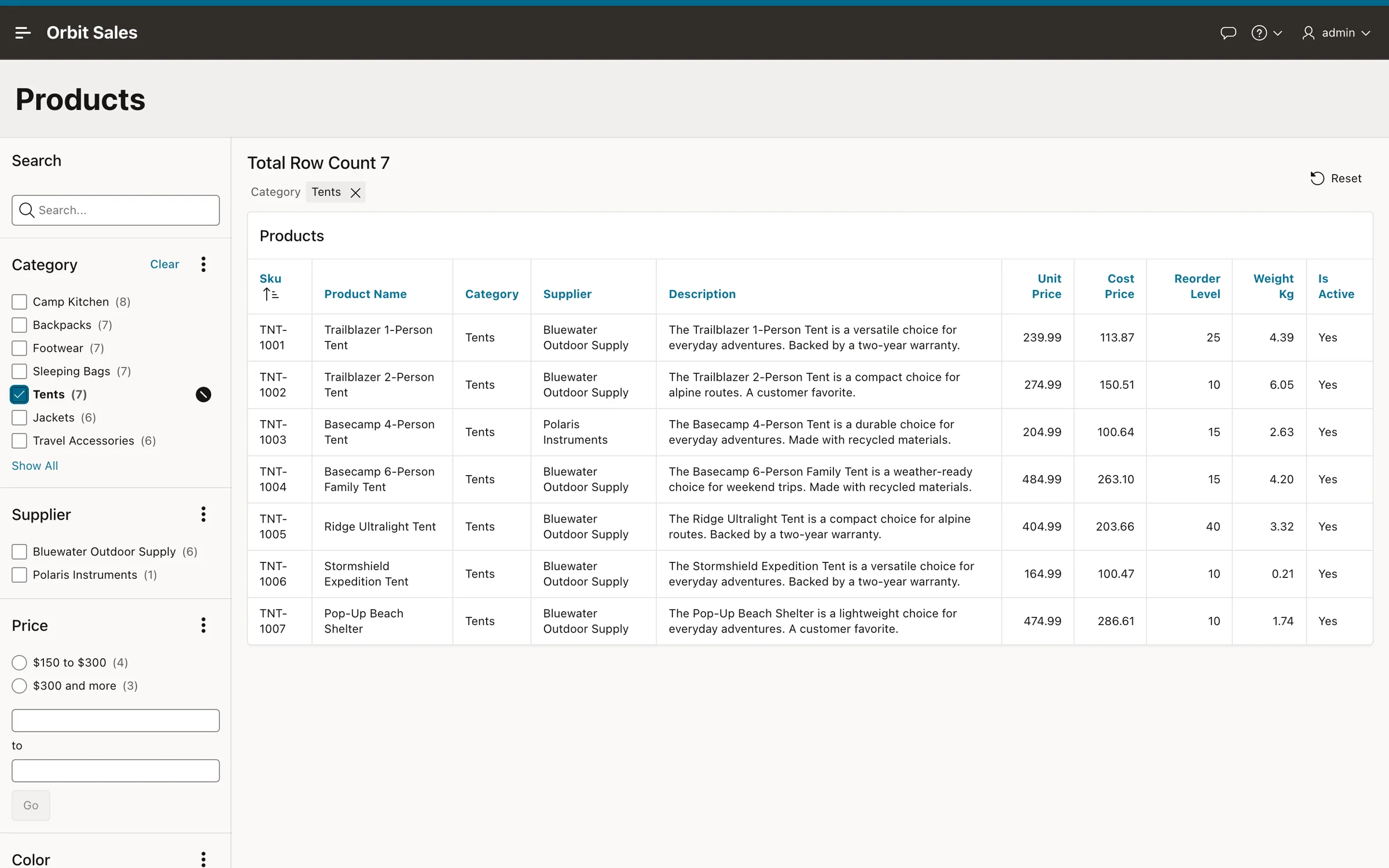
A realistic order-management application for a fictional outdoor-gear retailer, with customers, products, stores and orders. Every screen below is built in the book.
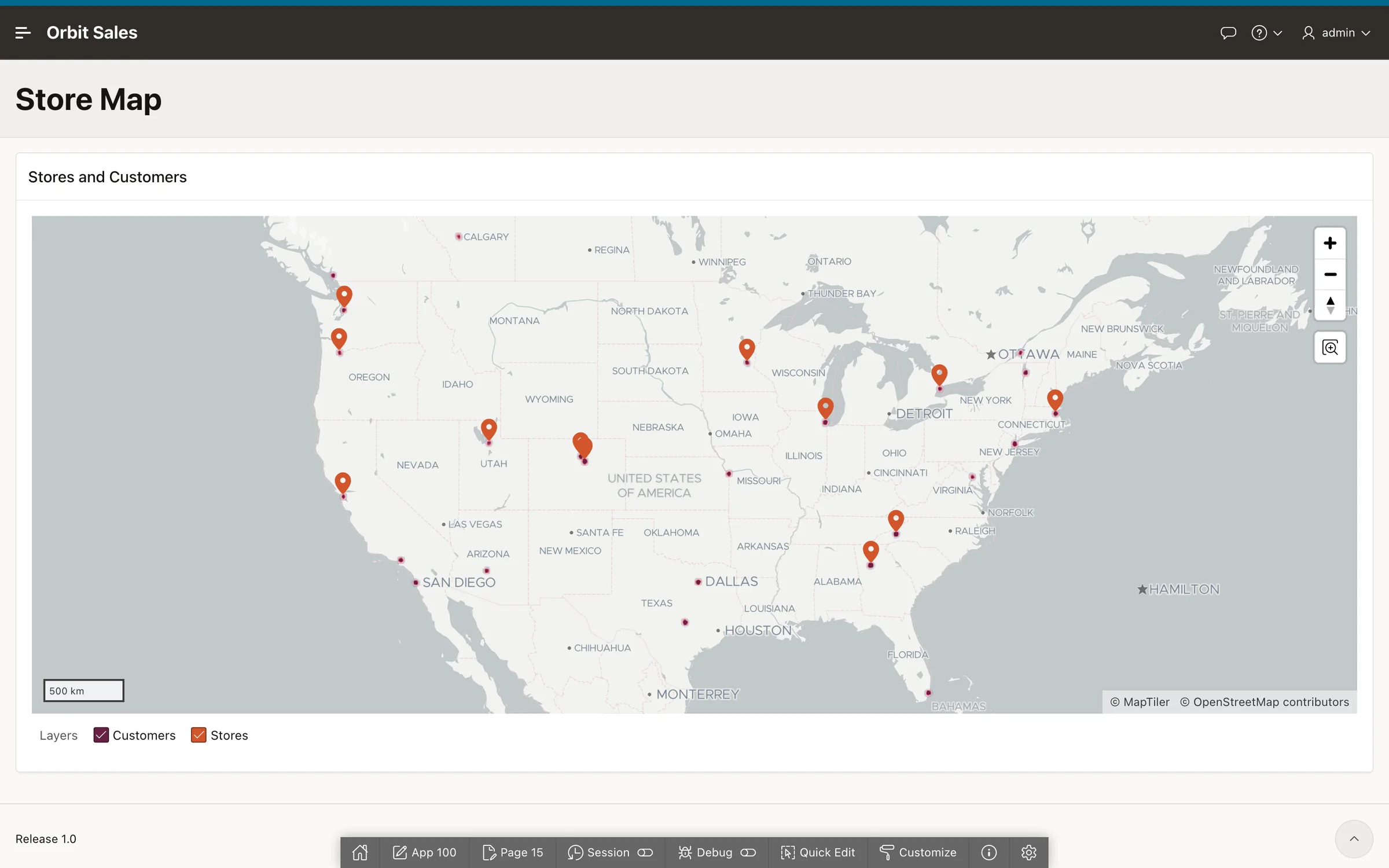
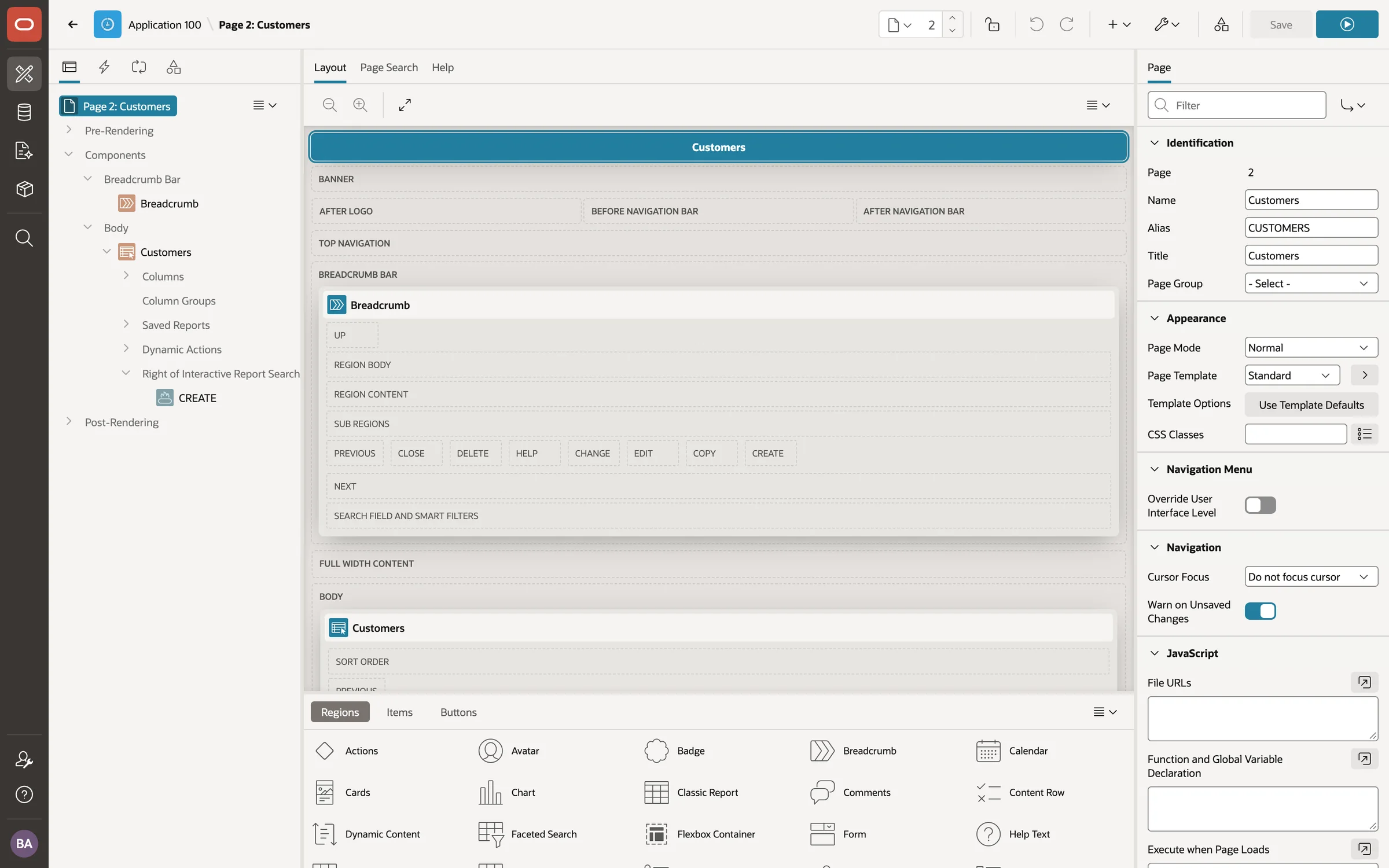
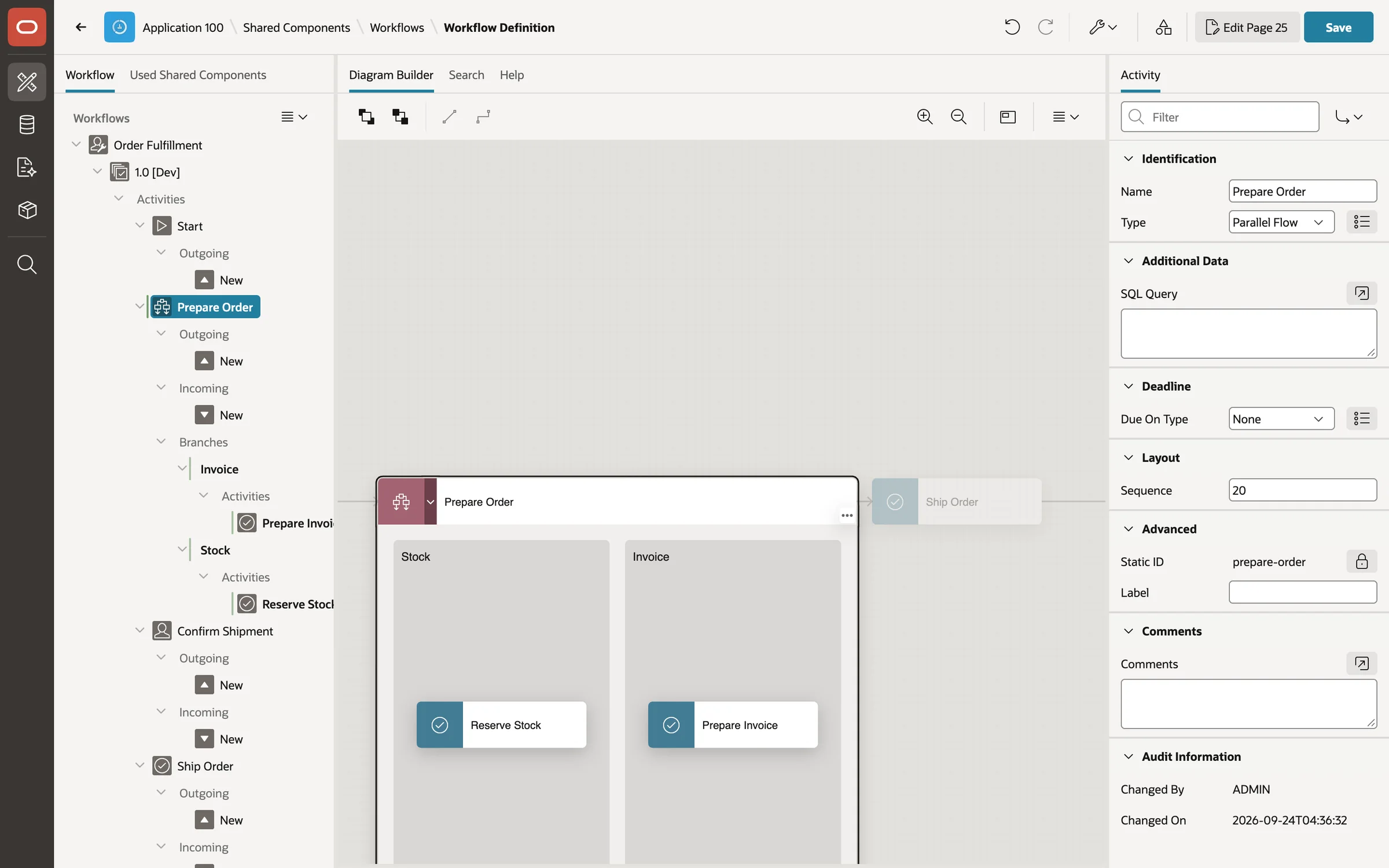
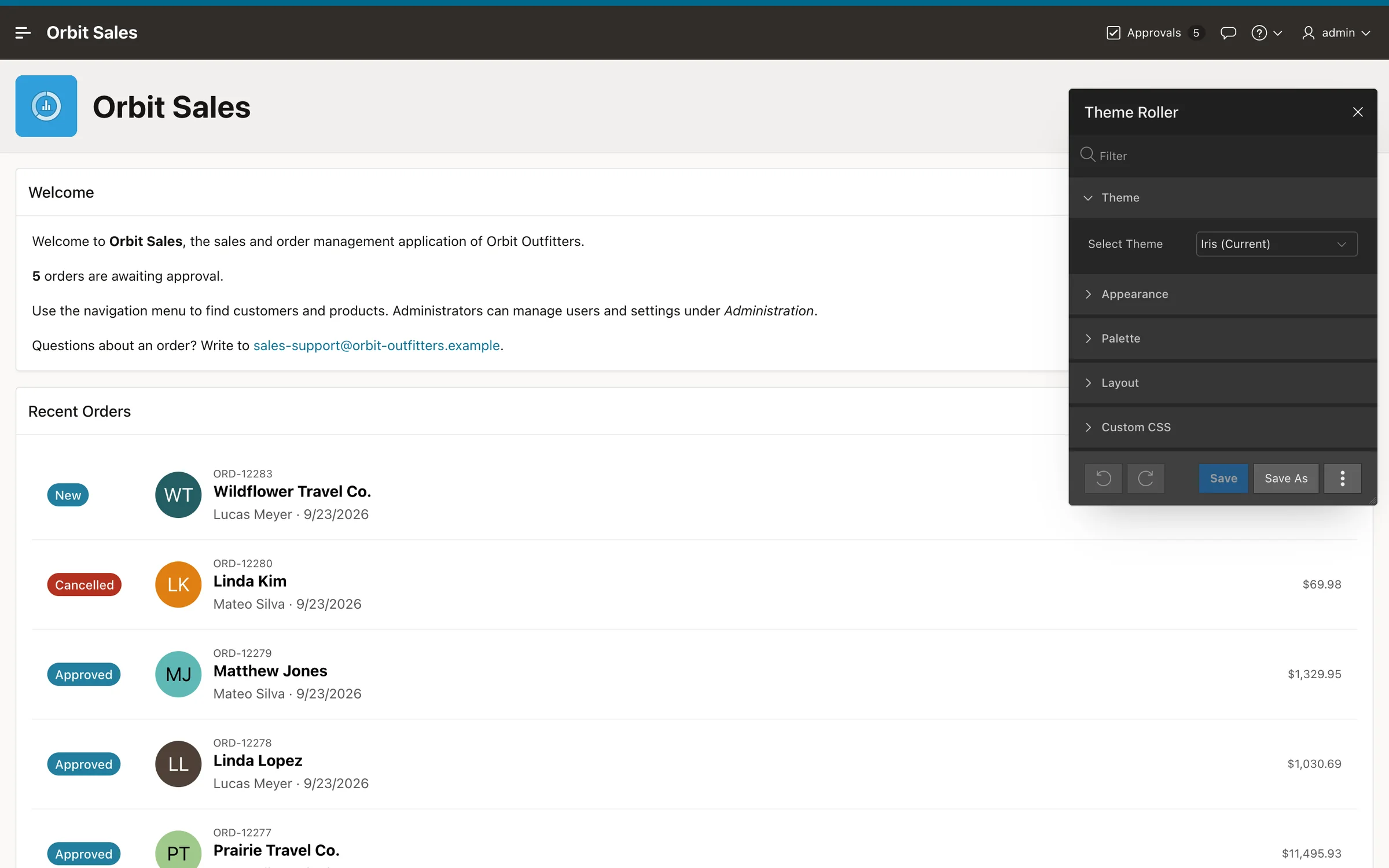
Chapter 22: metric cards, a combined bar and line chart, a donut, and drill-down charts on one dashboard.
Every part of Oracle APEX, in one book
Six parts, 48 chapters
Read it from the start, or jump to the part you need. Each chapter ends with a summary and review questions.
Getting Started
Install Oracle APEX 26.1 on the platform of your choice, configure ORDS, and create your workspace.
- 1Introducing Oracle APEX 26.1
- 2Preparing Your System
- 3Installing with Docker on Windows, macOS, and Linux
- 4Installing Natively on Windows
- 5Installing Natively on Linux
- 6Installing on macOS
- 7Oracle REST Data Services in Depth
- 8No-Install Options: oracleapex.com and Oracle Cloud
The Development Environment
Find your way around the workspace, master SQL Workshop, and build the database behind Orbit Sales.
- 9Your First Workspace
- 10A Tour of the APEX Workspace
- 11SQL Workshop
- 12The Orbit Outfitters Database
Building Applications
Create the application, learn Page Designer, and build every kind of page and region APEX offers.
- 13Creating Applications
- 14Page Designer
- 15Pages
- 16Classic Reports
- 17Interactive Reports
- 18Interactive Grids
- 19Forms
- 20Cards, Content Row, and Template Components
- 21Faceted Search, Smart Filters, and Search
- 22Charts
- 23Maps, Calendars, and Trees
- 24Other Regions
Items, Buttons, and Page Logic
Make pages interactive: items, buttons and navigation, session state, validations, processes, dynamic actions, Ajax and JavaScript.
- 25Page Items
- 26Buttons, Branches, and Navigation
- 27Session State and Substitutions
- 28Validations
- 29Page Processes
- 30Dynamic Actions
- 31Ajax in APEX
- 32JavaScript and CSS in APEX
Shared Components
What all pages share: logic, navigation, security, themes, data sources, translation, workflows, automations and generative AI.
- 33Application Logic
- 34Navigation Components
- 35Authentication
- 36Authorization and Application Security
- 37Themes, Templates, and Theme Roller
- 38Lists of Values, Plug-ins, Shortcuts, and Component Settings
- 39Files, Reports, Printing, and Data Reporter
- 40Data Sources
- 41Globalization and Translation
- 42Approvals, Tasks, and Workflows
- 43Automations, E-mail, and Push Notifications
- 44Generative AI in APEX
Advanced Topics and Administration
REST services with ORDS, a plug-in of your own, debugging, going to production, and administration.
- 45RESTful Services with ORDS
- 46A Simple Plug-in
- 47Debugging, Lifecycle, and Going to Production
- 48Administration
One of the largest releases in APEX's history, covered
Chapter 1 sums up what changed and where the book covers it. Throughout the book, New in 26.1 boxes point out new and changed behavior as you meet it.
Written on 26.1
Every step was done on APEX 26.1 while the book was written, so the builder looks the way you see it.
Real screenshots
474 screenshots of the builder and of Orbit Sales, taken from the running application.
Tested code
The scripts and examples ran against the book's own database before they went into the book.
Free to follow
Everything runs on free software: Oracle AI Database 26ai Free, APEX, ORDS, SQLcl and VS Code.
One book. One real application. Every part of Oracle APEX 26.1, from installation to production.
- Paperback, 828 pages
- Kindle edition in color
- Free code on GitHub
Who is this book for?
Developers new to APEX who know some SQL, Oracle Forms developers moving to the web, experienced APEX developers catching up with release 26.1, and DBAs who install and administer APEX.
Do I need to know APEX already?
No. The book starts with installation and explains every idea before you use it. You should know basic SQL; PL/SQL helps, and the book explains the code it uses.
Which versions does it cover?
Oracle APEX 26.1, Oracle REST Data Services 26 and Oracle AI Database 26ai Free. New and changed features of 26.1 are marked in New in 26.1 boxes, and chapter 47 has a checklist for upgrading older applications.
Do I need a paid license or Oracle Cloud?
No. Everything in the book runs on free software: Oracle AI Database 26ai Free with APEX and ORDS, in Docker or installed natively on Windows, Linux or macOS. Chapter 8 also shows the free workspaces at oracleapex.com and on Oracle Cloud.
Where is the code?
On GitHub, free: github.com/devvinish/apex-book-code-examples. It has the scripts that create the sample schema, every code example by chapter, and an export of the finished Orbit Sales application.
Is the paperback in color?
The paperback is printed in black and white on white paper, 7.5 by 9.25 inches, 828 pages, with a glossy cover. The Kindle edition shows every screenshot in color on color screens and in the Kindle apps.
How does the Kindle edition read?
It is a reflowable eBook: the text adapts to your screen and font size on every Kindle device and app, code listings wrap, the table of contents goes down to every section, and the index links to the chapters.
Does it cover generative AI?
Yes. Chapter 44 configures AI services (with a free local model through Ollama), builds AI agents with tools that read the application's data, adds an assistant to a page, and calls APEX_AI from PL/SQL.
Paperback or Kindle, on Amazon
Both editions have the same 48 chapters. Pick the paperback for your desk and the Kindle edition for color screenshots on any screen.
- Get the bookFrom Amazon, in the edition you prefer.
- Get the codeClone or download the repository on GitHub.
- Start buildingChapter 2 prepares your system, chapter 3 installs the stack.
Paperback
$39.99on Amazon.com
- 828 pages, 7.5 × 9.25 in
- Black and white on white paper
- Glossy cover
- ISBN 9798176708172
Kindle edition
$24.99on Amazon.com
- Every screenshot in color
- Reflowable on any Kindle
- Linked contents and index
- Kindle apps for phone, tablet and PC
The code of the book, free: the sample schema, every example by chapter, and the finished application.
sql/orbit/the Orbit Outfitters schema and datasql/examples/every code example, by chapterapex/f100.sqlthe finished Orbit Sales application